Flutter AssetsAudioPlayer
1.0.0

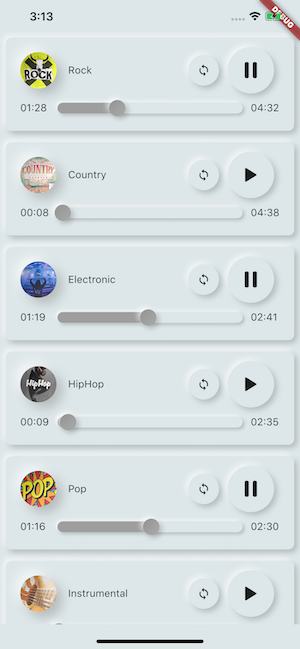
Воспроизвести музыку / аудио, хранящиеся в файлах активов (одновременно) непосредственно из Flutter (Android / iOS / Web / MacOS).
Вы также можете использовать воспроизводимые аудиофайлы из сети , используя их URL -адреса, Radios/Livestream и локальные файлы
Уведомление может отображаться на Android & IOS, а действия Bluetooth обрабатываются
 flutter :
  assets :
    - assets/audios/
AssetsAudioPlayer . newPlayer (). open (
Audio ( "assets/audios/song1.mp3" ),
autoStart : true ,
showNotification : true ,
);
 dependencies :
  assets_audio_player : ^3.0.8
Работает с flutter: ">=3.3.0" , обязательно обновите свой SDK
Вам нравится пакет? купи мне кофи :)
| Аудио источник | Android | ios | Веб - | MacOS |
|---|---|---|---|---|
| ? ️ Файл активов (путь актива) | ✅ | ✅ | ✅ | ✅ |
| Сетевой файл (URL) | ✅ | ✅ | ✅ | ✅ |
| ? Локальный файл (путь) | ✅ | ✅ | ✅ | ✅ |
| ? Сетевая прямая трансляция / радио (URL) ( По умолчанию, HLS, Dash, SmoothStream ) | ✅ | ✅ | ✅ | ✅ |
| Особенность | Android | ios | Веб - | MacOS |
|---|---|---|---|---|
| ? Несколько игроков | ✅ | ✅ | ✅ | ✅ |
| ? Открытый плейлист | ✅ | ✅ | ✅ | ✅ |
| Системное уведомление | ✅ | ✅ | ||
| Bluetooth Действия | ✅ | ✅ | ||
| ? Система уважения молчаливый режим | ✅ | ✅ | ||
| ? Пауза на телефонном звонке | ✅ | ✅ |
| Команды | Android | ios | Веб - | MacOS |
|---|---|---|---|---|
| ▶ Играть | ✅ | ✅ | ✅ | ✅ |
| ⏸ Пауза | ✅ | ✅ | ✅ | ✅ |
| ⏹ Остановитесь | ✅ | ✅ | ✅ | ✅ |
| ⏩ Поиск (позиция) | ✅ | ✅ | ✅ | ✅ |
| ⏪⏩ Seekby (позиция) | ✅ | ✅ | ✅ | ✅ |
| ⏩ вперед (скорость) | ✅ | ✅ | ✅ | ✅ |
| ⏪ Перемотка (скорость) | ✅ | ✅ | ✅ | ✅ |
| ⏭ Далее | ✅ | ✅ | ✅ | ✅ |
| ⏮ Предварительный | ✅ | ✅ | ✅ | ✅ |
| Виджеты | Android | ios | Веб - | MacOS |
|---|---|---|---|---|
| ? Аудио виджет | ✅ | ✅ | ✅ | ✅ |
| ? Виджеты строители | ✅ | ✅ | ✅ | ✅ |
| ? Audioplayer Builders Extension | ✅ | ✅ | ✅ | ✅ |
| Характеристики | Android | ios | Веб - | MacOS |
|---|---|---|---|---|
| ? Петля | ✅ | ✅ | ✅ | ✅ |
| ? Перетасовать | ✅ | ✅ | ✅ | ✅ |
| ? Получить/установить объем | ✅ | ✅ | ✅ | ✅ |
| ⏩ Получить/установить скорость игры | ✅ | ✅ | ✅ | ✅ |
| ⏩ Получить/установить шаг | ✅ |
| Слушатели | Android | ios | Веб - | MacOS |
|---|---|---|---|---|
| ? Слушатель Onready (завершена) | ✅ | ✅ | ✅ | ✅ |
| ? Слушатель CurrentPosition | ✅ | ✅ | ✅ | ✅ |
| ? Слушатель закончил | ✅ | ✅ | ✅ | ✅ |
| ? Буферизация слушателя | ✅ | ✅ | ✅ | ✅ |
| ? Громкость слушателя | ✅ | ✅ | ✅ | ✅ |
| ? Слушатель играет скорость | ✅ | ✅ | ✅ | ✅ |
| ? Слушатель | ✅ |
Не нужно скопировать песни в медиа -кеш, с Assets_audio_Player вы можете открыть их непосредственно из активов.
 flutter :
  assets :
- assets/audios/ final assetsAudioPlayer = AssetsAudioPlayer ();
assetsAudioPlayer. open (
Audio ( "assets/audios/song1.mp3" ),
);Вы также можете воспроизводить сетевые песни из URL
 final assetsAudioPlayer = AssetsAudioPlayer ();

try {
    await assetsAudioPlayer. open (
        Audio . network ( "http://www.mysite.com/myMp3file.mp3" ),
    );
} catch (t) {
    //mp3 unreachable
}
Livestream / Radio от URL
Основное отличие с сетью, если вы сделаете паузу/игру, в прямом эфире оно возобновится, чтобы представить продолжительность
 final assetsAudioPlayer = AssetsAudioPlayer ();

try {
    await assetsAudioPlayer. open (
        Audio . liveStream ( MY_LIVESTREAM_URL ),
    );
} catch (t) {
    //stream unreachable
}
И воспроизводить песни из файла
 //create a new player
final assetsAudioPlayer = AssetsAudioPlayer ();

assetsAudioPlayer. open (
    Audio . file ( FILE_URI ),
);
Для файла URI, пожалуйста, посмотрите на https://pub.dev/packages/path_provider
assetsAudioPlayer. playOrPause ();
assetsAudioPlayer. play ();
assetsAudioPlayer. pause ();
assetsAudioPlayer. seek ( Duration to);
assetsAudioPlayer. seekBy ( Duration by);assetsAudioPlayer. forwardRewind ( double speed);
//if positive, forward, if negative, rewind assetsAudioPlayer. stop ();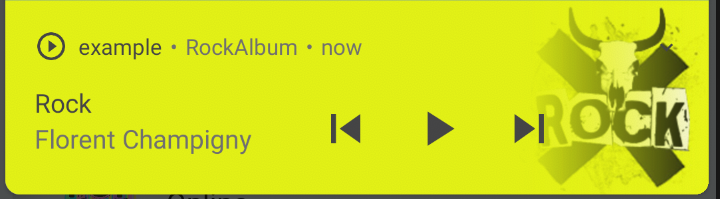
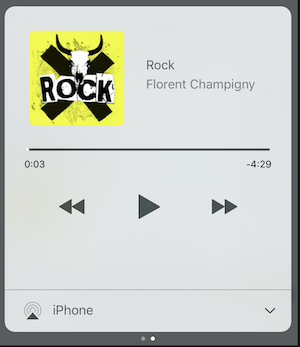
На iOS он будет использовать MPNowPlayingInfoCenter
 final audio = Audio . network ( "/assets/audio/country.mp3" ,
    metas : Metas (
            title :  "Country" ,
            artist : "Florent Champigny" ,
            album : "CountryAlbum" ,
            image : MetasImage . asset ( "assets/images/country.jpg" ), //can be MetasImage.network
          ),
);showNotification: true _player. open (audio, showNotification : true )Пользовательский значок (только для Android)
Убедитесь, что вы добавили эти значки в свой android/res/drawable !!! Не на флаттер -активах !!!!
 await _assetsAudioPlayer. open (
        myAudio,
        showNotification : true ,
        notificationSettings : NotificationSettings (
            customStopIcon : AndroidResDrawable (name : "ic_stop_custom" ),
            customPauseIcon : AndroidResDrawable (name : "ic_pause_custom" ),
            customPlayIcon : AndroidResDrawable (name : "ic_play_custom" ),
            customPrevIcon : AndroidResDrawable (name : "ic_prev_custom" ),
            customNextIcon : AndroidResDrawable (name : "ic_next_custom" ),
        )
И не забудьте сказать Proguard, чтобы сохранить эти ресурсы для режима выпуска
(Частично хранить ресурсы)
https://sites.google.com/a/android.com/tools/tech-docs/new-build-system/resource-shringing
<? xml version = " 1.0 " encoding = " utf-8 " ?>
< resources xmlns : tools = " http://schemas.android.com/tools "
tools:keep= " @drawable/ic_next_custom, @drawable/ic_prev_custom, @drawable/ic_pause_custom, @drawable/ic_play_custom, @drawable/ic_stop_custom " /> Добавьте свой значок в папку res Android (Android/App/SRC/Main/Res)
Ссылка на этот значок в свой AndroidManifest (Android/App/SRC/Main/AndroidManifest.xml)
< meta-data
     android : name = " assets.audio.player.notification.icon "
     android : resource = " @drawable/ic_music_custom " />
Вы также можете изменить значки действий
 <meta-data
    android:name="assets.audio.player.notification.icon.play"
    android:resource="@drawable/ic_play_custom"/>
<meta-data
    android:name="assets.audio.player.notification.icon.pause"
    android:resource="@drawable/ic_pause_custom"/>
<meta-data
    android:name="assets.audio.player.notification.icon.stop"
    android:resource="@drawable/ic_stop_custom"/>
<meta-data
    android:name="assets.audio.player.notification.icon.next"
    android:resource="@drawable/ic_next_custom"/>
<meta-data
    android:name="assets.audio.player.notification.icon.prev"
    android:resource="@drawable/ic_prev_custom"/>
Добавить в основном
 AssetsAudioPlayer . setupNotificationsOpenAction ((notification) {
    //custom action
    return true ; //true : handled, does not notify others listeners
                 //false : enable others listeners to handle it
});
Тогда, если вы хотите пользовательское действие на виджет
 AssetsAudioPlayer . addNotificationOpenAction ((notification) {
   //custom action
   return false ; //true : handled, does not notify others listeners
                 //false : enable others listeners to handle it
});Вы можете включить/отключить действие уведомления
 open ( AUDIO ,
   showNotification : true ,
   notificationSettings : NotificationSettings (
       prevEnabled : false , //disable the previous button

       //and have a custom next action (will disable the default action)
       customNextAction : (player) {
         print ( "next" );
       }
   )

)После создания звука просто позвоните
audio. updateMetas (
       player : _assetsAudioPlayer, //add the player if the audio is actually played
       title : "My new title" ,
       artist : "My new artist" ,
       //if I not provide a new album, it keep the old one
       image : MetasImage . network (
         //my new image url
       ),
);Вы должны дать возможность уведомления, чтобы заставить их работать
Доступные удаленные команды:
(Только для Android на данный момент)
Открывая песню/плейлист, добавьте стратегию
assetsAudioPlayer. open (
   ...
  headPhoneStrategy : HeadPhoneStrategy .pauseOnUnplug,
  //headPhoneStrategy: HeadPhoneStrategy.none, //default
  //headPhoneStrategy: HeadPhoneStrategy.pauseOnUnplugPlayOnPlug,
)
Если вы хотите заставить его работать на Bluetooth, вам придется добавить разрешение Bluetooth внутри вашего AndroidManifest.xml
< uses-permission android : name = " android.permission.BLUETOOTH " />Вы можете создать новый AssetSaudioplayer с использованием AssetSaudioplayer.newPlayer (), который будет играть песни в другом нативном медиаплеере
Это позволит одновременно сыграть две песни
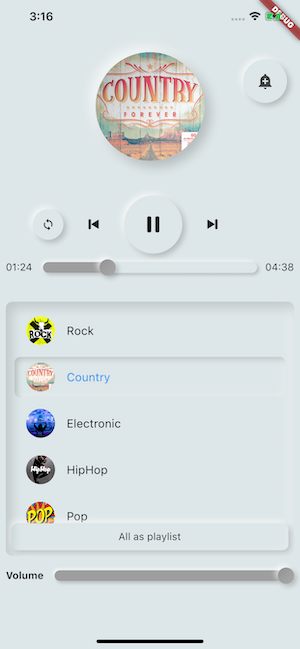
Вы можете иметь столько игроков, сколько хотите!
 ///play 3 songs in parallel
AssetsAudioPlayer . newPlayer (). open (
    Audio ( "assets/audios/song1.mp3" )
);
AssetsAudioPlayer . newPlayer (). open (
    Audio ( "assets/audios/song2.mp3" )
);

//another way, with create, open, play & dispose the player on finish
AssetsAudioPlayer . playAndForget (
    Audio ( "assets/audios/song3.mp3" )
);
У каждого игрока есть уникальный сгенерированный id , вы можете получить или создать их вручную, используя
final player = AssetsAudioPlayer . withId (id : "MY_UNIQUE_ID" );assetsAudioPlayer. open (
Playlist (
audios : [
Audio ( "assets/audios/song1.mp3" ),
Audio ( "assets/audios/song2.mp3" )
]
),
loopMode : LoopMode .playlist //loop the full playlist
);
assetsAudioPlayer. next ();
assetsAudioPlayer. prev ();
assetsAudioPlayer. playlistPlayAtIndex ( 1 ); Если вы хотите более трепещенном способе воспроизведения Audio, попробуйте AudioWidget !
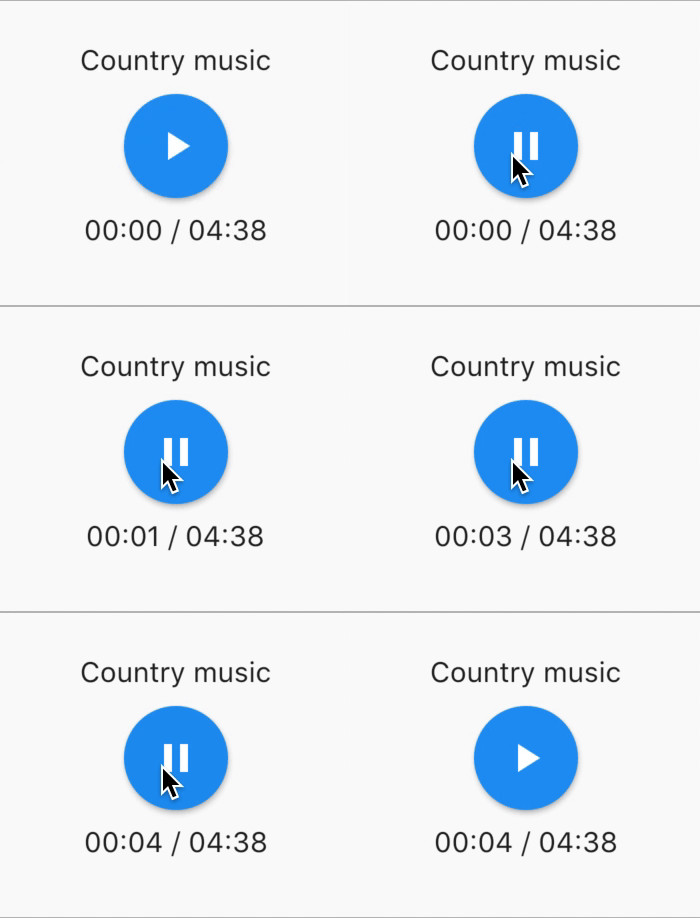
 //inside a stateful widget

bool _play = false ;

@override
Widget build ( BuildContext context) {
  return AudioWidget . assets (
     path : "assets/audios/country.mp3" ,
     play : _play,
     child : RaisedButton (
           child : Text (
               _play ? "pause" : "play" ,
           ),
           onPressed : () {
               setState (() {
                 _play = ! _play;
               });
           }
      ),
      onReadyToPlay : (duration) {
          //onReadyToPlay
      },
      onPositionChanged : (current, duration) {
          //onPositionChanged
      },
  );
}
Как? останавливаться ? Audiowidget?
Просто удалите звук с дерева! Или просто продолжайте play: false
Все слушатели обнажают потоки, используя RXDART, AssetSaudioplayer выставляет некоторых слушателей как ValueBservable (наблюдаемый, который обеспечивает синхронный доступ к последнему излучаемому элементу);
 //The current playing audio, filled with the total song duration
assetsAudioPlayer.current //ValueObservable<PlayingAudio>

//Retrieve directly the current played asset
final PlayingAudio playing = assetsAudioPlayer.current.value;

//Listen to the current playing song
assetsAudioPlayer.current. listen ((playingAudio){
    final asset = playingAudio.assetAudio;
    final songDuration = playingAudio.duration;
}) //Listen to the current playing song
final duration = assetsAudioPlayer.current.value.duration;assetsAudioPlayer.currentPosition //ValueObservable<Duration>
//retrieve directly the current song position
final Duration position = assetsAudioPlayer.currentPosition.value;
return StreamBuilder (
stream : assetsAudioPlayer.currentPosition,
builder : (context, asyncSnapshot) {
final Duration duration = asyncSnapshot.data;
return Text (duration. toString ());
}),Или используйте плеера!
 PlayerBuilder . currentPosition (
     player : _assetsAudioPlayer,
     builder : (context, duration) {
       return Text (duration. toString ());
     }
)
или расширение игроков
_assetsAudioPlayer. builderCurrentPosition (
     builder : (context, duration) {
       return Text (duration. toString ());
     }
)Boolean Observable, представляющий текущее состояние игры в медиаплееров
assetsAudioPlayer.isPlaying // ValueObservable<bool>

//retrieve directly the current player state
final bool playing = assetsAudioPlayer.isPlaying.value;

//will follow the AssetsAudioPlayer playing state
return StreamBuilder (
    stream : assetsAudioPlayer.isPlaying,
    builder : (context, asyncSnapshot) {
        final bool isPlaying = asyncSnapshot.data;
        return Text (isPlaying ? "Pause" : "Play" );
    }),
Или используйте плеера!
 PlayerBuilder . isPlaying (
     player : _assetsAudioPlayer,
     builder : (context, isPlaying) {
       return Text (isPlaying ? "Pause" : "Play" );
     }
)
или расширение игроков
_assetsAudioPlayer. builderIsPlaying (
     builder : (context, isPlaying) {
       return Text (isPlaying ? "Pause" : "Play" );
     }
)Изменить объем (между 0,0 и 1,0)
assetsAudioPlayer. setVolume ( 0.5 ); Медиаплеер может следовать системе «Режим громкости» (вибрация, приглушен, нормально), просто установите дополнительный параметр respectSilentMode как true
_player. open ( PLAYABLE , respectSilentMode : true );https://developer.android.com/reference/android/media/audiomanager.html?hl=fr#getringermode ()
https://developer.apple.com/documentation/avfoundation/avaudiosessionCategorysoloambient
Слушайте громкость
 return StreamBuilder (
    stream : assetsAudioPlayer.volume,
    builder : (context, asyncSnapshot) {
        final double volume = asyncSnapshot.data;
        return Text ( "volume : $ volume " );
    }),
Или используйте плеера!
 PlayerBuilder . volume (
     player : _assetsAudioPlayer,
     builder : (context, volume) {
       return Text ( "volume : $ volume " );
     }
)Вызвано, когда текущая песня закончила играть,
это дает игровое звук, который только что закончил
assetsAudioPlayer.playlistAudioFinished //ValueObservable<Playing>

assetsAudioPlayer.playlistAudioFinished. listen (( Playing playing){

})
Вызвано, когда полный плейлист закончил играть
assetsAudioPlayer.playlistFinished //ValueObservable<bool>

assetsAudioPlayer.playlistFinished. listen ((finished){

}) final LoopMode loopMode = assetsAudioPlayer.loop;
// possible values
// LoopMode.none : not looping
// LoopMode.single : looping a single audio
// LoopMode.playlist : looping the fyll playlist
assetsAudioPlayer. setLoopMode ( LoopMode .single);
assetsAudioPlayer.loopMode. listen ((loopMode){
//listen to loop
})
assetsAudioPlayer. toggleLoop (); //toggle the value of loopingassetsAudioPlayer. setPlaySpeed ( 1.5 );
assetsAudioPlayer.playSpeed. listen ((playSpeed){
//listen to playSpeed
})
//change play speed for a particular Audio
Audio audio = Audio . network (
url,
playSpeed : 1.5
);
assetsAudioPlayer. open (audio);assetsAudioPlayer. setPitch ( 1.2 );
assetsAudioPlayer.pitch. listen ((pitch){
//listen to pitch
})
//change pitch for a particular Audio
Audio audio = Audio . network (
url,
pitch : 1.2
);
assetsAudioPlayer. open (audio);По умолчанию, при ошибке воспроизведения, он остановите звук
Но вы можете добавить пользовательское поведение
_player.onErrorDo = (handler){
  handler.player. stop ();
};
Откройте еще один звук
_player.onErrorDo = (handler){
  handler.player. open ( ANOTHER_AUDIO );
};
Попробуйте снова открыться в той же позиции
_player.onErrorDo = (handler){
  handler.player. open (
      handler.playlist. copyWith (
        startIndex : handler.playlistIndex
      ),
      seek : handler.currentPosition
  );
}; Android разрешает вызовы HTTPS, у вас будет ошибка, если вы используете HTTP, не забудьте добавить разрешение в Интернет и seet usesCleartextTraffic="true" в вашем Androidmanifest.xml
 <?xml version="1.0" encoding="utf-8"?>
<manifest ...>
    <uses-permission android:name="android.permission.INTERNET" />
    <application
        ...
        android:usesCleartextTraffic="true"
        ...>
        ...
    </application>
</manifest>
iOS разрешить только https вызовы, у вас будет ошибка, если вы используете HTTP, не забудьте отредактировать info.plist и установить NSAppTransportSecurity на NSAllowsArbitraryLoads
 <key>NSAppTransportSecurity</key>
<dict>
    <key>NSAllowsArbitraryLoads</key>
    <true/>
</dict>
Чтобы включить HTTP -вызовы на MacOS, вы должны добавить возможности ввода/вывода в info.plist
 <key>NSAppTransportSecurity</key>
<dict>
    <key>NSAllowsArbitraryLoads</key>
    <true/>
</dict>
<key>UIBackgroundModes</key>
<array>
    <string>audio</string>
    <string>fetch</string>
</array>
<key>com.apple.security.network.client</key>
<true/>
И в твоем
Runner/DebugProfile.entitlements
добавлять
 <key>com.apple.security.network.client</key>
<true/>
Полный Runner/DebugProfile.entitlements
 <?xml version="1.0" encoding="UTF-8"?>
<!DOCTYPE plist PUBLIC "-//Apple//DTD PLIST 1.0//EN" "http://www.apple.com/DTDs/PropertyList-1.0.dtd">
<plist version="1.0">
<dict>
	<key>com.apple.security.app-sandbox</key>
	<true/>
	<key>com.apple.security.cs.allow-jit</key>
	<true/>
	<key>com.apple.security.network.server</key>
	<true/>
	<key>com.apple.security.network.client</key>
	<true/>
</dict>
</plist>
Все музыки, используемые в образцах, поступили с https://www.freemusicarchive.org/





