agentops
0.3.18


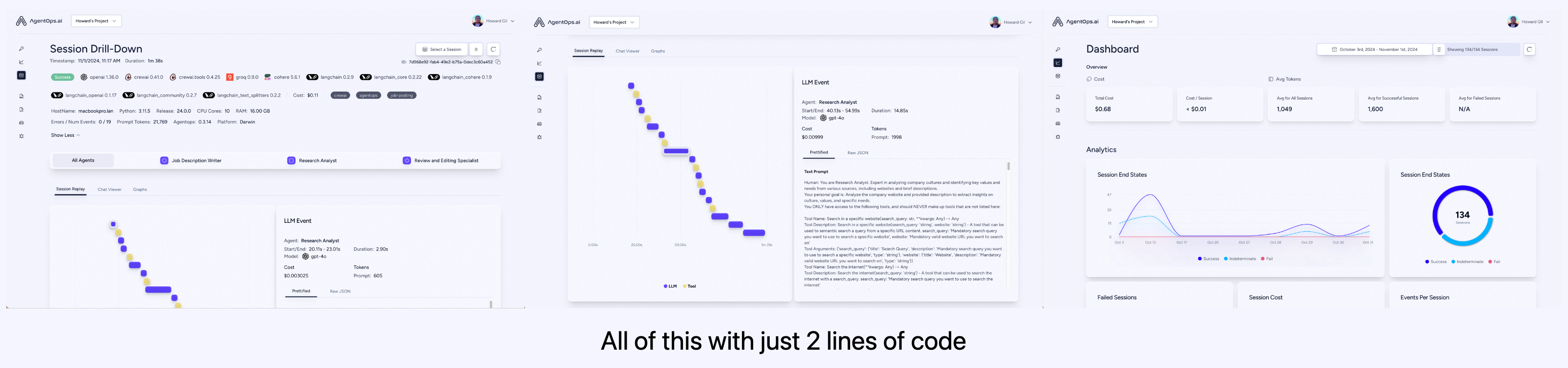
AgentOps는 개발자가 AI 에이전트를 구축, 평가 및 모니터링하도록 도와줍니다. 프로토 타입에서 생산까지.
| 분석 및 디버깅을 재생합니다 | 단계별 에이전트 실행 그래프 |
| ? LLM 비용 관리 | LLM Foundation 모델 제공 업체와 함께 지출을 추적하십시오 |
| ? 에이전트 벤치마킹 | 1,000+ EVAL에 대해 에이전트를 테스트하십시오 |
| ? 준수 및 보안 | 일반적인 프롬프트 주입 및 데이터 추출 익스플로잇을 감지합니다 |
| ? 프레임 워크 통합 | Crewai, Autogen 및 Langchain과의 기본 통합 |
pip install agentopsAgentOps 클라이언트를 초기화하고 모든 LLM 호출에 대한 분석을 자동으로 얻습니다.
API 키를 얻으십시오
 import agentops

# Beginning of your program (i.e. main.py, __init__.py)
agentops . init ( < INSERT YOUR API KEY HERE > )

...

# End of program
agentops . end_session ( 'Success' )
모든 세션은 Agentops 대시 보드에서 볼 수 있습니다.
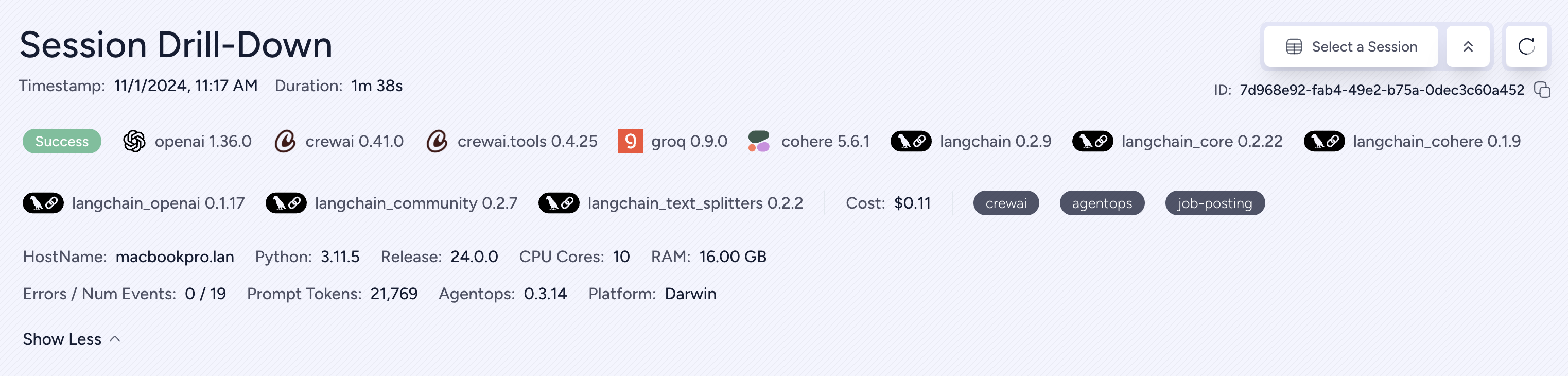
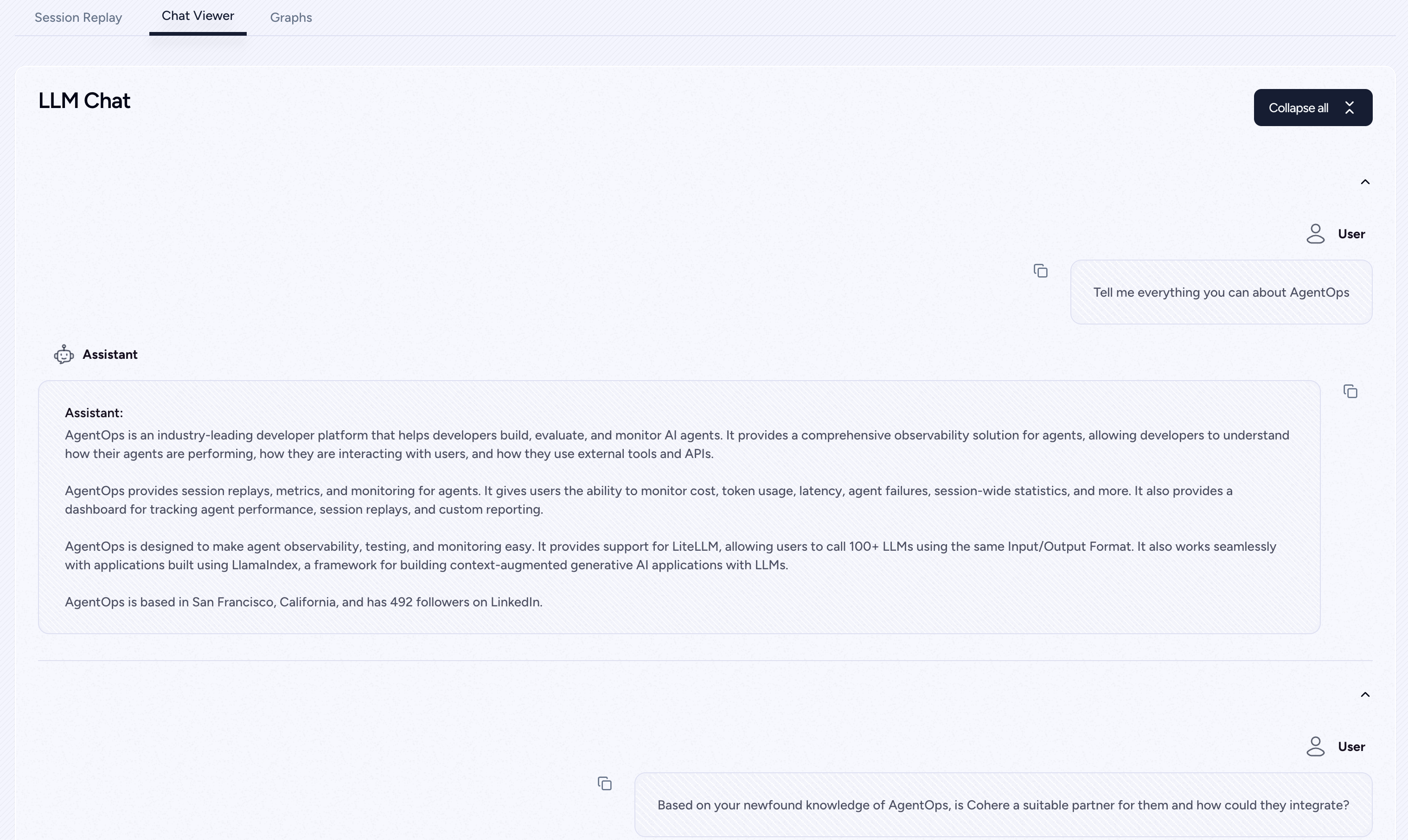
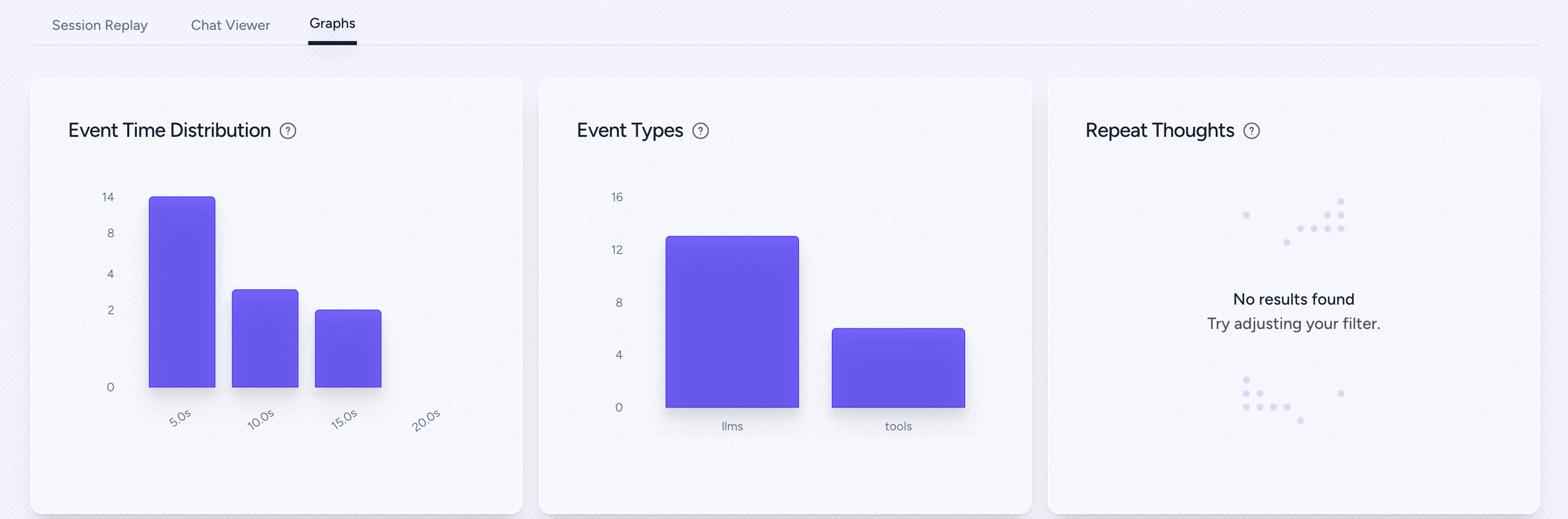
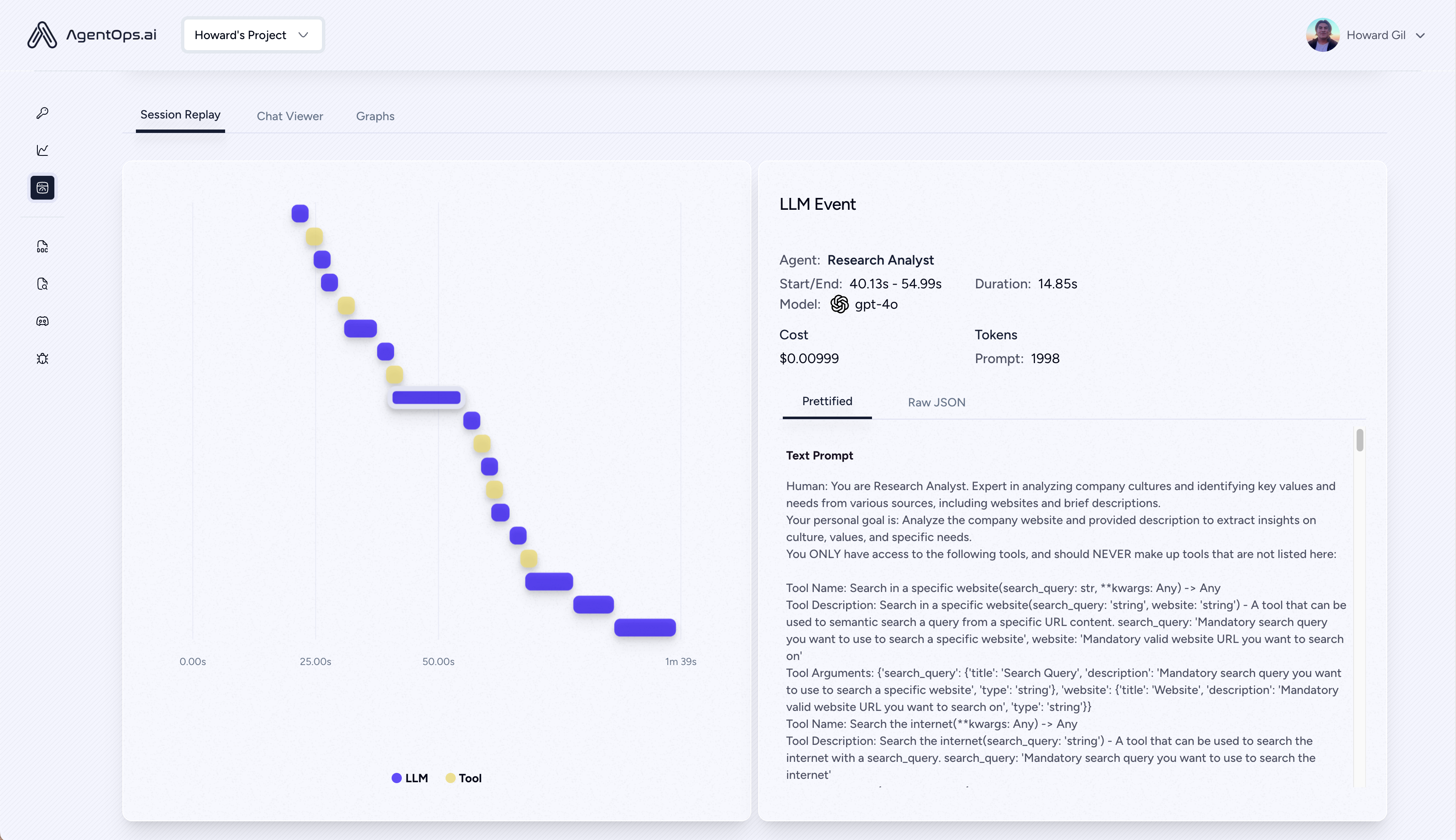
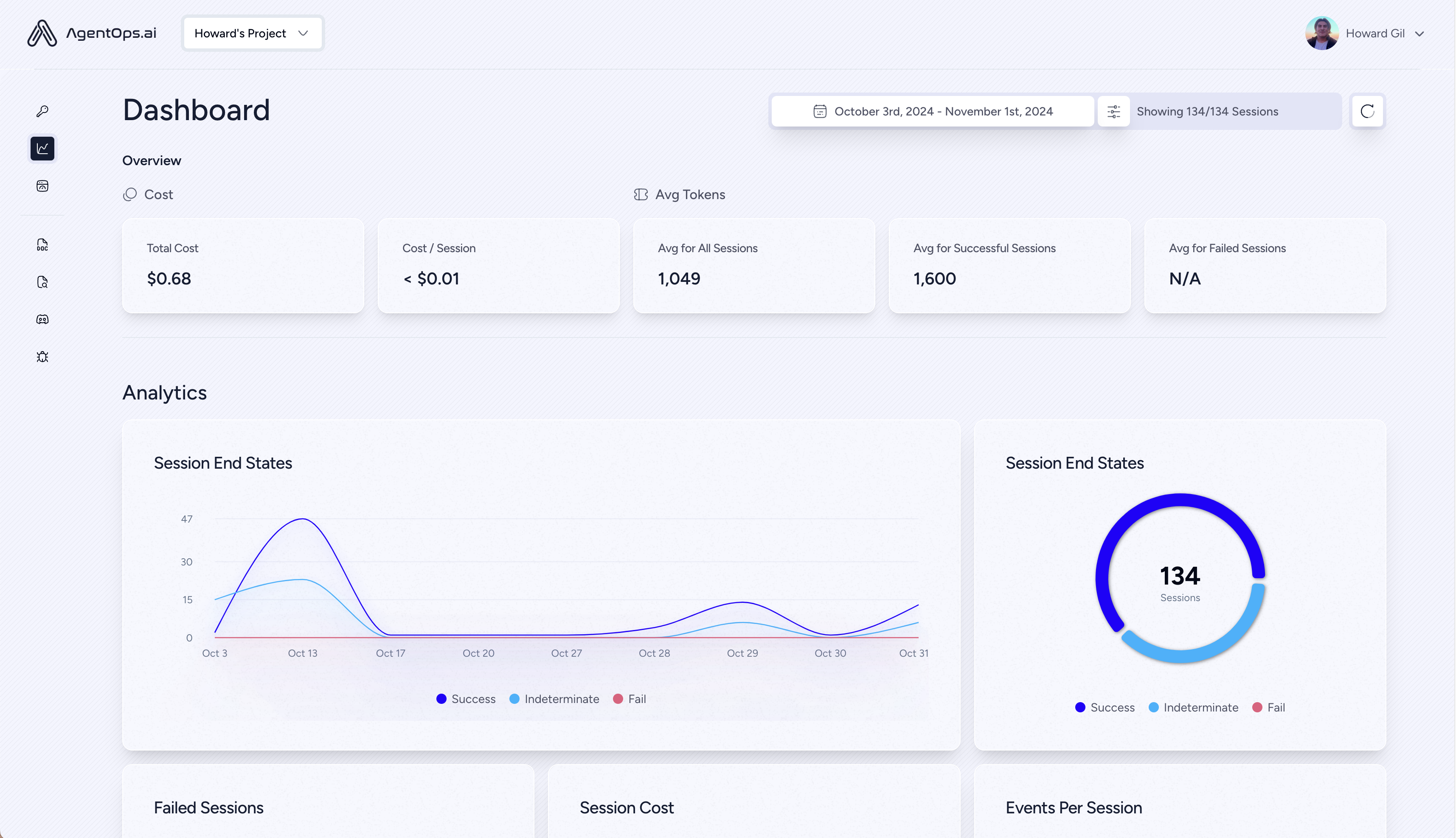
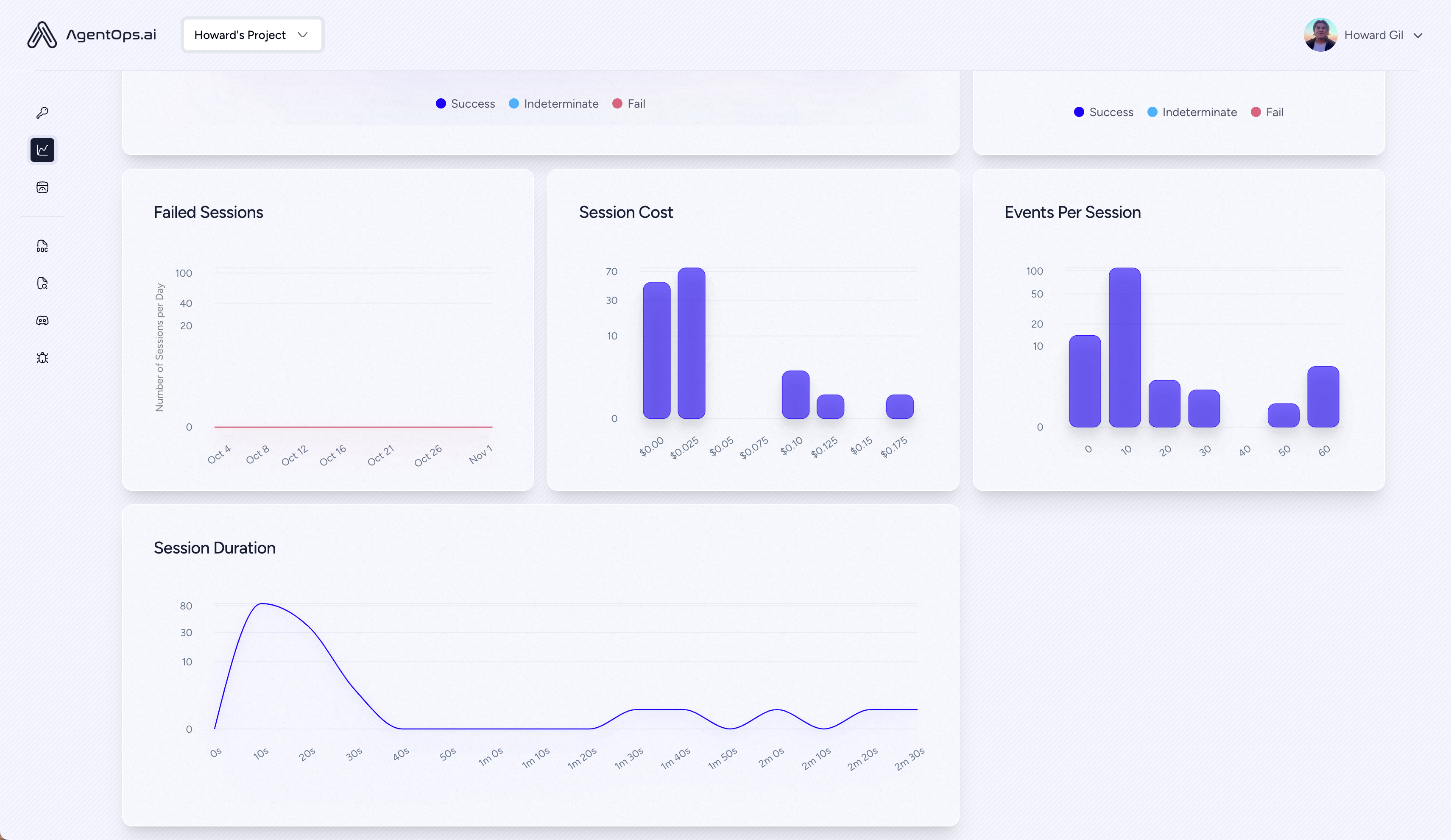
에이전트, 도구 및 기능에 가능한 한 작은 코드로 강력한 관찰 가능성을 추가하십시오. 한 번에 한 줄.
문서를 참조하십시오
 # Automatically associate all Events with the agent that originated them
from agentops import track_agent

@ track_agent ( name = 'SomeCustomName' )
class MyAgent :
  ...
# Automatically create ToolEvents for tools that agents will use
from agentops import record_tool
@ record_tool ( 'SampleToolName' )
def sample_tool (...):
... # Automatically create ActionEvents for other functions.
from agentops import record_action
@ agentops . record_action ( 'sample function being record' )
def sample_function (...):
... # Manually record any other Events
from agentops import record , ActionEvent
record ( ActionEvent ( "received_user_input" )) 단지 2 줄의 코드로 관찰 가능성을 가진 승무원을 구축하십시오. 환경에서 AGENTOPS_API_KEY 설정하면 Crews가 AgentOps 대시 보드에서 자동 모니터링됩니다.
pip install ' crewai[agentops] ' 두 줄의 코드만으로 Autogen 에이전트에 전체 관찰 가능성과 모니터링을 추가하십시오. 환경에서 AGENTOPS_API_KEY 설정하고 agentops.init() 호출하십시오.
AgentOps는 Langchain을 사용하여 구축 된 응용 프로그램과 완벽하게 작동합니다. 핸들러를 사용하려면 Langchain을 선택적 종속성으로 설치하십시오.
pip install agentops[langchain]핸들러를 사용하려면 가져 와서 설정하십시오
 import os
from langchain . chat_models import ChatOpenAI
from langchain . agents import initialize_agent , AgentType
from agentops . partners . langchain_callback_handler import LangchainCallbackHandler

AGENTOPS_API_KEY = os . environ [ 'AGENTOPS_API_KEY' ]
handler = LangchainCallbackHandler ( api_key = AGENTOPS_API_KEY , tags = [ 'Langchain Example' ])

llm = ChatOpenAI ( openai_api_key = OPENAI_API_KEY ,
                 callbacks = [ handler ],
                 model = 'gpt-3.5-turbo' )

agent = initialize_agent ( tools ,
                         llm ,
                         agent = AgentType . CHAT_ZERO_SHOT_REACT_DESCRIPTION ,
                         verbose = True ,
                         callbacks = [ handler ], # You must pass in a callback handler to record your agent
                         handle_parsing_errors = True )
비동기 처리기를 포함한 자세한 내용은 Langchain 예제 노트북을 확인하십시오.
코어에 대한 일등석 지원 (> = 5.4.0). 추가 기능이 필요한 경우 Discord에 메시지를 보내주십시오.
pip install cohere import cohere
import agentops
# Beginning of program's code (i.e. main.py, __init__.py)
agentops . init ( < INSERT YOUR API KEY HERE > )
co = cohere . Client ()
chat = co . chat (
message = "Is it pronounced ceaux-hear or co-hehray?"
)
print ( chat )
agentops . end_session ( 'Success' ) import cohere
import agentops
# Beginning of program's code (i.e. main.py, __init__.py)
agentops . init ( < INSERT YOUR API KEY HERE > )
co = cohere . Client ()
stream = co . chat_stream (
message = "Write me a haiku about the synergies between Cohere and AgentOps"
)
for event in stream :
if event . event_type == "text-generation" :
print ( event . text , end = '' )
agentops . end_session ( 'Success' )의인성 파이썬 SDK로 제작 된 트랙 에이전트 (> = 0.32.0).
pip install anthropic import anthropic
import agentops
# Beginning of program's code (i.e. main.py, __init__.py)
agentops . init ( < INSERT YOUR API KEY HERE > )
client = anthropic . Anthropic (
# This is the default and can be omitted
api_key = os . environ . get ( "ANTHROPIC_API_KEY" ),
)
message = client . messages . create (
max_tokens = 1024 ,
messages = [
{
"role" : "user" ,
"content" : "Tell me a cool fact about AgentOps" ,
}
],
model = "claude-3-opus-20240229" ,
)
print ( message . content )
agentops . end_session ( 'Success' )스트리밍
 import anthropic
import agentops

# Beginning of program's code (i.e. main.py, __init__.py)
agentops . init ( < INSERT YOUR API KEY HERE > )

client = anthropic . Anthropic (
    # This is the default and can be omitted
    api_key = os . environ . get ( "ANTHROPIC_API_KEY" ),
)

stream = client . messages . create (
    max_tokens = 1024 ,
    model = "claude-3-opus-20240229" ,
    messages = [
        {
            "role" : "user" ,
            "content" : "Tell me something cool about streaming agents" ,
        }
    ],
    stream = True ,
)

response = ""
for event in stream :
    if event . type == "content_block_delta" :
        response += event . delta . text
    elif event . type == "message_stop" :
        print ( " n " )
        print ( response )
        print ( " n " )
비동기
 import asyncio
from anthropic import AsyncAnthropic

client = AsyncAnthropic (
    # This is the default and can be omitted
    api_key = os . environ . get ( "ANTHROPIC_API_KEY" ),
)


async def main () -> None :
    message = await client . messages . create (
        max_tokens = 1024 ,
        messages = [
            {
                "role" : "user" ,
                "content" : "Tell me something interesting about async agents" ,
            }
        ],
        model = "claude-3-opus-20240229" ,
    )
    print ( message . content )


await main ()의인성 파이썬 SDK로 제작 된 트랙 에이전트 (> = 0.32.0).
pip install mistralai동조
 from mistralai import Mistral
import agentops

# Beginning of program's code (i.e. main.py, __init__.py)
agentops . init ( < INSERT YOUR API KEY HERE > )

client = Mistral (
    # This is the default and can be omitted
    api_key = os . environ . get ( "MISTRAL_API_KEY" ),
)

message = client . chat . complete (
        messages = [
            {
                "role" : "user" ,
                "content" : "Tell me a cool fact about AgentOps" ,
            }
        ],
        model = "open-mistral-nemo" ,
    )
print ( message . choices [ 0 ]. message . content )

agentops . end_session ( 'Success' )
스트리밍
 from mistralai import Mistral
import agentops

# Beginning of program's code (i.e. main.py, __init__.py)
agentops . init ( < INSERT YOUR API KEY HERE > )

client = Mistral (
    # This is the default and can be omitted
    api_key = os . environ . get ( "MISTRAL_API_KEY" ),
)

message = client . chat . stream (
        messages = [
            {
                "role" : "user" ,
                "content" : "Tell me something cool about streaming agents" ,
            }
        ],
        model = "open-mistral-nemo" ,
    )

response = ""
for event in message :
    if event . data . choices [ 0 ]. finish_reason == "stop" :
        print ( " n " )
        print ( response )
        print ( " n " )
    else :
        response += event . text

agentops . end_session ( 'Success' )
비동기
 import asyncio
from mistralai import Mistral

client = Mistral (
    # This is the default and can be omitted
    api_key = os . environ . get ( "MISTRAL_API_KEY" ),
)


async def main () -> None :
    message = await client . chat . complete_async (
        messages = [
            {
                "role" : "user" ,
                "content" : "Tell me something interesting about async agents" ,
            }
        ],
        model = "open-mistral-nemo" ,
    )
    print ( message . choices [ 0 ]. message . content )


await main ()
비동기 스트리밍
 import asyncio
from mistralai import Mistral

client = Mistral (
    # This is the default and can be omitted
    api_key = os . environ . get ( "MISTRAL_API_KEY" ),
)


async def main () -> None :
    message = await client . chat . stream_async (
        messages = [
            {
                "role" : "user" ,
                "content" : "Tell me something interesting about async streaming agents" ,
            }
        ],
        model = "open-mistral-nemo" ,
    )

    response = ""
    async for event in message :
        if event . data . choices [ 0 ]. finish_reason == "stop" :
            print ( " n " )
            print ( response )
            print ( " n " )
        else :
            response += event . text


await main ()AgentOps는 Litellm (> = 1.3.1)을 지원하여 동일한 입력/출력 형식을 사용하여 100+ LLM을 호출 할 수 있습니다.
pip install litellm # Do not use LiteLLM like this
# from litellm import completion
# ...
# response = completion(model="claude-3", messages=messages)
# Use LiteLLM like this
import litellm
...
response = litellm . completion ( model = "claude-3" , messages = messages )
# or
response = await litellm . acompletion ( model = "claude-3" , messages = messages )AgentOps는 LLMS를 사용한 컨텍스트를 구축 된 생성 AI 응용 프로그램을 구축하기위한 프레임 워크 인 Llamaindex를 사용하여 구축 된 응용 프로그램과 완벽하게 작동합니다.
pip install llama-index-instrumentation-agentops핸들러를 사용하려면 가져 와서 설정하십시오
 from llama_index . core import set_global_handler

# NOTE: Feel free to set your AgentOps environment variables (e.g., 'AGENTOPS_API_KEY')
# as outlined in the AgentOps documentation, or pass the equivalent keyword arguments
# anticipated by AgentOps' AOClient as **eval_params in set_global_handler.

set_global_handler ( "agentops" )
자세한 내용은 Llamaindex 문서를 확인하십시오.
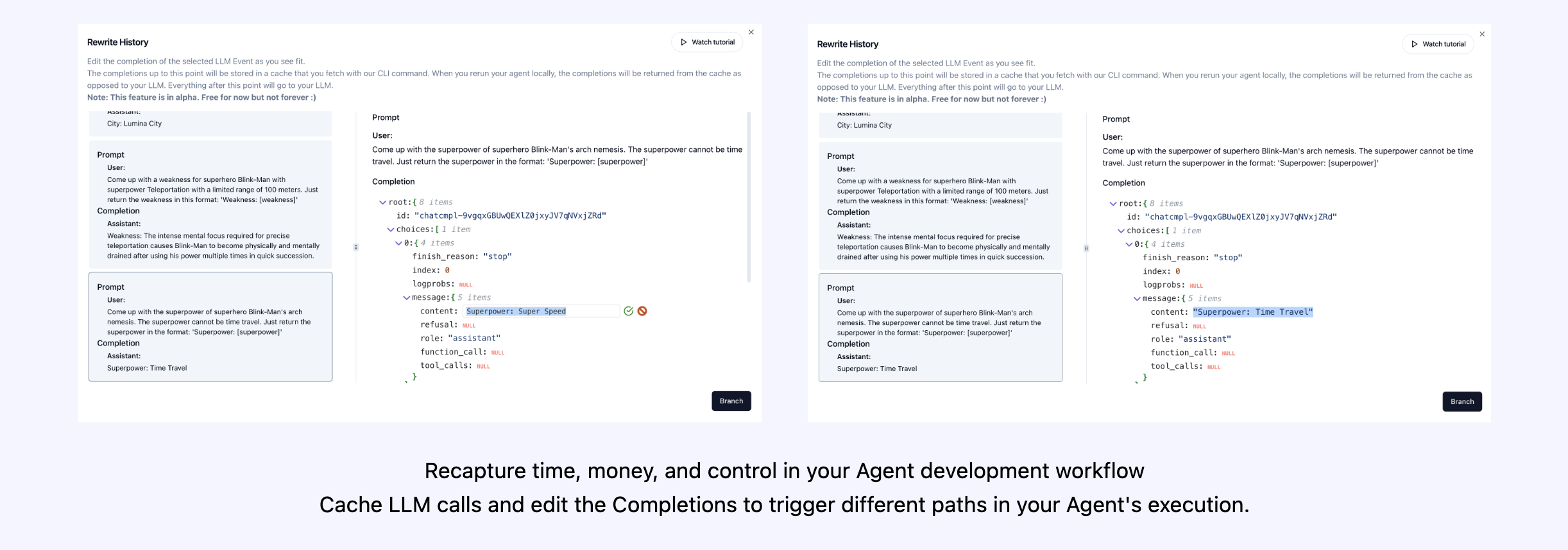
시도해보십시오!
(곧 올!)
| 플랫폼 | 계기반 | Evals |
|---|---|---|
| Python SDK | Multi-Session 및 Cross-Session Metrics | custom 사용자 정의 평가 메트릭 |
| ? 평가 빌더 API | custom 사용자 정의 이벤트 태그 추적 | 에이전트 스코어 카드 |
| JavaScript/TypeScript SDK | session 세션 재생 | 평가 놀이터 + 리더 보드 |
| 성능 테스트 | 환경 | LLM 테스트 | 추론 및 실행 테스트 |
|---|---|---|---|
| ✅ 이벤트 대기 시간 분석 | 비 정지 환경 테스트 | LLM 비 결정적 기능 탐지 | ? 무한 루프 및 재귀 사고 탐지 |
| ✅ 에이전트 워크 플로 실행 가격 | 멀티 모달 환경 | ? 토큰 제한 오버플로 플래그 | 잘못된 추론 탐지 |
| ? 성공 유효성 검사기 (외부) | 실행 컨테이너 | 컨텍스트 제한 오버플로 플래그 | 생성 코드 유효성 검사기 |
| 에이전트 컨트롤러/기술 테스트 | ✅ honeypot 및 프롬프트 주입 감지 (Promptarmor) | API 청구서 추적 | 오류 중단 점 분석 |
| 정보 컨텍스트 제약 조건 테스트 | 대기 시간 장애물 (예 : 캡처) | CI/CD 통합 점검 | |
| 회귀 테스트 | 다중 에이전트 프레임 워크 시각화 |
올바른 도구가 없으면 AI 에이전트는 느리고 비싸며 신뢰할 수 없습니다. 우리의 임무는 에이전트를 프로토 타입에서 프로덕션으로 가져 오는 것입니다. Agentops가 눈에 띄는 이유는 다음과 같습니다.
AgentOps는 에이전트 관찰 가능성, 테스트 및 모니터링을 쉽게하도록 설계되었습니다.
커뮤니티의 성장을 확인하십시오.
| 저장소 | 별 |
|---|---|
| Geekan / Metagpt | 42787 |
| 런-줄 / llama_index | 34446 |
| Crewaiinc / Crewai | 18287 |
| 낙타 -AI / 낙타 | 5166 |
| 초고속 -AI / 초고트 | 5050 |
| Iyaja / llama-fs | 4713 |
| 기반 hardware / omi | 2723 |
| MervinPraison / Praisonai | 2007 |
| AgentOps-AI / Jaiqu | 272 |
| Strnad / Crewai-Studio | 134 |
| Alejandro-Ao / Exa-Crewai | 55 |
| Tonykipkemboi / youtube_yapper_trapper | 47 |
| Sethcoast / Cover-Letter-Builder | 27 |
| Bhancockio / Chatgpt4o-Analysis | 19 |
| breakstring / agentic_story_book_workflow | 14 |
| 멀티 온 / 뮬 오 션-파이썬 | 13 |
Nicolas vuillamy에 의해 Github- 의존형 INFO를 사용하여 생성됩니다





