ControlNet for Diffusers
1.0.0

該存儲庫為開發人員提供了最簡單的教程代碼,並在擴散器框架中而不是WebUI中使用ControlNet和基本模型。我們的作品基於其他出色的作品。儘管這些作品已經進行了一些嘗試,但沒有教程來支持擴散器中的多樣化控製網。
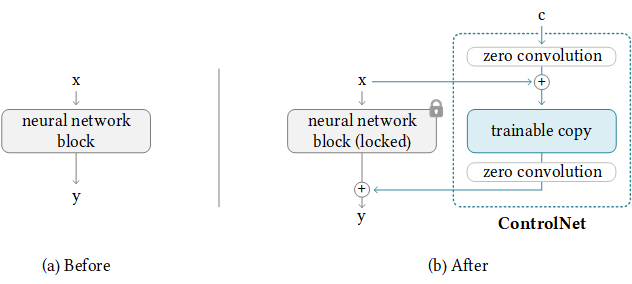
我們還支持T2-apapter-for-fiffusers,洛拉 - 爆炸器。如果您對您有幫助,請不要刻薄給我們一個明星。
我們的目標是在擴散器框架中替換ControlNet的基本模型和推斷。原始的控製網已在Pytorch_lightning中進行訓練,並且僅以穩定 - 擴散1.5為基礎模型的釋放權重。但是,用戶採用自己的基本模型而不是SD-1.5更靈活。現在,讓我們以V3為例。我們將向您展示如何逐步實現這一目標(ControlNet-anythingv3)。我們確實提供了COLAB演示,但它僅適用於具有較大RAM的CoLab Pro用戶。
幸運的是,ControlNet已經提供了將控製網絡轉移到任何其他社區模型的指南。背後的邏輯如下,我們保持增加的控制權重,僅替換基本模型。請注意,這可能不會始終工作,因為ControlNet可能在基本模型中具有一些火車重量。
NewBaseModel-ControlHint = NewBaseModel + OriginalBaseModel-ControlHint - OriginalBaseModel首先,我們從ControlNet克隆此倉庫。
git clone https://github.com/lllyasviel/ControlNet.git
cd ControlNet
然後,我們必須準備原始basemodel(Path_sd15),OriginalBaseModel-controlhint(Path_sd_sd15_with_control),newBaseModel(path_input)的原始權重。您只需要下載以下權重,例如,我們將姿勢用作ControlHint和任何v3作為我們的新基礎模型。我們將所有權重放在內部./models中。
path_sd15 = ' ./models/v1-5-pruned.ckpt '
path_sd15_with_control = ' ./models/control_sd15_openpose.pth '
path_input = ' ./models/anything-v3-full.safetensors '
path_output = ' ./models/control_any3_openpose.pth '
最後,我們可以直接運行
python tool_transfer_control.py如果成功,您將獲得新模型。該模型已經可以在ControlNet代碼庫中使用。
models/control_any3_openpose.pth如果您想嘗試使用其他型號,則只需定義自己的path_sd15_with_control和path_input即可。如果PATH_INPUT是使用擴散器訓練的,則可以使用Convert_diffusers_to_original_stable_diffusion.py首先將其轉換為SafetEnsors。
感激地,Takuma Mori在最近的PR中支持了它,因此我們可以輕鬆實現這一目標。由於它仍然是不穩定的,因此它可能不穩定,因此我們必須使用特定的提交版本。我們注意到,擴散器已在3/2/2023合併了PR,我們將很快重新格式化教程。
git clone https://github.com/takuma104/diffusers.git
cd diffusers
git checkout 9a37409663a53f775fa380db332d37d7ea75c915
pip install .
給定步驟(1)中生成模型的路徑,運行
python ./scripts/convert_controlnet_to_diffusers.py --checkpoint_path control_any3_openpose.pth --dump_path control_any3_openpose --device cpu我們在control_any3_openpose中具有保存的模型。現在我們可以定期測試。
 from diffusers import StableDiffusionControlNetPipeline
from diffusers . utils import load_image

pose_image = load_image ( 'https://huggingface.co/takuma104/controlnet_dev/resolve/main/pose.png' )
pipe = StableDiffusionControlNetPipeline . from_pretrained ( "control_any3_openpose" ). to ( "cuda" )

pipe . safety_checker = lambda images , clip_input : ( images , False )

image = pipe ( prompt = "1gril,masterpiece,graden" , controlnet_hint = pose_image ). images [ 0 ]
image . save ( "generated.png" )
生成的結果可能不夠好,因為姿勢很難。因此,為確保一切順利,我們建議通過Posemaker產生正常的姿勢,或在./images/pose.png中使用我們提供的姿勢圖像。
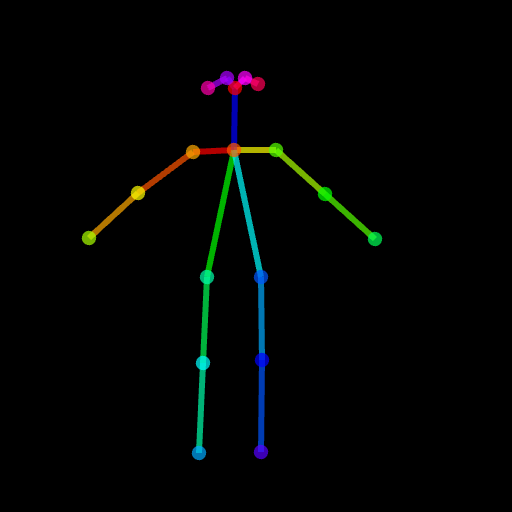
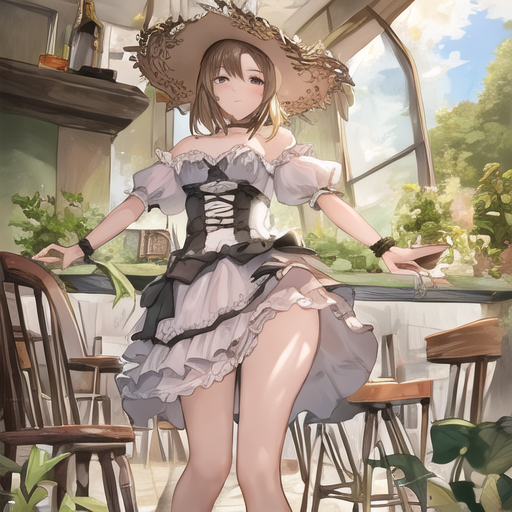
這是為了支持ControlNet,能夠僅修改目標區域而不是完整的圖像,就像穩定的擴散侵蝕一樣。目前,我們會事先提供條件(姿勢,分割圖),但是您可以使用ControlNET中使用的預訓練的檢測器。
我們為使用提供了所需的管道。但是請注意,此文件在沒有完整測試的情況下是脆弱的,我們將在以後正式的擴散器框架中考慮支持它。另外,我們發現ControlNet(基於SD1.5)與穩定 - 擴散2侵入不兼容,因為某些層具有不同的模塊和尺寸,如果您強行加載權重並跳過這些無與倫比的層,則結果將是不好的
 # assume you already know the absolute path of installed diffusers
cp pipeline_stable_diffusion_controlnet_inpaint.py  PATH/pipelines/stable_diffusion
然後,您需要在相應的文件中導入此新添加的管道
 PATH/pipelines/__init__.py
PATH/__init__.py
現在,我們可以運行
 import torch
from diffusers . utils import load_image
from diffusers import StableDiffusionInpaintPipeline , StableDiffusionControlNetInpaintPipeline

# we have downloaded models locally, you can also load from huggingface
# control_sd15_seg is converted from control_sd15_seg.safetensors using instructions above
pipe_control = StableDiffusionControlNetInpaintPipeline . from_pretrained ( "./diffusers/control_sd15_seg" , torch_dtype = torch . float16 ). to ( 'cuda' )
pipe_inpaint = StableDiffusionInpaintPipeline . from_pretrained ( "./diffusers/stable-diffusion-inpainting" , torch_dtype = torch . float16 ). to ( 'cuda' )

# yes, we can directly replace the UNet
pipe_control . unet = pipe_inpaint . unet
pipe_control . unet . in_channels = 4

# we also the same example as stable-diffusion-inpainting
image = load_image ( "https://raw.githubusercontent.com/CompVis/latent-diffusion/main/data/inpainting_examples/overture-creations-5sI6fQgYIuo.png" )
mask = load_image ( "https://raw.githubusercontent.com/CompVis/latent-diffusion/main/data/inpainting_examples/overture-creations-5sI6fQgYIuo_mask.png" )

# the segmentation result is generated from https://huggingface.co/spaces/hysts/ControlNet
control_image = load_image ( 'tmptvkkr0tg.png' )

image = pipe_control ( prompt = "Face of a yellow cat, high resolution, sitting on a park bench" ,
                     negative_prompt = "lowres, bad anatomy, worst quality, low quality" ,
                     controlnet_hint = control_image ,
                     image = image ,
                     mask_image = mask ,
                     num_inference_steps = 100 ). images [ 0 ]

image . save ( "inpaint_seg.jpg" )
以下圖像是原始圖像,掩碼圖像,分割(控制提示)並生成新圖像。
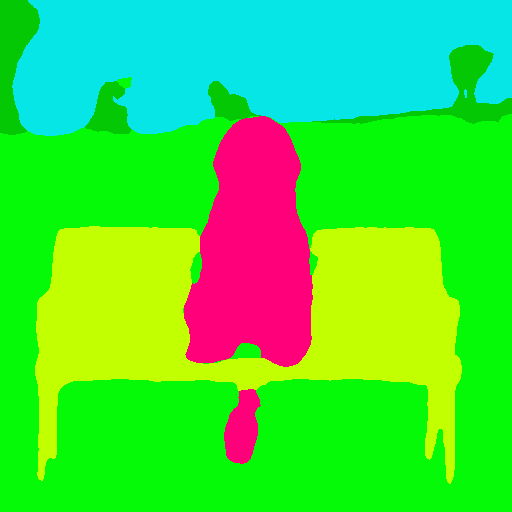

您也可以將姿勢用作控制提示。但是請注意,建議使用openpose格式,這與培訓過程一致。如果您只想在本地安裝openpose的情況下測試一些圖像,則可以直接使用ControlNet的在線演示來生成姿勢圖像,並給定評估尺寸的512x512輸入。
 image = load_image ( "./images/pose_image.jpg" )
mask = load_image ( "./images/pose_mask.jpg" )
pose_image = load_image ( './images/pose_hint.png' )

image = pipe_control ( prompt = "Face of a young boy smiling" ,
                     negative_prompt = "lowres, bad anatomy, worst quality, low quality" ,
                     controlnet_hint = pose_image ,
                     image = image ,
                     mask_image = mask ,
                     num_inference_steps = 100 ). images [ 0 ]

image . save ( "inpaint_pos.jpg" )
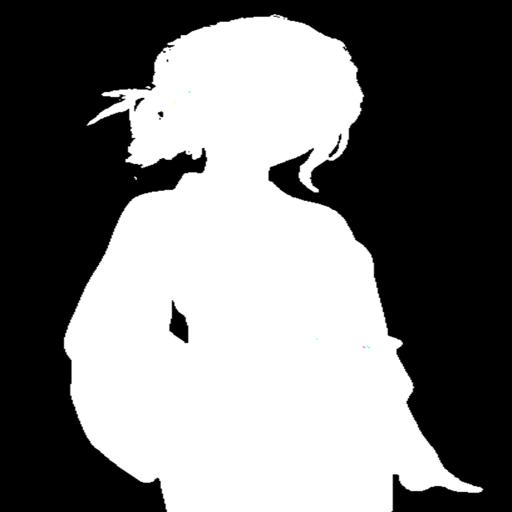
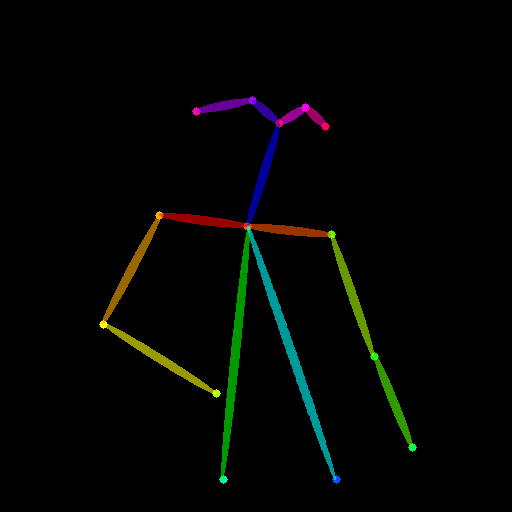

我們已上傳pipeline_stable_diffusion_controlnet_inpaint_img2img.py支持img2img。您可以遵循與本節相同的指令。
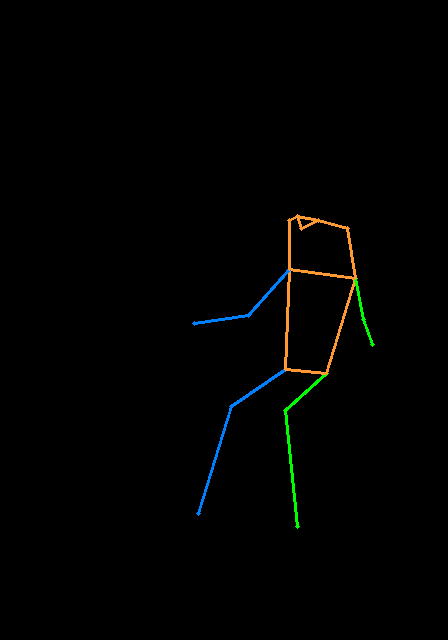
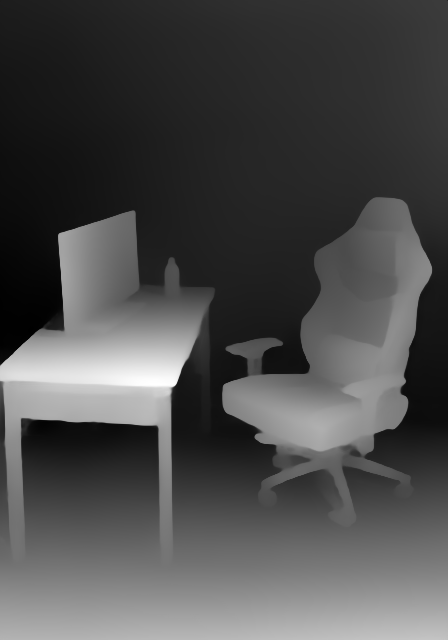
與T2-apapter相似,ControlNet還支持多個控製圖像作為輸入。背後的想法很簡單,因為基本模型被冷凍,我們可以將ControlNet1和ControlNet2的輸出組合在一起,並將其用作UNET的輸入。在這裡,我們提供偽代碼供參考。您需要在下面修改管道。
 control1 = controlnet1 ( latent_model_input , t , encoder_hidden_states = prompt_embeds , controlnet_hint = controlnet_hint1 )
control2 = controlnet2 ( latent_model_input , t , encoder_hidden_states = prompt_embeds , controlnet_hint = controlnet_hint2 )

# please note that the weights should be adjusted accordingly
control1_weight = 1.00 # control_any3_openpose
control2_weight = 0.50 # control_sd15_depth

merged_control = []
for i in range ( len ( control1 )):
    merged_control . append ( control1_weight * control [ i ] + control2_weight * control_1 [ i ])
control = merged_control

noise_pred = unet ( latent_model_input , t , encoder_hidden_states = prompt_embeds , cross_attention_kwargs = cross_attention_kwargs , control = control ). sample
這是多控制的示例,我們使用姿勢和深度圖是控制提示。測試圖像都將其歸功於T2-apapter。
為了避免此倉庫太腫,我們提供了有關火車控制式浸水者培訓的教程。
我們首先感謝ControlNet的作者如此出色的工作,我們的轉換代碼是從這裡借來的。我們還對擴散器中此拉的請求的貢獻表示讚賞,因此我們可以將控製網絡加載到擴散器中。
存儲庫仍在積極開發中,如果您在使用時遇到任何問題,請隨時打開問題。








