qdrant client
v1.12.1


QDRANT矢量搜索引擎的Python客戶庫。
客戶庫庫和SDK,用於QDRANT矢量搜索引擎。
庫包含所有QDRANT API的類型定義,並允許同步和異步請求。
客戶端允許直接呼叫所有QDRANT API方法。它還為經常需要操作提供了一些其他幫助方法,例如初始收集上傳。
有關更多詳細信息,請參見Quickstart!
Python客戶端API文檔可在python-client.qdrant.tech上找到
pip install qdrant-client
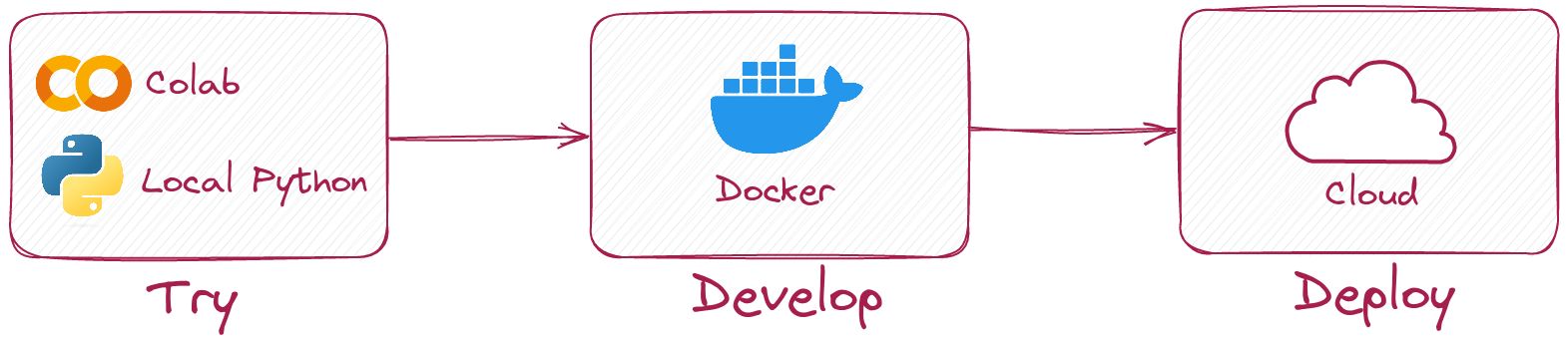
Python客戶端允許您在無需運行QDRANT服務器的情況下在本地模式下運行相同的代碼。
只需這樣的初始化客戶端:
 from qdrant_client import QdrantClient

client = QdrantClient ( ":memory:" )
# or
client = QdrantClient ( path = "path/to/db" )  # Persists changes to disk
本地模式可用於開發,原型製作和測試。
pip install qdrant-client[fastembed]
Fastembed是用於在CPU上創建快速向量嵌入的庫。它基於ONNX運行時,並允許使用類似GPU的性能對CPU進行推斷。
QDRANT客戶端可以使用快速培訓來創建嵌入並將其上傳到QDRANT。這允許簡化API並使其更直觀。
 from qdrant_client import QdrantClient

# Initialize the client
client = QdrantClient ( ":memory:" )  # or QdrantClient(path="path/to/db")

# Prepare your documents, metadata, and IDs
docs = [ "Qdrant has Langchain integrations" , "Qdrant also has Llama Index integrations" ]
metadata = [
    { "source" : "Langchain-docs" },
    { "source" : "Linkedin-docs" },
]
ids = [ 42 , 2 ]

# Use the new add method
client . add (
    collection_name = "demo_collection" ,
    documents = docs ,
    metadata = metadata ,
    ids = ids
)

search_result = client . query (
    collection_name = "demo_collection" ,
    query_text = "This is a query document"
)
print ( search_result )
快速培訓還可以利用GPU來更快地嵌入。要啟用GPU支持,請安裝
pip install ' qdrant-client[fastembed-gpu] ' from qdrant_client import QdrantClient
# Initialize the client
client = QdrantClient ( ":memory:" ) # or QdrantClient(path="path/to/db")
client . set_model ( client . DEFAULT_EMBEDDING_MODEL , providers = [ "CUDAExecutionProvider" , "CPUExecutionProvider" ])注意:
fastembed-gpu和fastembed是相互排斥的。您只能安裝其中之一。如果您以前安裝了
fastembed安裝,則可能需要從新鮮的環境開始安裝fastembed-gpu。
要連接到QDRANT服務器,只需指定主機和端口:
 from qdrant_client import QdrantClient

client = QdrantClient ( host = "localhost" , port = 6333 )
# or
client = QdrantClient ( url = "http://localhost:6333" )
您可以使用Docker本地運行QDrant Server:
docker run -p 6333:6333 qdrant/qdrant:latest查看QDRANT存儲庫中的更多啟動選項。
您可以註冊並使用Qdrant Cloud來獲得1GB RAM的免費層帳戶。
擁有群集和API鍵後,您可以這樣連接到它:
 from qdrant_client import QdrantClient

qdrant_client = QdrantClient (
    url = "https://xxxxxx-xxxxx-xxxxx-xxxx-xxxxxxxxx.us-east.aws.cloud.qdrant.io:6333" ,
    api_key = "<your-api-key>" ,
)創建一個新集合
 from qdrant_client . models import Distance , VectorParams

client . create_collection (
    collection_name = "my_collection" ,
    vectors_config = VectorParams ( size = 100 , distance = Distance . COSINE ),
)
將向量插入集合
 import numpy as np
from qdrant_client . models import PointStruct

vectors = np . random . rand ( 100 , 100 )
# NOTE: consider splitting the data into chunks to avoid hitting the server's payload size limit
# or use `upload_collection` or `upload_points` methods which handle this for you
# WARNING: uploading points one-by-one is not recommended due to requests overhead
client . upsert (
    collection_name = "my_collection" ,
    points = [
        PointStruct (
            id = idx ,
            vector = vector . tolist (),
            payload = { "color" : "red" , "rand_number" : idx % 10 }
        )
        for idx , vector in enumerate ( vectors )
    ]
)
搜索類似的向量
 query_vector = np . random . rand ( 100 )
hits = client . search (
    collection_name = "my_collection" ,
    query_vector = query_vector ,
    limit = 5  # Return 5 closest points
)
搜索具有過濾條件的類似向量
 from qdrant_client . models import Filter , FieldCondition , Range

hits = client . search (
    collection_name = "my_collection" ,
    query_vector = query_vector ,
    query_filter = Filter (
        must = [  # These conditions are required for search results
            FieldCondition (
                key = 'rand_number' ,  # Condition based on values of `rand_number` field.
                range = Range (
                    gte = 3  # Select only those results where `rand_number` >= 3
                )
            )
        ]
    ),
    limit = 5  # Return 5 closest points
)
在我們的文檔中查看更多示例!
要使用GRPC上傳(通常更快)(通常更快)的集合,請使用以下初始化:
 from qdrant_client import QdrantClient

client = QdrantClient ( host = "localhost" , grpc_port = 6334 , prefer_grpc = True )從1.6.1版本開始,所有Python客戶端方法均在異步版本中提供。
要使用它,只需導入AsyncQdrantClient而不是QdrantClient :
 from qdrant_client import AsyncQdrantClient , models
import numpy as np
import asyncio

async def main ():
    # Your async code using QdrantClient might be put here
    client = AsyncQdrantClient ( url = "http://localhost:6333" )

    await client . create_collection (
        collection_name = "my_collection" ,
        vectors_config = models . VectorParams ( size = 10 , distance = models . Distance . COSINE ),
    )

    await client . upsert (
        collection_name = "my_collection" ,
        points = [
            models . PointStruct (
                id = i ,
                vector = np . random . rand ( 10 ). tolist (),
            )
            for i in range ( 100 )
        ],
    )

    res = await client . search (
        collection_name = "my_collection" ,
        query_vector = np . random . rand ( 10 ). tolist (),  # type: ignore
        limit = 10 ,
    )

    print ( res )

asyncio . run ( main ())
在異步模式下支持GRPC和REST API。可以在此處找到更多示例。
該項目使用git掛鉤運行代碼格式。
安裝使用PIP3安裝pre-commit的預pip3 install pre-commit ,並設置帶有pre-commit install的掛鉤。
預先承諾需要python> = 3.8





