qdrant client
v1.12.1


QDRANTベクター検索エンジン用のPythonクライアントライブラリ。
QDRANTベクター検索エンジン用のクライアントライブラリとSDK。
ライブラリには、すべてのQDRANT APIのタイプ定義が含まれており、同期と非同期リクエストの両方を可能にします。
クライアントは、すべてのQDRANT APIメソッドを直接呼び出すことができます。また、頻繁に必要な操作などの追加のヘルパーメソッドを提供します。たとえば、初期収集アップロードなどです。
詳細については、QuickStartをご覧ください!
PythonクライアントAPIドキュメントは、python-client.qdrant.techで入手できます
pip install qdrant-client
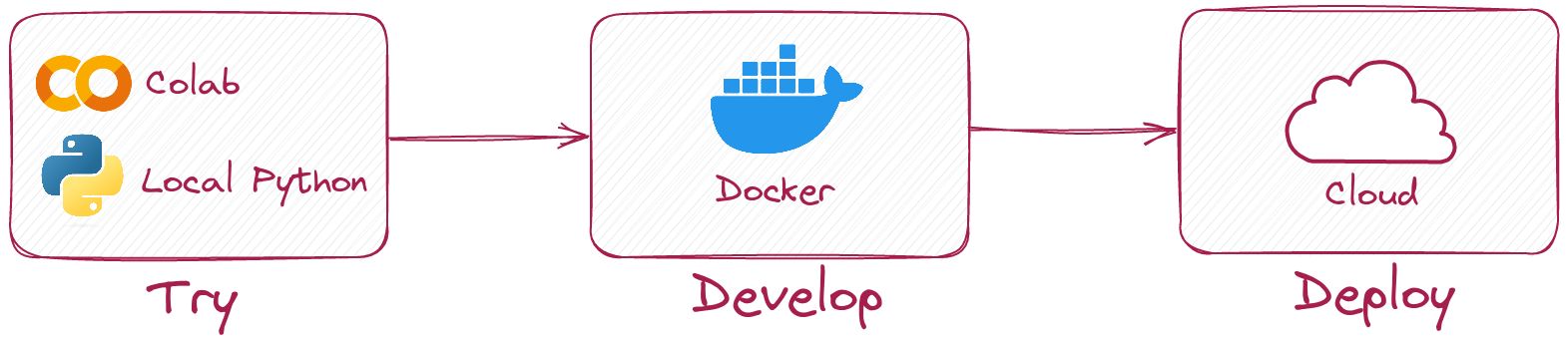
Pythonクライアントを使用すると、QDrantサーバーを実行せずにローカルモードで同じコードを実行できます。
このようにクライアントを初期化するだけです。
 from qdrant_client import QdrantClient

client = QdrantClient ( ":memory:" )
# or
client = QdrantClient ( path = "path/to/db" )  # Persists changes to disk
ローカルモードは、開発、プロトタイピング、テストに役立ちます。
pip install qdrant-client[fastembed]
Fastembedは、CPUに高速ベクトル埋め込みを作成するためのライブラリです。 ONNXランタイムに基づいており、GPUのようなパフォーマンスでCPUで推論を実行できます。
QDRANTクライアントは、FastEmbedを使用して埋め込みを作成し、QDRANTにアップロードできます。これにより、APIを簡素化し、より直感的にすることができます。
 from qdrant_client import QdrantClient

# Initialize the client
client = QdrantClient ( ":memory:" )  # or QdrantClient(path="path/to/db")

# Prepare your documents, metadata, and IDs
docs = [ "Qdrant has Langchain integrations" , "Qdrant also has Llama Index integrations" ]
metadata = [
    { "source" : "Langchain-docs" },
    { "source" : "Linkedin-docs" },
]
ids = [ 42 , 2 ]

# Use the new add method
client . add (
    collection_name = "demo_collection" ,
    documents = docs ,
    metadata = metadata ,
    ids = ids
)

search_result = client . query (
    collection_name = "demo_collection" ,
    query_text = "This is a query document"
)
print ( search_result )
Fastembedは、GPUをより高速な埋め込みに使用することもできます。 GPUサポートを有効にするには、インストールしてください
pip install ' qdrant-client[fastembed-gpu] ' from qdrant_client import QdrantClient
# Initialize the client
client = QdrantClient ( ":memory:" ) # or QdrantClient(path="path/to/db")
client . set_model ( client . DEFAULT_EMBEDDING_MODEL , providers = [ "CUDAExecutionProvider" , "CPUExecutionProvider" ])注:
fastembed-gpuとfastembedは相互に排他的です。そのうちの1つだけをインストールできます。
fastembed以前にインストールした場合は、fastembed-gpuをインストールするには、新鮮な環境から開始する必要がある場合があります。
QDRANTサーバーに接続するには、ホストとポートを指定するだけです。
 from qdrant_client import QdrantClient

client = QdrantClient ( host = "localhost" , port = 6333 )
# or
client = QdrantClient ( url = "http://localhost:6333" )
dockerでqdrantサーバーをローカルに実行できます。
docker run -p 6333:6333 qdrant/qdrant:latestQDRANTリポジトリのより多くの起動オプションをご覧ください。
QDRANTクラウドを登録および使用して、1GB RAMを使用して無料のティアアカウントを取得できます。
クラスターとAPIキーができたら、次のように接続できます。
 from qdrant_client import QdrantClient

qdrant_client = QdrantClient (
    url = "https://xxxxxx-xxxxx-xxxxx-xxxx-xxxxxxxxx.us-east.aws.cloud.qdrant.io:6333" ,
    api_key = "<your-api-key>" ,
)新しいコレクションを作成します
 from qdrant_client . models import Distance , VectorParams

client . create_collection (
    collection_name = "my_collection" ,
    vectors_config = VectorParams ( size = 100 , distance = Distance . COSINE ),
)
ベクトルをコレクションに挿入します
 import numpy as np
from qdrant_client . models import PointStruct

vectors = np . random . rand ( 100 , 100 )
# NOTE: consider splitting the data into chunks to avoid hitting the server's payload size limit
# or use `upload_collection` or `upload_points` methods which handle this for you
# WARNING: uploading points one-by-one is not recommended due to requests overhead
client . upsert (
    collection_name = "my_collection" ,
    points = [
        PointStruct (
            id = idx ,
            vector = vector . tolist (),
            payload = { "color" : "red" , "rand_number" : idx % 10 }
        )
        for idx , vector in enumerate ( vectors )
    ]
)
同様のベクトルを検索します
 query_vector = np . random . rand ( 100 )
hits = client . search (
    collection_name = "my_collection" ,
    query_vector = query_vector ,
    limit = 5  # Return 5 closest points
)
フィルタリング条件で同様のベクターを検索します
 from qdrant_client . models import Filter , FieldCondition , Range

hits = client . search (
    collection_name = "my_collection" ,
    query_vector = query_vector ,
    query_filter = Filter (
        must = [  # These conditions are required for search results
            FieldCondition (
                key = 'rand_number' ,  # Condition based on values of `rand_number` field.
                range = Range (
                    gte = 3  # Select only those results where `rand_number` >= 3
                )
            )
        ]
    ),
    limit = 5  # Return 5 closest points
)
ドキュメントのより多くの例をご覧ください!
GRPCを使用してアップロードする(通常ははるかに高速な)コレクションを有効にするには、次の初期化を使用します。
 from qdrant_client import QdrantClient

client = QdrantClient ( host = "localhost" , grpc_port = 6334 , prefer_grpc = True )バージョン1.6.1から、すべてのPythonクライアントメソッドはAsyncバージョンで利用できます。
それを使用するには、 QdrantClientの代わりにAsyncQdrantClientインポートするだけです。
 from qdrant_client import AsyncQdrantClient , models
import numpy as np
import asyncio

async def main ():
    # Your async code using QdrantClient might be put here
    client = AsyncQdrantClient ( url = "http://localhost:6333" )

    await client . create_collection (
        collection_name = "my_collection" ,
        vectors_config = models . VectorParams ( size = 10 , distance = models . Distance . COSINE ),
    )

    await client . upsert (
        collection_name = "my_collection" ,
        points = [
            models . PointStruct (
                id = i ,
                vector = np . random . rand ( 10 ). tolist (),
            )
            for i in range ( 100 )
        ],
    )

    res = await client . search (
        collection_name = "my_collection" ,
        query_vector = np . random . rand ( 10 ). tolist (),  # type: ignore
        limit = 10 ,
    )

    print ( res )

asyncio . run ( main ())
GRPCおよびREST APIの両方が、非同期モードでサポートされています。より多くの例をご覧ください。
このプロジェクトでは、gitフックを使用してコードフォーマッタを実行します。
PIP3のpre-commitをインストールして、 pip3 install pre-commit 、 pre-commit installを備えたフックをセットアップします。
事前コミットには、python> = 3.8が必要です





