qdrant client
v1.12.1


مكتبة عميل Python لمحرك بحث QDrant Vector.
مكتبة العميل و SDK لمحرك بحث QDrant Vector.
تحتوي المكتبة على تعريفات نوع لجميع QDrant API وتسمح بتقديم كل من طلبات Sync و Async.
يسمح العميل بالمكالمات لجميع أساليب API QDrant مباشرة. كما يوفر بعض طرق المساعد الإضافية للعمليات المطلوبة بشكل متكرر ، على سبيل المثال تحميل المجموعة الأولي.
انظر QuickStart لمزيد من التفاصيل!
وثائق Python Client API متوفرة في Python-client.qdrant.tech
pip install qdrant-client
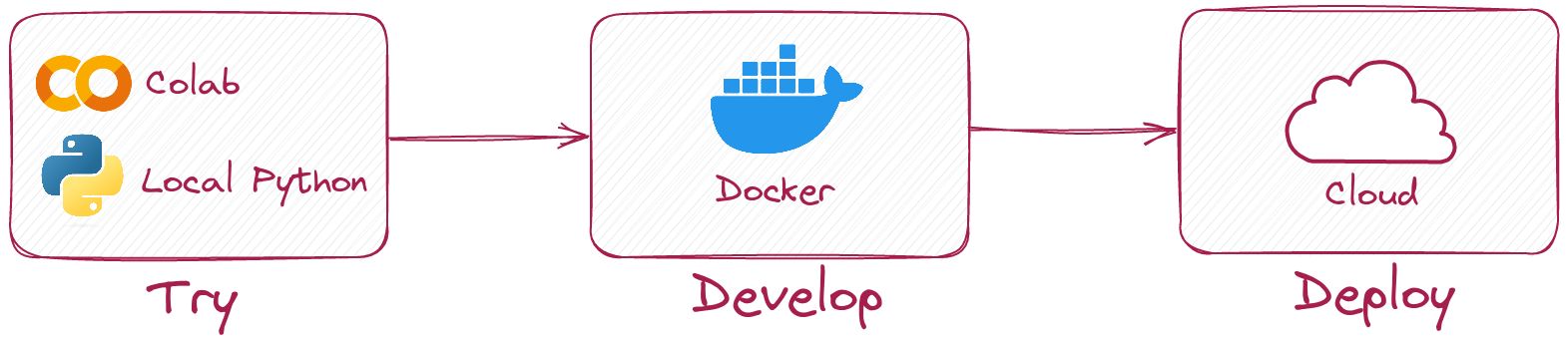
يتيح لك عميل Python تشغيل نفس الرمز في الوضع المحلي دون تشغيل خادم QDrant.
ببساطة تهيئة العميل مثل هذا:
 from qdrant_client import QdrantClient

client = QdrantClient ( ":memory:" )
# or
client = QdrantClient ( path = "path/to/db" )  # Persists changes to disk
الوضع المحلي مفيد للتطوير والنماذج الأولية والاختبار.
pip install qdrant-client[fastembed]
Fastembed هي مكتبة لإنشاء تضمينات سريعة المتجهات على وحدة المعالجة المركزية. يعتمد على وقت تشغيل ONNX ويسمح بتشغيل الاستدلال على وحدة المعالجة المركزية مع أداء مثل GPU.
يمكن لعميل QDrant استخدام FastEmbed لإنشاء التضمينات وتحميلها إلى QDrant. هذا يسمح بتبسيط API وجعله أكثر سهولة.
 from qdrant_client import QdrantClient

# Initialize the client
client = QdrantClient ( ":memory:" )  # or QdrantClient(path="path/to/db")

# Prepare your documents, metadata, and IDs
docs = [ "Qdrant has Langchain integrations" , "Qdrant also has Llama Index integrations" ]
metadata = [
    { "source" : "Langchain-docs" },
    { "source" : "Linkedin-docs" },
]
ids = [ 42 , 2 ]

# Use the new add method
client . add (
    collection_name = "demo_collection" ,
    documents = docs ,
    metadata = metadata ,
    ids = ids
)

search_result = client . query (
    collection_name = "demo_collection" ,
    query_text = "This is a query document"
)
print ( search_result )
يمكن لـ Fastembed أيضًا استخدام GPU للتضمينات بشكل أسرع. لتمكين دعم GPU ، التثبيت
pip install ' qdrant-client[fastembed-gpu] ' from qdrant_client import QdrantClient
# Initialize the client
client = QdrantClient ( ":memory:" ) # or QdrantClient(path="path/to/db")
client . set_model ( client . DEFAULT_EMBEDDING_MODEL , providers = [ "CUDAExecutionProvider" , "CPUExecutionProvider" ])ملاحظة:
fastembed-gpuوfastembedحصرية بشكل متبادل. يمكنك تثبيت واحد منهم فقط.إذا قمت بتثبيت
fastembedمسبقًا ، فقد تحتاج إلى البدء من بيئة جديدة لتثبيتfastembed-gpu.
للاتصال بخادم QDrant ، ما عليك سوى تحديد المضيف والمنفذ:
 from qdrant_client import QdrantClient

client = QdrantClient ( host = "localhost" , port = 6333 )
# or
client = QdrantClient ( url = "http://localhost:6333" )
يمكنك تشغيل خادم QDrant محليًا مع Docker:
docker run -p 6333:6333 qdrant/qdrant:latestشاهد المزيد من خيارات الإطلاق في مستودع QDrant.
يمكنك تسجيل واستخدام Qdrant Cloud للحصول على حساب الطبقة المجانية مع ذاكرة الوصول العشوائي 1 جيجابايت.
بمجرد الحصول على مفتاح المجموعة ومفتاح API ، يمكنك الاتصال به مثل هذا:
 from qdrant_client import QdrantClient

qdrant_client = QdrantClient (
    url = "https://xxxxxx-xxxxx-xxxxx-xxxx-xxxxxxxxx.us-east.aws.cloud.qdrant.io:6333" ,
    api_key = "<your-api-key>" ,
)إنشاء مجموعة جديدة
 from qdrant_client . models import Distance , VectorParams

client . create_collection (
    collection_name = "my_collection" ,
    vectors_config = VectorParams ( size = 100 , distance = Distance . COSINE ),
)
إدراج المتجهات في مجموعة
 import numpy as np
from qdrant_client . models import PointStruct

vectors = np . random . rand ( 100 , 100 )
# NOTE: consider splitting the data into chunks to avoid hitting the server's payload size limit
# or use `upload_collection` or `upload_points` methods which handle this for you
# WARNING: uploading points one-by-one is not recommended due to requests overhead
client . upsert (
    collection_name = "my_collection" ,
    points = [
        PointStruct (
            id = idx ,
            vector = vector . tolist (),
            payload = { "color" : "red" , "rand_number" : idx % 10 }
        )
        for idx , vector in enumerate ( vectors )
    ]
)
ابحث عن ناقلات مماثلة
 query_vector = np . random . rand ( 100 )
hits = client . search (
    collection_name = "my_collection" ,
    query_vector = query_vector ,
    limit = 5  # Return 5 closest points
)
ابحث عن ناقلات مماثلة مع حالة التصفية
 from qdrant_client . models import Filter , FieldCondition , Range

hits = client . search (
    collection_name = "my_collection" ,
    query_vector = query_vector ,
    query_filter = Filter (
        must = [  # These conditions are required for search results
            FieldCondition (
                key = 'rand_number' ,  # Condition based on values of `rand_number` field.
                range = Range (
                    gte = 3  # Select only those results where `rand_number` >= 3
                )
            )
        ]
    ),
    limit = 5  # Return 5 closest points
)
رؤية المزيد من الأمثلة في وثائقنا!
لتمكين (عادة ، أسرع بكثير) تحميل المجموعة مع GRPC ، استخدم التهيئة التالية:
 from qdrant_client import QdrantClient

client = QdrantClient ( host = "localhost" , grpc_port = 6334 , prefer_grpc = True )بدءًا من الإصدار 1.6.1 ، تتوفر جميع أساليب عميل Python في إصدار Async.
لاستخدامه ، ما عليك سوى استيراد AsyncQdrantClient بدلاً من QdrantClient :
 from qdrant_client import AsyncQdrantClient , models
import numpy as np
import asyncio

async def main ():
    # Your async code using QdrantClient might be put here
    client = AsyncQdrantClient ( url = "http://localhost:6333" )

    await client . create_collection (
        collection_name = "my_collection" ,
        vectors_config = models . VectorParams ( size = 10 , distance = models . Distance . COSINE ),
    )

    await client . upsert (
        collection_name = "my_collection" ,
        points = [
            models . PointStruct (
                id = i ,
                vector = np . random . rand ( 10 ). tolist (),
            )
            for i in range ( 100 )
        ],
    )

    res = await client . search (
        collection_name = "my_collection" ,
        query_vector = np . random . rand ( 10 ). tolist (),  # type: ignore
        limit = 10 ,
    )

    print ( res )

asyncio . run ( main ())
يتم دعم كلاهما ، GRPC و REST API في وضع ASYNC. يمكن العثور على المزيد من الأمثلة هنا.
يستخدم هذا المشروع خطافات GIT لتشغيل تنسيقات التعليمات البرمجية.
قم بتثبيت pre-commit مع pip3 install pre-commit وقم بإعداد السنانير مع pre-commit install .
ما قبل الالتزام يتطلب python> = 3.8





