qdrant client
v1.12.1


Biblioteca de clientes de Python para el motor de búsqueda Qdrant Vector.
Biblioteca de clientes y SDK para el motor de búsqueda Qdrant Vector.
La biblioteca contiene definiciones de tipo para todas las API Qdrant y permite hacer solicitudes de sincronización y async.
El cliente permite llamadas para todos los métodos de API QDRANT directamente. También proporciona algunos métodos de ayuda adicionales para operaciones frecuentemente requeridas, por ejemplo, carga de la colección inicial.
¡Vea QuickStart para más detalles!
La documentación de la API de Python Client está disponible en Python-Client.Qdrant.Tech
pip install qdrant-client
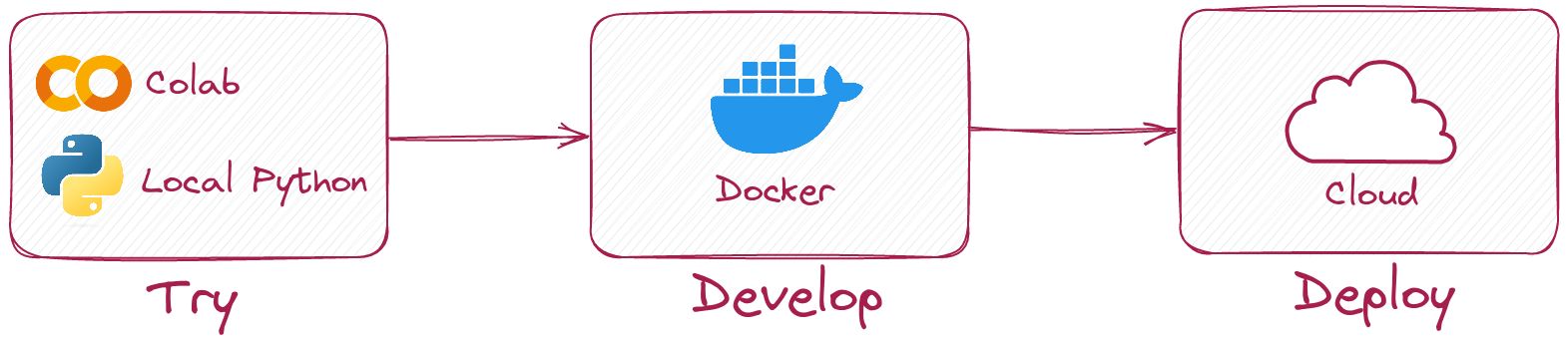
Python Client le permite ejecutar el mismo código en modo local sin ejecutar Qdrant Server.
Simplemente inicialice un cliente así:
 from qdrant_client import QdrantClient

client = QdrantClient ( ":memory:" )
# or
client = QdrantClient ( path = "path/to/db" )  # Persists changes to disk
El modo local es útil para el desarrollo, la creación de prototipos y las pruebas.
pip install qdrant-client[fastembed]
Fastembed es una biblioteca para crear incrustaciones vectoriales rápidas en la CPU. Se basa en el tiempo de ejecución de ONNX y permite ejecutar una inferencia en CPU con rendimiento similar a GPU.
Qdrant Client puede usar rápido para crear embedidas y cargarlos en Qdrant. Esto permite simplificar la API y hacerlo más intuitivo.
 from qdrant_client import QdrantClient

# Initialize the client
client = QdrantClient ( ":memory:" )  # or QdrantClient(path="path/to/db")

# Prepare your documents, metadata, and IDs
docs = [ "Qdrant has Langchain integrations" , "Qdrant also has Llama Index integrations" ]
metadata = [
    { "source" : "Langchain-docs" },
    { "source" : "Linkedin-docs" },
]
ids = [ 42 , 2 ]

# Use the new add method
client . add (
    collection_name = "demo_collection" ,
    documents = docs ,
    metadata = metadata ,
    ids = ids
)

search_result = client . query (
    collection_name = "demo_collection" ,
    query_text = "This is a query document"
)
print ( search_result )
Fastembed también puede utilizar GPU para integridades más rápidas. Para habilitar el soporte de GPU, instale
pip install ' qdrant-client[fastembed-gpu] ' from qdrant_client import QdrantClient
# Initialize the client
client = QdrantClient ( ":memory:" ) # or QdrantClient(path="path/to/db")
client . set_model ( client . DEFAULT_EMBEDDING_MODEL , providers = [ "CUDAExecutionProvider" , "CPUExecutionProvider" ])NOTA:
fastembed-gpuyfastembedson mutuamente excluyentes. Solo puedes instalar uno de ellos.Si previamente instaló
fastembed, es posible que deba comenzar desde un entorno fresco para instalarfastembed-gpu.
Para conectarse al servidor Qdrant, simplemente especifique el host y el puerto:
 from qdrant_client import QdrantClient

client = QdrantClient ( host = "localhost" , port = 6333 )
# or
client = QdrantClient ( url = "http://localhost:6333" )
Puede ejecutar Qdrant Server localmente con Docker:
docker run -p 6333:6333 qdrant/qdrant:latestVea más opciones de lanzamiento en el repositorio de Qdrant.
Puede registrarse y usar Qdrant Cloud para obtener una cuenta de nivel gratuita con 1 GB de RAM.
Una vez que tenga su clúster y clave API, puede conectarse así:
 from qdrant_client import QdrantClient

qdrant_client = QdrantClient (
    url = "https://xxxxxx-xxxxx-xxxxx-xxxx-xxxxxxxxx.us-east.aws.cloud.qdrant.io:6333" ,
    api_key = "<your-api-key>" ,
)Crea una nueva colección
 from qdrant_client . models import Distance , VectorParams

client . create_collection (
    collection_name = "my_collection" ,
    vectors_config = VectorParams ( size = 100 , distance = Distance . COSINE ),
)
Insertar vectores en una colección
 import numpy as np
from qdrant_client . models import PointStruct

vectors = np . random . rand ( 100 , 100 )
# NOTE: consider splitting the data into chunks to avoid hitting the server's payload size limit
# or use `upload_collection` or `upload_points` methods which handle this for you
# WARNING: uploading points one-by-one is not recommended due to requests overhead
client . upsert (
    collection_name = "my_collection" ,
    points = [
        PointStruct (
            id = idx ,
            vector = vector . tolist (),
            payload = { "color" : "red" , "rand_number" : idx % 10 }
        )
        for idx , vector in enumerate ( vectors )
    ]
)
Buscar vectores similares
 query_vector = np . random . rand ( 100 )
hits = client . search (
    collection_name = "my_collection" ,
    query_vector = query_vector ,
    limit = 5  # Return 5 closest points
)
Buscar vectores similares con condición de filtrado
 from qdrant_client . models import Filter , FieldCondition , Range

hits = client . search (
    collection_name = "my_collection" ,
    query_vector = query_vector ,
    query_filter = Filter (
        must = [  # These conditions are required for search results
            FieldCondition (
                key = 'rand_number' ,  # Condition based on values of `rand_number` field.
                range = Range (
                    gte = 3  # Select only those results where `rand_number` >= 3
                )
            )
        ]
    ),
    limit = 5  # Return 5 closest points
)
¡Vea más ejemplos en nuestra documentación!
Para habilitar la carga de recolección (por lo general, mucho más rápido) con GRPC, use la siguiente inicialización:
 from qdrant_client import QdrantClient

client = QdrantClient ( host = "localhost" , grpc_port = 6334 , prefer_grpc = True )A partir de la versión 1.6.1, todos los métodos de clientes de Python están disponibles en la versión Async.
Para usarlo, solo importe AsyncQdrantClient en lugar de QdrantClient :
 from qdrant_client import AsyncQdrantClient , models
import numpy as np
import asyncio

async def main ():
    # Your async code using QdrantClient might be put here
    client = AsyncQdrantClient ( url = "http://localhost:6333" )

    await client . create_collection (
        collection_name = "my_collection" ,
        vectors_config = models . VectorParams ( size = 10 , distance = models . Distance . COSINE ),
    )

    await client . upsert (
        collection_name = "my_collection" ,
        points = [
            models . PointStruct (
                id = i ,
                vector = np . random . rand ( 10 ). tolist (),
            )
            for i in range ( 100 )
        ],
    )

    res = await client . search (
        collection_name = "my_collection" ,
        query_vector = np . random . rand ( 10 ). tolist (),  # type: ignore
        limit = 10 ,
    )

    print ( res )

asyncio . run ( main ())
Tanto GRPC como REST API son compatibles con el modo Async. Se pueden encontrar más ejemplos aquí.
Este proyecto utiliza gits Git para ejecutar formateros de código.
Instale pre-commit con pip3 install pre-commit y configure las ganchos con pre-commit install .
El precomito requiere python> = 3.8





