nostr_console
vements

使用DART的NOSTR控制台客户端
这是一种实验性或前阿尔法软件,旨在显示或知道NOSTR网络客户端的外观。它每次都有90%的时间;当继电器无法完美地工作时,更少。
首先查看或解压缩代码为目录, cd为该目录,然后从那里键入以下命令:(确保Docker Desktop在后台运行)
docker build -t nostr_console .
然后使用
docker run -it nostr_console start
可以在此处找到来自此存储库的主分支的预构建码头图像。
docker pull ghcr.io/vishalxl/nostr_console:main
进而
docker run -it ghcr.io/vishalxl/nostr_console:main
运行NoStr_Console的最简单方法:转到发布并为您的平台获得可执行文件。
否则请以下操作:
dart pub get获取所有依赖关系dart run bin/nostr_console.dart ,它将使用默认设置运行。dart compile exe bin/nostr_console.dart将为您的平台创建可执行文件。您可以使用所需参数调用EXE。在Windows上,您可以使用其中提到的所需命令行参数创建一个快捷方式。用法:
 usage: dart run bin/nostr_console.dart [OPTIONS]

  OPTIONS

      -k, --prikey  <private key>   The nsec or hex private key of user you want to 'log in' as.
      -p, --pubkey  <public key>    The npub or hex public key of user whose events and feed are shown. When given,
                                    posts/replies can't be sent because for that a private key is needed.
      -r, --relay   <relay urls>    The comma separated relay urls that are used as relays. If given, these are used
                                    rather than the default relays.
      -f, --file    <filename>      Read from given file, if it is present, and at the end of the program execution, write
                                    to it all the events (including the ones read, and any new received). Even if not given,
                                    the default is to read from and write to all_nostr_events.txt . Can be turned off by
                                    the --disable-file flag
      -d, --days    <N as num>      The latest number of days for which events are shown. Default is 1.
      --request <REQ string>        This request is sent verbatim to the default relay. It can be used to recieve all events
                                    from a relay. If not provided, then events for default or given user are shown.
      -s, --disable-file            When turned on, even the default filename is not read from.
      -t, --translate               Translate some of the recent posts using Google translate site ( and not api). Google
                                    is accessed for any translation request only if this flag is present, and not otherwise.
      -l, --lnqr                    Flag, if set any LN invoices starting with LNBC will be printed as a QR code. Will set
                                    width to 140, which can be reset if needed with the --width argument. Wider
                                    space is needed for some qr codes.
      -g, --location <location>     The given value is added as a 'location' tag with every kind 1 post made. g in shortcut
                                    standing for geographic location.
      -h, --help                    Print help/usage message and exit.
      -v, --version                 Print version and exit.

  UI Options
      -a, --align  <left>           When "left" is given as option to this argument, then the text is aligned to left. By
                                    default the posts or text is aligned to the center of the terminal.
      -w, --width  <width as num>   This specifies how wide you want the text to be, in number of columns. Default is 96.
                                    Cant be less than 60.
      -m, --maxdepth <depth as num> The maximum depth to which the threads can be displayed. Minimum is 2 and
                                    maximum allowed is 12.
      -c, --color  <color>          Color option can be green, cyan, white, black, red and blue.

  Advanced
      -y, --difficulty <number>     The difficulty number in bits, only for kind 1 messages. Tne next larger number divisible
                                    by 4 is taken as difficulty. Can't be more than 32 bits, because otherwise it typically
                                    takes too much time. Minimum and default is 0, which means no difficulty.
      -e, --overwrite               Will over write the file with all the events that were read from file, and all newly
                                    received. Is useful when the file has to be cleared of old unused events. A backup should
                                    be made just in case of original file before invoking.
用私钥K作为用户“登录”:
nostr_console.exe --prikey=K
为了在过去3天(在允许执行式执行的bash shell上获取后继上的所有最新消息),用于使用私钥k的用户:
nostr_console.exe --prikey=K --request=`echo "["REQ","l",{"since":$(date -d '-3 day' +%s)}]"`
获取所有加密消息:
./nostr_console_elf64 --prikey=K --request='["REQ","cn",{"limit":20000,"kinds":[104,140,141,142],"since":1663417739}]' # run on linux/bash
要使用DART运行单元测试,在主/顶级目录中运行:
dart run test -r expanded
如果程序没有发送事件:
如果程序没有提出事件:
当您处于阻止传出HTTP(例如公司防火墙)的网络中时,但是有一个代理可以在运行nostr_console之前设置环境变量。以下示例使用身份验证。删除用户名:如果不需要密码。
 $ export HTTP_PROXY=http://username:[email protected]:1234
$ export HTTPS_PROXY=http://username:[email protected]:5678
要使您的外壳配置文件永久添加,例如/.bashrc或to /etc/profile.d/
 C:setx HTTP_PROXY=http://username:[email protected]:1234
C:setx HTTPS_PROXY=http://username:[email protected]:5678
使用SETX设置环境变量更改当前命令提示符中使用的值和运行命令后创建的所有命令提示符会话。它不会影响您运行命令时已经运行的其他命令壳。
使用设置设置环境变量更改使用的值,直到当前命令提示会话结束,或直到将变量设置为其他值为止。
TOR可以用作HTTPTUNNELPORT的HTTP代理,而不仅仅是Socks5。
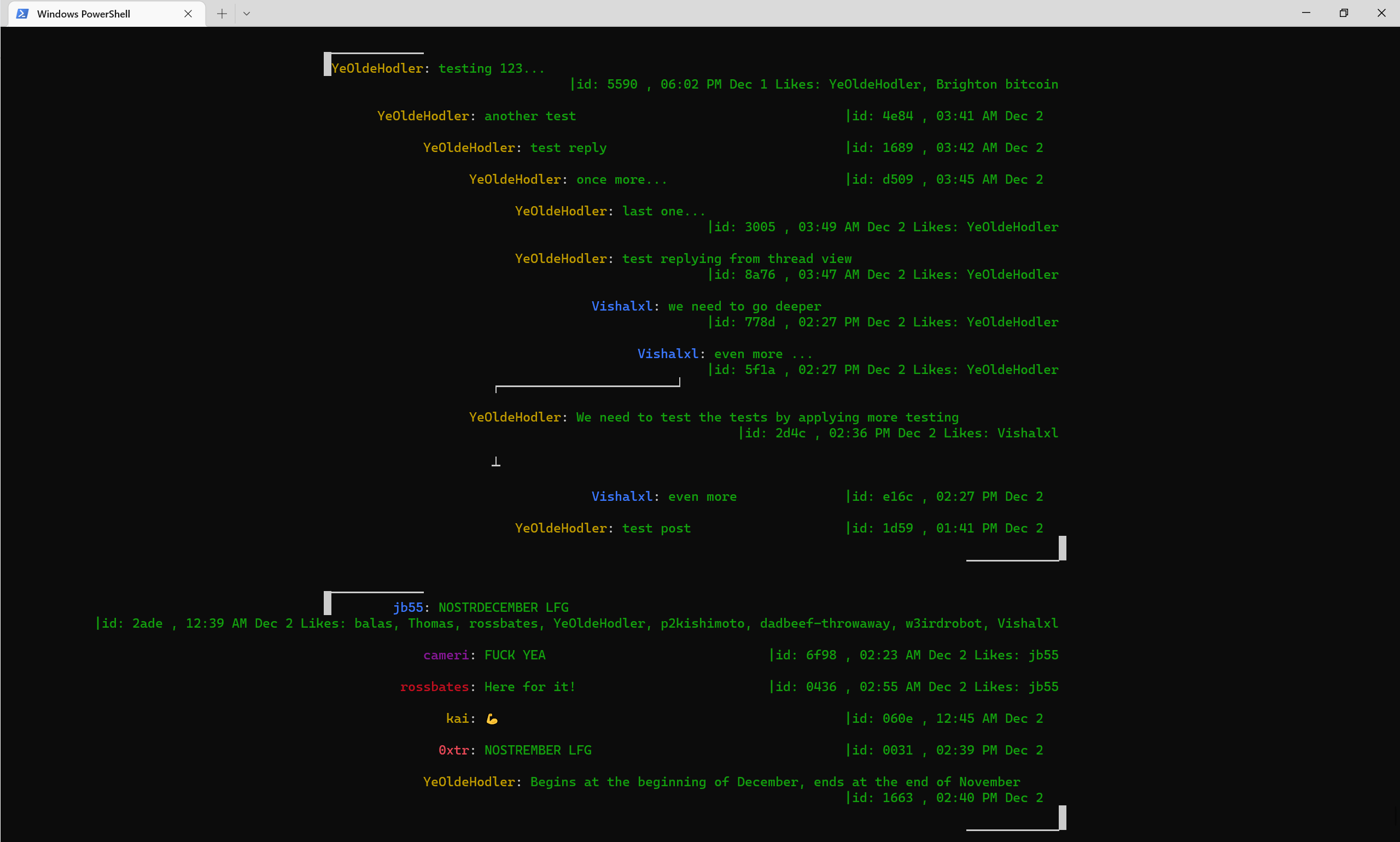
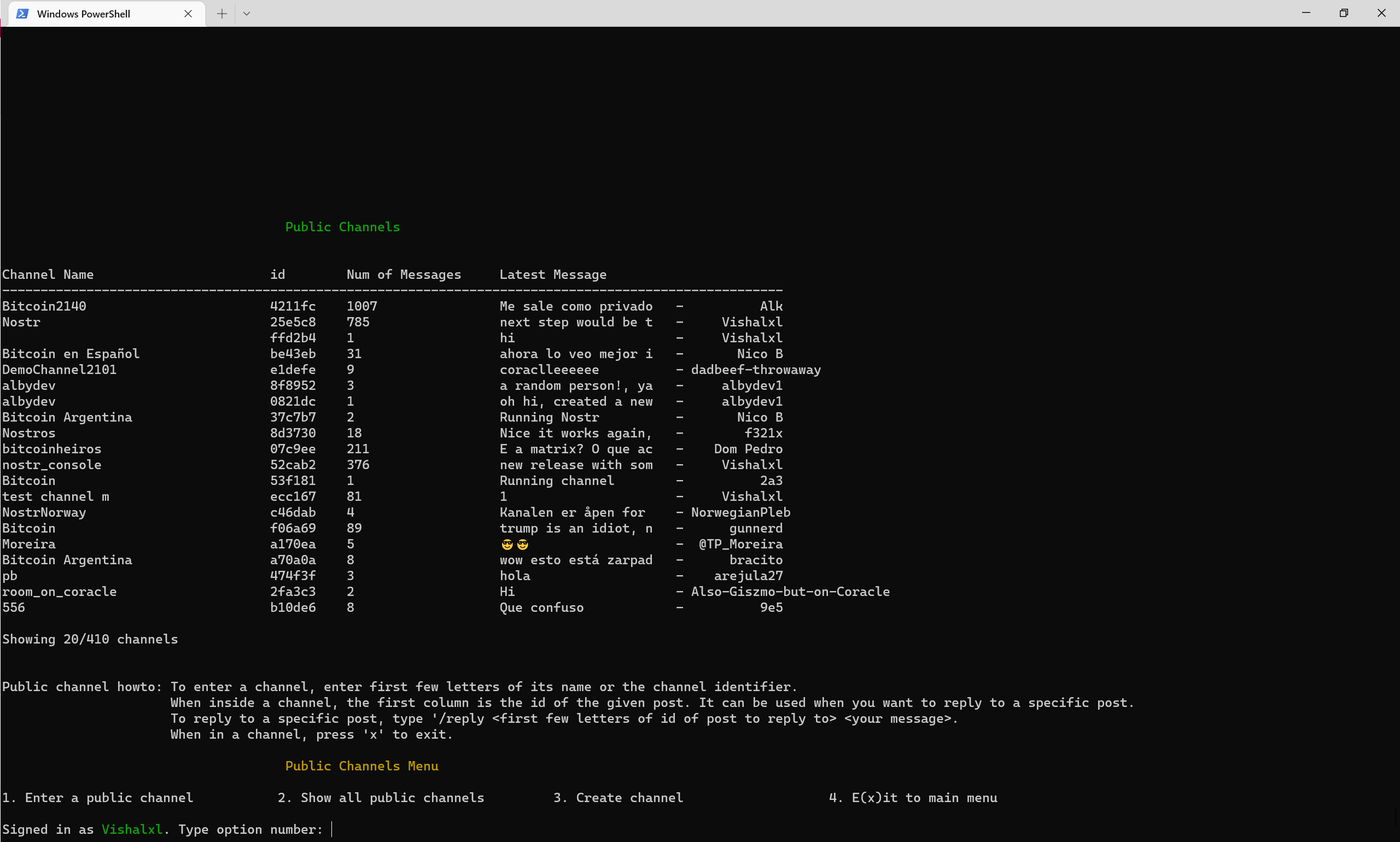
菜单的公共频道概述
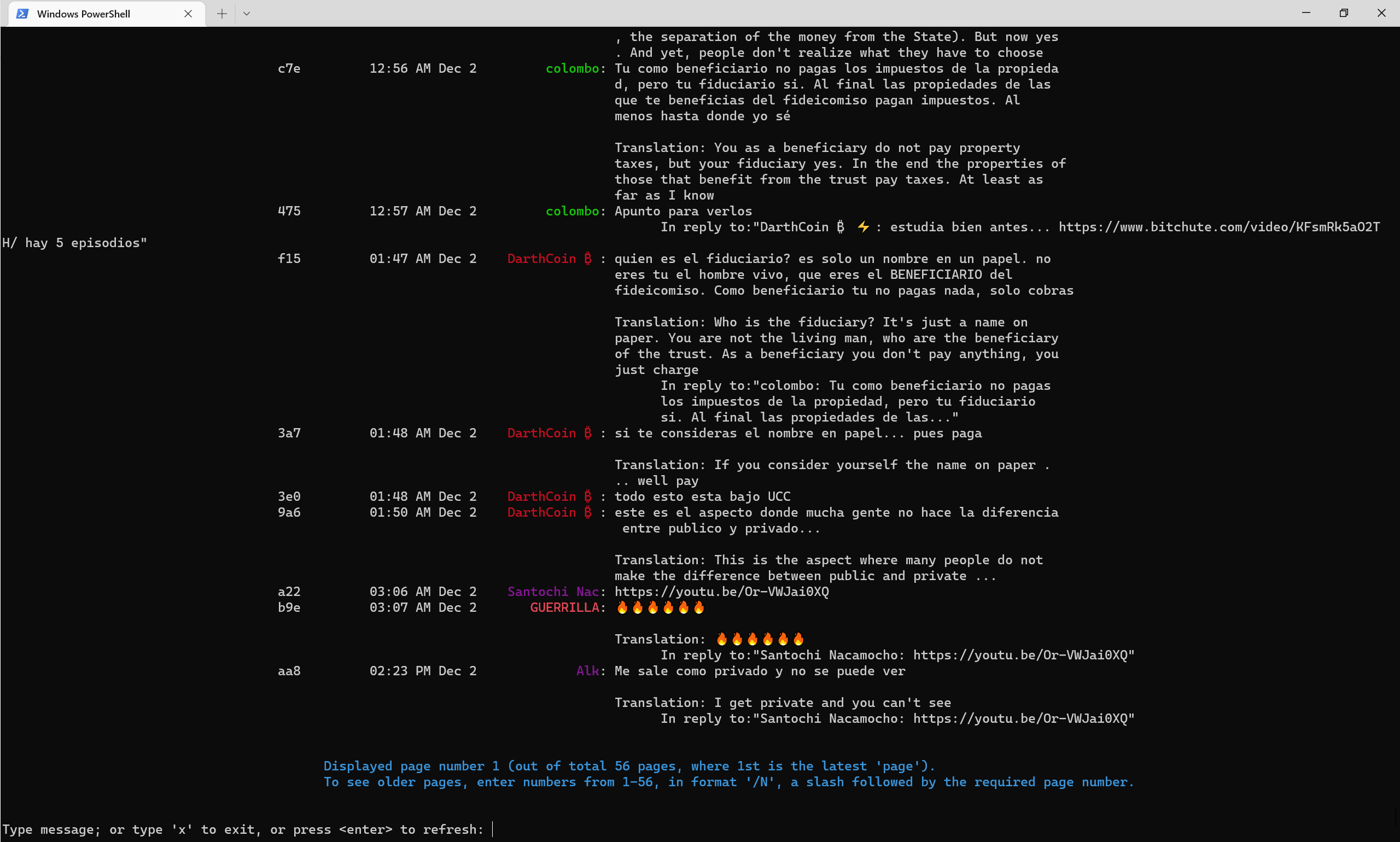
截至2022年底,公共渠道看起来像 - 译-Translate Flag自动翻译成英语。
NOSTR电报频道
NOSTR控制台电报频道
NOSTR PULIC通道52CAB2E3E504AD647D284B85B5CC601CA0613B151641E77FACFAC851C2CA816







