nostr_console
vements

Клиент консоли NOSTR с использованием DART
Это экспериментальное или предварительное программное обеспечение, созданное для того, чтобы показать или знать, как будет выглядеть клиент NOSTR Network. Он работает в 90% случаев каждый раз; Меньше, когда реле не работают идеально.
Сначала посетите или расстегните разарки кода в каталог, cd в этот каталог, и оттуда введите следующие команды: (Убедитесь, что Docker Desktop работает в фоновом режиме)
docker build -t nostr_console .
Затем запустить с помощью
docker run -it nostr_console start
Предварительное изображение Docker из основной ветви этого репозитория можно найти здесь.
docker pull ghcr.io/vishalxl/nostr_console:main
а потом
docker run -it ghcr.io/vishalxl/nostr_console:main
Самый простой способ запустить NOSTR_CONSOLE: перейдите к выпускам и получите исполняемый файл для вашей платформы.
В противном случае делайте следующие:
dart pub get , который получает все зависимостиdart run bin/nostr_console.dart , который запустит его с настройками по умолчанию.dart compile exe bin/nostr_console.dart который создаст исполняемый файл для вашей платформы. Вы можете вызвать эту EXE с необходимыми параметрами. В Windows вы можете создать для него ярлык с помощью желаемых аргументов командной строки, упомянутых в нем.Использование:
 usage: dart run bin/nostr_console.dart [OPTIONS]

  OPTIONS

      -k, --prikey  <private key>   The nsec or hex private key of user you want to 'log in' as.
      -p, --pubkey  <public key>    The npub or hex public key of user whose events and feed are shown. When given,
                                    posts/replies can't be sent because for that a private key is needed.
      -r, --relay   <relay urls>    The comma separated relay urls that are used as relays. If given, these are used
                                    rather than the default relays.
      -f, --file    <filename>      Read from given file, if it is present, and at the end of the program execution, write
                                    to it all the events (including the ones read, and any new received). Even if not given,
                                    the default is to read from and write to all_nostr_events.txt . Can be turned off by
                                    the --disable-file flag
      -d, --days    <N as num>      The latest number of days for which events are shown. Default is 1.
      --request <REQ string>        This request is sent verbatim to the default relay. It can be used to recieve all events
                                    from a relay. If not provided, then events for default or given user are shown.
      -s, --disable-file            When turned on, even the default filename is not read from.
      -t, --translate               Translate some of the recent posts using Google translate site ( and not api). Google
                                    is accessed for any translation request only if this flag is present, and not otherwise.
      -l, --lnqr                    Flag, if set any LN invoices starting with LNBC will be printed as a QR code. Will set
                                    width to 140, which can be reset if needed with the --width argument. Wider
                                    space is needed for some qr codes.
      -g, --location <location>     The given value is added as a 'location' tag with every kind 1 post made. g in shortcut
                                    standing for geographic location.
      -h, --help                    Print help/usage message and exit.
      -v, --version                 Print version and exit.

  UI Options
      -a, --align  <left>           When "left" is given as option to this argument, then the text is aligned to left. By
                                    default the posts or text is aligned to the center of the terminal.
      -w, --width  <width as num>   This specifies how wide you want the text to be, in number of columns. Default is 96.
                                    Cant be less than 60.
      -m, --maxdepth <depth as num> The maximum depth to which the threads can be displayed. Minimum is 2 and
                                    maximum allowed is 12.
      -c, --color  <color>          Color option can be green, cyan, white, black, red and blue.

  Advanced
      -y, --difficulty <number>     The difficulty number in bits, only for kind 1 messages. Tne next larger number divisible
                                    by 4 is taken as difficulty. Can't be more than 32 bits, because otherwise it typically
                                    takes too much time. Minimum and default is 0, which means no difficulty.
      -e, --overwrite               Will over write the file with all the events that were read from file, and all newly
                                    received. Is useful when the file has to be cleared of old unused events. A backup should
                                    be made just in case of original file before invoking.
Чтобы «войти» как пользователь с закрытым ключом k:
nostr_console.exe --prikey=K
Чтобы получить все последние сообщения на реле в течение последних 3 дней (на оболочке Bash, что позволяет выполнять обратную работу), для пользователя с закрытым ключом k:
nostr_console.exe --prikey=K --request=`echo "["REQ","l",{"since":$(date -d '-3 day' +%s)}]"`
Чтобы получить все зашифрованные сообщения:
./nostr_console_elf64 --prikey=K --request='["REQ","cn",{"limit":20000,"kinds":[104,140,141,142],"since":1663417739}]' # run on linux/bash
Чтобы запустить модульные тесты, используя DART, в каталоге основного/верхнего уровня, запустите:
dart run test -r expanded
В случае, если программа не отправляет события:
В случае, если программа не получает события:
Когда вы находитесь в сети, которая блокирует исходящие HTTPS (например, брандмауэр компании), но есть прокси -сервер, вы можете установить переменную среды перед запуском NOSTR_Console. Примеры ниже используют аутентификацию. Отбросьте имя пользователя: пароль, если не требуется.
 $ export HTTP_PROXY=http://username:[email protected]:1234
$ export HTTPS_PROXY=http://username:[email protected]:5678
Чтобы сделать постоянное добавление в профиль оболочки, например,/.Bashrc или в /etc/profile.d/
 C:setx HTTP_PROXY=http://username:[email protected]:1234
C:setx HTTPS_PROXY=http://username:[email protected]:5678
Использование SETX для установки переменной среды изменяет значение, используемое как в текущей сеансе командной строки, так и во всех сеансах командной строки, которые вы создаете после запуска команды. Это не влияет на другие командные оболочки, которые уже запускаются во время запуска команды.
Используйте установить, чтобы установить переменную среды, изменяя значение, используемое до конца сеанса текущей командной строки, или до тех пор, пока вы не установите переменную на другое значение.
TOR может использоваться в качестве прокси HTTP с HTTPTUNNELPORTPORT вместо просто SOCKS5.
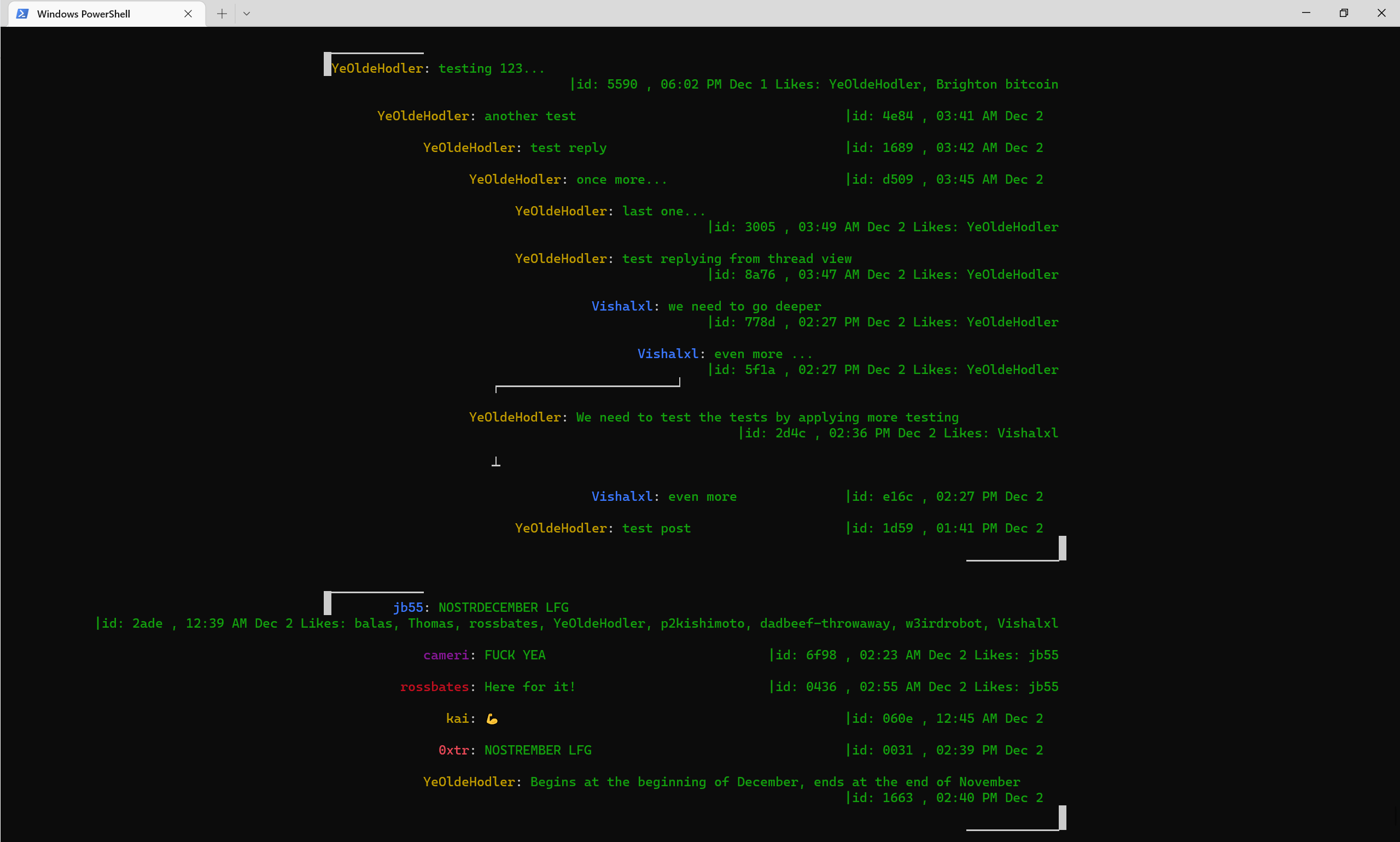
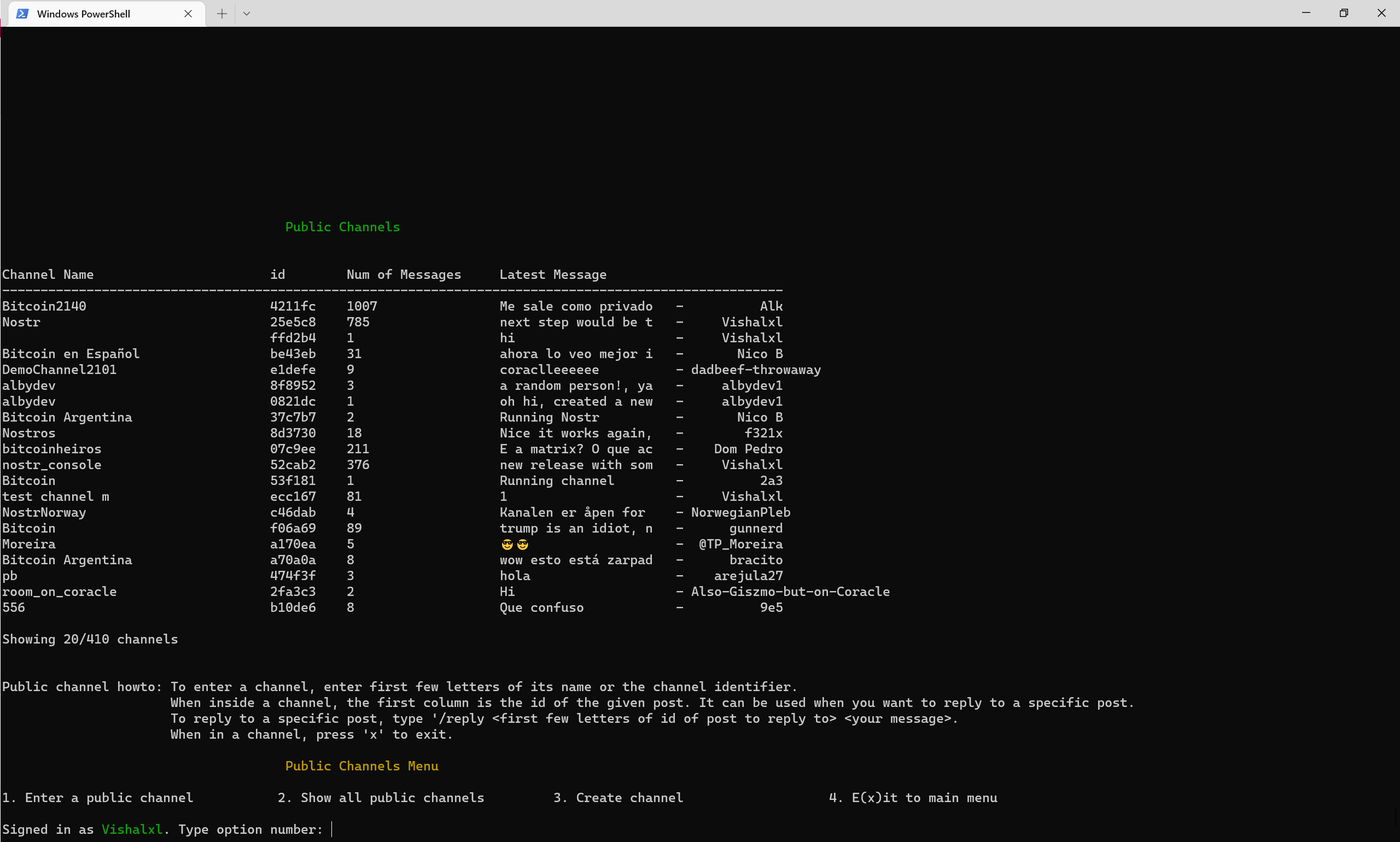
Обзор публичных каналов с меню
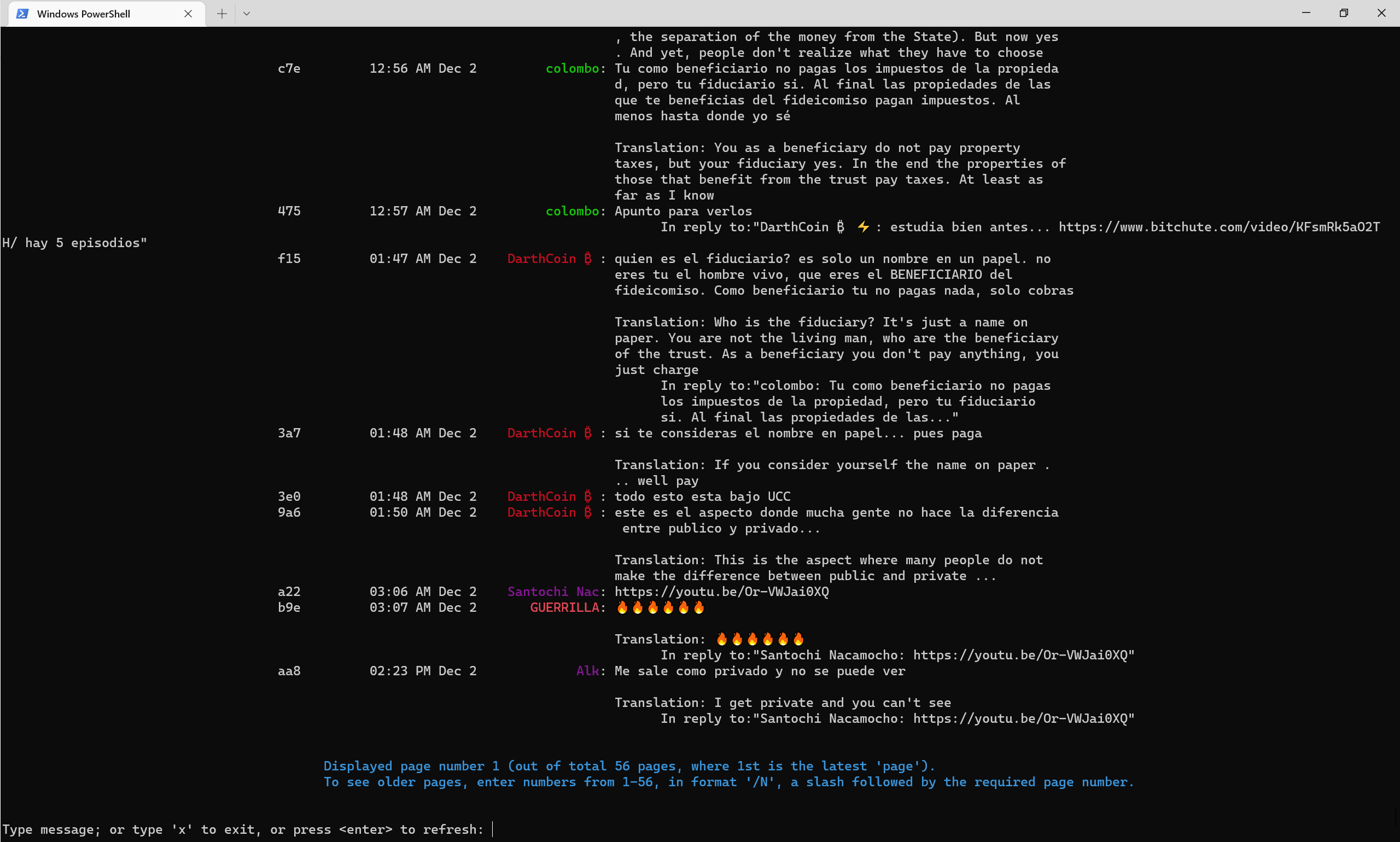
Как общедоступные каналы выглядят с середины 2022 года, с флагом -транслятный флаг автоматически переводится на английский.
NOSTR Telegram Channel
NOSTR Console Telegram -канал
NOSTR Публичный канал 52CAB2E3E504AD6447D284B85B5CC601CA0613B151641E77FACFEC851C2CA816







