nostr_console
vements

DARTを使用したNOSTRコンソールクライアント
これは、NOSTRネットワークのクライアントがどのように見えるかを表示または把握するために作成された実験的または事前のアルファソフトウェアです。毎回90%の時間に動作します。リレーが完全に機能していない場合は少なくなります。
最初にコードをディレクトリに、 cdをそのディレクトリにチェックアウトまたは解凍し、そこから次のコマンドを入力します。(Dockerデスクトップがバックグラウンドで実行されていることを確認してください)
docker build -t nostr_console .
次に、使用して実行します
docker run -it nostr_console start
このリポジトリのメインブランチからの事前に構築されたDocker画像は、こちらをご覧ください。
docker pull ghcr.io/vishalxl/nostr_console:main
その後
docker run -it ghcr.io/vishalxl/nostr_console:main
nostr_consoleを実行する最も簡単な方法:リリースに移動して、プラットフォームの実行可能ファイルを取得します。
それ以外の場合は次のようにします:
dart pub getを実行しますdart run bin/nostr_console.dart実行します。これは、デフォルト設定で実行されます。dart compile exe bin/nostr_console.dartにより、プラットフォーム用の実行可能ファイルを作成できます。必要なパラメーターでそのexeを呼び出すことができます。 Windowsでは、希望するコマンドライン引数を記載したショートカットを作成できます。使用法:
 usage: dart run bin/nostr_console.dart [OPTIONS]

  OPTIONS

      -k, --prikey  <private key>   The nsec or hex private key of user you want to 'log in' as.
      -p, --pubkey  <public key>    The npub or hex public key of user whose events and feed are shown. When given,
                                    posts/replies can't be sent because for that a private key is needed.
      -r, --relay   <relay urls>    The comma separated relay urls that are used as relays. If given, these are used
                                    rather than the default relays.
      -f, --file    <filename>      Read from given file, if it is present, and at the end of the program execution, write
                                    to it all the events (including the ones read, and any new received). Even if not given,
                                    the default is to read from and write to all_nostr_events.txt . Can be turned off by
                                    the --disable-file flag
      -d, --days    <N as num>      The latest number of days for which events are shown. Default is 1.
      --request <REQ string>        This request is sent verbatim to the default relay. It can be used to recieve all events
                                    from a relay. If not provided, then events for default or given user are shown.
      -s, --disable-file            When turned on, even the default filename is not read from.
      -t, --translate               Translate some of the recent posts using Google translate site ( and not api). Google
                                    is accessed for any translation request only if this flag is present, and not otherwise.
      -l, --lnqr                    Flag, if set any LN invoices starting with LNBC will be printed as a QR code. Will set
                                    width to 140, which can be reset if needed with the --width argument. Wider
                                    space is needed for some qr codes.
      -g, --location <location>     The given value is added as a 'location' tag with every kind 1 post made. g in shortcut
                                    standing for geographic location.
      -h, --help                    Print help/usage message and exit.
      -v, --version                 Print version and exit.

  UI Options
      -a, --align  <left>           When "left" is given as option to this argument, then the text is aligned to left. By
                                    default the posts or text is aligned to the center of the terminal.
      -w, --width  <width as num>   This specifies how wide you want the text to be, in number of columns. Default is 96.
                                    Cant be less than 60.
      -m, --maxdepth <depth as num> The maximum depth to which the threads can be displayed. Minimum is 2 and
                                    maximum allowed is 12.
      -c, --color  <color>          Color option can be green, cyan, white, black, red and blue.

  Advanced
      -y, --difficulty <number>     The difficulty number in bits, only for kind 1 messages. Tne next larger number divisible
                                    by 4 is taken as difficulty. Can't be more than 32 bits, because otherwise it typically
                                    takes too much time. Minimum and default is 0, which means no difficulty.
      -e, --overwrite               Will over write the file with all the events that were read from file, and all newly
                                    received. Is useful when the file has to be cleared of old unused events. A backup should
                                    be made just in case of original file before invoking.
プライベートキーKを持つユーザーとして「ログイン」する:
nostr_console.exe --prikey=K
過去3日間のリレーに関するすべての最新メッセージを取得するには(バックティック実行を可能にするBash Shellで)、プライベートキーKを持つユーザーの場合:
nostr_console.exe --prikey=K --request=`echo "["REQ","l",{"since":$(date -d '-3 day' +%s)}]"`
暗号化されたすべてのメッセージを取得するには:
./nostr_console_elf64 --prikey=K --request='["REQ","cn",{"limit":20000,"kinds":[104,140,141,142],"since":1663417739}]' # run on linux/bash
メイン/トップレベルのディレクトリでDARTを使用してユニットテストを実行するには、実行します。
dart run test -r expanded
プログラムがイベントを送信していない場合:
プログラムがイベントを取得していない場合:
発信HTTPS(会社ファイアウォールなど)をブロックするネットワークにいる場合、NoStr_Consoleを実行する前に環境変数を設定できるプロキシがあります。以下の例は、認証を使用します。ユーザー名のドロップ:不要な場合はパスワード。
 $ export HTTP_PROXY=http://username:[email protected]:1234
$ export HTTPS_PROXY=http://username:[email protected]:5678
シェルプロファイルに永続的に追加するには、eg〜/.bashrcまたはto /etc/profile.d/
 C:setx HTTP_PROXY=http://username:[email protected]:1234
C:setx HTTPS_PROXY=http://username:[email protected]:5678
SETXを使用して環境変数を設定すると、現在のコマンドプロンプトセッションとコマンドを実行した後に作成するすべてのコマンドプロンプトセッションの両方で使用される値が変更されます。コマンドを実行したときに既に実行されている他のコマンドシェルには影響しません。
セットを使用して環境変数を設定すると、現在のコマンドプロンプトセッションの終了まで、または変数を別の値に設定するまで使用される値が変更されます。
TORは、Socks5だけではなく、HTTPTUnnelPortを使用してHTTPプロキシとして使用できます。
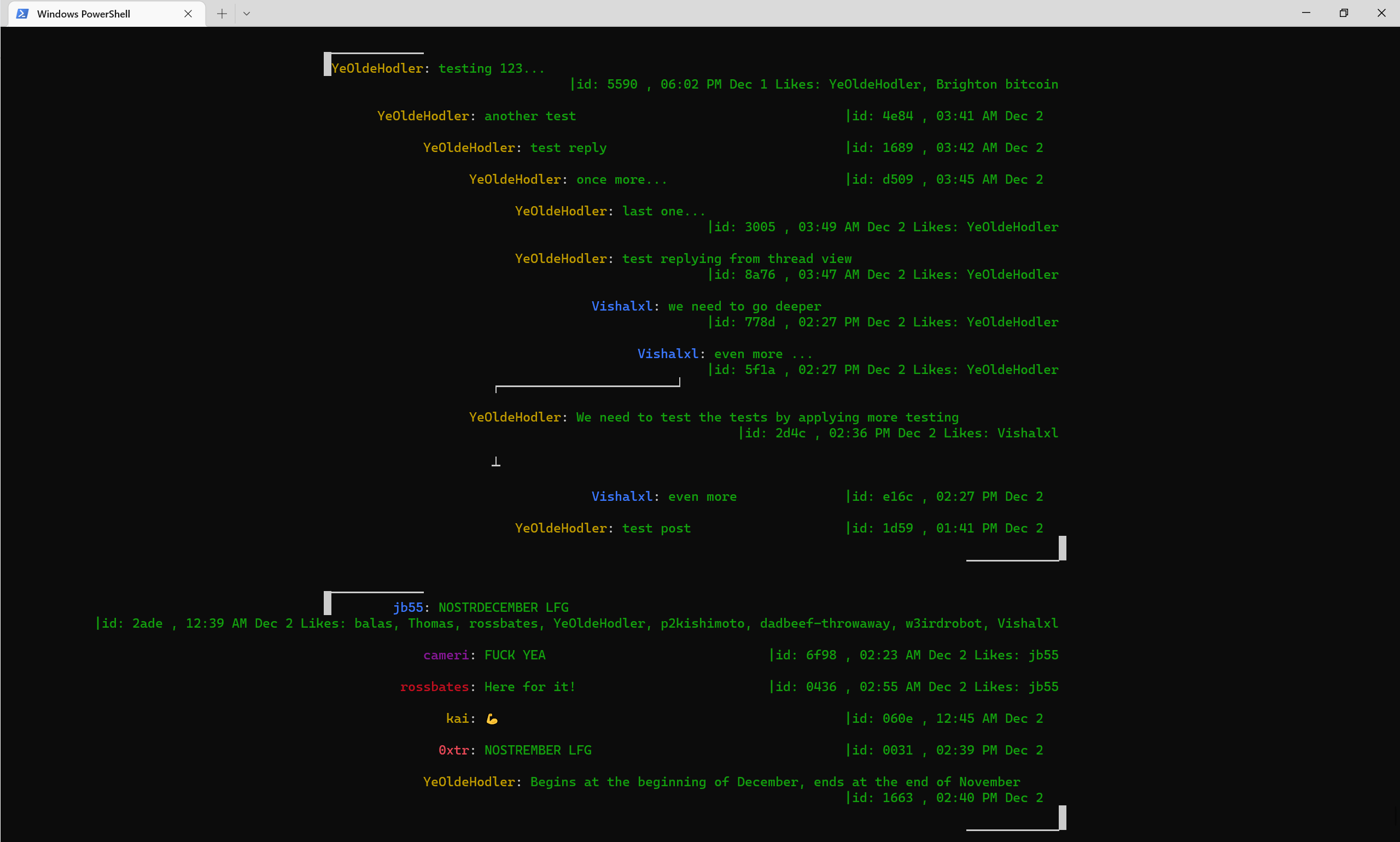
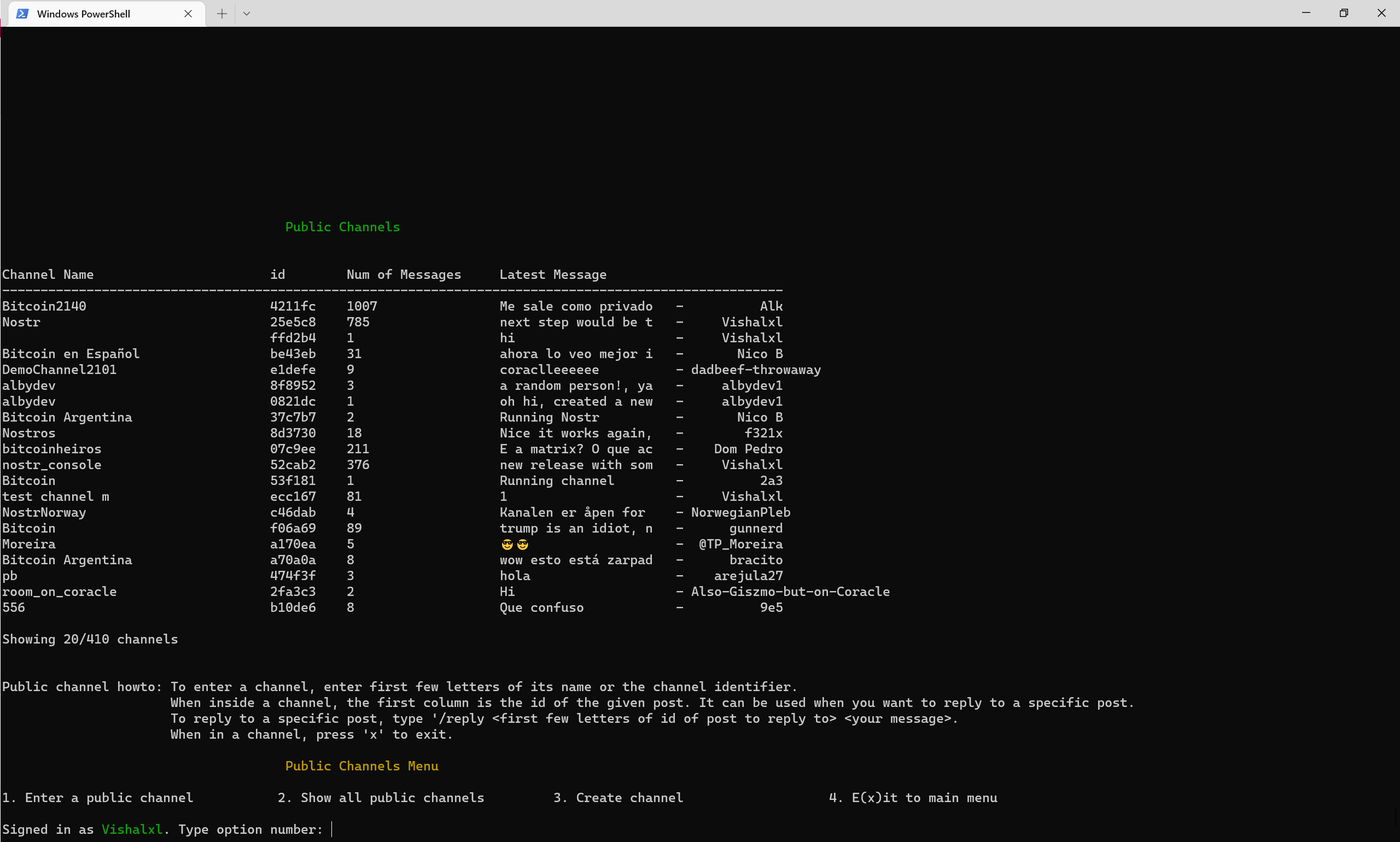
パブリックチャネルの概要メニュー
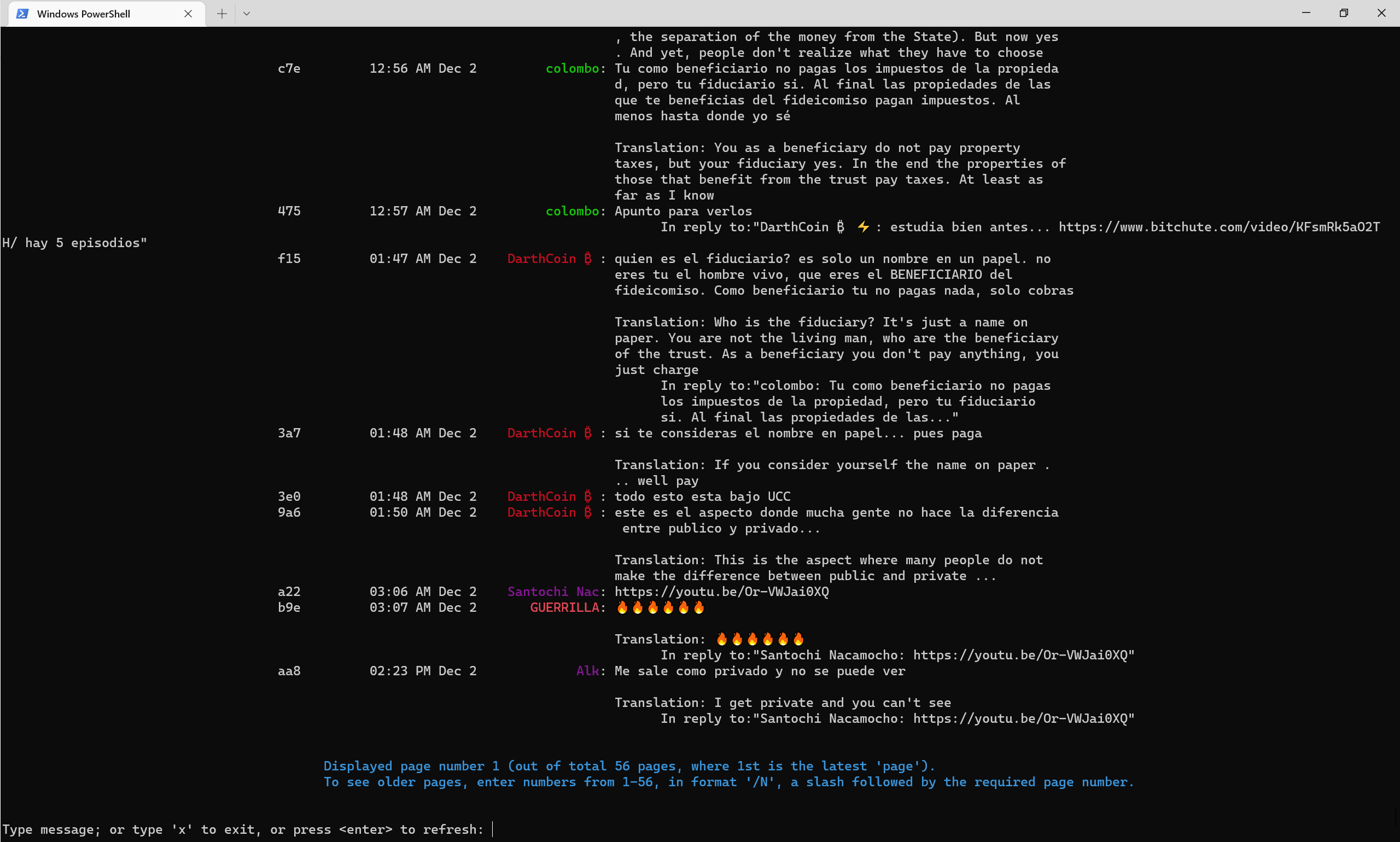
2022年後半の時点でパブリックチャネルがどのように見えるか、-translateフラグは自動的に英語に翻訳されます。
Nostr Telegramチャンネル
Nostr Console Telegram Channel
NOSTR Pulicチャネル52CAB2E3E504AD6447D284B85B5CC601CA0613B151641E77FACFEC851C2CA816







