nostr_console
vements

Cliente de console Nostr usando o DART
Este é um software experimental ou pré-alfa feito para mostrar ou saber como seria um cliente de rede Nostr. Funciona 90% do tempo toda vez; Menos quando os relés não estão funcionando perfeitamente.
Primeiro, verifique ou descompacte o código em um diretório, cd para esse diretório e, a partir daí, digite os seguintes comandos: (verifique se o Docker Desktop está em execução em segundo plano)
docker build -t nostr_console .
Em seguida, execute usando
docker run -it nostr_console start
A imagem do Docker pré -construída do ramo principal deste repositório pode ser encontrada aqui.
docker pull ghcr.io/vishalxl/nostr_console:main
e então
docker run -it ghcr.io/vishalxl/nostr_console:main
Maneira mais fácil de executar o nostr_console: vá para lançamentos e obtenha um executável para sua plataforma.
Caso contrário, faça a seguinte:
dart pub get que recebe todas as dependênciasdart run bin/nostr_console.dart , que o executará com as configurações padrão.dart compile exe bin/nostr_console.dart que criará um executável para sua plataforma. Você pode invocar esse exe com os parâmetros necessários. No Windows, você pode criar um atalho com os argumentos desejados da linha de comando mencionados.Uso:
 usage: dart run bin/nostr_console.dart [OPTIONS]

  OPTIONS

      -k, --prikey  <private key>   The nsec or hex private key of user you want to 'log in' as.
      -p, --pubkey  <public key>    The npub or hex public key of user whose events and feed are shown. When given,
                                    posts/replies can't be sent because for that a private key is needed.
      -r, --relay   <relay urls>    The comma separated relay urls that are used as relays. If given, these are used
                                    rather than the default relays.
      -f, --file    <filename>      Read from given file, if it is present, and at the end of the program execution, write
                                    to it all the events (including the ones read, and any new received). Even if not given,
                                    the default is to read from and write to all_nostr_events.txt . Can be turned off by
                                    the --disable-file flag
      -d, --days    <N as num>      The latest number of days for which events are shown. Default is 1.
      --request <REQ string>        This request is sent verbatim to the default relay. It can be used to recieve all events
                                    from a relay. If not provided, then events for default or given user are shown.
      -s, --disable-file            When turned on, even the default filename is not read from.
      -t, --translate               Translate some of the recent posts using Google translate site ( and not api). Google
                                    is accessed for any translation request only if this flag is present, and not otherwise.
      -l, --lnqr                    Flag, if set any LN invoices starting with LNBC will be printed as a QR code. Will set
                                    width to 140, which can be reset if needed with the --width argument. Wider
                                    space is needed for some qr codes.
      -g, --location <location>     The given value is added as a 'location' tag with every kind 1 post made. g in shortcut
                                    standing for geographic location.
      -h, --help                    Print help/usage message and exit.
      -v, --version                 Print version and exit.

  UI Options
      -a, --align  <left>           When "left" is given as option to this argument, then the text is aligned to left. By
                                    default the posts or text is aligned to the center of the terminal.
      -w, --width  <width as num>   This specifies how wide you want the text to be, in number of columns. Default is 96.
                                    Cant be less than 60.
      -m, --maxdepth <depth as num> The maximum depth to which the threads can be displayed. Minimum is 2 and
                                    maximum allowed is 12.
      -c, --color  <color>          Color option can be green, cyan, white, black, red and blue.

  Advanced
      -y, --difficulty <number>     The difficulty number in bits, only for kind 1 messages. Tne next larger number divisible
                                    by 4 is taken as difficulty. Can't be more than 32 bits, because otherwise it typically
                                    takes too much time. Minimum and default is 0, which means no difficulty.
      -e, --overwrite               Will over write the file with all the events that were read from file, and all newly
                                    received. Is useful when the file has to be cleared of old unused events. A backup should
                                    be made just in case of original file before invoking.
'Login' como usuário com chave privada K:
nostr_console.exe --prikey=K
Para obter todas as mensagens mais recentes sobre relés nos últimos 3 dias (no Bash Shell, que permite a execução do backtick), para o usuário com chave privada K:
nostr_console.exe --prikey=K --request=`echo "["REQ","l",{"since":$(date -d '-3 day' +%s)}]"`
Para obter todas as mensagens criptografadas:
./nostr_console_elf64 --prikey=K --request='["REQ","cn",{"limit":20000,"kinds":[104,140,141,142],"since":1663417739}]' # run on linux/bash
Para executar testes de unidade usando o DART, no diretório de nível principal/superior, execute:
dart run test -r expanded
Caso o programa não esteja enviando eventos:
Caso o programa não esteja buscando eventos:
Quando você está em uma rede que bloqueia o HTTPS de saída (por exemplo, o Firewall da empresa), mas há um proxy que você pode definir a variável de ambiente antes de executar o nostr_console. Exemplos abaixo usam autenticação. Solte o nome de usuário: senha se não for necessário.
 $ export HTTP_PROXY=http://username:[email protected]:1234
$ export HTTPS_PROXY=http://username:[email protected]:5678
Para tornar permanente adicionar ao seu perfil de shell, por exemplo,/.bashrc ou para /etc/profile.d/
 C:setx HTTP_PROXY=http://username:[email protected]:1234
C:setx HTTPS_PROXY=http://username:[email protected]:5678
Usando o setx para definir uma variável de ambiente altera o valor usado na sessão de prompt de comando atual e em todas as sessões de prompt de comando que você cria após a execução do comando. Não afeta outros shells de comando que já estão em execução no momento em que você executa o comando.
Use definido para definir uma variável de ambiente altera o valor usado até o final da sessão de prompt de comando atual ou até definir a variável para um valor diferente.
O TOR pode ser usado como um proxy HTTP com HttptUnnelport em vez de apenas Socks5.
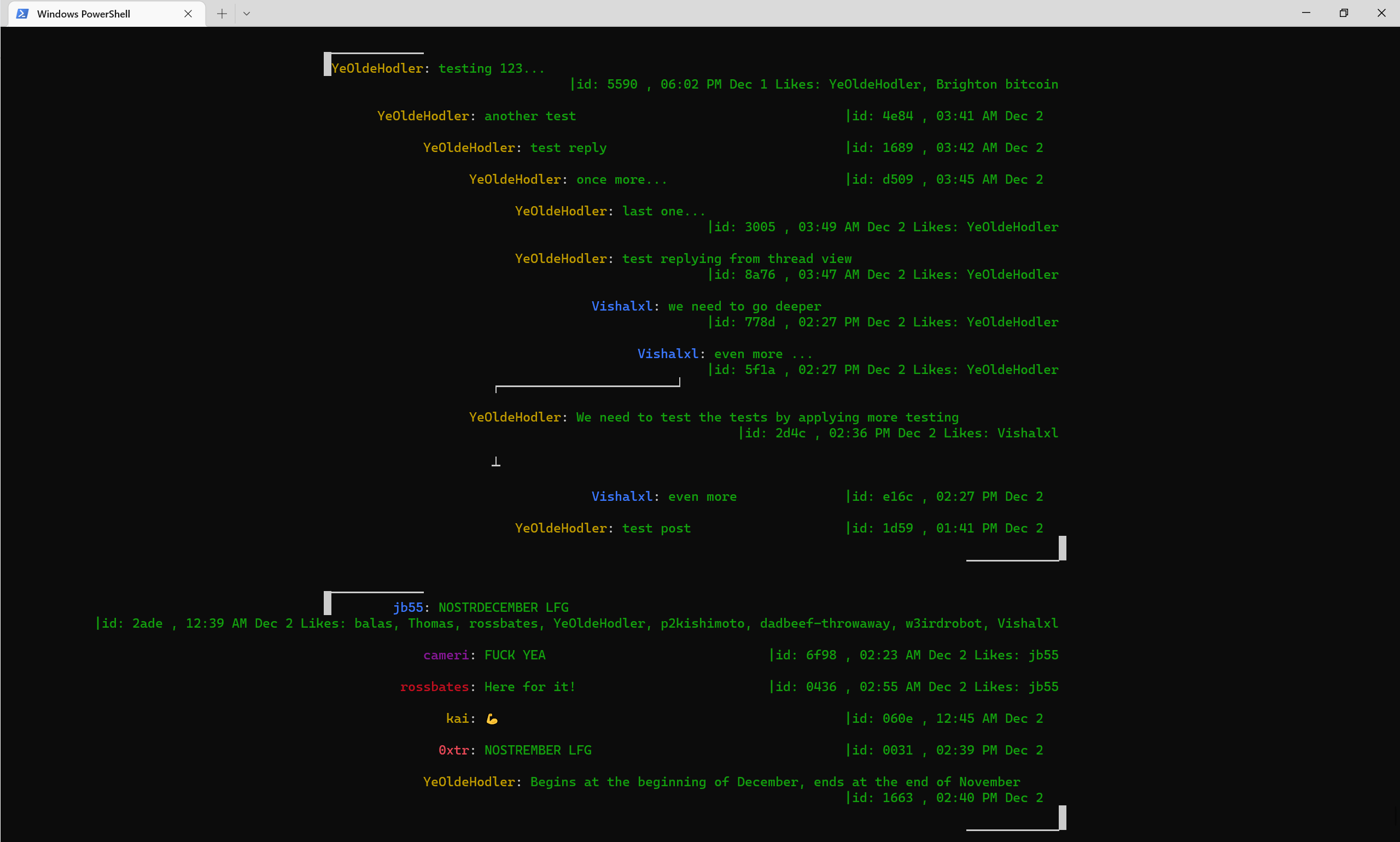
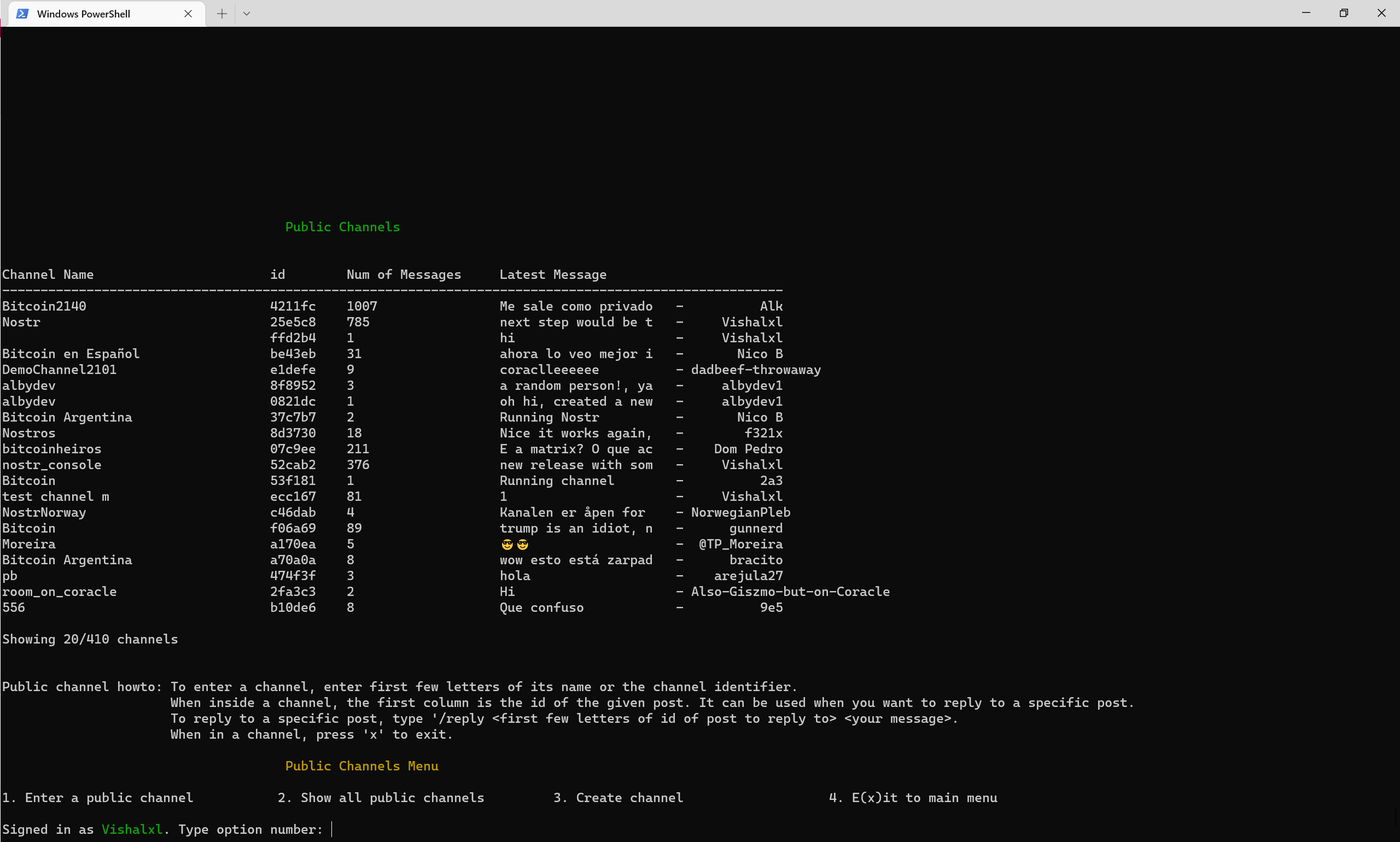
Visão geral dos canais públicos com menu
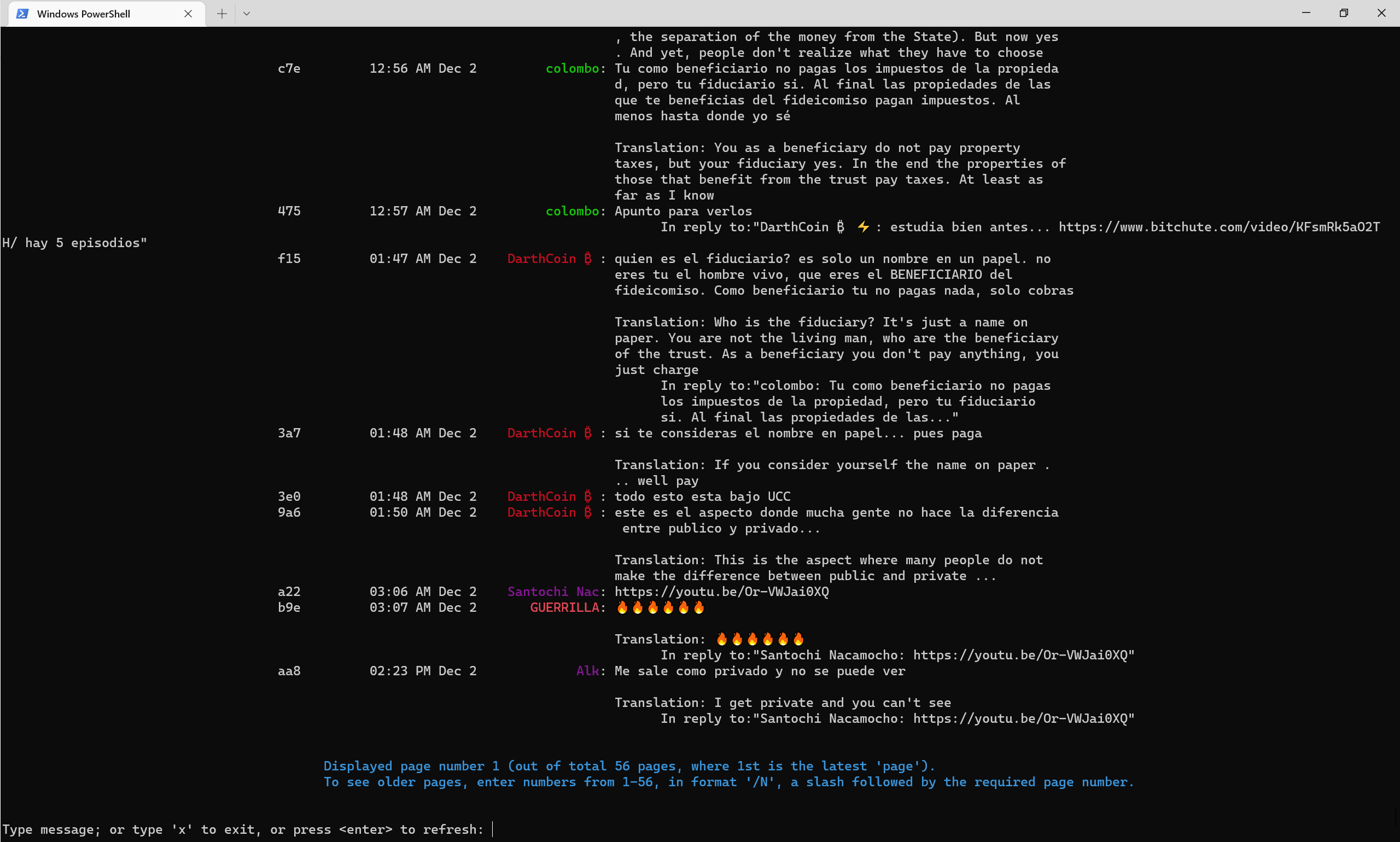
Como os canais públicos se parecem com meados do final de 2022, com -Translate Flag se traduzindo automaticamente para o inglês.
Canal de Telegrama nostr
Canal de telegrama de console Nostr
Canal Pulic 52CAB2E3E504AD6447D284B85B5CC601CA0613B151641E77FACFEC851C2CA816







