nostr_console
vements

عميل وحدة التحكم في Nostr باستخدام Dart
هذا برنامج تجريبي أو قبل alpha تم إجراؤه لإظهار أو معرفة شكل عميل شبكة NOSTR. يعمل 90 ٪ من الوقت في كل مرة ؛ أقل عندما لا تعمل المرحلات بشكل مثالي.
أولاً ، تحقق من أو فك ضغط الرمز إلى دليل ، cd لهذا الدليل ، ومن هناك اكتب الأوامر التالية: (تأكد من تشغيل سطح مكتب Docker في الخلفية)
docker build -t nostr_console .
ثم تشغيل باستخدام
docker run -it nostr_console start
يمكن العثور على صورة Docker مسبقًا من الفرع الرئيسي لهذا المستودع هنا.
docker pull ghcr.io/vishalxl/nostr_console:main
وثم
docker run -it ghcr.io/vishalxl/nostr_console:main
أسهل طريقة لتشغيل NOSTR_CONSOLE: انتقل إلى الإصدارات والحصول على تنفيذ لمنصة الخاصة بك.
وإلا قم ما يلي:
dart pub get الذي يحصل على جميع التبعياتdart run bin/nostr_console.dart ، والتي ستقوم بتشغيلها بإعدادات افتراضية.dart compile exe bin/nostr_console.dart والذي سيقوم بإنشاء نظام تنفيذي قابل للتنفيذ. يمكنك استدعاء هذا exe مع المعلمات المطلوبة. على Windows ، يمكنك إنشاء اختصار له مع وسيطات سطر الأوامر المطلوبة المذكورة فيه.الاستخدام:
 usage: dart run bin/nostr_console.dart [OPTIONS]

  OPTIONS

      -k, --prikey  <private key>   The nsec or hex private key of user you want to 'log in' as.
      -p, --pubkey  <public key>    The npub or hex public key of user whose events and feed are shown. When given,
                                    posts/replies can't be sent because for that a private key is needed.
      -r, --relay   <relay urls>    The comma separated relay urls that are used as relays. If given, these are used
                                    rather than the default relays.
      -f, --file    <filename>      Read from given file, if it is present, and at the end of the program execution, write
                                    to it all the events (including the ones read, and any new received). Even if not given,
                                    the default is to read from and write to all_nostr_events.txt . Can be turned off by
                                    the --disable-file flag
      -d, --days    <N as num>      The latest number of days for which events are shown. Default is 1.
      --request <REQ string>        This request is sent verbatim to the default relay. It can be used to recieve all events
                                    from a relay. If not provided, then events for default or given user are shown.
      -s, --disable-file            When turned on, even the default filename is not read from.
      -t, --translate               Translate some of the recent posts using Google translate site ( and not api). Google
                                    is accessed for any translation request only if this flag is present, and not otherwise.
      -l, --lnqr                    Flag, if set any LN invoices starting with LNBC will be printed as a QR code. Will set
                                    width to 140, which can be reset if needed with the --width argument. Wider
                                    space is needed for some qr codes.
      -g, --location <location>     The given value is added as a 'location' tag with every kind 1 post made. g in shortcut
                                    standing for geographic location.
      -h, --help                    Print help/usage message and exit.
      -v, --version                 Print version and exit.

  UI Options
      -a, --align  <left>           When "left" is given as option to this argument, then the text is aligned to left. By
                                    default the posts or text is aligned to the center of the terminal.
      -w, --width  <width as num>   This specifies how wide you want the text to be, in number of columns. Default is 96.
                                    Cant be less than 60.
      -m, --maxdepth <depth as num> The maximum depth to which the threads can be displayed. Minimum is 2 and
                                    maximum allowed is 12.
      -c, --color  <color>          Color option can be green, cyan, white, black, red and blue.

  Advanced
      -y, --difficulty <number>     The difficulty number in bits, only for kind 1 messages. Tne next larger number divisible
                                    by 4 is taken as difficulty. Can't be more than 32 bits, because otherwise it typically
                                    takes too much time. Minimum and default is 0, which means no difficulty.
      -e, --overwrite               Will over write the file with all the events that were read from file, and all newly
                                    received. Is useful when the file has to be cleared of old unused events. A backup should
                                    be made just in case of original file before invoking.
إلى "تسجيل الدخول" كمستخدم مع مفتاح خاص K:
nostr_console.exe --prikey=K
للحصول على جميع أحدث الرسائل في المرحلات لمدة 3 أيام الماضي (على باش شل والتي تسمح بتنفيذ backtick) ، للمستخدم مع المفتاح الخاص K:
nostr_console.exe --prikey=K --request=`echo "["REQ","l",{"since":$(date -d '-3 day' +%s)}]"`
للحصول على جميع الرسائل المشفرة:
./nostr_console_elf64 --prikey=K --request='["REQ","cn",{"limit":20000,"kinds":[104,140,141,142],"since":1663417739}]' # run on linux/bash
لتشغيل اختبارات الوحدة باستخدام DART ، في الدليل الرئيسي/الأعلى ، تشغيل:
dart run test -r expanded
في حالة عدم إرسال برنامج الأحداث:
في الحالات ، لا يجلب برنامج الأحداث:
عندما تكون في شبكة تعمل على حظر HTTPS الصادر (مثل جدار حماية الشركة) ، ولكن هناك وكيل يمكنك تعيين متغير البيئة قبل تشغيل NOSTR_Console. أمثلة أدناه استخدام المصادقة. إسقاط اسم المستخدم: كلمة المرور إن لم يكن مطلوبًا.
 $ export HTTP_PROXY=http://username:[email protected]:1234
$ export HTTPS_PROXY=http://username:[email protected]:5678
لجعل إضافة دائمة إلى ملف تعريف shell الخاص بك ، على سبيل المثال/.bashrc أو إلى /etc/profile.d/
 C:setx HTTP_PROXY=http://username:[email protected]:1234
C:setx HTTPS_PROXY=http://username:[email protected]:5678
يؤدي استخدام Setx لتعيين متغير البيئة إلى تغيير القيمة المستخدمة في كل من جلسة موجه الأوامر الحالية وجميع جلسات موجه الأوامر التي تنشئها بعد تشغيل الأمر. لا يؤثر على قذائف الأوامر الأخرى التي تعمل بالفعل في الوقت الذي تقوم فيه بتشغيل الأمر.
استخدم SET لتعيين متغير البيئة يغير القيمة المستخدمة حتى نهاية جلسة موجه الأوامر الحالية ، أو حتى تقوم بتعيين المتغير على قيمة مختلفة.
يمكن استخدام TOR كوكيل HTTP مع httptunnelport بدلاً من مجرد Socks5.
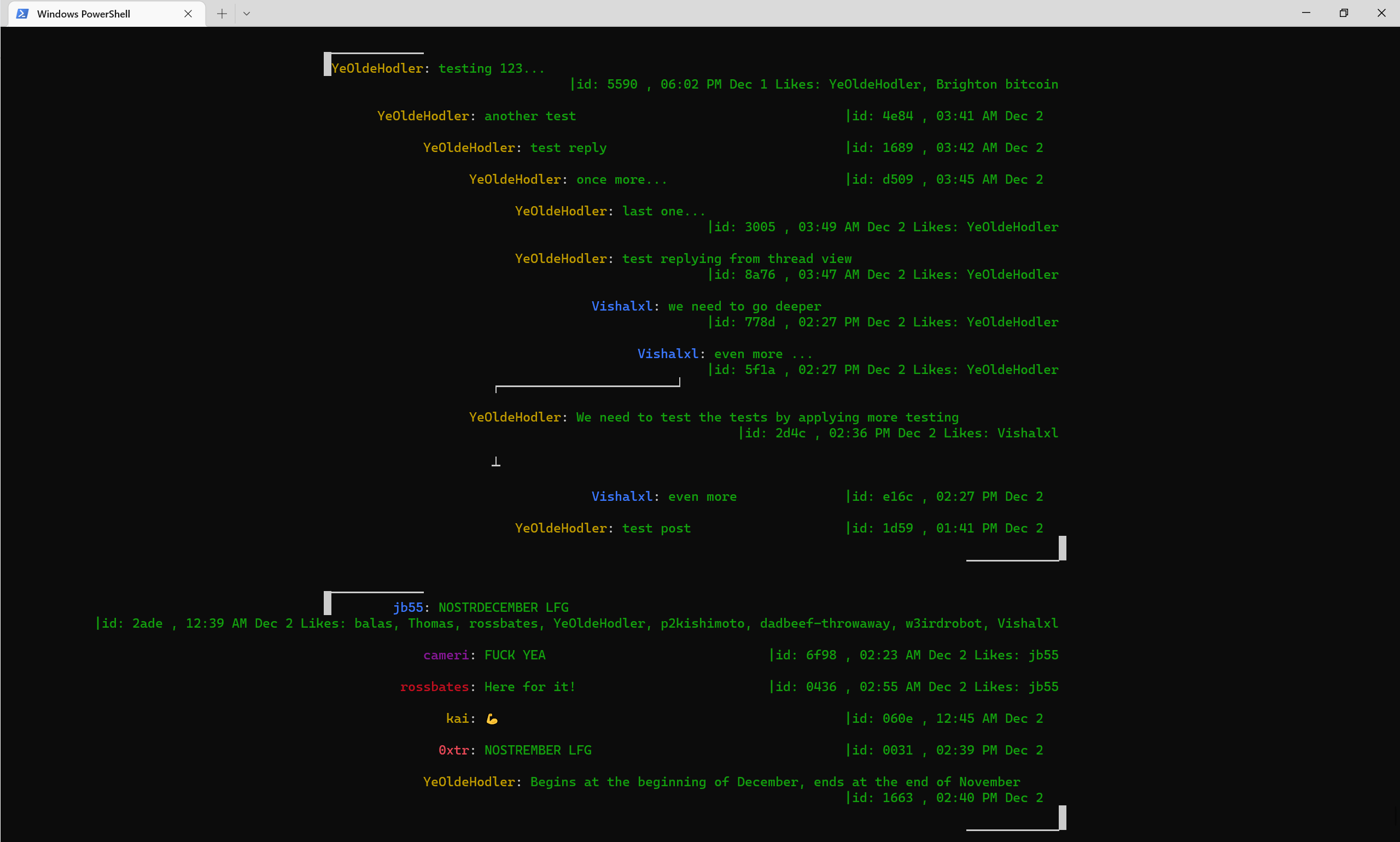
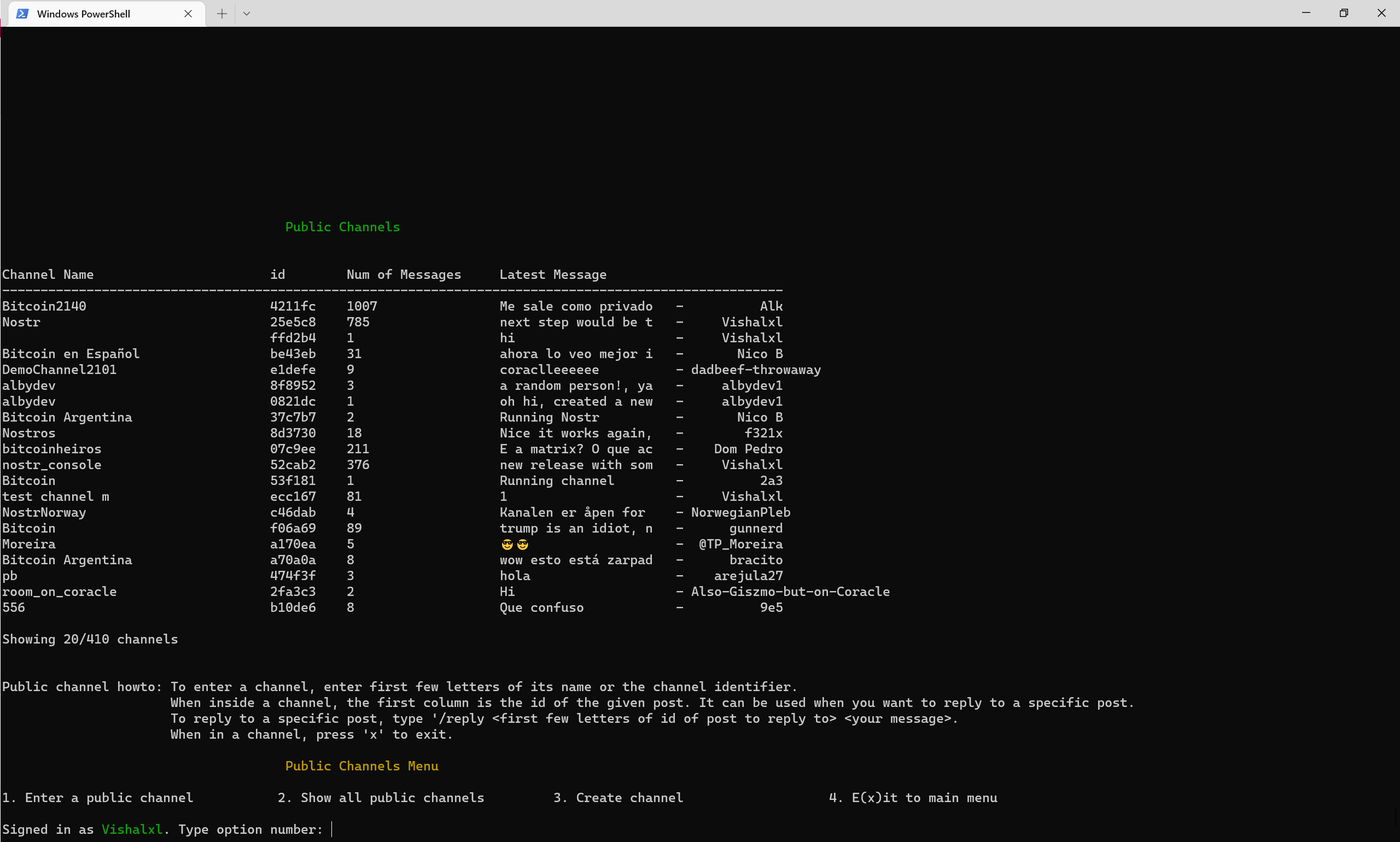
نظرة عامة على القنوات العامة مع القائمة
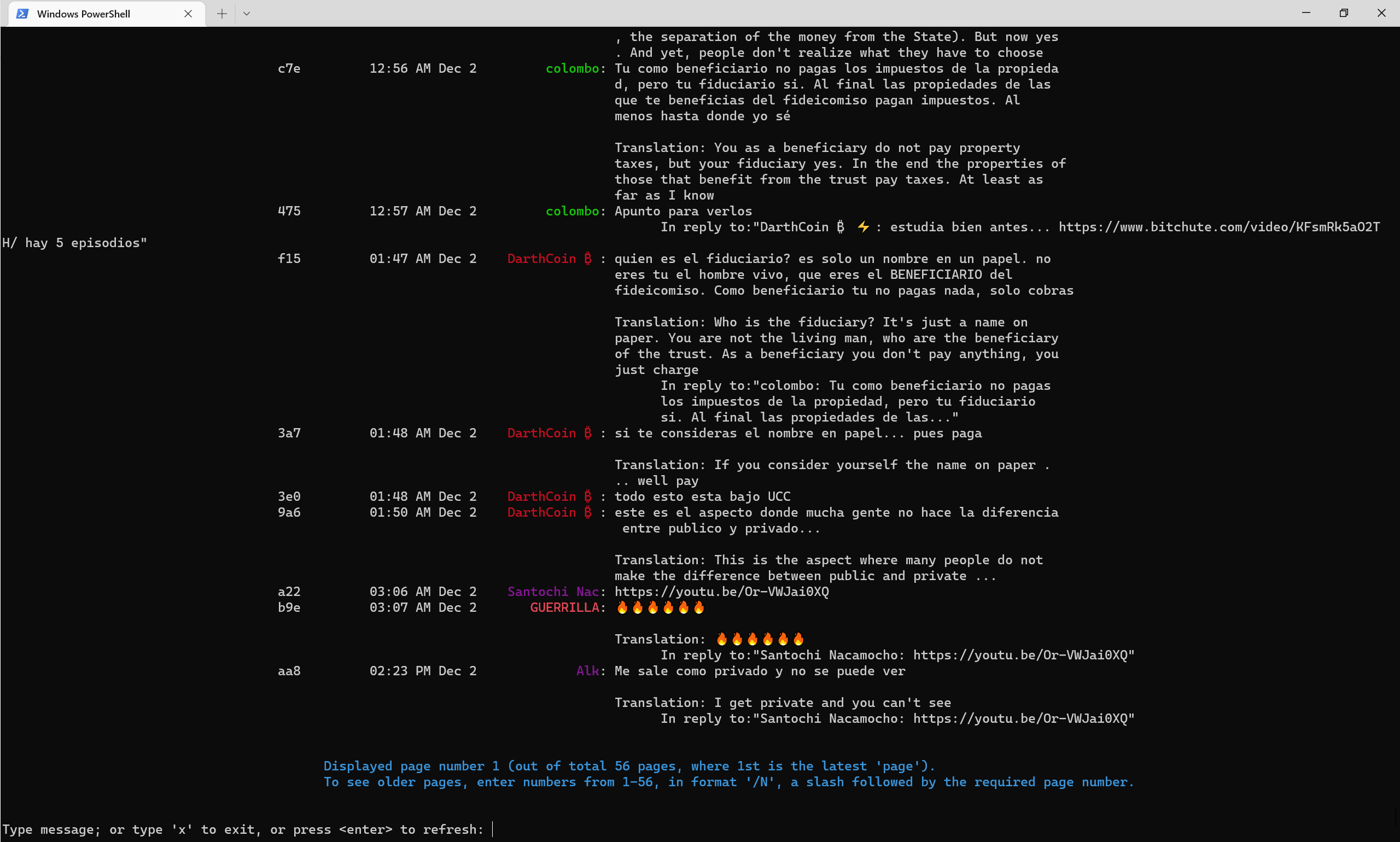
كيف تبدو القنوات العامة اعتبارًا من منتصف عام 2022 ، مع ترجمة العلم الناقل تلقائيًا إلى اللغة الإنجليزية.
قناة Nosttr Telegram
قناة Telegram Console Nostr
قناة NOSTR PULIC 52CAB2E3E504AD6447D284B85B5CC601CA0613B151641E77FACFEC851C2CA816







