nostr_console
vements

DART를 사용하는 NOSTR 콘솔 클라이언트
이것은 NOSTR 네트워크 클라이언트의 모습을 보여 주거나 알기 위해 만들어진 실험적 또는 사전 알파 소프트웨어입니다. 그것은 매번 90%의 작동합니다. 릴레이가 완벽하게 작동하지 않을 때는 적습니다.
먼저 코드를 디렉토리로 체크 아웃하거나 방해하는 디렉토리에 cd 해당 디렉토리로 변경하고 다음에 다음 명령을 입력하십시오. (Docker Desktop이 백그라운드에서 실행 중인지 확인)
docker build -t nostr_console .
그런 다음 사용합니다
docker run -it nostr_console start
이 저장소의 메인 브랜치에서 사전 제작 된 도커 이미지는 여기에서 찾을 수 있습니다.
docker pull ghcr.io/vishalxl/nostr_console:main
그런 다음
docker run -it ghcr.io/vishalxl/nostr_console:main
NOSTR_CONSOLE을 실행하는 가장 쉬운 방법 : 릴리스로 가서 플랫폼 실행 파일을 얻으십시오.
그렇지 않으면 다음을 수행합니다.
dart pub get 실행합니다.dart run bin/nostr_console.dart 는 기본 설정으로 실행됩니다.dart compile exe bin/nostr_console.dart 로 플랫폼을위한 실행 파일을 생성 할 수 있으며, 이는 플랫폼에 대한 실행 파일을 생성합니다. 필요한 매개 변수로 해당 EXE를 호출 할 수 있습니다. Windows에서는 원하는 명령 줄 인수로 바로 가기를 만들 수 있습니다.용법:
 usage: dart run bin/nostr_console.dart [OPTIONS]

  OPTIONS

      -k, --prikey  <private key>   The nsec or hex private key of user you want to 'log in' as.
      -p, --pubkey  <public key>    The npub or hex public key of user whose events and feed are shown. When given,
                                    posts/replies can't be sent because for that a private key is needed.
      -r, --relay   <relay urls>    The comma separated relay urls that are used as relays. If given, these are used
                                    rather than the default relays.
      -f, --file    <filename>      Read from given file, if it is present, and at the end of the program execution, write
                                    to it all the events (including the ones read, and any new received). Even if not given,
                                    the default is to read from and write to all_nostr_events.txt . Can be turned off by
                                    the --disable-file flag
      -d, --days    <N as num>      The latest number of days for which events are shown. Default is 1.
      --request <REQ string>        This request is sent verbatim to the default relay. It can be used to recieve all events
                                    from a relay. If not provided, then events for default or given user are shown.
      -s, --disable-file            When turned on, even the default filename is not read from.
      -t, --translate               Translate some of the recent posts using Google translate site ( and not api). Google
                                    is accessed for any translation request only if this flag is present, and not otherwise.
      -l, --lnqr                    Flag, if set any LN invoices starting with LNBC will be printed as a QR code. Will set
                                    width to 140, which can be reset if needed with the --width argument. Wider
                                    space is needed for some qr codes.
      -g, --location <location>     The given value is added as a 'location' tag with every kind 1 post made. g in shortcut
                                    standing for geographic location.
      -h, --help                    Print help/usage message and exit.
      -v, --version                 Print version and exit.

  UI Options
      -a, --align  <left>           When "left" is given as option to this argument, then the text is aligned to left. By
                                    default the posts or text is aligned to the center of the terminal.
      -w, --width  <width as num>   This specifies how wide you want the text to be, in number of columns. Default is 96.
                                    Cant be less than 60.
      -m, --maxdepth <depth as num> The maximum depth to which the threads can be displayed. Minimum is 2 and
                                    maximum allowed is 12.
      -c, --color  <color>          Color option can be green, cyan, white, black, red and blue.

  Advanced
      -y, --difficulty <number>     The difficulty number in bits, only for kind 1 messages. Tne next larger number divisible
                                    by 4 is taken as difficulty. Can't be more than 32 bits, because otherwise it typically
                                    takes too much time. Minimum and default is 0, which means no difficulty.
      -e, --overwrite               Will over write the file with all the events that were read from file, and all newly
                                    received. Is useful when the file has to be cleared of old unused events. A backup should
                                    be made just in case of original file before invoking.
'개인 키 K를 가진 사용자로 로그인'하려면 :
nostr_console.exe --prikey=K
지난 3 일 동안 릴레이에 대한 최신 메시지를 모두 얻으려면 (백틱 실행을 허용하는 배쉬 쉘에서) 개인 키 K를 가진 사용자의 경우 :
nostr_console.exe --prikey=K --request=`echo "["REQ","l",{"since":$(date -d '-3 day' +%s)}]"`
암호화 된 모든 메시지를 받으려면 :
./nostr_console_elf64 --prikey=K --request='["REQ","cn",{"limit":20000,"kinds":[104,140,141,142],"since":1663417739}]' # run on linux/bash
Main/Top Level 디렉토리에서 DART를 사용하여 단위 테스트를 실행하려면 실행하십시오.
dart run test -r expanded
프로그램이 이벤트를 보내지 않는 경우 :
프로그램이 이벤트를 가져 오지 않는 경우 :
나가는 https (예 : 회사 방화벽)를 차단하는 네트워크에있을 때는 nostr_console을 실행하기 전에 환경 변수를 설정할 수있는 프록시가 있습니다. 아래의 예는 인증을 사용합니다. 삭제 사용자 이름 : 필수가없는 경우 비밀번호.
 $ export HTTP_PROXY=http://username:[email protected]:1234
$ export HTTPS_PROXY=http://username:[email protected]:5678
쉘 프로파일에 영구적으로 추가하려면 ~/.bashrc 또는 /etc/profile.d/
 C:setx HTTP_PROXY=http://username:[email protected]:1234
C:setx HTTPS_PROXY=http://username:[email protected]:5678
SETX를 사용하여 환경 변수를 설정하면 현재 명령 프롬프트 세션에 사용 된 값과 명령을 실행 한 후 작성한 모든 명령 프롬프트 세션이 변경됩니다. 명령을 실행할 때 이미 실행중인 다른 명령 쉘에는 영향을 미치지 않습니다.
설정을 설정하려면 환경 변수 설정을 설정하면 현재 명령 프롬프트 세션이 끝날 때까지 또는 변수를 다른 값으로 설정할 때까지 사용되는 값이 변경됩니다.
Tor는 Socks5 대신 Httptunnelport와 함께 HTTP 프록시로 사용할 수 있습니다.
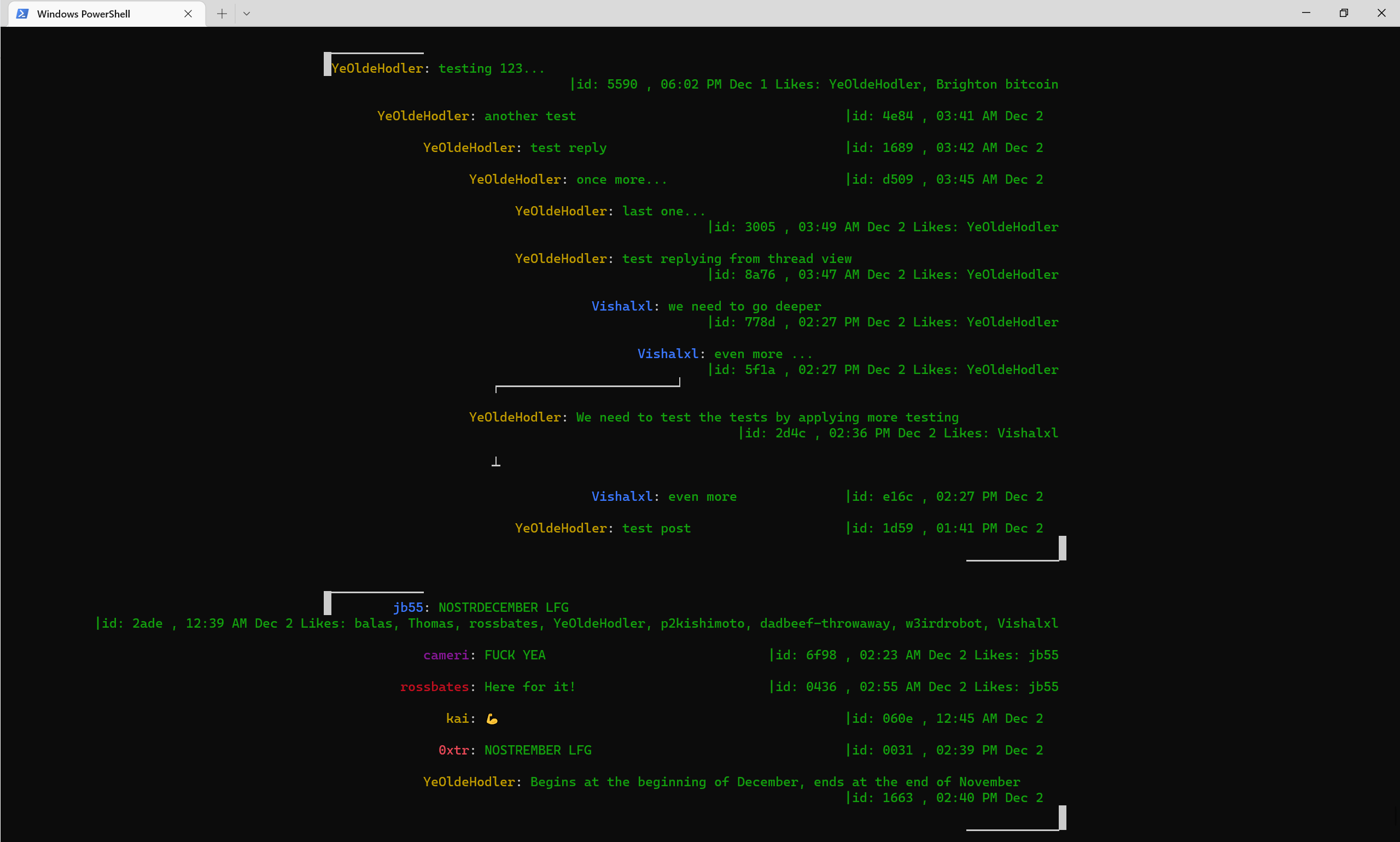
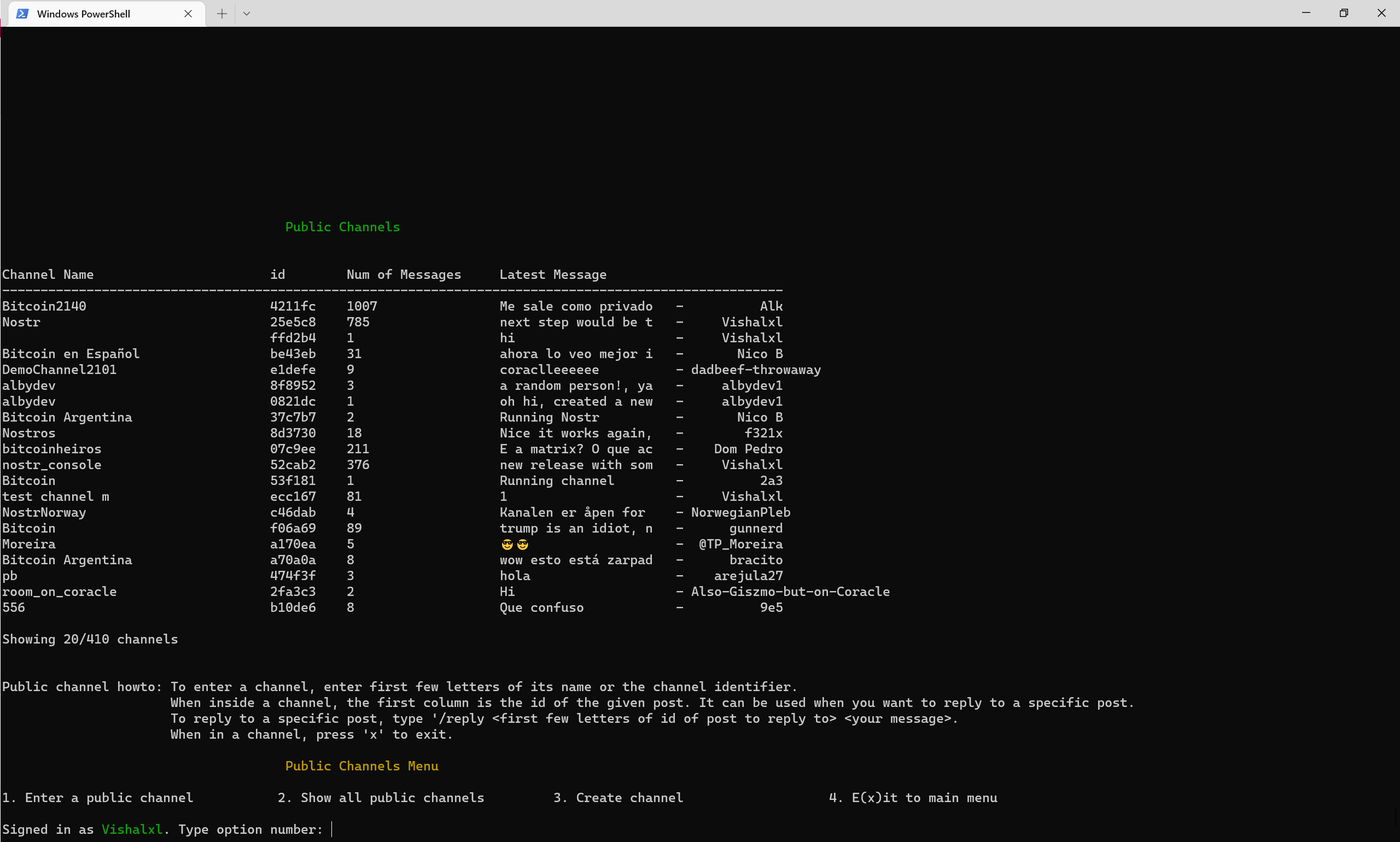
메뉴와 공개 채널 개요
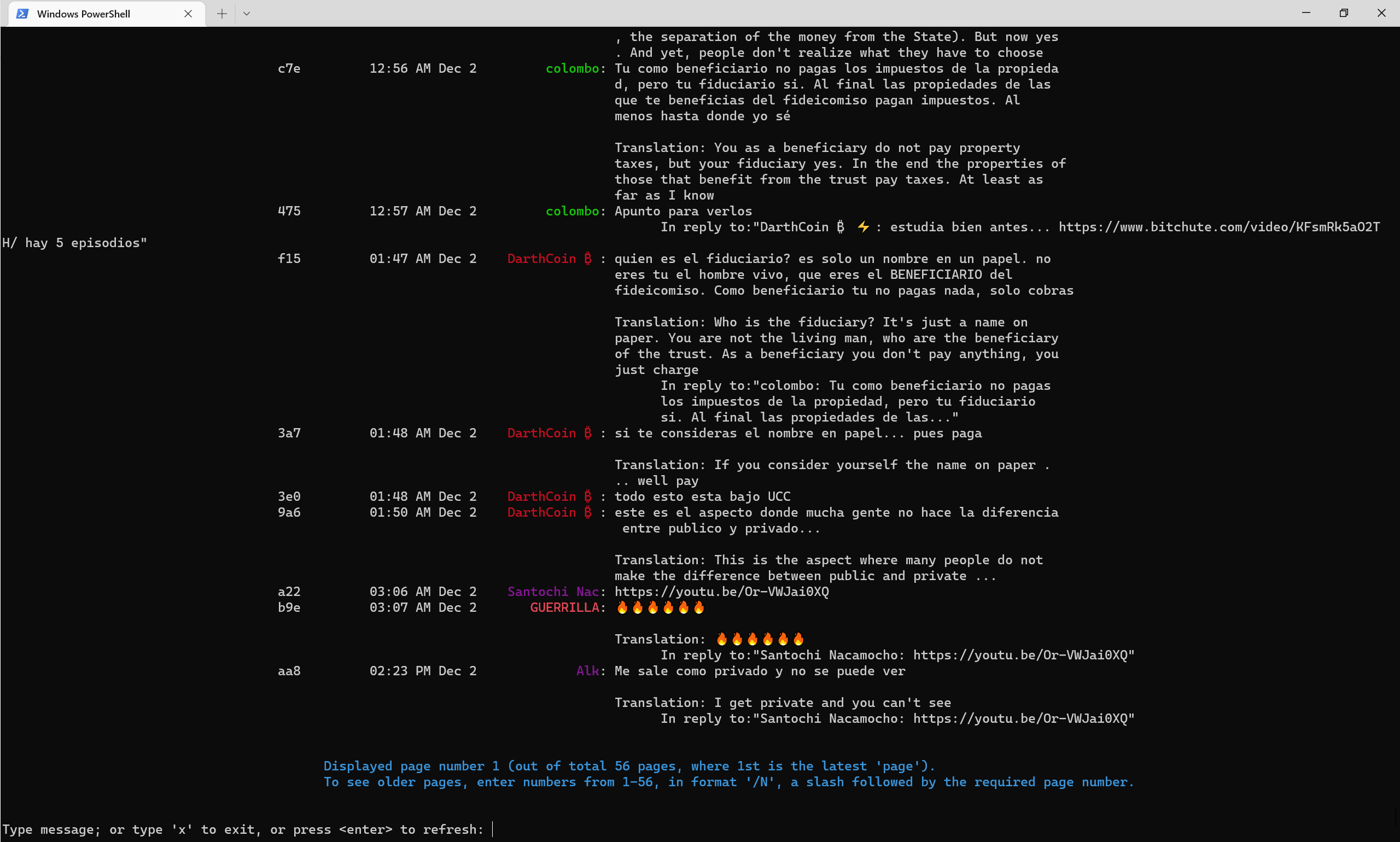
2022 년 후반에 공개 채널이 어떻게 보이는지 -깃발이 자동으로 영어로 번역됩니다.
Nostr Telegram 채널
NOSTR 콘솔 전보 채널
NOSTR PULIC 채널 52CAB2E3E504AD6447D284B85B5CC601CA0613B151641E77FACFEC851C2CA816







