FMXPong
1.0.0

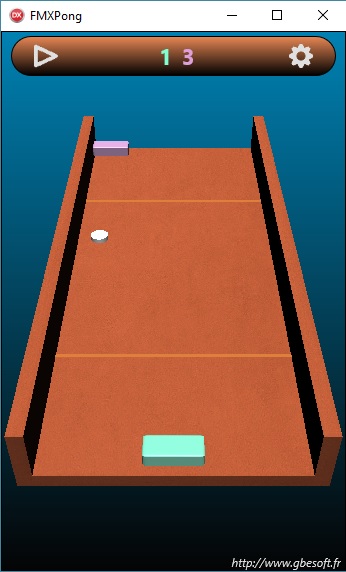
Pong 3D与Delphi和Firemonkey(Windows,Mac OS,Android,iOS)这是一个与Delphi一起使用FiremonKey的示例。该项目是视频游戏乒乓球的克隆。这是为该网站(法语)制作的教程http://gbegreg.developpez.com/tutoriiels/delphi/delphi/firemonkey/creation-jeu-jeu-3d/
该项目是由Delphi Seattle Pro和Mobile Plugin制成的,它与Delphi Berlin合作。您可以在Windows,Mac OS,Android和iOS上编译和部署它。
注意:在Windows上,FireMonKey需要DirectX 11和着色器模型5。一些用户在旧的Intel HD Graphics GPU上遇到了图形渲染问题。如果遇到此问题,则可以通过添加fmx.types.globalusedxsoftware来强制软件渲染:= true;在“线”应用程序之前的项目文件中。
您可以在Google Play商店下载Android版本。 Windows 32位版本可用:http://www.gbesoft.fr/test/fmxpong.zip和64位版本:http://wwwww.gbesoft.fr/test.fr/test/fmxpong64.zip64.zip
与Delphi和Firemonkey一起查看我的其他游戏:
https://github.com/gbegreg/fmxcorridor
https://github.com/gbegreg/demoparis
一个小的开放3D世界:https://github.com/gbegreg/fmxisland
GrégoryBersegeay:http://www.gbesoft.fr
历史 :
11/02/2017:添加新功能:用陀螺仪控制球拍
21/01/2017:新接口,选项菜单和保存/还原参数







