100ms flutter
1.10.6


ลงทะเบียนที่ https://dashboard.100ms.live/register & เยี่ยมชมแท็บนักพัฒนาเพื่อเข้าถึงข้อมูลประจำตัวของคุณ
ทำความคุ้นเคยกับโทเค็นและความปลอดภัยที่นี่
ทำตามขั้นตอนในคู่มือการเริ่มต้นการรับรองความถูกต้อง
รับ HMSSDK ผ่าน Pub.dev เพิ่ม hmssdk_flutter ลงใน pubspec.yaml ของคุณ
อ้างอิงคู่มือการติดตั้งที่สมบูรณ์ที่นี่
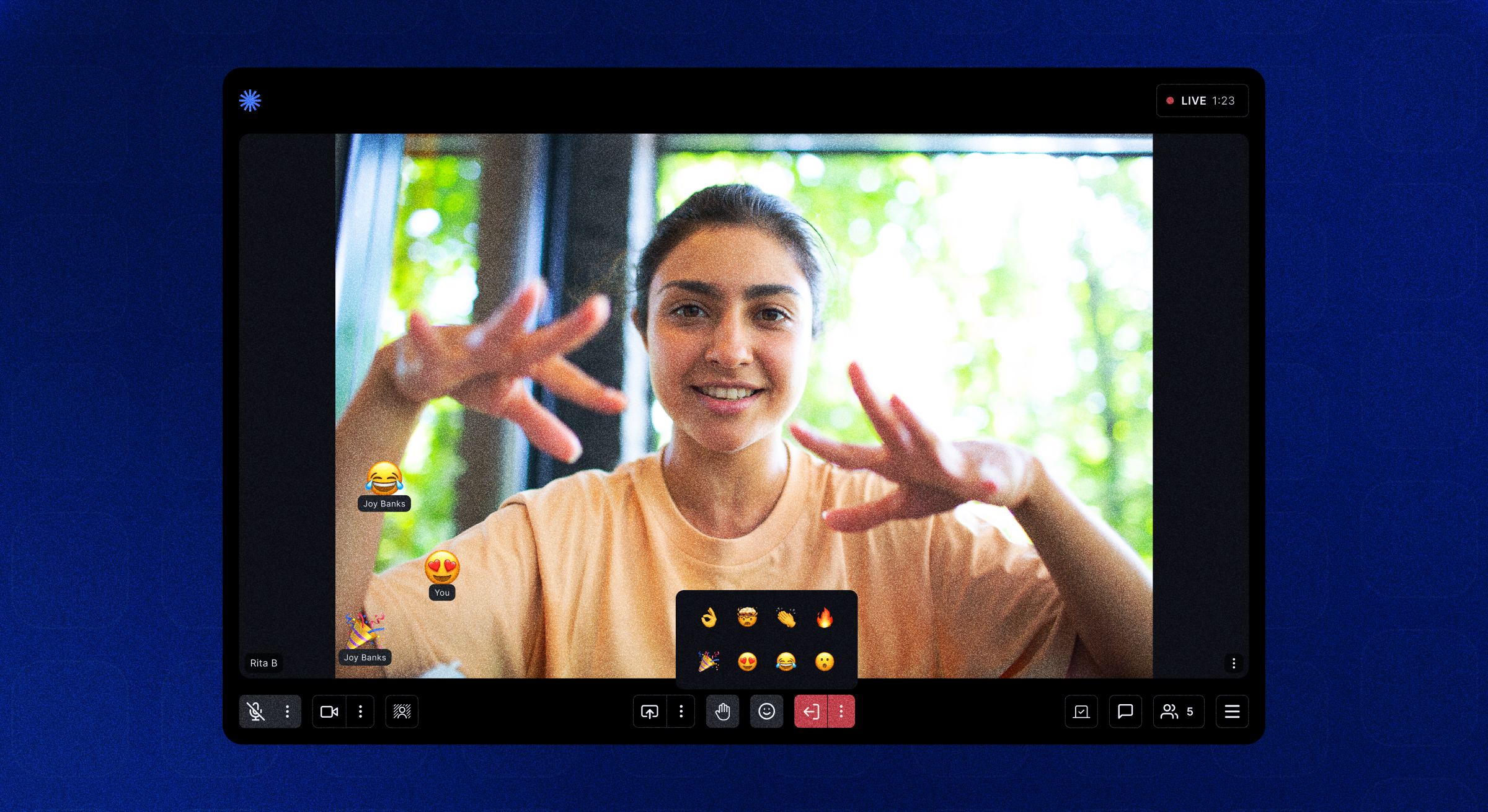
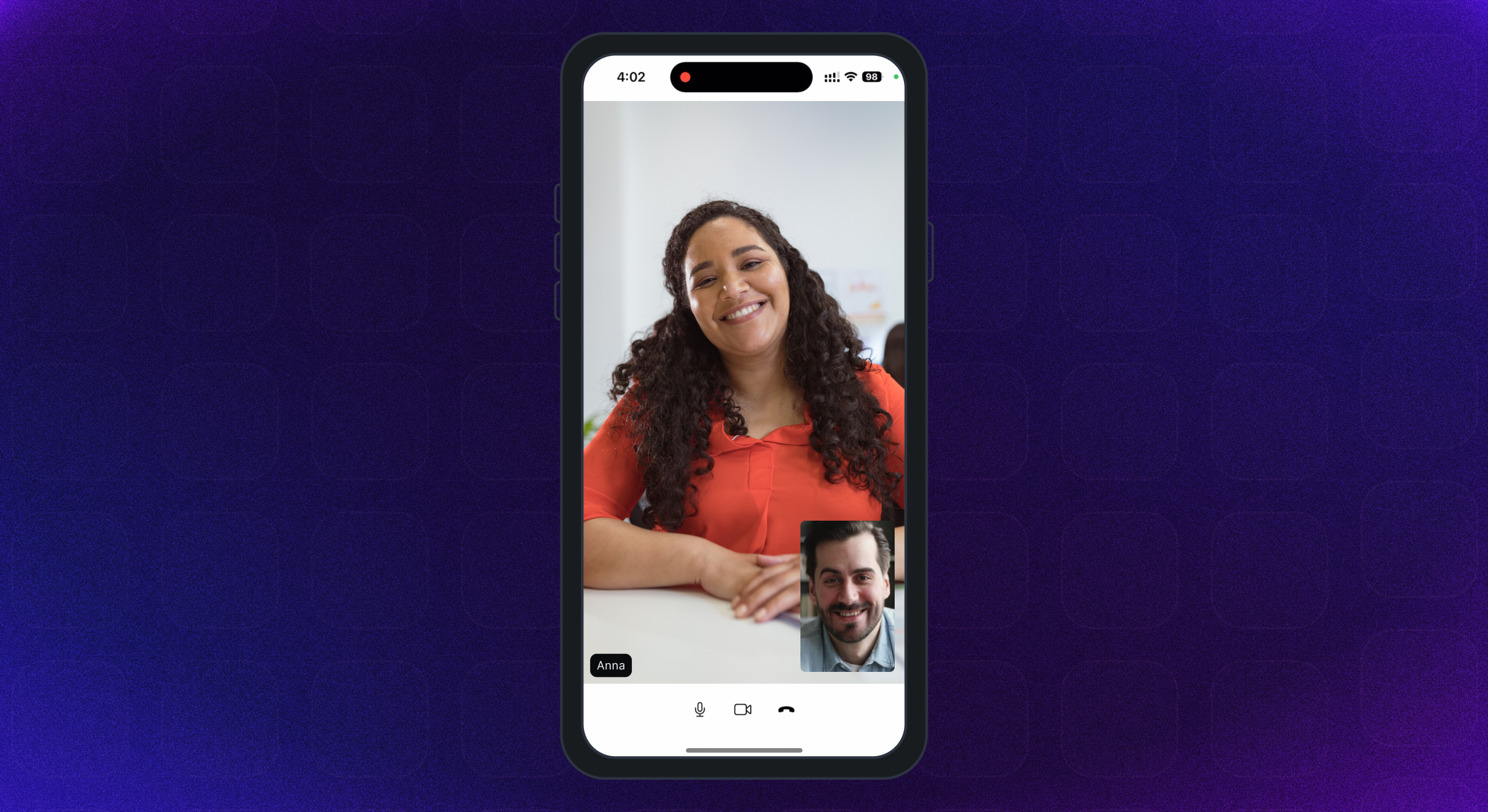
แอปตัวอย่างที่โดดเด่นเต็มรูปแบบมีอยู่ที่นี่
เราได้เพิ่มคำอธิบายและคู่มือการใช้งานที่แนะนำสำหรับคุณสมบัติที่แตกต่างกันเลย์เอาต์ UI, ที่เก็บข้อมูล ฯลฯ ในตัวอย่างแอพ readme
ในการเรียกใช้แอพตัวอย่างในระบบของคุณทำตามขั้นตอนเหล่านี้ -
โคลน 100ms flutter gitHub repo
ใน Project Root Run flutter pub get สร้างแพ็คเกจ Flutter
เปลี่ยนไดเรกทอรีเป็น example โฟลเดอร์
ตอนนี้ในการเรียกใช้แอพเพียงแค่เรียกใช้คำสั่ง flutter run เพื่อเรียกใช้แอพบนอุปกรณ์ที่เชื่อมต่อหรือ iOS Simulator หรือ Android Emulator
สำหรับการรันบนอุปกรณ์ iOS (iPhone หรือ iPad) ให้แน่ใจว่าคุณได้ตั้งค่าทีมพัฒนาที่ถูกต้องในส่วน XCode Signing & Capability
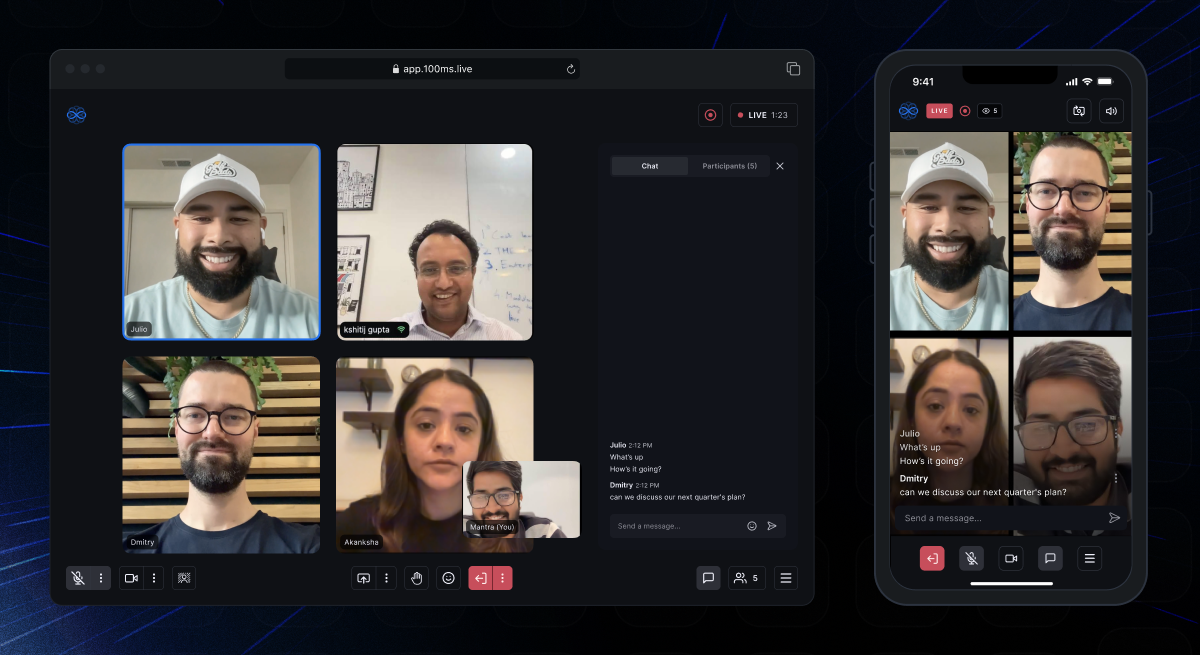
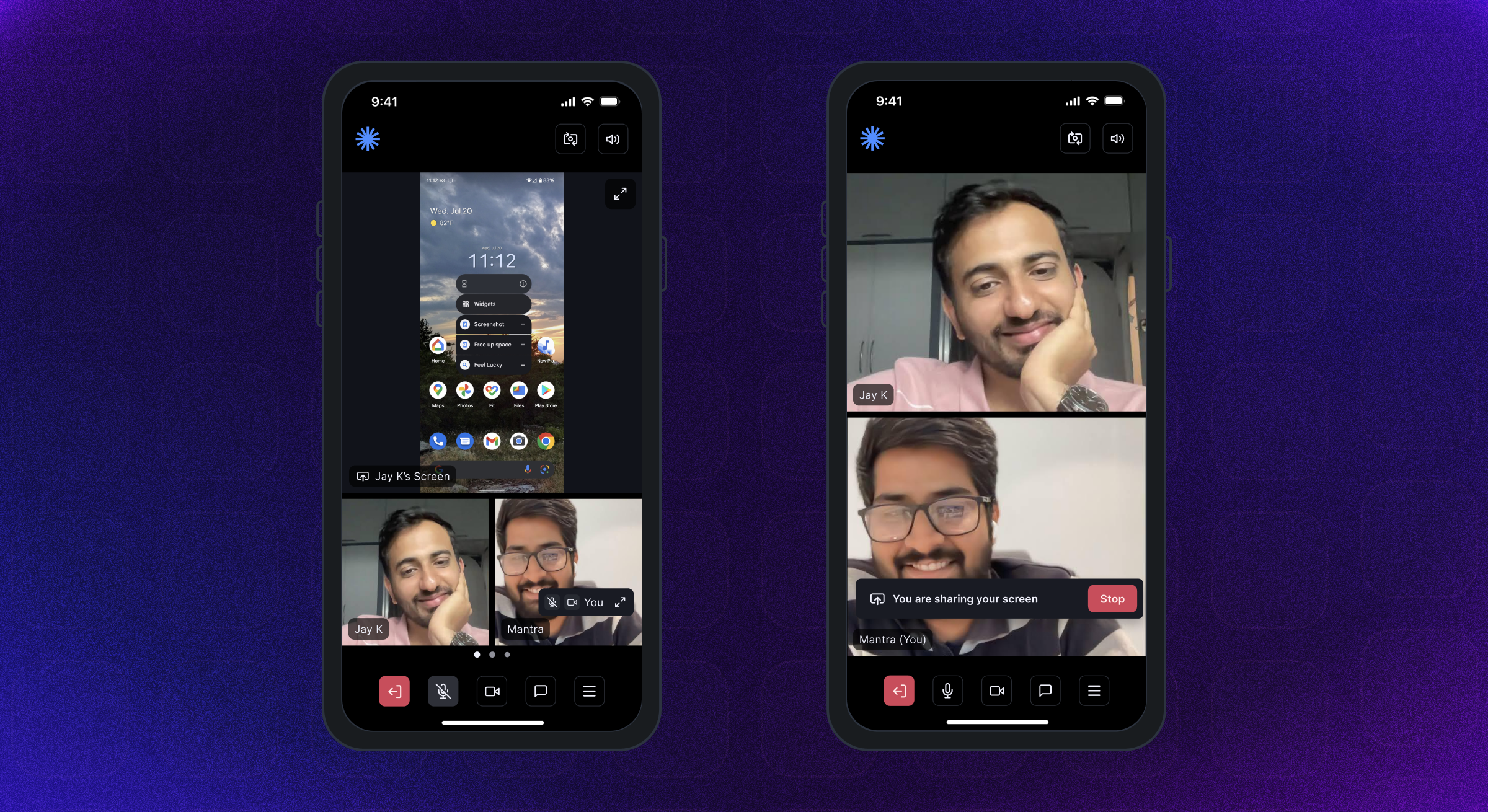
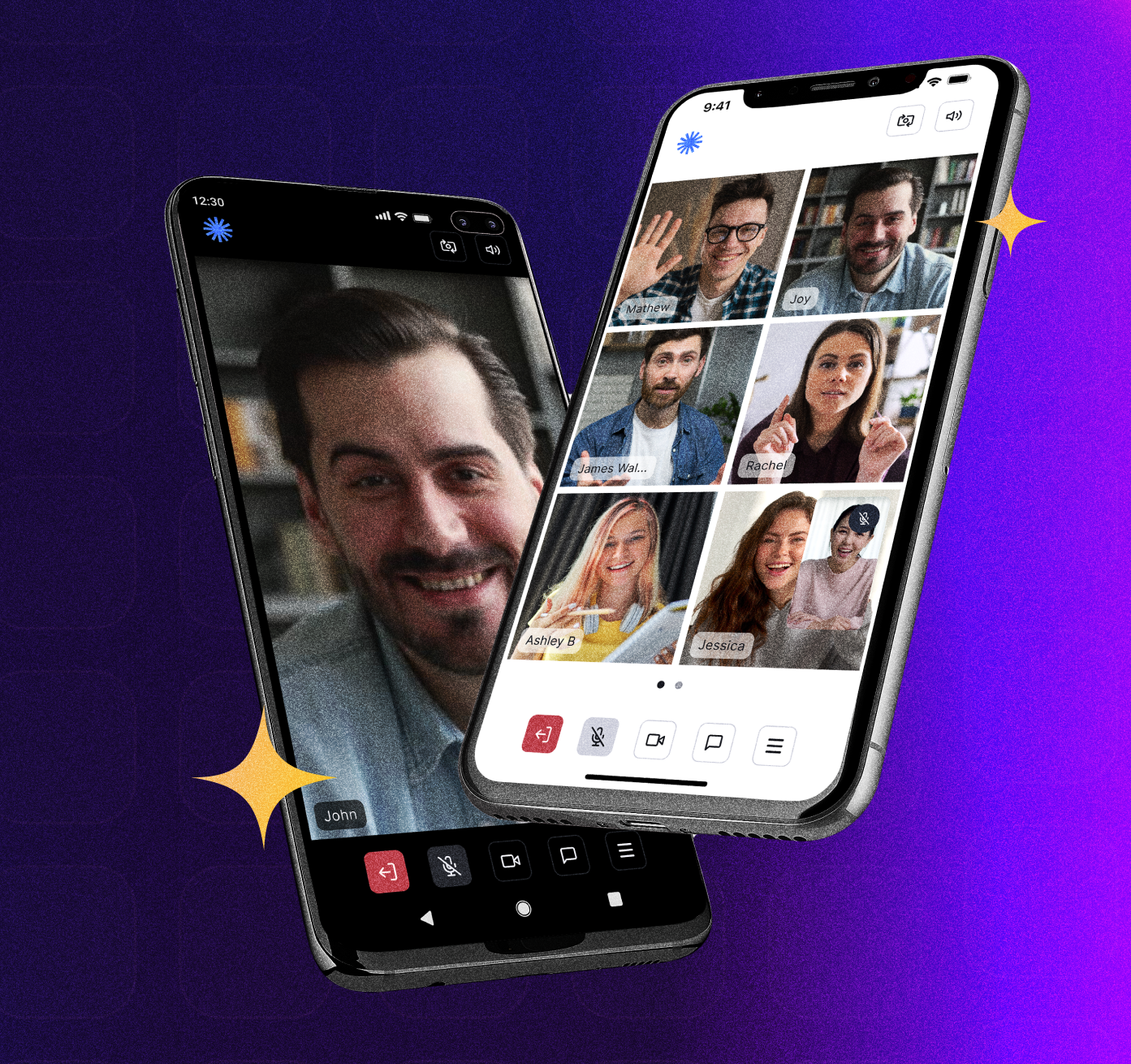
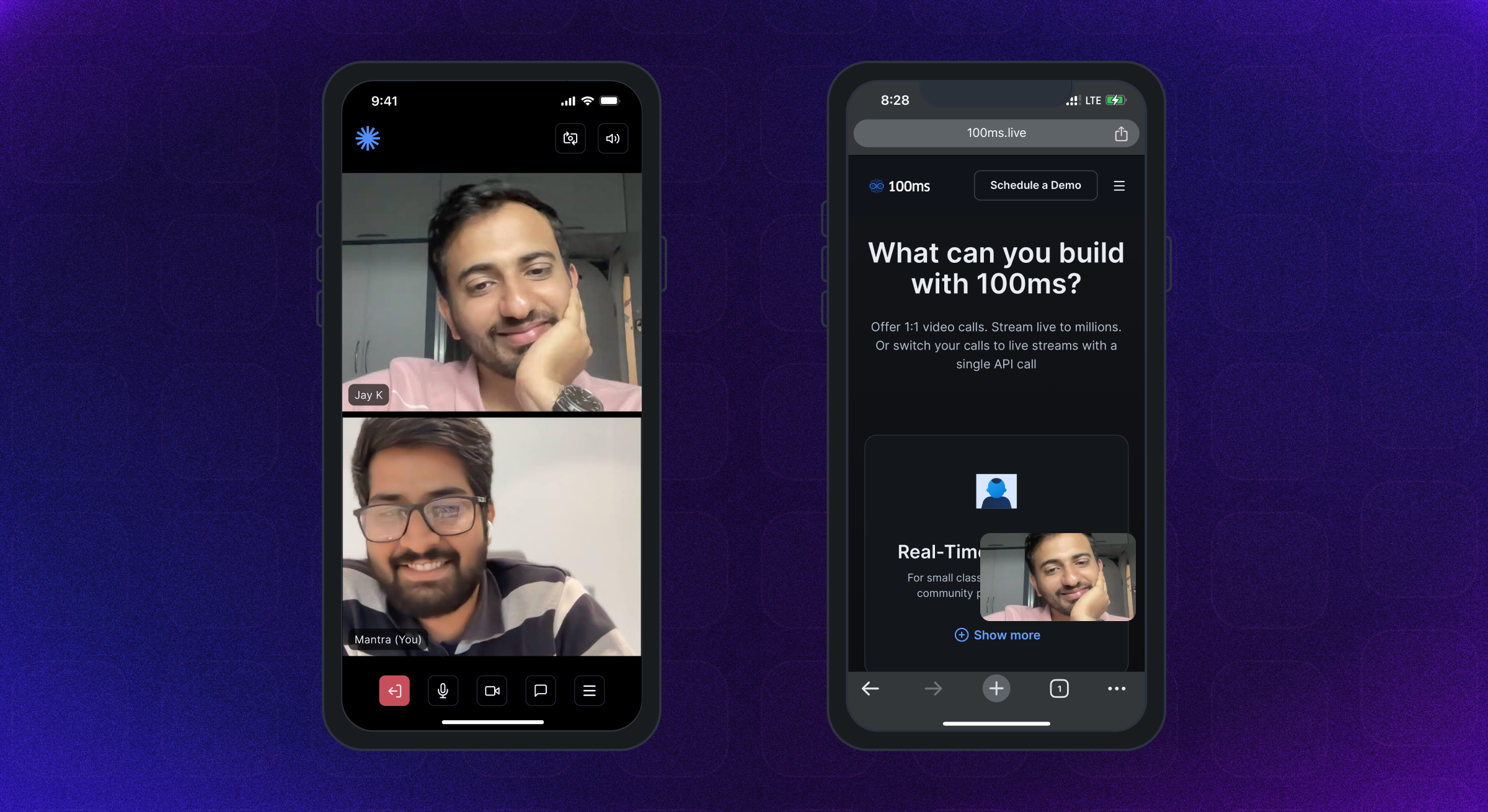
แอปตัวอย่างเริ่มต้นใช้ไลบรารีการจัดการสถานะผู้ให้บริการ สำหรับการใช้งานอื่น ๆ โปรดตรวจสอบ -
 |  |  |
 |  |  |
Android SDK รองรับ Android API ระดับ 21 ขึ้นไป มันถูกสร้างขึ้นสำหรับ armeabi-v7a, arm64-v8a, x86 และ x86_64 สถาปัตยกรรม แนะนำให้ใช้อุปกรณ์ที่ใช้ Android OS 12 ขึ้นไป
รองรับ iPhone และ iPads ที่มี iOS เวอร์ชัน 12 ขึ้นไป แนะนำให้ใช้อุปกรณ์ที่ใช้ iOS 16 ขึ้นไป
คู่มือการอนุญาตที่สมบูรณ์มีอยู่ที่นี่
เพิ่มสิทธิ์ต่อไปนี้ในไฟล์ AndroidManifest.xml ของ Android -
< uses-feature android : name = " android.hardware.camera " />

< uses-feature android : name = " android.hardware.camera.autofocus " />

< uses-permission android : name = " android.permission.CAMERA " />

< uses-permission android : name = " android.permission.CHANGE_NETWORK_STATE " />

< uses-permission android : name = " android.permission.MODIFY_AUDIO_SETTINGS " />

< uses-permission android : name = " android.permission.RECORD_AUDIO " />

< uses-permission android : name = " android.permission.INTERNET " />

< uses-permission android : name = " android.permission.ACCESS_NETWORK_STATE " />

< uses-permission android : name = " android.permission.FOREGROUND_SERVICE " />

< uses-permission android : name = " android.permission.BLUETOOTH " android : maxSdkVersion = " 30 " />

< uses-permission android : name = " android.permission.BLUETOOTH_CONNECT " />เพิ่มสิทธิ์ต่อไปนี้ในไฟล์ iOS info.plist
< key >NSMicrophoneUsageDescription</ key >
< string >{YourAppName} wants to use your microphone</ string >

< key >NSCameraUsageDescription</ key >
< string >{YourAppName} wants to use your camera</ string >

< key >NSLocalNetworkUsageDescription</ key >
< string >{YourAppName} App wants to use your local network</ string > Room A Room เป็นวัตถุพื้นฐานที่ 100ms SDKS กลับมาในการเชื่อมต่อที่ประสบความสำเร็จ สิ่งนี้มีการอ้างอิงถึงเพื่อนแทร็กและทุกสิ่งที่คุณต้องการในการแสดงแอพสด A/V หรือแอพสตรีมมิ่งสด
Peer เพียร์คือวัตถุที่ส่งคืนโดย 100ms SDKs ที่มีข้อมูลทั้งหมดเกี่ยวกับผู้ใช้ - ชื่อบทบาทวิดีโอแทร็ก ฯลฯ
Track แทร็กเป็นส่วนของสื่อ (เสียง/วิดีโอ) ที่ถ่ายจากกล้องและไมโครโฟนของเพียร์ คนรอบข้างในเซสชันเผยแพร่แทร็กท้องถิ่นและสมัครสมาชิกแทร็กระยะไกลจากเพื่อนคนอื่น ๆ
Role ของบทบาทกำหนดว่าใครสามารถเห็น/ได้ยินคุณภาพที่พวกเขาเผยแพร่วิดีโอของพวกเขาไม่ว่าพวกเขาจะมีสิทธิ์ในการเผยแพร่วิดีโอ/สกรีนแชร์, ปิดเสียงใครบางคนเปลี่ยนบทบาทของใครบางคน
100MS SDK ให้การโทรกลับไปยังแอพไคลเอนต์เกี่ยวกับการเปลี่ยนแปลงหรือการอัปเดตใด ๆ ที่เกิดขึ้นในห้องหลังจากผู้ใช้ได้เข้าร่วมโดยการใช้ HMSUpdateListener การอัปเดตเหล่านี้สามารถใช้เพื่อแสดงวิดีโอบนหน้าจอหรือเพื่อแสดงข้อมูลอื่น ๆ เกี่ยวกับห้องพัก มาดูผังงานกันเถอะ
 /// 100ms SDK provides callbacks to the client app about any change or update happening in the room after a user has joined by implementing HMSUpdateListener.
/// These updates can be used to render the video on the screen or to display other info regarding the room.
abstract class HMSUpdateListener {


  /// This will be called on a successful JOIN of the room by the user
  ///
  /// This is the point where applications can stop showing their loading state
  /// [room] : the room which was joined
  void onJoin ({ required HMSRoom room});


  /// This will be called whenever there is an update on an existing peer
  /// or a new peer got added/existing peer is removed.
  ///
  /// This callback can be used to keep a track of all the peers in the room
  /// [peer] : the peer who joined/left or was updated
  /// [update] : the triggered update type. Should be used to perform different UI Actions
  void onPeerUpdate ({ required HMSPeer peer, required HMSPeerUpdate update});


  /// This is called when there are updates on an existing track
  /// or a new track got added/existing track is removed
  ///
  /// This callback can be used to render the video on screen whenever a track gets added
  ///  [track] : the track which was added, removed or updated
  ///  [trackUpdate] : the triggered update type
  ///  [peer] : the peer for which track was added, removed or updated
  void onTrackUpdate ({ required HMSTrack track, required HMSTrackUpdate trackUpdate, required HMSPeer peer});


  /// This will be called when there is an error in the system
  /// and SDK has already retried to fix the error
  /// [error] : the error that occurred
  void onHMSError ({ required HMSException error});


  /// This is called when there is a new broadcast message from any other peer in the room
  ///
  /// This can be used to implement chat is the room
  /// [message] : the received broadcast message
  void onMessage ({ required HMSMessage message});


  /// This is called every 1 second with a list of active speakers
  ///
  /// ## A HMSSpeaker object contains -
  ///    - peerId: the peer identifier of HMSPeer who is speaking
  ///    - trackId: the track identifier of HMSTrack which is emitting audio
  ///    - audioLevel: a number within range 1-100 indicating the audio volume
  ///
  /// A peer who is not present in the list indicates that the peer is not speaking
  ///
  /// This can be used to highlight currently speaking peers in the room
  /// [speakers] the list of speakers
  void onUpdateSpeakers ({ required List < HMSSpeaker > updateSpeakers});


  /// This is called when there is a change in any property of the Room
  ///
  ///  [room] : the room which was joined
  ///  [update] : the triggered update type. Should be used to perform different UI Actions
  void onRoomUpdate ({ required HMSRoom room, required HMSRoomUpdate update});


  /// when network or some other error happens it will be called
  void onReconnecting ();


  /// when you are back in the room after reconnection
  void onReconnected ();


  /// This is called when someone asks for a change or role
  ///
  /// for eg. admin can ask a peer to become host from guest.
  /// this triggers this call on peer's app
  void onRoleChangeRequest ({ required HMSRoleChangeRequest roleChangeRequest});


  /// when someone requests for track change of yours be it video or audio this will be triggered
  /// [hmsTrackChangeRequest] request instance consisting of all the required info about track change
  void onChangeTrackStateRequest ({ required HMSTrackChangeRequest hmsTrackChangeRequest});


  /// when someone kicks you out or when someone ends the room at that time it is triggered
  /// [hmsPeerRemovedFromPeer] it consists of info about who removed you and why.
  void onRemovedFromRoom ({ required HMSPeerRemovedFromPeer hmsPeerRemovedFromPeer});


  /// whenever a new audio device is plugged in or audio output is changed we
  /// get the onAudioDeviceChanged update
  /// This callback is only fired on Android devices. On iOS, this callback will not be triggered.
  /// - Parameters:
  ///   - currentAudioDevice: Current audio output route
  ///   - availableAudioDevice: List of available audio output devices
  void onAudioDeviceChanged (
      { HMSAudioDevice ? currentAudioDevice,
      List < HMSAudioDevice > ? availableAudioDevice});


  /// Whenever a user joins a room [onSessionStoreAvailable] is fired to get an instance of [HMSSessionStore]
  /// which can be used to perform session metadata operations
  /// - Parameters:
  ///   - hmsSessionStore: An instance of HMSSessionStore which will be used to call session metadata methods
  void onSessionStoreAvailable (
      { HMSSessionStore ? hmsSessionStore});


  /// Upon joining a room with existing peers, onPeerListUpdated will be called with the list of peers present
  /// in the room instead of getting onPeerUpdate for each peer in the room.
  /// Subsequent peer joins/leaves would be notified via both onPeerUpdate and onPeerListUpdated
  void onPeerListUpdate (
      { required List < HMSPeer > addedPeers, required List < HMSPeer > removedPeers});
} 100MS SDK ส่งการอัปเดตไปยังแอปพลิเคชันเกี่ยวกับการเปลี่ยนแปลงใด ๆ ใน HMSPEER, HMSTRACK, HMSROOM และอื่น ๆ ผ่านการโทรกลับใน HMSUpdateListener
วิธีการของ HMSUPDATELISTENER จะถูกเรียกใช้เพื่อแจ้งการอัปเดตที่เกิดขึ้นในห้องเช่นการเข้าร่วม/ลาเพื่อนติดตามปิดเสียง/เปิดออก ฯลฯ ฯลฯ
ข้อมูลเพิ่มเติมเกี่ยวกับการอัปเดตผู้ฟังมีอยู่ที่นี่
ต่อไปนี้เป็นประเภทของการอัปเดตที่แตกต่างกันซึ่งถูกปล่อยออกมาโดย SDK -
HMSPeerUpdate
  .peerJoined: A new peer joins the Room
  .peerLeft: An existing peer leaves the Room
  .roleUpdated: When a peer's Role has changed
  .metadataChanged: When a peer's metadata has changed
  .nameChanged: When a peer's name has changed


HMSTrackUpdate
  .trackAdded: A new track (audio or video) is added to the Room
  .trackRemoved: An existing track is removed from the Room
  .trackMuted: A track of a peer is muted
  .trackUnMuted: A muted track of a peer was unmuted
  .trackDegraded: When track is degraded due to bad network conditions
  .trackRestored: When a degraded track is restored when optimal network conditions are available again


HMSRoomUpdate
  .roomMuted: When room is muted to due external interruption like a Phone Call
  .roomUnmuted: When a muted room is unmuted when external interruption has ended
  .serverRecordingStateUpdated: When Server recording state is updated
  .browserRecordingStateUpdated: When Browser recording state is changed
  .rtmpStreamingStateUpdated: When RTMP is started or stopped
  .hlsStreamingStateUpdated: When HLS is started or stopped
.hlsRecordingStateUpdated: When HLS recording state is updated ในการเข้าร่วมและโต้ตอบกับผู้อื่นในการโทรเสียงหรือวิดีโอผู้ใช้ต้อง join room
เพื่อเข้าร่วมห้องแอปของคุณควรมี -
ในการเข้าร่วมห้องเราจำเป็นต้องมีโทเค็นการตรวจสอบความถูกต้องตามที่กล่าวไว้ข้างต้น มีสองวิธีในการรับโทเค็น:
เราสามารถรับโทเค็นการรับรองความถูกต้องโดยใช้รหัสห้องจาก URL ที่ประชุม
มาทำความเข้าใจกับโดเมนย่อยและรหัสจาก URL ตัวอย่างใน URL นี้: https://public.app.100ms.live/meeting/xvm-wxwo-gbl
publicxvm-wxwo-gbl ตอนนี้เพื่อให้ได้รหัสห้องจาก URL การประชุมเราสามารถเขียนตรรกะของเราเองหรือใช้วิธี getCode จากที่นี่
ในการสร้างโทเค็นเราจะใช้วิธี getAuthTokenByRoomCode ของ HMSSDK วิธีนี้มี roomCode เป็นพารามิเตอร์ที่ต้องการ userId และ endPoint เป็นพารามิเตอร์เสริม
วิธีนี้ควรเรียกหลังจากเรียกวิธี
build
ลองชำระเงินการใช้งาน:
  //This returns an object of Future<dynamic> which can be either
  //of HMSException type or String? type based on whether
  //method execution is completed successfully or not

  dynamic authToken = await hmsSDK. getAuthTokenByRoomCode (roomCode : 'YOUR_ROOM_CODE' );

  if (authToken is String ){
    HMSConfig roomConfig = HMSConfig (
        authToken : authToken,
        userName : userName,
      );

    hmsSDK. join (config : roomConfig);
  }
  else if (authToken is HMSException ){
    // Handle the error
}ในการทดสอบฟังก์ชั่นเสียง/วิดีโอคุณต้องเชื่อมต่อกับห้อง 100ms โปรดตรวจสอบขั้นตอนต่อไปนี้เพื่อเดียวกัน:
Video Conferencing Starter Kit เพื่อสร้างห้องที่มีเทมเพลตเริ่มต้นที่กำหนดไว้เพื่อทดสอบแอพนี้อย่างรวดเร็วRoom Id ของห้องที่คุณสร้างไว้ด้านบนและคลิกที่ปุ่ม Join Room ด้านบนขวาAuth Token for role ; คุณสามารถคลิกที่ไอคอน 'Copy' เพื่อคัดลอกโทเค็นการตรวจสอบความถูกต้องโทเค็นจากแดชบอร์ด 100MS นั้นมีไว้เพื่อการทดสอบเท่านั้นสำหรับแอปพลิเคชันการผลิตคุณต้องสร้างโทเค็นบนเซิร์ฟเวอร์ของคุณเอง อ้างถึงส่วนโทเค็นการจัดการในคู่มือการรับรองความถูกต้องและโทเค็นสำหรับข้อมูลเพิ่มเติม
นอกจากนี้คุณยังสามารถเลือกผ่านฟิลด์เหล่านี้ในคอนสตรัคเตอร์ HMSSDK -
การตั้งค่าการติดตาม - เช่นการเข้าร่วมห้องด้วยเสียงหรือวิดีโอที่ปิดเสียงโดยใช้วัตถุ HMSTrackSetting มีข้อมูลเพิ่มเติมที่นี่
ข้อมูลเมตาของผู้ใช้ - สิ่งนี้สามารถใช้เพื่อผ่านข้อมูลเมตาเพิ่มเติมใด ๆ ที่เกี่ยวข้องกับผู้ใช้โดยใช้ metadata ของวัตถุ HMSConfig สำหรับเช่น: การแมปผู้ใช้ ID ที่ด้านแอปพลิเคชัน มีข้อมูลเพิ่มเติมที่นี่
ข้อมูลเพิ่มเติมเกี่ยวกับการเข้าร่วมห้องมีอยู่ที่นี่
 // create a class that implements `HMSUpdateListener` and acts as a data source for our UI
class Meeting implements HMSUpdateListener {

    late HMSSDK hmsSDK;

    Meeting () {
        initHMSSDK ();
    }

    void initHMSSDK () async {
        hmsSDK = HMSSDK (); // create an instance of `HMSSDK` by invoking it's constructor
        await hmsSDK. build (); // ensure to await while invoking the `build` method
        hmsSDK. addUpdateListener ( this ); // `this` value corresponds to the instance implementing HMSUpdateListener
        HMSConfig config = HMSConfig (authToken : 'eyJH5c' , // client-side token generated from your token service
                                userName : 'John Appleseed' );
        hmsSDK. join (config : config); // Now, we are primed to join the room. All you have to do is call `join` by passing the `config` object.
    }

    ... // implement methods of HMSUpdateListener
}ทุกอย่างลงมาที่นี่ การตั้งค่าทั้งหมดได้ดำเนินการเพื่อให้เราสามารถแสดงวิดีโอสตรีมสดในแอพที่สวยงามของเรา
แพ็คเกจ Flutter 100MS ให้วิดเจ็ต HMSVideoView ที่แสดงวิดีโอบนหน้าจอ
เราเพียงแค่ต้องผ่านวัตถุแทร็กวิดีโอไปยัง HMSVideoView เพื่อเริ่มการแสดงผลวิดีโอสดอัตโนมัติ
นอกจากนี้เรายังสามารถเลือกอุปกรณ์ประกอบฉากเช่น key , scaleType , mirror เพื่อปรับแต่งวิดเจ็ต HMSVideoView
 HMSVideoView (
  track : videoTrack,
  key : Key (videoTrack.trackId),
),
ข้อมูลเพิ่มเติมเกี่ยวกับการแสดงวิดีโอมีอยู่ที่นี่
เมื่อคุณทำการประชุมเสร็จแล้วและต้องการออกแล้วโทรออกจากการปล่อยให้อยู่ในอินสแตนซ์ของ HMSSDK ที่คุณสร้างขึ้นเพื่อเข้าร่วมห้อง
ก่อนโทรออกให้ลบอินสแตนซ์ HMSUpdateListener เป็น:
 // updateListener is the instance of class in which HMSUpdateListener is implemented
hmsSDK. removeUpdateListener (updateListener);
หากต้องการออกจากการประชุมให้โทรหาวิธี leave ของ HMSSDK และผ่านพารามิเตอร์ hmsActionResultListener เพื่อรับการเรียกกลับจาก SDK ที่ประสบความสำเร็จในวิธีการแทนที่ onSuccess ดังนี้
คุณจะต้องใช้อินเทอร์เฟซ
HMSActionResultListenerในชั้นเรียนเพื่อให้ได้onSuccessและการโทรกลับonExceptionหากต้องการทราบเกี่ยวกับวิธีการใช้HMSActionResultListenerตรวจสอบเอกสารที่นี่
 class Meeting implements HMSActionResultListener {
//this is the instance of class implementing HMSActionResultListener
await hmsSDK. leave (hmsActionResultListener : this );

@override
  void onSuccess (
      { HMSActionResultListenerMethod methodType = HMSActionResultListenerMethod .unknown, Map < String , dynamic > ? arguments}) {
        switch (methodType) {
          case HMSActionResultListenerMethod .leave :
          // Room leaved successfully
          // Clear the local room state
          break ;
          ...
        }
      }
}
ข้อมูลเพิ่มเติมเกี่ยวกับการออกจากห้องมีให้บริการที่นี่
HMSTrack เป็นสุดยอดของแทร็กทั้งหมดที่ใช้ภายใน HMSSDK ลำดับชั้นของมันมีลักษณะเช่นนี้ -
 HMSTrack
    - AudioTrack
        - LocalAudioTrack
        - RemoteAudioTrack
    - VideoTrack
        - LocalVideoTrack
- RemoteVideoTrack HMSTRACK มีฟิลด์ที่เรียกว่าแหล่งที่มาซึ่งหมายถึงแหล่งที่มาของแทร็ก
Source สามารถมีค่าต่อไปนี้ -
regular สำหรับเสียงหรือวิดีโอปกติที่เผยแพร่โดยเพื่อนscreen for Screenshare Track เมื่อเพียร์เริ่มออกอากาศหน้าจอในห้องplugin สำหรับปลั๊กอินเสียงหรือวิดีโอที่กำหนดเองที่ใช้ในห้อง หากต้องการทราบประเภทของแทร็กให้ตรวจสอบค่าประเภทซึ่งจะเป็นหนึ่งในค่า enum - AUDIO หรือ VIDEO
คุณสามารถส่งการแชทหรือข้อความประเภทอื่น ๆ จากเพื่อนในท้องถิ่นไปยังเพื่อนระยะไกลทั้งหมดในห้อง
ในการส่งข้อความก่อนสร้างอินสแตนซ์ของวัตถุ HMSMessage
เพิ่มข้อมูลที่จะส่งในคุณสมบัติ message ของ HMSMessage
จากนั้นใช้ฟังก์ชั่น sendBroadcastMessage บนอินสแตนซ์ของ HMSSDK สำหรับข้อความออกอากาศ sendGroupMessage สำหรับข้อความกลุ่มและ sendDirectMessage สำหรับข้อความโดยตรง
เมื่อคุณ (เพียร์ท้องถิ่น void onMessage({required HMSMessage message}) ได้รับข้อความ HMSUpdateListener คนอื่น ๆ
ข้อมูลเพิ่มเติมเกี่ยวกับการส่งข้อความแชทมีอยู่ที่นี่
 // onMessage is HMSUpdateListener method called when a new message is received
@override
void onMessage ({ required HMSMessage message}) {
  //Here we will receive messages sent by other peers
}


/// [message] : Message to be sent
/// [type] : Message type(More about this at the end)
/// [hmsActionResultListener] : instance of class implementing HMSActionResultListener
//Here this is an instance of class that implements HMSActionResultListener i.e. Meeting
hmsSDK. sendBroadcastMessage (
  message : message,
  type : type,
  hmsActionResultListener : this );


/// [message] : Message to be sent
/// [peerTo] : Peer to whom message needs to be sent
/// [type] : Message type(More about this at the end)
/// [hmsActionResultListener] : instance of class implementing HMSActionResultListener
//Here this is an instance of class that implements HMSActionResultListener i.e. Meeting
hmsSDK. sendDirectMessage (
  message : message,
  peerTo : peerTo,
  type : type,
  hmsActionResultListener : this );


/// [message] : Message to be sent
/// [hmsRolesTo] : Roles to which this message needs to be sent
/// [type] : Message type(More about this at the end)
/// [hmsActionResultListener] : instance of class implementing HMSActionResultListener
//Here this is an instance of class that implements HMSActionResultListener i.e. Meeting
hmsSDK. sendGroupMessage (
    message : message,
    hmsRolesTo : rolesToSendMessage,
    type : type,
    hmsActionResultListener : this );


@override
void onSuccess (
  { HMSActionResultListenerMethod methodType =
    HMSActionResultListenerMethod .unknown,
    Map < String , dynamic > ? arguments}) {

    switch (methodType) {

      case HMSActionResultListenerMethod .sendBroadcastMessage :
      //Broadcast Message sent successfully
      break ;

      case HMSActionResultListenerMethod .sendGroupMessage :
      //Group Message sent successfully
      break ;

      case HMSActionResultListenerMethod .sendDirectMessage :
      //Direct Message sent successfully
      break ;
      ...
    }
  }


@override
void onException (
  { HMSActionResultListenerMethod methodType =
    HMSActionResultListenerMethod .unknown,
    Map < String , dynamic > ? arguments,
    required HMSException hmsException}) {

    switch (methodType) {

      case HMSActionResultListenerMethod .sendBroadcastMessage :
      // Check the HMSException object for details about the error
      break ;

      case HMSActionResultListenerMethod .sendGroupMessage :
      // Check the HMSException object for details about the error
      break ;

      case HMSActionResultListenerMethod .sendDirectMessage :
      // Check the HMSException object for details about the error
      break ;
      ...
    }

  }
- คู่มือ Prebuilt QuickStart มีอยู่ที่นี่
ดูคู่มือเอกสารฉบับสมบูรณ์ที่มีอยู่ที่นี่
? checkout การใช้งานแอปตัวอย่างมีอยู่ที่นี่
เราได้เพิ่มคำอธิบายและคู่มือการใช้งานที่แนะนำสำหรับคุณสมบัติที่แตกต่างกันเลย์เอาต์ UI, ที่เก็บข้อมูล ฯลฯ ในตัวอย่างแอพ readme
แอพพลิเคชั่น Flutter 100ms เปิดตัวในแอพสโตร์คุณสามารถดาวน์โหลดได้ที่นี่:
- แอพ iOS บน Apple App Store: https://apps.apple.com/app/100ms-live/id1576541989
- แอพ Android บน Google Play Store: https://play.google.com/store/apps/details?id=live.hms.flutter







