evisor
1.0.0

eVisor เป็น Hypervisor โลหะเปลือยที่มีน้ำหนักเบา (ประเภท 1) เขียนใน C ++ โครงการนี้มีไว้สำหรับใช้ในระบบฝังตัว (อุปกรณ์ ARM64) และเพื่อวัตถุประสงค์ทางการศึกษา
Evisor Demo Video @ YouTube - Nuttx ทำงานบน Raspberry PI4
โปรดอ่านゼロからのハイパーバイザ自作入門เช่นกันหากคุณสนใจ เป็นหนังสือภาษาญี่ปุ่นเกี่ยวกับการสร้างไฮเปอร์ไวเซอร์ของคุณเอง
ขอแนะนำให้ใช้ Ubuntu 22.04 กับ Clang 14 ปัจจุบันซอฟต์แวร์นี้อาจไม่สามารถสร้างได้ใน Ubuntu 24 หรือสูงกว่า
sudo apt install cmake clang llvm ซอฟต์แวร์นี้ไม่ได้ใช้ไลบรารี C ++ Standart (libstdc ++) แต่ถ้าคุณมีข้อผิดพลาดในการสร้าง cmake ต่อไปนี้ลองติดตั้ง libstdc++-12-dev
/usr/bin/ld: cannot find -lstdc++: No such file or directorymkdir build && cd build
cmake .. -DCMAKE_TOOLCHAIN_FILE=../cmake/cross-toolchain-clang-aarch64.cmake
-DCMAKE_BUILD_TYPE={Debug | Release}
-DBOARD={raspi4 | qemu}
-DTEST_GUEST={serial | test_app | nuttx | linux}mkdir build && cd build
cmake .. -DCMAKE_BUILD_TYPE={Debug | Release}
-DBOARD={raspi4 | qemu}
-DTEST_GUEST={serial | test_app | nuttx | linux}mkdir build && cd build
cmake .. -DCMAKE_TOOLCHAIN_FILE=../cmake/cross-toolchain-clang-aarch64.cmake
-DCMAKE_BUILD_TYPE=Release -DBOARD=raspi4 -DTEST_GUEST=nuttx
cmake --build . ติดตั้งการ์ด SD สำหรับ Rasberry PI4 (ดู config/raspi4/config.txt สำหรับการตั้งค่ารายละเอียด):
cp config/raspi4/config.txt < path_to_sdcard > /bootคัดลอกไฟล์อิมเมจ nuttx ไปยังการ์ด SD:
cp examples/nuttx/nuttx.bin < path_to_sdcard > /bootคัดลอกไฟล์อิมเมจ Evisor ไปยังการ์ด SD:
cp build/kernel.bin < path_to_sdcard > /boot/kernel.binบันทึกคอนโซลอนุกรมและเอาต์พุตถูกกำหนดให้กับ UART0 (GPIO 14, GPIO 15) โดยมีอัตราการรับส่งข้อมูล 115200bps
sudo minicom -D /dev/ttyUSB0
sudo apt install qemu-system-arm โปรดทราบว่า QEMU 9.0 หรือสูงกว่านั้นจำเป็นต้องเรียกใช้ซอฟต์แวร์นี้ โปรดดูดาวน์โหลด QEMU
mkdir build && cd build
cmake .. -DCMAKE_TOOLCHAIN_FILE=../cmake/cross-toolchain-clang-aarch64.cmake
         -DCMAKE_BUILD_TYPE=Release -DBOARD=qemu -DTEST_GUEST=nuttx
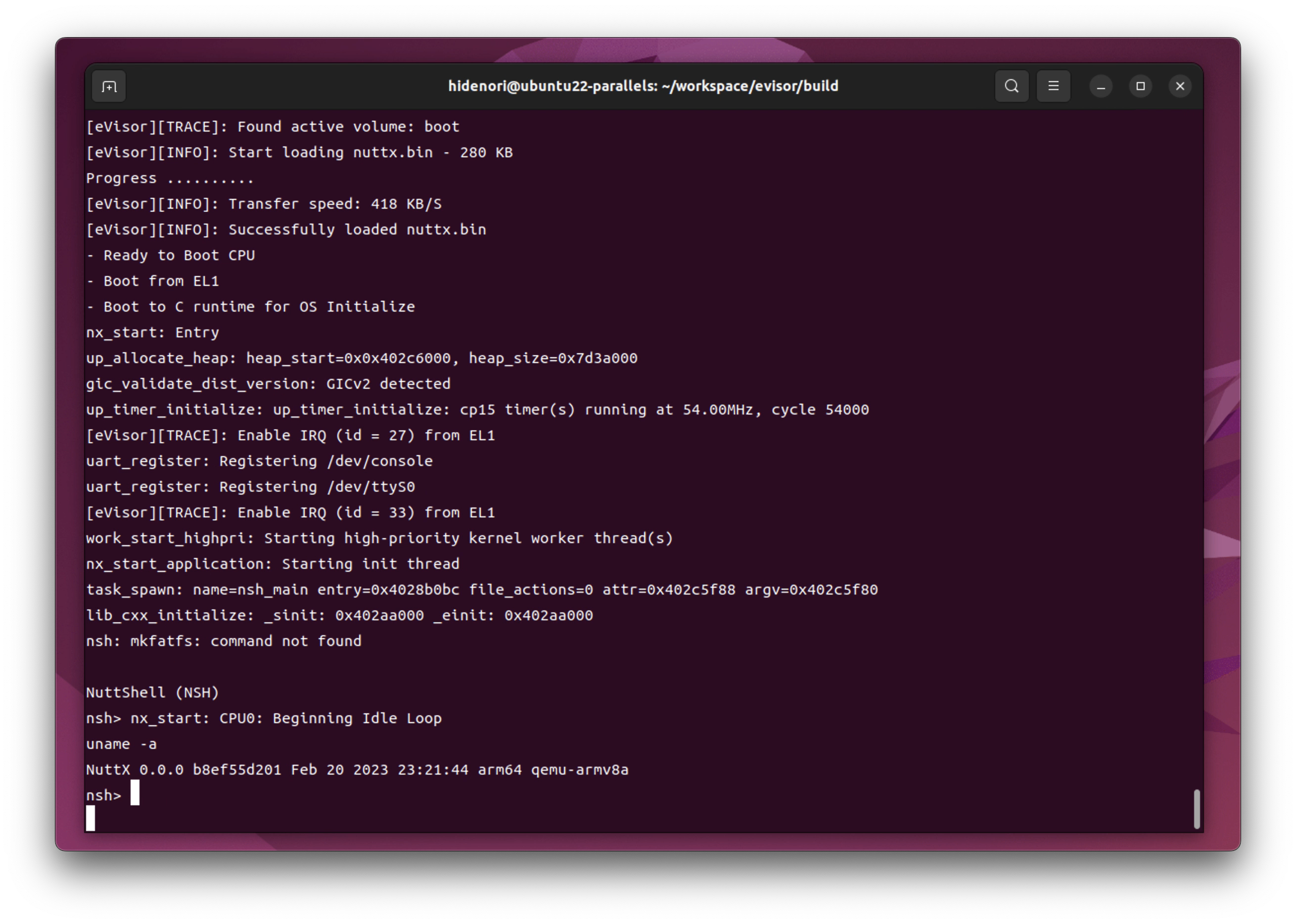
cmake --build . qemu-system-aarch64
-machine virt,virtualization=on,gic-version=2
-cpu cortex-a72 -smp 4
-m 4G
-nographic -net none
-chardev stdio,id=con,mux=on -serial chardev:con -mon chardev=con,mode=readline
-kernel ./kernel.elf
-drive file=../examples/nuttx/nuttx.bin,format=raw,id=drive0,if=none
-device virtio-blk-device,drive=drive0,bus=virtio-mmio-bus.0qemu-system-aarch64
-machine virt,virtualization=on,gic-version=2
-cpu cortex-a72 -smp 4
-m 4G
-nographic -net none
-chardev stdio,id=con,mux=on -serial chardev:con -mon chardev=con,mode=readline
-kernel ./kernel.elf
-drive file=../examples/nuttx/nuttx.bin,format=raw,id=drive0,if=none
-device virtio-blk-device,drive=drive0,bus=virtio-mmio-bus.0
-d mmu,in_asm,guest_errors,int,exec,page -D qemu_trace.logขอขอบคุณเป็นพิเศษต่อไปนี้ตั้งแต่ฉันอ้างถึงพวกเขาโดยเฉพาะในระยะแรกของการพัฒนา





