WaveGrad2
v1.0.0

Google Brain 's Wavegrad 2의 Pytorch 구현 : 텍스트 음성 합성을위한 반복 개선.
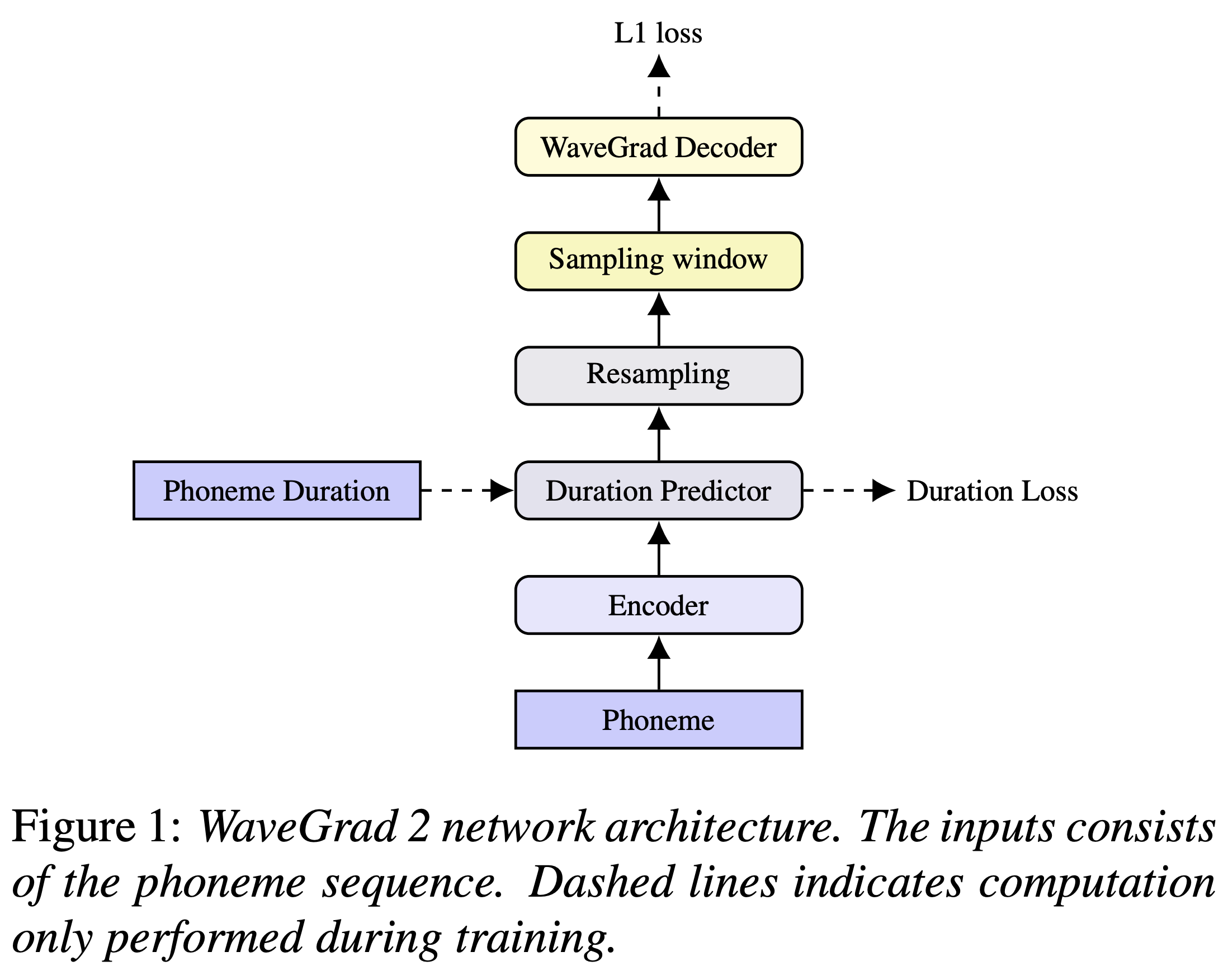
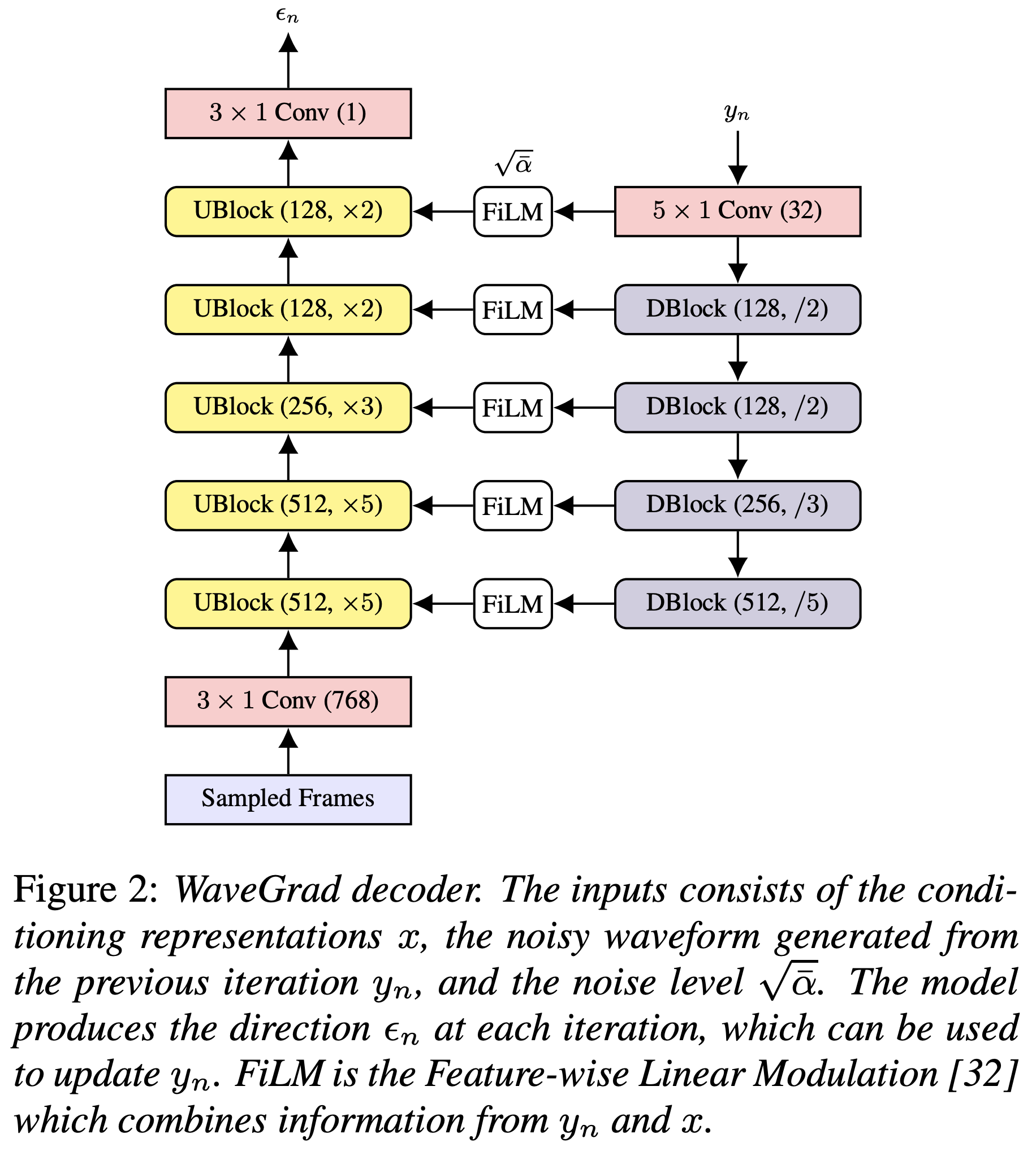
파이썬 종속성을 설치할 수 있습니다
pip3 install -r requirements.txt
사전에 걸린 모델을 다운로드하여 output/ckpt/LJSpeech/ 에 넣어야합니다.
영어 단일 스피커 TTS의 경우 실행하십시오
python3 synthesize.py --text "YOUR_DESIRED_TEXT" --restore_step RESTORE_STEP --mode single -p config/LJSpeech/preprocess.yaml -m config/LJSpeech/model.yaml -t config/LJSpeech/train.yaml
생성 된 발화는 output/result/ 에 넣습니다.
배치 추론도 지원됩니다
python3 synthesize.py --source preprocessed_data/LJSpeech/val.txt --restore_step RESTORE_STEP --mode batch -p config/LJSpeech/preprocess.yaml -m config/LJSpeech/model.yaml -t config/LJSpeech/train.yaml
preprocessed_data/LJSpeech/val.txt 의 모든 발화를 종합합니다
합성 된 발화의 말하기 속도는 원하는 지속 시간 비율을 지정하여 제어 할 수 있습니다. 예를 들어, 말하기 속도를 20 % 증가시킬 수 있습니다.
python3 synthesize.py --text "YOUR_DESIRED_TEXT" --restore_step RESTORE_STEP --mode single -p config/LJSpeech/preprocess.yaml -m config/LJSpeech/model.yaml -t config/LJSpeech/train.yaml --duration_control 0.8
지원되는 데이터 세트는입니다
먼저, 실행
python3 prepare_align.py config/LJSpeech/preprocess.yaml
일부 준비.
논문에 설명 된 바와 같이, MFA (Montreal) 강제 정렬기 (MFA)는 발화와 음소 시퀀스 사이의 정렬을 얻는 데 사용됩니다. LJSpeech 데이터 세트의 정렬은 여기에 제공됩니다 (Ming024의 FastSpeech2 덕분). preprocessed_data/LJSpeech/TextGrid/ 에서 파일을 압축해야합니다.
그 후, 전처리 스크립트를 실행하십시오
python3 preprocess.py config/LJSpeech/preprocess.yaml
또는 코퍼스를 혼자서 정렬 할 수 있습니다. 공식 MFA 패키지를 다운로드하고 실행하십시오
./montreal-forced-aligner/bin/mfa_align raw_data/LJSpeech/ lexicon/librispeech-lexicon.txt english preprocessed_data/LJSpeech
또는
./montreal-forced-aligner/bin/mfa_train_and_align raw_data/LJSpeech/ lexicon/librispeech-lexicon.txt preprocessed_data/LJSpeech
코퍼스를 정렬 한 다음 전처리 스크립트를 실행합니다.
python3 preprocess.py config/LJSpeech/preprocess.yaml
모델을 훈련하십시오
python3 train.py -p config/LJSpeech/preprocess.yaml -m config/LJSpeech/model.yaml -t config/LJSpeech/train.yaml
사용
tensorboard --logdir output/log/LJSpeech
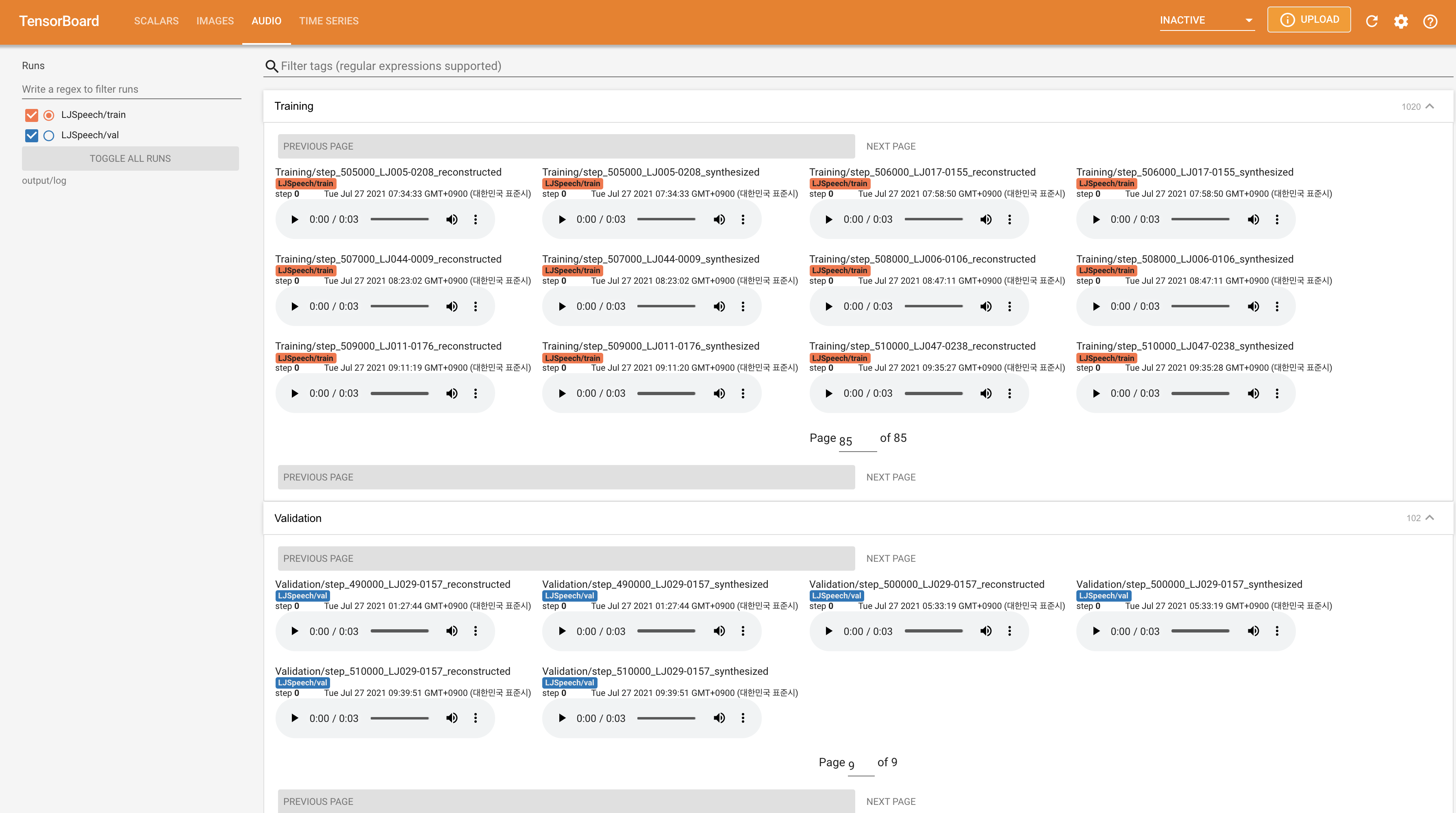
지역 호스트에서 텐서 보드를 제공합니다. 손실 곡선, 합성 된 멜 스피어 그램 및 오디오가 표시됩니다.
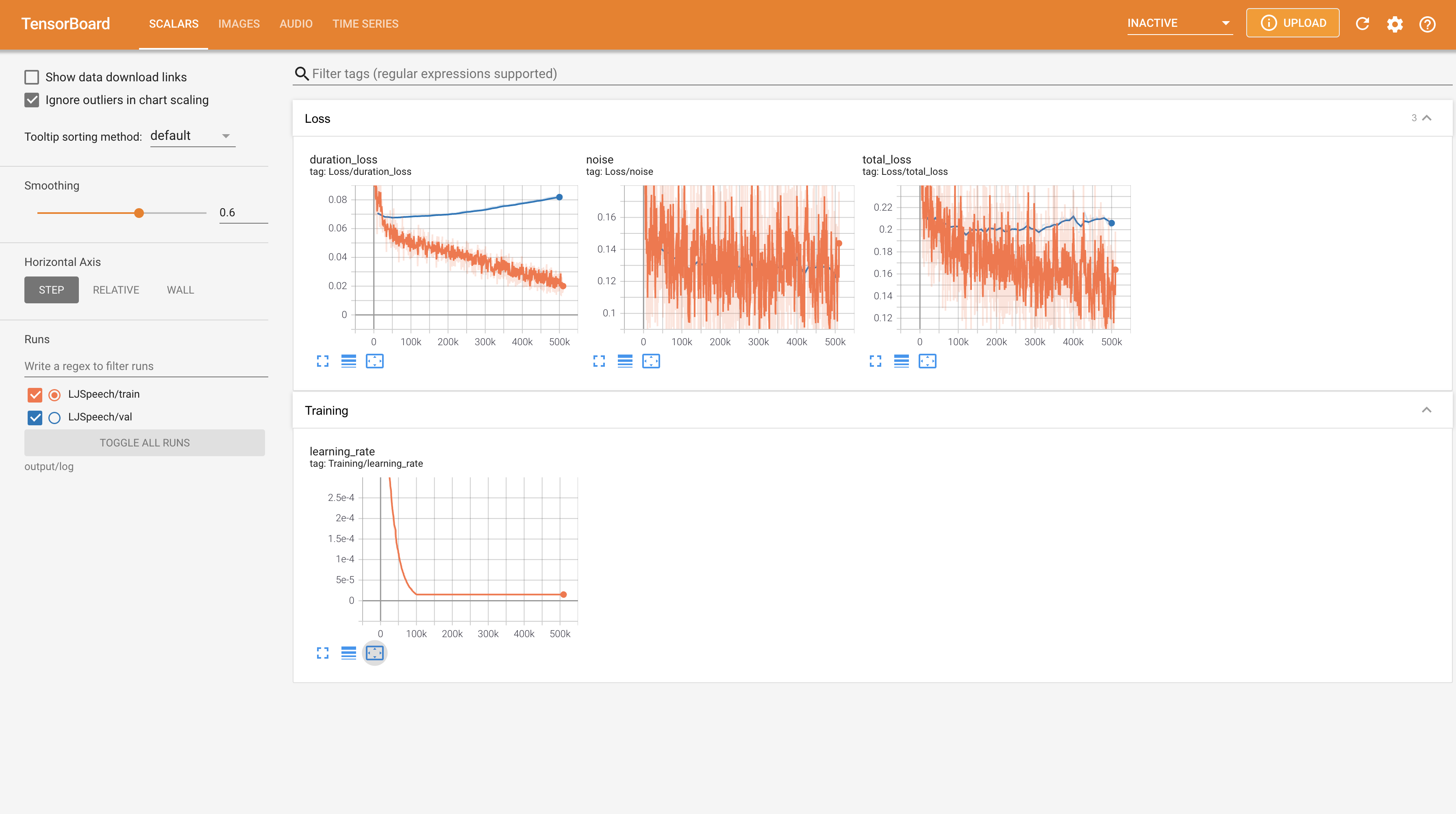
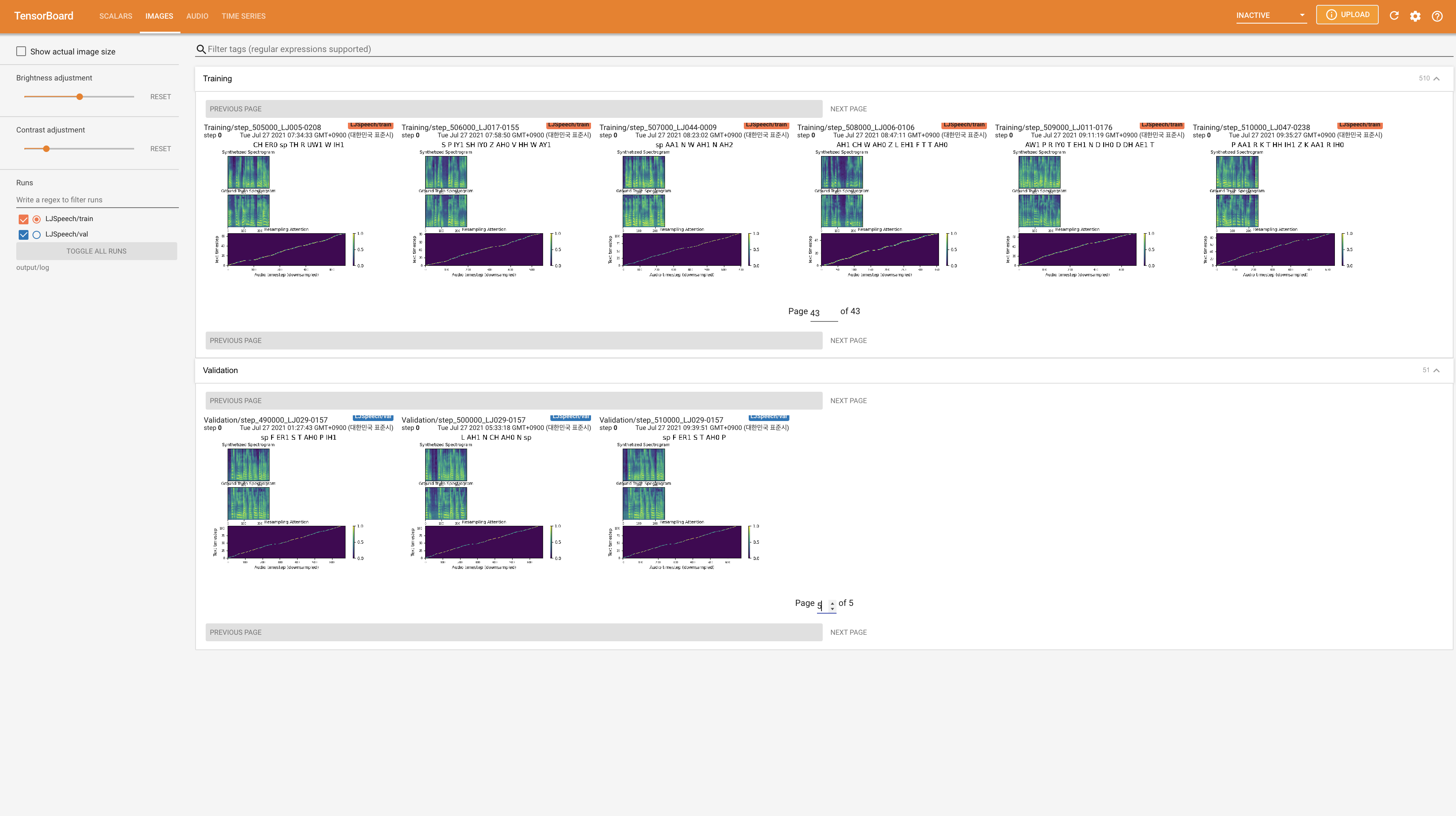
24KHz 대신 22050Hz 사용하고 일반 LJSPEECH 구성을 따르십시오.nn.LSTM 사용하십시오. @misc{lee2021wavegrad2,
author = {Lee, Keon},
title = {WaveGrad2},
year = {2021},
publisher = {GitHub},
journal = {GitHub repository},
howpublished = {url{https://github.com/keonlee9420/WaveGrad2}}
}







