SkiaSharp.Components
1.0.0

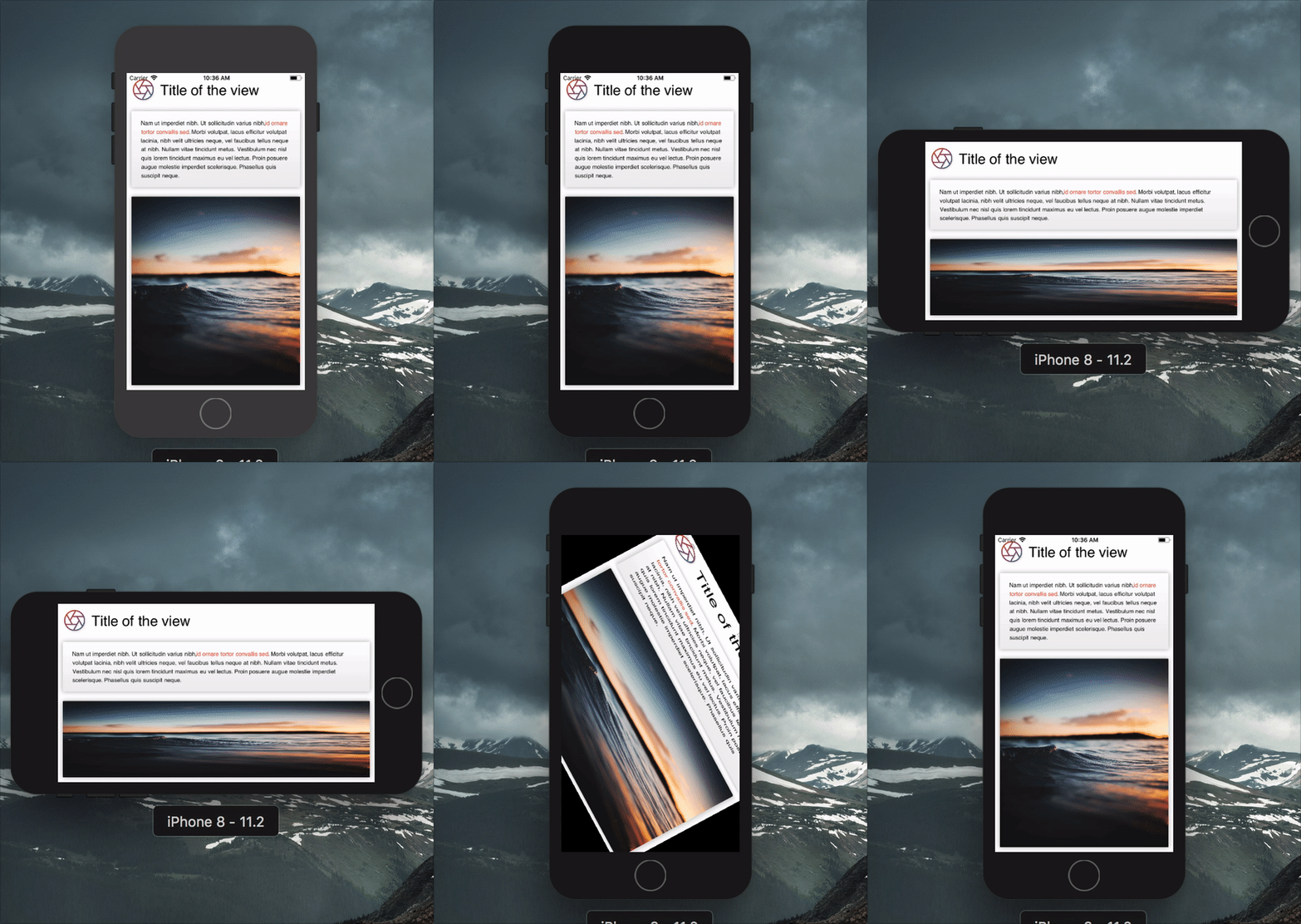
Skiasharp에 대한 렌더링 코드를 생성하는 것은 매우 장점적이고 반복적 일 수 있습니다. skiasharp.components는 선언을보다 간결하게 만드는 더 높은 수준의 견해입니다.
 var result = new Grid ( ) ;

this . Title = new Label
{
    TextSize = 30 ,
    Text = "Title of the view" ,
    VerticalAlignment = Alignment . Center ,
} ;

this . Description = new Label
{
    TextSize = 16 ,
    Spans = new [ ]
    {
        new Span
        {
            Text = "Nam ut imperdiet nibh. Ut sollicitudin varius nibh,"
        } ,
        new Span
        {
            ForegroundBrush = new ColorBrush ( new SKColor ( 0xFFF44336 ) ) ,
            Decorations = TextDecoration . Bold ,
            Text = "id ornare tortor convallis sed"
        } ,
        new Span
        {
            Text = ". Morbi volutpat, lacus efficitur volutpat lacinia, nibh velit ultricies neque, vel faucibus tellus neque at nibh. Nullam vitae tincidunt metus. Vestibulum nec nisl quis lorem tincidunt maximus eu vel lectus. Proin posuere augue molestie imperdiet scelerisque. Phasellus quis suscipit neque."
        } ,
    } ,
} ;

var gradient = new GradientBrush ( new SKPoint ( 0 , 0 ) , new SKPoint ( 0 , 1 ) , new [ ]
{
    new Tuple < float , SKColor > ( 0 , new SKColor ( 255 , 255 , 255 , 255 ) ) ,
    new Tuple < float , SKColor > ( 1 , new SKColor ( 238 , 238 , 238 , 255 ) ) ,
} ) ;

var shadow = new Shadow ( )
{
    Blur = new SKPoint ( 10 , 10 ) ,
    Color = SKColors . Black . WithAlpha ( 80 ) ,
} ;

this . Image = new Image ( )
{
    Source = "https://source.unsplash.com/random" ,
    Fill = new ColorBrush ( SKColors . LightGray ) ,
    CornerRadius = 5.0f ,
    Shadow = shadow ,
} ;

this . Box = new Box ( )
{
    Fill = gradient ,
    CornerRadius = 5.0f ,
    Shadow = shadow ,
} ;

var iconGradient = new GradientBrush ( new SKPoint ( 0 , 0 ) , new SKPoint ( 1 , 1 ) , new [ ]
{
    new Tuple < float , SKColor > ( 0 , new SKColor ( 0xFFF44336 ) ) ,
    new Tuple < float , SKColor > ( 1 , new SKColor ( 0xFF3F51B5 ) ) ,
} ) ;

this . Icon = new Path
{
    Source = IconPath . Aperture ,
    ViewBox = SKRect . Create ( 0 , 0 , 24 , 24 ) ,
    Stroke = new Stroke ( )
    {
        Size = 5 ,
        Brush = iconGradient ,
    } ,
} ;

// Setting grid column and rows
result . ColumnDefinitions = new [ ]
{
    Grid . Definition . Points ( 100 ) ,
    Grid . Definition . Stars ( 1 ) ,
} ;

result . RowDefinitions = new [ ]
{
    Grid . Definition . Points ( 100 ) ,
    Grid . Definition . Points ( 200 ) ,
    Grid . Definition . Stars ( 1 ) ,
} ;

// Setting child positions
result . AddView ( this . Icon , 0 , 0 ) ;
result . AddView ( this . Title , 1 , 0 ) ;
result . AddView ( this . Box , 0 , 1 , 2 ) ;
result . AddView ( this . Description , 0 , 1 , 2 ) ;

result . Layout ( SKRect . Create ( 0 , 0 , 500 , 500 ) ) ;
result . Render ( canvas ) ; 보기의 속성이 변경 될 때마다 Invalidated 이벤트가 제기됩니다. 이것은 언제보기를 다시 렌더링 해야하는지 아는 데 유용합니다.
기본 상호 작용은 Tap 컨트롤을 통해 사용할 수 있으며 사용자가 프레임에 닿을 때 이벤트가 발생합니다. 다른 구성 요소와 마찬가지로보기입니다.
 this . Button = new Tap ( )
{
    BackgroundBrush = new ColorBrush ( SKColors . DeepPink ) ,
    CornerRadius = 5 ,
} ;

this . Button . Tapped += ( s , e ) => Debug . WriteLine ( "Tapped" ) ;
this . Button . Pressed += ( s , e ) => ( ( Tap ) s ) . BackgroundBrush = new ColorBrush ( SKColors . LightPink ) ;
this . Button . Released += ( s , e ) => ( ( Tap ) s ) . BackgroundBrush = new ColorBrush ( SKColors . DeepPink ) ;
Renderer 사용하면 터치가 자동으로 연결됩니다.
기부금을 환영합니다! 버그를 찾으려면보고를보고하고 기능을 원한다면보고하십시오.
코드를 기여하려면 문제를 제출하고 현재 Dev Branch에서 분기를 생성하고 풀 요청을 제출하십시오.
MIT © Aloïs Deniel








