KOSmk4
1.0.0

API/ABI 호환이지만 다른 주류 OS (주로 Linux)를 다시 제출하고 확장하는 데 중점을 둔 모 놀리 식/모듈 식 X86 운영 체제 + 사용자 공간.
KOSMK4 (KOS 운영 체제 시리즈의 4 번째 표현)는 I386 및 X86_64 (32 비트 호환 모드 포함) 기계에 대한 집에서 만든 모 놀리 식 커널이며 C ++로 작성되며 (기능 과부하 및 예외 만 사용하기 위해서만, 항상 C- 호환 가능).
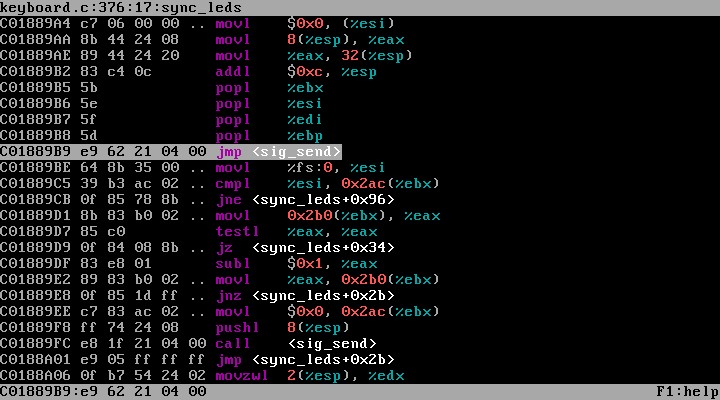
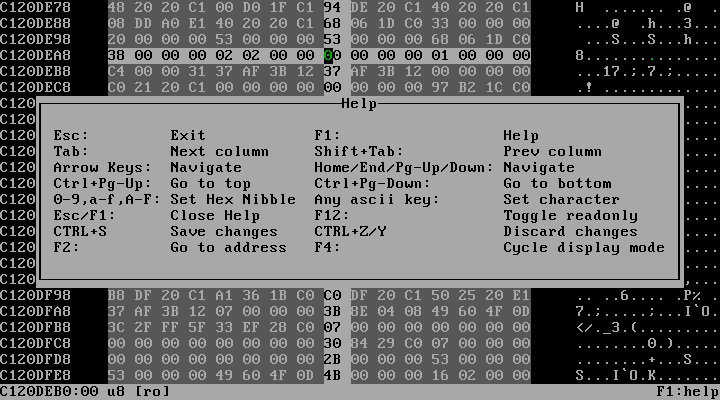
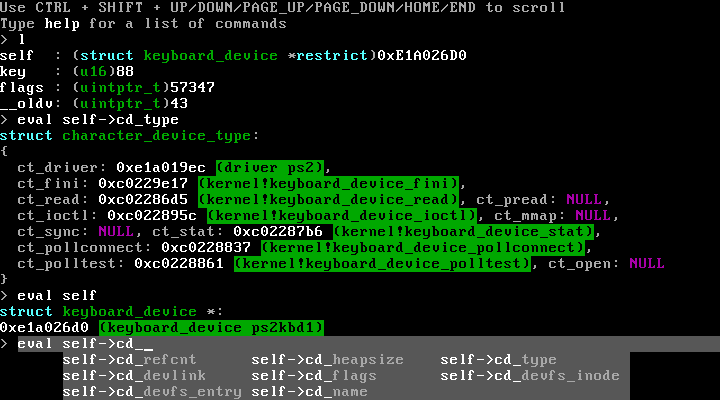
디버깅 중에 도움이되는 많은 트릭으로 설계되었습니다. 예를 들어, 문제가 발생할 때 시스템 상태를 대화식으로 분석 할 수 있고 GDB를 사용한 다양한 형태의 디버깅을 지원할 수있는 완전히 대화식 내장 디버거와 같이 디버깅 중에 도움이됩니다.
일반적으로 KOS는 바퀴를 재발 명하도록 설계되지 않았으며 (여기서는 바퀴가 없음), 오히려 은유 적 휠을 보이고 롤을 최대한 활용하려고합니다. 이것이 의미하는 바는 다음과 같습니다.
주목 : KOS는 GIT 하위 모듈 (KOS를 구축하는 데 필요한)을 사용하므로 다운로드 ZIP 기능을 사용하는 경우 KOS를 구축하는 데 들어가는 모든 것이 끝나지 않습니다. 따라서 KOS를 완전히 복제하려면 다음을 사용 하여이 git을 복제해야합니다.
git clone --recursive https://github.com/GrieferAtWork/KOSmk4deemon magic.dee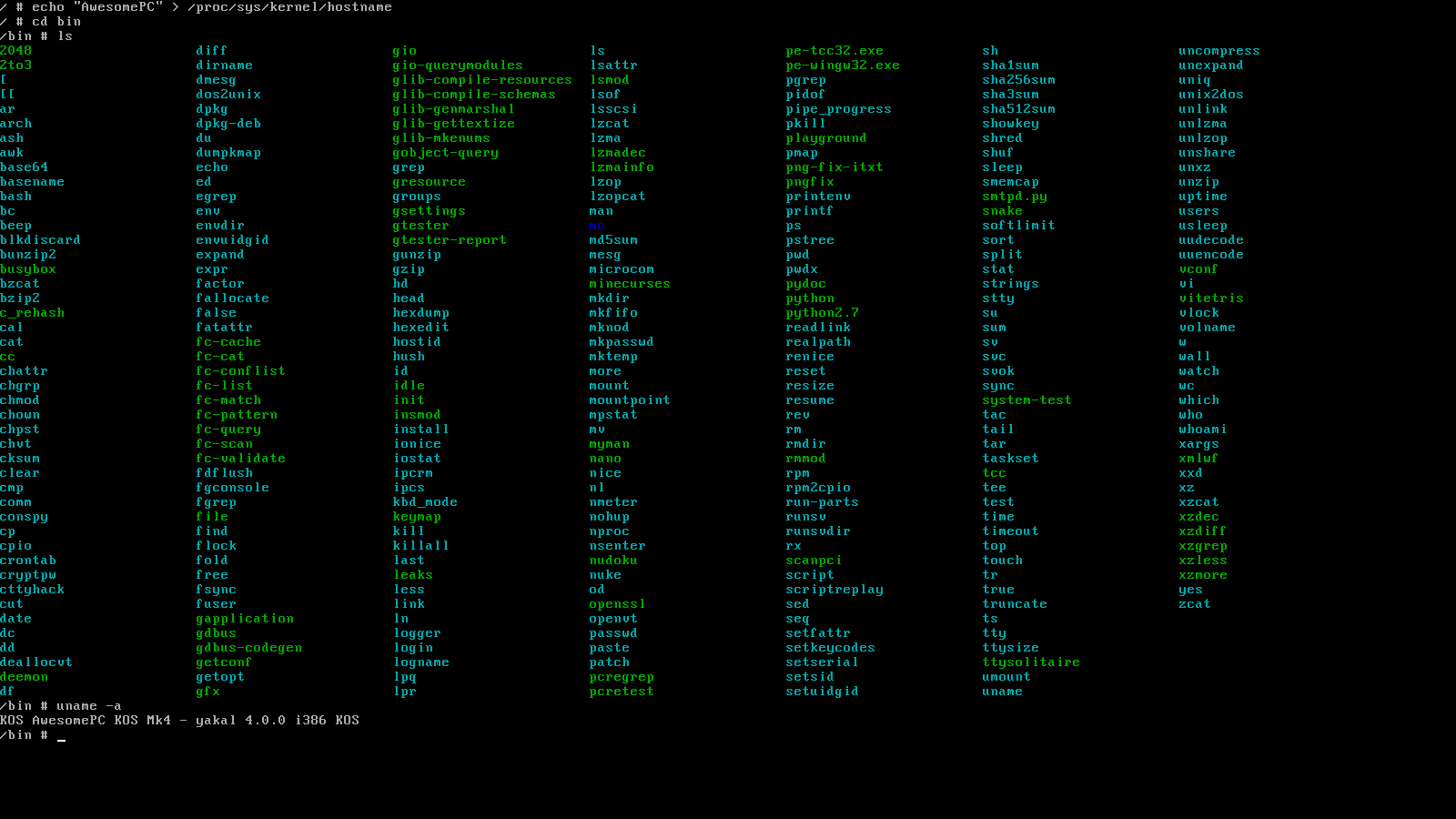
bash $PROJPATH/kos/misc/make_utility.sh i386 <UTILITY_NAME> (쉘 받기)를 사용하여 모든 포트 된 응용 프로그램을 KOS 디스크 이미지에 설치할 수 있습니다.
catch (...)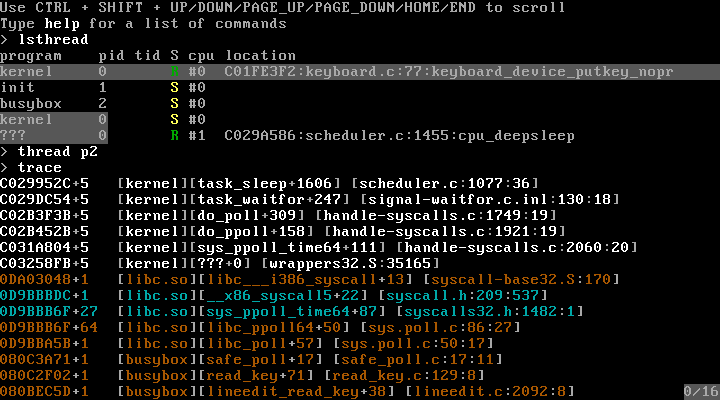
./binutils/deemon/deemon magic.dee --emulator=qemu --gdb=emulator./binutils/deemon/deemon magic.dee --emulator=bochs --gdb=emulator./binutils/deemon/deemon magic.dee --emulator=vbox --gdb=emulator/kos/src/kernel/modgdbserver )를 제공합니다.boot=/dev/hda1/ ).init=/bin/initrdfsbase , rdgsbase , wrfsbase , wrgsbase%fs / %gs 기본 주소를 읽고 쓰기 쉽고 직관적 인 방법으로 32 비트 사용자 공간에 제공됩니다.cmpxchg , cmpxchg8b , xaddcmovcc , cpuid , nop (멀티 바이트)sfence , lfence , mfencemovbe , sarx , shlx , shrx , rorxpopcnt , tzcnt , lzcnt , pext , pdep , bzhi , andnxbegin , xend , xabort , xtest (아래 SA RTM 아래)modrtm )가 포함되어 있습니다.modrtm 드라이버는 작은 샌드 박스에서 사용자 공간 코드를 일시적으로 모방하며,이를 통해 사용자 공간 프로그램에 의해 메모리에 대한 모든 수정을 한 번에 원자 적으로 적용하기 전에 (동일한 메모리 영역을 수정하려고 시도 할 수있는 다른 RTM 작업과 관련하여)/kos/include/kos/rtm.h 의 공개 인터페이스를 제공합니다.#UD 만 볼 수있는 경우 KOS는 결함 지침을 분석합니다.libvm86 통한 지원은 실제 모드와 같은 BIOS 호출을 통제 된 64 비트 환경 (It Commade X86 에뮬레이터 libemu86 통해 파견 된 소프트웨어 기반 명령 에뮬레이션을 사용하고 있습니다).bash $PROJPATH/kos/misc/make_toolchain.sh x86_64-kos )로 교체하십시오.fxsave / fxrstorinvlpg (tlb-shootdowns)hlt 기반 유휴 (아무것도 일어나지 않을 때 CPU 사이클이 없음)struct sig 에서 파생됩니다.futex() 기반 동기화 프리미티브에 대한 사용자 공간 지원void pit_interrupt() { ++time; yield(); } ) 대신 하드웨어 TSC (timestampCounter)를 기반으로합니다.rdtsc , APIC 타이머 또는 구덩이를 통해 구현할 수 있습니다.tsc_deadline() 을 구현 한 후 인터럽트를 발사 해야하는 다음 스케줄링에 사용할 수 있습니다.rdtsc 의 경우 IA32_TSC_DEADLINE MSR에 간단히 쓰십시오.if (NOW >= CURRENT_DEADLINE) DO_INTR(); else tsc_deadline(CURRENT_DEADLINE); 따라서 실제 마감일이 만료 될 때까지 APIC/PIT 재 장전 값을 지속적으로 업데이트합니다.(NOW - TIME_WHEN_THREAD_STARTED_WAITING) / NUM_RUNNING_THREADS 와 같은 양자 길이가 할당됩니다.tsc_deadline() NOW + (NOW - TIME_WHEN_THREAD_STARTED_WAITING) / NUM_RUNNING_THREADS 로 설정됩니다.ram=[{ "type": "ram", "start": 0x1234, "size": 0x4567 }] 에 의해 제공libjson )iopl() 및 ioperm() 65536 대한 사용자 공간 지원ioperm() Linux에서와 같이 구현되지 않으며 스레드가 선점 될 때마다 memcpy() 수행합니다. 대신 KOS는 게으른 페이지 디렉토리 매핑을 사용하여 다른 스레드 사이를 전환 할 때 TSS.IOBM 메모리 영역을 다시 맵핑하고 IO-Instruction 중 하나가 #PF 일으키면 매핑을 복원합니다.ioperm() 사용하는 오버 헤드가 최소이며, 더 큰 수준의 Ioports를 사용하면 증가하지 않음을 의미합니다 (다시 한 번 Linux에서는 그렇습니다).invpcid ( cpuid 사용하여 선택)invlpg ( cpuid 사용하여 선택)PGE 글로벌 페이지 ( cpuid 사용하여 선택)P32 (정상) 및 PAE 페이징 ( cpuid 사용하여 선택)PAE.2MiB 및 P32.4MiB 대형 페이지 ( cpuid 사용하여 선택, IF 메모리 매핑이 허용되는 경우 자동으로 사용)PAE.XD (Execute Disable) ( cpuid 사용하여 선택)P64 (4 레벨) 페이징P64.2MiB 및 P64.1GiB 대형 페이지 (나중에 cpuid 사용하여 선택됨)P64.NX (execute 없음) ( cpuid 사용하여 선택)mmap()libemu86 ).jmp SOME_ADDRESS 의 별칭으로 movl $SOME_ADDRESS, OFFSETOF_REGISTER_MAP_EIP 수행 할 수 있습니다.mmap("/dev/urandom") 사용할 수 있으며 결과는 모든 읽기가 만들어지지 않은 곳에 관계없이 모든 읽기가 만들어 질 때마다 임의의 값을 반환하는 메모리 매핑입니다.heap_alloc() : 원시 힙 할당 자 (메모리를 자유롭게 할 때 크기를 지정해야 함)kmalloc() 구현에 사용mman_map_kram() ( mmap() 의 커널에 해당)를 사용하여 전체 페이지를 할당합니다.slab_kmalloc() : 슬래브 할당자가 지원합니다kmalloc() 구현에 사용malloc()+memcpy()+free() realloc() -abable이 아닌 단점이 있습니다 krealloc()kmalloc() : 사용자 공간 malloc() 과 거의 동일하지만 동작을 설명하는 플래그 세트를 취합니다.kmalloc() 할당이 실패하면 예외 ( E_BADALLOC )를 던집니다.kmalloc_nx() 뭔가 잘못되었을 때 NULL 반환합니다 ( nx Except에 대한 NoExcept )O_DOSPATH 및 AT_DOSPATH 를 제공합니다.DOSPATH -MODE를 강제로 제공/비활성화 할 수있는 시스템 호출 fsmode(2) 존재합니다.S_ISBLK() ) 및 문자 ( S_ISCHR() ) -devices)/dev )/tmp )/proc/[pid]/... )/proc/self/proc/[pid]/exe/proc/[pid]/fd/[fdno]int 80hlcall $7, $0 (SYSV 요구에 따라)%eax 사용하지 않고 lcall $7, $<sysno> 사용할 수도 있습니다.sysentersyscallint 80h 와 동일한 ABI/kos/include/kos/ukern.h:userkern_syscall() )/kos/src/kernel/modsctrace 및 /kos/src/libsctracecall __i386_syscall 및 x86_64의 syscall 입니다..free 메모리 섹션의 개념이 있습니다 (예 : 커널의 초기 부트 로더 엔트리 포인트 또는 장치 초기화 코드).if 계산 및 모든 커널 소스 파일 내에서 발생할 likely unlikely 모든 사용likely 잘못된 주석을 찾을 수 있습니다 unlikelydd 하고 부팅 할 수 있습니다 (또는 에뮬레이터의 경우 : 평평한 바이너리를 원시, 부팅 가능한 디스크 이미지로 마운트하십시오)./kos/src/kernel/core/arch/i386/boot/_boot0.S/dev/mem , /dev/kmem , /dev/port/dev/null , /dev/zero , /dev/full/dev/random , /dev/urandom/dev/kmsg/dev/tty )off_t , pos_t )time_tsignal() , raise()pipe()fork() , exec()open() , openat()[p]read() , [p]write() , lseek()[f]realpath[at]()/kos/include 많은, 많은 , 더 많은!SIGTTIN 및 SIGTTOU )dup2(1, 0x7fff1234) 를 허용한다는 것을 의미합니다.e[0m )$PROJPATH/kos/misc/make_utility.sh i386 ncurses )에서 libcurses 호스팅하고 nano 실행할 수 있습니다.pipe() 및 터미널 캐논 버퍼 및 소켓을 구현하는 데 사용되는 라인/링/패킷 버퍼 구현.readelf -rW /lib/i386-linux-gnu/libc.so.6 본 적이 있습니까?libc.so 와 똑같이하는데, 나는 14 개의 재배치를 계산하고 있습니다 (그러나 내 것은 여전히 거의 100% API 호환성과 적어도 95%의 ABI 호환성을 가진 동일한 기능을 가지고 있습니다). 그리고 그것은 KOS의 LIBC에서 발견 된 모든 확장을 언급하지는 않지만 glibc에서 누락되었습니다.strend() 와 같은 KOS 별 확장 기능을 진지한 휴대용 (KOS에 바인딩하지 않음) 방식으로 제공합니다.memcpy() 및 친구를위한 빠른 구현을위한 전용 어셈블리<stdio.h> , <stdlib.h> , <malloc.h> , <string.h> , <uchar.h> , ...<format-printer.h> , <unicode.h> , <kos/futex.h> , ...' 및 " Escaping을 지원 함).debug_info , .debug_line , .debug_... to ...에 찾은 구문 분석 정보__thread ) 메모리 지원R_386_JMP_SLOT )dlopen() , dlsym() , dlclose()RTLD_NEXT 지원dlgethandle() )dlmodulename() )dlmodulefd() )fdlopen() )dllocksection() )dlmalloc() 함수 주변의 얇은 래퍼 라이브러리ram=[{ ... }, ...] 옵션)struct 객체로 쉽게 변환하기위한 코덱 기반 시스템을 제공합니다.<kos/keyboard.h> 의 KEY_* 중 하나)와 키 코드의 번역 및 키 수정 자의 원형 키에 해당하는 유니 코드 문자로의 변환<libkeymap/keymap.h> 에 문서화 된 독점적 인 사용자 정의 파일 형식을 사용합니다./kos/src/misc/keymaps/* 에있는 자체 설명 Conf-like 파일에서 KMP 파일을 만들기위한 컴파일러가 제공됩니다.<regex.h> 헤더를 구현하는 데 사용됩니다sys_open(filename: "/lib64/libc.so", oflags: O_RDONLY|O_CLOEXEC)struct termios 의 모든 변환 플래그에 대한 지원 제공.eh_frame 기반 스택 풀기를 제공합니다./kos/misc/libgen/cfi/compiler.dee:compileExpression() 를 사용할 수 있습니다.vio.c 및 hw_illegal_instruction.c 아직 충분하지 않은 것처럼)E_SEGFAULT 던져서 예외를 미달 주소의 액세스와 동일한 방식으로 처리 할 수 있습니다.make_utility 를 통해 설치할 수 있음)를 사용하여 PCI 공급 업체/장치 이름을 표시 할 수 있습니다./kos/include/* 에서 KOS-HEADERS가 노출 한 LIBC 기능은 __CRT_HAVE_{name} 이 정의되었는지 확인해야합니다.<libmylibrary/...> 폴더에 위치해야하며 항상 공통 통화 규칙을 정의하는 <libmylibrary/api.h> 및 라이브러리의 이름뿐만 아니라 dlopen(3) LIBMYLIBRARY_WANT_PROTOTYPES 정의하는 파일을 포함해야합니다. typedef int ( LIBMYLIBRARY_CC * PNAME_OF_EXPORTED_FUNCTION )( int x , int y );
#ifdef LIBMYLIBRARY_WANT_PROTOTYPES
LIBMYLIBRARY_DECL int LIBMYLIBRARY_CC name_of_exported_function ( int x , int y );
#endif /* LIBMYLIBRARY_WANT_PROTOTYPES *//kos/include/* 에서 가능한 한 많은 것을 사용하여 /kos/misc/magicgenerator/generate_headers.dee 사용하여 자동으로 생성해야합니다./kos/include/hybrid/* /kos/include/__std(cxx|inc).h 및 /kos/include/compiler/* 이외의 파일에 대한 교차 의존성이 없어야합니다./kos/.clang-format 파일은 완벽하지 않습니다./kos/include/hybrid/* 를 통해 사용 가능한 훨씬 더 휴대용 기능을 사용하십시오. 그렇지 않으면 항상 내장이 __has_builtin() 이 미리 존재하는지 확인하십시오 ( __has_builtin() 제공하지 않는 GCC에 대해 걱정하지 마십시오. KOS 헤더는 GCC의 매크로를 모방 할 수 있습니다).__builtin_va_list , __builtin_va(start|end|copy|arg)(...)__builtin_prefetch(addr)__builtin_choose_expr(cond, tt, ff)__NO_builtin_choose_expr 이 정의 될 때 cond ? tt : ff 로 모방 될 수 있습니다).__builtin_offsetof(struct, field)__builtin_expect(expr, expected)__builtin_unreachable()__builtin_assume(expr)expr 이 항상 사실이라고 가정하도록 지시 할 수 있습니다 ( 주로 빠른 코드를 얻고 싶을 때 assert() 의 대체물로 expr 하며 불안정성에 신경 쓰지 않으며주의해서 사용하고 NO-OP가 될 수 있음을 기억하십시오.__NO_builtin_assume 과 함께 제공됩니다.__builtin_constant_p(expr) (항상 false 로 평가하도록 모방 될 수 있음)__NO_builtin_constant_p 함께 제공됩니다__restrictrestrict 정의하더라도 많은 컴파일러는 아직 더 많은 컴파일러가 restrict 이해하는 것보다 더 많은 컴파일러 __restrict 기본적으로 이해하는 지점까지 지원하지 않습니다.__restrict 작성하고 헤더가 해당 키워드를 제공하는 방법에 대해 걱정하게하십시오.__builtin_types_compatible_p(T1, T2) (항상 반환하기 위해 스터브 0 )__NO_builtin_types_compatible_p 와 함께 제공됩니다<__stdinc.h> 어느 시점에서 포함되거나 무조건 포함 된 다른 헤더를 포함해야합니다 (이 헤더는 사용 가능한 크로스 컴파일러 기반 기반을 만드는 데 사용됩니다).#ifdef __CC__ block ( CC standing C/C++-Compiler)/kos/include/[__]OFFSET_MYSTRUCT_MYFIELD and [__]SIZEOF_MYSTRUCT macros describing the absolute offsets of certain fields$PROJPATH/kos/src/_verify/[arch/(i386|...)/]assert_types.ctcc from inside of KOS after also having installed KOS system headers.MYOBJ_IOC_COMMAND ioctls from files in /kos/include/kos/ioctl/ 요구 사항 :
$PATH , this will automatically be downloaded + configured + build by: bash $PROJPATH/kos/misc/make_toolchain.sh i386-kos Don't worry: the install location will still be contained within the KOS source tree. More specifically, the deemon executable will end up as $PROJPATH/binutils/deemon/deemon[.exe]$PROJPATH/binutils/i386-kos/bin/i686-kos-*[.exe]bash $PROJPATH/kos/misc/make_toolchain.sh i386-kos$PATH . otherwise, add the location to the enumerateQEmuInstallationLocations() function in $PROJPATH/kos/misc/magicemulator/qemu.dee )make (obviously...)wget (to download 3rd party packages, including binutils and gcc)mpfr , gmp , mpclib (needed for building gcc)patch (for patching 3rd party packages to better understand KOS)gdb (if you wish to debug KOS)mpfr / gmp / mpclib (as needed for building gcc), I had to do: apt-get install libmpc-devBuilding KOS (from $PROJPATH):
./binutils/deemon/deemon magic.dee --build-only --target=i386 --config=ODRunning KOS (from $PROJPATH):
./binutils/deemon/deemon magic.dee --run-only --target=i386 --config=ODBuilding+Running KOS (from $PROJPATH):
./binutils/deemon/deemon magic.dee --target=i386 --config=OD Be careful if you're using an outdated version of deemon . I (GrieferAtWork) am the BDFL for it, as well as KOS, and it already happened more than once that I fixed/added something in/to deemon because I needed it for use with the KOS toolchain. So if something's not working, try to re-build deemon for the $DEEMON_VERSION declared in kos/misc/make_toolchain.sh , and if that also isn't working, try using the most recent version of deemon. One or the other should be working, and if not, create an issue for it and I'll see if I can help.
Just like its predecessors, KOS mk4 uses busybox to provide you with the full user-space bash-like shell experience (Personally, I'm really only interested in the whole kernel-space side of hobby OS programming, alongside the design and implementation of user-space libraries). When it comes to front-ends (and yes: I'm calling a commandline a front-end; deal with it puts-on-sunglasses ), I loose all interest.
However, I made it as simple as ever for you to get going with an installation of busybox onto your KOS disk image:
 # Make sure that you've already set up the KOS toolchain
bash $PROJPATH /kos/misc/make_toolchain.sh i386-kos

# Make sure that you've built the entirety of KOS at least once (here: in no-optimize-debug mode)
deemon $PROJPATH /magic.dee --target=i386 --config=nOD --build-only

# Do the actual work of downloading, configuring & building busybox
bash $PROJPATH /kos/misc/make_utility.sh i386 busybox
그게 다야. That last command will download, build & install busybox into every i386 KOS disk image that it can find under $PROJPATH/bin/... , also meaning that if you choose to clear out $PROJPATH/bin (or have just build KOS for a specific configuration for the first time), you will have to ensure that magic.dee was run at least once for your intended configuration, followed by re-executing the make_utility.sh command.
The plan is to add more software to make_utility.sh in the future, so that you'll be able to install select third-party software with this easy-to-use method of building them.
If you have any suggestions for software (or even better: code snippets for use in make_utility.sh alongside any required patch files), feel free to send them to me and I might add them so that everyone can use them.
Like already mentioned in Ported Applications, building 3rd party programs/libraries for use with KOS is done by invoking the $PROJPATH/kos/misc/make_utility.sh script.
I'd also like to recommend that you dont run make_utility.sh as root. While I'm doing my best to get utilities to behave and not try to copy files into host system paths, given that these aren't my projects, I can't guaranty that some of them might still try to do this in certain situations. As such, by running make_utility.sh as a normal user, 3rd party configure+make scripts won't be able to modify/write files in host system paths.
However, building 3rd party programs sometimes requires additional utilities to be installed. In most cases, these utilities can be read from error messages, however here's a list of some that you'll be needing for quite a few of them:
autoconf + automake + libtool (for projects that don't come with a ready-made ./configure script, but instead the raw configure.ac )cmake (for cmake-based projects)gperf (currently only needed by fontconfig )perl (currently only needed by openssl ) I neither have the time nor will to make sure that any kind of build environment works.
So with that in mind, I can only recommend you'd use the same one I'm using:
If that's not to your liking, you can also try to mirror the environment used in .github/workflows/build-i386-kos-nOD.yml , which essentially just uses linux.
The magic.dee file found in $PROJROOT is the primary controller for doing anything with KOS (you can just think of it as my version of make )
If the file extension (and the use of deemon for starting) wasn't enough, it's a deemon script.
To help you understand how this script works to do what it does, here is a documentation about its options:
-1-v , --verbose-E , -S-E preprocessor output files-S assembler input files--run-only--build-only-fRebuild kernel in Visual Studio--format-error-messagesfile:line[:column]:... into what is accepted by Visual Studio's file(line[,column]) : ... format (allowing you to click such lines within build output)--install-sh$DESTDIR (see also Installing KOS)--deemon magic.dee -- init=/bin/system-test will run system-test after boot instead of /bin/init-n=N (Defaults to -n=<number-of-cores-on-your-machine> )N--emulator=NAME (Defaults to --emulator=qemu )NAME must be one of qemu , bochs or vbox--changed=FILENAMEFILENAME has changedFILE is interpreted relative to the PWD set when magic.dee got invoked--gdb=MODE (Defaults to not-given)MODE must be one ofserver : Use the builtin GDB server driveremulator : Use the emulators's builtin GDB stub (not supported by all emulators)tcp:localhost:1234 on your machine--emulator-started-pattern=TEXTTEXT to stdout when the emulator is started (needed for syncing with Visual Studio)--target=TARGET (Defaults to automatic detection; see below)TARGET (which must be one of i386 , x86_64 , ...)--config=CONFIG (Defaults to automatic detection; see below)OD and nOD , so there is a high chance that the other two configurations won't even build...--gen=FILEFILE instead of executing everythinglibc.so and libm.so as part of make_toolchain.shFILE is interpreted relative to the PWD set when magic.dee got invoked--gengroup=NAMENAME , as well as steps for dependencies of a group NAMEdeemon magic.dee --gengroup=libs.libc )--gengroup-of=FILE--gengroup=... , but instead of specifying the name of some group, only a source file is givenFILE , then forming a set of all of the groups of those files, before finally running all steps and dependencies of those groupsFILE is interpreted relative to the PWD set when magic.dee got invokedFILE should be passed as the file that is currently opened, allowing you to quickly build (only) the part of the system that you currently have opened.$PROJPATH/kos/misc/build/vsautoconfig.dee--regen=PATTERN--gen=... , but select files using a regular expression patternPATTERN doesn't get formatted according to the PWD set when magic.dee got invoked--driver=NAME[:NAME] , --driver=NAME,CMDLINENAME into the kernel during boot, where NAME is either the driver's filename within $PROJPATH/bin/$TARGET-kos-$CONFIG/os/drivers/ , or a filename within the host filesystem if it contains any slashesCMDLINE may be given, which is then passed to the driver during initializationdeemon magic.dee --driver=usb-storage:usb , deemon magic.dee --driver=usb:usb-storageusb is a dependency of usb-storage , and the initialization order is always:usbusb-storagedeemon magic.dee --driver=usb-storageusb driver is missing $PROJPATH/bin/$TARGET-kos expands to $TARGET-kos-$CONFIG .$PROJPATH/bin/$TARGET-kos/lib is set up as part of the library path used by things such as -lc flags.--target=$TARGET and --config=$CONFIG$PROJPATH/bin/$TARGET-kos/...$PROJPATH/bin/$TARGET-kos-$CONFIG/...$PROJPATH/kos/include/$TARGET_XARCH-kos/...$PROJPATH/kos/src/[...]/$TARGET_XARCH/...TARGET_XARCH = $TARGET == "x86_64" ? "i386" : $TARGET --target=... and --config=... options$PROJPATH/kos/.vs/ProjectSettings.json (which is automatically created and updated by Visual Studio to always reflect the currently selected build configuration) Many KOS system features can be configured before you start building KOS for real. For this purpose, you can create custom configurations (or use the one of the 4 default configurations). Configurations are created by you writing a new header file /kos/include/kos/config/configurations/myconfig.h . For more information on the contents of this file, see the associated README.md.
Files in this folder are interpreted as configurations, which can then be used with magic.dee to build KOS using your custom configuration.
deemon magic.dee --target=i386 --config=myconfig Additionally, custom configurations also appear in VS/VSC project files (though only once you re-generate them). For this, you can simply re-run make_toolchain.sh for any configuration, or directly execute the relevant script ( deemon kos/misc/config/files.dee ).
Build files, binary output, as well as disk images all exist on a per-configuration basis, meaning that after creating a new configuration, you will have to re-install 3rd party library into the new disk images, as well as allow KOS to be re-build from scratch (this is automatically done by magic.dee ).
As such, when executed, your custom config will produce files under the following paths:
/build/i386-kos-myconfig (temporary build files)/bin/i386-kos-myconfig (generated binaries, including your disk image)The following configurations are provided by default:
| 이름 | Pretty name | Extra GCC commandline options |
|---|---|---|
nOD | DEBUG | -fstack-protector-strong |
nOnD | NDEBUG | -DNDEBUG |
OD | Optimize, DEBUG | -O2 -fstack-protector-strong |
OnD | Optimize, NDEBUG | -O3 -DNDEBUG |
To install (and eventually run) KOS on real hardware, the easiest way is to get a USB thumbdrive, format it as FAT32 (caution: make sure it doesn't get formatted as VFAT), and install GRUB or some other multiboot- or multiboot2-compliant bootloader onto it.
With that done, you can use the KOS build system to build everything you're going to need, as well as have it generate+execute some shell-scripts which can then be used to copy everything onto your USB thumbdrive:
 export TARGET= " i386 "
export CONFIG= " nOD "
export DESTDIR= " /path/to/kos/install "
make install-system
make install-busybox
If you don't want to use make , but execute the commands yourself, here is how installing works:
deemon magic.dee --install-sh --target=i386 --config=nOD > install.sh
bash kos/misc/make_utility.sh --install-sh i386 busybox >> install.sh
This process can later be repeated for any 3rd party utility you wish to install. At this point, install.sh should look like this:
 [...]
mkdir -p "$DESTDIR/os/drivers"
KOS_ROOT="${KOS_ROOT:-/cygdrive/e/c/kls/kos}"
cp "$KOS_ROOT/bin/i386-kos-nOD/os/drivers/tar" "$DESTDIR/os/drivers/tar"
mkdir -p "$DESTDIR/lib"
cp "$KOS_ROOT/bin/i386-kos-nOD/lib/libbios86.so" "$DESTDIR/lib/libbios86.so"
cp "$KOS_ROOT/bin/i386-kos-nOD/os/drivers/pe" "$DESTDIR/os/drivers/pe"
mkdir -p "$DESTDIR/bin"
cp "$KOS_ROOT/bin/i386-kos-nOD/bin/init" "$DESTDIR/bin/init"
cp "$KOS_ROOT/bin/i386-kos-nOD/os/drivers/procfs" "$DESTDIR/os/drivers/procfs"
[...]
ln -s "busybox" "$DESTDIR/bin/script"
ln -s "busybox" "$DESTDIR/bin/scriptreplay"
ln -s "busybox" "$DESTDIR/bin/setpriv"
ln -s "busybox" "$DESTDIR/bin/setsid"
ln -s "../bin/busybox" "$DESTDIR/sbin/swapon"
ln -s "../bin/busybox" "$DESTDIR/sbin/swapoff"
ln -s "../bin/busybox" "$DESTDIR/sbin/switch_root"
ln -s "busybox" "$DESTDIR/bin/taskset"
ln -s "busybox" "$DESTDIR/bin/umount"
ln -s "busybox" "$DESTDIR/bin/unshare"
ln -s "busybox" "$DESTDIR/bin/wall"
mkdir -p "$DESTDIR/etc"
ln -s "/proc/mounts" "$DESTDIR/etc/mtab"
Finally, you can execute this script like so (but make sure to replace /path/to/kos/install with where you mounted the USB thumbdrive on your host computer):
cat " install.sh " | DESTDIR= " /path/to/kos/install " bash Once this has been done, you should be able to boot KOS from within grub by loading it from /os/kernel.bin , whilst supplying it the necessary USB drivers as multiboot modules, so that it's able to detect the thumbdrive and mount it during booting.
Note that it's also possible to directly stream these build scripts into bash like so:
deemon magic.dee --install-sh --target=i386 --config=nOD | DESTDIR= " /path/to/kos/install " bash
bash kos/misc/make_utility.sh --recursive --install-sh i386 busybox | DESTDIR= " /path/to/kos/install " bash
bash kos/misc/make_utility.sh --recursive --install-sh i386 vitetris | DESTDIR= " /path/to/kos/install " bash
bash kos/misc/make_utility.sh --recursive --install-sh i386 nano | DESTDIR= " /path/to/kos/install " bash
...
That way, you only need a single commandline to install each component.
You will need to install the C/C++ extension (just search for C++ under extensions)
Afterwards, make sure that make_toolchain.sh has already been executed at least once, as it will generate required configuration files for VS code.
Finally, use the Open Folder function to open the /kos sub-folder.
Make sure that make_toolchain.sh has already been executed at least once, as it will generate required configuration files for Visual Studio. Once this has been done, you can use the Open Folder function under the file-tab ( CTRL+SHIFT+ALT+O ) to open the /kos sub-folder. - DONT OPEN THE ACTUAL ROOT FOLDER (see notes below).
Alternatively (because Open Folder tends to be extremely laggy), you can also run make vs-proj , and open the /.vs/kos.sln file it generated. While this method fixes all of the slow-downs that appear when using Open Folder , take note of the following caveats:
make vs-proj , any changes you made will be overwrittenmake vs-proj (After doing this, VS will detect this and ask you to re-load its project files. When prompted to, confirm this reload)F5 ), you will not actually be debugging KOS, but will be debugging deemon as it is executing /magic.dee (though while it does so, deemon will still launch qemu and KOS as expected). To properly debug KOS, you have to do the following:CTRL+ALT+A to open the "Command Window"alias d Debug.MIDebugLaunch /Executable:foo /OptionsFile:MIOptions.xmld , followed by ENTERCTRL+SHIFT+B ) before running d from the "Command Window". If you fail to do so and run d immediately, you will actually launch whatever configuration you had selected previously. I personally use Visual Studio 2017 Community Edition for this, as it actually has a fairly unknown feature Open Folder which allows for a hacky way to get full support for GDB debugging without having to pay an insane sum of up to $340 for VisualGDB (I'm doing this as a hobby; I don't have that kind of money; Jeez: I could barely scrape together $10 if that was the asking price)
I mean seriously: Even when you scoure the osdev wiki you'll come across references to VisualGDB and VisualKernel, so I really don't understand who wrote that recommendation. - I don't think any of us bare-metal, kernel-development enthusiats (especially newcomers who could use a real, and simple to use integrated debugging experience the most) would be willing to pay that much...
Anyways. - Even though practically no documentation on this feature of Visual Studio (of which you can get the Community Edition for free by the way) exists, I managed to get it working through trial and error.
And if you don't like Visual Studio (or aren't using Windows) I do know for a fact that Visual Studio Code also includes functionality for connecting to a GDB server/stub when you start diving into extensions
So here are your options:
tcp:localhost:1234 , and have qemu wait until something connects to it):deemon magic.dee --run-only --gdb=server --target=i386 --config=OD This one uses my own personal gdb server that gets loaded into the kernel as a driver. It offers out-of-the-box support for enumerating libraries, drivers, and running threads/processes (offering both multiprocess+ and QNonStop:1 functionality)deemon magic.dee --run-only --gdb=emulator --target=i386 --config=OD This one uses qemu's built-in gdb stub, which offers less functionality since it won't know how to enumerate threads created by the KOS scheduler, or list all of the libraries/drivers loaded into the kernel, meaning that tracebacks will only include source locations from the kernel core. This option is mainly meant for debugging things that happen before the GDB driver is loaded, or things that break the GDB stub driver itself (It's home-made and hacked together based on knowledge leared from observation, qemu's implementation, gdbserver, and bits and pieces of documentation from across the internet)$PROJPATH/kos folder and have all of this happen in 1 step when you press the debug buttongdb built for a generic i386 target and type target remote localhost:1234참고 :
$PROJPATH , but open $PROJPATH/kos instead. - Opening the former will not work properly and Visual Studio may even crash after a while since (at least for me) it seems unable to coax with the thousands of source files apart of binutils and gcc. And despite all of the methods that (supposedly) exist to have Visual Studio ignore certain paths within your source tree, all of them only function to hide folders from the Solution Explorer (despite their documentation claiming to also hide them from the source code scanners). So my solution was to move everything that's actually interesting to me into the $PROJPATH/kos sub-folder and always open that one when programming.make_toolchain.sh at least once to ensure that it was able to generate the file $PROJPATH/kos/.vs/launch.vs.json (this has to be done dynamically since it must contain some absolute paths depending on where your $PROJPATH is located at) (for this purpose, it's likely to work even if make_toolchain.sh fails, since the creation of this file is one of the first things it does) The KOS build system is quite complex, as KOS system headers depend on CRT feature definition files which it will automatically generate/update as features are added to, or removed from the kernel or libc.
Some parts of the system headers and libraries are automatically generated. This normally happens as part of invoking deemon magic.dee , which will check if changes happened to the sources of such files. (You can easily tell that a file is auto-generated by checking if it starts with /* HASH CRC-32:... */ )
Note however that you should not attempt to manually modify automatically generated pieces of code. - Doing so will cause the build system to refuse to overwrite your changes so-as to never accidentally delete them without you realizing what happened.
The most notable feature of the KOS build system is the way that it generates libc headers, as well as sources, inline-substitutions, and a few other files.
For this, the KOS system header folder contains crt feature files. These files are literally huge headers with thousands of #define s for every publicly exported symbol (they can be found in /kos/include/i386-kos/crt-features/crt-kos[-kernel].h ).
Using this system, KOS system headers will automatically determine the features provided by the linked libc, and fill in the gaps, thus offering a much more complete API experience, regardless of what the underlying libraries actually offer.
Now assuming that some functionality is missing from linked libraries, this manifests itself by the automatic function substitution system kicking in and providing local definitions (aka. static/inline functions) for pretty much everything found in system headers (eg memcpy is immediately implemented as an inline/static function in /kos/include/libc/local/string/memcpy.h ).
With these substitutions in place, libraries and the kernel can still be built, however will result in below-optimal code being generated, simple due to the rediculous amount of redundancies.
For more information about the header substitution system, and how it makes it possible to use KOS's headers for toolchains other than KOS itself (requiring only minor, to no modifications at all), take a look at the section on Automatic System Headers.
KOS supports emulated execution via one of the following emulators:
deemon magic.deedeemon magic.dee --emulator=qemuenumerateQEmuInstallationLocations() in $PROJPATH/kos/misc/magicemulator/qemu.dee (by default this list contains $PATH )deemon magic.dee --emulator=bochsenumerateBochsInstallationLocations() in $PROJPATH/kos/misc/magicemulator/bochs.dee (by default this list contains $PATH )deemon magic.dee --emulator=vboxenumerateVirtualBoxInstallLocations() in $PROJPATH/kos/misc/magicemulator/vbox.dee (by default this list contains $PATH ) KOS uses various interpreter/intermediate compilers for centralizing the definition, substitution, aliasing, binding, and documentation of most system headers containing definitions of functions exported from libc. (A similar system also exists for defining and updating system calls)
This system is tightly interwoven with the CRT feature files described in the section Notes on building KOS, and will automatically provide and substitute definitions for not only C-standard headers, but also a variety of others.
This is done via a custom function definition protocol implemented by a deemon program found in $PROJPATH/kos/misc/magicgenerator/generate_headers.dee , which when run, will parse and link the definition files from $PROJPATH/kos/src/libc/magic/*.c to gain knowledge of what goes where, how everything looks like, what annotations may be applied to functions, how functions are implemented, and so on...
As the end result, KOS is able to provide definitions for many header functions while simultaniously exporting them from both libc (and sometimes the kernel) in such a way that the possibility of mistakes happening due to redundancy falls away (eg all function prototypes of memcpy() are annotated with ATTR_NONNULL((1, 2)) , and despite this specific annotation existing in possibly more than 20 places, any changes to it would only require a single modification of the tags in /kos/src/libc/magic/string.c ).
Additionally, when using KOS headers with a CRT other than KOS, this makes it possible to substitute KOS-specific extensions such as strend() by automatically providing a local implementation of the function though /kos/include/local/string/strend.h , where this variant of the function is implemented identically to the variant exported by KOS's libc, meaning that in the event of changes having to be made to its implementation, all that's required is another single alteration in /kos/src/libc/magic/string.c .
In the end, thanks to the feature definition files (which basically just needs to contain a list of all the symbols exported from the CRT against which the hosted binary is to-be linked), 90% of the usual work of having KOS headers be hosted by some new libc will only require the addition of a new crt-features file, as well as making use of it in /kos/include/__crt.h , making the KOS toolchain extremely configurable, as well as versatile and portable. (That is: once you understand how everything fits together)
Another useful feature of this lies in the fact that it allows any source file to force the use of local definitions of certain functions, preventing that source file from becoming dependent on being linked against libc (being able to do this is required to build a dynamic linker, which couldn't very well do its job of linking if it had to link itself first...).
For example, an application could force the headers to provide a local implementation of sprintf() :
 /* Load CRT features so we can modify them to our liking */
#include <__crt.h>

/* Delete sprintf() support from libc (`sprintf()' will now be
 * defined with a local implementation that invokes `vsprintf()') */
#undef __CRT_HAVE_sprintf

/* Delete vsprintf() support from libc (`vsprintf()' will now be
 * defined with a local implementation that invokes `format_vprintf()') */
#undef __CRT_HAVE_vsprintf

/* Delete format_vprintf() support from libc (`format_vprintf()' will
 * now be implemented entirely within this compilation unit, and no
 * longer be loaded from libc) */
#undef __CRT_HAVE_format_vprintf

/* The same procedure could now be repeated for all of the functions
 * which may be called by `format_vprintf()', until eventually there
 * won't be any trace left of the dependencies normally related to
 * `sprintf()' */

#include <stdio.h>

/* This application does not have a dependency on libc:`sprintf' */
int main () {
	char buf [ 64 ];
	sprintf ( buf , "foo = %d" , 42 );
	printf ( "%sn" , buf );
	return 0 ;
}
Note however, that some functions can't easily be substituted (eg open(2) ). As such, if a function appears in a header, but isn't provided by libc, nor has a local implementation, the function will simply not be defined (giving you a compile-time error, rather than having to wait for link-time).
Lastly, if there ever ends up being some gaping flaw in how KOS defines functions in headers, the fix will always be as simple as making a limited number of changes to the code generator scripts, instead of requiring millions of code locations to be updated, only to forget a hand full of them and have them lingering as dormant bugs to re-surface years in the future.
WARNING: NOTHING IN THE FOLLOWING SECTION IS LEGAL ADVICE, OR MAY BE CONSIDERED AS LEGALLY BINDING IN ANY SORT OF COURT! IT'S ONLY PURPOSE IS TO HELP CLARIFY HOW TO DEAL WITH CODE THAT IS LICENSED DIFFERENTLY!
Certain components of KOS, its (system-)headers, libraries, or some other component found as part of its source tree, as one is presented with in whatever form of distribution you may encouter it (KOS's source tree) in, may contain few parts that are not necessarily licensed under the ZLib license (the ZLib license being the primary license under which all of the new (as in: specifically written for the purpose of use with KOS) code falls)
One example for this would be the implementation of the libc function qsort() , as exported from the header <stdlib.h> , who's implementation has been lifted from Glibc (which is not licensed under ZLib, and as such requires derived code's direct (as in: static inclusion during linking, or automatic inline substitution during compilation, as opposed to dynamic linking at runtime) use in any derived software to also comply with its (Glibc's) license agreement)
For this purpose, note that the ZLib license is compatible with GPL (which is the license that applies to the aformentioned , meaning that use of KOS in its entirety in any product requires that product to comply with the requirements of both GPL, as well as ZLib.qsort() function)
For the purpose of using only parts of KOS (such as copy-pasting a piece of KOS-specific ( new ) code), it is usually sufficient to include a copy of the copyright notice that should be located at the top of the original source file, or can also be found in $PROJPATH/LICENSE , as well as include a reference (eg a link) to the original source (and git revision/commit id), and document the fact if changes have been made. However, once any code is included that is not part of the aformentioned KOS-specific ( new ) code (such code is plainly marked as such), you once again will have to comply to its specific copyright requirements as well.
Note that for this purpose, GPL was only mentioned as an example, but not as the rule, as other pieces of code may exist that use different licenses yet.
In practice this means that the KOS source tree, and its repository are required to remain open-source forever, thus complying with GPL, however other projects are allowed to lift KOS-specific code (and KOS-specific code only), and only have to comply with requirements stated by the ZLib license. (eg You could steal my pageframe allocator system and use it in a commercial kernel, so-long as you neither claim to have written it yourself, and as an extension: don't claim to have written everything in your project yourself, as well as take the blame when it does end up breaking for some reason at some point)
Another important distinction applies to GPL code that has been modified for the purpose of being made functional with KOS. Such code will always be marked as such and must be handled as falling under both the GPL, and the ZLib license (the original base code being GPL, and the changed made (ie an imaginary *.patch file) being ZLib), meaning that it (the end-product of the imaginary *.patch file), too, has to remain open-source, may not end up being used in commercial products, and any further changes made to it in the context of other projects will also have to be marked as such (in this case it sufficies to include all pre-exting copyright notices, before adding your own (GPL- and ZLib-compatible) license alongside a comment stating something something along the lines of Originally lifted from https://github.com/GrieferAtWork/KOSmk4/..., before changes were made to the original source material ) The exact changes are not required to be marked on a per-line basis, since the inclusion of a reference to the original source (alongside a git revision/commit id) would allow one to perform a diff between the two versions to determine changes made.





