cameractrls
1.0.0


Camera controls for Linux
It's a standalone Python CLI and GUI (GTK3, GTK4) and camera Viewer (SDL) to set the camera controls in Linux. It can set the V4L2 controls and it is extendable with the non standard controls. Currently it has a Logitech extension (LED mode, LED frequency, BRIO FoV, Relative Pan/Tilt, PTZ presets), Kiyo Pro extension (HDR, HDR mode, FoV, AF mode, Save), Dell UltraSharp WB7022 extension, Preset extension (Save and restore controls), Control Restore Daemon (to restore presets at device connection).
flatpak install flathub hu.irl.cameractrls
pacman -S cameractrls
pamac install cameractrls
Install the dependencies via apt:
sudo apt install git libsdl2-2.0-0 libturbojpegor via dnf:
sudo dnf install git SDL2 turbojpegClone the repo
git clone https://github.com/soyersoyer/cameractrls.git
cd cameractrlsGTK3 GUI for the Camera controls
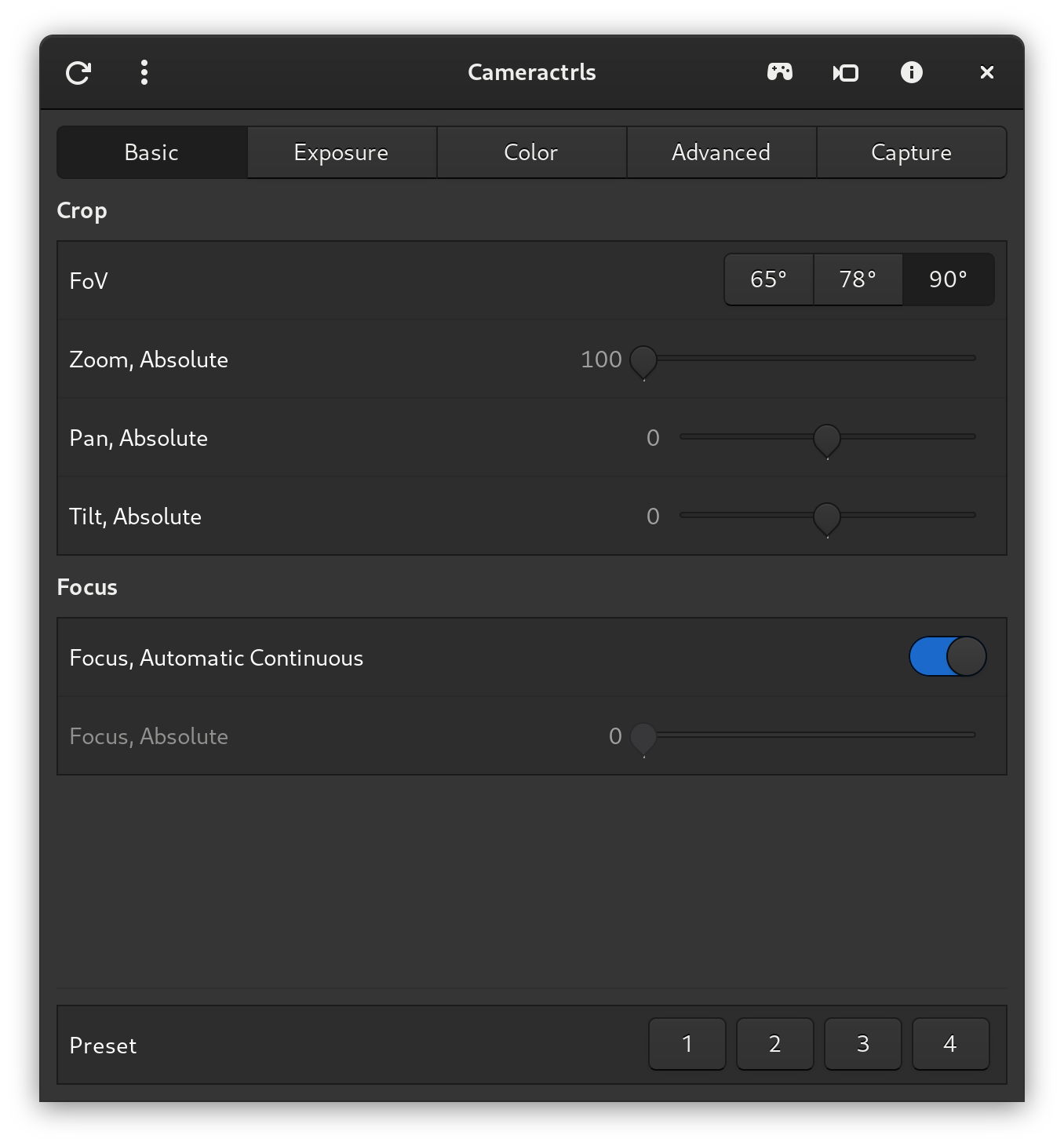
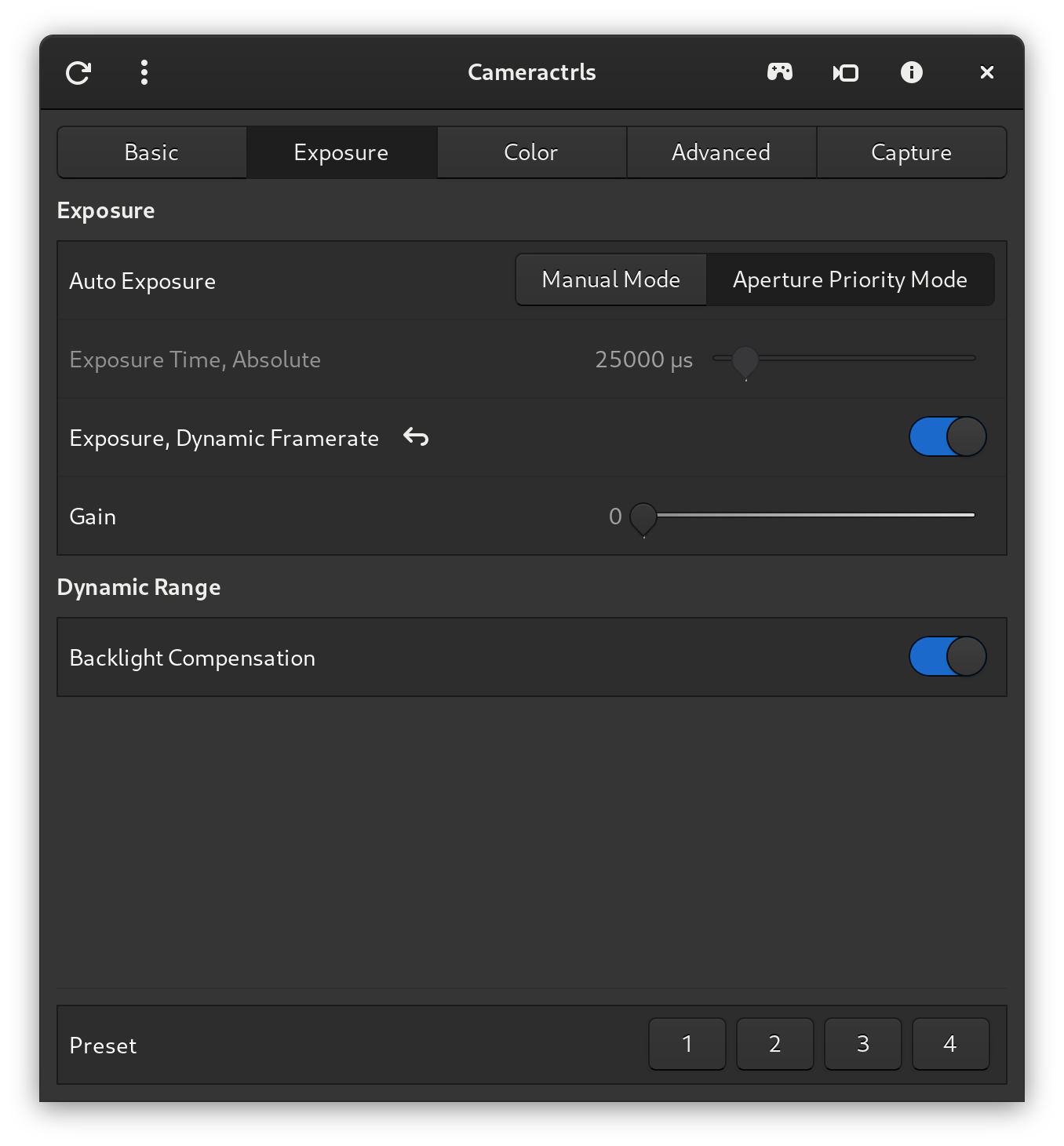
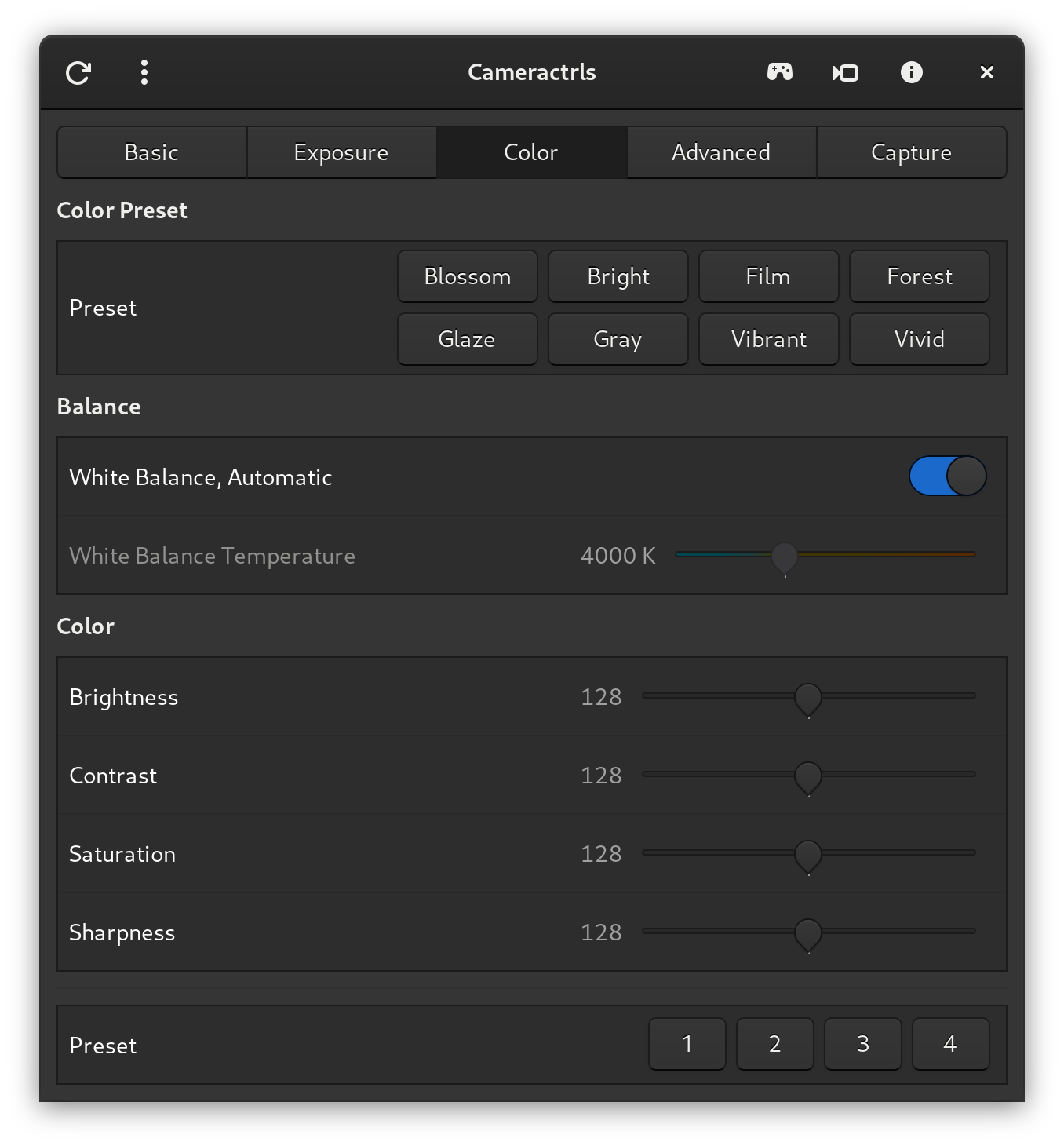
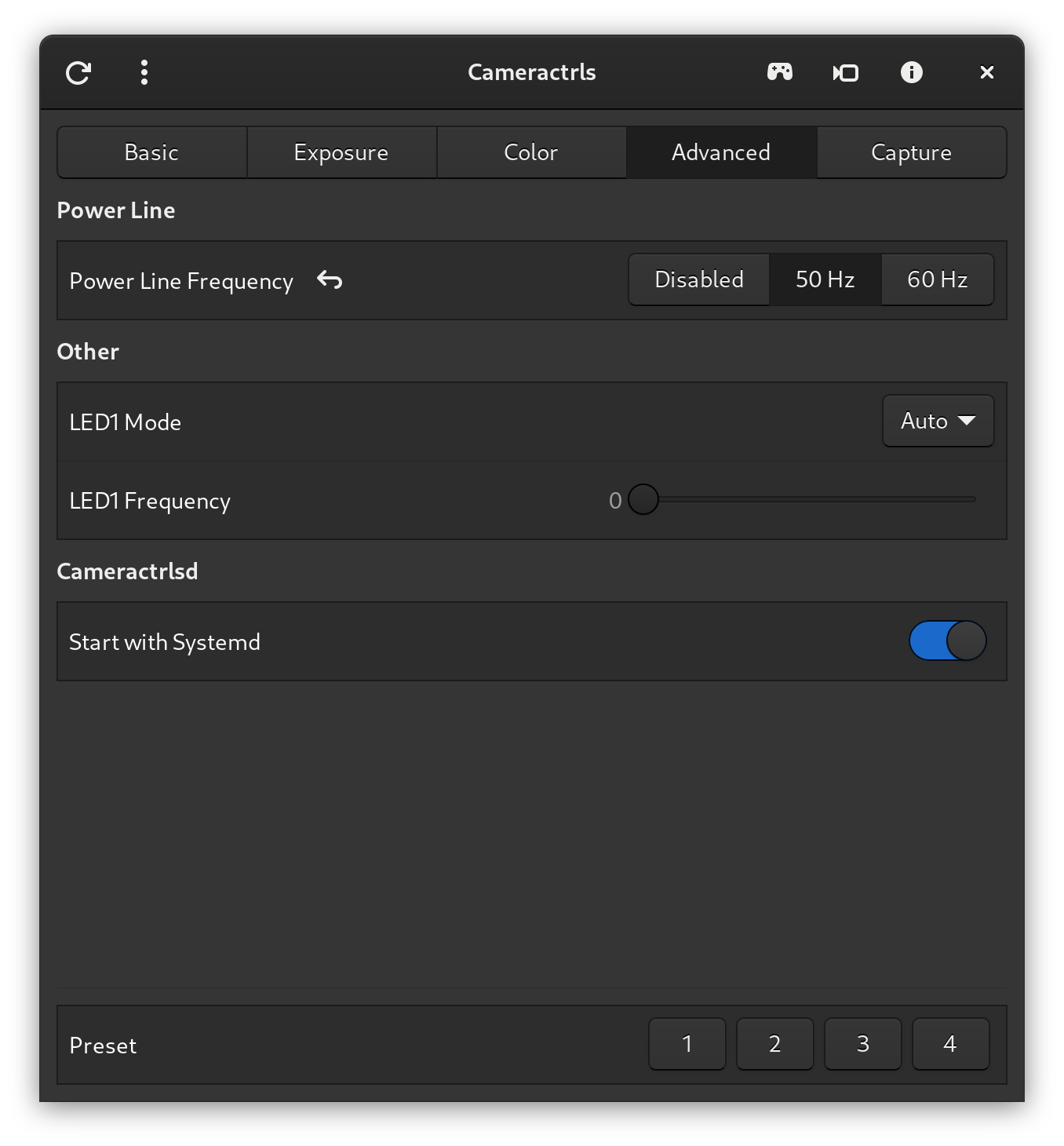
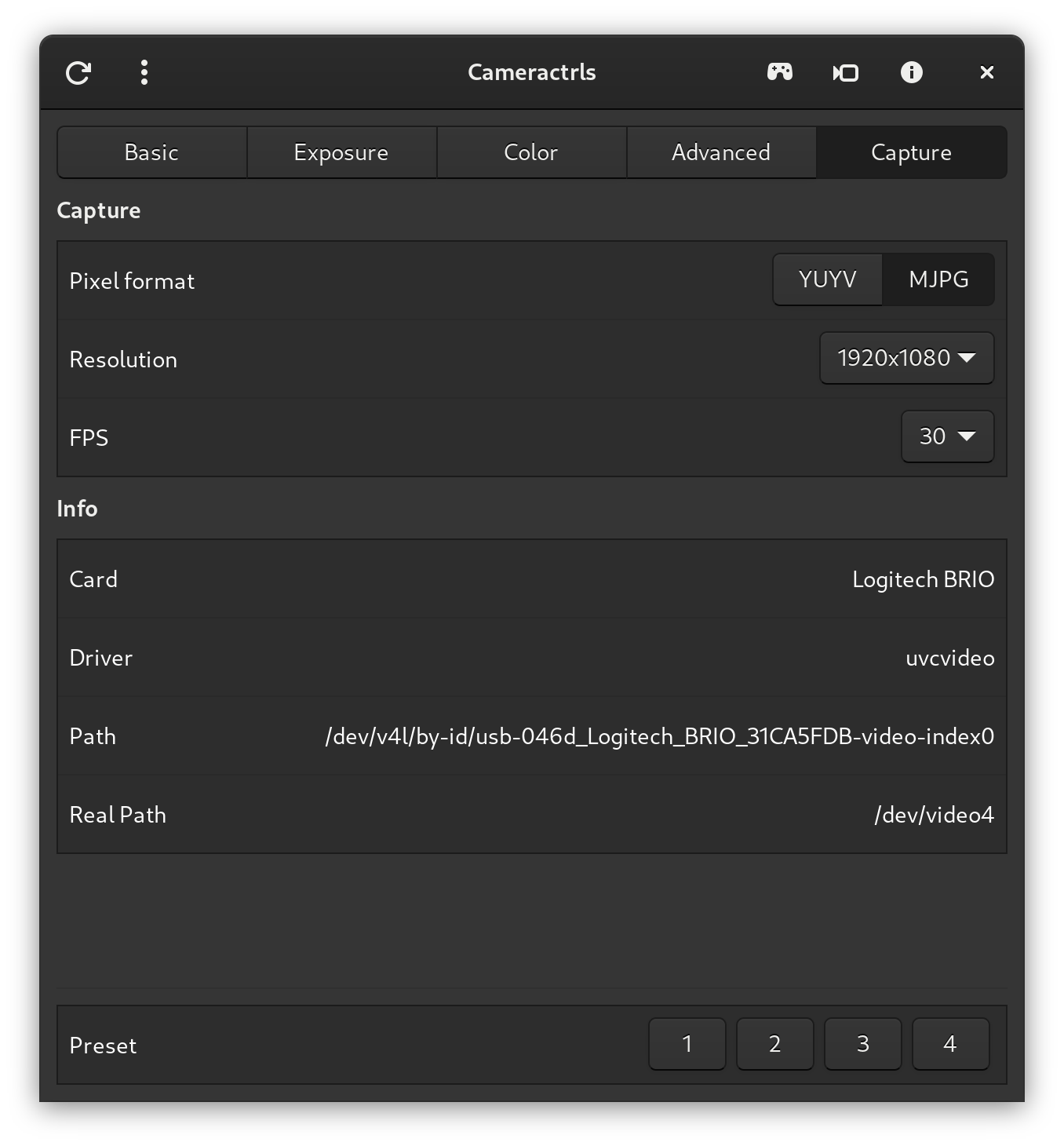
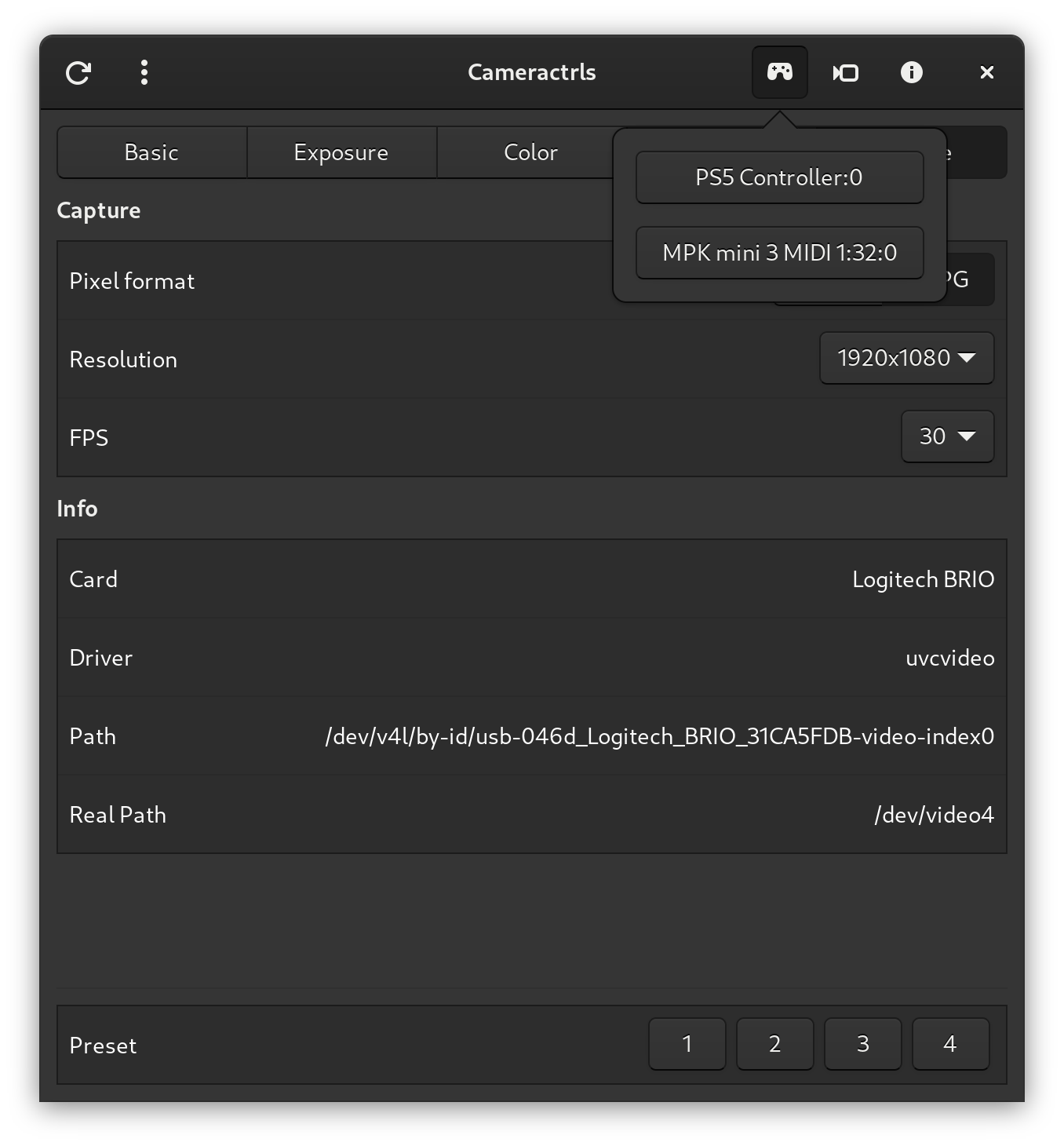
Add desktop file to the launcher
desktop-file-install --dir="$HOME/.local/share/applications"
--set-key=Exec --set-value="$PWD/cameractrlsgtk.py"
--set-key=Path --set-value="$PWD"
--set-key=Icon --set-value="$PWD/pkg/hu.irl.cameractrls.svg"
pkg/hu.irl.cameractrls.desktop
Run from the launcher or from the shell
./cameractrlsgtk.pyAdd desktop file to the launcher
desktop-file-install --dir="$HOME/.local/share/applications"
--set-key=Exec --set-value="$PWD/cameractrlsgtk4.py"
--set-key=Path --set-value="$PWD"
--set-key=Icon --set-value="$PWD/pkg/hu.irl.cameractrls.svg"
pkg/hu.irl.cameractrls.desktop
Run from the launcher or from the shell
./cameractrlsgtk4.pyThe CLI.
Run the cameractrls
./cameractrls.pyusage: ./cameractrls.py [--help] [-d DEVICE] [--list] [-c CONTROLS]
optional arguments:
-h, --help show this help message and exit
-d DEVICE use DEVICE, default /dev/video0
-l, --list list the controls and values
-L, --list-devices list capture devices
-c CONTROLS set CONTROLS (eg.: hdr=on,fov=wide)
example:
./cameractrls.py -c brightness=128,kiyo_pro_hdr=on,kiyo_pro_fov=wide
The control restore daemon.
Add it to SystemD/Desktop portal with the GUI/CLI.
The camera viewer.
./cameraview.py -husage: ./cameraview.py [--help] [-d DEVICE] [-s SIZE] [-r ANGLE] [-m FLIP] [-c COLORMAP]
optional arguments:
-h, --help show this help message and exit
-d DEVICE use DEVICE, default /dev/video0
-s SIZE put window inside SIZE rectangle (wxh), default unset
-r ANGLE rotate the image by ANGLE, default 0
-m FLIP mirror the image by FLIP, default no, (no, h, v, hv)
-c COLORMAP set colormap, default none
(none, grayscale, inferno, viridis, ironblack, rainbow)
example:
./cameraview.py -d /dev/video2
shortcuts:
f: toggle fullscreen
r: ANGLE +90 (shift+r -90)
m: FLIP next (shift+m prev)
c: COLORMAP next (shift+c prev)
Control your PTZ camera with the arrow keys/keypad keys/wasd/Home/End/PageUp/PageDown/+/-/Ctrl++/Ctrl+- of your keyboard while one of the PTZ control is in focus or in the cameraview window.
Use Alt+PresetNum to select a preset for logitech_pantilt_preset.
Control your camera with your 6DoF SpaceMouse.
Z => zoom_absolute
X => pan_absolute
Y => tilt_absolute
RY => pan_speed
RX => tilt_speed
BTN1 => PTZ reset
It requires spacenavd and libspnav. (optional, only if you have a SpaceMouse)
sudo apt install spacenavd libspnav0
sudo cp /usr/share/doc/spacenavd/examples/example-spnavrc /etc/spnavrc
or via dnf:
sudo dnf install spacenavd libspnav
sudo cp /usr/share/doc/spacenavd/example-spnavrc /etc/spnavrc
tip: set led = auto in /etc/spnavrc
Control you camera with your Game Controller (PS5 DualSense/Xbox controller/etc)
Left Stick => pan_speed/tilt_speed or pan_absolute/tilt_absolute
Right Stick => pan_absolute/tilt_absolute
DPAD => pan_absolute/tilt_absolute
Left/Right Trigger => zoom_absolute
South/East/West/North/Left Shoulder/Right Shoulder/Back/Start => PTZ Presets 1-8
Guide => PTZ Reset
Control you camera with your MIDI Controller (e.g. MPK Mini or any with configurable knobs/joys)
Configure your MIDI Controller as follows:
With joystick:
CC78 => pan_speed/pan_absolute
CC79 => tilt_speed/tilt_absolute

With absolute knobs (knob values: 0-127):
CC71 => pan_absolute
CC72 => tilt_absolute
CC73 => zoom_absolute

With relative knobs (knob values: INC:1 DEC:127):
CC70 => pan_speed
CC74 => tilt_speed
CC75 => pan_absolute
CC76 => tilt_absolute
CC77 => zoom_absolute

CC121 => PTZ reset
PGM0-7 => PTZ presets 1-8
git pullDisable, stop and delete the old systemd paths, services:
cd ~/.config/systemd/user
systemctl --user disable --now cameractrls-*
rm cameractrls-*Disable, stop and delete the systemd service:
cd ~/.config/systemd/user
systemctl --user disable --now cameractrlsd.service
rm cameractrlsd.service
Remove launcher shortcut
rm ~/.local/share/applications/hu.irl.cameractrls.desktopDelete the cameractrls:
rm -rf cameractrlsLinux usage is increasing every year, currently around 4-5%.
Due to the low adoption of Linux, Camera control software with custom controls is usually only available for Windows/MacOS, so Linux users cannot take advantage of the true potential of each camera.
If you want happy Linux customers and if your camera has custom controls that are missing from this app, just send me a camera and I'll add them. Contact
Or of course, you can create a PR.





