FastSpeech2
1.0.0

FastSpeech的非正式Pytorch實施2:快速和高質量的端到端文本到語音。此存儲庫將ESPNET的快速實現作為基礎。在此實施中,我試圖複製確切的紙張詳細信息,但仍然需要進行一些更好的模型,此存儲庫為任何建議和改進而開放。該倉庫使用NVIDIA的TACOTRON 2預處理進行音頻預處理,將梅爾根(Melgan)作為Vocoder。
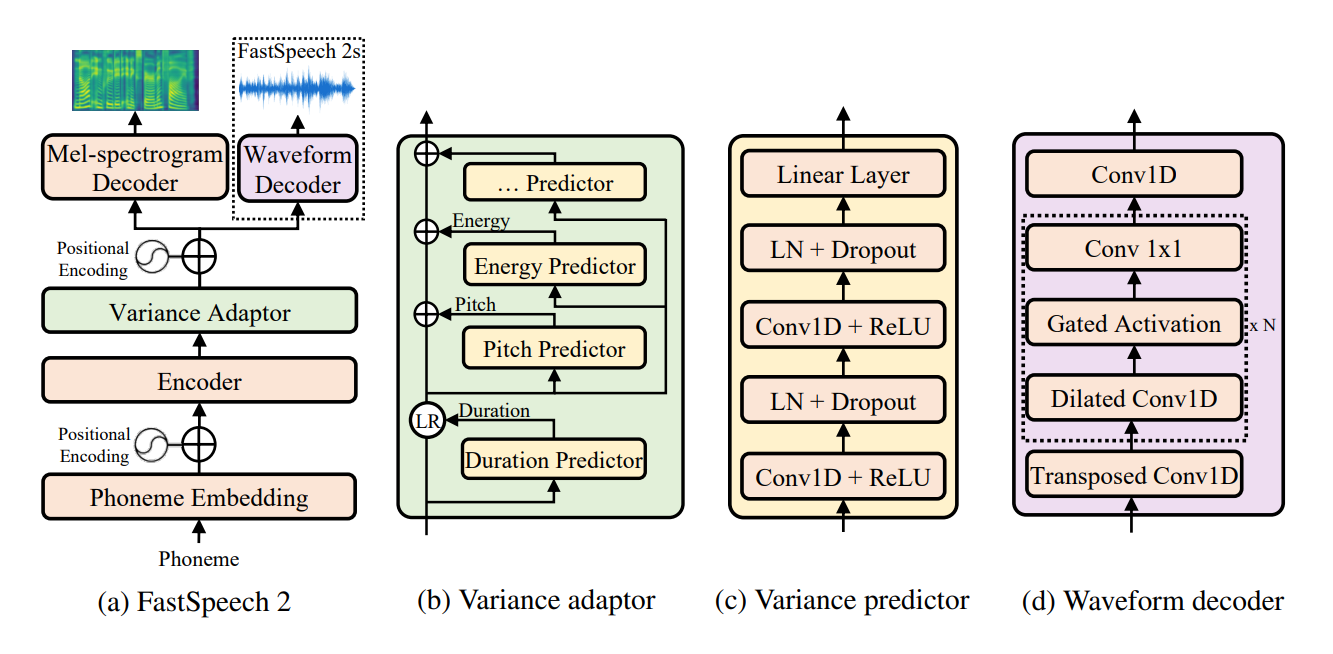
所有代碼以Python 3.6.2編寫。
在安裝Pytorch之前,請通過運行以下命令來檢查您的CUDA版本:
nvcc --version
pip install torch torchvision
在此存儲庫中,我使用了pytorch 1.6.0用於torch.bucketize功能,這在pytorch的先前版本中不存在。
pip install -r requirements.txt
tensorboard version 1.14.0分別使用受支持的tensorflow (1.14.0) filelists文件夾包含MFA(Motreal Force Aligner)處理的LJSpeech數據集文件,因此您無需將文本與LJSpeech數據集的音頻(用於提取持續時間)對齊。對於其他數據集,請在此處遵循指令。對於其他預處理運行以下命令:
python .nvidia_preprocessing.py -d path_of_wavs
查找F0和能量的最小和最大
python .compute_statistics.py
在hparams.py中更新以下內容,按min和最大的f0和能量更新
 p_min = Min F0/pitch
p_max = Max F0
e_min = Min energy
e_max = Max energy
python train_fastspeech.py --outdir etc -c configs/default.yaml -n "name"
目前僅支持基於音素的合成。
python .inference.py -c .configsdefault.yaml -p .checkpointsfirst_1ts_version2_fastspeech_fe9a2c7_7k_steps.pyt --out output --text "ModuleList can be indexed like a regular Python list but modules it contains are properly registered."
python export_torchscript.py -c configs/default.yaml -n fastspeech_scrip --outdir etc
sample文件夾。 訓練 :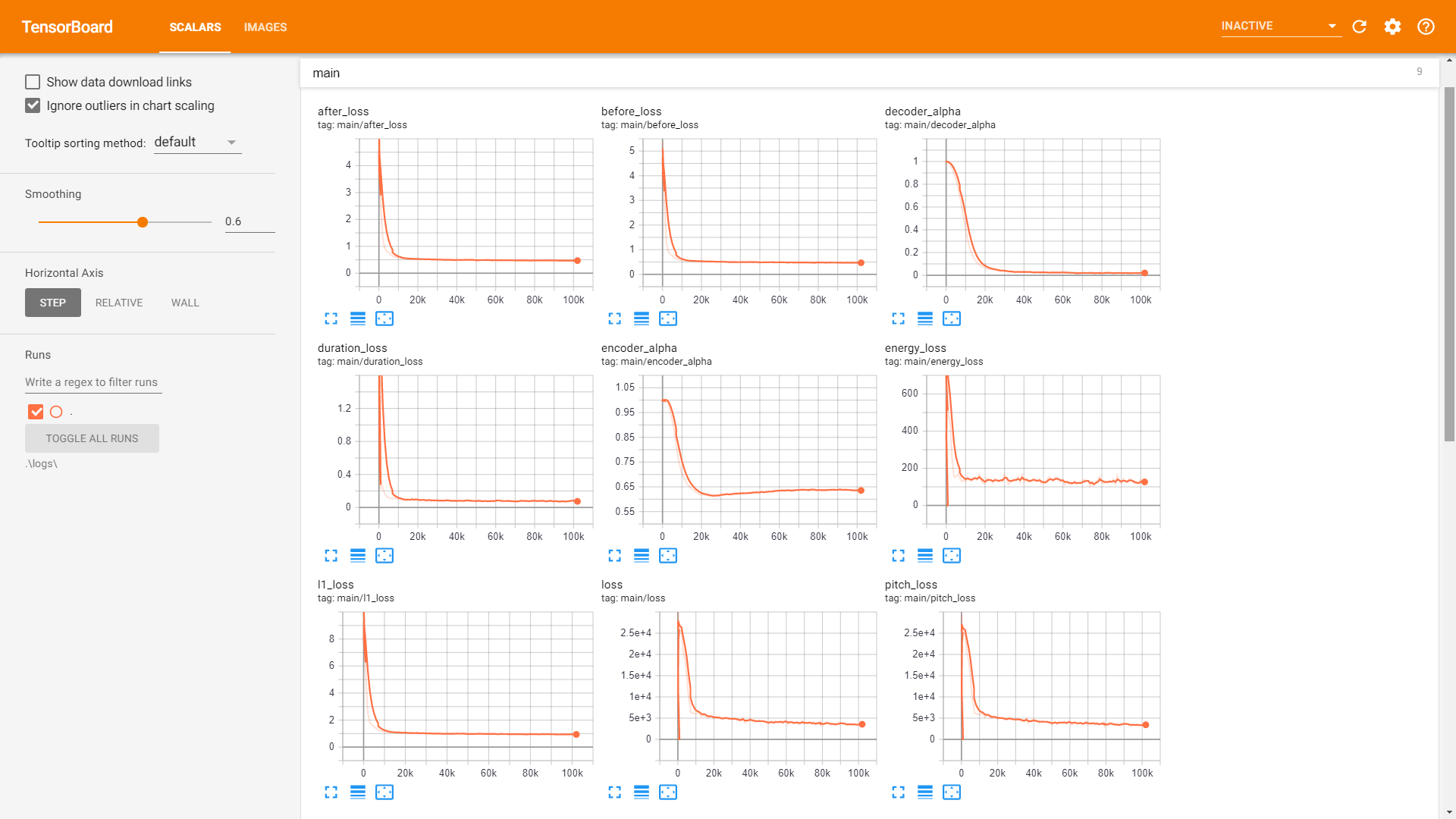
驗證 : 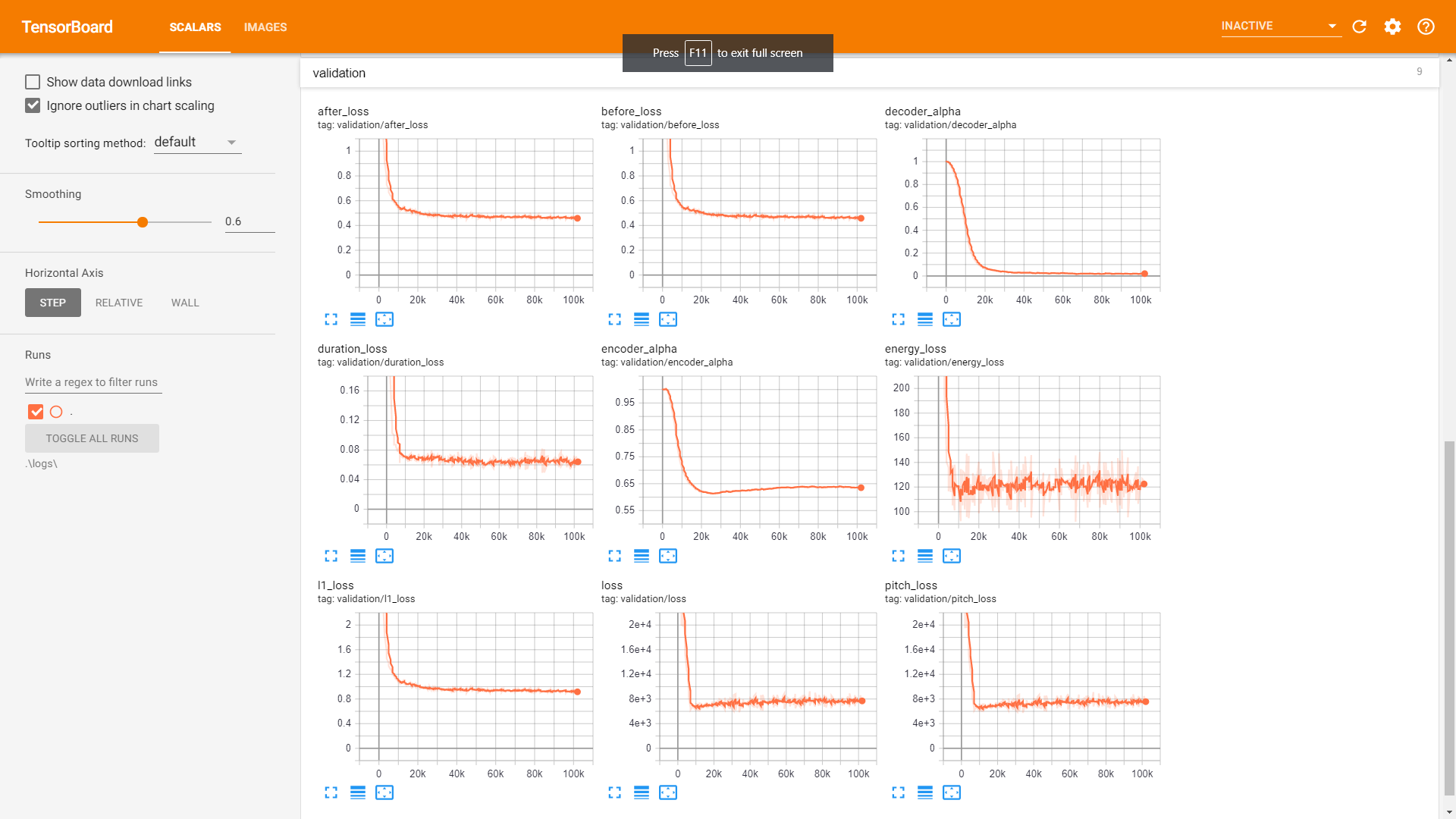
Postnet提高音頻質量。






