imguin
v1.89.4 2023-03-19

更新到最新的IMGUI/CIMGUI版本:: V1.91.6dock (2024/12)
這個項目是我使用NIM語言,IMGUI,Inflot,Futhark和Etk的實驗項目。
NIM-2.0.14或更高版本
Windows10或更高版本
MSYS2/MINGW命令行工具(UNIX工具),Make,CP,RM,Git,...等
Linux Mint 22(或Ubuntu / Debian家庭)
$ sudo apt install gcc g++ make git $ sudo apt install xorg-dev libopengl-dev libgl1-mesa-dev
$ sudo apt install libglfw3 libglfw3-dev libsdl2-devnimble uninstall imguin # Remove old versions if exists.
nimble install https://github.com/dinau/imguin第一個克隆這個項目,
git clone https://github.com/dinau/imguin示例程序在這裡,示例。例如glfw_opengl3_base.nim,
 cd imguin/examples/glfw_opengl3_base
make # or make run構建後,運行./glfw_opengl3_base(.exe)
編譯選項取決於./config.nims和./Makefile 。
要選擇靜態鏈接或動態鏈接,請閱讀此示例/readme.md。
| 庫名稱 | ||
|---|---|---|
| v | imgui / cimgui | 基礎庫 |
| v | 內置 / CIMPLOT | |
| v | imnodes / cimnodes | |
| v | imguizmo / cimguizmo | |
| v | imgui-knobs/ cimgui-knobs | |
| v | Imguifiledialog / cimguifiledialog | |
| ... | ... | ... |
| x | imguicolortextedit / cimcte | 2025? |
| Glfw | SDL2 | SDL3 | ||
|---|---|---|---|---|
| OpenGL3 後端 | v | v | v | |
| SDL2 後端 | - | ? | - | 2025? |
| SDL3 後端 | - | - | ? | 2025? |
這些屏幕截圖在Windows10上。
圖標字體的基本示例
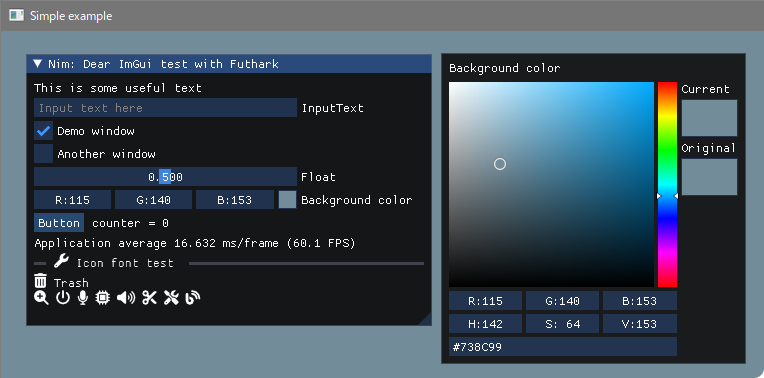
建造
 pwd
examples/glfw_opengl3
make        # or make run
或者
nim c glfw_opengl3.nim # or nim c -r glfw_opengl3.nim or nim r glfw_opengl3.nim https://github.com/altschuler/imgui-knobs
CIMGUI-KNOBS來源已由System64MC / PR(2024/12)造成了貢獻。謝謝。
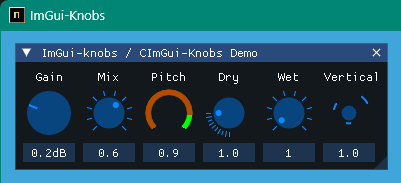
建造
 pwd
examples/glfw_opengl3_imknobs
make
或者
nim c -d:ImKnobsEnable --warning:HoleEnumConv:off glfw_opengl3_imknobs.nim Imguifiledialog / cimguifiledialog
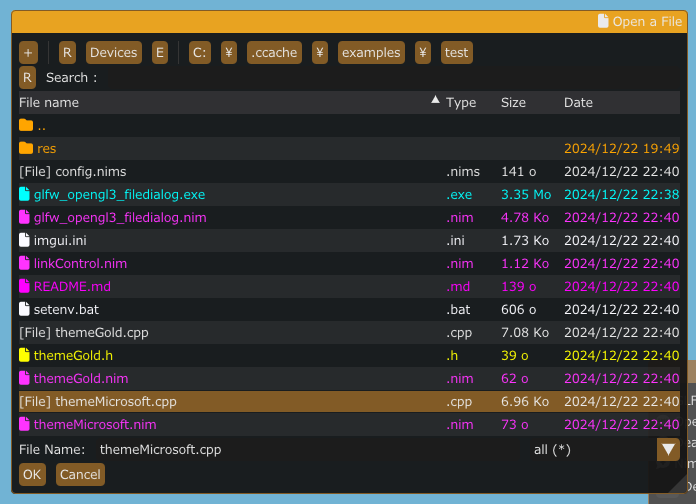
建造
 pwd
examples/glfw_opengl3_filedialog
make
或者
nim c -d:ImGuiFileDialogEnable glfw_opengl3_filedialog.nim 圖標字體查看器和放大鏡
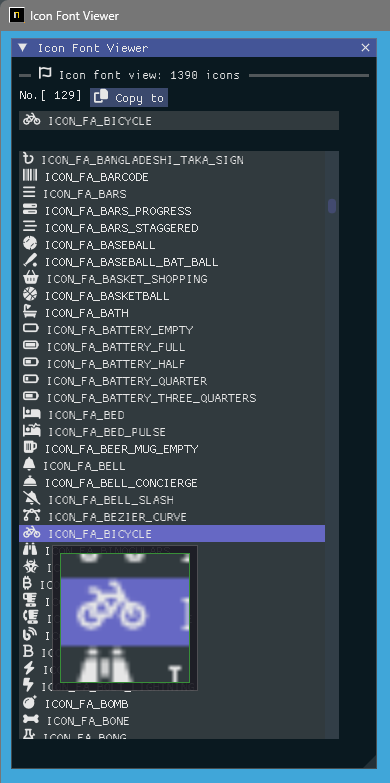
建造
 pwd
examples/iconFontViewer
make
或者
nim c iconFontViewer.nim 圖像負載和放大鏡
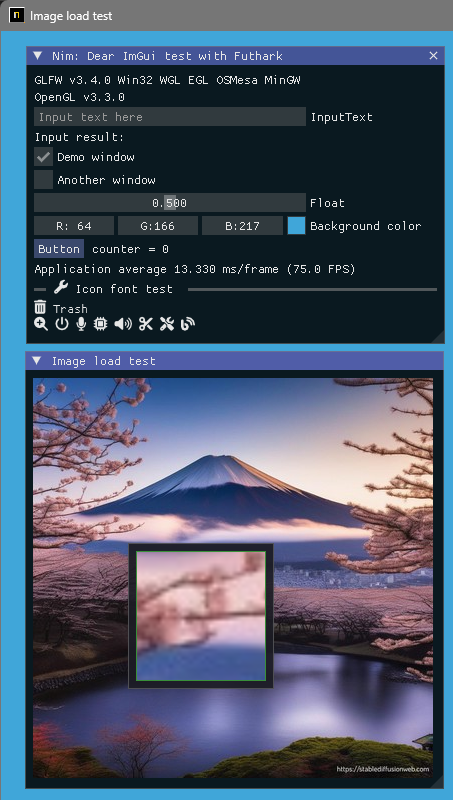
建造
 pwd
examples/glfw_opengl3_image_load
make
或者
nim c glfw_opengl3_image_load.nim 構建SDL2版本
 pwd
examples/sdl2_opengl3
make
或者
nim c -d:SDL sdl2_opengl3.nim 構建SDL3版本
此刻只有Windows操作系統。
 pwd
examples/sdl3_opengl3
make
或者
nim c -d:SDL sdl3_opengl3.nim 圖像負載 /保存和放大鏡
它可以將屏幕截圖保存為[JPG,BMP,PNG或TGA]文件。
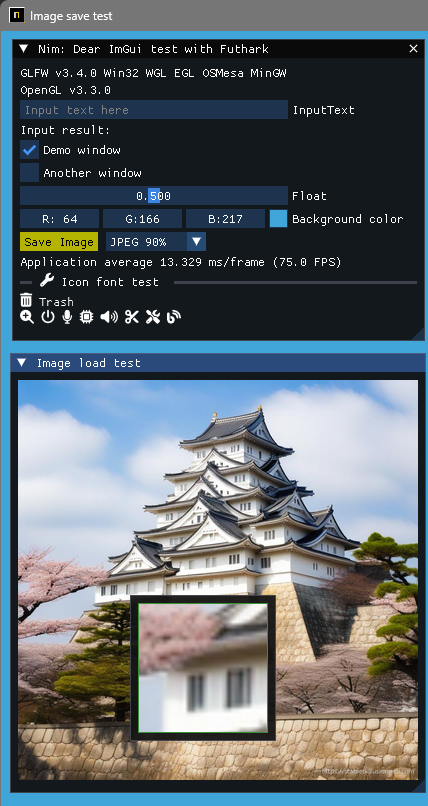
建造
 pwd
examples/glfw_opengl3_image_save
make        # or make run
或者
nim c glfw_opengl3_image_save.nim用本地語言顯示UTF-8文本和輸入文本。 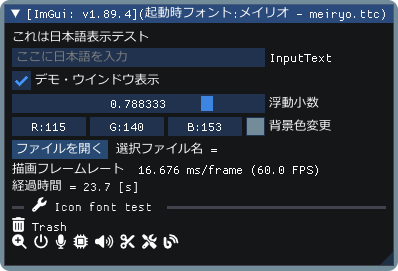
建造
 pwd
examples/glfw_opengl3_jp
make        # or make run
或者
nim c glfw_opengl3_jp.nim通過插件展示IMGUI演示。 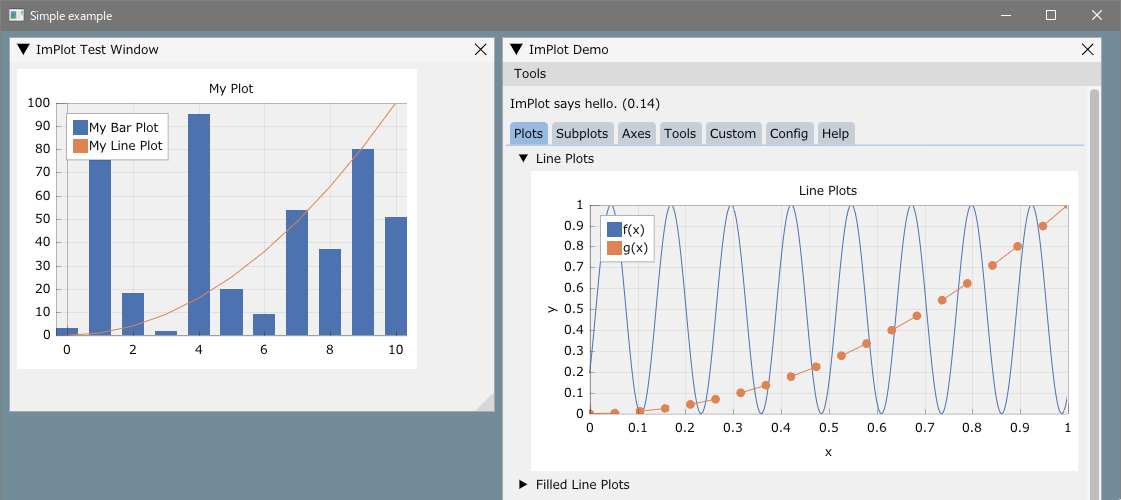
建造
 pwd
examples/glfw_opengl3_implot
make        # or make run
或者
nim c -d:ImPlotEnable glfw_opengl3_implot.nim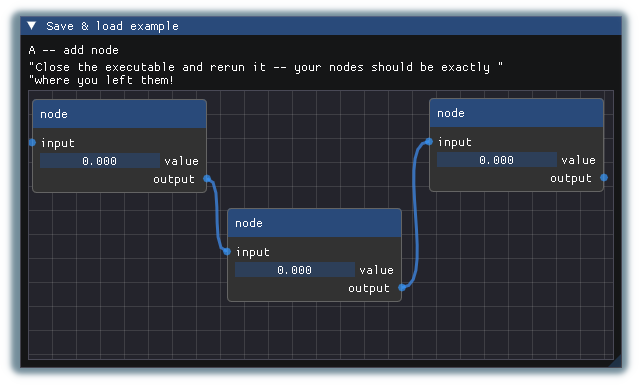
建造
 pwd
examples/glfw_opengl3_imnodes
make        # or make run
或者
nim c -d:ImNodesEnable glfw_opengl3_imnodes.nim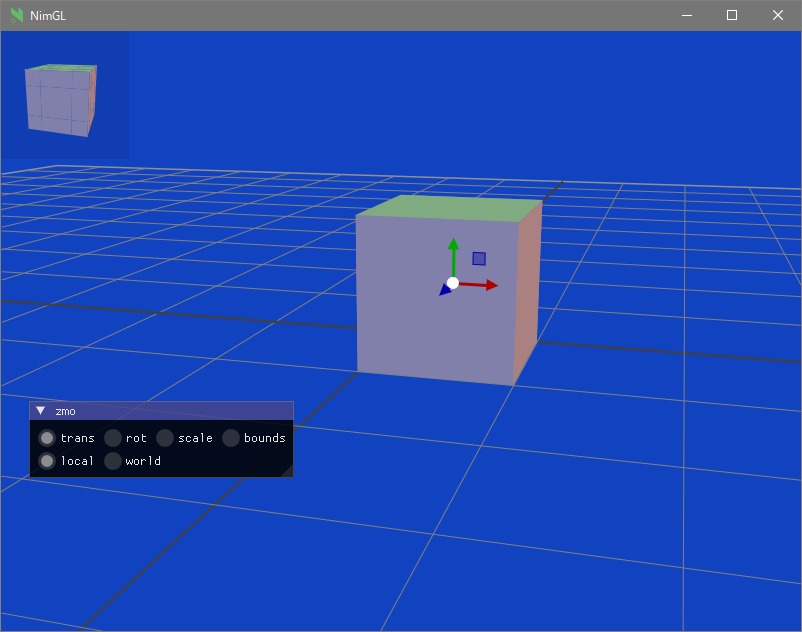
建造
 pwd
examples/glfw_opengl3_imguizmo
make        # or make run
或者
nim c -d:ImGuizmoEnable glfw_opengl3_imguizmo.nim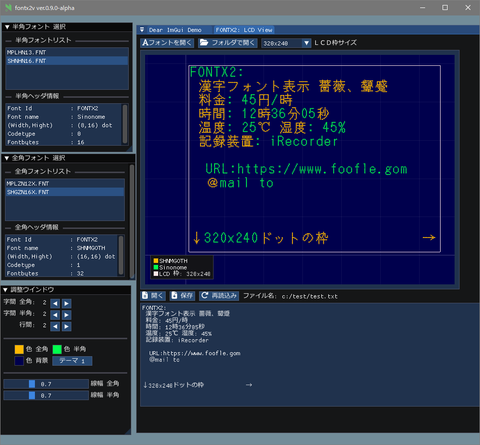
看:
交叉編譯到Windows,鏈接器錯誤(未識別的選項'-z'
https://nim-lang.org/docs/nimc.html#crossminuscompilation-for-windows
例如,在Linux Mint 22上,依此類推,
 pwd
examples
cd glfw_opengl3
make win 或者
nim c -d:mingw glfw_opengl3或者
nim c --os:windows glfw_opengl3 glfw_opengl3.exe將在當前文件夾中生成。
安裝了git。
已安裝MSYS2/MINGW命令行工具(UNIX工具),Make,CP,RM,...等
Windows10或更高版本的Clang/LLVM參考Futhark安裝。
nimble install futhark它必須存在庫路徑中的libclang.a文件(例如c:llvmlib )。
Linux Debian 12 Bookworm
sudo apt install  clang-16
nimble install --passL: " -L/usr/lib/llvm-16/lib " futhark重要通知:確認Futhark版本為V0.13.6 。 (2024/09)
nimble dump futhark

name: " futhark "
version: " 0.13.6 "
author: " PMunch "
desc: " A package which uses libclang to parse C headers into Nim files for easy interop "
license: " MIT "
...組成開發文件夾
首先搬到您喜歡的工作文件夾,然後
mkdir imguin_dev
cd imguin_dev
git clone https://github.com/dinau/imguin
cd imguin
克隆imgui/cimgui等立即來源
 pwd
imguin
make clonelibs克隆的庫在下面../libs/文件夾
遞歸地使用每個庫文件夾中的git Pull或fetch命令更新源,
../libs/cimgui
../libs/cimguizmo
../libs/cimnodes
../libs/cimplot
在相應文件夾中使用git命令結帳任意版本
指定您的Clang包括在imguin/src/imguin/cimgui.nim中通往ClangIncludePath的路徑。
生成定義文件uisng futhark,
 pwd
imguin
make gen
安裝更新的文件
在imguin.nimble文件中正確編輯版本信息等,然後
 pwd
imguin
nimble uninstall imguin  # Remove old versions if it exists.
nimble install
就這樣。
重複3.如果您想更新或降級到其他版本。
確認版本
| imgui/cimgui ver。 | imguin ver。 | 日期 | Windowsos | Linux Mint 22 | Debian 書蟲(1) |
|---|---|---|---|---|---|
| 1.91.6dock | 1.91.6.6 | 2024/12 | 好的 | 好的 | - |
| 1.91.5托克 | - | - | - | - | - |
| 1.91.4dock | 1.91.4.2 | 2024/12 | 好的 | 好的 | - |
| 1.91.3dock | 1.91.3.1 | 2024/10 | 好的 | (7) | - |
| 1.91.2DOCK | 1.91.2.0 | 2024/10 | 好的 | (7) | - |
| 1.91.1dock | 1.91.1.2 | 2024/09 | 好的 | (6) | - |
| 1.91.0dock | 1.91.0.0 | 2024/08 | 好的 | - | (7) |
| 1.90.4dock | 1.90.4.2 | 2024/02 | 好的 | - | 好(4) |
| 1.90.1dock | 1.90.1.0 | 2024/01 | 好的 | - | ng/ok(1)(3)(4) |
| 1.89.9DOCK | 1.89.9.8 | 2023/12 | 好的 | - | ng/ok(1)(3)(4) |
(1):除了imnodes和SDL2示例。
(2):工作不好。
(3):只有在編譯調試模式時,效果很好。
(4):使用NIM-2.0.2
(5):我不知道為什麼不能在Linux上編譯。
(6):確定:除了imnodes示例除外
(7):此刻未檢查。
您可能可以使用另一個C/C ++編譯器,
Clang, vcc(Visual Studio C/C++) , zig cc
通過更改示例中的變量TC /config.nims.common。
cimgui.dll ? (現在只能是靜態鏈接)nimble install imguin ?在Windows上使用MSYS控制台安裝UPX ,
pacman -S mingw-w64-x86_64-upx對於壓縮EXE文件,
 pwd
examples
cd glfw_opengl3_implot
make upx
Ultimate Packer for eXecutables
Copyright (C) 1996 - 2024
UPX 4.2.4 Markus Oberhumer, Laszlo Molnar & John Reiser May 9th 2024
File size Ratio Format Name
-------------------- ------ ----------- -----------
7117824 - > 1217024 17.10% win64/pe glfw_opengl3_implot.exe 解壓縮,
make dupx結果,
| GCC + UPX:GCC | clang + upx:clang | MSVC(VCC) + UPX:MSVC | |
|---|---|---|---|
| glfw_opengl3.exe | 804 KB:2360 KB | 720 KB:2200 KB | 742 KB:2070 KB |
| glfw_opengl3_implot.exe | 1220 KB : 7120 KB | 940KB : 4200 kb | 945 KB : 3810 KB |
GCC:V14.2.0,Clang:V18.1.8,MSVC:2022
Windows11(主要)
NIM編譯器版本2.2.0
GCC(Rev1,由MSYS2項目構建)14.2.0
pacman -S mingw-w64-ucrt-x86_64-gcc叮噹版19.1.6
pacman -S mingw-w64-ucrt-x86_64-clangVisual Studio C ++/C 2022
GIT版本2.46.0.Windows.1
SDL2.DLL:2.30.7
製作:GNU製造4.4.1
msys2/mingw工具
Linux Mint 22
文件對話框
其他
GUI
圖形
| 語言 | 專案 | |
|---|---|---|
| 尼姆 | 編譯器 | imguin,nimgl_test,nim_implot |
| 盧阿 | 腳本 | Luajitimgui |
| Zig ,c lang。 | 編譯器 | dar_bindings_build |
| ZIG | 編譯器 | Imguinz |
| 內魯亞 | 編譯器 | Neluaimgui |
| Python | 腳本 | dearppygui用於32位Windowsos二進制 |
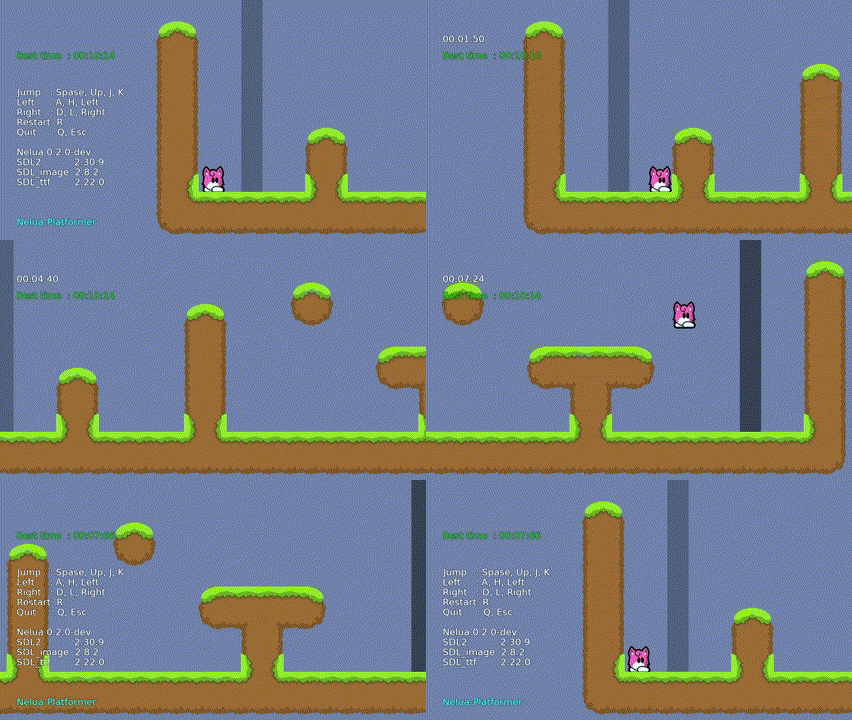
| 語言 | 專案 | |
|---|---|---|
| 尼姆 | 編譯器 | NIM-PLATFORMER/ SDL3_NIM |
| 盧阿吉特 | 腳本 | luajit-platformer |
| 內魯亞 | 編譯器 | nelua-platformer |
| ZIG | 編譯器 | ZIG-PLATFORMER |
error: assignment to ' char ** ' from incompatible pointer type ' const char * const* ' [-Wincompatible-pointer-types] type ConstCstring {. importc : const char *. } = cstring







