imguin
v1.89.4 2023-03-19

อัปเดตเป็นรุ่นล่าสุด Imgui/Cimgui :: v1.91.6dock (2024/12)
โครงการนี้เป็นโครงการทดลองของฉันที่จะใช้ภาษา NIM, Imgui, Implot, Futhark และอื่น ๆ
NIM-2.0.14 หรือใหม่กว่า
Windows10 หรือใหม่กว่า
เครื่องมือบรรทัดคำสั่ง MSYS2/MINGW (เครื่องมือ UNIX), Make, CP, RM, Git, ... ฯลฯ
Linux Mint 22 (หรือครอบครัว Ubuntu / Debian)
$ sudo apt install gcc g++ make git $ sudo apt install xorg-dev libopengl-dev libgl1-mesa-dev
$ sudo apt install libglfw3 libglfw3-dev libsdl2-devnimble uninstall imguin # Remove old versions if exists.
nimble install https://github.com/dinau/imguinโคลนครั้งแรกโครงการนี้
git clone https://github.com/dinau/imguinตัวอย่างโปรแกรมอยู่ที่นี่ตัวอย่าง ตัวอย่างเช่น glfw_opengl3_base.nim
 cd imguin/examples/glfw_opengl3_base
make  # or make run
หลังจากสร้างแล้ว run ./glfw_opengl3_base(.exe)
ตัวเลือกการเปรียบเทียบขึ้นอยู่กับ ./config.nims และ ./Makefile makefile
สำหรับการเลือกลิงก์แบบคงที่หรือลิงก์แบบไดนามิกให้อ่านตัวอย่างนี้/readme.md
| ชื่อห้องสมุด | ||
|---|---|---|
| V | imgui / cimgui | ห้องสมุดฐาน |
| V | implot / cimplot | |
| V | imnodes / cimnodes | |
| V | imguizmo / cimguizmo | |
| V | Imgui-knobs/ cimgui-knobs | |
| V | imguifiledialog / cimguifileLog | |
| - | - | - |
| x | imguicolortextedit / cimcte | 2025? |
| GLFW | SDL2 | SDL3 | ||
|---|---|---|---|---|
| OpenGl3 แบ็กเอนด์ | V | V | V | |
| SDL2 แบ็กเอนด์ | - | - | - | 2025? |
| SDL3 แบ็กเอนด์ | - | - | - | 2025? |
ภาพหน้าจอเหล่านี้อยู่ใน Windows10
ตัวอย่างพื้นฐานพร้อมแบบอักษรไอคอน
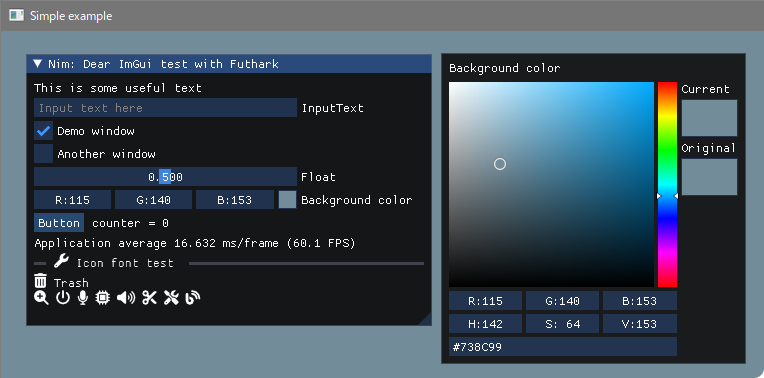
สร้าง
 pwd
examples/glfw_opengl3
make        # or make run
หรือ
nim c glfw_opengl3.nim # or nim c -r glfw_opengl3.nim or nim r glfw_opengl3.nim https://github.com/altschuler/imgui-knobs
แหล่งที่มาของ Cimgui-knobs ได้รับการสนับสนุนจาก System64MC / PR (2024/12) ขอบคุณ
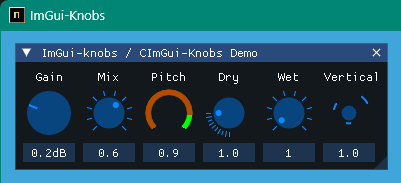
สร้าง
 pwd
examples/glfw_opengl3_imknobs
make
หรือ
nim c -d:ImKnobsEnable --warning:HoleEnumConv:off glfw_opengl3_imknobs.nim imguifiledialog / cimguifileLog
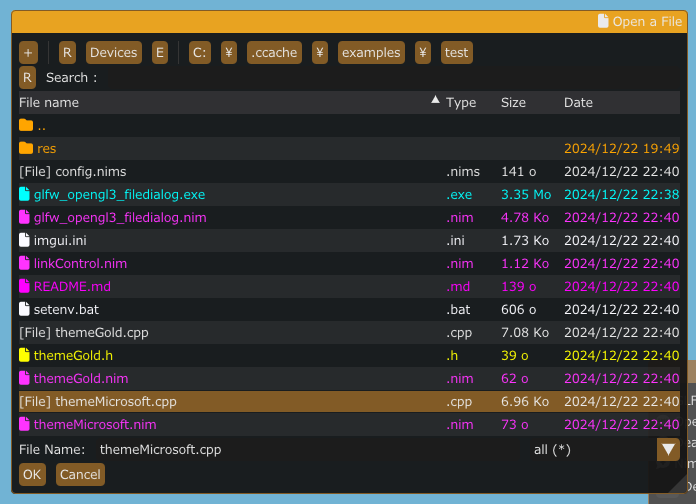
สร้าง
 pwd
examples/glfw_opengl3_filedialog
make
หรือ
nim c -d:ImGuiFileDialogEnable glfw_opengl3_filedialog.nim ไอคอนตัวอักษรตัวอักษรและแว่นขยาย
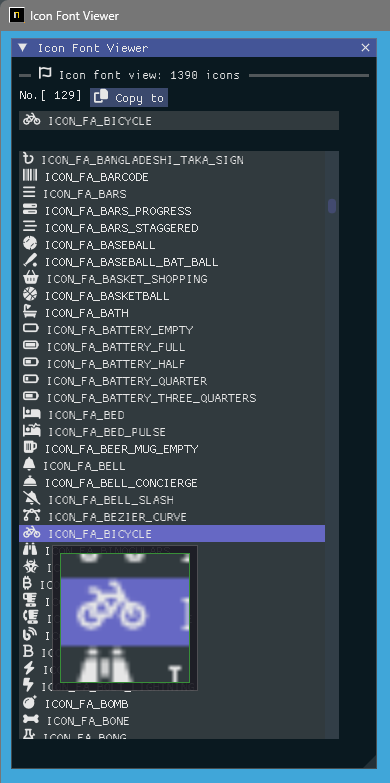
สร้าง
 pwd
examples/iconFontViewer
make
หรือ
nim c iconFontViewer.nim โหลดภาพและแว่นขยาย
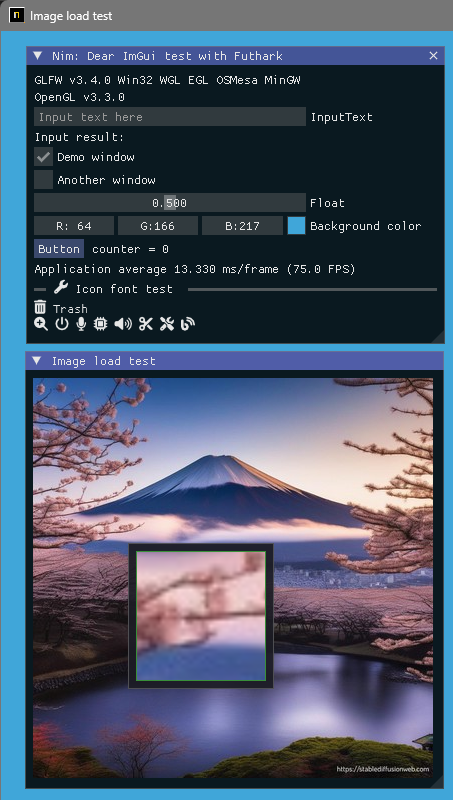
สร้าง
 pwd
examples/glfw_opengl3_image_load
make
หรือ
nim c glfw_opengl3_image_load.nim สร้างเวอร์ชัน SDL2
 pwd
examples/sdl2_opengl3
make
หรือ
nim c -d:SDL sdl2_opengl3.nim สร้างเวอร์ชัน SDL3
เฉพาะ Windows OS ในขณะนี้และ WIP
 pwd
examples/sdl3_opengl3
make
หรือ
nim c -d:SDL sdl3_opengl3.nim โหลดภาพ / บันทึกและแว่นขยาย
สามารถบันทึกภาพหน้าจอเป็นไฟล์ [JPG, BMP, PNG หรือ TGA]
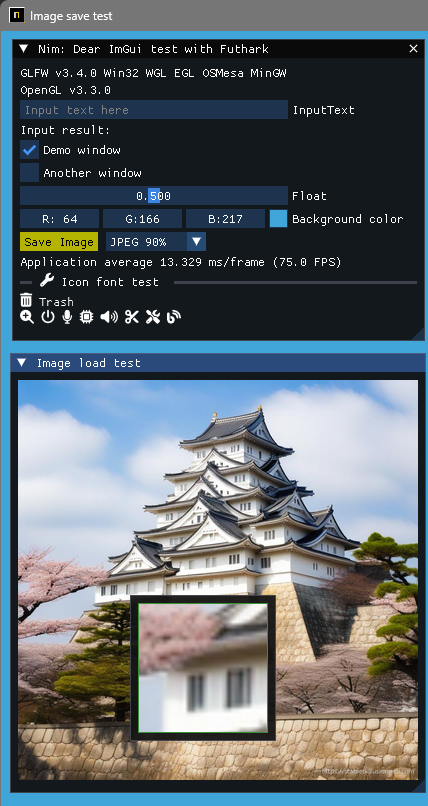
สร้าง
 pwd
examples/glfw_opengl3_image_save
make        # or make run
หรือ
nim c glfw_opengl3_image_save.nim แสดงข้อความและข้อความอินพุต UTF-8 ด้วยภาษาประเทศในท้องถิ่น 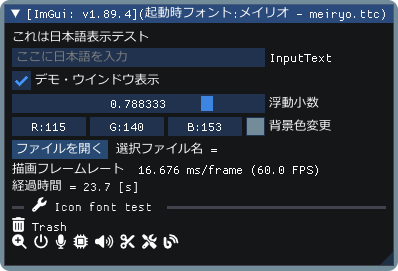
สร้าง
 pwd
examples/glfw_opengl3_jp
make        # or make run
หรือ
nim c glfw_opengl3_jp.nim แสดงการสาธิต Imgui ด้วยการสาธิต implot 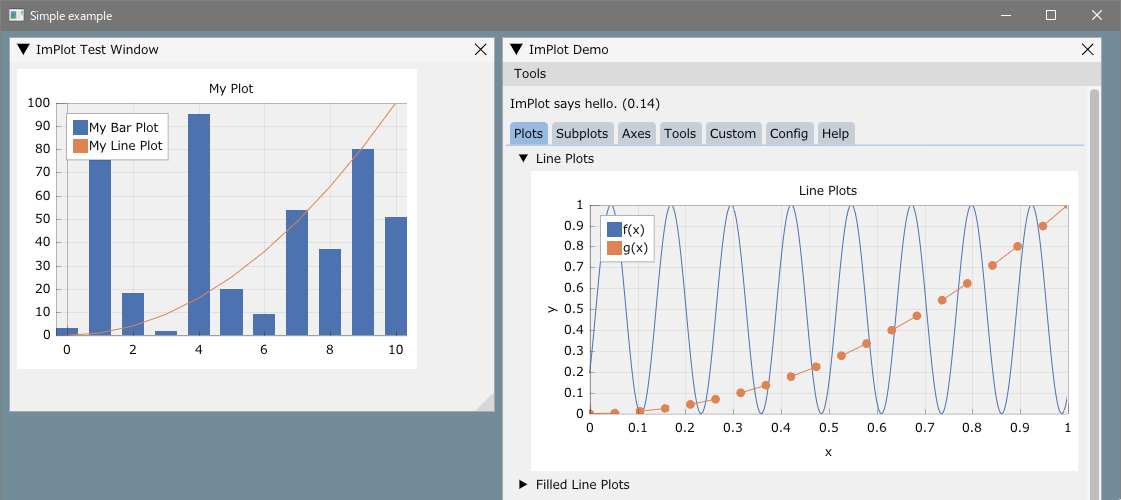
สร้าง
 pwd
examples/glfw_opengl3_implot
make        # or make run
หรือ
nim c -d:ImPlotEnable glfw_opengl3_implot.nim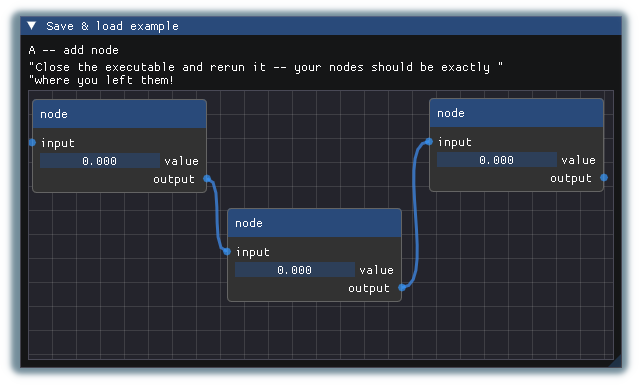
สร้าง
 pwd
examples/glfw_opengl3_imnodes
make        # or make run
หรือ
nim c -d:ImNodesEnable glfw_opengl3_imnodes.nim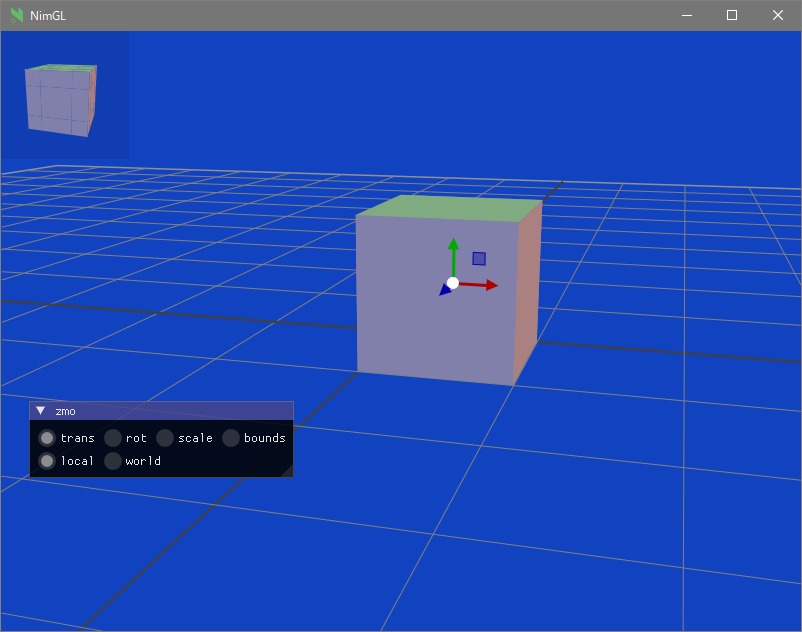
สร้าง
 pwd
examples/glfw_opengl3_imguizmo
make        # or make run
หรือ
nim c -d:ImGuizmoEnable glfw_opengl3_imguizmo.nim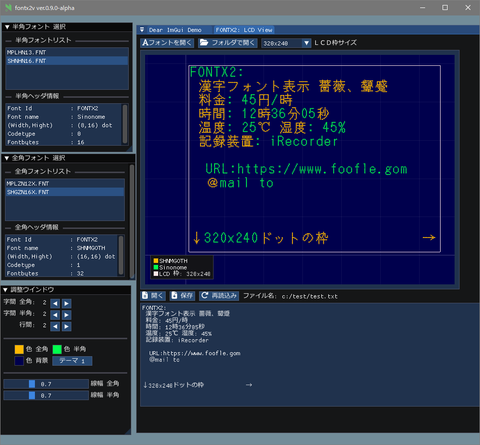
ดู:
การรวบรวมข้ามไปยัง Windows ข้อผิดพลาดของ linker (ตัวเลือกที่ไม่รู้จัก '-z'
https://nim-lang.org/docs/nimc.html#crossminuscompilation-for-windows
ตัวอย่างเช่นใน Linux Mint 22 และอื่น ๆ
 pwd
examples
cd glfw_opengl3
make win หรือ
nim c -d:mingw glfw_opengl3หรือ
nim c --os:windows glfw_opengl3 glfw_opengl3.exe จะถูกสร้างขึ้นในโฟลเดอร์ปัจจุบัน
ติดตั้ง Git
เครื่องมือบรรทัดคำสั่ง MSYS2/MINGW ที่ติดตั้ง (เครื่องมือ UNIX), Make, CP, RM, ... ฯลฯ
Windows10 หรือใหม่กว่า Clang/LLVM อ้างถึงการติดตั้ง Futhark
nimble install futhark มันจะต้องมีอยู่ไฟล์ libclang.a ในเส้นทางไลบรารี (เช่นใน c:llvmlib )
Linux Debian 12 Bookworm
sudo apt install  clang-16
nimble install --passL: " -L/usr/lib/llvm-16/lib " futhark
ข้อสังเกตที่สำคัญ: ยืนยันเวอร์ชัน Futhark คือ V0.13.6 ในเวลานี้ (2024/09)
nimble dump futhark

name: " futhark "
version: " 0.13.6 "
author: " PMunch "
desc: " A package which uses libclang to parse C headers into Nim files for easy interop "
license: " MIT "
... เขียนโฟลเดอร์การพัฒนา
ก่อนอื่นให้ย้ายไปยังโฟลเดอร์ที่ทำงานของคุณที่คุณชอบ
mkdir imguin_dev
cd imguin_dev
git clone https://github.com/dinau/imguin
cd imguin
clone imgui/cimgui ฯลฯ แหล่งที่มาในครั้งเดียวตลอดไป
 pwd
imguin
make clonelibs
ห้องสมุดโคลนอยู่ภายใต้ ../libs/ libs/ โฟลเดอร์
อัปเดตแหล่งข้อมูล ซ้ำ โดยใช้คำ Pull หรือ fetch คำสั่งในโฟลเดอร์ไลบรารีแต่ละรายการ
../libs/cimgui
../libs/cimguizmo
../libs/cimnodes
../libs/cimplot
ชำระเงินเวอร์ชันโดยพลการพร้อมคำสั่ง GIT ในโฟลเดอร์ที่เกี่ยวข้อง
ระบุ Clang ของคุณรวมถึงเส้นทางไปยัง ClangIncludePath ใน imguin/src/imguin/cimgui.nim
สร้างไฟล์นิยาม uisng futhark
 pwd
imguin
make gen
ติดตั้งไฟล์ที่อัปเดต
แก้ไขข้อมูลเวอร์ชัน ฯลฯ อย่างถูกต้องในไฟล์ imguin.nimble จากนั้น
 pwd
imguin
nimble uninstall imguin  # Remove old versions if it exists.
nimble install
นั่นคือทั้งหมด
ทำซ้ำจาก 3. หากคุณต้องการอัปเดตหรือลดระดับเป็นเวอร์ชันอื่น
เวอร์ชันที่ได้รับการยืนยัน
| imgui/cimgui ver | Imguin ver. | วันที่ | Windowsos | Linux Mint 22 | เดเบียน หนอนหนังสือ (1) |
|---|---|---|---|---|---|
| 1.91.6dock | 1.91.6.6 | 2024/12 | ตกลง | ตกลง | - |
| 1.91.5dock | - | - | - | - | - |
| 1.91.4dock | 1.91.4.2 | 2024/12 | ตกลง | ตกลง | - |
| 1.91.3dock | 1.91.3.1 | 2024/10 | ตกลง | (7) | - |
| 1.91.2dock | 1.91.2.0 | 2024/10 | ตกลง | (7) | - |
| 1.91.1dock | 1.91.1.2 | 2024/09 | ตกลง | (6) | - |
| 1.91.0dock | 1.91.0.0 | 2024/08 | ตกลง | - | (7) |
| 1.90.4dock | 1.90.4.2 | 2024/02 | ตกลง | - | ตกลง (4) |
| 1.90.1dock | 1.90.1.0 | 2024/01 | ตกลง | - | ng/ok (1) (3) (4) |
| 1.89.9dock | 1.89.9.8 | 2023/12 | ตกลง | - | ng/ok (1) (3) (4) |
(1): ยกเว้น IMNODES และ SDL2 ตัวอย่าง
(2): ทำงานได้ไม่ดี
(3): ใช้งานได้ดีเฉพาะในกรณีที่มีโหมดดีบั๊กที่คอมไพล์แล้ว
(4): ใช้ nim-2.0.2
(5): ฉันไม่รู้ว่าทำไมไม่สามารถรวบรวมบน Linux ได้
(6): ตกลง: ยกเว้นตัวอย่าง imnodes
(7): ไม่ได้ตรวจสอบในขณะนี้
คุณอาจใช้คอมไพเลอร์ C/C ++ อื่นได้
Clang, vcc(Visual Studio C/C++) , zig cc
โดยการเปลี่ยนตัวแปร TC ในตัวอย่าง/config.nims.Common
cimgui.dll ได้หรือไม่? (ตอนนี้มันสามารถเป็นลิงค์คงที่เท่านั้น)nimble install imguin หรือไม่? ติดตั้ง UPX ด้วยคอนโซล MSYS บน WindowsOS
pacman -S mingw-w64-x86_64-upxสำหรับไฟล์การบีบอัด exe
 pwd
examples
cd glfw_opengl3_implot
make upx
Ultimate Packer for eXecutables
Copyright (C) 1996 - 2024
UPX 4.2.4 Markus Oberhumer, Laszlo Molnar & John Reiser May 9th 2024
File size Ratio Format Name
-------------------- ------ ----------- -----------
7117824 - > 1217024 17.10% win64/pe glfw_opengl3_implot.exe บีบอัด
make dupxผลลัพธ์
| GCC + UPX: GCC | Clang + UPX: Clang | MSVC (VCC) + UPX: MSVC | |
|---|---|---|---|
| glfw_opengl3.exe | 804 KB: 2360 KB | 720 kb: 2200 kb | 742 KB: 2070 KB |
| glfw_opengl3_implot.exe | 1220 KB : 7120 KB | 940KB : 4200 KB | 945 KB : 3810 KB |
GCC: v14.2.0, Clang: v18.1.8, MSVC: 2022
Windows11 (หลัก)
NIM Compiler เวอร์ชัน 2.2.0
GCC (Rev1 สร้างโดยโครงการ MSYS2) 14.2.0
pacman -S mingw-w64-ucrt-x86_64-gccClang เวอร์ชัน 19.1.6
pacman -S mingw-w64-ucrt-x86_64-clangVisual Studio C ++/C 2022
Git เวอร์ชัน 2.46.0.windows.1
sdl2.dll: 2.30.7
Make: GNU Make 4.4.1
เครื่องมือ MSYS2/MINGW
Linux Mint 22
กล่องโต้ตอบไฟล์
อื่น
GUI
เกี่ยวกับกราฟิก
| ภาษา | โครงการ | |
|---|---|---|
| ไม่มีความสุข | ผู้ประกอบการ | Imguin, nimgl_test, nim_implot |
| Lua | สคริปต์ | luajitimgui |
| Zig , C Lang | ผู้ประกอบการ | Dear_bindings_build |
| ซิก | ผู้ประกอบการ | Imguinz |
| Nelua | ผู้ประกอบการ | Neluaimgui |
| งูหลาม | สคริปต์ | dearpygui สำหรับ 32 บิต windowsos binary |
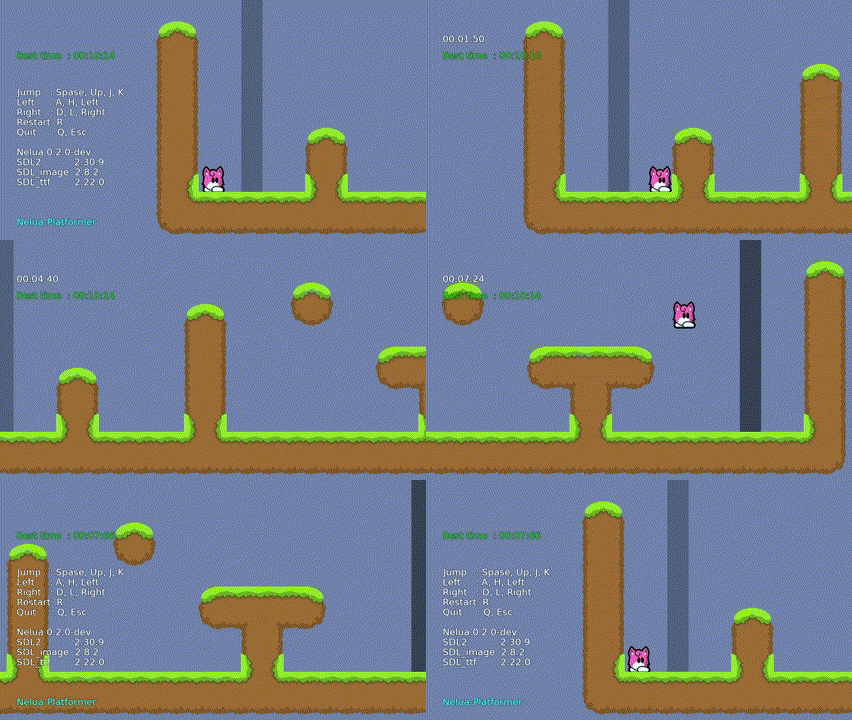
| ภาษา | โครงการ | |
|---|---|---|
| ไม่มีความสุข | ผู้ประกอบการ | nim-platformer/ sdl3_nim |
| Luajit | สคริปต์ | Luajit-platformer |
| Nelua | ผู้ประกอบการ | เนลัว-แพลตฟอร์ม |
| ซิก | ผู้ประกอบการ | ซิก-แพลตฟอร์ม |
error: assignment to ' char ** ' from incompatible pointer type ' const char * const* ' [-Wincompatible-pointer-types] type ConstCstring {. importc : const char *. } = cstring







