imguin
v1.89.4 2023-03-19

Updated to latest ImGui/CImGui version: : v1.91.6dock (2024/12)
This project is my experiment project to use Nim language, ImGui, ImPlot, futhark and etc.
Nim-2.0.14 or later
Windows10 or later
MSys2/MinGW command line tools (Unix tools), make, cp, rm, git, ...etc
Linux Mint 22 (or Ubuntu / Debian families )
$ sudo apt install gcc g++ make git $ sudo apt install xorg-dev libopengl-dev libgl1-mesa-dev
$ sudo apt install libglfw3 libglfw3-dev libsdl2-devnimble uninstall imguin # Remove old versions if exists.
nimble install https://github.com/dinau/imguinFirst clone this project,
git clone https://github.com/dinau/imguinSample program is here, examples. For instance glfw_opengl3_base.nim,
cd imguin/examples/glfw_opengl3_base
make  # or make run
After build, run ./glfw_opengl3_base(.exe)
Compiation options depend on ./config.nims and ./Makefile.
For selecting static link or dynamic link ,read this examples/README.md.
| Library name | ||
|---|---|---|
| v | ImGui / CImGui | Base library |
| v | ImPlot / CImPlot | |
| v | ImNodes / CImNodes | |
| v | ImGuizmo / CImGuizmo | |
| v | ImGui-Knobs/ CImGui-Knobs | |
| v | ImGuiFileDialog / CImGuiFileDialog | |
| ... | ... | ... |
| x | ImGuiColorTextEdit / cimCTE | 2025 ? |
| GLFW | SDL2 | SDL3 | ||
|---|---|---|---|---|
| OpenGL3 backend |
v | v | v | |
| SDL2 backend |
- | ? | - | 2025? |
| SDL3 backend |
- | - | ? | 2025? |
These screen shots are on Windows10.
Basic example with icon fonts
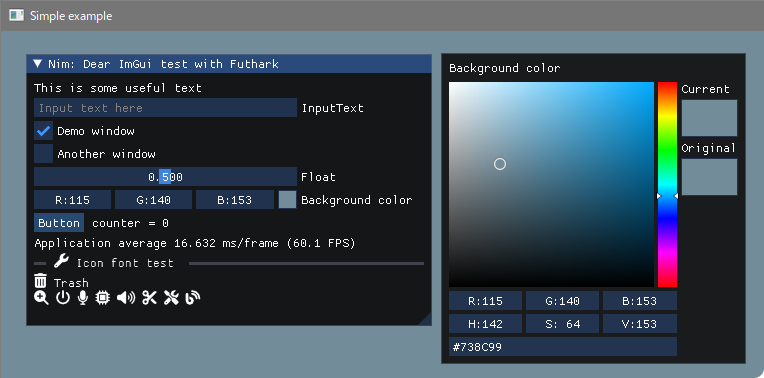
Build
pwd
examples/glfw_opengl3
make        # or make run
or
nim c glfw_opengl3.nim # or nim c -r glfw_opengl3.nim or nim r glfw_opengl3.nim https://github.com/altschuler/imgui-knobs
cimgui-knobs sources have been contributed from system64MC / PR (2024/12). Thank you.
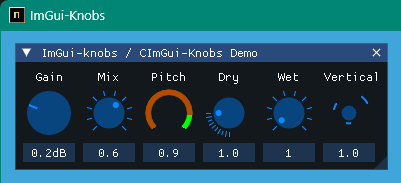
Build
pwd
examples/glfw_opengl3_imknobs
make
or
nim c -d:ImKnobsEnable --warning:HoleEnumConv:off glfw_opengl3_imknobs.nim ImGuiFileDialog / CImGuiFileDialog
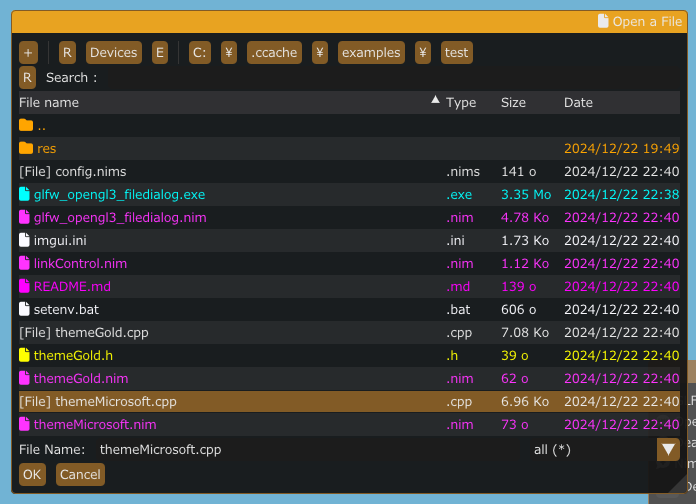
Build
pwd
examples/glfw_opengl3_filedialog
make
or
nim c -d:ImGuiFileDialogEnable glfw_opengl3_filedialog.nim Icon font viewer and magnifying glass
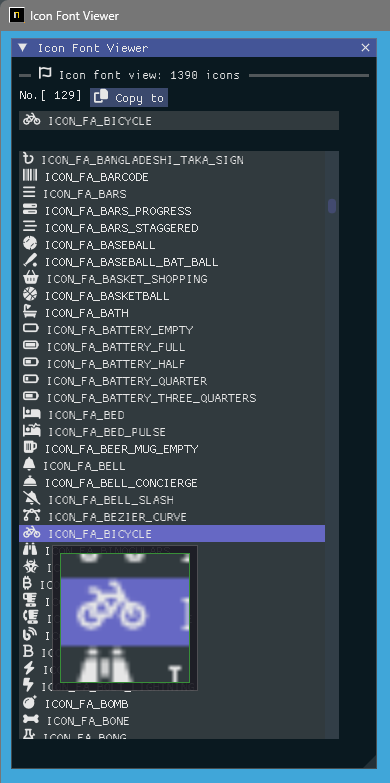
Build
pwd
examples/iconFontViewer
make
or
nim c iconFontViewer.nim Image load and magnifying glass
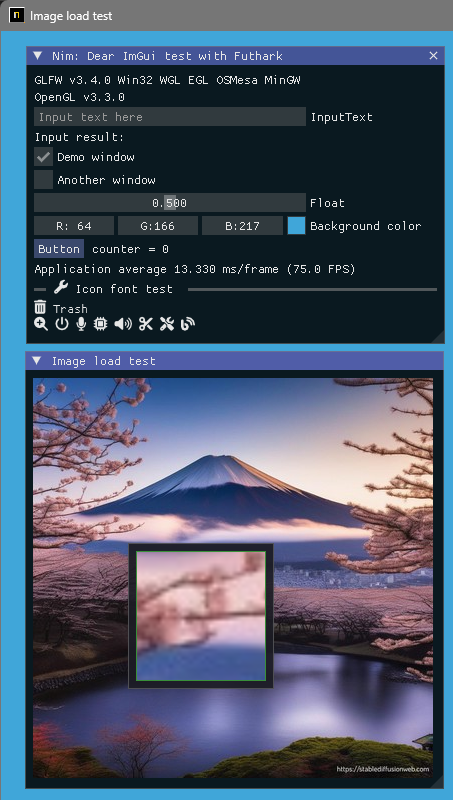
Build
pwd
examples/glfw_opengl3_image_load
make
or
nim c glfw_opengl3_image_load.nim Build sdl2 version
pwd
examples/sdl2_opengl3
make
or
nim c -d:SDL sdl2_opengl3.nim Build sdl3 version
Only windows OS at this moment and WIP.
pwd
examples/sdl3_opengl3
make
or
nim c -d:SDL sdl3_opengl3.nim Image load / save and magnifying glass
It can save a screen shot as [ jpg, bmp, png or tga ] file.
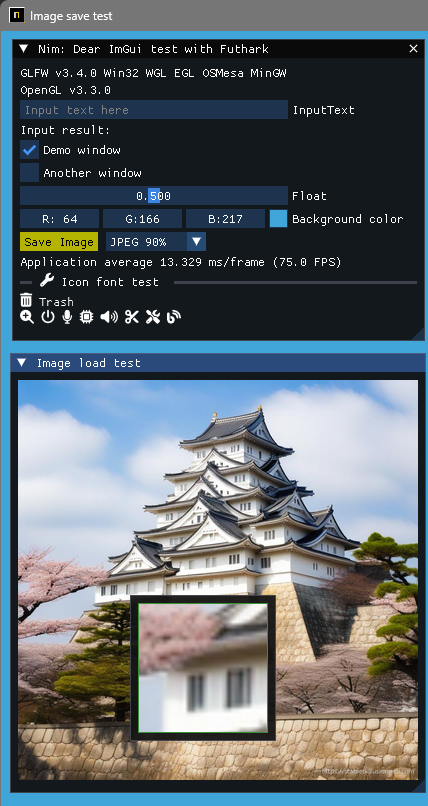
Build
pwd
examples/glfw_opengl3_image_save
make        # or make run
or
nim c glfw_opengl3_image_save.nimShowing UTF-8 text and input text with a local country language.
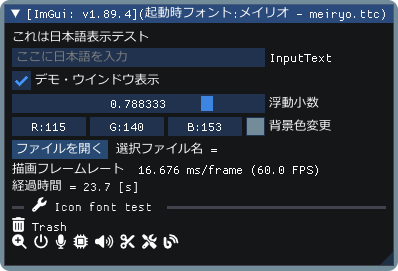
Build
pwd
examples/glfw_opengl3_jp
make        # or make run
or
nim c glfw_opengl3_jp.nimShowing ImGui demo with ImPlot demo.
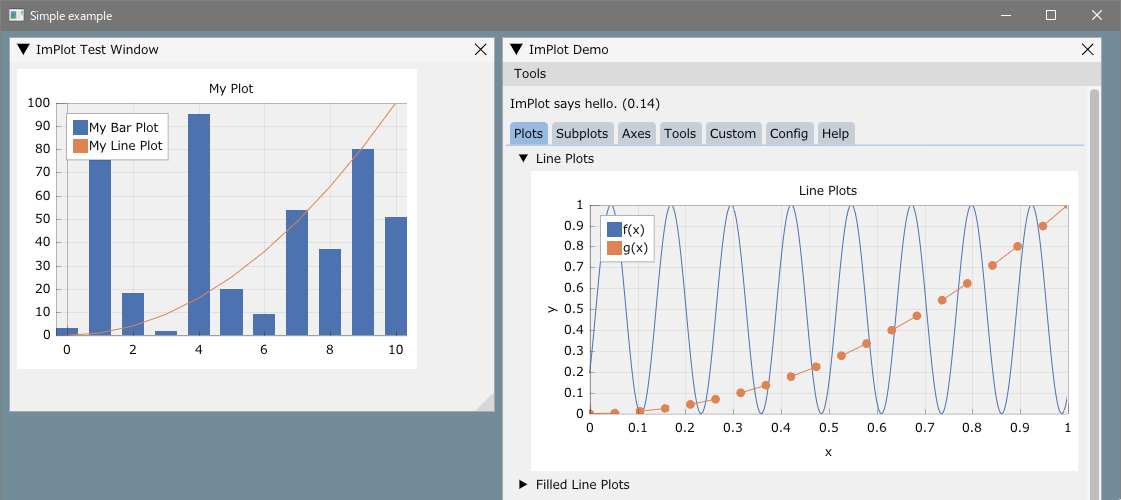
Build
pwd
examples/glfw_opengl3_implot
make        # or make run
or
nim c -d:ImPlotEnable glfw_opengl3_implot.nim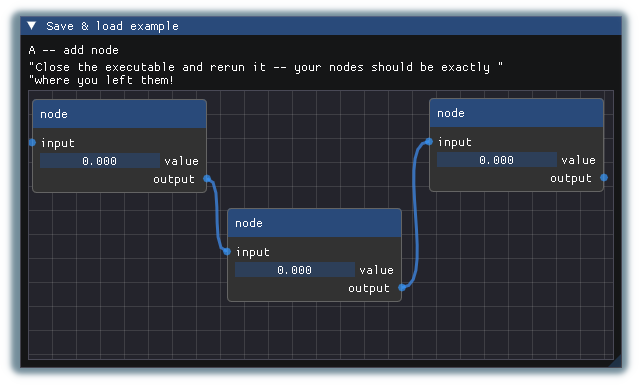
Build
pwd
examples/glfw_opengl3_imnodes
make        # or make run
or
nim c -d:ImNodesEnable glfw_opengl3_imnodes.nim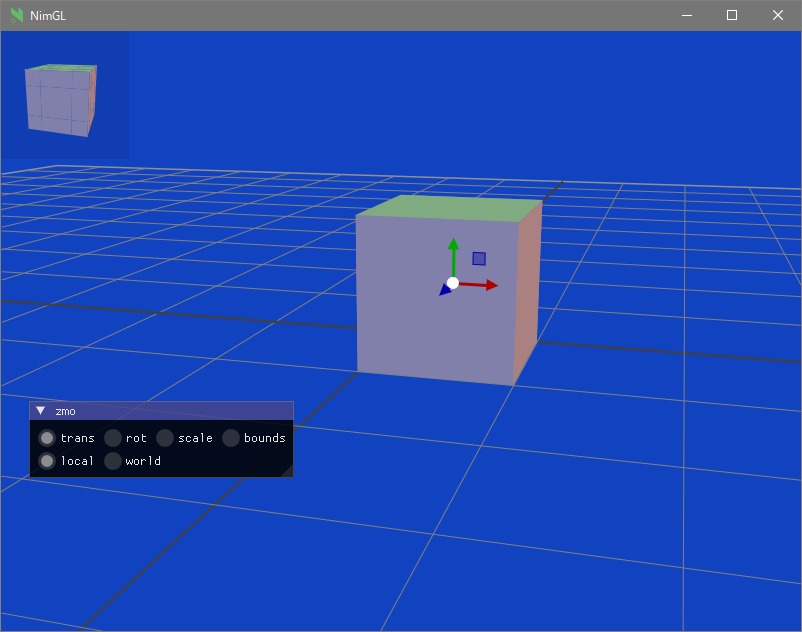
Build
pwd
examples/glfw_opengl3_imguizmo
make        # or make run
or
nim c -d:ImGuizmoEnable glfw_opengl3_imguizmo.nim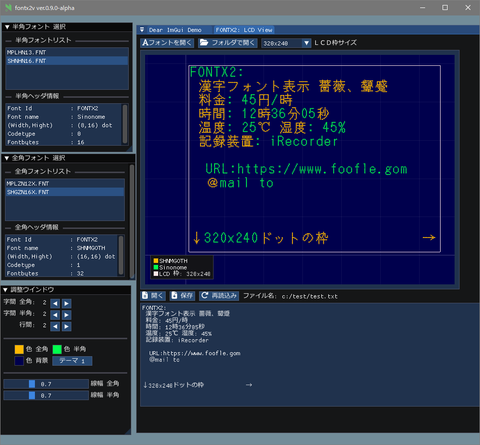
See:
Cross compilation to Windows, linker error (unrecognized option '-z'
https://nim-lang.org/docs/nimc.html#crossminuscompilation-for-windows
For example on Linux Mint 22 and so on,
pwd
examples
cd glfw_opengl3
make win or
nim c -d:mingw glfw_opengl3or
nim c --os:windows glfw_opengl3glfw_opengl3.exe will be generated in the current folder.
Git installed.
Installed MSys2/MinGW command line tools (Unix tools), make, cp, rm, ...etc
Windows10 or later Clang/LLVM refer to Futhark installation.
nimble install futharkIt must exist libclang.a file in the library path (e.g. in c:llvmlib).
Linux Debian 12 Bookworm
sudo apt install  clang-16
nimble install --passL:"-L/usr/lib/llvm-16/lib" futhark
Important Notice: Confirm Futhark version is v0.13.6 at this time. (2024/09)
nimble dump futhark

name: "futhark"
version: "0.13.6"
author: "PMunch"
desc: "A package which uses libclang to parse C headers into Nim files for easy interop"
license: "MIT"
...Compose development folders
First move to your working folder you like, then
mkdir imguin_dev
cd imguin_dev
git clone https://github.com/dinau/imguin
cd imguin
Clone ImGui/CImGui etc. sources at once forever
pwd
imguin
make clonelibs
Cloned libraries are under ../libs/ folder
Recursively update the sources using git Pull or fetch command in the each library folder,
../libs/cimgui
../libs/cimguizmo
../libs/cimnodes
../libs/cimplot
Checkout arbitrary version with git command in the respective folder
Specify your Clang include path to ClangIncludePath in imguin/src/imguin/cimgui.nim.
Generate the definition file uisng Futhark,
pwd
imguin
make gen
Install updated files
Properly edit the version info etc in imguin.nimble file, then
pwd
imguin
nimble uninstall imguin  # Remove old versions if it exists.
nimble install
That's all.
Repeat from 3. if you'd like to update or downgrade to other version.
Confirmed version
| ImGui/CImGui Ver. | ImGuin Ver. | Date | WindowsOS | Linux Mint 22 | Debian Bookworm (1) |
|---|---|---|---|---|---|
| 1.91.6dock | 1.91.6.6 | 2024/12 | OK | OK | - |
| 1.91.5dock | - | - | - | - | - |
| 1.91.4dock | 1.91.4.2 | 2024/12 | OK | OK | - |
| 1.91.3dock | 1.91.3.1 | 2024/10 | OK | (7) | - |
| 1.91.2dock | 1.91.2.0 | 2024/10 | OK | (7) | - |
| 1.91.1dock | 1.91.1.2 | 2024/09 | OK | (6) | - |
| 1.91.0dock | 1.91.0.0 | 2024/08 | OK | - | (7) |
| 1.90.4dock | 1.90.4.2 | 2024/02 | OK | - | OK (4) |
| 1.90.1dock | 1.90.1.0 | 2024/01 | OK | - | NG/OK(1)(3)(4) |
| 1.89.9dock | 1.89.9.8 | 2023/12 | OK | - | NG/OK(1)(3)(4) |
(1): Except imnodes and SDL2 example.
(2): Doesn't work well.
(3): Works well only if it is compiled debug mode.
(4): Use nim-2.0.2
(5): I don't know why can't be compiled on Linux.
(6): OK: Except ImNodes example
(7): Not checked at this moment.
You might be able to use another C/C++ compiler,
Clang, vcc(Visual Studio C/C++) , zig cc
by changing variable TC in examples/config.nims.common.
cimgui.dll ? (Now it can only be static link)nimble install imguin ?Install UPX with MSys console on WindowsOS,
pacman -S mingw-w64-x86_64-upxFor compression exe file,
pwd
examples
cd glfw_opengl3_implot
make upx
Ultimate Packer for eXecutables
Copyright (C) 1996 - 2024
UPX 4.2.4 Markus Oberhumer, Laszlo Molnar & John Reiser May 9th 2024
File size Ratio Format Name
-------------------- ------ ----------- -----------
7117824 -> 1217024 17.10% win64/pe glfw_opengl3_implot.exe Decompressing,
make dupxResult in,
| GCC + UPX : GCC | Clang + UPX : Clang | MSVC(vcc) + UPX : MSVC | |
|---|---|---|---|
| glfw_opengl3.exe | 804 KB : 2360 KB | 720 KB : 2200 KB | 742 KB : 2070 KB |
| glfw_opengl3_implot.exe | 1220 KB : 7120 KB | 940KB : 4200 KB | 945 KB : 3810 KB |
GCC: v14.2.0, Clang: v18.1.8, MSVC: 2022
Windows11 (main)
Nim Compiler Version 2.2.0
GCC (Rev1, Built by MSYS2 project) 14.2.0
pacman -S mingw-w64-ucrt-x86_64-gccClang version 19.1.6
pacman -S mingw-w64-ucrt-x86_64-clangVisual Studio C++/C 2022
git version 2.46.0.windows.1
SDL2.dll: 2.30.7
Make: GNU Make 4.4.1
MSys2/MinGW tools
Linux Mint 22
File Dialog
Other
GUI
Graphical
| Language | Project | |
|---|---|---|
| Nim | Compiler | ImGuin, Nimgl_test, Nim_implot |
| Lua | Script | LuaJITImGui |
| Zig, C lang. | Compiler | Dear_Bindings_Build |
| Zig | Compiler | ImGuinZ |
| NeLua | Compiler | NeLuaImGui |
| Python | Script | DearPyGui for 32bit WindowsOS Binary |
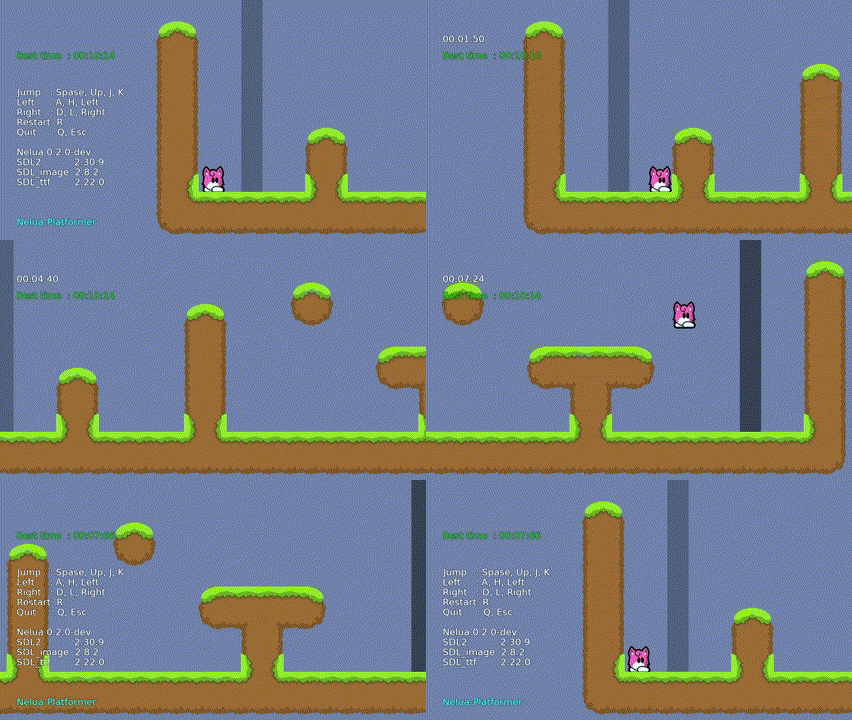
| Language | Project | |
|---|---|---|
| Nim | Compiler | Nim-Platformer/ sdl3_nim |
| LuaJIT | Script | LuaJIT-Platformer |
| Nelua | Compiler | NeLua-Platformer |
| Zig | Compiler | Zig-Platformer |
error: assignment to 'char **' from incompatible pointer type 'const char * const*' [-Wincompatible-pointer-types]type ConstCstring {.importc: const char *.} = cstring







