imguin
v1.89.4 2023-03-19

최신 imgui/cimgui 버전으로 업데이트 : : v1.91.6dock (2024/12)
이 프로젝트는 NIM Language, Imgui, Implot, Futhark 등을 사용하는 실험 프로젝트입니다.
NIM-2.0.14 이상
Windows10 이상
MSYS2/MINGW 명령 줄 도구 (UNIX Tools), Make, CP, RM, Git, ... 등
Linux Mint 22 (또는 우분투 / 데비안 가족)
$ sudo apt install gcc g++ make git $ sudo apt install xorg-dev libopengl-dev libgl1-mesa-dev
$ sudo apt install libglfw3 libglfw3-dev libsdl2-devnimble uninstall imguin # Remove old versions if exists.
nimble install https://github.com/dinau/imguin이 프로젝트를 먼저 복제하고
git clone https://github.com/dinau/imguin샘플 프로그램이 여기에 있습니다. 예를 들어 glfw_opengl3_base.nim,
 cd imguin/examples/glfw_opengl3_base
make  # or make run
빌드 후 실행 ./glfw_opengl3_base(.exe)
COMPIATION 옵션은 ./config.nims 및 ./Makefile 에 따라 다릅니다.
정적 링크 또는 동적 링크를 선택하려면이 예제/readme.md를 읽으십시오.
| 도서관 이름 | ||
|---|---|---|
| 다섯 | Imgui / Cimgui | 기본 라이브러리 |
| 다섯 | 쇄석 / cimplot | |
| 다섯 | Imnodes / cimnodes | |
| 다섯 | imguizmo / cimguizmo | |
| 다섯 | imgui-knobs/ cimgui-knobs | |
| 다섯 | imguifiledialog / cimguifiledialog | |
| ... | ... | ... |
| 엑스 | imguicolortextedit / cimcte | 2025? |
| glfw | SDL2 | SDL3 | ||
|---|---|---|---|---|
| Opengl3 백엔드 | 다섯 | 다섯 | 다섯 | |
| SDL2 백엔드 | - | ? | - | 2025? |
| SDL3 백엔드 | - | - | ? | 2025? |
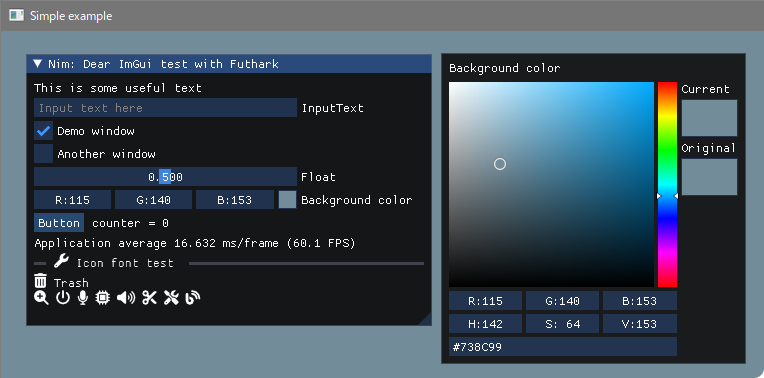
이 스크린 샷은 Windows10에 있습니다.
아이콘 글꼴이있는 기본 예
짓다
 pwd
examples/glfw_opengl3
make        # or make run
또는
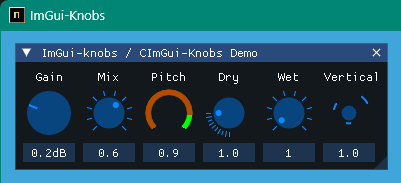
nim c glfw_opengl3.nim # or nim c -r glfw_opengl3.nim or nim r glfw_opengl3.nim https://github.com/altschuler/imgui-knobs
Cimgui-Knobs 소스는 System64mc / Pr (2024/12)에서 기여했습니다. 감사합니다.
짓다
 pwd
examples/glfw_opengl3_imknobs
make
또는
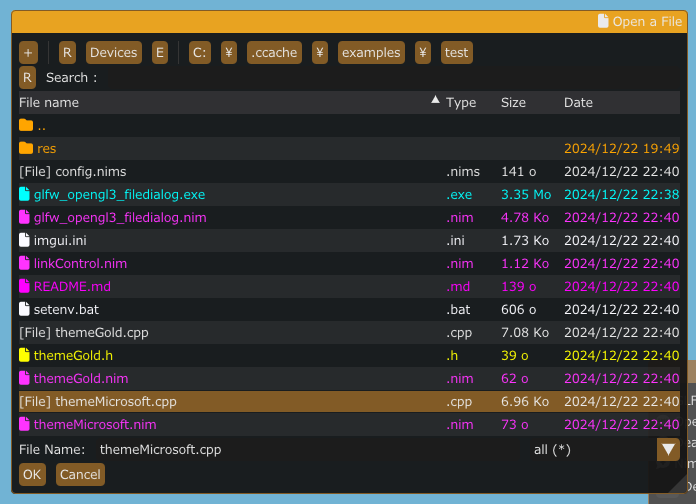
nim c -d:ImKnobsEnable --warning:HoleEnumConv:off glfw_opengl3_imknobs.nim imguifiledialog / cimguifiledialog
짓다
 pwd
examples/glfw_opengl3_filedialog
make
또는
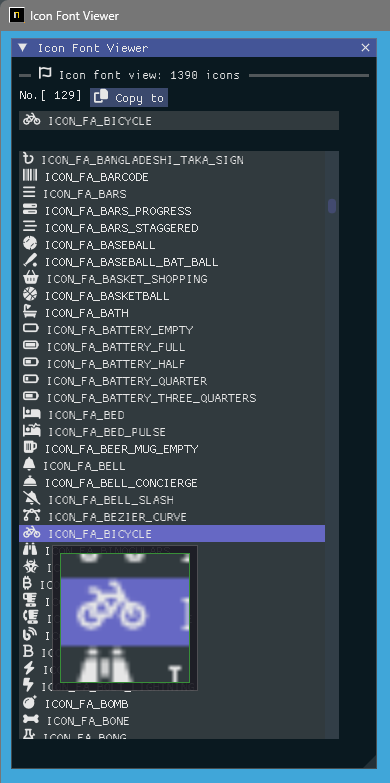
nim c -d:ImGuiFileDialogEnable glfw_opengl3_filedialog.nim 아이콘 글꼴 시청자 및 돋보기 유리
짓다
 pwd
examples/iconFontViewer
make
또는
nim c iconFontViewer.nim 이미지로드 및 확대 유리
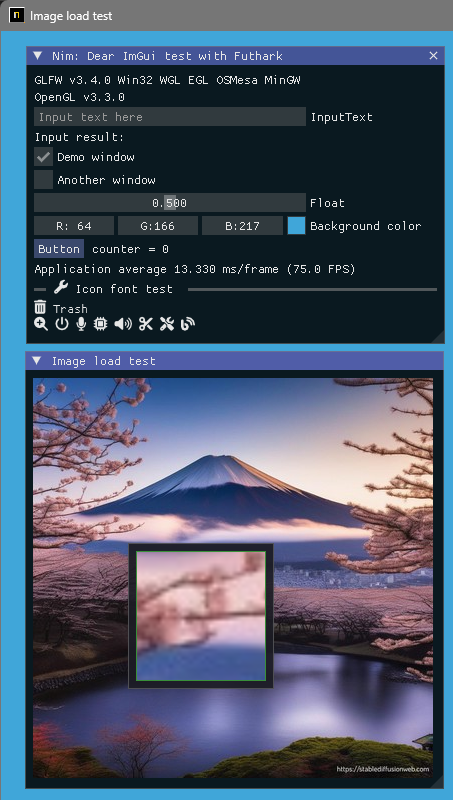
짓다
 pwd
examples/glfw_opengl3_image_load
make
또는
nim c glfw_opengl3_image_load.nim SDL2 버전을 빌드하십시오
 pwd
examples/sdl2_opengl3
make
또는
nim c -d:SDL sdl2_opengl3.nim SDL3 버전을 빌드하십시오
이 순간에 Windows OS 만 WIP.
 pwd
examples/sdl3_opengl3
make
또는
nim c -d:SDL sdl3_opengl3.nim 이미지로드 / 저장 및 돋보기 유리
[JPG, BMP, PNG 또는 TGA] 파일로 스크린 샷을 저장할 수 있습니다.
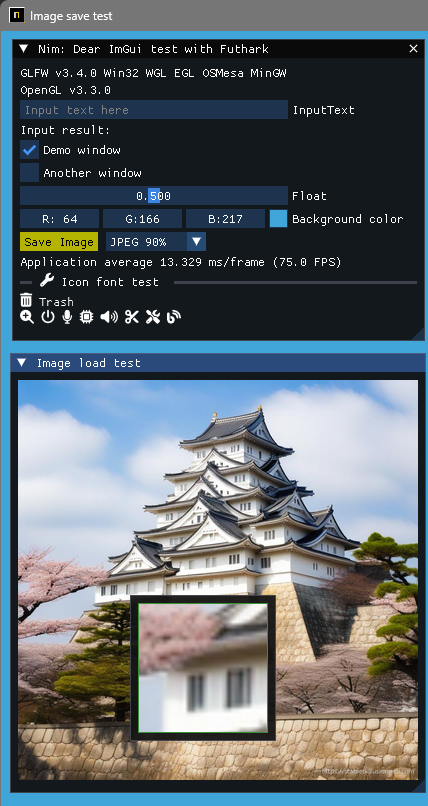
짓다
 pwd
examples/glfw_opengl3_image_save
make        # or make run
또는
nim c glfw_opengl3_image_save.nim 지역 국가 언어로 UTF-8 텍스트 및 입력 텍스트를 표시합니다. 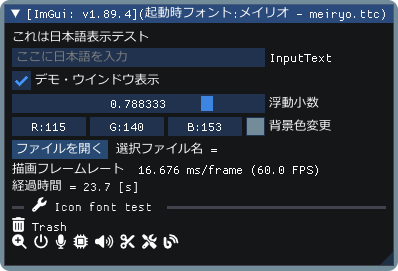
짓다
 pwd
examples/glfw_opengl3_jp
make        # or make run
또는
nim c glfw_opengl3_jp.nim 임플란트 데모로 Imgui 데모를 보여줍니다. 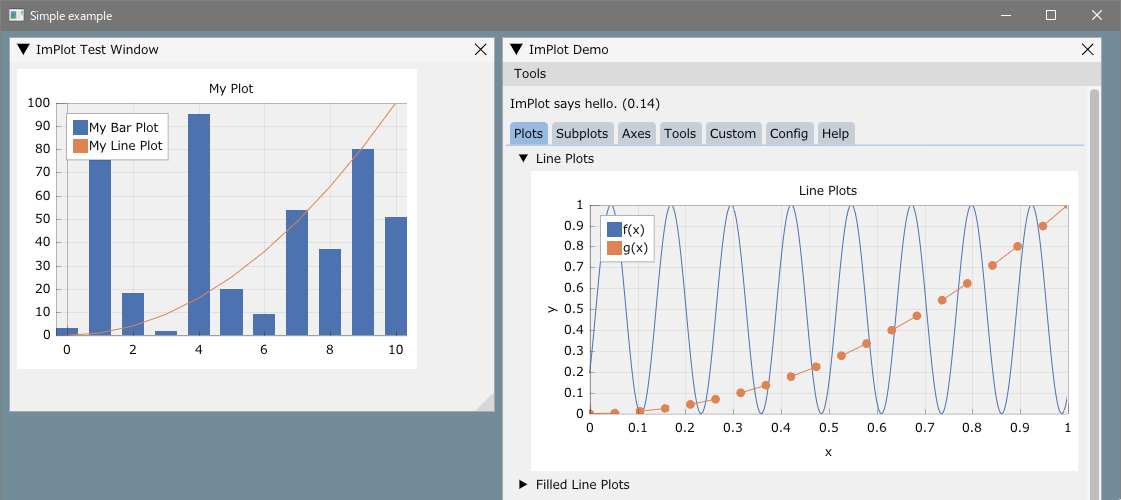
짓다
 pwd
examples/glfw_opengl3_implot
make        # or make run
또는
nim c -d:ImPlotEnable glfw_opengl3_implot.nim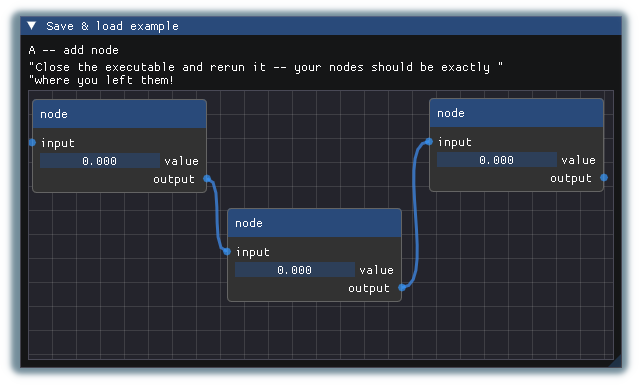
짓다
 pwd
examples/glfw_opengl3_imnodes
make        # or make run
또는
nim c -d:ImNodesEnable glfw_opengl3_imnodes.nim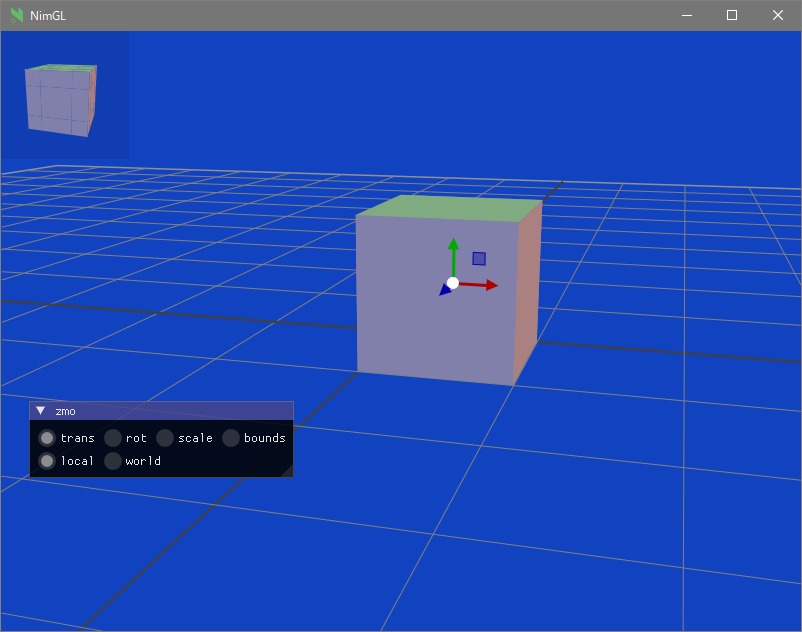
짓다
 pwd
examples/glfw_opengl3_imguizmo
make        # or make run
또는
nim c -d:ImGuizmoEnable glfw_opengl3_imguizmo.nim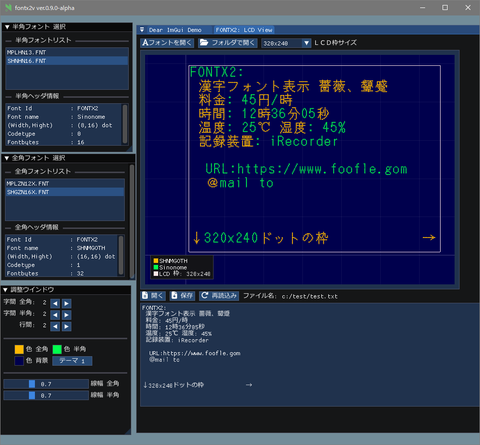
보다:
Windows에 대한 크로스 컴파일, 링커 오류 (인식되지 않은 옵션 '-z'
https://nim-lang.org/docs/nimc.html#crossminuscompilation-for-windows
예를 들어 Linux Mint 22 등의 경우
 pwd
examples
cd glfw_opengl3
make win 또는
nim c -d:mingw glfw_opengl3또는
nim c --os:windows glfw_opengl3 glfw_opengl3.exe 현재 폴더에서 생성됩니다.
GIT 설치.
설치된 MSYS2/MINGW 명령 줄 도구 (UNIX Tools), Make, CP, RM, ... 등
Windows10 이상 Clang/LLVM은 Futhark 설치를 나타냅니다.
nimble install futhark 라이브러리 경로에 libclang.a 파일이 있어야합니다 (예 c:llvmlib ).
리눅스 데비안 12 책벌레
sudo apt install  clang-16
nimble install --passL: " -L/usr/lib/llvm-16/lib " futhark
중요한 통지 : 현재 Futhark 버전이 V0.13.6 인지 확인하십시오. (2024/09)
nimble dump futhark

name: " futhark "
version: " 0.13.6 "
author: " PMunch "
desc: " A package which uses libclang to parse C headers into Nim files for easy interop "
license: " MIT "
... 개발 폴더를 작성하십시오
먼저 원하는 작업 폴더로 이동하십시오
mkdir imguin_dev
cd imguin_dev
git clone https://github.com/dinau/imguin
cd imguin
복제 IMGUI/CIMGUI 등을 한 번에 영원히
 pwd
imguin
make clonelibs
복제 된 라이브러리는 ../libs/ 폴더 아래에 있습니다
각 라이브러리 폴더에서 git Pull 또는 fetch 명령을 사용하여 소스를 재귀 적으로 업데이트합니다.
../libs/cimgui
../libs/cimguizmo
../libs/cimnodes
../libs/cimplot
각 폴더에 git 명령이있는 임의 버전을 확인하십시오.
Clang 지정하십시오 imguin/src/imguin/cimgui.nim 의 ClangIncludePath 로의 경로를 포함하십시오.
정의 파일 생성 UISNG Futhark,
 pwd
imguin
make gen
업데이트 된 파일을 설치하십시오
imguin.nimble 파일에서 버전 정보 등을 올바르게 편집 한 다음
 pwd
imguin
nimble uninstall imguin  # Remove old versions if it exists.
nimble install
그게 다야.
3. 에서 반복하십시오. 다른 버전으로 업데이트하거나 다운 그레이드하려면.
확인 된 버전
| imgui/cimgui ver. | Imguin Ver. | 날짜 | Windowsos | 리눅스 민트 22 | 데비안 책벌레 (1) |
|---|---|---|---|---|---|
| 1.91.6dock | 1.91.6.6 | 2024/12 | 좋아요 | 좋아요 | - |
| 1.91.5dock | - | - | - | - | - |
| 1.91.4dock | 1.91.4.2 | 2024/12 | 좋아요 | 좋아요 | - |
| 1.91.3dock | 1.91.3.1 | 2024/10 | 좋아요 | (7) | - |
| 1.91.2dock | 1.91.2.0 | 2024/10 | 좋아요 | (7) | - |
| 1.91.1dock | 1.91.1.2 | 2024/09 | 좋아요 | (6) | - |
| 1.91.0dock | 1.91.0.0 | 2024/08 | 좋아요 | - | (7) |
| 1.90.4dock | 1.90.4.2 | 2024/02 | 좋아요 | - | OK (4) |
| 1.90.1dock | 1.90.1.0 | 2024/01 | 좋아요 | - | NG/OK (1) (3) (4) |
| 1.89.9dock | 1.89.9.8 | 2023/12 | 좋아요 | - | NG/OK (1) (3) (4) |
(1) : Imnodes 및 SDL2 예제.
(2) : 잘 작동하지 않습니다.
(3) : 디버그 모드를 컴파일 한 경우에만 잘 작동합니다.
(4) : NIM-2.0.2를 사용하십시오
(5) : 왜 Linux에서 컴파일 할 수 없는지 모르겠습니다.
(6) : OK : Imnodes 예제를 제외하고
(7) :이 순간에 확인되지 않았습니다.
다른 C/C ++ 컴파일러를 사용할 수 있습니다.
Clang, vcc(Visual Studio C/C++) , zig cc
예제/config.nims.common에서 변수 TC 변경함으로써.
cimgui.dll 사용할 수 있는지 여부? (이제 정적 링크 일 수 있습니다)nimble install imguin 수 있는지 여부는? Windowsos에 MSYS 콘솔이있는 UPX 설치,
pacman -S mingw-w64-x86_64-upx압축 exe 파일의 경우
 pwd
examples
cd glfw_opengl3_implot
make upx
Ultimate Packer for eXecutables
Copyright (C) 1996 - 2024
UPX 4.2.4 Markus Oberhumer, Laszlo Molnar & John Reiser May 9th 2024
File size Ratio Format Name
-------------------- ------ ----------- -----------
7117824 - > 1217024 17.10% win64/pe glfw_opengl3_implot.exe 압축 압축,
make dupx결과,
| GCC + UPX : GCC | Clang + Upx : Clang | MSVC (VCC) + UPX : MSVC | |
|---|---|---|---|
| glfw_opengl3.exe | 804 KB : 2360 KB | 720 KB : 2200 KB | 742 KB : 2070 KB |
| glfw_opengl3_implot.exe | 1220 KB : 7120 KB | 940KB : 4200 KB | 945 KB : 3810 KB |
GCC : V14.2.0, Clang : V18.1.8, MSVC : 2022
Windows11 (메인)
NIM 컴파일러 버전 2.2.0
GCC (REV1, MSYS2 프로젝트에 의해 구축) 14.2.0
pacman -S mingw-w64-ucrt-x86_64-gcc클랜 버전 19.1.6
pacman -S mingw-w64-ucrt-x86_64-clangVisual Studio C ++/C 2022
git 버전 2.46.0. 윈도우 1
sdl2.dll : 2.30.7
제작 : GNU는 4.4.1을 만듭니다
MSYS2/MINGW 도구
리눅스 민트 22
파일 대화 상자
다른
구이
그래픽
| 언어 | 프로젝트 | |
|---|---|---|
| 님 | 컴파일러 | imguin, nimgl_test, nim_implot |
| 루아 | 스크립트 | Luajitimgui |
| Zig , C Lang. | 컴파일러 | dear_bindings_build |
| 급격한 변경 | 컴파일러 | 임그인즈 |
| Nelua | 컴파일러 | Neluaimgui |
| 파이썬 | 스크립트 | 32 비트 Windowsos 바이너리를위한 dearpygui |
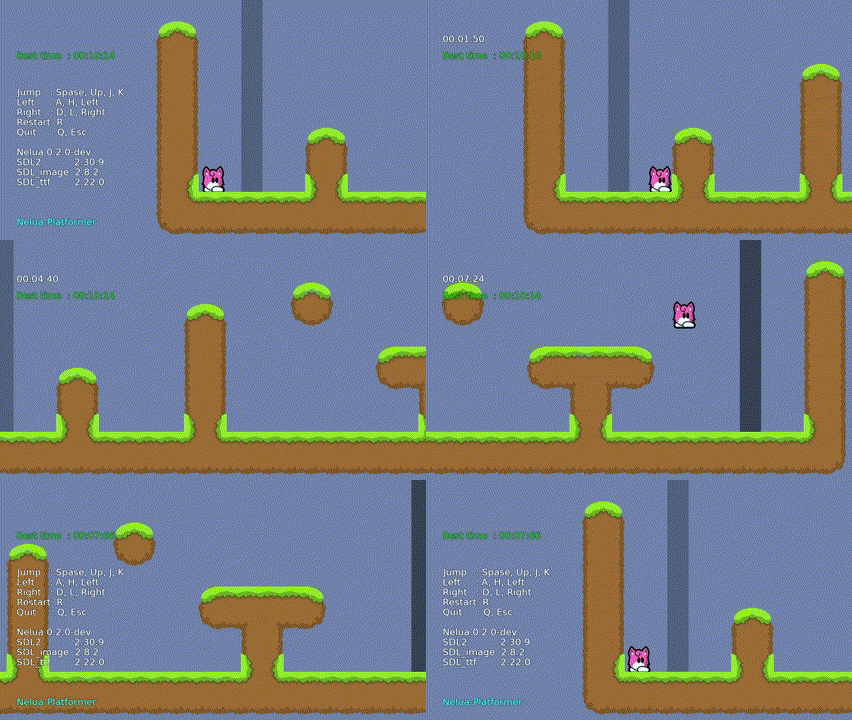
| 언어 | 프로젝트 | |
|---|---|---|
| 님 | 컴파일러 | nim-platformer/ sdl3_nim |
| 루아 지 | 스크립트 | Luajit-Platformer |
| Nelua | 컴파일러 | Nelua-Platformer |
| 급격한 변경 | 컴파일러 | 지그 플랫폼 |
error: assignment to ' char ** ' from incompatible pointer type ' const char * const* ' [-Wincompatible-pointer-types] type ConstCstring {. importc : const char *. } = cstring







