imguin
v1.89.4 2023-03-19

Diperbarui ke Versi IMGUI/CIMGUI Terbaru :: V1.91.6Dock (2024/12)
Proyek ini adalah proyek eksperimen saya untuk menggunakan bahasa NIM, IMGUI, Improt, Futhark dan dll.
NIM-2.0.14 atau lebih baru
Windows10 atau lebih baru
Alat baris perintah msys2/mingw (alat unix), make, cp, rm, git, ... dll
Linux Mint 22 (atau keluarga Ubuntu / Debian)
$ sudo apt install gcc g++ make git $ sudo apt install xorg-dev libopengl-dev libgl1-mesa-dev
$ sudo apt install libglfw3 libglfw3-dev libsdl2-devnimble uninstall imguin # Remove old versions if exists.
nimble install https://github.com/dinau/imguinKlon pertama proyek ini,
git clone https://github.com/dinau/imguinProgram sampel ada di sini, contohnya. Misalnya glfw_opengl3_base.nim,
 cd imguin/examples/glfw_opengl3_base
make  # or make run
Setelah dibangun, jalankan ./glfw_opengl3_base(.exe)
Opsi Kompiasi Bergantung pada ./config.nims dan ./Makefile .
Untuk memilih tautan statis atau tautan dinamis, baca contoh/readme.md ini.
| Nama Perpustakaan | ||
|---|---|---|
| v | Imgui / cimgui | Perpustakaan Basis |
| v | Implot / cimplot | |
| v | Imnodes / cimnodes | |
| v | Imguizmo / cimguizmo | |
| v | IMGUI-KNOBS/ CIMGUI-KNOBS | |
| v | Imguifedialog / cimguifedialog | |
| ... | ... | ... |
| X | ImguicolortextEdit / cimcte | 2025? |
| Glfw | Sdl2 | SDL3 | ||
|---|---|---|---|---|
| OpenGl3 backend | v | v | v | |
| Sdl2 backend | - | ? | - | 2025? |
| SDL3 backend | - | - | ? | 2025? |
Layar ini ada di Windows10.
Contoh Dasar dengan Font Ikon
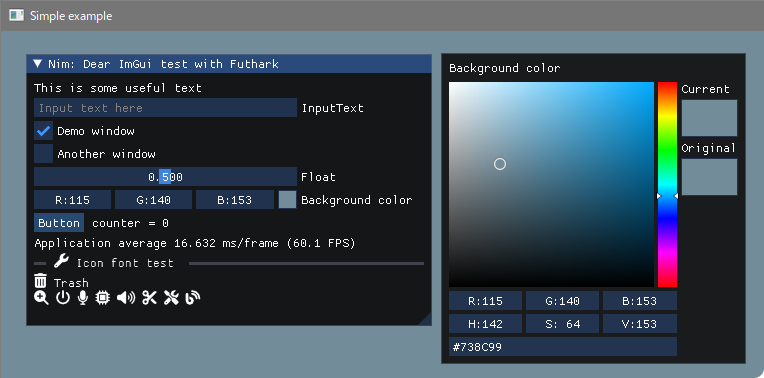
Membangun
 pwd
examples/glfw_opengl3
make        # or make run
atau
nim c glfw_opengl3.nim # or nim c -r glfw_opengl3.nim or nim r glfw_opengl3.nim https://github.com/altschuler/imgui-knobs
Sumber CIMGUI-Knobs telah disumbangkan dari System64MC / PR (2024/12). Terima kasih.
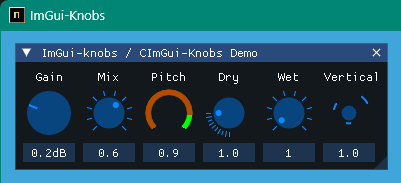
Membangun
 pwd
examples/glfw_opengl3_imknobs
make
atau
nim c -d:ImKnobsEnable --warning:HoleEnumConv:off glfw_opengl3_imknobs.nim Imguifedialog / cimguifedialog
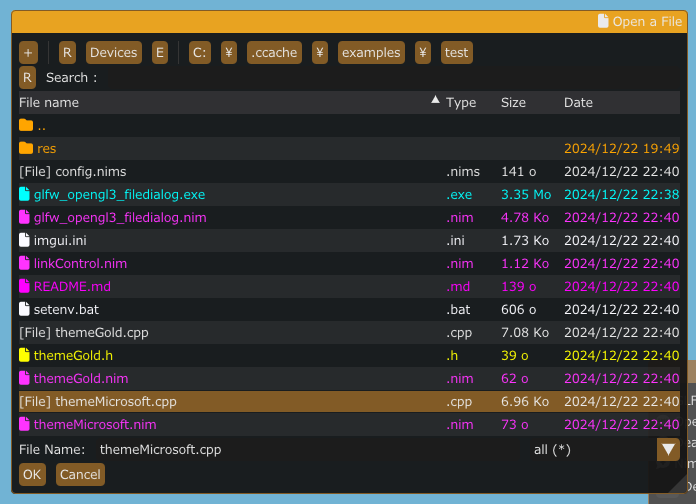
Membangun
 pwd
examples/glfw_opengl3_filedialog
make
atau
nim c -d:ImGuiFileDialogEnable glfw_opengl3_filedialog.nim Penampil font ikon dan kaca pembesar
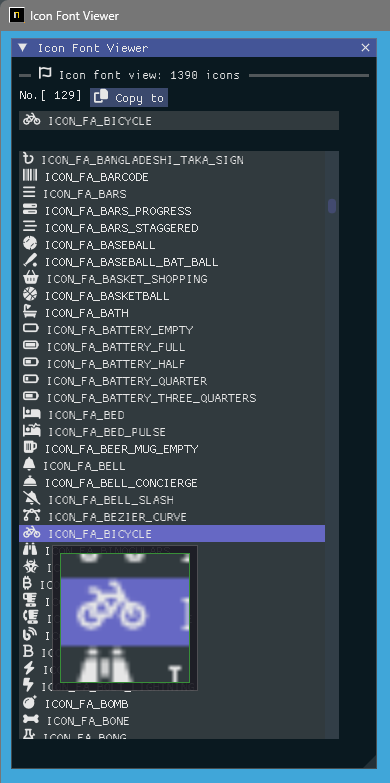
Membangun
 pwd
examples/iconFontViewer
make
atau
nim c iconFontViewer.nim Beban gambar dan kaca pembesar
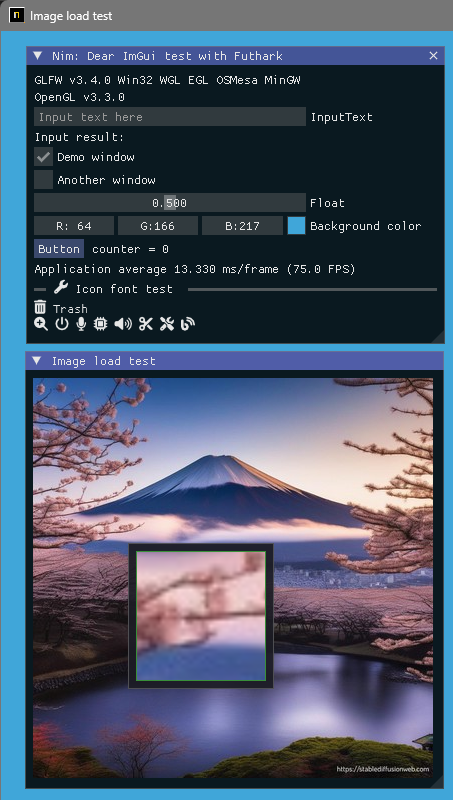
Membangun
 pwd
examples/glfw_opengl3_image_load
make
atau
nim c glfw_opengl3_image_load.nim Bangun versi SDL2
 pwd
examples/sdl2_opengl3
make
atau
nim c -d:SDL sdl2_opengl3.nim Bangun versi SDL3
Hanya Windows OS pada saat ini dan WIP.
 pwd
examples/sdl3_opengl3
make
atau
nim c -d:SDL sdl3_opengl3.nim Image Load / Save and Eng untuk membesar
Ini dapat menyimpan file screen shot sebagai file [JPG, BMP, PNG atau TGA].
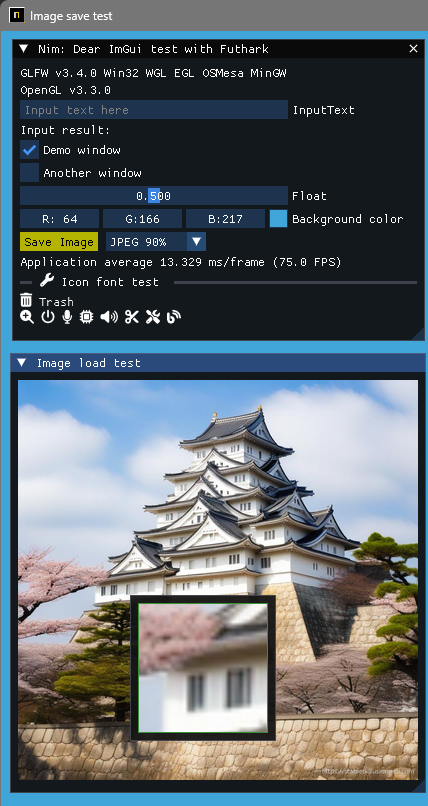
Membangun
 pwd
examples/glfw_opengl3_image_save
make        # or make run
atau
nim c glfw_opengl3_image_save.nim Menampilkan teks dan teks input UTF-8 dengan bahasa negara setempat. 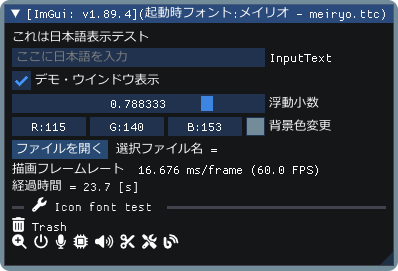
Membangun
 pwd
examples/glfw_opengl3_jp
make        # or make run
atau
nim c glfw_opengl3_jp.nim Menunjukkan demo imgui dengan demo implot. 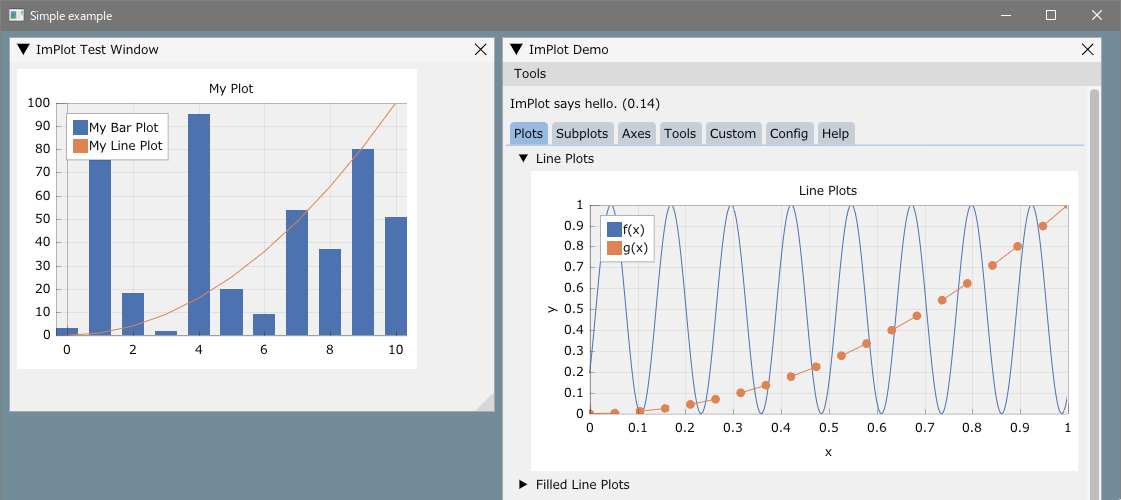
Membangun
 pwd
examples/glfw_opengl3_implot
make        # or make run
atau
nim c -d:ImPlotEnable glfw_opengl3_implot.nim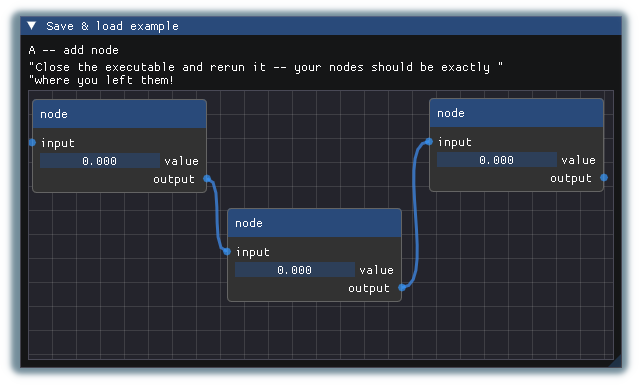
Membangun
 pwd
examples/glfw_opengl3_imnodes
make        # or make run
atau
nim c -d:ImNodesEnable glfw_opengl3_imnodes.nim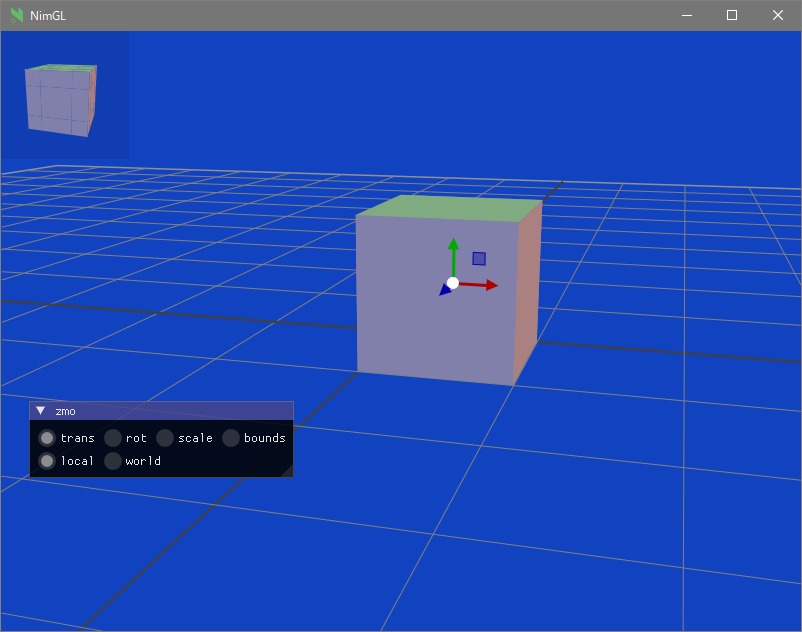
Membangun
 pwd
examples/glfw_opengl3_imguizmo
make        # or make run
atau
nim c -d:ImGuizmoEnable glfw_opengl3_imguizmo.nim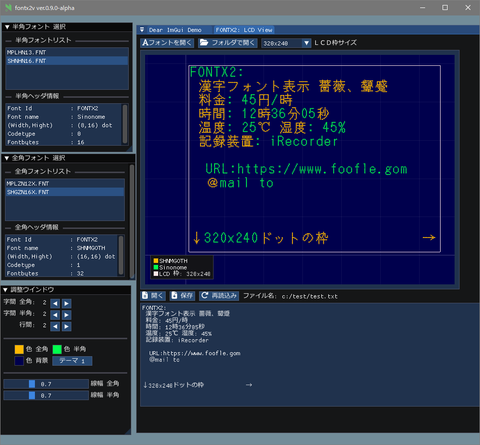
Melihat:
Kompilasi silang ke windows, kesalahan linker (opsi yang tidak diakui '-z'
https://nim-lang.org/docs/nimc.html#crossminusCompilation-for-windows
Misalnya di Linux Mint 22 dan seterusnya,
 pwd
examples
cd glfw_opengl3
make win atau
nim c -d:mingw glfw_opengl3atau
nim c --os:windows glfw_opengl3 glfw_opengl3.exe akan dihasilkan di folder saat ini.
Git terpasang.
Instaled MSYS2/MINGW Command Line Tools (Unix Tools), Make, CP, RM, ... dll
Windows10 atau yang lebih baru Clang/LLVM merujuk ke instalasi Futhark.
nimble install futhark Itu harus ada file libclang.a di jalur perpustakaan (misalnya dalam c:llvmlib ).
Linux Debian 12 Bookworm
sudo apt install  clang-16
nimble install --passL: " -L/usr/lib/llvm-16/lib " futhark
PEMBERITAHUAN PENTING: Konfirmasi Versi Futhark adalah V0.13.6 saat ini. (2024/09)
nimble dump futhark

name: " futhark "
version: " 0.13.6 "
author: " PMunch "
desc: " A package which uses libclang to parse C headers into Nim files for easy interop "
license: " MIT "
... Menyusun folder pengembangan
Pindah pertama ke folder kerja Anda yang Anda sukai, lalu
mkdir imguin_dev
cd imguin_dev
git clone https://github.com/dinau/imguin
cd imguin
Klon Imgui/Cimgui dll. Sumber sekaligus
 pwd
imguin
make clonelibs
Pustaka kloning berada di bawah ../libs/ folder
Perbarui Sumber Sumber Menggunakan Git Pull atau Perintah fetch di setiap folder Perpustakaan,
../libs/cimgui
../libs/cimguizmo
../libs/cimnodes
../libs/cimplot
Checkout Versi Seber dengan Perintah Git di folder masing -masing
Tentukan Clang Anda termasuk jalur ke ClangIncludePath di imguin/src/imguin/cimgui.nim .
Menghasilkan file definisi uisng futhark,
 pwd
imguin
make gen
Instal file yang diperbarui
Edit dengan benar info versi dll di file imguin.nimble , lalu
 pwd
imguin
nimble uninstall imguin  # Remove old versions if it exists.
nimble install
Itu saja.
Ulangi dari 3. Jika Anda ingin memperbarui atau menurunkan versi ke versi lain.
Versi yang dikonfirmasi
| IMGUI/CIMGUI VER. | Imguin ver. | Tanggal | Windowsos | Linux Mint 22 | Debian Kutu buku (1) |
|---|---|---|---|---|---|
| 1.91.6dock | 1.91.6.6 | 2024/12 | OKE | OKE | - |
| 1.91.5dock | - | - | - | - | - |
| 1.91.4dock | 1.91.4.2 | 2024/12 | OKE | OKE | - |
| 1.91.3dock | 1.91.3.1 | 2024/10 | OKE | (7) | - |
| 1.91.2dock | 1.91.2.0 | 2024/10 | OKE | (7) | - |
| 1.91.1dock | 1.91.1.2 | 2024/09 | OKE | (6) | - |
| 1.91.0Dock | 1.91.0.0 | 2024/08 | OKE | - | (7) |
| 1.90.4dock | 1.90.4.2 | 2024/02 | OKE | - | Ok (4) |
| 1.90.1dock | 1.90.1.0 | 2024/01 | OKE | - | Ng/ok (1) (3) (4) |
| 1.89.9dock | 1.89.9.8 | 2023/12 | OKE | - | Ng/ok (1) (3) (4) |
(1): kecuali contoh imnodes dan sdl2.
(2): tidak bekerja dengan baik.
(3): Bekerja dengan baik hanya jika dikompilasi mode debug.
(4): Gunakan NIM-2.0.2
(5): Saya tidak tahu mengapa tidak dapat dikompilasi di Linux.
(6): ok: kecuali contoh imnodes
(7): Tidak diperiksa saat ini.
Anda mungkin dapat menggunakan kompiler C/C ++ lain,
Clang, vcc(Visual Studio C/C++) , zig cc
dengan mengubah variabel TC dalam contoh/config.nims.common.
cimgui.dll ? (Sekarang hanya bisa menjadi tautan statis)nimble install imguin ? Instal UPX dengan MSYS Console di WindowsOS,
pacman -S mingw-w64-x86_64-upxUntuk file exe kompresi,
 pwd
examples
cd glfw_opengl3_implot
make upx
Ultimate Packer for eXecutables
Copyright (C) 1996 - 2024
UPX 4.2.4 Markus Oberhumer, Laszlo Molnar & John Reiser May 9th 2024
File size Ratio Format Name
-------------------- ------ ----------- -----------
7117824 - > 1217024 17.10% win64/pe glfw_opengl3_implot.exe Dekompresi,
make dupxMengakibatkan,
| GCC + UPX: GCC | Dentang + upx: dentang | MSVC (VCC) + UPX: MSVC | |
|---|---|---|---|
| Glfw_opengl3.exe | 804 kb: 2360 kb | 720 kb: 2200 kb | 742 kb: 2070 kb |
| Glfw_opengl3_implot.exe | 1220 kb : 7120 kb | 940KB : 4200 kb | 945 kb : 3810 kb |
GCC: V14.2.0, Clang: V18.1.8, MSVC: 2022
Windows11 (utama)
NIM Compiler Versi 2.2.0
GCC (REV1, dibangun oleh proyek MSYS2) 14.2.0
pacman -S mingw-w64-ucrt-x86_64-gccVersi Clang 19.1.6
pacman -S mingw-w64-ucrt-x86_64-clangVisual Studio C ++/C 2022
Versi Git 2.46.0.windows.1
Sdl2.dll: 2.30.7
Buat: gnu buat 4.4.1
Alat MSYS2/MINGW
Linux Mint 22
Dialog File
Lainnya
GUI
Grafis
| Bahasa | Proyek | |
|---|---|---|
| Nim | Penyusun | IMGUIN, NIMGL_TEST, NIM_IMPLOT |
| Lua | Naskah | LUAJITIMGUI |
| Zig , C Lang. | Penyusun | Dear_bindings_build |
| Zig | Penyusun | Imguinz |
| Nelua | Penyusun | Neluaimgui |
| Python | Naskah | Dearpygui untuk biner windowsos 32bit |
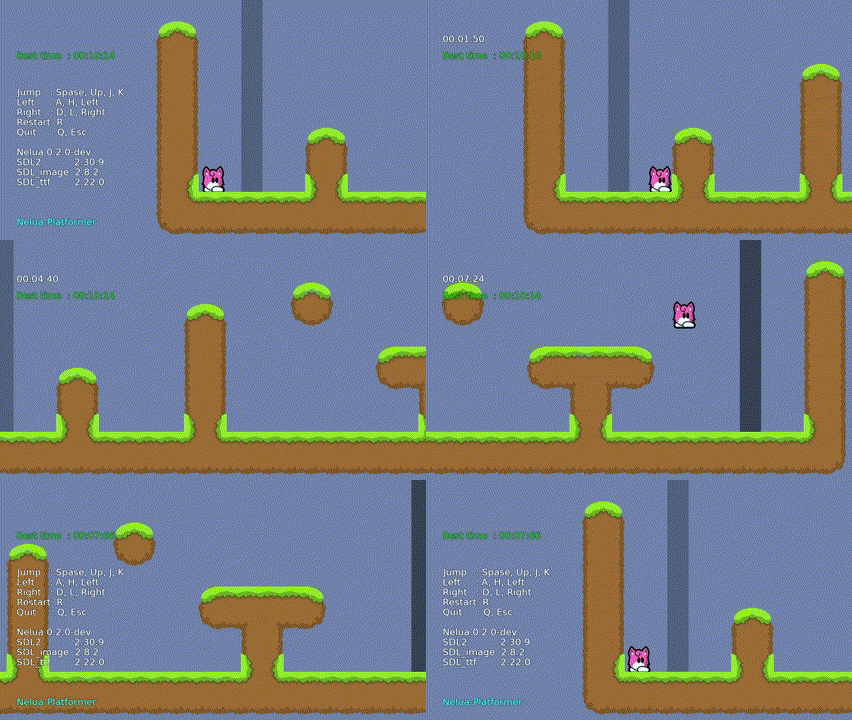
| Bahasa | Proyek | |
|---|---|---|
| Nim | Penyusun | NIM-PLATFORMER/ SDL3_NIM |
| LUAJIT | Naskah | Luajit-Platformer |
| Nelua | Penyusun | Nelua-Platformer |
| Zig | Penyusun | Zig-platformer |
error: assignment to ' char ** ' from incompatible pointer type ' const char * const* ' [-Wincompatible-pointer-types] type ConstCstring {. importc : const char *. } = cstring







