naabu
v2.3.3


功能•安裝•用法•運行Naabu•配置•NMAP集成•CDN/WAF排除•Discord
Naabu是用GO編寫的端口掃描工具,可讓您以快速可靠的方式列舉主機的有效端口。這是一個非常簡單的工具,可以在主機/主機列表上快速syn/connect/udp掃描,並列出返回答复的所有端口。
naabu -h這將顯示該工具的幫助。這是它支持的所有開關。
 Usage :
  naabu [flags]

Flags :
INPUT :
   -host string[]              hosts to scan ports for (comma-separated)
   -list, -l string            list of hosts to scan ports (file)
   -exclude-hosts, -eh string  hosts to exclude from the scan (comma-separated)
   -exclude-file, -ef string   list of hosts to exclude from scan (file)

PORT :
   -port, -p string            ports to scan (80,443, 100-200)
   -top-ports, -tp string      top ports to scan (default 100) [full,100,1000]
   -exclude-ports, -ep string  ports to exclude from scan (comma-separated)
   -ports-file, -pf string     list of ports to scan (file)
   -port-threshold, -pts int   port threshold to skip port scan for the host
   -exclude-cdn, -ec           skip full port scans for CDN/WAF (only scan for port 80,443)
   -display-cdn, -cdn          display cdn in use

RATE-LIMIT :
   -c int     general internal worker threads (default 25)
   -rate int  packets to send per second (default 1000)

UPDATE :
   -up, -update                 update naabu to latest version
   -duc, -disable-update-check  disable automatic naabu update check

OUTPUT :
   -o, -output string  file to write output to (optional)
   -j, -json           write output in JSON lines format
   -csv                write output in csv format

CONFIGURATION :
   -config string                   path to the naabu configuration file (default $HOME/.config/naabu/config.yaml)
   -scan-all-ips, -sa               scan all the IP's associated with DNS record
   -ip-version, -iv string[]        ip version to scan of hostname (4,6) - (default 4) (default ["4"])
   -scan-type, -s string            type of port scan (SYN/CONNECT) (default "c")
   -source-ip string                source ip and port (x.x.x.x:yyy - might not work on OSX)
   -interface-list, -il             list available interfaces and public ip
   -interface, -i string            network Interface to use for port scan
   -nmap                            invoke nmap scan on targets (nmap must be installed) - Deprecated
   - nmap-cli string                 nmap command to run on found results (example : -nmap-cli 'nmap -sV')
   -r string                        list of custom resolver dns resolution (comma separated or from file)
   -proxy string                    socks5 proxy (ip[:port] / fqdn[:port]
   -proxy-auth string               socks5 proxy authentication (username:password)
   -resume                          resume scan using resume.cfg
   -stream                          stream mode (disables resume, nmap, verify, retries, shuffling, etc)
   -passive                         display passive open ports using shodan internetdb api
   -irt, -input-read-timeout value  timeout on input read (default 3m0s)
   -no-stdin                        Disable Stdin processing

HOST-DISCOVERY :
   -sn, -host-discovery           Perform Only Host Discovery
   - Pn, -skip-host-discovery      Skip Host discovery (Deprecated : use -wn/-with-host-discovery instead)
   -wn, -with-host-discovery      Enable Host discovery
   -ps, -probe-tcp-syn string[]   TCP SYN Ping (host discovery needs to be enabled)
   -pa, -probe-tcp-ack string[]   TCP ACK Ping (host discovery needs to be enabled)
   -pe, -probe-icmp-echo          ICMP echo request Ping (host discovery needs to be enabled)
   -pp, -probe-icmp-timestamp     ICMP timestamp request Ping (host discovery needs to be enabled)
   -pm, -probe-icmp-address-mask  ICMP address mask request Ping (host discovery needs to be enabled)
   -arp, -arp-ping                ARP ping (host discovery needs to be enabled)
   -nd, -nd-ping                  IPv6 Neighbor Discovery (host discovery needs to be enabled)
   -rev-ptr                       Reverse PTR lookup for input ips

OPTIMIZATION :
   -retries int       number of retries for the port scan (default 3)
   -timeout int       millisecond to wait before timing out (default 1000)
   -warm-up-time int  time in seconds between scan phases (default 2)
   -ping              ping probes for verification of host
   -verify            validate the ports again with TCP verification

DEBUG :
   -health-check, -hc        run diagnostic check up
   -debug                    display debugging information
   -verbose, -v              display verbose output
   -no-color, -nc            disable colors in CLI output
   -silent                   display only results in output
   -version                  display version of naabu
   -stats                    display stats of the running scan (deprecated)
   -si, -stats-interval int  number of seconds to wait between showing a statistics update (deprecated) (default 5)
-mp, -metrics-port int port to expose naabu metrics on (default 63636)下載準備運行二進制 /碼頭機或與GO安裝
注意:安裝Naabu之前,請確保安裝
libpcap庫進行數據包捕獲。
要在Linux上安裝LibCap: sudo apt install -y libpcap-dev ,在Mac上: brew install libpcap
go install -v github.com/projectdiscovery/naabu/v2/cmd/naabu@latest要在目標上運行該工具,只需使用以下命令即可。
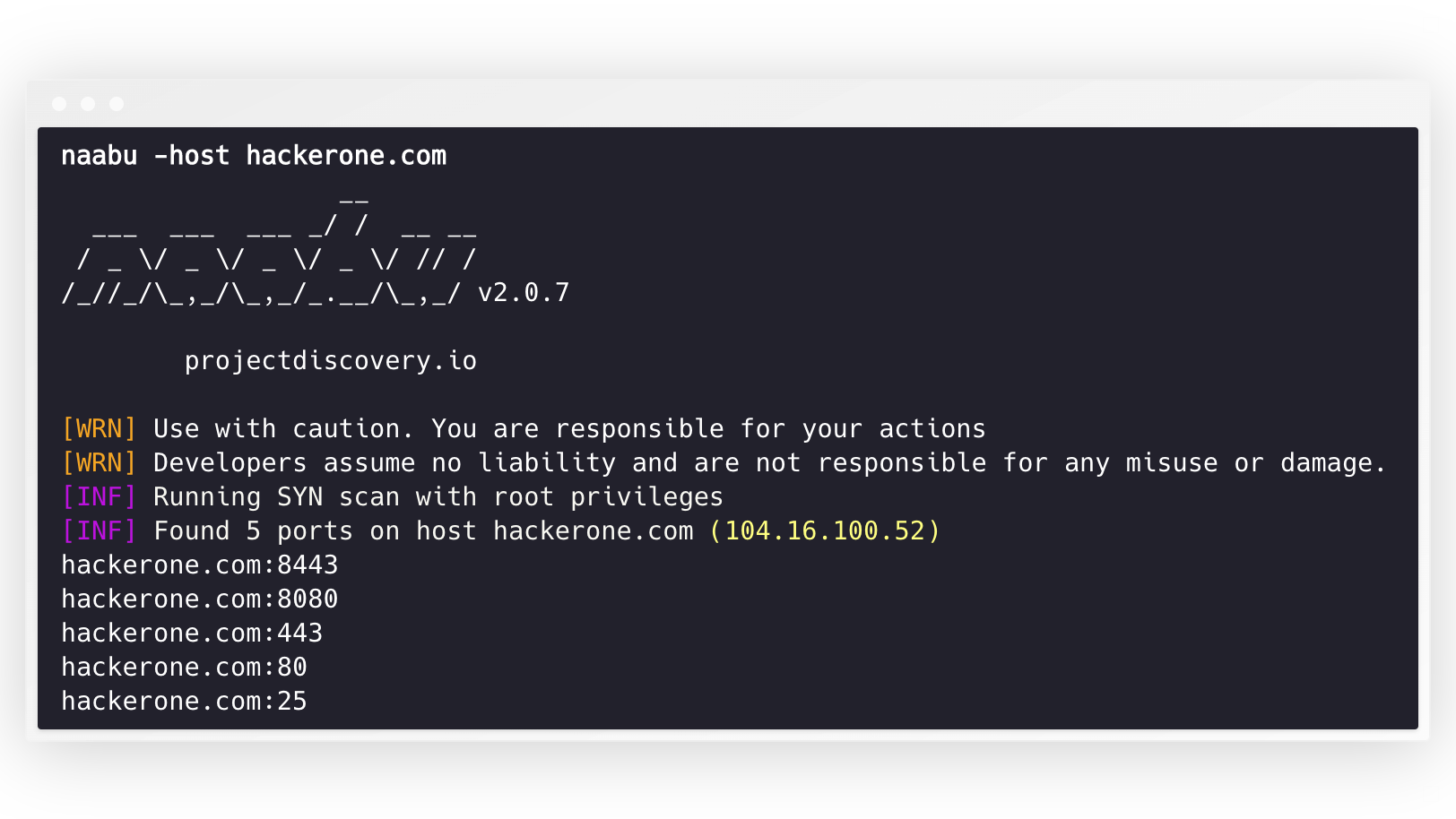
naabu -host hackerone.com這將針對Hackerone.com運行該工具。有許多配置選項,您可以與此命令一起傳遞。詳細開關-v可用於顯示詳細信息。
 naabu -host hackerone.com

                  __
  ___  ___  ___ _/ /  __ __
 / _ / _ / _ / _ / // /
/_//_/_,_/_,_/_.__/_,_/ v2.0.3

    projectdiscovery.io

[WRN] Use with caution. You are responsible for your actions
[WRN] Developers assume no liability and are not responsible for any misuse or damage.
[INF] Running SYN scan with root privileges
[INF] Found 4 ports on host hackerone.com (104.16.100.52)

hackerone.com:80
hackerone.com:443
hackerone.com:8443
hackerone.com:8080可以在主機上掃描的端口可以通過-p參數指定(UDP端口必須表示為u:port )。它需要NMAP格式端口並在其上運行枚舉。
naabu -p 80,443,21-23,u:53 -host hackerone.com默認情況下,NAABU檢查了NMAP的Top 100端口。它支持以下內置端口列表 -
| 旗幟 | 描述 |
|---|---|
-top-ports 100 | 掃描NMAP前100個端口 |
-top-ports 1000 | 掃描NMAP頂部1000端口 |
-p - | 從1-65535掃描全端口 |
您還可以指定要從掃描中排除的特定端口。
naabu -p - -exclude-ports 80,443為了在主機列表中運行Naabu,可以使用-list選項。
naabu -list hosts.txt要在ASN上運行Naabu,因為可以使用輸入。它採用給定ASN的IP地址,並在其上運行枚舉。
 echo AS14421 | naabu -p 80,443

216.101.17.249:80
216.101.17.249:443
216.101.17.248:443
216.101.17.252:443
216.101.17.251:80
216.101.17.251:443
216.101.17.250:443
216.101.17.250:80您還可以使用-json Switch以JSON格式獲取輸出。此開關以JSON線格式保存輸出。
 naabu -host 104.16.99.52 -json

{"ip":"104.16.99.52","port":443}
{"ip":"104.16.99.52","port":80}
發現的端口也可以將其管道輸送到其他工具。例如,您可以將Naabu發現的端口移至HTTPX,然後在主機上找到運行HTTP服務器。
 echo hackerone.com | naabu -silent | httpx -silent

http://hackerone.com:8443
http://hackerone.com:443
http://hackerone.com:8080
http://hackerone.com:80速度可以通過更改代表每秒數據包數量的rate標誌的值來控制。在處理宿主時增加它可能會導致假陽性率提高。因此,建議將其保持在合理的數量。
Naabu支持IPv4和IPv6。兩個範圍都可以作為輸入一起管道。如果使用IPv6,則必須正確配置連接性,並且網絡接口必須具有分配的IPv6地址( inet6 )和默認網關。
 echo hackerone.com | dnsx -resp-only -a -aaaa -silent | naabu -p 80 -silent

104.16.99.52:80
104.16.100.52:80
2606:4700::6810:6434:80
2606:4700::6810:6334:80選項-ip-version 6使該工具在解決域名時使用IPv6地址。
 echo hackerone.com | ./naabu -p 80 -ip-version 6

                  __
  ___  ___  ___ _/ /  __ __
 / _ / _ / _ / _ / // /
/_//_/_,_/_,_/_.__/_,_/ v2.0.8

      projectdiscovery.io

Use with caution. You are responsible for your actions
Developers assume no liability and are not responsible for any misuse or damage.
[INF] Running CONNECT scan with non root privileges
[INF] Found 1 ports on host hackerone.com (2606:4700::6810:6334)
hackerone.com:80
要掃描這兩個版本的所有IP, ip-version 4,6可以與-scan-all-ips標誌一起使用。
 echo hackerone.com | ./naabu -iv 4,6 -sa -p 80 -silent

[INF] Found 1 ports on host hackerone.com (104.16.100.52)
hackerone.com:80
[INF] Found 1 ports on host hackerone.com (104.16.99.52)
hackerone.com:80
[INF] Found 1 ports on host hackerone.com (2606:4700::6810:6334)
hackerone.com:80
[INF] Found 1 ports on host hackerone.com (2606:4700::6810:6434)
hackerone.com:80Naabu(可選)支持多個執行主機發現的選項。主機發現是可選的,可以使用-wn標誌啟用。 -sn標誌指示該工具僅執行主機發現。
可用的可執行主機發現的選項:
-arp )-ps 80 )-pa 443 )-pe )-pp )-pm )-nd )Naabu支持配置文件默認位於$HOME/.config/naabu/config.yaml ,它允許您定義配置文件中的任何標誌,並設置默認值以包含所有掃描。
我們已經集成了NMAP支持服務發現或NMAP支持Naabu結果支持的任何其他掃描,請確保已安裝nmap來使用此功能。
為了使用,可以使用NMAP命令使用nmap-cli標誌,例如: -
 echo hackerone.com | naabu -nmap-cli 'nmap -sV -oX nmap-output'
                  __
  ___  ___  ___ _/ /  __ __
 / _ / _ / _ / _ / // /
/_//_/_,_/_,_/_.__/_,_/ v2.0.0

    projectdiscovery.io

[WRN] Use with caution. You are responsible for your actions
[WRN] Developers assume no liability and are not responsible for any misuse or damage.
[INF] Running TCP/ICMP/SYN scan with root privileges
[INF] Found 4 ports on host hackerone.com (104.16.99.52)

hackerone.com:443
hackerone.com:80
hackerone.com:8443
hackerone.com:8080

[INF] Running nmap command: nmap -sV -p 80,8443,8080,443 104.16.99.52

Starting Nmap 7.01 ( https://nmap.org ) at 2020-09-23 05:02 UTC
Nmap scan report for 104.16.99.52
Host is up (0.0021s latency).
PORT     STATE SERVICE       VERSION
80/tcp   open  http          cloudflare
443/tcp  open  ssl/https     cloudflare
8080/tcp open  http-proxy    cloudflare
8443/tcp open ssl/https-alt cloudflareNaabu還支持排除掃描端口的CDN/WAF IPS。如果使用,只有80和443端口被掃描到那些IPS。可以使用exclude-cdn標誌啟用此功能。
目前, cloudflare , akamai , incapsula和sucuri IPs被支持。
Naabu在http://localhost:63636/metrics (可以通過-metrics-port flag更改端口)上,曝光JSON掃描信息:http:// localhost:63636/量表
以下示例程序掃描scanme.sh的80端口。結果通過OnResult回調返回:
 package main

import (
	"log"

	"github.com/projectdiscovery/goflags"
	"github.com/projectdiscovery/naabu/v2/pkg/result"
	"github.com/projectdiscovery/naabu/v2/pkg/runner"
)

func main () {
	options := runner. Options {
		Host :      goflags. StringSlice { "scanme.sh" },
		ScanType : "s" ,
		OnResult : func ( hr * result. HostResult ) {
			log . Println ( hr . Host , hr . Ports )
		},
		Ports : "80" ,
	}

	naabuRunner , err := runner . NewRunner ( & options )
	if err != nil {
		log . Fatal ( err )
	}
	defer naabuRunner . Close ()

	naabuRunner . RunEnumeration ()
}Naabu是由?由Project Discovery團隊。社區貢獻使該項目的本質成為現實。
有關更多詳細信息,請參見Thyny.md文件。





