naabu
v2.3.3


Merkmale • Installation • Verwendung von Naabu • Konfiguration • NMAP -Integration • CDN/WAF -Ausschluss • Discord
Naabu ist ein Port -Scan -Tool, mit dem Sie gültige Ports für Hosts schnell und zuverlässig aufzählen können. Es ist ein wirklich einfaches Tool, das schnelle Syn/Connect/UDP -Scans auf dem Host/der Liste der Hosts durchführt und alle Ports auflistet, die eine Antwort zurückgeben.
naabu -hDadurch wird Hilfe für das Tool angezeigt. Hier sind alle Schalter, die es unterstützt.
 Usage :
  naabu [flags]

Flags :
INPUT :
   -host string[]              hosts to scan ports for (comma-separated)
   -list, -l string            list of hosts to scan ports (file)
   -exclude-hosts, -eh string  hosts to exclude from the scan (comma-separated)
   -exclude-file, -ef string   list of hosts to exclude from scan (file)

PORT :
   -port, -p string            ports to scan (80,443, 100-200)
   -top-ports, -tp string      top ports to scan (default 100) [full,100,1000]
   -exclude-ports, -ep string  ports to exclude from scan (comma-separated)
   -ports-file, -pf string     list of ports to scan (file)
   -port-threshold, -pts int   port threshold to skip port scan for the host
   -exclude-cdn, -ec           skip full port scans for CDN/WAF (only scan for port 80,443)
   -display-cdn, -cdn          display cdn in use

RATE-LIMIT :
   -c int     general internal worker threads (default 25)
   -rate int  packets to send per second (default 1000)

UPDATE :
   -up, -update                 update naabu to latest version
   -duc, -disable-update-check  disable automatic naabu update check

OUTPUT :
   -o, -output string  file to write output to (optional)
   -j, -json           write output in JSON lines format
   -csv                write output in csv format

CONFIGURATION :
   -config string                   path to the naabu configuration file (default $HOME/.config/naabu/config.yaml)
   -scan-all-ips, -sa               scan all the IP's associated with DNS record
   -ip-version, -iv string[]        ip version to scan of hostname (4,6) - (default 4) (default ["4"])
   -scan-type, -s string            type of port scan (SYN/CONNECT) (default "c")
   -source-ip string                source ip and port (x.x.x.x:yyy - might not work on OSX)
   -interface-list, -il             list available interfaces and public ip
   -interface, -i string            network Interface to use for port scan
   -nmap                            invoke nmap scan on targets (nmap must be installed) - Deprecated
   - nmap-cli string                 nmap command to run on found results (example : -nmap-cli 'nmap -sV')
   -r string                        list of custom resolver dns resolution (comma separated or from file)
   -proxy string                    socks5 proxy (ip[:port] / fqdn[:port]
   -proxy-auth string               socks5 proxy authentication (username:password)
   -resume                          resume scan using resume.cfg
   -stream                          stream mode (disables resume, nmap, verify, retries, shuffling, etc)
   -passive                         display passive open ports using shodan internetdb api
   -irt, -input-read-timeout value  timeout on input read (default 3m0s)
   -no-stdin                        Disable Stdin processing

HOST-DISCOVERY :
   -sn, -host-discovery           Perform Only Host Discovery
   - Pn, -skip-host-discovery      Skip Host discovery (Deprecated : use -wn/-with-host-discovery instead)
   -wn, -with-host-discovery      Enable Host discovery
   -ps, -probe-tcp-syn string[]   TCP SYN Ping (host discovery needs to be enabled)
   -pa, -probe-tcp-ack string[]   TCP ACK Ping (host discovery needs to be enabled)
   -pe, -probe-icmp-echo          ICMP echo request Ping (host discovery needs to be enabled)
   -pp, -probe-icmp-timestamp     ICMP timestamp request Ping (host discovery needs to be enabled)
   -pm, -probe-icmp-address-mask  ICMP address mask request Ping (host discovery needs to be enabled)
   -arp, -arp-ping                ARP ping (host discovery needs to be enabled)
   -nd, -nd-ping                  IPv6 Neighbor Discovery (host discovery needs to be enabled)
   -rev-ptr                       Reverse PTR lookup for input ips

OPTIMIZATION :
   -retries int       number of retries for the port scan (default 3)
   -timeout int       millisecond to wait before timing out (default 1000)
   -warm-up-time int  time in seconds between scan phases (default 2)
   -ping              ping probes for verification of host
   -verify            validate the ports again with TCP verification

DEBUG :
   -health-check, -hc        run diagnostic check up
   -debug                    display debugging information
   -verbose, -v              display verbose output
   -no-color, -nc            disable colors in CLI output
   -silent                   display only results in output
   -version                  display version of naabu
   -stats                    display stats of the running scan (deprecated)
   -si, -stats-interval int  number of seconds to wait between showing a statistics update (deprecated) (default 5)
-mp, -metrics-port int port to expose naabu metrics on (default 63636)Laden Sie den Binär- / Docker herunter oder installieren Sie die Bereitschaft mit Go GO
HINWEIS : Stellen Sie vor der Installation von NAABU die
libpcap-Bibliothek für die Paketaufnahme ein.
So installieren Sie LIBCap unter Linux : sudo apt install -y libpcap-dev , auf Mac : brew install libpcap
go install -v github.com/projectdiscovery/naabu/v2/cmd/naabu@latestUm das Tool auf einem Ziel auszuführen, verwenden Sie einfach den folgenden Befehl.
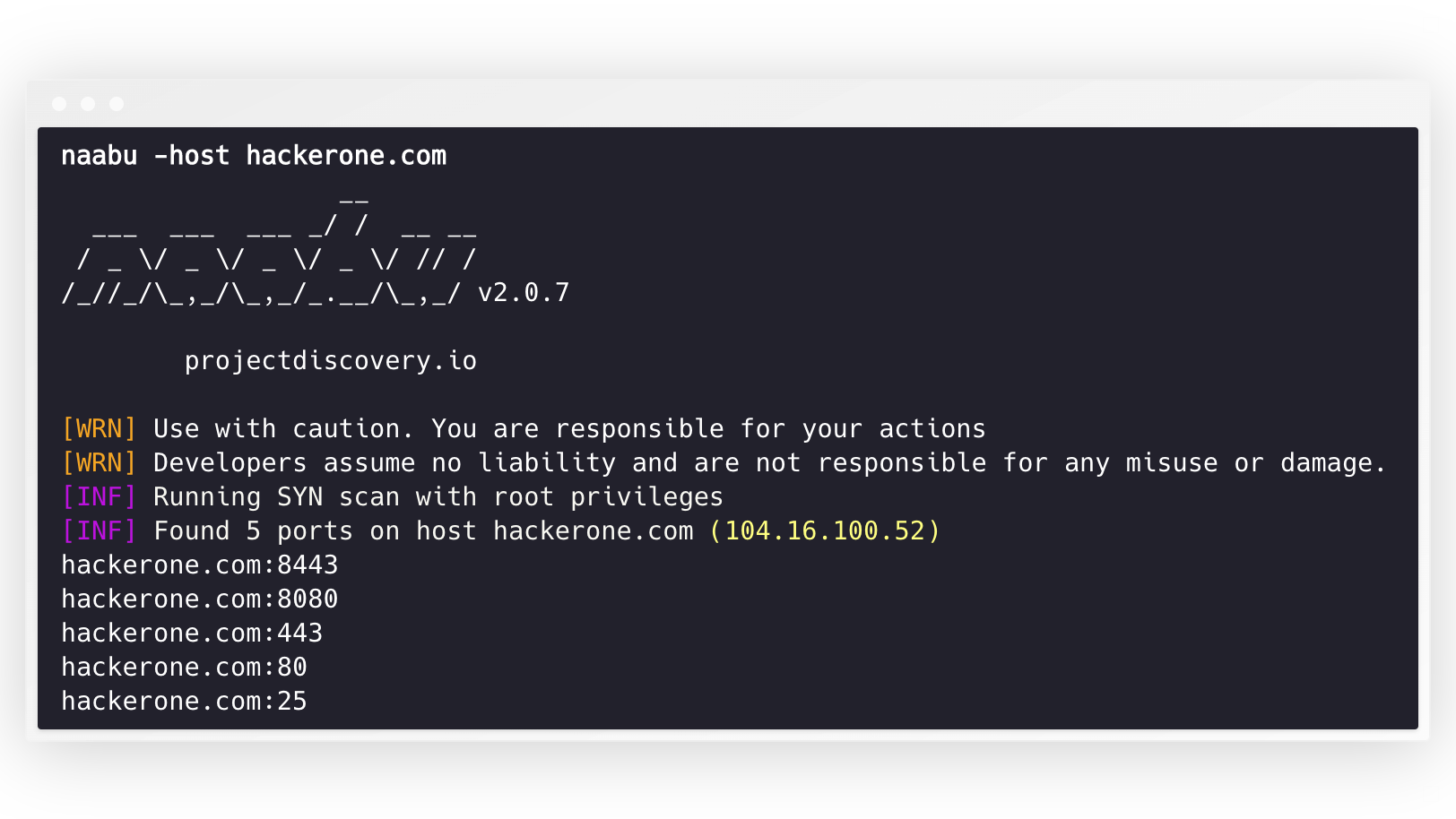
naabu -host hackerone.com Dadurch werden das Tool gegen hackerone.com ausgeführt. Es gibt eine Reihe von Konfigurationsoptionen, die Sie mit diesem Befehl übergeben können. Der ausführliche Schalter -v kann verwendet werden, um ausführliche Informationen anzuzeigen.
 naabu -host hackerone.com

                  __
  ___  ___  ___ _/ /  __ __
 / _ / _ / _ / _ / // /
/_//_/_,_/_,_/_.__/_,_/ v2.0.3

    projectdiscovery.io

[WRN] Use with caution. You are responsible for your actions
[WRN] Developers assume no liability and are not responsible for any misuse or damage.
[INF] Running SYN scan with root privileges
[INF] Found 4 ports on host hackerone.com (104.16.100.52)

hackerone.com:80
hackerone.com:443
hackerone.com:8443
hackerone.com:8080
Die nach dem Host zu scannten Ports können über -p -Parameter angegeben werden (UDP -Ports müssen als u:port ausgedrückt werden). Es dauert die Ports mit NMAP -Format und läuft auf die Aufzählung.
naabu -p 80,443,21-23,u:53 -host hackerone.com Standardmäßig prüft die Naabu nach Top 100 Ports von NMAP. Es unterstützt die folgenden eingebauten Portlisten -
| Flagge | Beschreibung |
|---|---|
-top-ports 100 | Scannen Sie nach NMAP Top 100 Port |
-top-ports 1000 | Scannen Sie nach NMAP Top 1000 -Port |
-p - | Scannen Sie nach 1-65535 nach vollständigen Ports |
Sie können auch bestimmte Ports angeben, die Sie vom Scan ausschließen möchten.
naabu -p - -exclude-ports 80,443 Um die Naabu auf einer Liste von Hosts auszuführen, kann die Option -list verwendet werden.
naabu -list hosts.txtUm die Naabu auf einem ASN zu führen, kann die Eingabe verwendet werden. Die IP -Adresse ist für einen bestimmten ASN verfügbar und führt die Aufzählung aus.
 echo AS14421 | naabu -p 80,443

216.101.17.249:80
216.101.17.249:443
216.101.17.248:443
216.101.17.252:443
216.101.17.251:80
216.101.17.251:443
216.101.17.250:443
216.101.17.250:80
Sie können auch im JSON -Format mit -json -Switch ausgeben. Dieser Schalter spart die Ausgabe im JSON -Leitungsformat.
 naabu -host 104.16.99.52 -json

{"ip":"104.16.99.52","port":443}
{"ip":"104.16.99.52","port":80}
Die entdeckten Ports können auch an andere Werkzeuge geleitet werden. Sie können beispielsweise die von Naabu entdeckten Ports an HTTPX übergeben, wodurch HTTP -Server auf dem Host ausgeführt werden.
 echo hackerone.com | naabu -silent | httpx -silent

http://hackerone.com:8443
http://hackerone.com:443
http://hackerone.com:8080
http://hackerone.com:80
Die Geschwindigkeit kann gesteuert werden, indem der Wert des rate geändert wird, der die Anzahl der Pakete pro Sekunde darstellt. Das Erhöhen bei der Verarbeitung von Hosts kann zu erhöhten falsch positiven Raten führen. Es wird also empfohlen, es auf einen angemessenen Betrag zu halten.
Naabu unterstützt sowohl IPv4 als auch IPv6. Beide Bereiche können als Eingabe zusammengeschlagen werden. Wenn IPv6 verwendet wird, muss die Konnektivität korrekt konfiguriert sein und die Netzwerkschnittstelle muss eine IPv6 -Adresse zugewiesen ( inet6 ) und ein Standard -Gateway.
 echo hackerone.com | dnsx -resp-only -a -aaaa -silent | naabu -p 80 -silent

104.16.99.52:80
104.16.100.52:80
2606:4700::6810:6434:80
2606:4700::6810:6334:80
Durch die Option -ip-version 6 wird das Tool IPv6 -Adressen verwendet, während Domainnamen aufgelöst werden.
 echo hackerone.com | ./naabu -p 80 -ip-version 6

                  __
  ___  ___  ___ _/ /  __ __
 / _ / _ / _ / _ / // /
/_//_/_,_/_,_/_.__/_,_/ v2.0.8

      projectdiscovery.io

Use with caution. You are responsible for your actions
Developers assume no liability and are not responsible for any misuse or damage.
[INF] Running CONNECT scan with non root privileges
[INF] Found 1 ports on host hackerone.com (2606:4700::6810:6334)
hackerone.com:80
Um alle IPs beider Versionen zu scannen, kann ip-version 4,6 zusammen mit -scan-all-ips Flag verwendet werden.
 echo hackerone.com | ./naabu -iv 4,6 -sa -p 80 -silent

[INF] Found 1 ports on host hackerone.com (104.16.100.52)
hackerone.com:80
[INF] Found 1 ports on host hackerone.com (104.16.99.52)
hackerone.com:80
[INF] Found 1 ports on host hackerone.com (2606:4700::6810:6334)
hackerone.com:80
[INF] Found 1 ports on host hackerone.com (2606:4700::6810:6434)
hackerone.com:80 Naabu unterstützt optional mehrere Optionen zur Durchführung von Host -Entdeckungen. Die Erkennung von Hosts ist optional und kann mit dem -wn -Flag aktiviert werden. -sn -Flagge weist das Tool an, nur Host -Entdeckungen durchzuführen.
Verfügbare Optionen zur Ausführung von Host -Entdeckungen:
-arp )-ps 80 )-pa 443 )-pe )-pp )-pm )-nd ) NAABU unterstützt die Konfigurationsdatei als Standardeinstellung bei $HOME/.config/naabu/config.yaml . Dadurch können Sie ein Flag in der Konfigurationsdatei definieren und Standardwerte für alle Scans einschließen.
Wir haben den NMAP -Support für Service Discovery oder zusätzliche von NMAP unterstützte zusätzliche Scans für die gefundenen Ergebnisse von NAABU integriert. Stellen Sie sicher, dass nmap für diese Funktion installiert ist.
Zum Gebrauch kann nmap-cli Flag verwendet werden, gefolgt vom Befehl nmap, zum Beispiel:-
 echo hackerone.com | naabu -nmap-cli 'nmap -sV -oX nmap-output'
                  __
  ___  ___  ___ _/ /  __ __
 / _ / _ / _ / _ / // /
/_//_/_,_/_,_/_.__/_,_/ v2.0.0

    projectdiscovery.io

[WRN] Use with caution. You are responsible for your actions
[WRN] Developers assume no liability and are not responsible for any misuse or damage.
[INF] Running TCP/ICMP/SYN scan with root privileges
[INF] Found 4 ports on host hackerone.com (104.16.99.52)

hackerone.com:443
hackerone.com:80
hackerone.com:8443
hackerone.com:8080

[INF] Running nmap command: nmap -sV -p 80,8443,8080,443 104.16.99.52

Starting Nmap 7.01 ( https://nmap.org ) at 2020-09-23 05:02 UTC
Nmap scan report for 104.16.99.52
Host is up (0.0021s latency).
PORT     STATE SERVICE       VERSION
80/tcp   open  http          cloudflare
443/tcp  open  ssl/https     cloudflare
8080/tcp open  http-proxy    cloudflare
8443/tcp open ssl/https-alt cloudflare Naabu unterstützt außerdem, dass CDN/WAF -IPS -Ports gescannt wird. Bei Verwendung werden nur 80 und 443 Ports nach diesen IPs gescannt. Diese Funktion kann durch die Verwendung von exclude-cdn Flag aktiviert werden.
Derzeit werden cloudflare , akamai , incapsula und sucuri IPs für Ausschlüsse unterstützt.
Naabu enthält JSON -Scan -Informationen zu einem lokalen Port, der an Localhost unter http://localhost:63636/metrics gebunden ist (der Port kann über das Flag -metrics-port geändert werden)
Das folgende Beispielprogramm scannen den Port 80 von scanme.sh . Die Ergebnisse werden über den OnResult -Rückruf zurückgegeben:
 package main

import (
	"log"

	"github.com/projectdiscovery/goflags"
	"github.com/projectdiscovery/naabu/v2/pkg/result"
	"github.com/projectdiscovery/naabu/v2/pkg/runner"
)

func main () {
	options := runner. Options {
		Host :      goflags. StringSlice { "scanme.sh" },
		ScanType : "s" ,
		OnResult : func ( hr * result. HostResult ) {
			log . Println ( hr . Host , hr . Ports )
		},
		Ports : "80" ,
	}

	naabuRunner , err := runner . NewRunner ( & options )
	if err != nil {
		log . Fatal ( err )
	}
	defer naabuRunner . Close ()

	naabuRunner . RunEnumeration ()
}Naabu wird mit gemacht? durch das ProjectDiscovery -Team. Community -Beiträge haben das Projekt zu dem gemacht, was es ist.
Weitere Informationen finden Sie in der Datei danke.md -Datei.





