naabu
v2.3.3


특징 • 설치 • 사용법 • 실행 실행 • 구성 • NMAP 통합 • CDN/WAF 제외 • Discord
NAABU는 이동 중에 작성된 포트 스캐닝 도구로, 빠르고 신뢰할 수있는 방식으로 호스트를위한 유효한 포트를 열거 할 수 있습니다. 호스트 호스트/목록에서 빠른 SYN/CONNECT/UDP 스캔을 수행하고 답장을 반환하는 모든 포트를 나열하는 정말 간단한 도구입니다.
naabu -h도구에 대한 도움이 표시됩니다. 다음은 지원하는 모든 스위치입니다.
 Usage :
  naabu [flags]

Flags :
INPUT :
   -host string[]              hosts to scan ports for (comma-separated)
   -list, -l string            list of hosts to scan ports (file)
   -exclude-hosts, -eh string  hosts to exclude from the scan (comma-separated)
   -exclude-file, -ef string   list of hosts to exclude from scan (file)

PORT :
   -port, -p string            ports to scan (80,443, 100-200)
   -top-ports, -tp string      top ports to scan (default 100) [full,100,1000]
   -exclude-ports, -ep string  ports to exclude from scan (comma-separated)
   -ports-file, -pf string     list of ports to scan (file)
   -port-threshold, -pts int   port threshold to skip port scan for the host
   -exclude-cdn, -ec           skip full port scans for CDN/WAF (only scan for port 80,443)
   -display-cdn, -cdn          display cdn in use

RATE-LIMIT :
   -c int     general internal worker threads (default 25)
   -rate int  packets to send per second (default 1000)

UPDATE :
   -up, -update                 update naabu to latest version
   -duc, -disable-update-check  disable automatic naabu update check

OUTPUT :
   -o, -output string  file to write output to (optional)
   -j, -json           write output in JSON lines format
   -csv                write output in csv format

CONFIGURATION :
   -config string                   path to the naabu configuration file (default $HOME/.config/naabu/config.yaml)
   -scan-all-ips, -sa               scan all the IP's associated with DNS record
   -ip-version, -iv string[]        ip version to scan of hostname (4,6) - (default 4) (default ["4"])
   -scan-type, -s string            type of port scan (SYN/CONNECT) (default "c")
   -source-ip string                source ip and port (x.x.x.x:yyy - might not work on OSX)
   -interface-list, -il             list available interfaces and public ip
   -interface, -i string            network Interface to use for port scan
   -nmap                            invoke nmap scan on targets (nmap must be installed) - Deprecated
   - nmap-cli string                 nmap command to run on found results (example : -nmap-cli 'nmap -sV')
   -r string                        list of custom resolver dns resolution (comma separated or from file)
   -proxy string                    socks5 proxy (ip[:port] / fqdn[:port]
   -proxy-auth string               socks5 proxy authentication (username:password)
   -resume                          resume scan using resume.cfg
   -stream                          stream mode (disables resume, nmap, verify, retries, shuffling, etc)
   -passive                         display passive open ports using shodan internetdb api
   -irt, -input-read-timeout value  timeout on input read (default 3m0s)
   -no-stdin                        Disable Stdin processing

HOST-DISCOVERY :
   -sn, -host-discovery           Perform Only Host Discovery
   - Pn, -skip-host-discovery      Skip Host discovery (Deprecated : use -wn/-with-host-discovery instead)
   -wn, -with-host-discovery      Enable Host discovery
   -ps, -probe-tcp-syn string[]   TCP SYN Ping (host discovery needs to be enabled)
   -pa, -probe-tcp-ack string[]   TCP ACK Ping (host discovery needs to be enabled)
   -pe, -probe-icmp-echo          ICMP echo request Ping (host discovery needs to be enabled)
   -pp, -probe-icmp-timestamp     ICMP timestamp request Ping (host discovery needs to be enabled)
   -pm, -probe-icmp-address-mask  ICMP address mask request Ping (host discovery needs to be enabled)
   -arp, -arp-ping                ARP ping (host discovery needs to be enabled)
   -nd, -nd-ping                  IPv6 Neighbor Discovery (host discovery needs to be enabled)
   -rev-ptr                       Reverse PTR lookup for input ips

OPTIMIZATION :
   -retries int       number of retries for the port scan (default 3)
   -timeout int       millisecond to wait before timing out (default 1000)
   -warm-up-time int  time in seconds between scan phases (default 2)
   -ping              ping probes for verification of host
   -verify            validate the ports again with TCP verification

DEBUG :
   -health-check, -hc        run diagnostic check up
   -debug                    display debugging information
   -verbose, -v              display verbose output
   -no-color, -nc            disable colors in CLI output
   -silent                   display only results in output
   -version                  display version of naabu
   -stats                    display stats of the running scan (deprecated)
   -si, -stats-interval int  number of seconds to wait between showing a statistics update (deprecated) (default 5)
-mp, -metrics-port int port to expose naabu metrics on (default 63636)Binary / Docker를 실행하기위한 준비를 다운로드하거나 GO와 함께 설치하십시오.
참고 : Naabu를 설치하기 전에 패킷 캡처를 위해
libpcap라이브러리를 설치하십시오.
Linux 에 libcap을 설치하려면 : sudo apt install -y libpcap-dev , mac : brew install libpcap
go install -v github.com/projectdiscovery/naabu/v2/cmd/naabu@latest대상에서 도구를 실행하려면 다음 명령 만 사용하십시오.
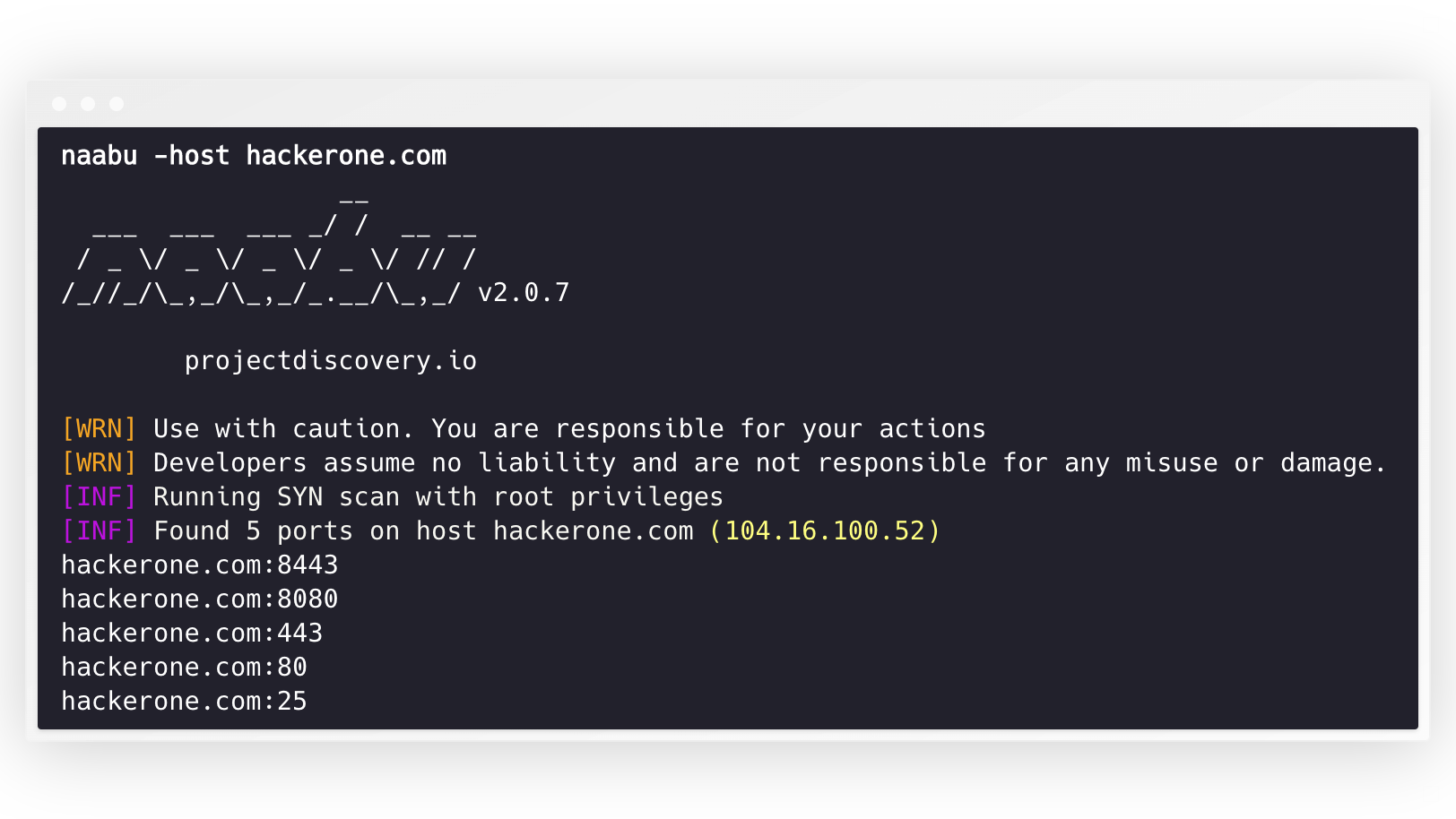
naabu -host hackerone.com 이것은 hackerone.com에 대해 도구를 실행합니다. 이 명령과 함께 전달할 수있는 여러 구성 옵션이 있습니다. Verbose Switch -v 장황한 정보를 표시하는 데 사용될 수 있습니다.
 naabu -host hackerone.com

                  __
  ___  ___  ___ _/ /  __ __
 / _ / _ / _ / _ / // /
/_//_/_,_/_,_/_.__/_,_/ v2.0.3

    projectdiscovery.io

[WRN] Use with caution. You are responsible for your actions
[WRN] Developers assume no liability and are not responsible for any misuse or damage.
[INF] Running SYN scan with root privileges
[INF] Found 4 ports on host hackerone.com (104.16.100.52)

hackerone.com:80
hackerone.com:443
hackerone.com:8443
hackerone.com:8080
호스트에서 스캔 할 포트는 -p 매개 변수를 통해 지정할 수 있습니다 (UDP 포트는 u:port 로 표현되어야합니다). NMAP 형식 포트가 필요하고 열거를 실행합니다.
naabu -p 80,443,21-23,u:53 -host hackerone.com 기본적으로 Naabu는 NMAP의 Top 100 포트를 확인합니다. 다음과 같은 내장 포트 목록을 지원합니다.
| 깃발 | 설명 |
|---|---|
-top-ports 100 | NMAP Top 100 포트를 스캔하십시오 |
-top-ports 1000 | NMAP 상단 1000 포트를 스캔하십시오 |
-p - | 1-65535 에서 전체 포트를 스캔하십시오 |
스캔에서 제외하려는 특정 포트를 지정할 수도 있습니다.
naabu -p - -exclude-ports 80,443 호스트 목록에서 Naabu를 실행하려면 -list 옵션을 사용할 수 있습니다.
naabu -list hosts.txt입력을 사용할 수 있듯이 ASN에서 Naabu를 실행하려면. 주어진 ASN에 사용할 수있는 IP 주소를 사용하고 열거를 실행합니다.
 echo AS14421 | naabu -p 80,443

216.101.17.249:80
216.101.17.249:443
216.101.17.248:443
216.101.17.252:443
216.101.17.251:80
216.101.17.251:443
216.101.17.250:443
216.101.17.250:80
-json 스위치를 사용하여 JSON 형식으로 출력을 얻을 수도 있습니다. 이 스위치는 출력을 JSON 라인 형식으로 저장합니다.
 naabu -host 104.16.99.52 -json

{"ip":"104.16.99.52","port":443}
{"ip":"104.16.99.52","port":80}
발견 된 항구는 다른 도구에도 파이프를 할 수 있습니다. 예를 들어, Naabu에서 발견 한 포트를 HTTPX로 파이프로 파이프 한 다음 호스트에서 실행중인 HTTP 서버를 찾을 수 있습니다.
 echo hackerone.com | naabu -silent | httpx -silent

http://hackerone.com:8443
http://hackerone.com:443
http://hackerone.com:8080
http://hackerone.com:80
초당 패킷 수를 나타내는 rate 플래그 값을 변경하여 속도를 제어 할 수 있습니다. 호스트를 처리하는 동안 증가하면 오 탐 양성 비율이 증가 할 수 있습니다. 따라서 합리적인 금액으로 유지하는 것이 좋습니다.
NAABU는 IPv4와 IPv6을 모두 지원합니다. 두 범위는 모두 입력으로 함께 파이프를 할 수 있습니다. IPv6을 사용하는 경우 연결성을 올바르게 구성해야하며 네트워크 인터페이스에는 IPv6 주소가 지정된 ( inet6 )와 기본 게이트웨이가 있어야합니다.
 echo hackerone.com | dnsx -resp-only -a -aaaa -silent | naabu -p 80 -silent

104.16.99.52:80
104.16.100.52:80
2606:4700::6810:6434:80
2606:4700::6810:6334:80
옵션 -ip-version 6 도메인 이름을 해결하면서 도구가 IPv6 주소를 사용합니다.
 echo hackerone.com | ./naabu -p 80 -ip-version 6

                  __
  ___  ___  ___ _/ /  __ __
 / _ / _ / _ / _ / // /
/_//_/_,_/_,_/_.__/_,_/ v2.0.8

      projectdiscovery.io

Use with caution. You are responsible for your actions
Developers assume no liability and are not responsible for any misuse or damage.
[INF] Running CONNECT scan with non root privileges
[INF] Found 1 ports on host hackerone.com (2606:4700::6810:6334)
hackerone.com:80
두 버전의 모든 IP를 스캔하려면 -scan-all-ips 플래그와 함께 ip-version 4,6 사용할 수 있습니다.
 echo hackerone.com | ./naabu -iv 4,6 -sa -p 80 -silent

[INF] Found 1 ports on host hackerone.com (104.16.100.52)
hackerone.com:80
[INF] Found 1 ports on host hackerone.com (104.16.99.52)
hackerone.com:80
[INF] Found 1 ports on host hackerone.com (2606:4700::6810:6334)
hackerone.com:80
[INF] Found 1 ports on host hackerone.com (2606:4700::6810:6434)
hackerone.com:80 NAABU는 선택적으로 호스트 발견을 수행하기위한 여러 옵션을 지원합니다. 호스트 발견은 선택 사항이며 -wn 플래그로 활성화 할 수 있습니다. -sn 플래그는 도구에 호스트 발견 만 수행하도록 지시합니다.
호스트 발견을 수행하기 위해 사용 가능한 옵션 :
-arp )-ps 80 )-pa 443 )-pe )-pp )-pm )-nd ) Naabu는 구성 파일을 $HOME/.config/naabu/config.yaml 에있는 기본적으로 지원하므로 구성 파일에 플래그를 정의하고 모든 스캔에 포함 할 기본값을 설정할 수 있습니다.
우리는 NAABU의 발견 된 결과에서 NMAP에서 지원하는 서비스 검색을위한 NMAP 지원 또는 추가 스캔을 통합 하여이 기능을 사용하도록 nmap 설치해야합니다.
사용하려면 nmap-cli 플래그를 사용하고 NMAP 명령을 사용하여 다음과 같습니다.
 echo hackerone.com | naabu -nmap-cli 'nmap -sV -oX nmap-output'
                  __
  ___  ___  ___ _/ /  __ __
 / _ / _ / _ / _ / // /
/_//_/_,_/_,_/_.__/_,_/ v2.0.0

    projectdiscovery.io

[WRN] Use with caution. You are responsible for your actions
[WRN] Developers assume no liability and are not responsible for any misuse or damage.
[INF] Running TCP/ICMP/SYN scan with root privileges
[INF] Found 4 ports on host hackerone.com (104.16.99.52)

hackerone.com:443
hackerone.com:80
hackerone.com:8443
hackerone.com:8080

[INF] Running nmap command: nmap -sV -p 80,8443,8080,443 104.16.99.52

Starting Nmap 7.01 ( https://nmap.org ) at 2020-09-23 05:02 UTC
Nmap scan report for 104.16.99.52
Host is up (0.0021s latency).
PORT     STATE SERVICE       VERSION
80/tcp   open  http          cloudflare
443/tcp  open  ssl/https     cloudflare
8080/tcp open  http-proxy    cloudflare
8443/tcp open ssl/https-alt cloudflare Naabu는 또한 포트 스캔되는 CDN/WAF IP를 제외한 지원을 지원합니다. 사용하면 IPS에 대해 80 및 443 포트 만 스캔됩니다. 이 기능은 exclude-cdn 플래그를 사용하여 활성화 할 수 있습니다.
현재 cloudflare , akamai , incapsula 및 sucuri IP는 제외를 위해 지원됩니다.
NAABU는 http://localhost:63636/metrics 에서 Localhost에 바인딩 된 로컬 포트에 JSON 스캔 정보를 노출시킵니다 (포트는 -metrics-port 플래그를 통해 변경할 수 있음).
다음 샘플 프로그램은 scanme.sh 의 포트 80 스캔합니다. 결과는 OnResult 콜백을 통해 반환됩니다.
 package main

import (
	"log"

	"github.com/projectdiscovery/goflags"
	"github.com/projectdiscovery/naabu/v2/pkg/result"
	"github.com/projectdiscovery/naabu/v2/pkg/runner"
)

func main () {
	options := runner. Options {
		Host :      goflags. StringSlice { "scanme.sh" },
		ScanType : "s" ,
		OnResult : func ( hr * result. HostResult ) {
			log . Println ( hr . Host , hr . Ports )
		},
		Ports : "80" ,
	}

	naabuRunner , err := runner . NewRunner ( & options )
	if err != nil {
		log . Fatal ( err )
	}
	defer naabuRunner . Close ()

	naabuRunner . RunEnumeration ()
}Naabu가 만들어 졌습니까? ProjectDiscovery 팀에 의해. 커뮤니티 기여는 프로젝트가 무엇인지를 만들었습니다.
자세한 내용은 Thank.md 파일을 참조하십시오.





