naabu
v2.3.3


Fitur • Instalasi • Penggunaan • Menjalankan NAABU • Konfigurasi • Integrasi NMAP • Pengecualian CDN/WAF • Perselisihan
Naabu adalah alat pemindaian port yang ditulis dalam Go yang memungkinkan Anda untuk menyebutkan port yang valid untuk host dengan cara yang cepat dan andal. Ini adalah alat yang sangat sederhana yang melakukan pemindaian Syn/Connect/UDP cepat pada host/daftar host dan mencantumkan semua port yang mengembalikan balasan.
naabu -hIni akan menampilkan bantuan untuk alat ini. Berikut semua sakelar yang didukungnya.
 Usage :
  naabu [flags]

Flags :
INPUT :
   -host string[]              hosts to scan ports for (comma-separated)
   -list, -l string            list of hosts to scan ports (file)
   -exclude-hosts, -eh string  hosts to exclude from the scan (comma-separated)
   -exclude-file, -ef string   list of hosts to exclude from scan (file)

PORT :
   -port, -p string            ports to scan (80,443, 100-200)
   -top-ports, -tp string      top ports to scan (default 100) [full,100,1000]
   -exclude-ports, -ep string  ports to exclude from scan (comma-separated)
   -ports-file, -pf string     list of ports to scan (file)
   -port-threshold, -pts int   port threshold to skip port scan for the host
   -exclude-cdn, -ec           skip full port scans for CDN/WAF (only scan for port 80,443)
   -display-cdn, -cdn          display cdn in use

RATE-LIMIT :
   -c int     general internal worker threads (default 25)
   -rate int  packets to send per second (default 1000)

UPDATE :
   -up, -update                 update naabu to latest version
   -duc, -disable-update-check  disable automatic naabu update check

OUTPUT :
   -o, -output string  file to write output to (optional)
   -j, -json           write output in JSON lines format
   -csv                write output in csv format

CONFIGURATION :
   -config string                   path to the naabu configuration file (default $HOME/.config/naabu/config.yaml)
   -scan-all-ips, -sa               scan all the IP's associated with DNS record
   -ip-version, -iv string[]        ip version to scan of hostname (4,6) - (default 4) (default ["4"])
   -scan-type, -s string            type of port scan (SYN/CONNECT) (default "c")
   -source-ip string                source ip and port (x.x.x.x:yyy - might not work on OSX)
   -interface-list, -il             list available interfaces and public ip
   -interface, -i string            network Interface to use for port scan
   -nmap                            invoke nmap scan on targets (nmap must be installed) - Deprecated
   - nmap-cli string                 nmap command to run on found results (example : -nmap-cli 'nmap -sV')
   -r string                        list of custom resolver dns resolution (comma separated or from file)
   -proxy string                    socks5 proxy (ip[:port] / fqdn[:port]
   -proxy-auth string               socks5 proxy authentication (username:password)
   -resume                          resume scan using resume.cfg
   -stream                          stream mode (disables resume, nmap, verify, retries, shuffling, etc)
   -passive                         display passive open ports using shodan internetdb api
   -irt, -input-read-timeout value  timeout on input read (default 3m0s)
   -no-stdin                        Disable Stdin processing

HOST-DISCOVERY :
   -sn, -host-discovery           Perform Only Host Discovery
   - Pn, -skip-host-discovery      Skip Host discovery (Deprecated : use -wn/-with-host-discovery instead)
   -wn, -with-host-discovery      Enable Host discovery
   -ps, -probe-tcp-syn string[]   TCP SYN Ping (host discovery needs to be enabled)
   -pa, -probe-tcp-ack string[]   TCP ACK Ping (host discovery needs to be enabled)
   -pe, -probe-icmp-echo          ICMP echo request Ping (host discovery needs to be enabled)
   -pp, -probe-icmp-timestamp     ICMP timestamp request Ping (host discovery needs to be enabled)
   -pm, -probe-icmp-address-mask  ICMP address mask request Ping (host discovery needs to be enabled)
   -arp, -arp-ping                ARP ping (host discovery needs to be enabled)
   -nd, -nd-ping                  IPv6 Neighbor Discovery (host discovery needs to be enabled)
   -rev-ptr                       Reverse PTR lookup for input ips

OPTIMIZATION :
   -retries int       number of retries for the port scan (default 3)
   -timeout int       millisecond to wait before timing out (default 1000)
   -warm-up-time int  time in seconds between scan phases (default 2)
   -ping              ping probes for verification of host
   -verify            validate the ports again with TCP verification

DEBUG :
   -health-check, -hc        run diagnostic check up
   -debug                    display debugging information
   -verbose, -v              display verbose output
   -no-color, -nc            disable colors in CLI output
   -silent                   display only results in output
   -version                  display version of naabu
   -stats                    display stats of the running scan (deprecated)
   -si, -stats-interval int  number of seconds to wait between showing a statistics update (deprecated) (default 5)
-mp, -metrics-port int port to expose naabu metrics on (default 63636)Unduh Binary / Docker siap pakai atau instal dengan go
CATATAN : Sebelum menginstal NAABU, pastikan untuk menginstal perpustakaan
libpcapuntuk penangkapan paket.
Untuk menginstal libcap di linux : sudo apt install -y libpcap-dev , di mac : brew install libpcap
go install -v github.com/projectdiscovery/naabu/v2/cmd/naabu@latestUntuk menjalankan alat pada target, cukup gunakan perintah berikut.
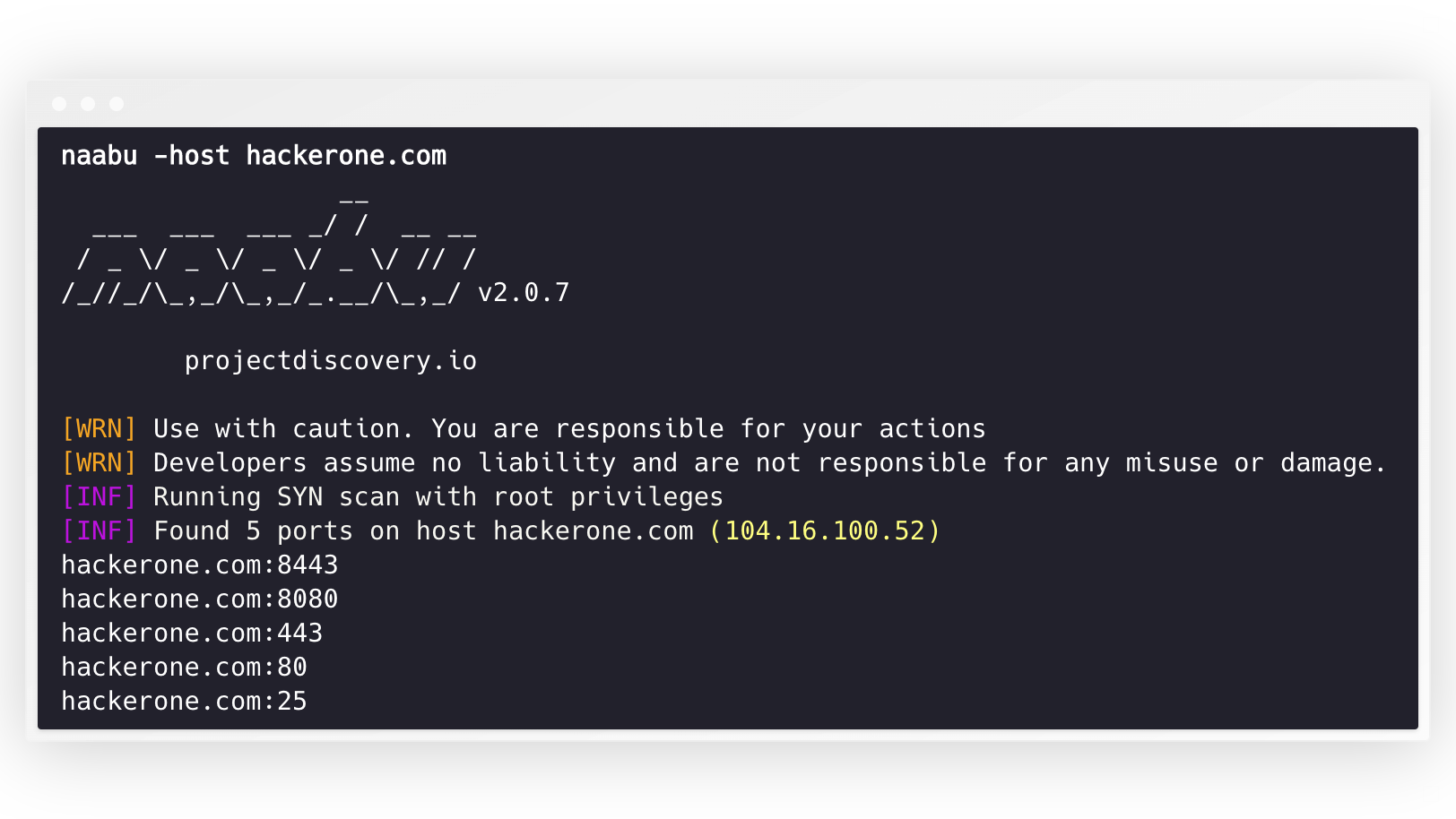
naabu -host hackerone.com Ini akan menjalankan alat melawan Hackerone.com. Ada sejumlah opsi konfigurasi yang dapat Anda lewati dengan perintah ini. Sakelar verbose -v dapat digunakan untuk menampilkan informasi verbose.
 naabu -host hackerone.com

                  __
  ___  ___  ___ _/ /  __ __
 / _ / _ / _ / _ / // /
/_//_/_,_/_,_/_.__/_,_/ v2.0.3

    projectdiscovery.io

[WRN] Use with caution. You are responsible for your actions
[WRN] Developers assume no liability and are not responsible for any misuse or damage.
[INF] Running SYN scan with root privileges
[INF] Found 4 ports on host hackerone.com (104.16.100.52)

hackerone.com:80
hackerone.com:443
hackerone.com:8443
hackerone.com:8080
Port untuk memindai pada host dapat ditentukan melalui parameter -p (port UDP harus dinyatakan sebagai u:port :). Dibutuhkan port format NMAP dan menjalankan enumerasi pada mereka.
naabu -p 80,443,21-23,u:53 -host hackerone.com Secara default, NAABU memeriksa Top 100 NMAP. Ini mendukung daftar port in -built berikut -
| Bendera | Keterangan |
|---|---|
-top-ports 100 | Pindai untuk NMAP Top 100 Port |
-top-ports 1000 | Pindai port 1000 NMAP Top |
-p - | Pindai port penuh dari 1-65535 |
Anda juga dapat menentukan port spesifik yang ingin Anda kecualikan dari pemindaian.
naabu -p - -exclude-ports 80,443 Untuk menjalankan NAABU pada daftar host, opsi -list dapat digunakan.
naabu -list hosts.txtUntuk menjalankan NAABU pada ASN, karena input dapat digunakan. Dibutuhkan alamat IP yang tersedia untuk ASN yang diberikan dan menjalankan enumerasi pada mereka.
 echo AS14421 | naabu -p 80,443

216.101.17.249:80
216.101.17.249:443
216.101.17.248:443
216.101.17.252:443
216.101.17.251:80
216.101.17.251:443
216.101.17.250:443
216.101.17.250:80
Anda juga bisa mendapatkan output dalam format JSON menggunakan -json Switch. Sakelar ini menyimpan output dalam format garis JSON.
 naabu -host 104.16.99.52 -json

{"ip":"104.16.99.52","port":443}
{"ip":"104.16.99.52","port":80}
Port yang ditemukan dapat disalurkan ke alat lain juga. Misalnya, Anda dapat menyalurkan port yang ditemukan oleh Naabu ke httpx yang kemudian akan menemukan menjalankan server HTTP di host.
 echo hackerone.com | naabu -silent | httpx -silent

http://hackerone.com:8443
http://hackerone.com:443
http://hackerone.com:8080
http://hackerone.com:80
Kecepatan dapat dikontrol dengan mengubah nilai bendera rate yang mewakili jumlah paket per detik. Meningkatkan saat memproses host dapat menyebabkan peningkatan tarif positif palsu. Jadi disarankan untuk menyimpannya dengan jumlah yang wajar.
NAABU mendukung IPv4 dan IPv6. Kedua rentang tersebut dapat disatukan sebagai input. Jika IPv6 digunakan, konektivitas harus dikonfigurasi dengan benar, dan antarmuka jaringan harus memiliki alamat IPv6 yang ditetapkan ( inet6 ) dan gateway default.
 echo hackerone.com | dnsx -resp-only -a -aaaa -silent | naabu -p 80 -silent

104.16.99.52:80
104.16.100.52:80
2606:4700::6810:6434:80
2606:4700::6810:6334:80
Opsi -ip-version 6 membuat alat menggunakan alamat IPv6 saat menyelesaikan nama domain.
 echo hackerone.com | ./naabu -p 80 -ip-version 6

                  __
  ___  ___  ___ _/ /  __ __
 / _ / _ / _ / _ / // /
/_//_/_,_/_,_/_.__/_,_/ v2.0.8

      projectdiscovery.io

Use with caution. You are responsible for your actions
Developers assume no liability and are not responsible for any misuse or damage.
[INF] Running CONNECT scan with non root privileges
[INF] Found 1 ports on host hackerone.com (2606:4700::6810:6334)
hackerone.com:80
Untuk memindai semua IP dari kedua versi, ip-version 4,6 dapat digunakan bersama dengan -scan-all-ips flag.
 echo hackerone.com | ./naabu -iv 4,6 -sa -p 80 -silent

[INF] Found 1 ports on host hackerone.com (104.16.100.52)
hackerone.com:80
[INF] Found 1 ports on host hackerone.com (104.16.99.52)
hackerone.com:80
[INF] Found 1 ports on host hackerone.com (2606:4700::6810:6334)
hackerone.com:80
[INF] Found 1 ports on host hackerone.com (2606:4700::6810:6434)
hackerone.com:80 Naabu secara opsional mendukung beberapa opsi untuk melakukan penemuan host. Penemuan host adalah opsional dan dapat diaktifkan dengan bendera -wn . -sn Flag menginstruksikan alat untuk melakukan penemuan host saja.
Opsi yang tersedia untuk melakukan penemuan host:
-arp )-ps 80 )-pa 443 )-pe )-pp )-pm )-nd ) NAABU Mendukung file konfigurasi sebagai default yang terletak di $HOME/.config/naabu/config.yaml , ini memungkinkan Anda untuk menentukan flag apa pun dalam file konfigurasi dan mengatur nilai default untuk disertakan untuk semua pemindaian.
Kami telah mengintegrasikan dukungan NMAP untuk penemuan layanan atau pemindaian tambahan yang didukung oleh NMAP pada hasil yang ditemukan oleh NAABU, pastikan Anda menginstal nmap untuk menggunakan fitur ini.
Untuk digunakan, bendera nmap-cli dapat digunakan diikuti oleh perintah NMAP, misalnya:-
 echo hackerone.com | naabu -nmap-cli 'nmap -sV -oX nmap-output'
                  __
  ___  ___  ___ _/ /  __ __
 / _ / _ / _ / _ / // /
/_//_/_,_/_,_/_.__/_,_/ v2.0.0

    projectdiscovery.io

[WRN] Use with caution. You are responsible for your actions
[WRN] Developers assume no liability and are not responsible for any misuse or damage.
[INF] Running TCP/ICMP/SYN scan with root privileges
[INF] Found 4 ports on host hackerone.com (104.16.99.52)

hackerone.com:443
hackerone.com:80
hackerone.com:8443
hackerone.com:8080

[INF] Running nmap command: nmap -sV -p 80,8443,8080,443 104.16.99.52

Starting Nmap 7.01 ( https://nmap.org ) at 2020-09-23 05:02 UTC
Nmap scan report for 104.16.99.52
Host is up (0.0021s latency).
PORT     STATE SERVICE       VERSION
80/tcp   open  http          cloudflare
443/tcp  open  ssl/https     cloudflare
8080/tcp open  http-proxy    cloudflare
8443/tcp open ssl/https-alt cloudflare Naabu juga mendukung tidak termasuk CDN/WAF IP yang dipindai port. Jika digunakan, hanya 80 dan 443 port yang dipindai untuk IP tersebut. Fitur ini dapat diaktifkan dengan menggunakan bendera exclude-cdn .
Saat ini cloudflare , akamai , incapsula dan sucuri didukung untuk pengecualian.
Naabu memaparkan info pemindaian JSON pada port lokal yang terikat ke LocalHost di http://localhost:63636/metrics (port dapat diubah melalui bendera -metrics-port )
Program sampel berikut memindai port 80 dari scanme.sh . Hasilnya dikembalikan melalui panggilan balik OnResult :
 package main

import (
	"log"

	"github.com/projectdiscovery/goflags"
	"github.com/projectdiscovery/naabu/v2/pkg/result"
	"github.com/projectdiscovery/naabu/v2/pkg/runner"
)

func main () {
	options := runner. Options {
		Host :      goflags. StringSlice { "scanme.sh" },
		ScanType : "s" ,
		OnResult : func ( hr * result. HostResult ) {
			log . Println ( hr . Host , hr . Ports )
		},
		Ports : "80" ,
	}

	naabuRunner , err := runner . NewRunner ( & options )
	if err != nil {
		log . Fatal ( err )
	}
	defer naabuRunner . Close ()

	naabuRunner . RunEnumeration ()
}Naabu dibuat dengan? oleh tim ProjectDiscovery. Kontribusi komunitas telah membuat proyek ini.
Lihat file terima kasih.MD untuk lebih jelasnya.





