naabu
v2.3.3


คุณสมบัติ•การติดตั้ง•การใช้งาน•การเรียกใช้ NAABU •การกำหนดค่า•การรวม NMAP •การยกเว้น CDN/WAF • Discord
Naabu เป็นเครื่องมือสแกนพอร์ตที่เขียนใน GO ที่ช่วยให้คุณสามารถระบุพอร์ตที่ถูกต้องสำหรับโฮสต์ในลักษณะที่รวดเร็วและเชื่อถือได้ มันเป็นเครื่องมือที่ง่ายมากที่สแกน SYN/Connect/UDP อย่างรวดเร็วบนโฮสต์/รายการของโฮสต์และแสดงรายการพอร์ตทั้งหมดที่ส่งคืนการตอบกลับ
naabu -hสิ่งนี้จะแสดงความช่วยเหลือสำหรับเครื่องมือ นี่คือสวิตช์ทั้งหมดที่รองรับ
 Usage :
  naabu [flags]

Flags :
INPUT :
   -host string[]              hosts to scan ports for (comma-separated)
   -list, -l string            list of hosts to scan ports (file)
   -exclude-hosts, -eh string  hosts to exclude from the scan (comma-separated)
   -exclude-file, -ef string   list of hosts to exclude from scan (file)

PORT :
   -port, -p string            ports to scan (80,443, 100-200)
   -top-ports, -tp string      top ports to scan (default 100) [full,100,1000]
   -exclude-ports, -ep string  ports to exclude from scan (comma-separated)
   -ports-file, -pf string     list of ports to scan (file)
   -port-threshold, -pts int   port threshold to skip port scan for the host
   -exclude-cdn, -ec           skip full port scans for CDN/WAF (only scan for port 80,443)
   -display-cdn, -cdn          display cdn in use

RATE-LIMIT :
   -c int     general internal worker threads (default 25)
   -rate int  packets to send per second (default 1000)

UPDATE :
   -up, -update                 update naabu to latest version
   -duc, -disable-update-check  disable automatic naabu update check

OUTPUT :
   -o, -output string  file to write output to (optional)
   -j, -json           write output in JSON lines format
   -csv                write output in csv format

CONFIGURATION :
   -config string                   path to the naabu configuration file (default $HOME/.config/naabu/config.yaml)
   -scan-all-ips, -sa               scan all the IP's associated with DNS record
   -ip-version, -iv string[]        ip version to scan of hostname (4,6) - (default 4) (default ["4"])
   -scan-type, -s string            type of port scan (SYN/CONNECT) (default "c")
   -source-ip string                source ip and port (x.x.x.x:yyy - might not work on OSX)
   -interface-list, -il             list available interfaces and public ip
   -interface, -i string            network Interface to use for port scan
   -nmap                            invoke nmap scan on targets (nmap must be installed) - Deprecated
   - nmap-cli string                 nmap command to run on found results (example : -nmap-cli 'nmap -sV')
   -r string                        list of custom resolver dns resolution (comma separated or from file)
   -proxy string                    socks5 proxy (ip[:port] / fqdn[:port]
   -proxy-auth string               socks5 proxy authentication (username:password)
   -resume                          resume scan using resume.cfg
   -stream                          stream mode (disables resume, nmap, verify, retries, shuffling, etc)
   -passive                         display passive open ports using shodan internetdb api
   -irt, -input-read-timeout value  timeout on input read (default 3m0s)
   -no-stdin                        Disable Stdin processing

HOST-DISCOVERY :
   -sn, -host-discovery           Perform Only Host Discovery
   - Pn, -skip-host-discovery      Skip Host discovery (Deprecated : use -wn/-with-host-discovery instead)
   -wn, -with-host-discovery      Enable Host discovery
   -ps, -probe-tcp-syn string[]   TCP SYN Ping (host discovery needs to be enabled)
   -pa, -probe-tcp-ack string[]   TCP ACK Ping (host discovery needs to be enabled)
   -pe, -probe-icmp-echo          ICMP echo request Ping (host discovery needs to be enabled)
   -pp, -probe-icmp-timestamp     ICMP timestamp request Ping (host discovery needs to be enabled)
   -pm, -probe-icmp-address-mask  ICMP address mask request Ping (host discovery needs to be enabled)
   -arp, -arp-ping                ARP ping (host discovery needs to be enabled)
   -nd, -nd-ping                  IPv6 Neighbor Discovery (host discovery needs to be enabled)
   -rev-ptr                       Reverse PTR lookup for input ips

OPTIMIZATION :
   -retries int       number of retries for the port scan (default 3)
   -timeout int       millisecond to wait before timing out (default 1000)
   -warm-up-time int  time in seconds between scan phases (default 2)
   -ping              ping probes for verification of host
   -verify            validate the ports again with TCP verification

DEBUG :
   -health-check, -hc        run diagnostic check up
   -debug                    display debugging information
   -verbose, -v              display verbose output
   -no-color, -nc            disable colors in CLI output
   -silent                   display only results in output
   -version                  display version of naabu
   -stats                    display stats of the running scan (deprecated)
   -si, -stats-interval int  number of seconds to wait between showing a statistics update (deprecated) (default 5)
-mp, -metrics-port int port to expose naabu metrics on (default 63636)ดาวน์โหลด The Ready To Run Binary / Docker หรือติดตั้งด้วย GO
หมายเหตุ : ก่อนที่จะติดตั้ง Naabu ตรวจสอบให้แน่ใจว่าได้ติดตั้งไลบรารี
libpcapสำหรับการจับแพ็คเก็ต
ในการติดตั้ง libcap บน linux : sudo apt install -y libpcap-dev , บน Mac : brew install libpcap
go install -v github.com/projectdiscovery/naabu/v2/cmd/naabu@latestในการเรียกใช้เครื่องมือบนเป้าหมายเพียงใช้คำสั่งต่อไปนี้
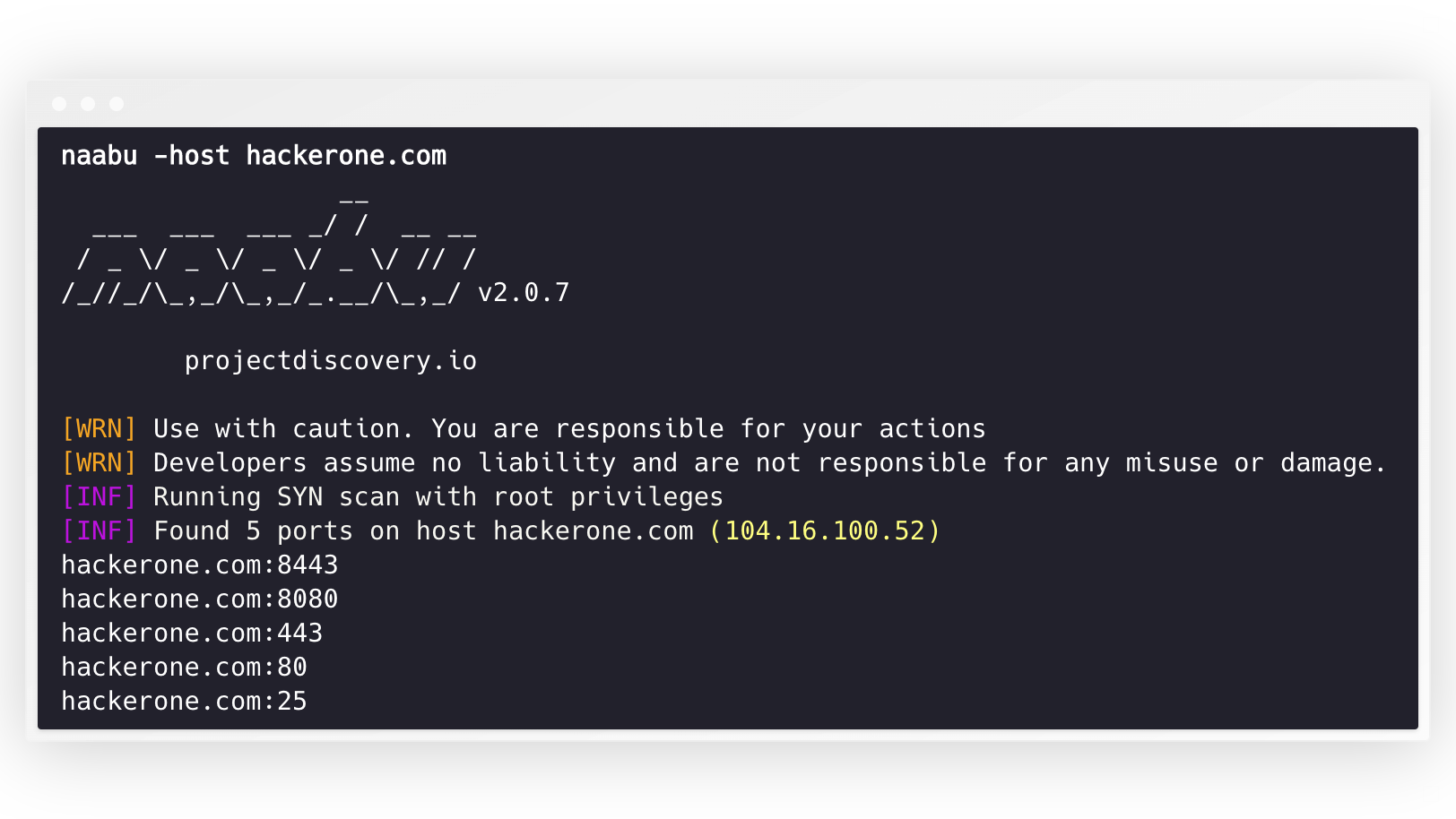
naabu -host hackerone.com สิ่งนี้จะเรียกใช้เครื่องมือกับ hackerone.com มีตัวเลือกการกำหนดค่าจำนวนมากที่คุณสามารถผ่านไปพร้อมกับคำสั่งนี้ สวิตช์ verbose -v สามารถใช้เพื่อแสดงข้อมูล verbose
 naabu -host hackerone.com

                  __
  ___  ___  ___ _/ /  __ __
 / _ / _ / _ / _ / // /
/_//_/_,_/_,_/_.__/_,_/ v2.0.3

    projectdiscovery.io

[WRN] Use with caution. You are responsible for your actions
[WRN] Developers assume no liability and are not responsible for any misuse or damage.
[INF] Running SYN scan with root privileges
[INF] Found 4 ports on host hackerone.com (104.16.100.52)

hackerone.com:80
hackerone.com:443
hackerone.com:8443
hackerone.com:8080
พอร์ตที่จะสแกนสำหรับโฮสต์สามารถระบุได้ผ่านพารามิเตอร์ -p พารามิเตอร์ (พอร์ต UDP จะต้องแสดงเป็น u:port ) ต้องใช้พอร์ตรูปแบบ NMAP และเรียกใช้การแจงนับ
naabu -p 80,443,21-23,u:53 -host hackerone.com โดยค่าเริ่มต้น Naabu จะตรวจสอบพอร์ต Top 100 ของ NMAP รองรับรายการพอร์ตในตัวต่อไปนี้ -
| ธง | คำอธิบาย |
|---|---|
-top-ports 100 | สแกนสำหรับพอร์ต 100 อันดับแรกของ NMAP |
-top-ports 1000 | สแกนสำหรับ NMAP Top 1000 พอร์ต |
-p - | สแกนสำหรับพอร์ตเต็มตั้งแต่ 1-65535 |
นอกจากนี้คุณยังสามารถระบุพอร์ตเฉพาะที่คุณต้องการแยกออกจากการสแกน
naabu -p - -exclude-ports 80,443 ในการเรียกใช้ Naabu ในรายการโฮสต์สามารถใช้ตัวเลือก -list ได้
naabu -list hosts.txtในการเรียกใช้ Naabu บน ASN ตามที่อินพุตสามารถใช้ ต้องใช้ที่อยู่ IP สำหรับ ASN ที่กำหนดและเรียกใช้การแจงนับ
 echo AS14421 | naabu -p 80,443

216.101.17.249:80
216.101.17.249:443
216.101.17.248:443
216.101.17.252:443
216.101.17.251:80
216.101.17.251:443
216.101.17.250:443
216.101.17.250:80
นอกจากนี้คุณยังสามารถรับเอาต์พุตในรูปแบบ JSON โดยใช้ -json SWITCH สวิตช์นี้จะบันทึกเอาต์พุตในรูปแบบบรรทัด JSON
 naabu -host 104.16.99.52 -json

{"ip":"104.16.99.52","port":443}
{"ip":"104.16.99.52","port":80}
พอร์ตที่ค้นพบสามารถส่งไปยังเครื่องมืออื่น ๆ ได้เช่นกัน ตัวอย่างเช่นคุณสามารถท่อพอร์ตที่ค้นพบโดย Naabu ไปยัง httpx ซึ่งจะพบการรันเซิร์ฟเวอร์ HTTP บนโฮสต์
 echo hackerone.com | naabu -silent | httpx -silent

http://hackerone.com:8443
http://hackerone.com:443
http://hackerone.com:8080
http://hackerone.com:80
ความเร็วสามารถควบคุมได้โดยการเปลี่ยนค่าของธง rate ที่แสดงจำนวนแพ็กเก็ตต่อวินาที การเพิ่มขึ้นในขณะที่การประมวลผลโฮสต์อาจนำไปสู่การเพิ่มอัตราเท็จบวก ดังนั้นขอแนะนำให้เก็บไว้ในจำนวนที่สมเหตุสมผล
Naabu รองรับทั้ง IPv4 และ IPv6 ช่วงทั้งสองสามารถรวมเข้าด้วยกันเป็นอินพุต หากใช้ IPv6 การเชื่อมต่อจะต้องได้รับการกำหนดค่าอย่างถูกต้องและอินเทอร์เฟซเครือข่ายจะต้องมีที่อยู่ IPv6 ที่กำหนด ( inet6 ) และเกตเวย์เริ่มต้น
 echo hackerone.com | dnsx -resp-only -a -aaaa -silent | naabu -p 80 -silent

104.16.99.52:80
104.16.100.52:80
2606:4700::6810:6434:80
2606:4700::6810:6334:80
ตัวเลือก -ip-version 6 ทำให้เครื่องมือใช้ที่อยู่ IPv6 ในขณะที่แก้ไขชื่อโดเมน
 echo hackerone.com | ./naabu -p 80 -ip-version 6

                  __
  ___  ___  ___ _/ /  __ __
 / _ / _ / _ / _ / // /
/_//_/_,_/_,_/_.__/_,_/ v2.0.8

      projectdiscovery.io

Use with caution. You are responsible for your actions
Developers assume no liability and are not responsible for any misuse or damage.
[INF] Running CONNECT scan with non root privileges
[INF] Found 1 ports on host hackerone.com (2606:4700::6810:6334)
hackerone.com:80
ในการสแกน IPS ทั้งหมดของทั้งสองเวอร์ชัน ip-version 4,6 สามารถใช้พร้อมกับธง -scan-all-ips
 echo hackerone.com | ./naabu -iv 4,6 -sa -p 80 -silent

[INF] Found 1 ports on host hackerone.com (104.16.100.52)
hackerone.com:80
[INF] Found 1 ports on host hackerone.com (104.16.99.52)
hackerone.com:80
[INF] Found 1 ports on host hackerone.com (2606:4700::6810:6334)
hackerone.com:80
[INF] Found 1 ports on host hackerone.com (2606:4700::6810:6434)
hackerone.com:80 NAABU เป็นทางเลือกรองรับหลายตัวเลือกในการค้นพบโฮสต์ การค้นพบโฮสต์เป็นทางเลือกและสามารถเปิดใช้งานได้ด้วยการตั้งค่าสถานะ -wn -sn Flag สั่งให้เครื่องมือทำการค้นพบโฮสต์เท่านั้น
ตัวเลือกที่พร้อมใช้งานเพื่อทำการค้นพบโฮสต์:
-arp )-ps 80 )-pa 443 )-pe )-pp )-pm )-nd ) Naabu รองรับไฟล์ config เป็นค่าเริ่มต้นที่อยู่ที่ $HOME/.config/naabu/config.yaml ช่วยให้คุณสามารถกำหนดค่าสถานะใด ๆ ในไฟล์ config และตั้งค่าเริ่มต้นเพื่อรวมสำหรับการสแกนทั้งหมด
เราได้รวมการสนับสนุน NMAP สำหรับการค้นพบบริการหรือการสแกนเพิ่มเติมใด ๆ ที่สนับสนุนโดย NMAP ในผลลัพธ์ที่พบโดย NAABU ตรวจสอบให้แน่ใจว่าคุณติดตั้ง nmap เพื่อใช้คุณสมบัตินี้
ในการใช้งาน nmap-cli FLAG สามารถใช้ตามด้วยคำสั่ง NMAP ตัวอย่างเช่น:-
 echo hackerone.com | naabu -nmap-cli 'nmap -sV -oX nmap-output'
                  __
  ___  ___  ___ _/ /  __ __
 / _ / _ / _ / _ / // /
/_//_/_,_/_,_/_.__/_,_/ v2.0.0

    projectdiscovery.io

[WRN] Use with caution. You are responsible for your actions
[WRN] Developers assume no liability and are not responsible for any misuse or damage.
[INF] Running TCP/ICMP/SYN scan with root privileges
[INF] Found 4 ports on host hackerone.com (104.16.99.52)

hackerone.com:443
hackerone.com:80
hackerone.com:8443
hackerone.com:8080

[INF] Running nmap command: nmap -sV -p 80,8443,8080,443 104.16.99.52

Starting Nmap 7.01 ( https://nmap.org ) at 2020-09-23 05:02 UTC
Nmap scan report for 104.16.99.52
Host is up (0.0021s latency).
PORT     STATE SERVICE       VERSION
80/tcp   open  http          cloudflare
443/tcp  open  ssl/https     cloudflare
8080/tcp open  http-proxy    cloudflare
8443/tcp open ssl/https-alt cloudflare Naabu ยังรองรับการยกเว้น CDN/WAF iPS ที่ถูกสแกนพอร์ต หากใช้มีเพียง 80 และ 443 พอร์ตเท่านั้นที่ได้รับการสแกนสำหรับ IPs เหล่านั้น คุณลักษณะนี้สามารถเปิดใช้งานได้โดยใช้การตั้งค่าสถานะ exclude-cdn
ปัจจุบัน cloudflare , akamai , incapsula และ sucuri IPS ได้รับการสนับสนุนสำหรับการยกเว้น
Naabu เปิดเผยข้อมูลการสแกน JSON บนพอร์ตท้องถิ่นที่มุ่งไปที่ LocalHost ที่ http://localhost:63636/metrics (พอร์ตสามารถเปลี่ยนแปลงได้ผ่านธง -metrics-port )
โปรแกรมตัวอย่างต่อไปนี้สแกนพอร์ต 80 ของ scanme.sh ผลลัพธ์จะถูกส่งคืนผ่านการโทรกลับ OnResult :
 package main

import (
	"log"

	"github.com/projectdiscovery/goflags"
	"github.com/projectdiscovery/naabu/v2/pkg/result"
	"github.com/projectdiscovery/naabu/v2/pkg/runner"
)

func main () {
	options := runner. Options {
		Host :      goflags. StringSlice { "scanme.sh" },
		ScanType : "s" ,
		OnResult : func ( hr * result. HostResult ) {
			log . Println ( hr . Host , hr . Ports )
		},
		Ports : "80" ,
	}

	naabuRunner , err := runner . NewRunner ( & options )
	if err != nil {
		log . Fatal ( err )
	}
	defer naabuRunner . Close ()

	naabuRunner . RunEnumeration ()
}นาบูทำด้วย? โดยทีมงาน ProjectDiscovery การมีส่วนร่วมของชุมชนทำให้โครงการเป็นอย่างไร
ดูไฟล์ ขอบคุณ. MD สำหรับรายละเอียดเพิ่มเติม





