amazon bedrock claude3.5 sonnet
1.0.0

亞馬遜基石是AWS上使用基礎模型(FMS)構建和擴展生成AI應用程序的最簡單方法。對FMS進行了大量數據的培訓,從而可以用來回答有關各種主題的問題。但是,如果您想使用FM回答有關您存儲在亞馬遜簡單存儲服務(Amazon S3)存儲桶或Amazon Aurora PostgreSQL兼容版數據庫中的有關私人數據的問題,則需要使用一種稱為檢索增強發電的技術(RAG)來為您的客戶提供相關答案。
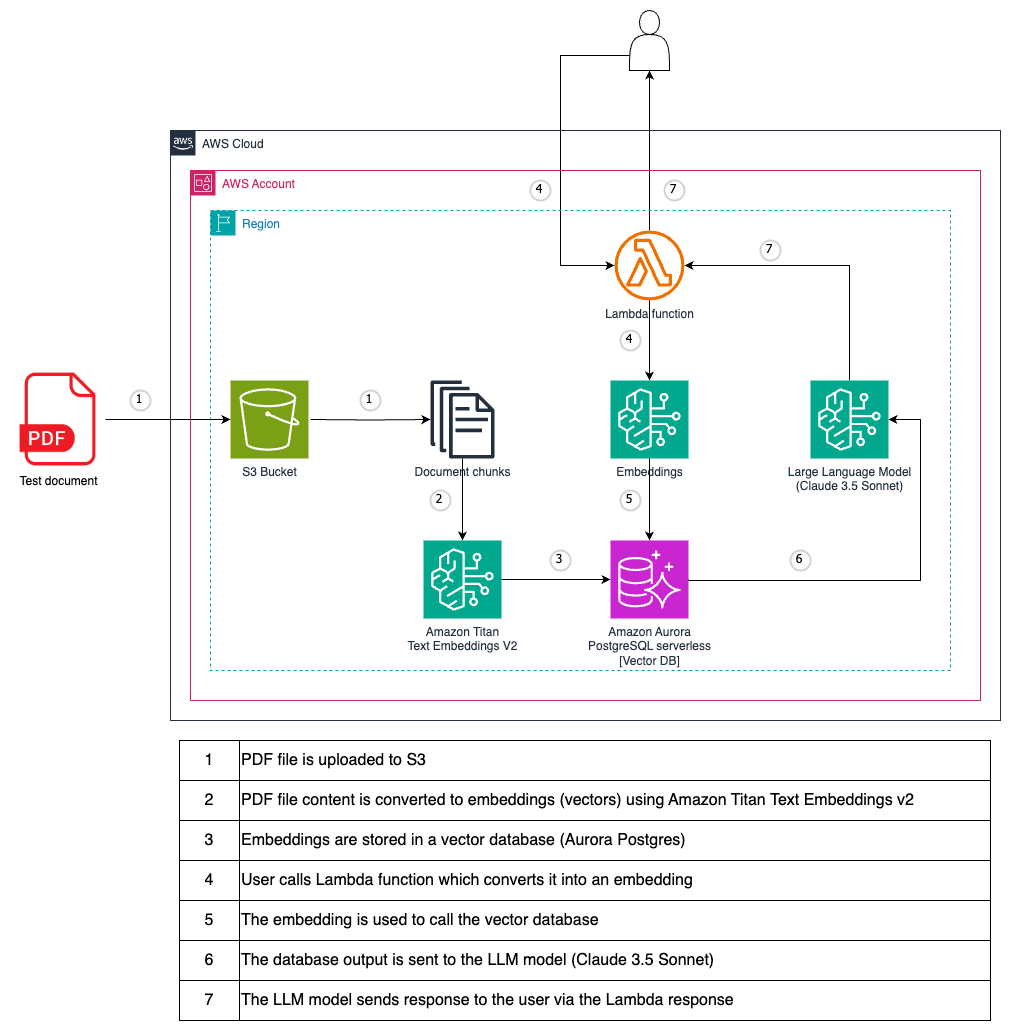
作為測試文件,使用PostgreSQL PDF教程。
您必須在使用模型之前請求訪問模型。如果您嘗試在請求訪問該模型之前使用該模型(使用API或控制台),則會收到錯誤消息。有關更多信息,請參見模型訪問。
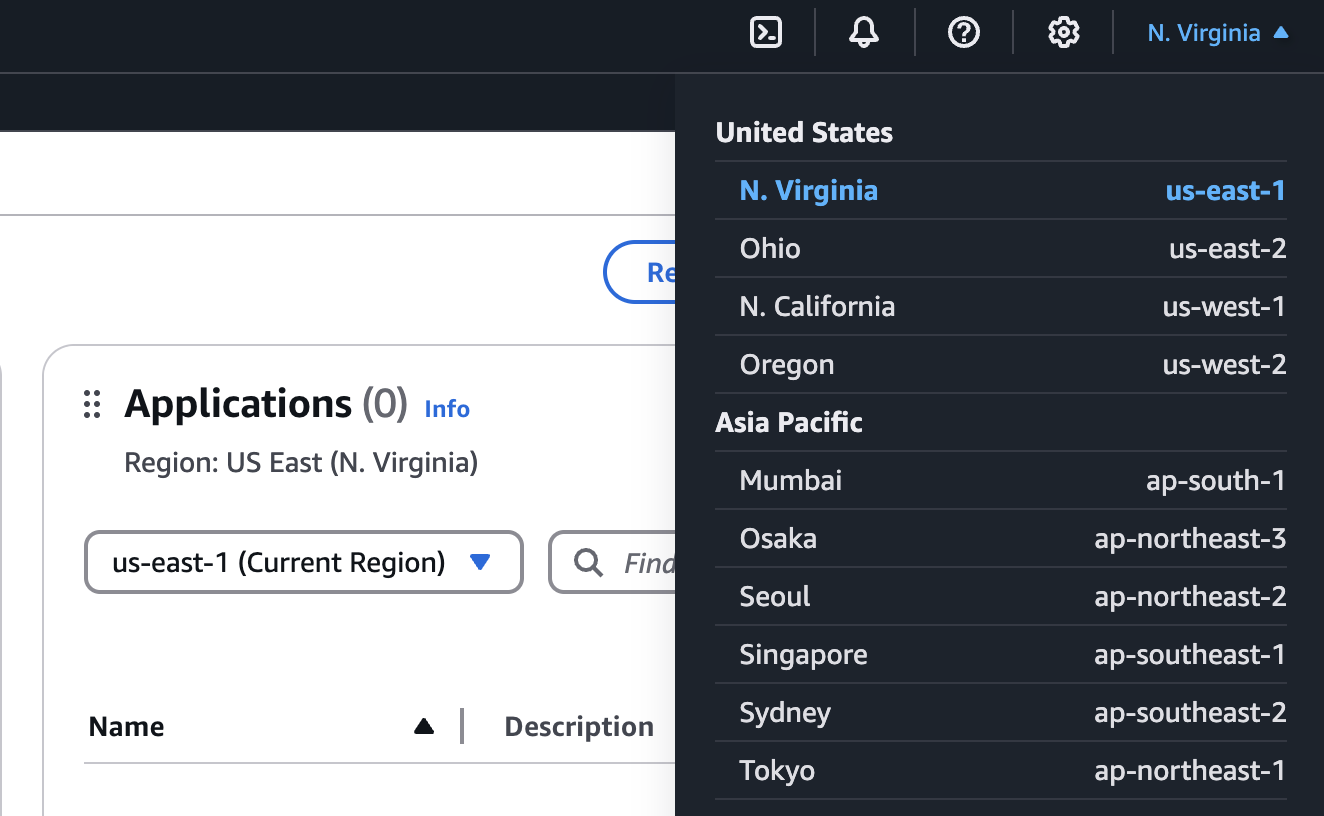
在AWS控制台中,選擇要訪問亞馬遜基岩的區域。我們建議使用所有基岩型號可用的US-EAST-1(N. Virginia)地區。
通過在AWS控制台中搜索來查找亞馬遜基岩。

展開側菜單,然後選擇模型訪問。
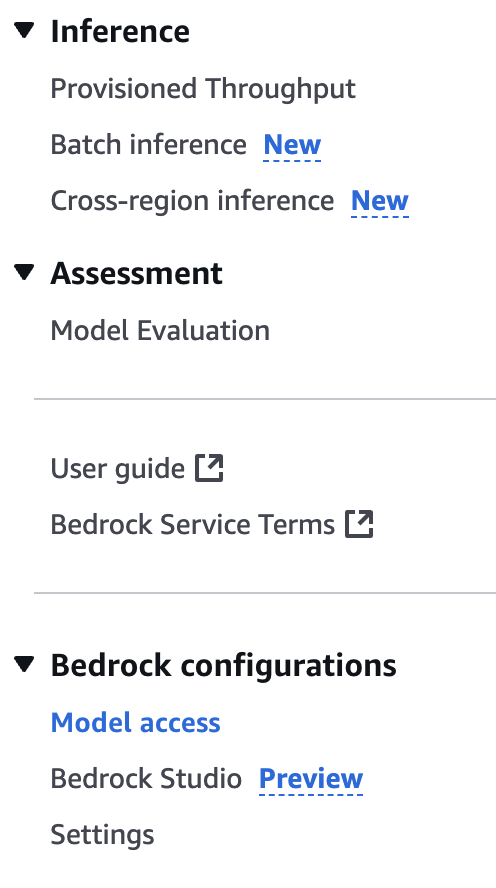
選擇“編輯”按鈕。
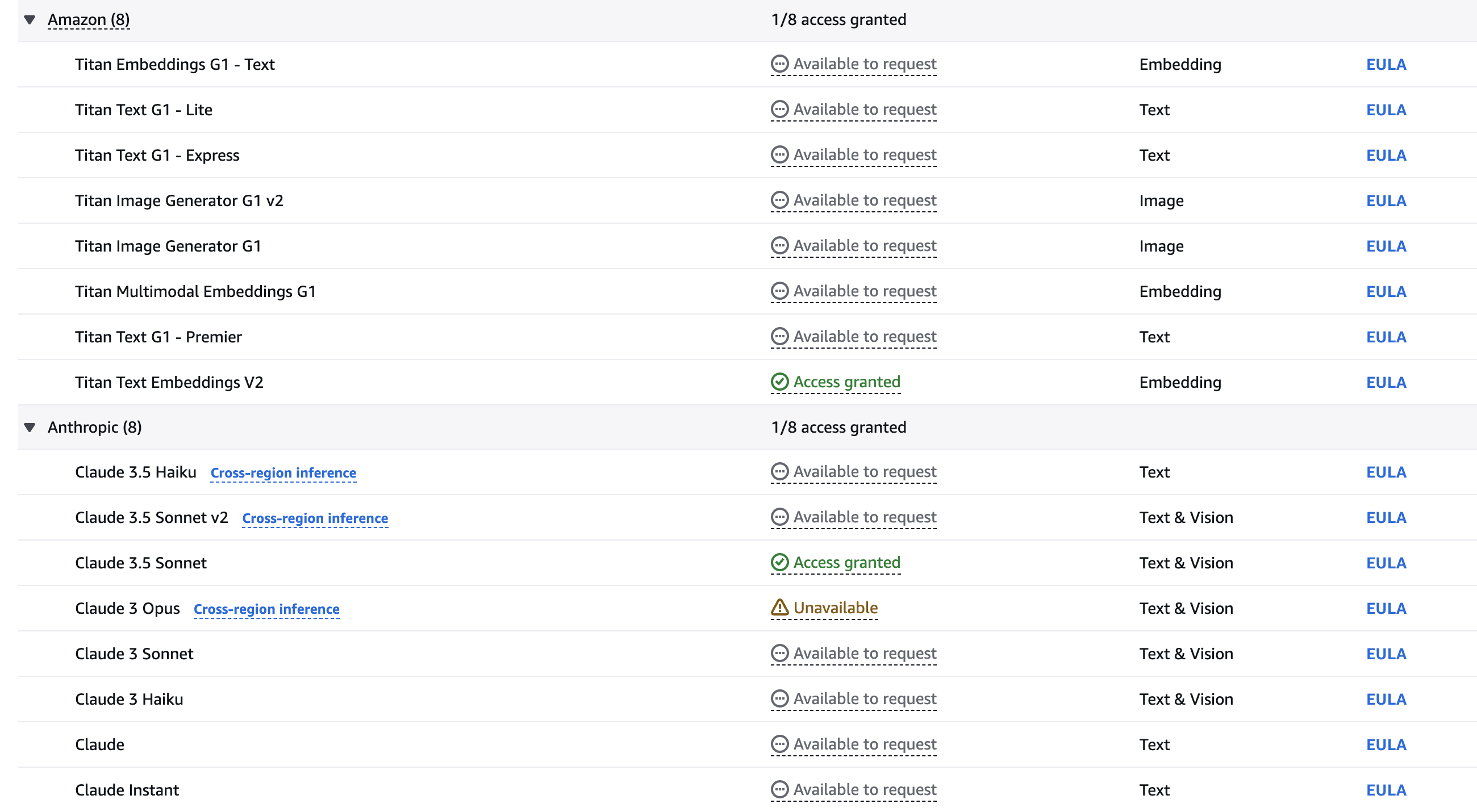
使用複選框選擇要啟用的型號。該指南需要Titan Text Embeddings V2和Claude 3.5十四行詩模型。單擊“保存更改”以激活您帳戶中的模型。如果您願意,請隨時嘗試其他型號。
等到模型可用。
git clone [email protected]:set-university/genai-workshops.git cd workshop4terraform initterraform getterraform plan
terraform apply --auto-approve 在AWS控制台中前往基岩服務。
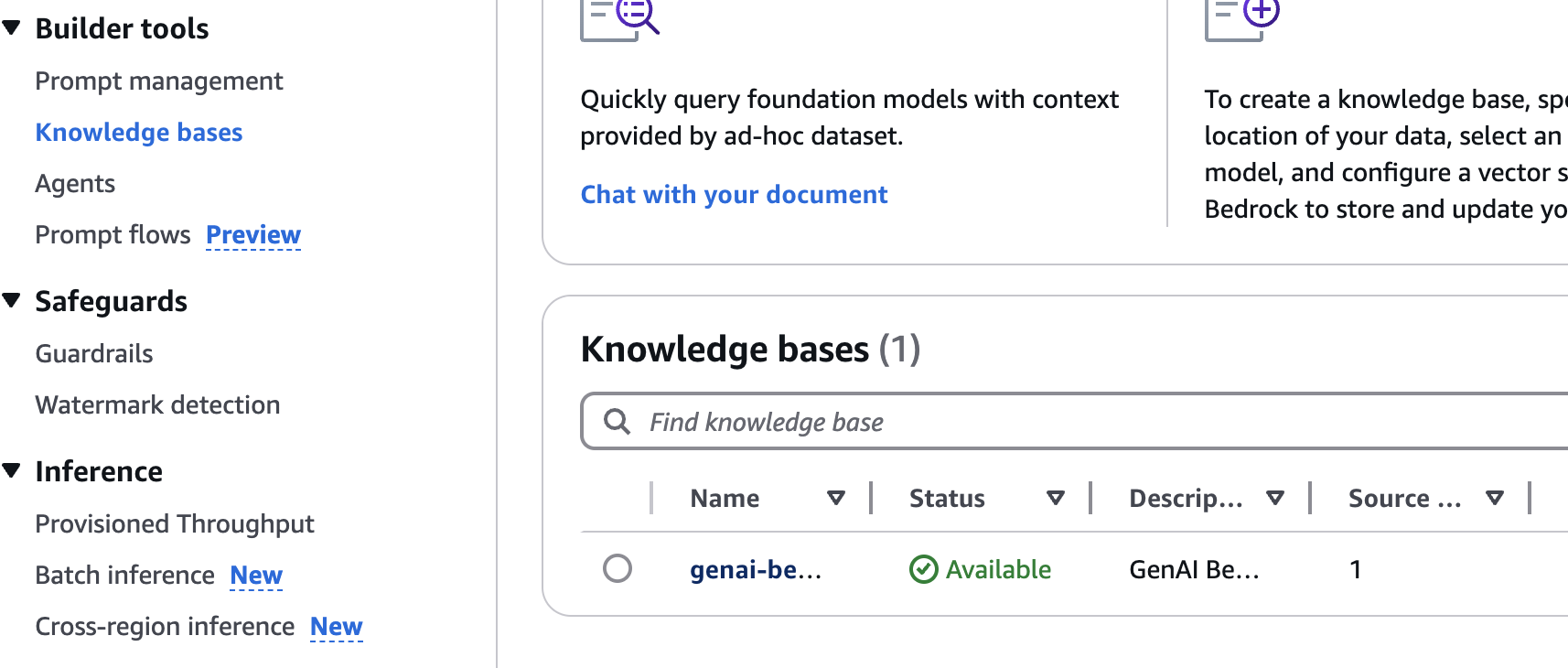
單擊知識庫左導航菜單項。
單擊通過Terraform創建的知識庫。
選擇S3數據源,然後單擊 *同步按鈕。
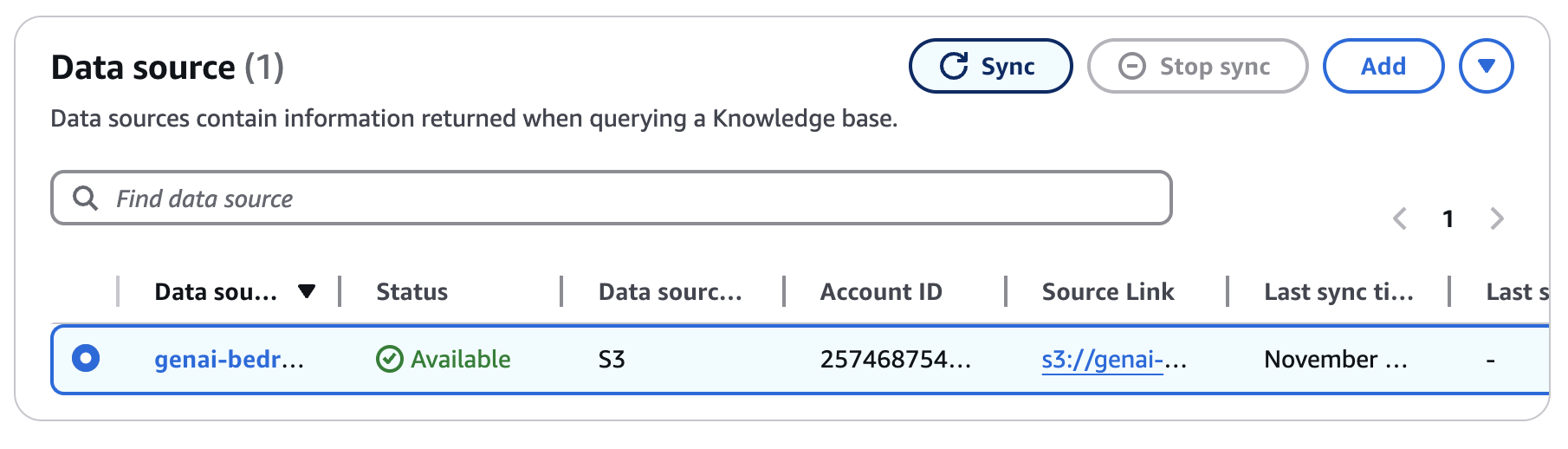
等待同步完成(〜5-10分鐘)。
請按照下面的示例,然後用lambda URL替換{your-lambda-url}從部署的步驟8中替換。
 curl -X POST ' https://{your-lambda-url}/ '
   -H ' content-type: application/json '
   -d ' { "prompt": "what are the postgres versions?" } '
響應看起來如下:
{"genai_response": "Current PostgreSQL version numbers consist of a major and a minor version number. For example, in version 10.1, 10 is the major version and 1 is the minor version. This indicates it's the first minor release of major version 10.nnFor PostgreSQL versions before 10.0, the version numbers consisted of three numbers, such as 9.5.3. In these cases, the major version is represented by the first two digit groups (e.g., 9.5), and the minor version is the third number (e.g., 3).nnMinor releases are always compatible with earlier and later minor releases of the same major version. For instance, version 10.1 is compatible with 10.0 and 10.6. Similarly, 9.5.3 is compatible with 9.5.0, 9.5.1, and 9.5.6."}
terraform destroy
# type 'yes' to confirm




