amazon bedrock claude3.5 sonnet
1.0.0

Amazon Bedrockは、AWS上の基礎モデル(FM)を使用して生成AIアプリケーションを構築および拡張する最も簡単な方法です。 FMは膨大な量のデータでトレーニングされているため、さまざまな科目に関する質問に答えるために使用できます。ただし、FMを使用してAmazon Simple Storage Service(Amazon S3)BucketまたはAmazon Aurora PostgreSQL互換エディションデータベースに保存したプライベートデータに関する質問に答えたい場合は、顧客に関連する回答を提供するために検索拡張生成(RAG)として知られるテクニックを使用する必要があります。
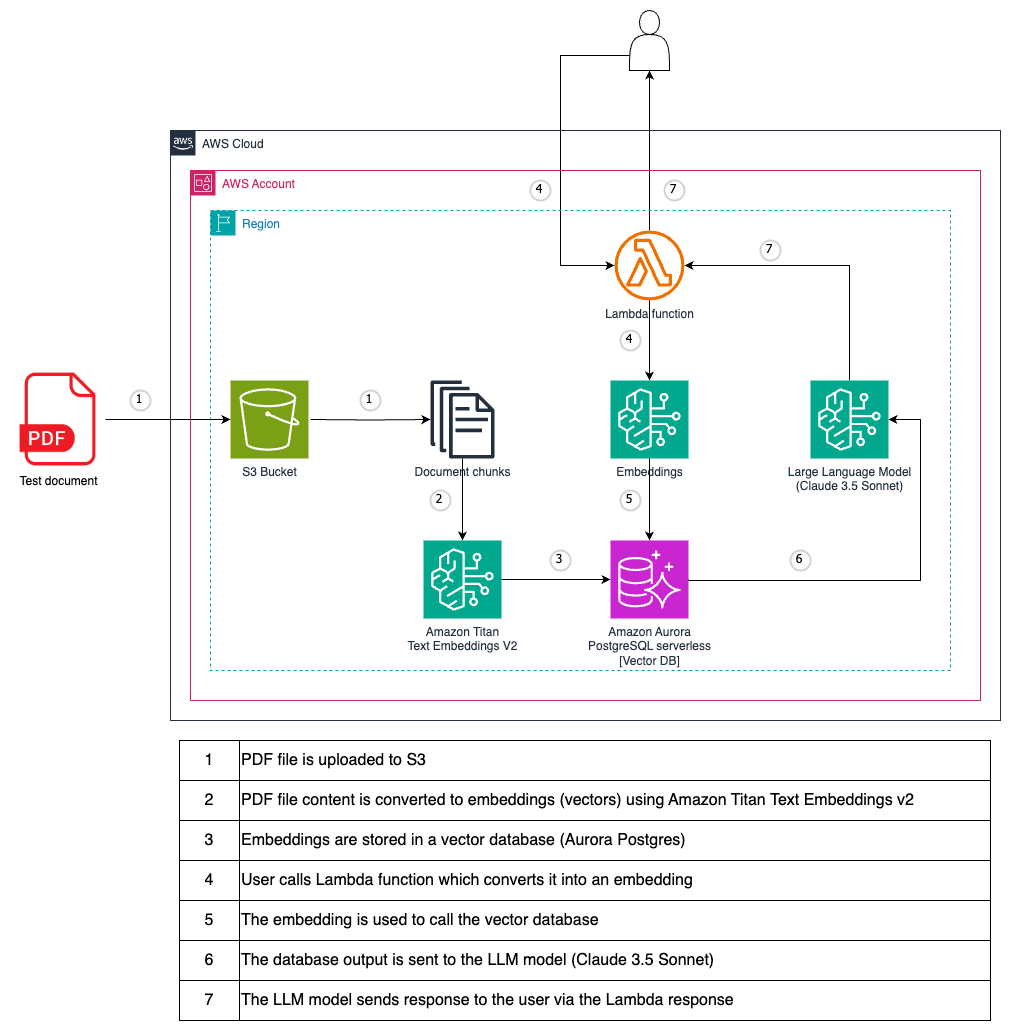
テストファイルとして、PostgreSQL PDFチュートリアルが使用されます。
使用する前に、モデルへのアクセスを要求する必要があります。アクセスを要求する前にモデル(APIまたはコンソールを使用)を使用しようとすると、エラーメッセージが表示されます。詳細については、モデルアクセスを参照してください。
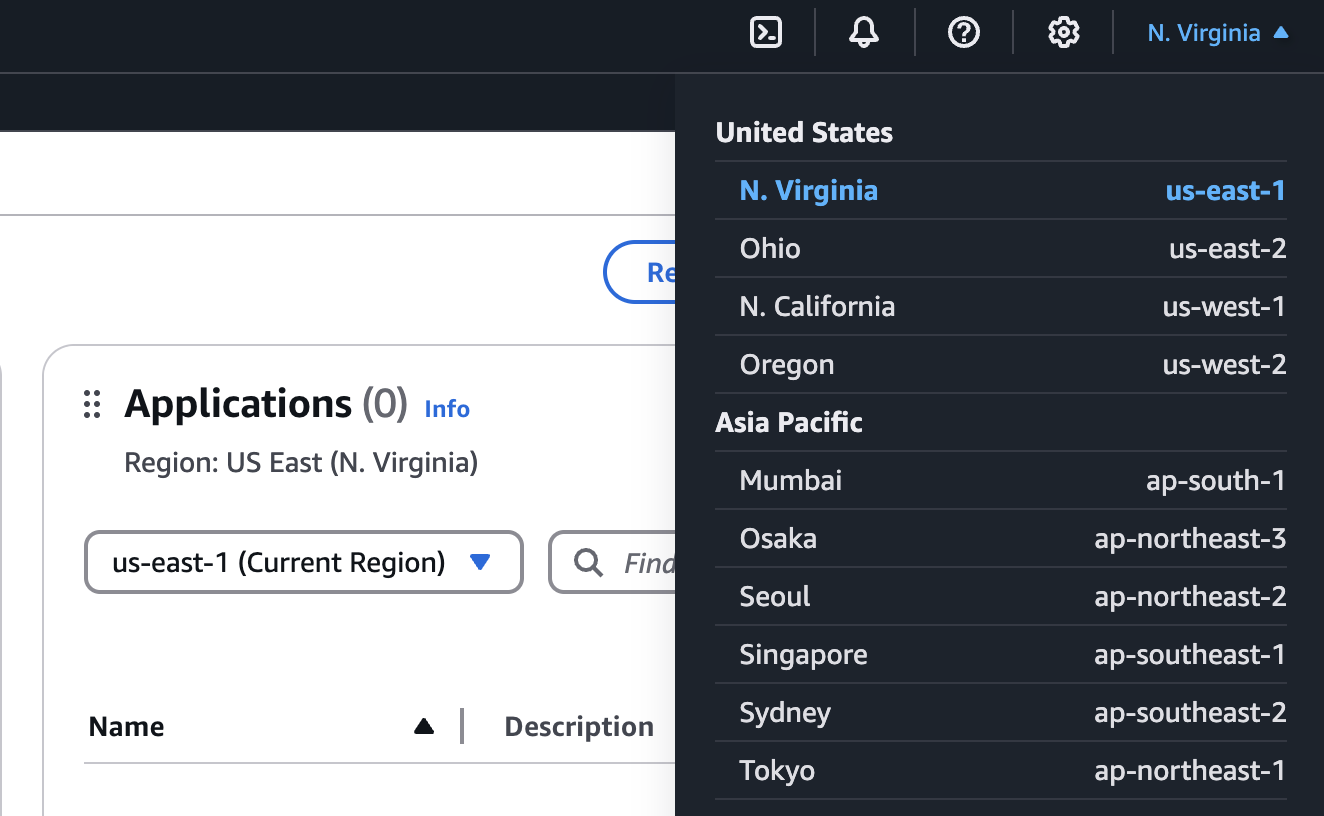
AWSコンソールで、Amazon Bedrockにアクセスする領域を選択します。すべての岩盤モデルが利用可能なUS-EAST-1(N。バージニア州)地域を使用することをお勧めします。
AWSコンソールで検索して、 Amazon Bedrockを見つけます。

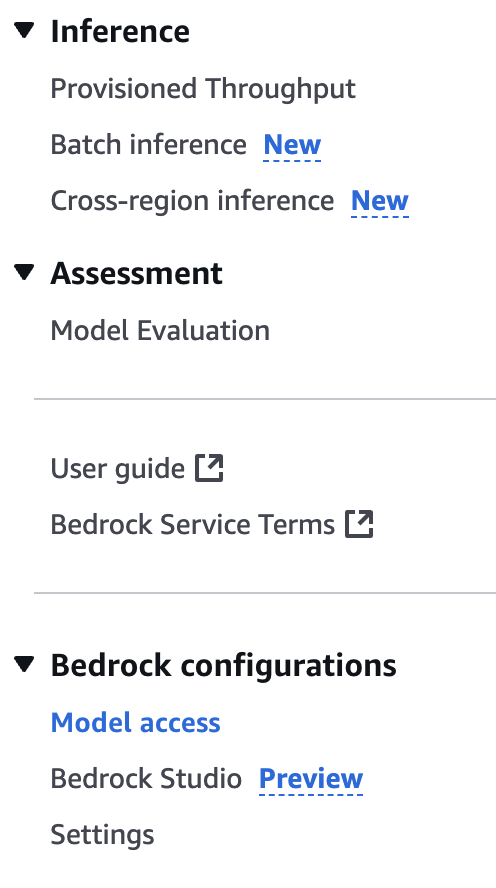
サイドメニューを展開し、モデルアクセスを選択します。
[編集]ボタンを選択します。
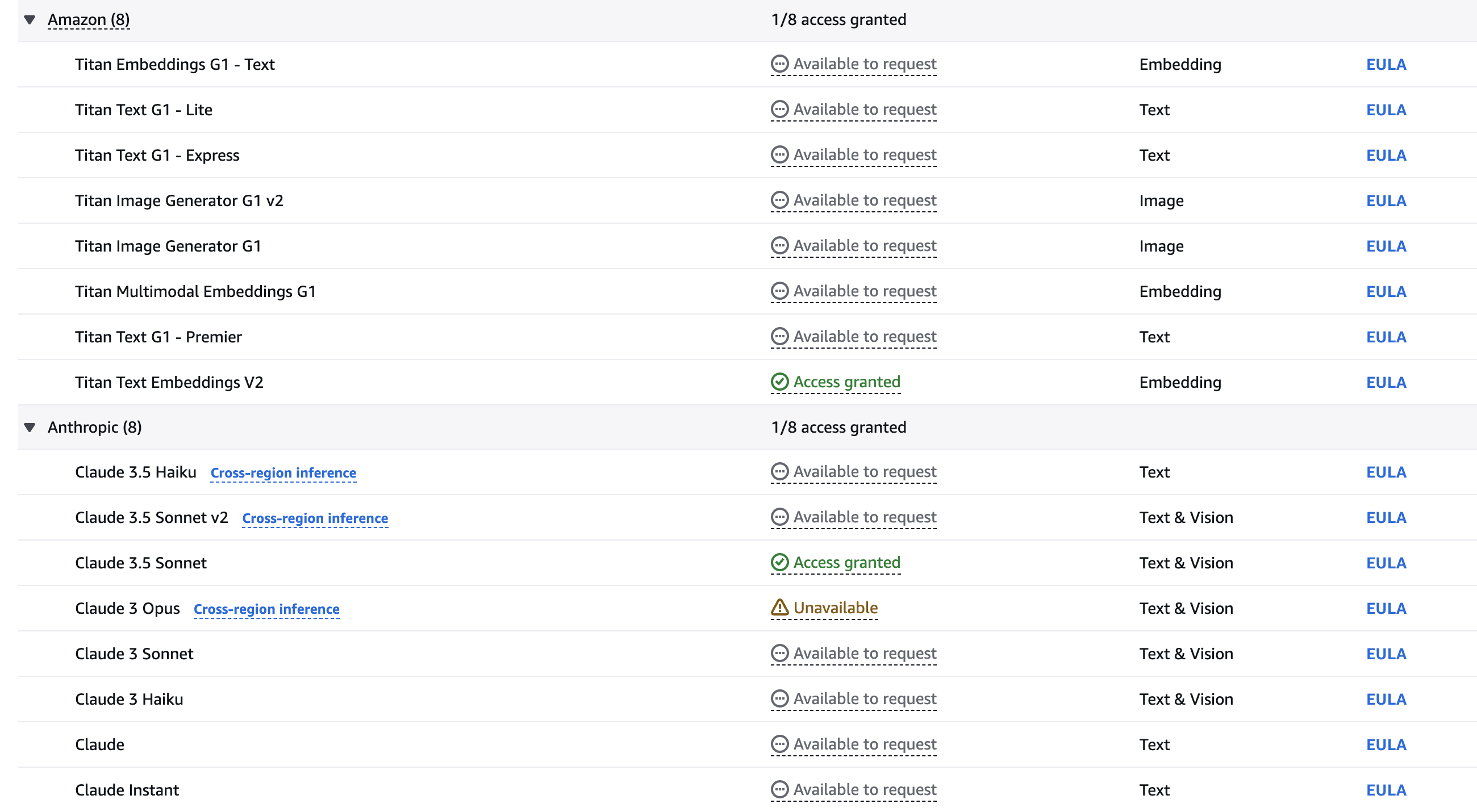
チェックボックスを使用して、有効にするモデルを選択します。このガイドラインでは、Titan Text Embeddings V2とClaude 3.5 Sonnetモデルが必要です。 [変更を保存]をクリックして、アカウントのモデルをアクティブにします。必要に応じて、他のモデルをお気軽に実験してください。
モデルが利用可能になるまで待ちます。
git clone [email protected]:set-university/genai-workshops.git cd workshop4terraform initterraform getterraform plan
terraform apply --auto-approve AWSコンソールのBedrock Serviceにアクセスしてください。
左ナビゲーションメニュー項目をクリックします。
Terraformを介して作成されたナレッジベースをクリックします。
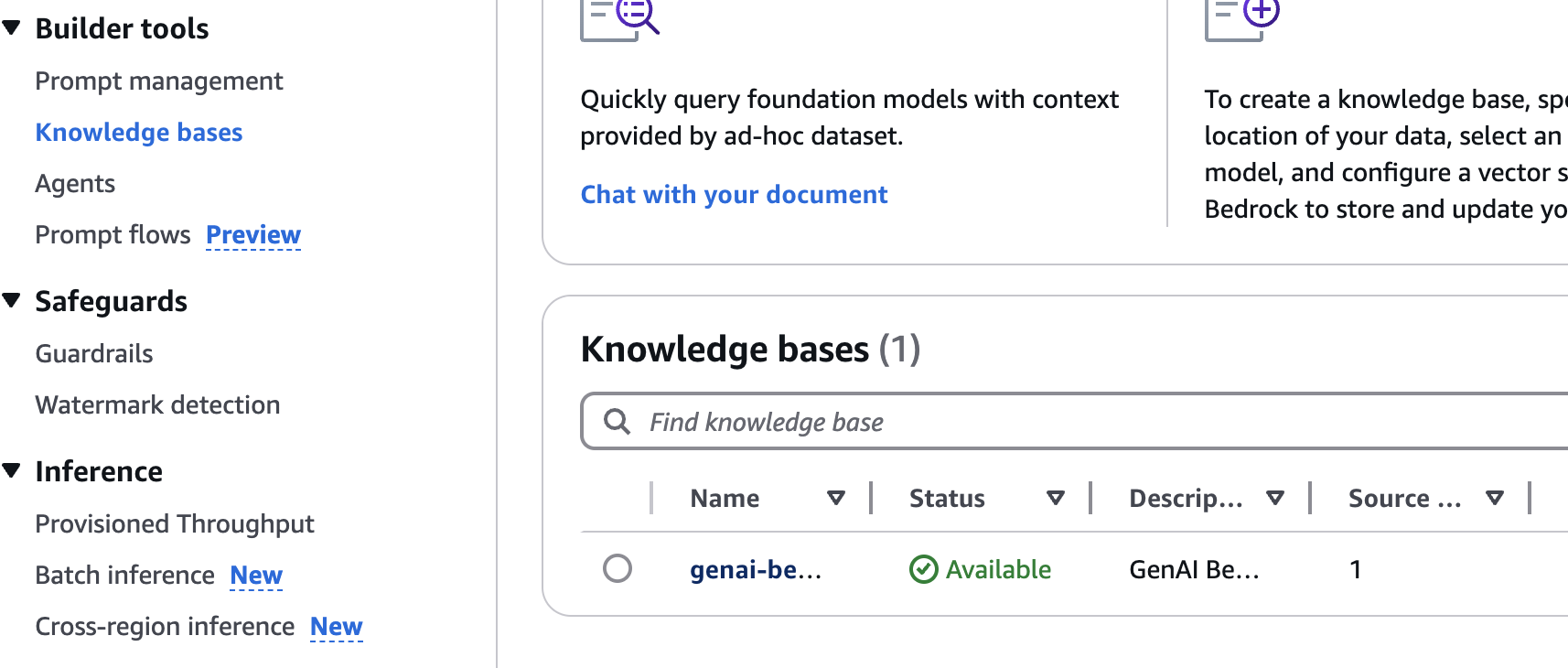
S3データソースを選択し、[ *同期]ボタンをクリックします。
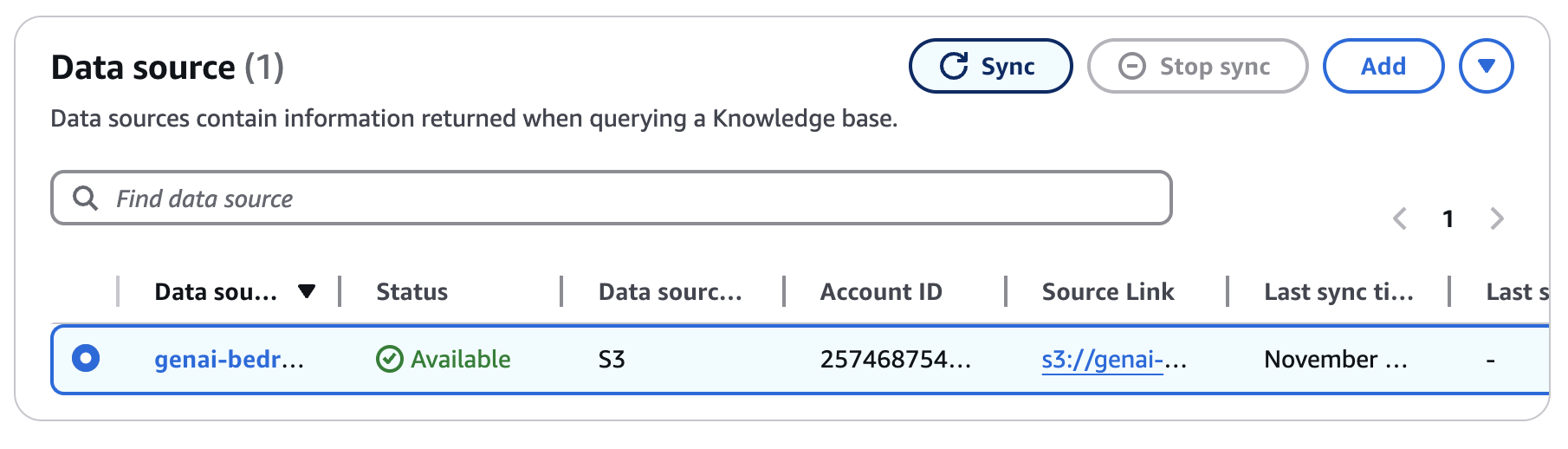
同期完了を待ちます(〜5〜10分)。
以下の例に従って、展開のステップ8から{your-lambda-url}をLambda URLに置き換えます。
 curl -X POST ' https://{your-lambda-url}/ '
   -H ' content-type: application/json '
   -d ' { "prompt": "what are the postgres versions?" } '
応答は次のように見えるかもしれません:
{"genai_response": "Current PostgreSQL version numbers consist of a major and a minor version number. For example, in version 10.1, 10 is the major version and 1 is the minor version. This indicates it's the first minor release of major version 10.nnFor PostgreSQL versions before 10.0, the version numbers consisted of three numbers, such as 9.5.3. In these cases, the major version is represented by the first two digit groups (e.g., 9.5), and the minor version is the third number (e.g., 3).nnMinor releases are always compatible with earlier and later minor releases of the same major version. For instance, version 10.1 is compatible with 10.0 and 10.6. Similarly, 9.5.3 is compatible with 9.5.0, 9.5.1, and 9.5.6."}
terraform destroy
# type 'yes' to confirm




