amazon bedrock claude3.5 sonnet
1.0.0

亚马逊基石是AWS上使用基础模型(FMS)构建和扩展生成AI应用程序的最简单方法。对FMS进行了大量数据的培训,从而可以用来回答有关各种主题的问题。但是,如果您想使用FM回答有关您存储在亚马逊简单存储服务(Amazon S3)存储桶或Amazon Aurora PostgreSQL兼容版数据库中的有关私人数据的问题,则需要使用一种称为检索增强发电的技术(RAG)来为您的客户提供相关答案。
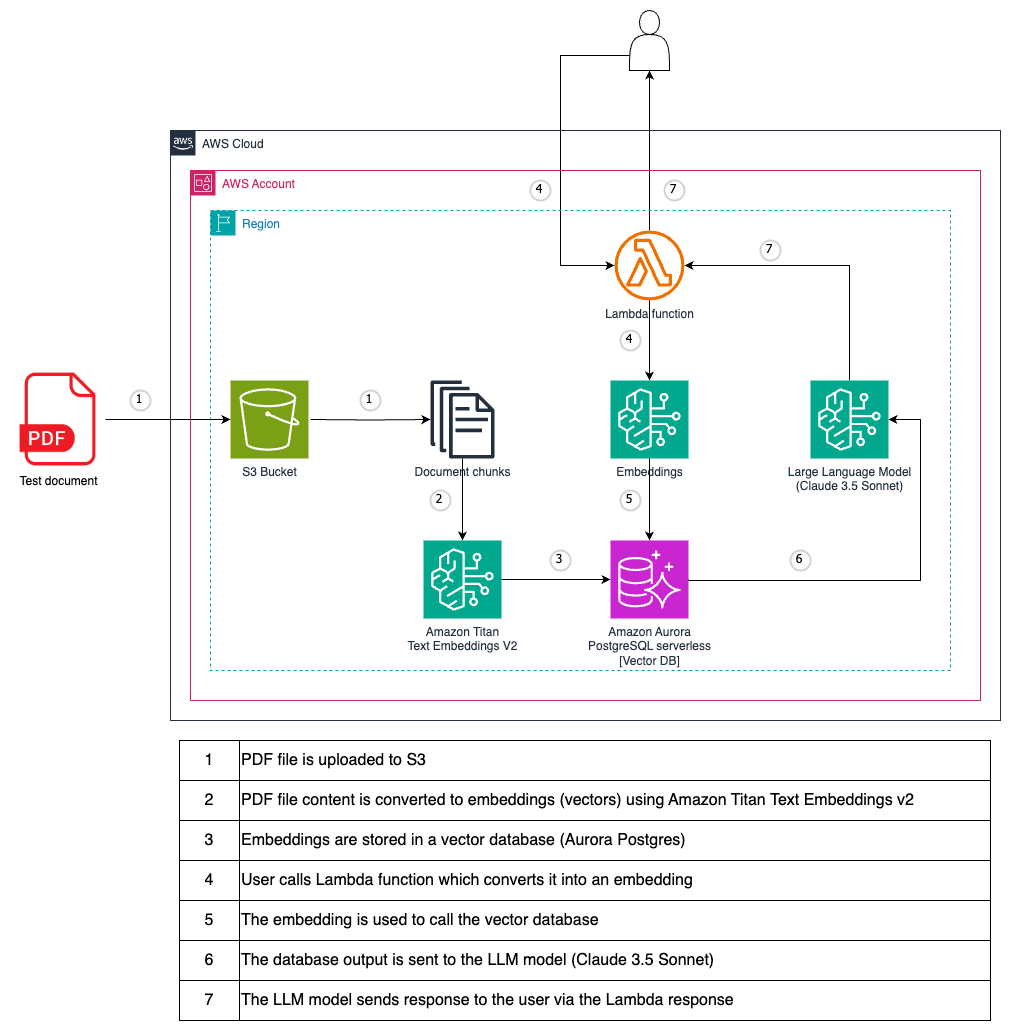
作为测试文件,使用PostgreSQL PDF教程。
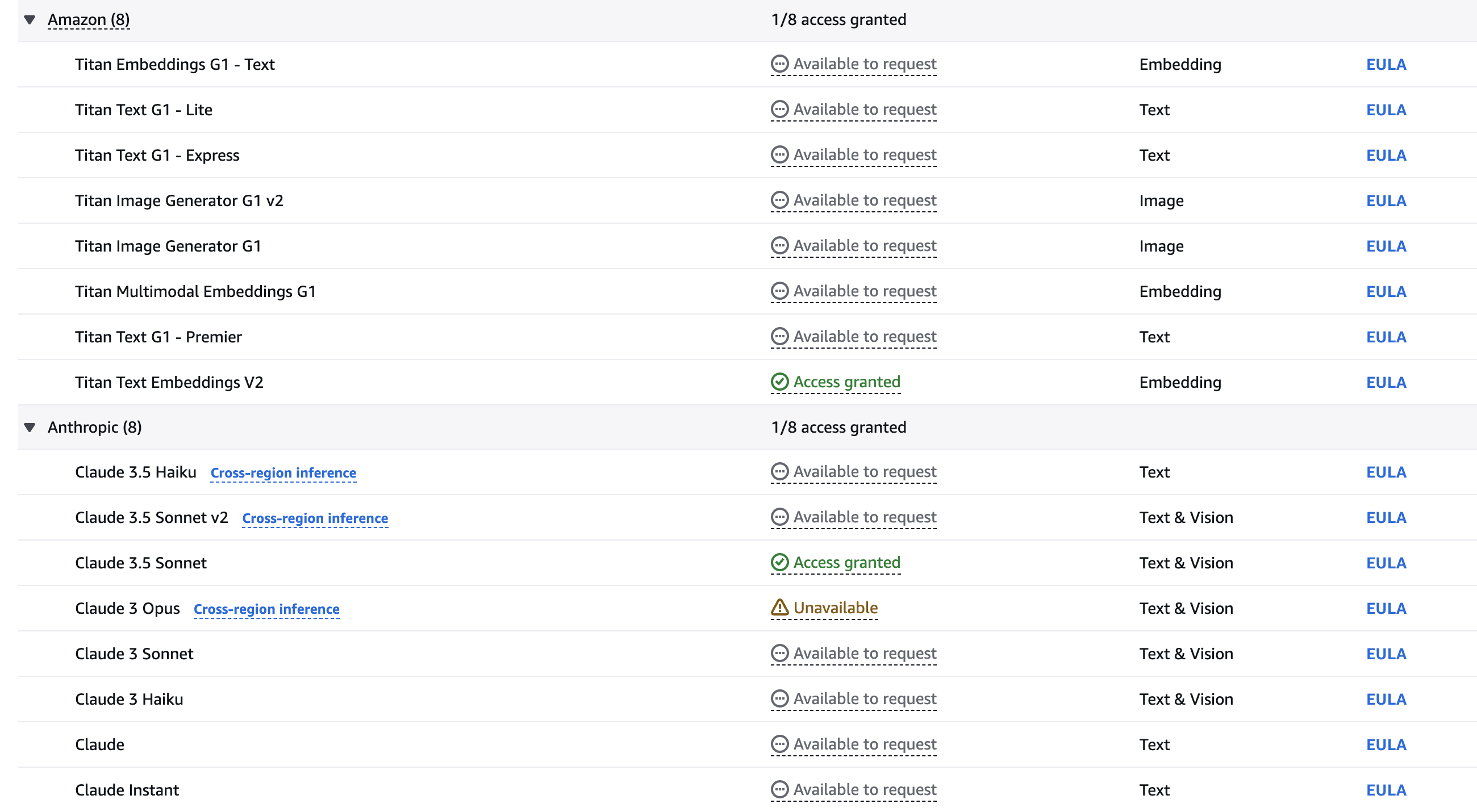
您必须在使用模型之前请求访问模型。如果您尝试在请求访问该模型之前使用该模型(使用API或控制台),则会收到错误消息。有关更多信息,请参见模型访问。
在AWS控制台中,选择要访问亚马逊基岩的区域。我们建议使用所有基岩型号可用的US-EAST-1(N. Virginia)地区。
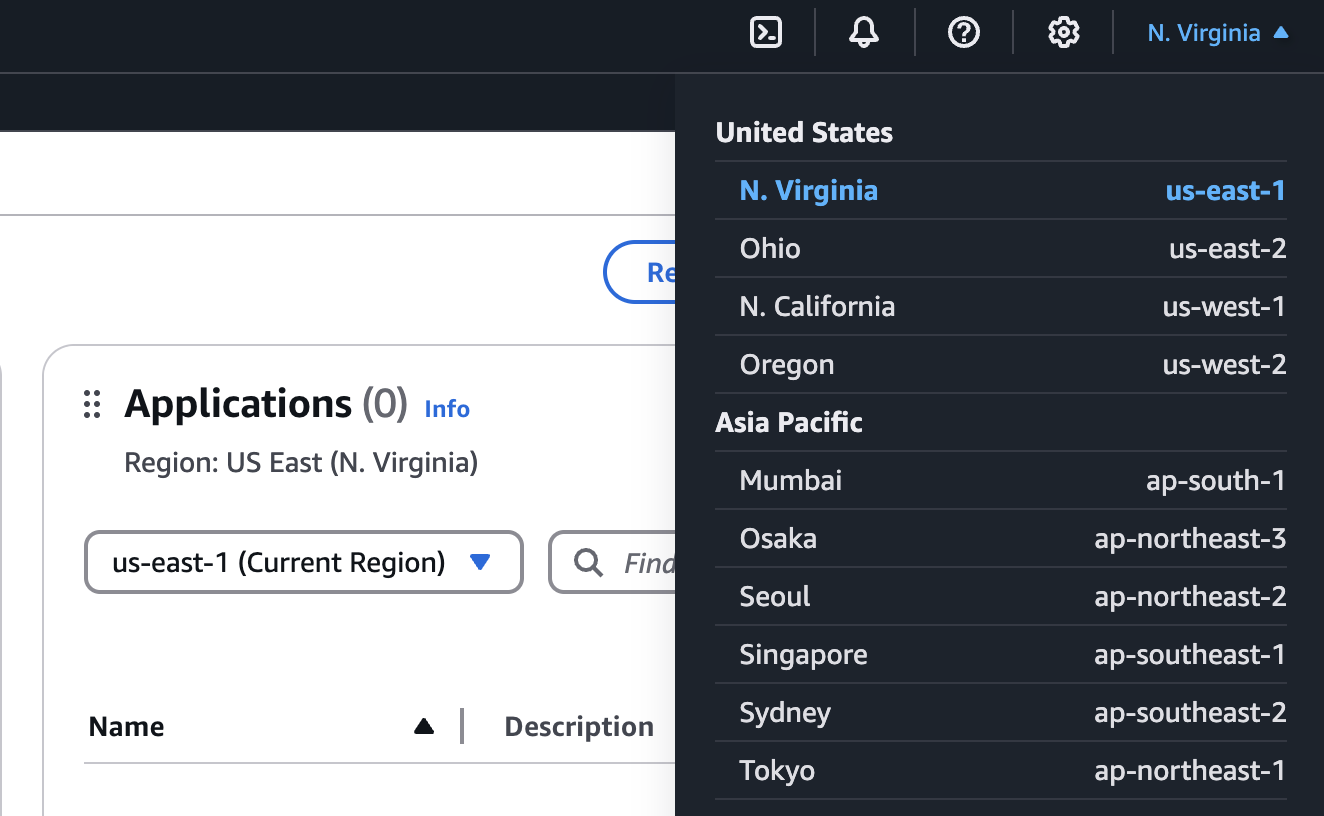
通过在AWS控制台中搜索来查找亚马逊基岩。

展开侧菜单,然后选择模型访问。
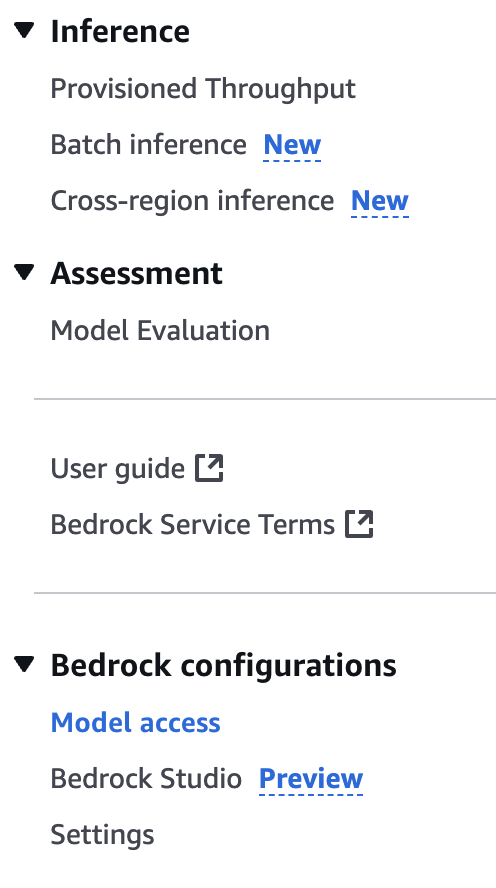
选择“编辑”按钮。
使用复选框选择要启用的型号。该指南需要Titan Text Embeddings V2和Claude 3.5十四行诗模型。单击“保存更改”以激活您帐户中的模型。如果您愿意,请随时尝试其他型号。
等到模型可用。
git clone [email protected]:set-university/genai-workshops.git cd workshop4terraform initterraform getterraform plan
terraform apply --auto-approve 在AWS控制台中前往基岩服务。
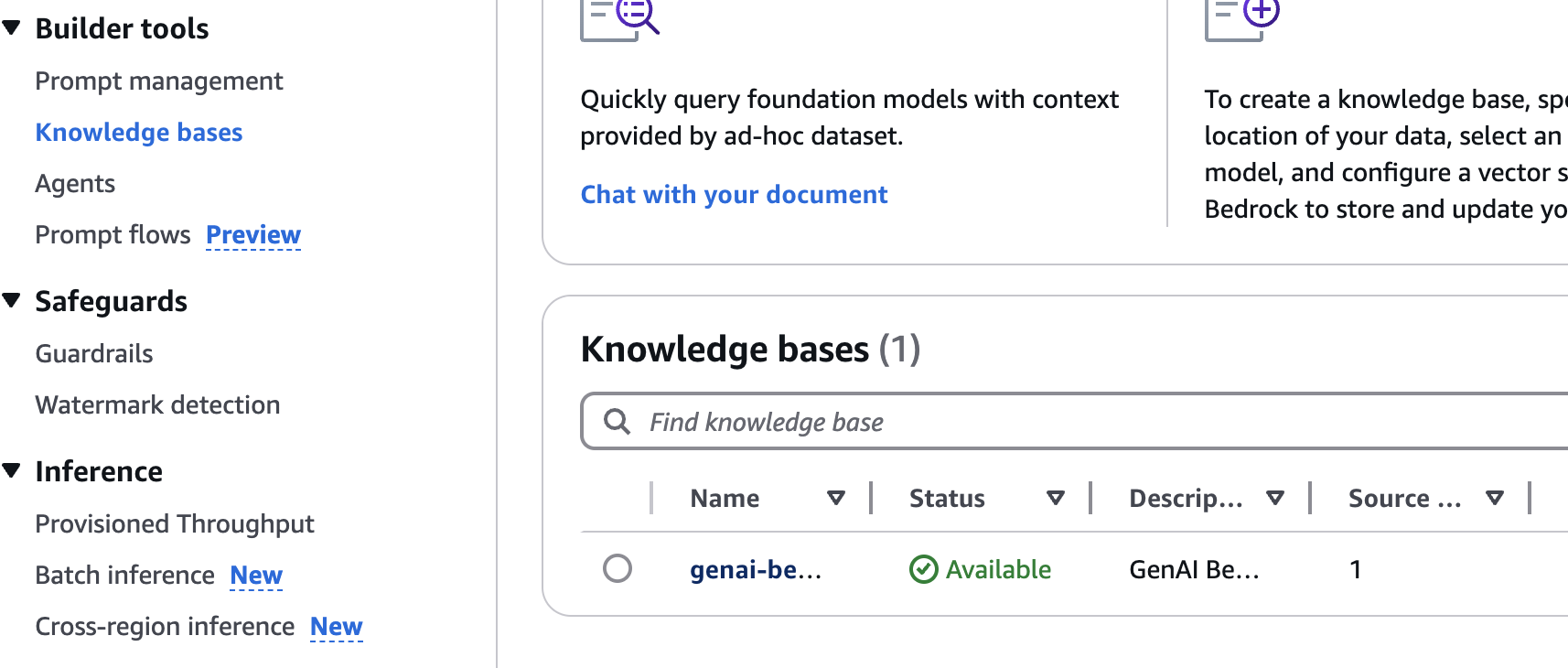
单击知识库左导航菜单项。
单击通过Terraform创建的知识库。
选择S3数据源,然后单击 *同步按钮。
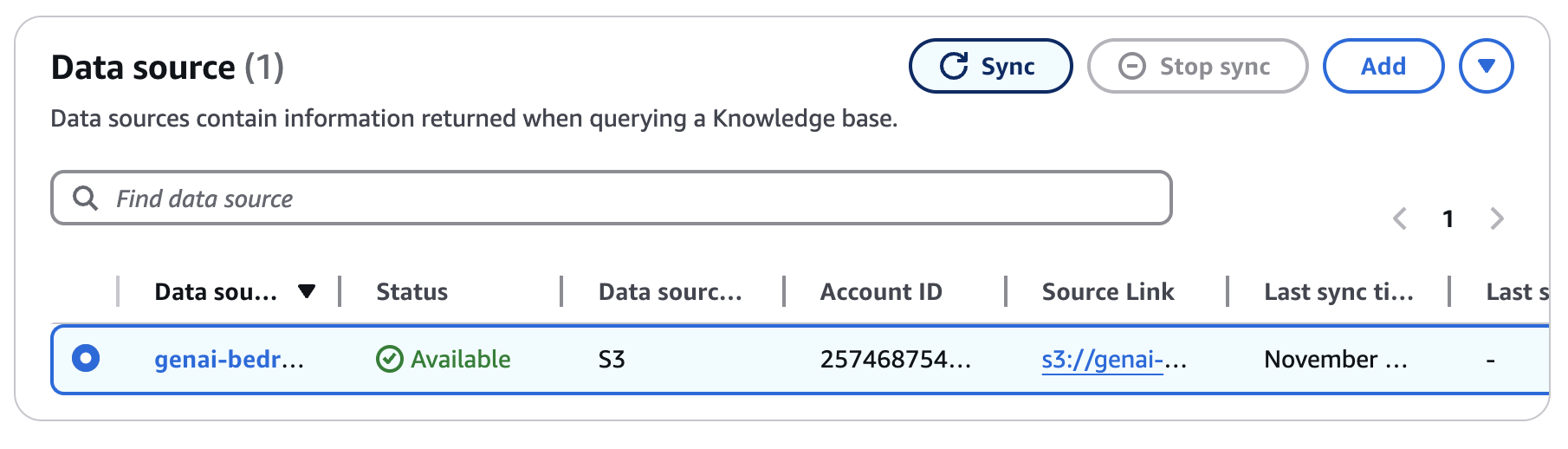
等待同步完成(〜5-10分钟)。
请按照下面的示例,然后用lambda URL替换{your-lambda-url}从部署的步骤8中替换。
 curl -X POST ' https://{your-lambda-url}/ '
   -H ' content-type: application/json '
   -d ' { "prompt": "what are the postgres versions?" } '
响应看起来如下:
{"genai_response": "Current PostgreSQL version numbers consist of a major and a minor version number. For example, in version 10.1, 10 is the major version and 1 is the minor version. This indicates it's the first minor release of major version 10.nnFor PostgreSQL versions before 10.0, the version numbers consisted of three numbers, such as 9.5.3. In these cases, the major version is represented by the first two digit groups (e.g., 9.5), and the minor version is the third number (e.g., 3).nnMinor releases are always compatible with earlier and later minor releases of the same major version. For instance, version 10.1 is compatible with 10.0 and 10.6. Similarly, 9.5.3 is compatible with 9.5.0, 9.5.1, and 9.5.6."}
terraform destroy
# type 'yes' to confirm




