amazon bedrock claude3.5 sonnet
1.0.0

Amazon Bedrock is the easiest way to build and scale generative AI applications with foundational models (FMs) on AWS. FMs are trained on vast quantities of data, allowing them to be used to answer questions on a variety of subjects. However, if you want to use an FM to answer questions about your private data that you have stored in your Amazon Simple Storage Service (Amazon S3) bucket or Amazon Aurora PostgreSQL-Compatible Edition database, you need to use a technique known as Retrieval Augmented Generation (RAG) to provide relevant answers for your customers.
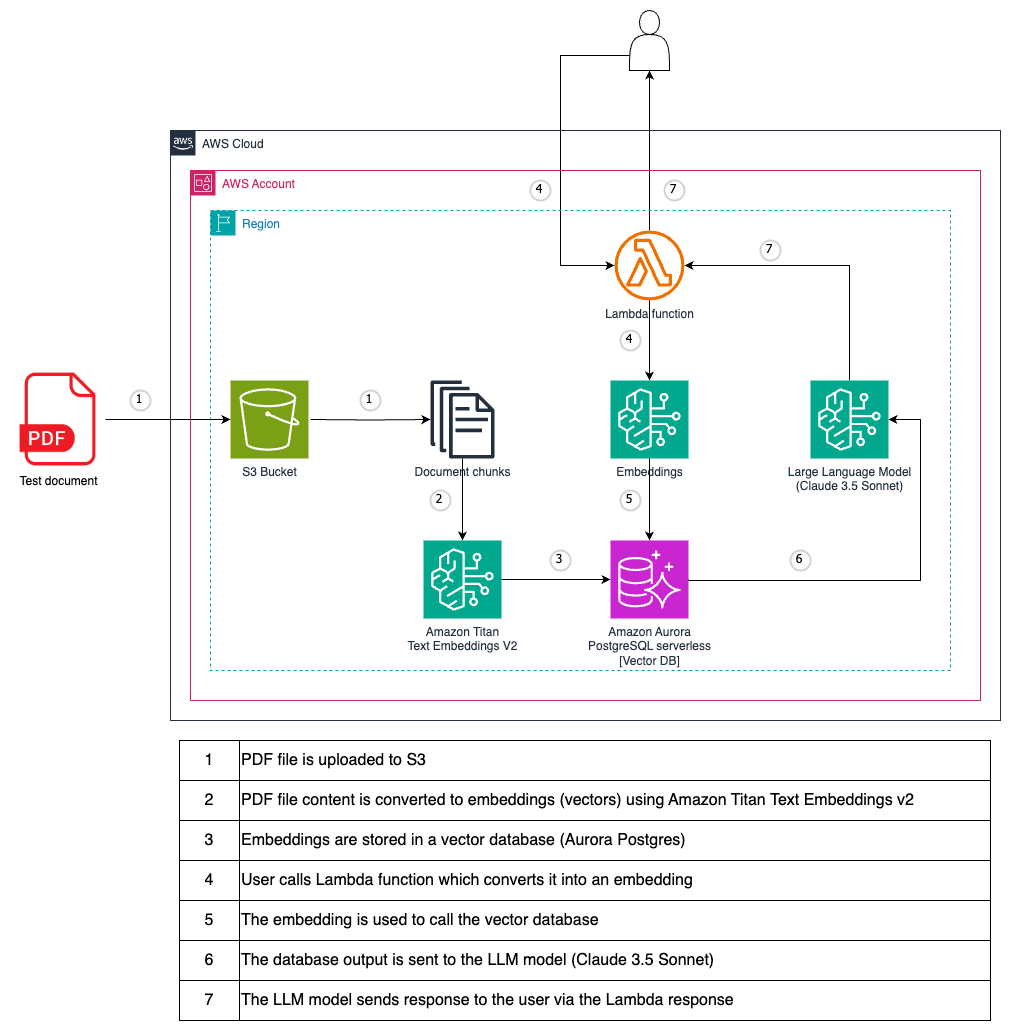
As the test file, PostgreSQL PDF tutorial is used.
You must request access to a model before you can use it. If you try to use the model (with the API or console) before you have requested access to it, you receive an error message. For more information, see Model access.
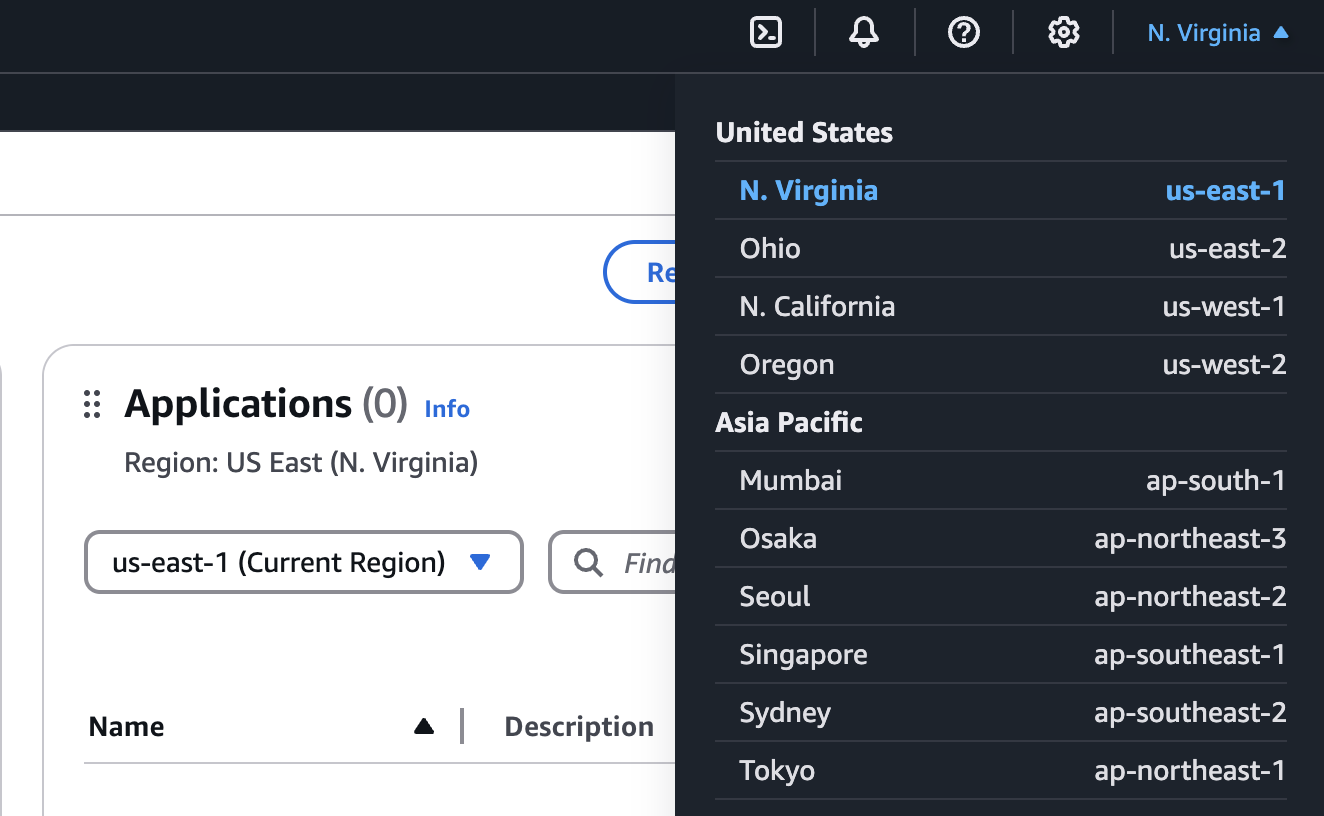
In the AWS console, select the region from which you want to access Amazon Bedrock. We recommend to use us-east-1 (N. Virginia) region where all Bedrock models are available.
Find Amazon Bedrock by searching in the AWS console.

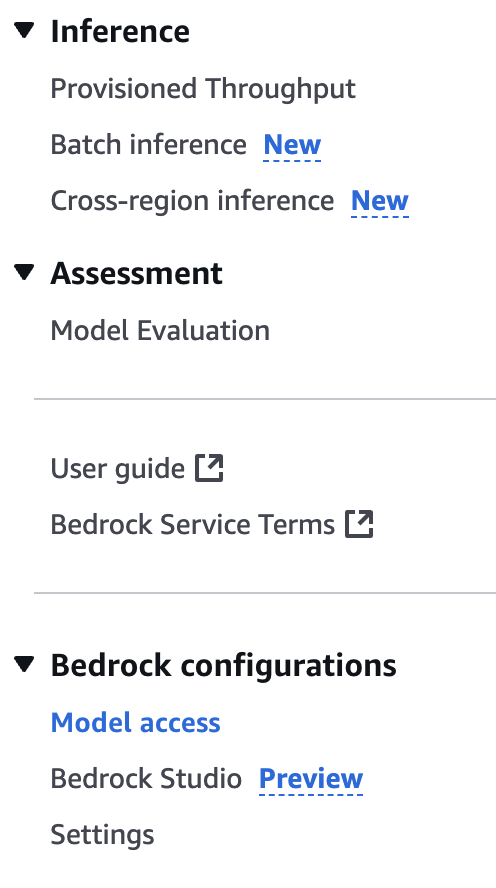
Expand the side menu and select Model access.
Select the Edit button.
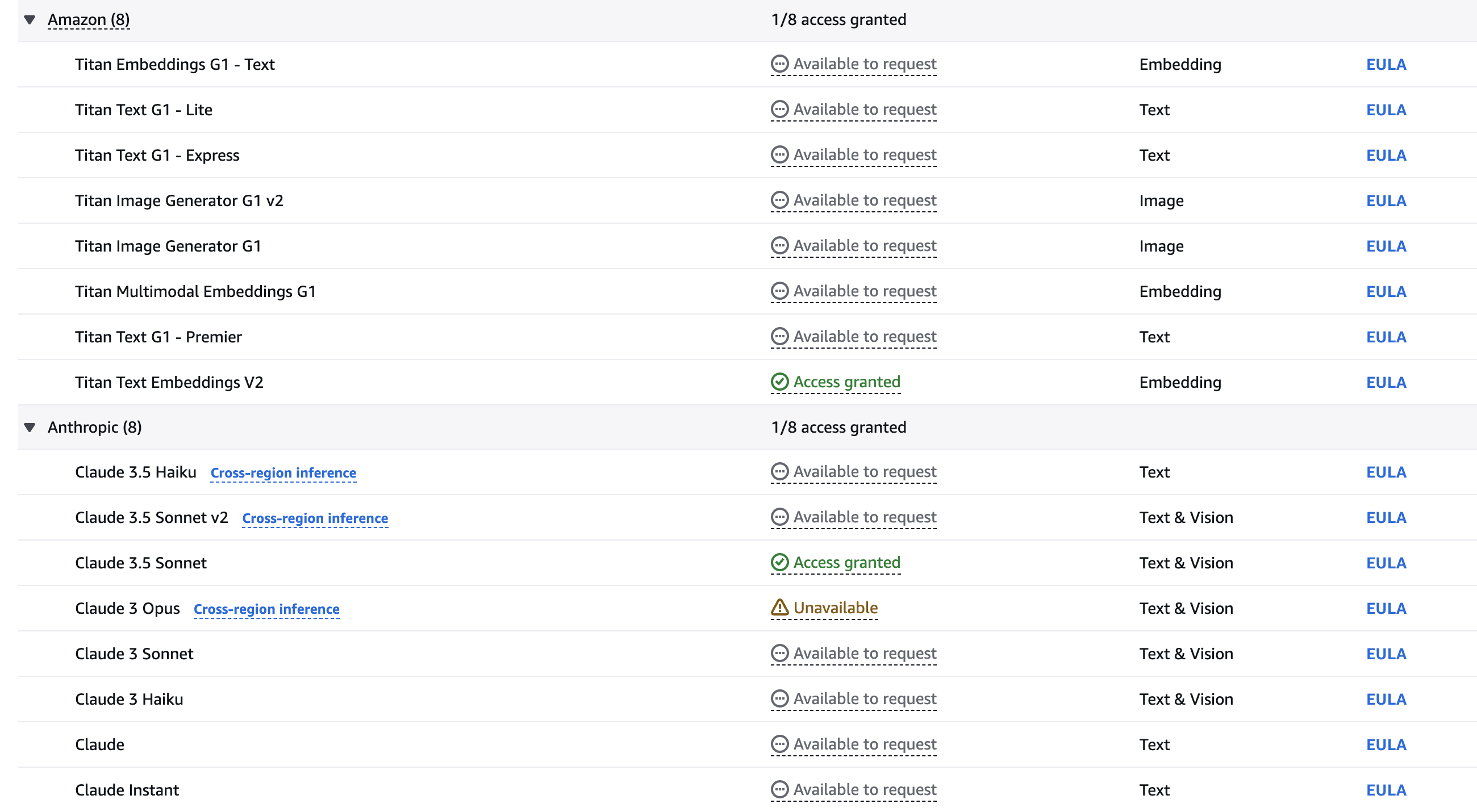
Use the checkboxes to select the models you wish to enable. This guideline requires Titan Text Embeddings V2 and Claude 3.5 Sonnet models. Click Save changes to activate the models in your account. Please feel free to experiment with other models if you want to.
Wait until the models become available.
git clone [email protected]:set-university/genai-workshops.gitcd workshop4terraform initterraform getterraform plan
terraform apply --auto-approve Go to Bedrock service in AWS console.
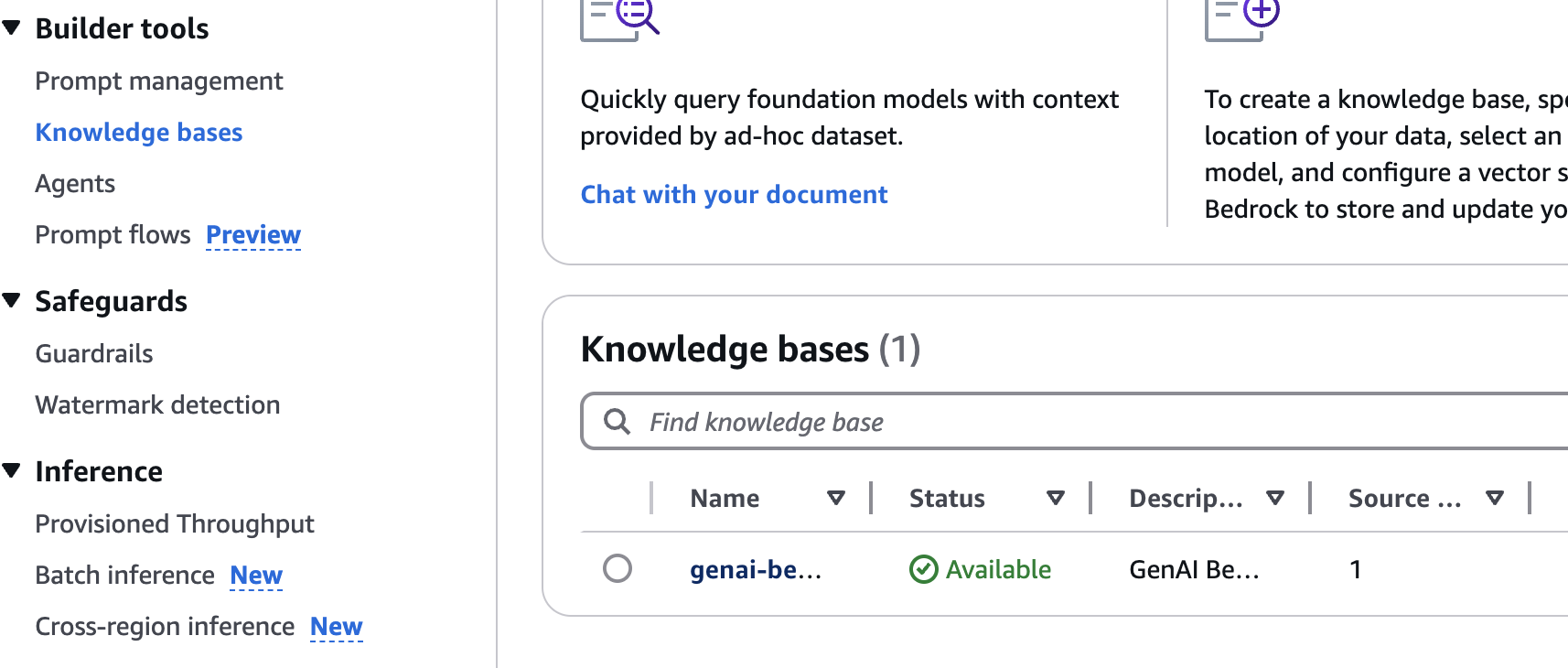
Click Knowledge bases left nav menu item.
Click the knowledge base created via Terraform.
Select the S3 data source and click *Sync button.
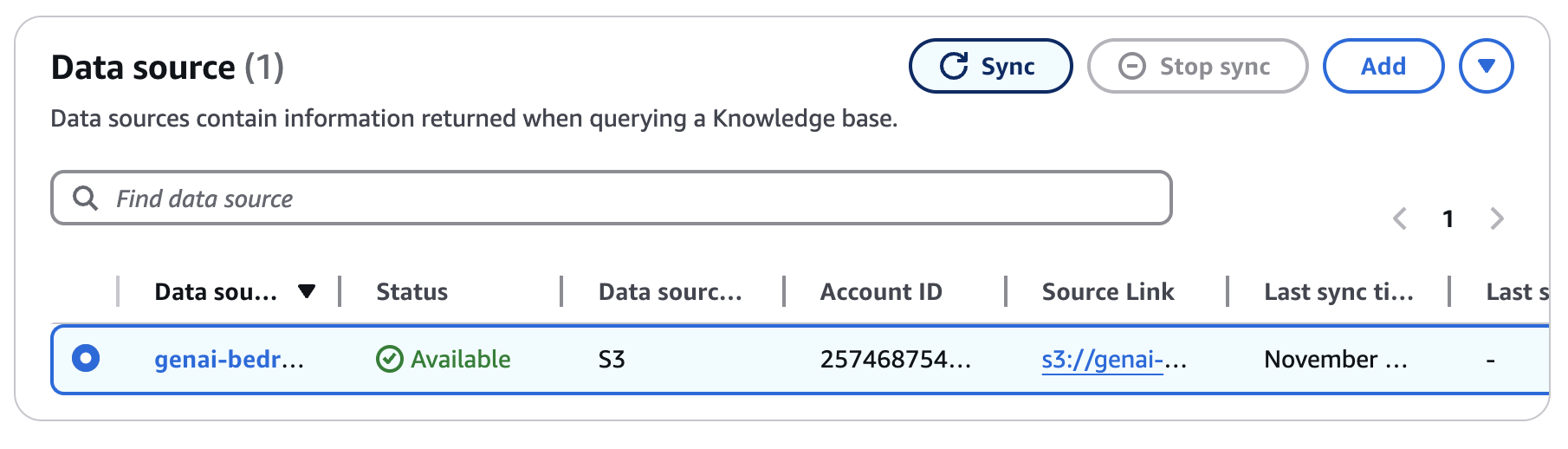
Wait for the sync completion (~ 5-10 minutes).
Follow the example below and replace {your-lambda-url} with your Lambda url from step 8 of Deployment.
 curl -X POST 'https://{your-lambda-url}/'
   -H 'content-type: application/json'
   -d '{ "prompt": "what are the postgres versions?" }'
The response might look like as follows:
{"genai_response": "Current PostgreSQL version numbers consist of a major and a minor version number. For example, in version 10.1, 10 is the major version and 1 is the minor version. This indicates it's the first minor release of major version 10.nnFor PostgreSQL versions before 10.0, the version numbers consisted of three numbers, such as 9.5.3. In these cases, the major version is represented by the first two digit groups (e.g., 9.5), and the minor version is the third number (e.g., 3).nnMinor releases are always compatible with earlier and later minor releases of the same major version. For instance, version 10.1 is compatible with 10.0 and 10.6. Similarly, 9.5.3 is compatible with 9.5.0, 9.5.1, and 9.5.6."}
terraform destroy
# type 'yes' to confirm




