RGFW
RG

跨平台輕量級單頭非常簡單地使用窗口抽像庫,用於創建圖形庫或簡單的圖形程序。用純C99寫。
RGFW是一個免費的多平台單頭標頭非常簡單的窗口抽象框架,用於創建圖形庫或簡單的圖形程序。它應該用作GLFW的非常小而靈活的替代庫。
窗口後端支持Xlib(UNIX),可可(MacOS),Webasm(emscripten)和Winapi(在Windows XP ,10和11上測試,以及ReactOS)
Windows 95和98也已使用RGFW進行了測試,儘管結果是
Wayland:編譯Wayland Add(RGFW_Wayland = 1)。 Wayland的支持非常實驗性和破碎。
圖形後端支持OpenGL(EGL,軟件,Osmesa,Gles),Vulkan,DirectX,金屬和軟件渲染緩衝區。
RGFW被設計為RSGL的後端,但可以獨立使用或其他庫,例如Raylib,它將其用作可選的替代後端。
RGFW是多範式,
默認情況下,RGFW使用類似於SDL的靈活事件系統,但是如果您喜歡該方法,則可以使用回調。
這個庫
這個圖書館沒有
 #define RGFW_IMPLEMENTATION
#include "RGFW.h"

void keyfunc ( RGFW_window * win , u32 keycode , char keyName [ 16 ], u8 lockState , u8 pressed ) {
    if ( keycode == RGFW_Escape && pressed ) {
        RGFW_window_setShouldClose ( win );
    }
}

int main () {
    RGFW_window * win = RGFW_createWindow ( "a window" , RGFW_RECT ( 0 , 0 , 800 , 600 ), ( u16 )( RGFW_CENTER | RGFW_NO_RESIZE ));

    RGFW_setKeyCallback ( keyfunc ); // you can use callbacks like this if you want

    while ( RGFW_window_shouldClose ( win ) == RGFW_FALSE ) {
        while ( RGFW_window_checkEvent ( win )) {  // or RGFW_window_checkEvents(); if you only want callbacks
            // you can either check the current event yourself
            if ( win -> event . type == RGFW_mouseButtonPressed && win -> event . button == RGFW_mouseLeft ) {
                printf ( "You clicked at x: %d, y: %dn" , win -> event . point . x , win -> event . point . y );
            }

            // or use the existing functions
            if ( RGFW_isMousePressed ( win , RGFW_mouseRight )) {
                printf ( "The right mouse button was clicked at x: %d, y: %dn" , win -> event . point . x , win -> event . point . y );
            }
        }

        glClearColor ( 0.1f , 0.1f , 0.1f , 1.0f );
        glClear ( GL_COLOR_BUFFER_BIT );

        // You can use modern OpenGL techniques, but this method is more straightforward for drawing just one triangle.
        glBegin ( GL_TRIANGLES );
        glColor3f ( 1 , 0 , 0 ); glVertex2f ( -0.6 , -0.75 );
        glColor3f ( 0 , 1 , 0 ); glVertex2f ( 0.6 , -0.75 );
        glColor3f ( 0 , 0 , 1 ); glVertex2f ( 0 , 0.75 );
        glEnd ();

        RGFW_window_swapBuffers ( win );
    }

    RGFW_window_close ( win );
    return 0 ;
}
linux : gcc main.c -lX11 -lGL -lXrandr -lm
windows : gcc main.c -lopengl32 -lshell32 -lgdi32 -lwinmm -lm
macos : gcc main.c -framework Foundation -framework AppKit -framework OpenGL -framework CoreVideo -lm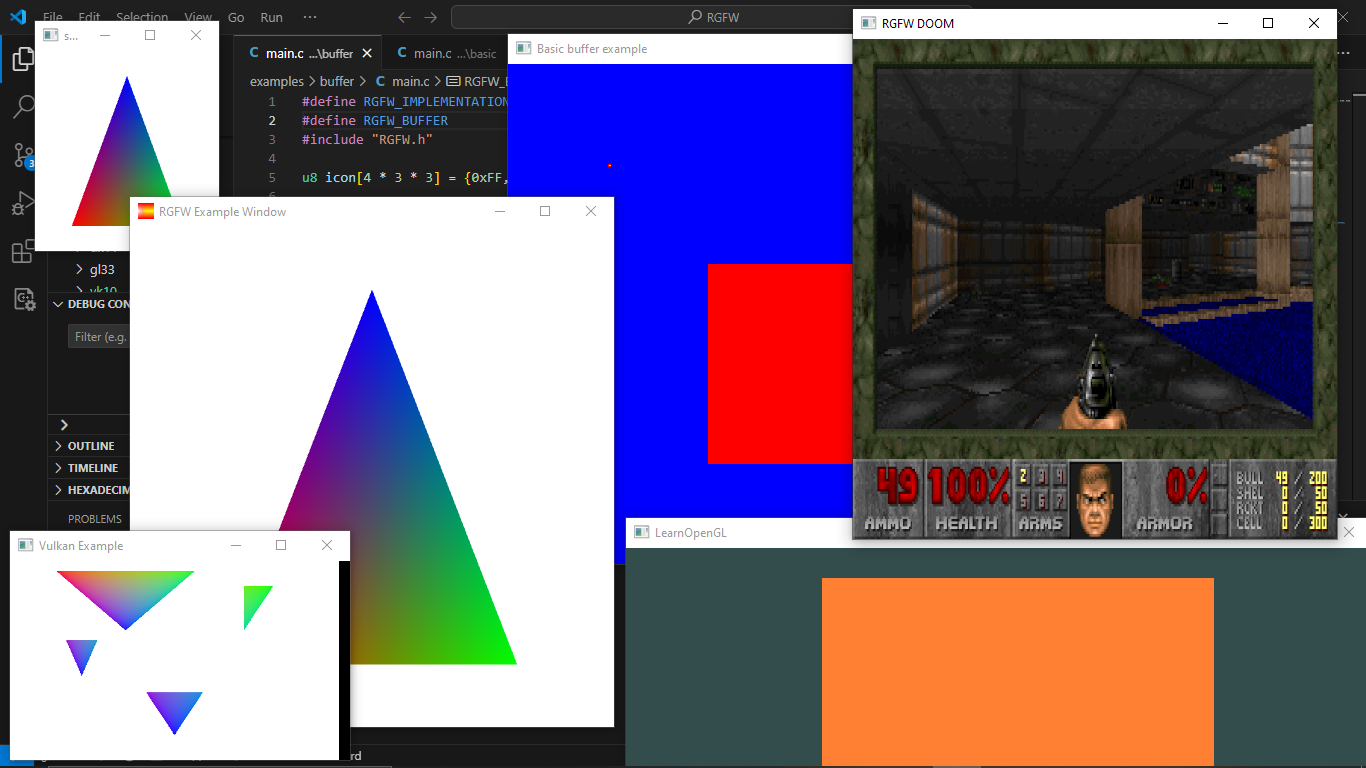
您可以在此處找到更多示例或在瀏覽器中使用Emscripten運行它
可以在RGFW Wiki上找到可以與RGFW一起使用的GUI庫列表。
有很多總結文檔,但是可以在https://colleagueriley.github.io/rgfw/rgfw/docs/index.html上找到更多文檔,如果您想自己構建文檔,也附有一個doxygen文件。
可以在此處的RGFW Wiki上找到綁定列表
可以在RGFW Wiki上找到使用RGFW的項目列表
如果您想在此處支持RGFW的開發,則有一個RGFW Wiki頁面有關您可以做的事情。
可以在Wiki上找到RGFW和GLFW的比較
RGFW使用Zlib/libpng許可證,這意味著您可以自由使用RGFW,只要您不聲稱自己編寫了此軟件,標記版更改版本並將其保留在標題中。
 Permission is granted to anyone to use this software for any purpose,
including commercial applications, and to alter it and redistribute it
freely, subject to the following restrictions:

1. The origin of this software must not be misrepresented; you must not
   claim that you wrote the original software. If you use this software
   in a product, an acknowledgment in the product documentation would be
   appreciated but is not required.
2. Altered source versions must be plainly marked as such, and must not be
   misrepresented as being the original software.
3. This notice may not be removed or altered from any source distribution.





