RGFW
RG

Une bibliothèque d'abstraction de fenêtres très simple à haute plateforme très simple pour créer des bibliothèques graphiques ou des programmes graphiques simples. Écrit en pur C99.
RGFW est un framework d'abstraction de fenêtres très simple à plateforme multiplateforme très simple pour la création de bibliothèques graphiques ou de programmes graphiques simples. Il est destiné à être utilisé comme une bibliothèque alternative très petite et flexible à GLFW.
Le backend de fenêtre prend en charge Xlib (UNIX), Cocoas (MacOS), Webasm (Emscripten) et Winapi (testé sur Windows XP , 10 et 11, et Reactos)
Windows 95 et 98 ont également été testés avec RGFW, bien que les résultats soient incertains
Wayland: Pour compiler Wayland Add (rgfw_wayland = 1). Le soutien de Wayland est très expérimental et brisé.
Le backend graphique prend en charge OpenGL (EGL, Software, Osmesa, GLES), Vulkan, DirectX, Metal and Software Rendering Tampons.
RGFW a été conçu comme un backend pour RSGL, mais il peut être utilisé autonome ou pour d'autres bibliothèques, comme Raylib qui l'utilise comme backend alternatif facultatif.
RGFW est multi-paradigme,
Par défaut, RGFW utilise un système d'événements flexible, similaire à celui de SDL, mais vous pouvez utiliser des rappels si vous préférez cette méthode.
Cette bibliothèque
Cette bibliothèque ne fait pas
 #define RGFW_IMPLEMENTATION
#include "RGFW.h"

void keyfunc ( RGFW_window * win , u32 keycode , char keyName [ 16 ], u8 lockState , u8 pressed ) {
    if ( keycode == RGFW_Escape && pressed ) {
        RGFW_window_setShouldClose ( win );
    }
}

int main () {
    RGFW_window * win = RGFW_createWindow ( "a window" , RGFW_RECT ( 0 , 0 , 800 , 600 ), ( u16 )( RGFW_CENTER | RGFW_NO_RESIZE ));

    RGFW_setKeyCallback ( keyfunc ); // you can use callbacks like this if you want

    while ( RGFW_window_shouldClose ( win ) == RGFW_FALSE ) {
        while ( RGFW_window_checkEvent ( win )) {  // or RGFW_window_checkEvents(); if you only want callbacks
            // you can either check the current event yourself
            if ( win -> event . type == RGFW_mouseButtonPressed && win -> event . button == RGFW_mouseLeft ) {
                printf ( "You clicked at x: %d, y: %dn" , win -> event . point . x , win -> event . point . y );
            }

            // or use the existing functions
            if ( RGFW_isMousePressed ( win , RGFW_mouseRight )) {
                printf ( "The right mouse button was clicked at x: %d, y: %dn" , win -> event . point . x , win -> event . point . y );
            }
        }

        glClearColor ( 0.1f , 0.1f , 0.1f , 1.0f );
        glClear ( GL_COLOR_BUFFER_BIT );

        // You can use modern OpenGL techniques, but this method is more straightforward for drawing just one triangle.
        glBegin ( GL_TRIANGLES );
        glColor3f ( 1 , 0 , 0 ); glVertex2f ( -0.6 , -0.75 );
        glColor3f ( 0 , 1 , 0 ); glVertex2f ( 0.6 , -0.75 );
        glColor3f ( 0 , 0 , 1 ); glVertex2f ( 0 , 0.75 );
        glEnd ();

        RGFW_window_swapBuffers ( win );
    }

    RGFW_window_close ( win );
    return 0 ;
}
linux : gcc main.c -lX11 -lGL -lXrandr -lm
windows : gcc main.c -lopengl32 -lshell32 -lgdi32 -lwinmm -lm
macos : gcc main.c -framework Foundation -framework AppKit -framework OpenGL -framework CoreVideo -lm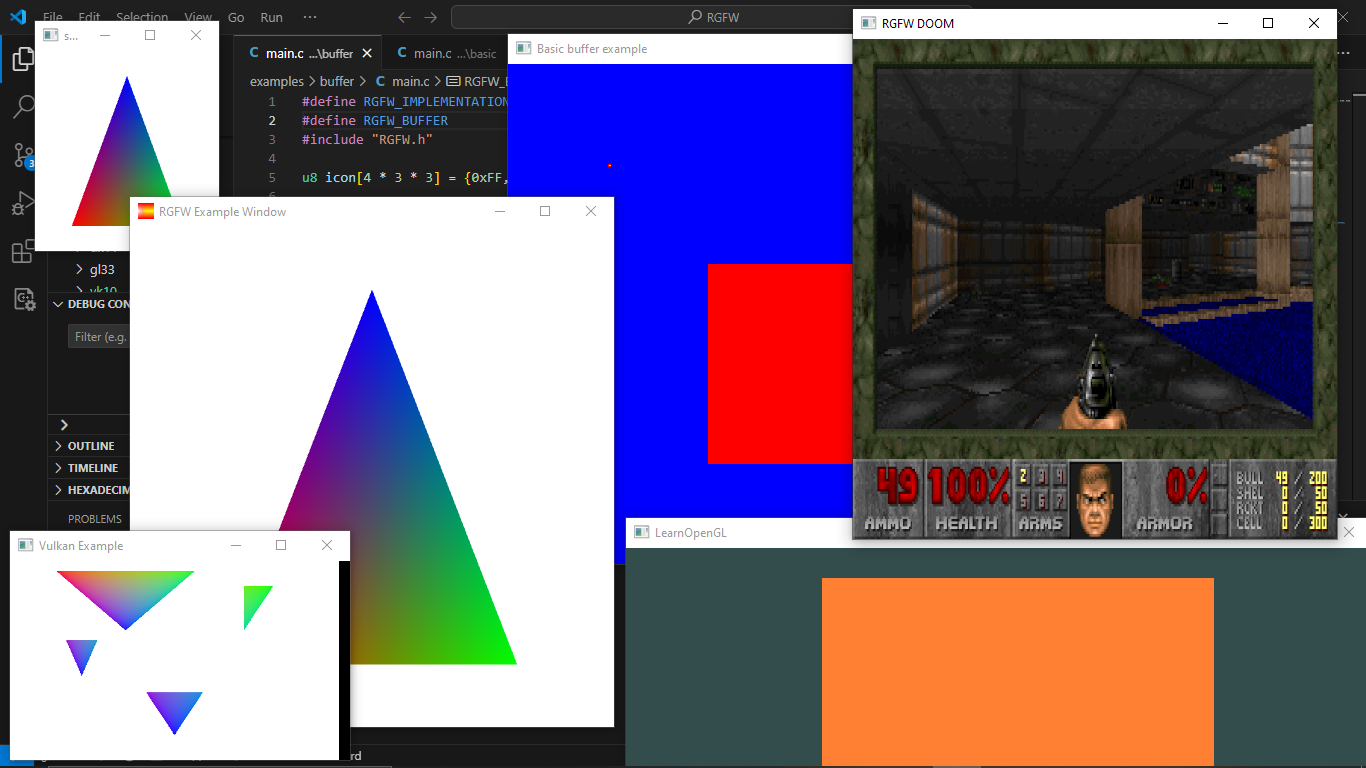
Vous pouvez trouver plus d'exemples ici ou l'exécuter dans votre navigateur avec Emscripten
Une liste des bibliothèques GUI qui peuvent être utilisées avec RGFW se trouvent sur le Wiki RGFW ici
Il y a beaucoup de documentation en tête, mais plus de documents peuvent être trouvés sur https://colleagueriley.github.io/rgfw/docs/index.html Si vous souhaitez construire la documentation vous-même, il y a aussi un fichier Doxygen.
Une liste de liaisons peut être trouvée sur le wiki RGFW ici
Une liste de projets qui utilisent RGFW se trouvent sur le Wiki RGFW ici
Il y a une page Wiki RGFW sur les choses que vous pouvez faire si vous souhaitez soutenir le développement de RGFW ici.
Une comparaison de RGFW et GLFW peut être trouvée sur le wiki
RGFW utilise la licence ZLIB / LIBPNG, cela signifie que vous pouvez utiliser RGFW librement tant que vous ne prétendez pas que vous avez écrit ce logiciel, marquez les versions modifiées en tant que telles et conserver la licence incluse avec l'en-tête.
 Permission is granted to anyone to use this software for any purpose,
including commercial applications, and to alter it and redistribute it
freely, subject to the following restrictions:

1. The origin of this software must not be misrepresented; you must not
   claim that you wrote the original software. If you use this software
   in a product, an acknowledgment in the product documentation would be
   appreciated but is not required.
2. Altered source versions must be plainly marked as such, and must not be
   misrepresented as being the original software.
3. This notice may not be removed or altered from any source distribution.





