RGFW
RG

跨平台轻量级单头非常简单地使用窗口抽象库,用于创建图形库或简单的图形程序。用纯C99写。
RGFW是一个免费的多平台单头标头非常简单的窗口抽象框架,用于创建图形库或简单的图形程序。它应该用作GLFW的非常小而灵活的替代库。
窗口后端支持Xlib(UNIX),可可(MacOS),Webasm(emscripten)和Winapi(在Windows XP ,10和11上测试,以及ReactOS)
Windows 95和98也已使用RGFW进行了测试,尽管结果是
Wayland:编译Wayland Add(RGFW_Wayland = 1)。 Wayland的支持非常实验性和破碎。
图形后端支持OpenGL(EGL,软件,Osmesa,Gles),Vulkan,DirectX,金属和软件渲染缓冲区。
RGFW被设计为RSGL的后端,但可以独立使用或其他库,例如Raylib,它将其用作可选的替代后端。
RGFW是多范式,
默认情况下,RGFW使用类似于SDL的灵活事件系统,但是如果您喜欢该方法,则可以使用回调。
这个库
这个图书馆没有
 #define RGFW_IMPLEMENTATION
#include "RGFW.h"

void keyfunc ( RGFW_window * win , u32 keycode , char keyName [ 16 ], u8 lockState , u8 pressed ) {
    if ( keycode == RGFW_Escape && pressed ) {
        RGFW_window_setShouldClose ( win );
    }
}

int main () {
    RGFW_window * win = RGFW_createWindow ( "a window" , RGFW_RECT ( 0 , 0 , 800 , 600 ), ( u16 )( RGFW_CENTER | RGFW_NO_RESIZE ));

    RGFW_setKeyCallback ( keyfunc ); // you can use callbacks like this if you want

    while ( RGFW_window_shouldClose ( win ) == RGFW_FALSE ) {
        while ( RGFW_window_checkEvent ( win )) {  // or RGFW_window_checkEvents(); if you only want callbacks
            // you can either check the current event yourself
            if ( win -> event . type == RGFW_mouseButtonPressed && win -> event . button == RGFW_mouseLeft ) {
                printf ( "You clicked at x: %d, y: %dn" , win -> event . point . x , win -> event . point . y );
            }

            // or use the existing functions
            if ( RGFW_isMousePressed ( win , RGFW_mouseRight )) {
                printf ( "The right mouse button was clicked at x: %d, y: %dn" , win -> event . point . x , win -> event . point . y );
            }
        }

        glClearColor ( 0.1f , 0.1f , 0.1f , 1.0f );
        glClear ( GL_COLOR_BUFFER_BIT );

        // You can use modern OpenGL techniques, but this method is more straightforward for drawing just one triangle.
        glBegin ( GL_TRIANGLES );
        glColor3f ( 1 , 0 , 0 ); glVertex2f ( -0.6 , -0.75 );
        glColor3f ( 0 , 1 , 0 ); glVertex2f ( 0.6 , -0.75 );
        glColor3f ( 0 , 0 , 1 ); glVertex2f ( 0 , 0.75 );
        glEnd ();

        RGFW_window_swapBuffers ( win );
    }

    RGFW_window_close ( win );
    return 0 ;
}
linux : gcc main.c -lX11 -lGL -lXrandr -lm
windows : gcc main.c -lopengl32 -lshell32 -lgdi32 -lwinmm -lm
macos : gcc main.c -framework Foundation -framework AppKit -framework OpenGL -framework CoreVideo -lm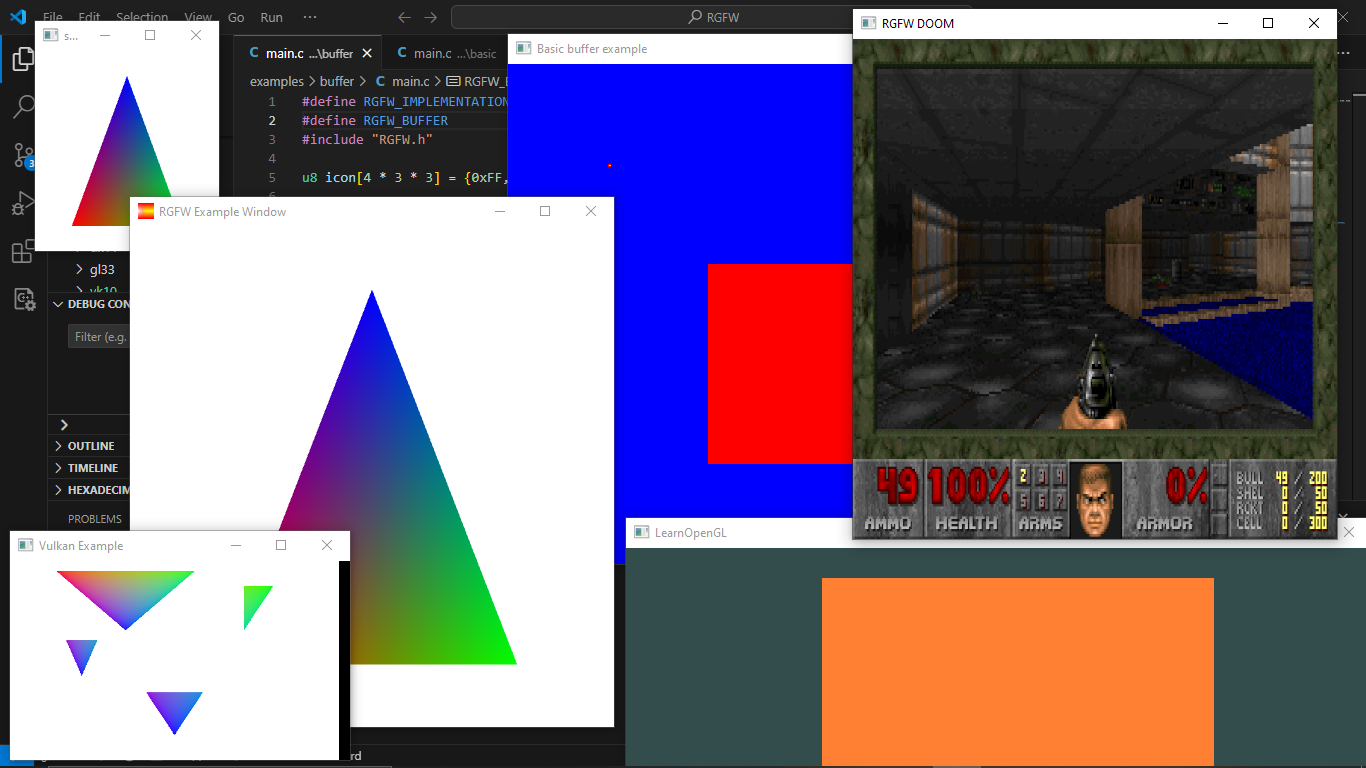
您可以在此处找到更多示例或在浏览器中使用Emscripten运行它
可以在RGFW Wiki上找到可以与RGFW一起使用的GUI库列表。
有很多总结文档,但是可以在https://colleagueriley.github.io/rgfw/rgfw/docs/index.html上找到更多文档,如果您想自己构建文档,也附有一个doxygen文件。
可以在此处的RGFW Wiki上找到绑定列表
可以在RGFW Wiki上找到使用RGFW的项目列表
如果您想在此处支持RGFW的开发,则有一个RGFW Wiki页面有关您可以做的事情。
可以在Wiki上找到RGFW和GLFW的比较
RGFW使用Zlib/libpng许可证,这意味着您可以自由使用RGFW,只要您不声称自己编写了此软件,标记版更改版本并将其保留在标题中。
 Permission is granted to anyone to use this software for any purpose,
including commercial applications, and to alter it and redistribute it
freely, subject to the following restrictions:

1. The origin of this software must not be misrepresented; you must not
   claim that you wrote the original software. If you use this software
   in a product, an acknowledgment in the product documentation would be
   appreciated but is not required.
2. Altered source versions must be plainly marked as such, and must not be
   misrepresented as being the original software.
3. This notice may not be removed or altered from any source distribution.





