RGFW
RG

Header single-splatform single-header yang sangat sederhana untuk digunakan perpustakaan abstraksi untuk membuat pustaka grafis atau program grafis sederhana. Ditulis dalam C99 murni.
RGFW adalah kerangka kerja abstraksi jendela multi-platform gratis yang sangat mudah digunakan untuk membuat pustaka grafis atau program grafis sederhana. Ini dimaksudkan untuk digunakan sebagai perpustakaan alternatif yang sangat kecil dan fleksibel untuk GLFW.
Window backend mendukung XLIB (UNIX), Cocoas (MacOS), Webasm (Emscripten) dan Winapi (diuji pada Windows XP , 10 dan 11, dan Reactos)
Windows 95 & 98 juga telah diuji dengan RGFW, meskipun hasilnya rapuh
Wayland: Untuk mengkompilasi Wayland Add (rgfw_wayland = 1). Dukungan Wayland sangat eksperimental dan rusak.
Backend grafis mendukung OpenGL (EGL, Software, Osmesa, GLES), VULSAN, DirectX, Metal dan Software Rendering Buffer.
RGFW dirancang sebagai backend untuk RSGL, tetapi dapat digunakan mandiri atau untuk perpustakaan lain, seperti Raylib yang menggunakannya sebagai backend alternatif opsional.
RGFW adalah multi-paradigma,
Secara default RGFW menggunakan sistem acara yang fleksibel, mirip dengan SDL, namun Anda dapat menggunakan callback jika Anda lebih suka metode itu.
Perpustakaan ini
Perpustakaan ini tidak
 #define RGFW_IMPLEMENTATION
#include "RGFW.h"

void keyfunc ( RGFW_window * win , u32 keycode , char keyName [ 16 ], u8 lockState , u8 pressed ) {
    if ( keycode == RGFW_Escape && pressed ) {
        RGFW_window_setShouldClose ( win );
    }
}

int main () {
    RGFW_window * win = RGFW_createWindow ( "a window" , RGFW_RECT ( 0 , 0 , 800 , 600 ), ( u16 )( RGFW_CENTER | RGFW_NO_RESIZE ));

    RGFW_setKeyCallback ( keyfunc ); // you can use callbacks like this if you want

    while ( RGFW_window_shouldClose ( win ) == RGFW_FALSE ) {
        while ( RGFW_window_checkEvent ( win )) {  // or RGFW_window_checkEvents(); if you only want callbacks
            // you can either check the current event yourself
            if ( win -> event . type == RGFW_mouseButtonPressed && win -> event . button == RGFW_mouseLeft ) {
                printf ( "You clicked at x: %d, y: %dn" , win -> event . point . x , win -> event . point . y );
            }

            // or use the existing functions
            if ( RGFW_isMousePressed ( win , RGFW_mouseRight )) {
                printf ( "The right mouse button was clicked at x: %d, y: %dn" , win -> event . point . x , win -> event . point . y );
            }
        }

        glClearColor ( 0.1f , 0.1f , 0.1f , 1.0f );
        glClear ( GL_COLOR_BUFFER_BIT );

        // You can use modern OpenGL techniques, but this method is more straightforward for drawing just one triangle.
        glBegin ( GL_TRIANGLES );
        glColor3f ( 1 , 0 , 0 ); glVertex2f ( -0.6 , -0.75 );
        glColor3f ( 0 , 1 , 0 ); glVertex2f ( 0.6 , -0.75 );
        glColor3f ( 0 , 0 , 1 ); glVertex2f ( 0 , 0.75 );
        glEnd ();

        RGFW_window_swapBuffers ( win );
    }

    RGFW_window_close ( win );
    return 0 ;
}
linux : gcc main.c -lX11 -lGL -lXrandr -lm
windows : gcc main.c -lopengl32 -lshell32 -lgdi32 -lwinmm -lm
macos : gcc main.c -framework Foundation -framework AppKit -framework OpenGL -framework CoreVideo -lm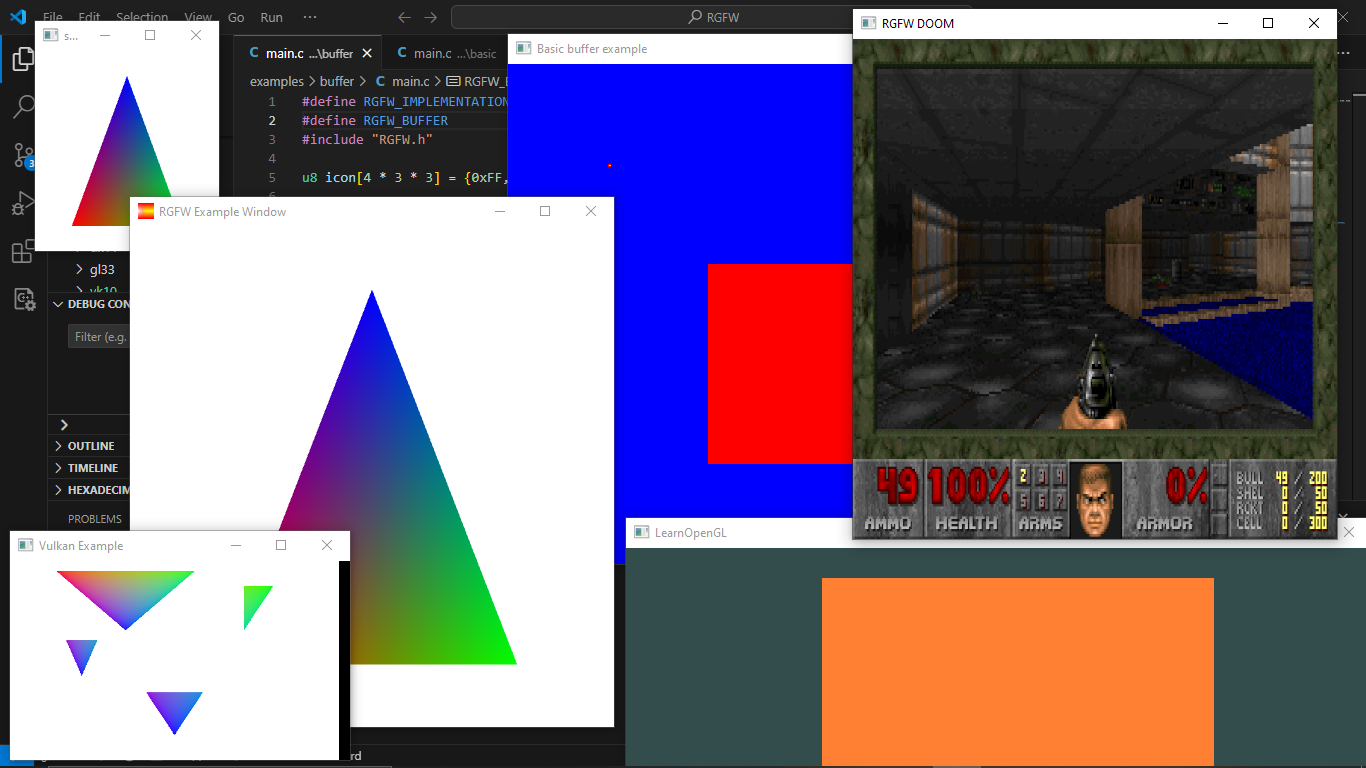
Anda dapat menemukan lebih banyak contoh di sini atau menjalankannya di browser Anda dengan Emscripten
Daftar perpustakaan GUI yang dapat digunakan dengan RGFW dapat ditemukan di wiki RGFW di sini
Ada banyak in-header-documentation, tetapi lebih banyak dokumentasi dapat ditemukan di https://colleagueriley.github.io/rgfw/docs/index.html jika Anda ingin membangun dokumentasi sendiri, ada juga file doxygen yang dilampirkan.
Daftar binding dapat ditemukan di wiki RGFW di sini
Daftar proyek yang menggunakan RGFW dapat ditemukan di wiki RGFW di sini
Ada halaman wiki RGFW tentang hal -hal yang dapat Anda lakukan jika Anda ingin mendukung pengembangan RGFW di sini.
Perbandingan RGFW dan GLFW dapat ditemukan di Wiki
RGFW menggunakan lisensi ZLIB/LIBPNG, ini berarti Anda dapat menggunakan RGFW secara bebas selama Anda tidak mengklaim Anda menulis perangkat lunak ini, menandai versi yang diubah seperti itu dan menyimpan lisensi yang disertakan dengan header.
 Permission is granted to anyone to use this software for any purpose,
including commercial applications, and to alter it and redistribute it
freely, subject to the following restrictions:

1. The origin of this software must not be misrepresented; you must not
   claim that you wrote the original software. If you use this software
   in a product, an acknowledgment in the product documentation would be
   appreciated but is not required.
2. Altered source versions must be plainly marked as such, and must not be
   misrepresented as being the original software.
3. This notice may not be removed or altered from any source distribution.





