RGFW
RG

グラフィックライブラリまたはシンプルなグラフィカルプログラムを作成するためのクロスプラットフォームの軽量のシングルヘッダー非常にシンプルなウィンドウ抽象化ライブラリ。純粋なC99で書かれています。
RGFWは、グラフィックライブラリまたはシンプルなグラフィカルプログラムを作成するための無料のマルチプラットフォームシングルヘッダー非常にシンプルなウィンドウアブストラクションフレームワークです。 GLFWの非常に小さく柔軟な代替ライブラリとして使用することを意図しています。
ウィンドウバックエンドは、XLIB(UNIX)、ココア(MACOS)、Webasm(Emscripten)、Winapi(Windows XP 、10および11、およびReactosでテスト)をサポートしています。
Windows 95と98はRGFWでもテストされていますが、結果はiffyです
Wayland:Wayland Add(rgfw_wayland = 1)をコンパイルするには。ウェイランドのサポートは非常に実験的で壊れています。
グラフィックスバックエンドは、OpenGL(EGL、ソフトウェア、Osmesa、GLES)、Vulkan、DirectX、Metal、Software Rending Buffersをサポートしています。
RGFWはRSGLのバックエンドとして設計されていますが、オプションの代替バックエンドとして使用するRaylibなど、スタンドアロンや他のライブラリに使用できます。
RGFWはマルチパラダイムです、
デフォルトでは、RGFWはSDLと同様の柔軟なイベントシステムを使用しますが、その方法を希望する場合はコールバックを使用できます。
このライブラリ
このライブラリはそうではありません
 #define RGFW_IMPLEMENTATION
#include "RGFW.h"

void keyfunc ( RGFW_window * win , u32 keycode , char keyName [ 16 ], u8 lockState , u8 pressed ) {
    if ( keycode == RGFW_Escape && pressed ) {
        RGFW_window_setShouldClose ( win );
    }
}

int main () {
    RGFW_window * win = RGFW_createWindow ( "a window" , RGFW_RECT ( 0 , 0 , 800 , 600 ), ( u16 )( RGFW_CENTER | RGFW_NO_RESIZE ));

    RGFW_setKeyCallback ( keyfunc ); // you can use callbacks like this if you want

    while ( RGFW_window_shouldClose ( win ) == RGFW_FALSE ) {
        while ( RGFW_window_checkEvent ( win )) {  // or RGFW_window_checkEvents(); if you only want callbacks
            // you can either check the current event yourself
            if ( win -> event . type == RGFW_mouseButtonPressed && win -> event . button == RGFW_mouseLeft ) {
                printf ( "You clicked at x: %d, y: %dn" , win -> event . point . x , win -> event . point . y );
            }

            // or use the existing functions
            if ( RGFW_isMousePressed ( win , RGFW_mouseRight )) {
                printf ( "The right mouse button was clicked at x: %d, y: %dn" , win -> event . point . x , win -> event . point . y );
            }
        }

        glClearColor ( 0.1f , 0.1f , 0.1f , 1.0f );
        glClear ( GL_COLOR_BUFFER_BIT );

        // You can use modern OpenGL techniques, but this method is more straightforward for drawing just one triangle.
        glBegin ( GL_TRIANGLES );
        glColor3f ( 1 , 0 , 0 ); glVertex2f ( -0.6 , -0.75 );
        glColor3f ( 0 , 1 , 0 ); glVertex2f ( 0.6 , -0.75 );
        glColor3f ( 0 , 0 , 1 ); glVertex2f ( 0 , 0.75 );
        glEnd ();

        RGFW_window_swapBuffers ( win );
    }

    RGFW_window_close ( win );
    return 0 ;
}
linux : gcc main.c -lX11 -lGL -lXrandr -lm
windows : gcc main.c -lopengl32 -lshell32 -lgdi32 -lwinmm -lm
macos : gcc main.c -framework Foundation -framework AppKit -framework OpenGL -framework CoreVideo -lm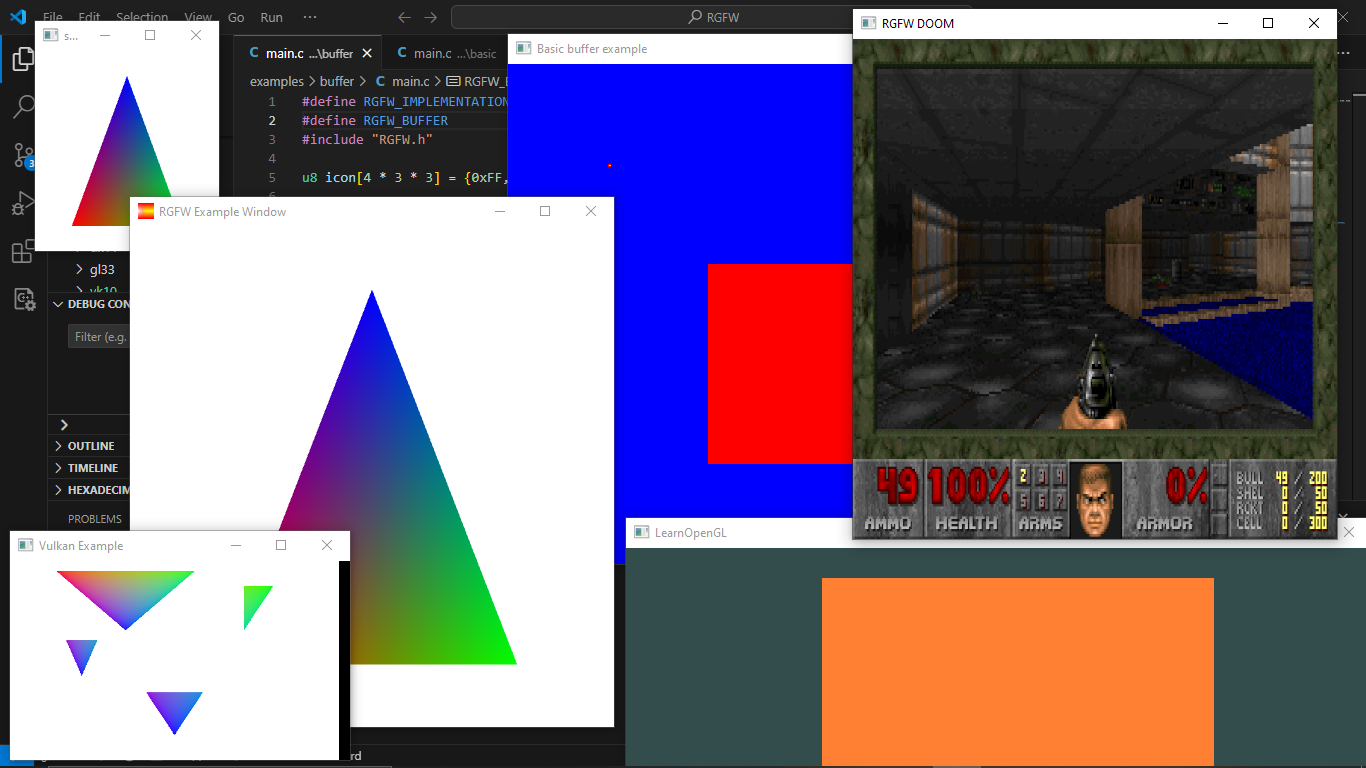
ここでより多くの例を見つけるか、emscriptenを使用してブラウザでそれを実行することができます
RGFWで使用できるGUIライブラリのリストは、こちらのRGFW Wikiにあります
多くのインヘッドドキュメントがありますが、より多くのドキュメントはhttps://colleagueriley.github.io/rgfw/docs/index.htmlで、自分でドキュメントを作成したい場合は、doxygenファイルも添付されています。
バインディングのリストは、こちらのRGFW Wikiにあります
RGFWを使用するプロジェクトのリストは、こちらのRGFW Wikiにあります
ここでRGFWの開発をサポートしたい場合にできることについてのRGFW Wikiページがあります。
RGFWとGLFWの比較は、wikiで見つけることができます
RGFWはZLIB/LIBPNGライセンスを使用します。これは、このソフトウェアを書いたと主張しない限り、RGFWを自由に使用できることを意味します。
 Permission is granted to anyone to use this software for any purpose,
including commercial applications, and to alter it and redistribute it
freely, subject to the following restrictions:

1. The origin of this software must not be misrepresented; you must not
   claim that you wrote the original software. If you use this software
   in a product, an acknowledgment in the product documentation would be
   appreciated but is not required.
2. Altered source versions must be plainly marked as such, and must not be
   misrepresented as being the original software.
3. This notice may not be removed or altered from any source distribution.





