
Windows 11 Chinese Input Method Fix
Win 11 中文微軟拼音輸入法修復
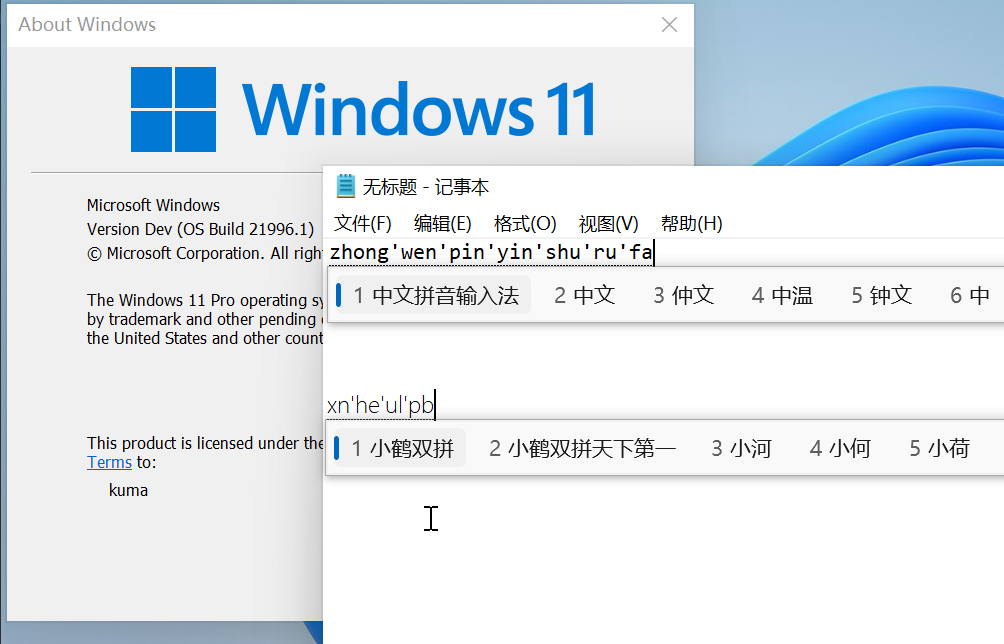
This fix is an implement of Shelling's fix .
這個專案的修復方式來自Shelling的方法。
Add Chinese
From the Settings App, in Time & Language - Language - Preferred languages , click Add a language , select中文(中华人民共和国) / Chinese (Simplified, China) (zh-CN in this case, or other variations if you need), and click Next .
Install the language
Check only Install language pack , and click Install , then wait for completion.
Download the fix
Download the fix.zip archive from the release page, extract it wherever.
Apply the fix
Either:
* copy both CHS and CHT to C:WindowsInputMethod
* run the run.bat script.
新增中文<br/> 開啟Settings App, 進入Time & Language - Language - Preferred languages , 點擊Add a language , 選擇中文(中华人民共和国) / Chinese (Simplified, China) (或其他變種), 再點擊Next 。
安裝語言<br/> 選取Install language pack , 再點選Install , 等待安裝完成。
下載檔案<br/> 從release 頁面下載fix.zip , 解壓縮到任何位置。
修復系統<br/> 任選其一:
* 複製CHS和CHT到C:WindowsInputMethod
* 運行腳本run.bat 。
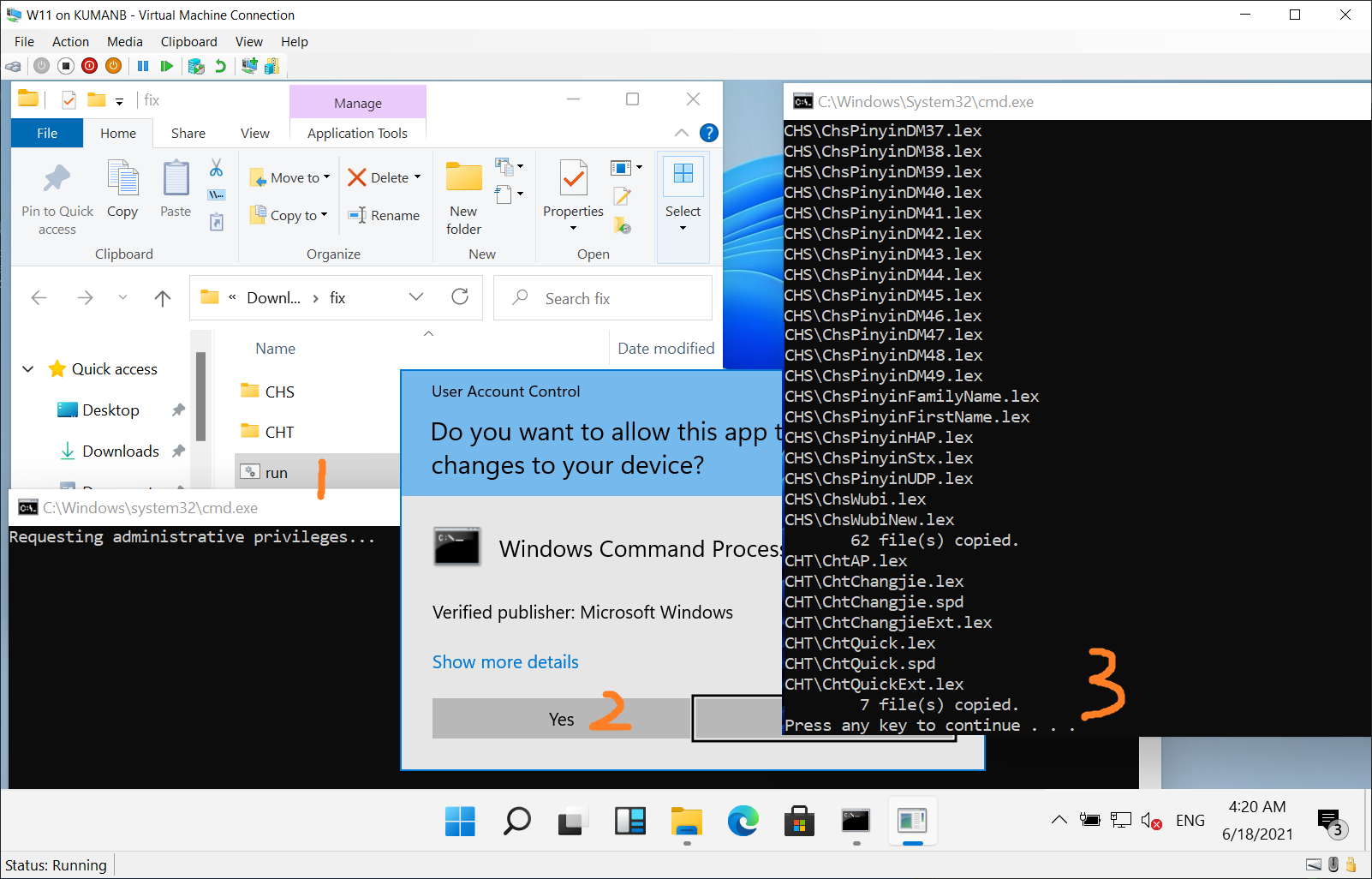
We found that in the directory C:WindowsInputMethod , both CHS and CHT are empty, while in Windows 10 they contain ~ 50 MB files.
So this script copies files in Windows 10 to the corresponding location, and surprisingly finds this trick works.
我們觀察到目錄C:WindowsInputMethod中, CHS和CHT都是空資料夾, 而Windows 10 的對應位置包含了約50MB 檔案。
這個腳本從Windows 10 複製檔案到對應位置, 並且十分驚喜地發現這個方案奏效。





