
Windows 11 Chinese Input Method Fix
Win 11 中文 微软拼音输入法修复
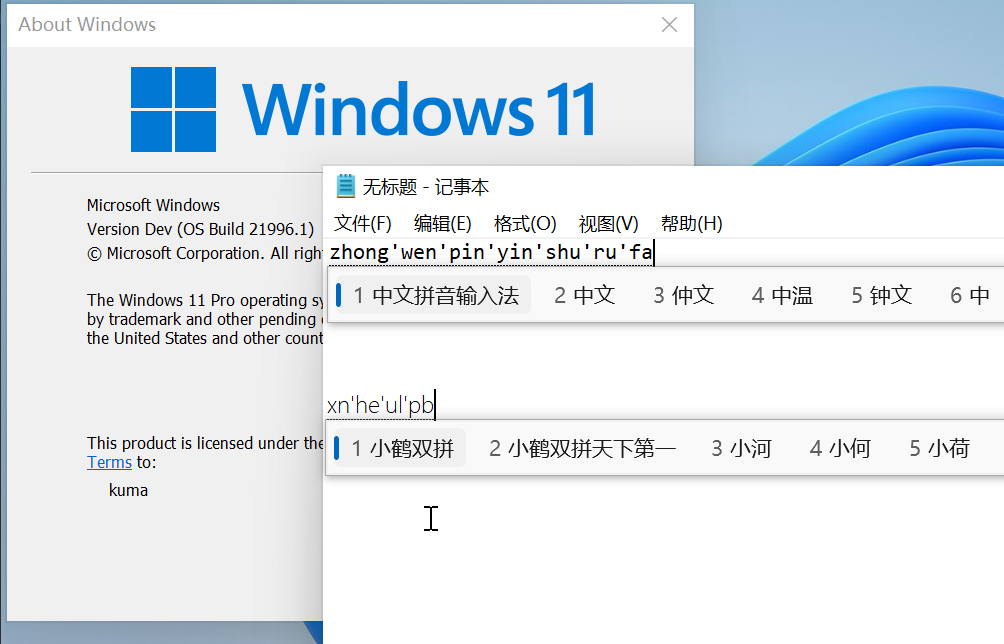
This fix is an implement ofShelling'sfix.
这个项目的修复方式来自Shelling 的方法 。
Add Chinese
From the Settings App, in Time & Language - Language - Preferred languages, click Add a language, select 中文(中华人民共和国) / Chinese (Simplified, China) (zh-CN in this case, or other variations if you need), and click Next.
Install the language
Check only Install language pack, and click Install, then wait for completion.
Download the fix
Download the fix.zip archive from the release page, extract it wherever.
Apply the fix
Either:
* copy both CHS and CHT to C:WindowsInputMethod
* run the run.bat script.
添加中文
打开 Settings App, 进入 Time & Language - Language - Preferred languages, 点击 Add a language, 选择 中文(中华人民共和国) / Chinese (Simplified, China) (或其他变种), 再点击 Next 。
安装语言
选中 Install language pack, 再点击 Install, 等待安装完成。
下载文件
从 release 页面下载 fix.zip, 解压到任意位置。
修复系统
任选其一:
* 复制 CHS 和 CHT 到 C:WindowsInputMethod
* 运行脚本 run.bat 。
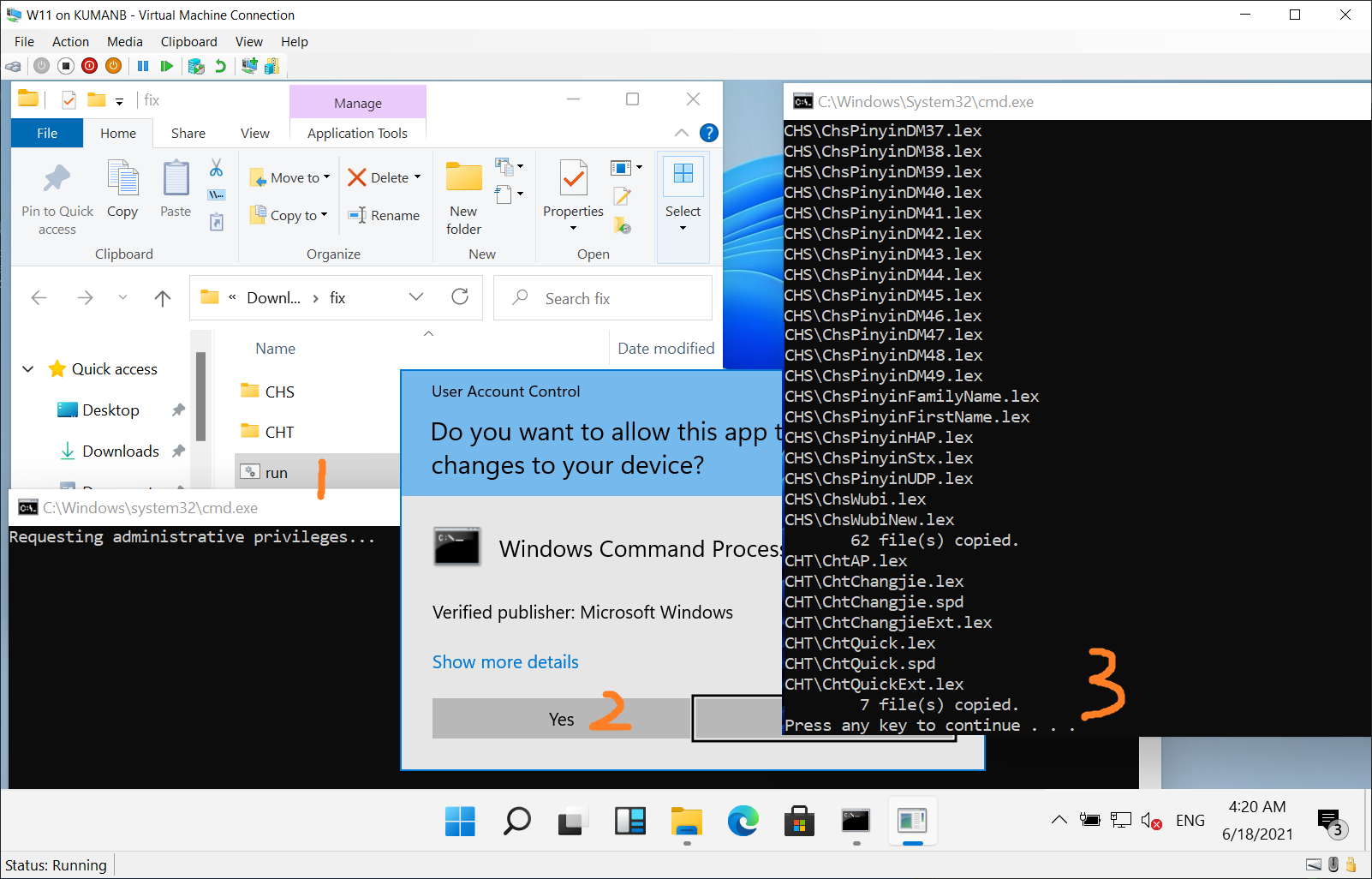
We found that in the directoryC:WindowsInputMethod,
both CHS and CHT are empty,
while in Windows 10 they contain ~ 50 MB files.
So this script copies files in Windows 10 to the corresponding location, and surprisingly finds this trick works.
我们观察到目录C:WindowsInputMethod 中,CHS 和 CHT 均为空文件夹,
而 Windows 10 的相应位置包含了约 50MB 文件。
这个脚本 从 Windows 10 中复制文件到相应位置, 并十分惊喜地发现这个方案奏效。





