tvision
1.0.0

Turbo Vision 2.0的现代港口,这是基于文本的用户界面的经典框架。现在跨平台并获得Unicode支持。
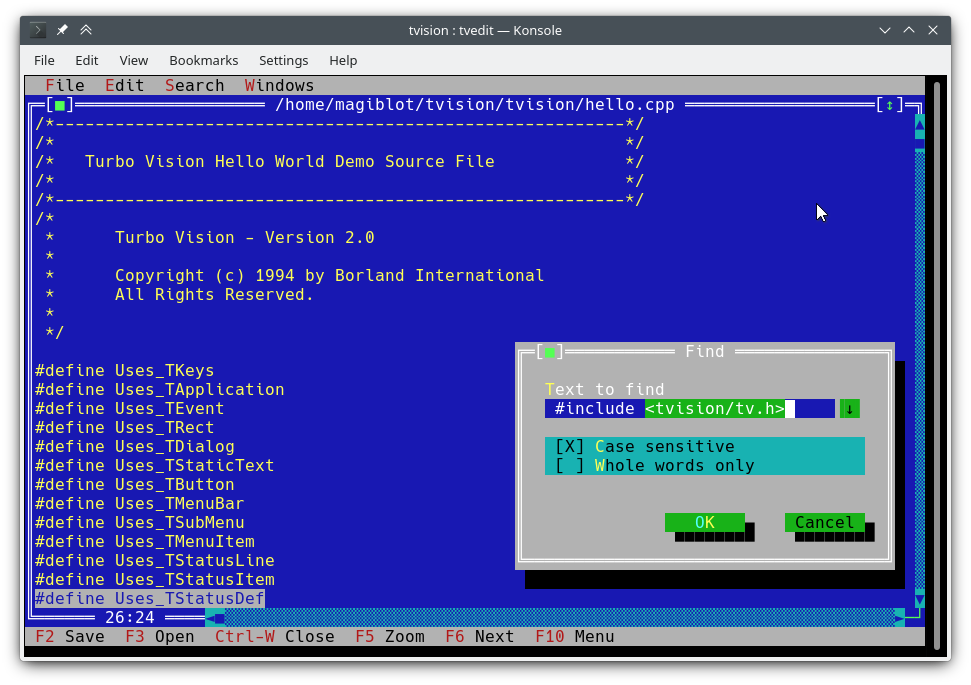
我在2018年底开始作为一个个人项目。到2020年5月,我认为它与原始项目非常接近,并决定使其开放。
该项目的最初目标是:
在某一时刻,我认为我已经做得足够了,并且任何尝试修改图书馆并克服其原始限制的尝试都需要扩展API或向后兼容,并且很可能是必要的重大重写。
但是,在2020年7月至8月之间,我找到了将成熟的Unicode支持集成到现有体系结构中的方式,撰写了Turbo Text Editor,并在Windows上提供了新功能。因此,我相信Turbo Vision现在可以满足现代用户和程序员的许多期望。
该项目的原始位置是https://github.com/magiblot/tvision。
自Borland在90年代初创造了Turbo Vision以来,发生了很多变化。如今,许多GUI工具将外观规范与行为规范分开,使用不符合错误的更安全或动态语言,并支持并行或异步编程或两者兼而有之。
Turbo Vision不会在任何一个方面表现出色,但是它肯定克服了许多程序员在编写终端应用程序时仍面临的许多问题:
忘记终端功能和直接终端I/O。在编写Turbo Vision应用程序时,您需要关心的只是您想要的应用程序的表现和外观 - 无需在代码中添加解决方法。 Turbo Vision尽力在所有环境上产生相同的结果。例如:要在Linux控制台上获得明亮的背景颜色,必须设置眨眼属性。 Turbo Vision为您做到这一点。
重复使用已经做过的事情。 Turbo Vision提供许多小部件类(也称为视图),包括可重叠的,重叠的窗户,下拉菜单,对话框,按钮,滚动条,输入框,复选框和无线电按钮。您可以使用并扩展这些;但是,即使您更喜欢创建自己的涡轮增压愿景,已经可以处理派遣事件,显示全width Unicode字符等:您不需要浪费时间重写任何一个。
您能想象编写一个基于文本的界面,该界面在Linux和Windows上都起作用(因此是跨平台),没有#ifdef s? Turbo Vision使这成为可能。首先:Turbo Vision继续使用char阵列,而不是依靠实现定义和依赖平台的wchar_t或TCHAR 。第二:感谢Microsoft RTL最近版本中的setlocale中的UTF-8支持,如下所示,代码将按预期工作:
std::ifstream f ( "コンピュータ.txt " ); // On Windows, the RTL converts this to the system encoding on-the-fly. 您可以开始使用C ++用户指南的Turbo Vision,并查看示例应用程序hello , tvdemo和tvedit 。掌握了基础知识后,我建议您查看《 Turbo Vision 2.0编程指南》,我认为,尽管使用了Pascal,但我认为,它更加直观,更容易理解。到那时,您可能会对palette示例感兴趣,该示例包含有关如何使用调色板的详细说明。
不要忘记查看功能和API更改部分。
该项目暂时没有稳定的发行版。如果您是开发人员,请尝试坚持最新的提交,并报告您在升级时发现的任何问题。
如果您只想测试演示应用程序:
examples-dos32.zip :使用Borland C ++构建的32位可执行文件。没有Unicode支持。examples-x86.zip :使用MSVC构建的32位可执行文件。 Windows Vista或更高版本。examples-x64.zip :使用MSVC构建的64位可执行文件。 x64 Windows Vista或以后需要。 Turbo Vision可以作为带有CMAKE和GCC/CLANG的静态库来构建。
cmake . -B ./build -DCMAKE_BUILD_TYPE=Release && # Could also be 'Debug', 'MinSizeRel' or 'RelWithDebInfo'.
cmake --build ./build # or `cd ./build; make` CMAKE版本以上超过3.13可能不支持-B选项。您可以尝试以下操作:
mkdir -p build ; cd build
cmake .. -DCMAKE_BUILD_TYPE=Release &&
cmake --build .
以上产生以下文件:
libtvision.a ,这是涡轮视觉库。hello , tvdemo , tvedit , tvdir与原始的Turbo Vision捆绑在一起(尽管其中一些有一些改进)。mmenu和palette的演示应用程序。tvhc ,Turbo Vision帮助编译器。可以在./build中找到库和可执行文件。
构建要求是:
libncursesw (请注意'W')。libgpm用于Linux控制台(可选)上的鼠标支撑。如果您的发行版提供单独的Devel软件包(例如,基于Debian的发行版中的libncurses-dev , libgpm-dev ),请安装它们。
运行时要求是:
xsel或xclip用于X11环境中的剪贴板支持。wl-clipboard用于Wayland环境中的剪贴板支撑。该项目的根源hello.cpp :
g++ -std=c++14 -o hello hello.cpp ./build/libtvision.a -Iinclude -lncursesw -lgpm您也可能需要:
-Iinclude/tvision如果您的应用程序使用Turbo Vision 1.X包含( #include <tv.h>而不是#include <tvision/tv.h> )。
-Iinclude/tvision/compat/borland如果您的应用程序包括Borland标题( dir.h , iostream.h等)。
在Gentoo(可能还有其他)上: -ltinfow ,如果您的系统中都可以使用libtinfo.so和libtinfow.so 。否则,在运行Turbo Vision应用程序(#11)时,您可能会得到细分故障。请注意, tinfo与ncurses捆绑在一起。
-lgpm仅在使用libgpm支持的情况下建立Turbo Vision时才有必要。
向后兼容的标题include/tvision/compat/borland模拟Borland C ++ RTL。 Turbo Vision的源代码仍然取决于它们,如果移植旧应用程序,它们可能很有用。这也意味着,包括tvision/tv.h在内,将为全球名称空间带来几个std名称。
使用MSVC的构建过程更为复杂,因为还有更多选择。请注意,您将需要不同的目标体系结构的不同构建目录。例如,生成优化的二进制文件:
cmake . -B ./build && # Add '-A x64' (64-bit) or '-A Win32' (32-bit) to override the default platform.
cmake --build ./build --config Release # Could also be 'Debug', 'MinSizeRel' or 'RelWithDebInfo'.
在上面的示例中, tvision.lib和示例应用程序将放置在./build/Release 。
如果您希望与Microsoft的运行时库( /MT而不是/MD )静态地链接Turbo Vision,请启用TV_USE_STATIC_RTL选项( -DTV_USE_STATIC_RTL=ON调用cmake时)。
如果您想将应用程序与Turbo Vision链接起来,请注意,MSVC不允许您与/MD混合/MT或与非debebug二进制文件混合或调试。所有组件都必须以相同的方式链接到RTL。
如果您开发了自己的Turbo Vision应用程序,请确保启用以下编译器标志,否则在包括<tvision/tv.h>时会遇到编译错误:
 /permissive-
/Zc:__cplusplus
如果您将涡轮视觉用作CMAKE子模块,则将自动启用这些标志。
注意: Turbo Vision使用setlocale将RTL功能设置为UTF-8模式。如果您使用旧版本的RTL,则该工作将不起作用。
随着静态链接的RTL,如果在setlocale中支持UTF-8,则Turbo Vision应用程序是便携式的,并且默认情况下在Windows Vista上和更高版本。
一旦正确设置了MINGW环境,就以与Linux相似的方式进行构建:
cmake . -B ./build -G " MinGW Makefiles " -DCMAKE_BUILD_TYPE=Release &&
cmake --build ./build在上面的示例中,如果TV_BUILD_EXAMPLES选项为ON (默认值),则libtvision.a和所有示例在./build中。
如果您想针对涡轮愿景链接应用程序,只需将-L./build/lib -ltvision添加到您的链接器和-I./include到您的编译器
仍然可以用Borland C ++作为DOS或Windows库来构建Turbo Vision。显然,这里没有Unicode的支持。
我可以确认构建过程可与:
根据您的构建环境,您可能会遇到不同的问题。例如,Turbo Assembler需要一个补丁以在Windows 95下工作。在Windows XP上,一切似乎都很好。在Windows 10上,MAKE可能会发出错误Fatal: Command arguments too long ,可以通过将其升级到与Borland C ++ 5.x捆绑的一个来固定。
是的,这在64位Windows 10上起作用。不起作用的是Borland C ++安装程序,该安装程序是16位应用程序。您将必须在另一个环境上运行它,或者使用Winevdm尝试运气。
可以在project目录中找到Borland Makefile。可以通过执行来完成构建:
 cd project
make.exe < options > <options>可以是:
-DDOS32用于32位DPMI应用程序(仍然可以在64位窗口上使用)。-DWIN32用于32位本机Win32应用程序(对于TVDEMO不可能,依赖于farcoreleft()和其他古物)。-DDEBUG构建应用程序和库的调试版本。-DTVDEBUG将应用程序与库的调试版本链接。-DOVERLAY , -DALIGNMENT={2,4} , -DEXCEPTION , -DNO_STREAMABLE , -DNOTASM我从未使用过的东西,但出现在原始的makefiles中。这将将库汇编为project旁边的LIB目录,并将在其各自的examples/*目录中编译演示应用程序的可执行文件。
很抱歉,Root MakeFile假设它是从project目录执行的。如果要使用不同的设置,您仍然可以直接运行原始的makefile(在source/tvision和examples/* )。
可以使用VCPKG依赖管理器构建和安装Turbo Vision:
git clone https://github.com/Microsoft/vcpkg.git
cd vcpkg
./bootstrap-vcpkg.sh
./vcpkg integrate install
./vcpkg install tvision
Microsoft团队成员和社区贡献者保持最新的VCPKG tvision端口。如果您发现它已经过时了,请在VCPKG存储库中创建问题或提取请求。
如果您为应用程序选择CMAKE构建系统,则有两种主要方法可以链接到Turbo Vision:
安装Turbo视觉并使用find_package导入它。安装取决于发电机类型:
首先,确定安装前缀。默认一个将在开箱即用,但通常需要管理特权。在UNIX系统上,您可以使用$HOME/.local 。在Windows上,您可以使用所需的任何自定义路径,但是在构建应用程序时,必须将其添加到CMAKE_PREFIX_PATH环境变量中。
对于Mono-Config Generator( Unix Makefiles , Ninja ...),您只需要构建和安装一次:
cmake . -B ./build # '-DCMAKE_INSTALL_PREFIX=...' to override the install prefix.
cmake --build ./build
cmake --install ./build
对于多核电生成器( Visual Studio , Ninja Multi-Config ...),您应该构建并安装所有配置:
cmake . -B ./build # '-DCMAKE_INSTALL_PREFIX=...' to override the install prefix.
cmake --build ./build --config Release
cmake --build ./build --config Debug --target tvision
cmake --build ./build --config RelWithDebInfo --target tvision
cmake --build ./build --config MinSizeRel --target tvision
cmake --install ./build --config Release
cmake --install ./build --config Debug --component library
cmake --install ./build --config RelWithDebInfo --component library
cmake --install ./build --config MinSizeRel --component library然后,在您的应用程序的CMakeLists.txt中,您可以这样导入它:
 find_package (tvision CONFIG)
target_link_libraries (my_application tvision::tvision)在您的存储库中的子模块中具有涡轮视觉,并使用add_subdirectory导入它:
 add_subdirectory (tvision) # Assuming Turbo Vision is in the 'tvision' directory.
target_link_libraries (my_application tvision)
无论哪种情况, <tvision/tv.h>都将在您的应用程序的包含路径中可用,并且您的应用程序将自动与必要的库(ncurses,gpm ...)链接。
tvedit应用程序中尝试一下。~/到$HOME 。stdin / stdout / stderr的重定向不会干扰端子I /O。有一些环境变量影响所有涡轮视觉应用的行为:
TVISION_MAX_FPS :最大刷新率,默认值60 。这可以有助于保持终端模拟器的平滑度,并具有抛光字符的不高效处理。此选项的特殊值为0 ,以禁用刷新率限制, -1在每次呼叫THardwareInfo::screenWrite (在调试时有用)中实际上绘制到终端。
TVISION_CODEPAGE :Turbo Vision内部使用的字符集将延长的ASCII转换为Unicode。目前有效值为437和850 ,默认值为437 ,尽管添加更多的精力所需的精力。
win32-input-mode (在WSL中可用)。TIOCLINUX )和鼠标(通过GPM)。stderr是TTY时,将其写入的消息将其重定向到缓冲区,以防止它们弄乱显示屏,并在退出或暂停应用程序时最终将其打印到控制台上。stderr将失败。如果您希望保留所有stderr ,只需将其从命令行中重定向到2> 。还考虑了以下环境变量:
TERM :Ncurses使用它来确定终端功能。它是由终端模拟器自动设置的。
COLORTERM :设置为truecolor或24bit ,Turbo Vision将假设末端模拟器支持24位颜色。它是由支持它的终端模拟器自动设置的。
ESCDELAY :收到ESC密钥按下默认值10后要等待的毫秒数。如果在此延迟期间按下另一个键,它将被解释为Alt+键组合。当终端不支持ALT密钥时,使用较大的值很有用。
TVISION_USE_STDIO :当不空时,终端I / O将通过stdin / stdout执行,以便可以从外壳重定向。默认情况下,Turbo Vision执行终端I/O到/dev/tty ,允许用户在不影响应用程序稳定性的情况下重定向stdin , stdout和stderr 。
例如,以下将out.txt空:
tvdemo | tee out.txt虽然以下将把应用程序打印的所有逃生序列和文本转移到out.txt中:
TVISION_USE_STDIO=1 tvdemo | tee out.txt使用Borland C ++编译时,以下内容不可用:
wchar_t变体。注意: Turbo Vision将UTF-8文本直接写入Windows控制台。如果将控制台设置为遗留模式并使用位图字体,则将无法正确显示Unicode字符(照片)。为了避免这种情况,Turbo Vision检测到了这种情况,并试图将控制台字体更改为Consolas或Lucida Console 。
以下是Borland发布Turbo Vision或以前的开源端口(Sigala,Set)中没有的新功能:
TInputLine s不再滚动文本显示在焦点/untocus上,从而允许相关文本保持可见。TFileViewer ( tvdemo )和TEditor ( tvedit )中的LF线路结尾。 TEditor保留了在文件保存上结尾的行,但是默认情况下,所有新创建的文件都使用CRLF。TEditor :右键单击上下文菜单。TEditor :使用中间鼠标按钮拖放滚动。TEditor , TInputLine :用kbAltBack , kbCtrlBack和kbCtrlDel删除整个单词。TEditor :主键在线路的开始和缩进文本的开始之间切换。TEditor :支持32位或64位构建的文件大于64 KIB的支持。tvdemo :事件查看器applet对活动调试有用。tvdemo :更改背景模式的选项。 屏幕写入是缓冲的,通常会在活动事件循环的每次迭代中发送到终端一次(另请参见TVISION_MAX_FPS )。如果您需要在繁忙的循环期间更新屏幕,则可以使用TScreen::flushScreen() 。
TDrawBuffer不再是固定长度的数组,其方法阻止了过去的阵列访问。因此,包含与sizeof(TDrawBuffer)/sizeof(ushort)比较的旧代码不再有效;此类检查应删除。
TApplication现在提供dosShell() , cascade()和tile() ,默认情况下处理cmDosShell , cmCascade和cmTile 。可以通过覆盖getTileRect()和writeShellMsg()来自定义这些功能。这与Pascal版本中的行为相同。
鼠标车轮支撑:新的鼠标事件evMouseWheel 。车轮方向在新的field event.mouse.wheel中指定,其可能的值是mwUp , mwDown , mwLeft或mwRight 。
中间鼠标按钮支持:新鼠标按钮标志mbMiddleButton 。
evMouseUp事件中的buttons字段不再为空。现在,它指示发布了哪个按钮。
三人单击支持:新的鼠标事件标志meTripleClick 。
TRect方法现在move , grow , intersect和Union现在返回TRect&而不是void ,以便可以束缚它们。
TOutlineViewer现在允许根节点具有兄弟姐妹。
新功能ushort popupMenu(TPoint where, TMenuItem &aMenu, TGroup *receiver=0) ,在桌面上产生了TMenuPopup 。请参阅source/tvision/popupmnu.cpp 。
新的虚拟方法TMenuItem& TEditor::initContextMenu(TPoint p)确定TEditor中右键单击上下文菜单的条目。
fexpand现在可以采用第二个参数relativeTo 。
新类TStringView ,受std::string_view的启发。
TStringView 。 TStringView与std::string_view , std::string和const char * (甚至nullptr )兼容。由std::span启发的新类TSpan<T> 。
新类TDrawSurface和TSurfaceView ,请参见<tvision/surface.h> 。
现在,当第一次构造TApplication而不是main之前,系统集成子系统( THardwareInfo , TScreen , TEventQueue ...)现在被初始化。他们仍然在从main出口时被摧毁。
新方法TVMemMgr::reallocateDiscardable()可在allocateDiscardable且freeDiscardable情况下使用。
新方法TView::textEvent()允许以有效的方式接收文本,请参阅剪贴板交互。
新类TClipboard ,请参阅剪贴板交互。
Unicode支持,请参阅Unicode。
真正的颜色支持,请参阅扩展颜色。
新方法static void TEventQueue::waitForEvents(int timeoutMs)它可能会阻止timeoutMs毫秒等待输入事件。负timeoutMs可以使用负时限制。如果阻止它,它具有冲洗屏幕更新的副作用(通过TScreen::flushScreen() )。它由TProgram::getEvent()带有static int TProgram::eventTimeoutMs (默认为20 )作为参数调用,以便事件循环不会变成繁忙的循环消耗100%的CPU。
新方法static void TEventQueue::wakeUp() ,如果在TEventQueue::waitForEvents()上阻止了事件循环恢复执行。此方法是线程安全的,因为它的目的是从辅助线程中解开事件循环。
新方法void TView::getEvent(TEvent &, int timeoutMs) ,它允许等待用户提供超时的事件(而不是TProgram::eventTimeoutMs )。
现在可以在TInputLine中指定最大文本宽度或最大字符计数。这是通过TInputLine的构造器ushort limitMode中的一个新参数来完成的,该参数控制第二个构造函数uint limit的方式。 ilXXXX常数定义了limitMode的可能值:
ilMaxBytes (默认值):文本可以limit长字节,包括null终结器。ilMaxWidth :文本可以向上limit列宽。ilMaxChars :文本可以包含以limit非组合字符或绘画。允许在运行时获取Turbo Vision常数名称的新功能(例如evCommand , kbShiftIns等):
 void printKeyCode (ostream &, ushort keyCode);
void printControlKeyState (ostream &, ushort controlKeyState);
void printEventCode (ostream &, ushort eventCode);
void printMouseButtonState (ostream &, ushort buttonState);
void printMouseWheelState (ostream &, ushort wheelState);
void printMouseEventFlags (ostream &, ushort eventFlags);可以通过指定密钥代码和密钥修饰符的掩码来定义新的密钥组合(例如Shift+Alt+Up )的新类TKey :
 auto kbShiftAltUp = TKey(kbUp, kbShift | kbAltShift);
assert (kbCtrlA == TKey( ' A ' , kbCtrlShift));
assert (TKey(kbCtrlTab, kbShift) == TKey(kbTab, kbShift | kbCtrlShift));
// Create menu hotkeys.
new TMenuItem( " ~R~estart " , cmRestart, TKey(kbDel, kbCtrlShift | kbAltShift), hcNoContext, " Ctrl-Alt-Del " )
// Examine KeyDown events:
if (event.keyDown == TKey(kbEnter, kbShift))
    doStuff ();
允许使用定时事件的新方法:
TTimerId TView::setTimer ( uint timeoutMs, int periodMs = - 1 );
void TView::killTimer (TTimerId id); setTimer启动了一个计时器,该计时器将首次在timeoutMs毫秒内,然后是每个periodMs毫秒。
如果periodMs为负,则计时器仅次数一次,并且会自动清理。否则,它将定期定时出现,直到调用killTimer为止。
当计时器乘以时,发出了带有命令cmTimerExpired的evBroadcast事件,并将message.infoPtr设置为已过期计时器的TTimerId 。
超时事件是在TProgram::idle()中生成的。因此,只有在没有键盘或鼠标事件的情况下才能处理它们。
您会在这里找到一些屏幕截图。随时添加自己的!
如果您知道源代码尚未丢失并且可以从中受益的任何Turbo Vision应用程序,请告诉我。
如果您的应用程序基于此项目,并且您希望它显示在以下列表中,请告诉我。
Turbo Vision API已扩展,以允许接收Unicode输入和显示Unicode文本。受支持的编码为UTF-8,原因有很多:
char * )兼容,因此它不需要对现有代码进行侵入性修改。请注意,当使用Borland C ++构建时,Turbo Vision不支持Unicode。但是,这不会影响Turbo Vision应用程序的编写方式,因为API扩展旨在允许编码不可能的代码。
从关键新闻事件中获取文本的传统方式如下:
 // 'ev' is a TEvent, and 'ev.what' equals 'evKeyDown'.
switch (ev.keyDown.keyCode) {
    // Key shortcuts are usually checked first.
    // ...
    default : {
        // The character is encoded in the current codepage
        // (CP437 by default).
        char c = ev. keyDown . charScan . charCode ;
        // ...
    }
}一些处理文本输入的现有涡轮视觉类仍取决于这种方法,但没有改变。单字节字符在当前代码epage中表示时,继续在ev.keyDown.charScan.charCode中可用。
Unicode支持在ev.keyDown中的两个新字段(这是一个struct KeyDownEvent ):
char text[4] ,其中可能包含终端中读取的内容:通常是UTF-8序列,但可能是任何类型的原始数据。uchar textLength是text中可用数据的字节数,从0到4。请注意, text字符串未终止。您可以使用getText()方法从KeyDownEvent中获得TStringView 。
因此,可以通过以下方式从TEvent中检索一个unicode字符:
 switch (ev.keyDown.keyCode) {
    // ...
    default : {
        std::string_view sv = ev. keyDown . getText ();
        processText (sv);
    }
}让我们从另一个角度看一下。如果用户键入ñ ,则会使用以下keyDown结构生成TEvent :
KeyDownEvent {
    union {
        . keyCode = 0xA4 ,
        . charScan = CharScanType {
            . charCode = 164 ( ' ñ ' ), // In CP437
            . scanCode = 0
        }
    },
    . controlKeyState = 0x200 (kbInsState),
    . text = { ' xC3 ' , ' xB1 ' }, // In UTF-8
    . textLength = 2
}但是,如果它们输入€则会发生以下内容:
KeyDownEvent {
    union {
        . keyCode = 0x0 (kbNoKey), // '€' not part of CP437
        . charScan = CharScanType {
            . charCode = 0 ,
            . scanCode = 0
        }
    },
    . controlKeyState = 0x200 (kbInsState),
    . text = { ' xE2 ' , ' x82 ' , ' xAC ' }, // In UTF-8
    . textLength = 3
}如果按下密钥快捷方式,则text为空:
KeyDownEvent {
    union {
        . keyCode = 0xB (kbCtrlK),
        . charScan = CharScanType {
            . charCode = 11 ( ' ♂ ' ),
            . scanCode = 0
        }
    },
    . controlKeyState = 0x20C (kbCtrlShift | kbInsState),
    . text = {},
    . textLength = 0
}
因此,简而言之:在没有Unicode输入的情况下设计的视图将继续像以前一样继续工作,并且想要成为Unicode-Away的视图将没有问题。
Turbo Vision的原始设计使用16位代表一个屏幕单元格-8位为角色,而BIOS颜色属性为8位。
<tvision/scrncell.h>定义了一种新的TScreenCell类型,该类型能够持有有限数量的UTF-8 CodePoint,此外还可以持有扩展属性(BOLD,UNEWERLINE,ITALIC ...)。但是,您不应将文本直接写入TScreenCell ,而是使用Unicode-ware API函数。
作为参数为参数的任何一个参数的角色,与显示文本显示的任何涡轮视觉API函数都解释如下:
0x00至0xFF中的不可打印字符被解释为Active codepage中的字符。例如,如果使用CP437,则显示为0x7F ≡ ⌂和0xF0 。例外,始终将0x00显示为常规空间。这些字符都是一列宽。例如,字符串"╔[xFE]╗"可以显示为╔[■]╗ 。这意味着可以将盒装字符与UTF-8混合在一起,这对于向后兼容很有用。但是,如果您依靠此行为,则可能会得到意外的结果:例如, "xC4xBF"是有效的UTF-8序列,显示为Ŀ而不是─┐ 。
Unicode支持的问题之一是存在双宽字符和结合字符。这与Turbo Vision的原始假设相抵触,即屏幕是每个字符占据的单元格的网格。然而,这些案例以以下方式处理:
双宽字符可以在屏幕上的任何地方绘制,如果部分与其他字符重叠,则不会发生任何不好的情况。
零宽的字符覆盖了上一个字符。例如,序列में由单宽字符म和组合字符े和ं组成。在这种情况下,将三个Unicode编码点拟合到同一单元格中。
ZERO WIDTH JOINER ( U+200D )始终省略,因为它使事情变得太多了。例如,它可以将字符串像"??"这样的字符串转动。 (4列宽)进入"??" (2列宽)。并非所有末端模拟器都尊重ZWJ,因此,为了产生可预测的结果,Turbo Vision将两者都印刷"??"和"??"作为?? 。
只要您的末端模拟器尊重特征宽度,就不会像通过wcwidth测量的特征宽度那样出现明显的图形故障。
这是Turbo文本编辑器中此类字符的示例: 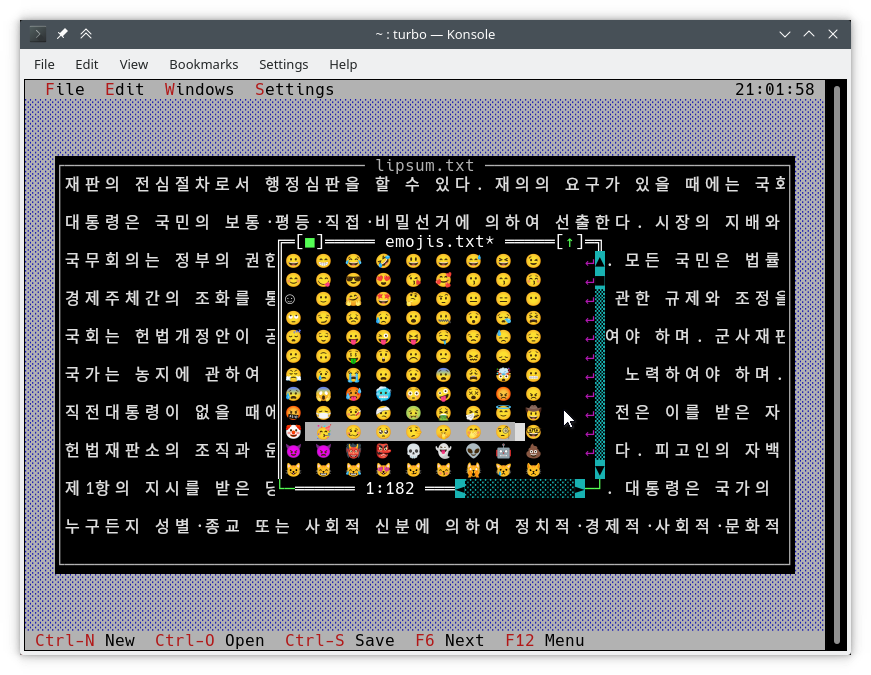
写在屏幕上的通常方法是使用TDrawBuffer 。添加了一些方法,其他方法改变了其含义:
 void TDrawBuffer::moveChar ( ushort indent, char c, TColorAttr attr, ushort count);
void TDrawBuffer::putChar ( ushort indent, char c); c始终将其解释为Active Codepage中的字符。
 ushort TDrawBuffer::moveStr ( ushort indent, TStringView str, TColorAttr attr);
ushort TDrawBuffer::moveCStr ( ushort indent, TStringView str, TAttrPair attrs);根据先前暴露的规则来解释str 。
 ushort TDrawBuffer::moveStr ( ushort indent, TStringView str, TColorAttr attr, ushort maxWidth, ushort strOffset = 0 ); // New
ushort TDrawBuffer::moveCStr ( ushort indent, TStringView str, TColorAttr attr, ushort maxWidth, ushort strOffset = 0 ); // New根据以前暴露的规则来解释str ,但:
maxWidth指定应从str复制的最大文本量,以文本宽度测量(不在字节中)。strOffset指定str中的初始位置在哪里复制,以文本宽度测量(不在字节中)。这对于水平滚动很有用。如果strOffset指向双宽字符的中间,则将复制一个空间,而不是双宽字符的右半部分,因为不可能执行此类操作。返回值是实际填充文本的缓冲区中的单元格数(与复制文本的宽度相同)。
void TDrawBuffer::moveBuf ( ushort indent, const void *source, TColorAttr attr, ushort count);此功能的名称具有误导性。即使在其原始实现中, source也被视为字符串。因此,它等效于moveStr(indent, TStringView((const char*) source, count), attr) 。
还有其他有用的Unicode感知功能:
int cstrlen (TStringView s);根据上述规则返回s显示的长度,丢弃~ 。
int strwidth (TStringView s); // New返回s的显示长度。
在Borland C ++上,这些方法假定单字节编码,并且所有字符均为一列。这使得可以编写在没有单个#ifdef两个平台上使用的编码 - agnostic draw()和handleEvent()方法。
上面的功能是使用TText名称空间(另一个API扩展名)的功能实现的。如果您想手动填充TScreenCell对象,则必须直接使用它们。举个例子,以下是一些TText函数。您可以在<tvision/ttext.h>中找到所有使用完整描述的所有内容。
 size_t TText::next (TStringView text);
size_t TText::prev (TStringView text, size_t index);
void TText::drawChar (TSpan<TScreenCell> cells, char c);
size_t TText::drawStr (TSpan<TScreenCell> cells, size_t indent, TStringView text, int textIndent);
bool TText::drawOne (TSpan<TScreenCell> cells, size_t &i, TStringView text, size_t &j);为了将TScreenCell缓冲区绘制到视图中,可以使用以下方法:
 void TView::writeBuf ( short x, short y, short w, short h, const TScreenCell *b); // New
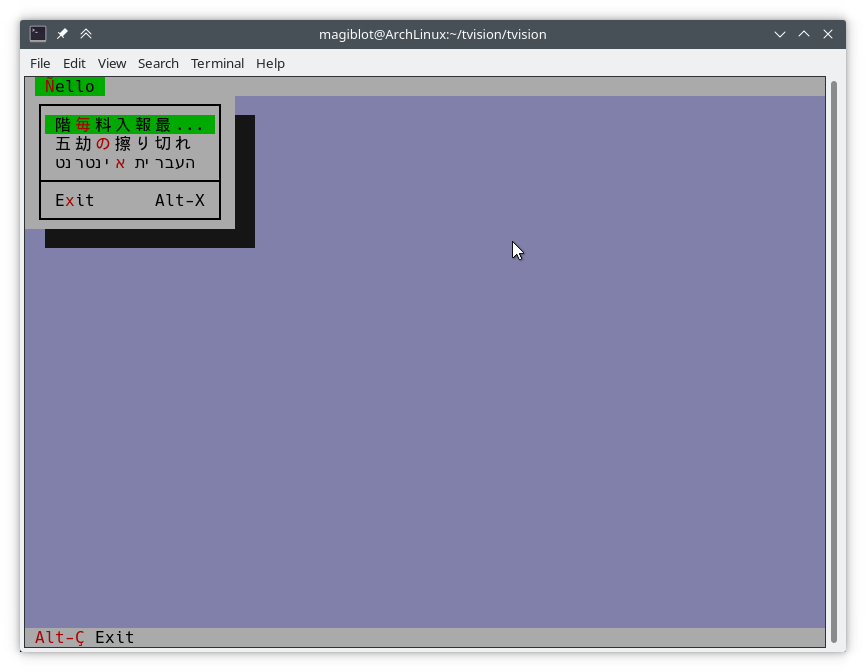
void TView::writeLine ( short x, short y, short w, short h, const TScreenCell *b); // New尽可能简单。让我们修改hello.cpp如下:
TMenuBar * THelloApp::initMenuBar ( TRect r )
{
    r. b . y = r. a . y + 1 ;
    return new TMenuBar ( r,
      * new TSubMenu ( " ~Ñ~ello " , kbAltH ) +
        * new TMenuItem ( "階~毎~料入報最... " , GreetThemCmd, kbAltG ) +
        * new TMenuItem ( "五劫~の~擦り切れ" , cmYes, kbNoKey, hcNoContext ) +
        * new TMenuItem ( " העברית ~א~ינטרנט " , cmNo, kbNoKey, hcNoContext ) +
         newLine () +
        * new TMenuItem ( " E~x~it " , cmQuit, cmQuit, hcNoContext, " Alt-X " )
        );
}

TStatusLine * THelloApp::initStatusLine ( TRect r )
{
    r. a . y = r. b . y - 1 ;
    return new TStatusLine ( r,
        * new TStatusDef ( 0 , 0xFFFF ) +
            * new TStatusItem ( " ~Alt-Ç~ Exit " , kbAltX, cmQuit ) +
            * new TStatusItem ( 0 , kbF10, cmMenu )
            );
}
这是它的样子:
draw()方法以下是TFileViewer::draw()的旧实现的摘录( tvdemo应用程序的一部分),该实现无法正确绘制Unicode文本:
 if (delta.y + i < fileLines-> getCount ()) {
    char s[maxLineLength+ 1 ];
    p = ( char *)(fileLines-> at (delta. y +i));
    if (p == 0 || strlen (p) < delta. x )
        s[ 0 ] = EOS;
    else
        strnzcpy (s, p+delta. x , maxLineLength+ 1 );
    b. moveStr ( 0 , s, c);
}
writeBuf ( 0 , i, size.x, 1 , b );它所做的就是fileLines中的字符串的一部分移至b ,这是TDrawBuffer 。 delta是代表文本视图中滚动偏移的TPoint , i是正在处理的可见线的索引。 c是文本颜色。存在一些问题:
TDrawBuffer::moveStr(ushort, const char *, TColorAttr)采用一个无终端的字符串。为了通过当前行的子字符串,将副本放入s中,以缓冲区超支的风险。该线不适合s的情况不被处理,因此大多数maxLineLenght字符都将被复制。此外, maxLineLength接近位置的多型字符可能不完全复制,并显示为垃圾。delta.x是第一个可见列。借助多键编码的文本,此类列不再是在字符串中的位置delta.x开始。以下是上面代码的校正版本,可正确处理Unicode:
 if (delta.y + i < fileLines-> getCount ()) {
    p = ( char *)(fileLines-> at (delta. y +i));
    if (p)
        b. moveStr ( 0 , p, c, size. x , delta. x );
}
writeBuf ( 0 , i, size.x, 1 , b );这里使用的moveStr的过载是TDrawBuffer::moveStr(ushort indent, TStringView str, TColorAttr attr, ushort width, ushort begin) 。此功能不仅提供了Unicode支持,而且还可以帮助我们编写清洁器代码并克服以前存在的一些限制:
maxLineLength字节。moveStr从列delta.x开始打印字符串。我们甚至不需要担心多少个字节对应于delta.x列。moveStr is instructed to copy at most size.x columns of text without us having to care about how many bytes that is nor dealing with edge cases. The code is written in an encoding-agnostic way and will work whether multibyte characters are being considered or not.TView::writeBuf already takes care of not writing beyond it. Yet it is interesting to see how an unnecessary step not only was limiting functionality but also was prone to bugs. Support for creating Unicode-aware views is in place, and most views in the original Turbo Vision library have been adapted to handle Unicode.
The following views can display Unicode text properly. Some of them also do horizontal scrolling or word wrapping; all of that should work fine.
TStaticText ( 7b15d45d ). TFrame ( 81066ee5 ). TStatusLine ( 477b3ae9 ). THistoryViewer ( 81066ee5 ). THelpViewer ( 81066ee5 , 8c7dac2a , 20f331e3 ). TListViewer ( 81066ee5 ). TMenuBox ( 81066ee5 ). TTerminal ( ee821b69 ). TOutlineViewer ( 6cc8cd38 ). TFileViewer (from the tvdemo application) ( 068bbf7a ). TFilePane (from the tvdir application) ( 9bcd897c ).The following views can, in addition, process Unicode text or user input:
TInputLine ( 81066ee5 , cb489d42 ). TEditor ( 702114dc ). Instances are in UTF-8 mode by default. You may switch back to single-byte mode by pressing Ctrl+P . This only changes how the document is displayed and the encoding of user input; it does not alter the document. This class is used in the tvedit application; you may test it there.Views not in this list may not have needed any corrections or I simply forgot to fix them. Please submit an issue if you notice anything not working as expected.
Use cases where Unicode is not supported (not an exhaustive list):
TMenuBox , TStatusLine , TButton ...). Originally, Turbo Vision offered no integration with the system clipboard, since there was no such thing on MS-DOS.
It did offer the possibility of using an instance of TEditor as an internal clipboard, via the TEditor::clipboard static member. However, TEditor was the only class able to interact with this clipboard. It was not possible to use it with TInputLine , for example.
Turbo Vision applications are now most likely to be ran in a graphical environment through a terminal emulator. In this context, it would be desirable to interact with the system clipboard in the same way as a regular GUI application would do.
To deal with this, a new class TClipboard has been added which allows accessing the system clipboard. If the system clipboard is not accessible, it will instead use an internal clipboard.
On Windows (including WSL) and macOS, clipboard integration is supported out-of-the-box.
On Unix systems other than macOS, it is necessary to install some external dependencies. See runtime requirements.
For applications running remotely (eg through SSH), clipboard integration is supported in the following situations:
ssh -X ).allowWindowOps option is enabled. Additionally, it is always possible to paste text using your terminal emulator's own Paste command (usually Ctrl+Shift+V or Cmd+V ).
To use the TClipboard class, define the macro Uses_TClipboard before including <tvision/tv.h> .
static void TClipboard::setText (TStringView text); Sets the contents of the system clipboard to text . If the system clipboard is not accessible, an internal clipboard is used instead.
static void TClipboard::requestText (); Requests the contents of the system clipboard asynchronously, which will be later received in the form of regular evKeyDown events. If the system clipboard is not accessible, an internal clipboard is used instead.
A Turbo Vision application may receive a Paste event for two different reasons:
TClipboard::requestText() was invoked. In both cases the application will receive the clipboard contents in the form of regular evKeyDown events. These events will have a kbPaste flag in keyDown.controlKeyState so that they can be distinguished from regular key presses.
Therefore, if your view can handle user input it will also handle Paste events by default. However, if the user pastes 5000 characters, the application will behave as if the user pressed the keyboard 5000 times. This involves drawing views, completing the event loop, updating the screen..., which is far from optimal if your view is a text editing component, for example.
For the purpose of dealing with this situation, another function has been added:
bool TView::textEvent (TEvent &event, TSpan< char > dest, size_t &length); textEvent() attempts to read text from consecutive evKeyDown events and stores it in a user-provided buffer dest . It returns false when no more events are available or if a non-text event is found, in which case this event is saved with putEvent() so that it can be processed in the next iteration of the event loop. Finally, it calls clearEvent(event) .
The exact number of bytes read is stored in the output parameter length , which will never be larger than dest.size() .
Here is an example on how to use it:
 // 'ev' is a TEvent, and 'ev.what' equals 'evKeyDown'.
// If we received text from the clipboard...
if (ev.keyDown.controlKeyState & kbPaste) {
    char buf[ 512 ];
    size_t length;
    // Fill 'buf' with the text in 'ev' and in
    // upcoming events from the input queue.
    while ( textEvent (ev, buf, length)) {
        // Process 'length' bytes of text in 'buf'...
    }
} The standard views TEditor and TInputLine react to the cmCut , cmCopy and cmPaste commands. However, your application first has to be set up to use these commands.例如:
TStatusLine * TMyApplication::initStatusLine ( TRect r )
{
    r. a . y = r. b . y - 1 ;
    return new TStatusLine ( r,
        * new TStatusDef ( 0 , 0xFFFF ) +
            // ...
            * new TStatusItem ( 0 , kbCtrlX, cmCut ) +
            * new TStatusItem ( 0 , kbCtrlC, cmCopy ) +
            * new TStatusItem ( 0 , kbCtrlV, cmPaste ) +
            // ...
    );
}
TEditor and TInputLine automatically enable and disable these commands. For example, if a TEditor or TInputLine is focused, the cmPaste command will be enabled. If there is selected text, the cmCut and cmCopy commands will also be enabled. If no TEditor or TInputLine s are focused, then these commands will be disabled.
The Turbo Vision API has been extended to allow more than the original 16 colors.
Colors can be specified using any of the following formats:
xterm-256color palette indices (8-bit).Although Turbo Vision applications are likely to be ran in a terminal emulator, the API makes no assumptions about the display device. That is to say, the complexity of dealing with terminal emulators is hidden from the programmer and managed by Turbo Vision itself.
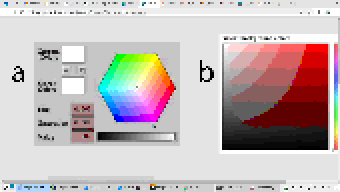
For example: color support varies among terminals. If the programmer uses a color format not supported by the terminal emulator, Turbo Vision will quantize it to what the terminal can display. The following images represent the quantization of a 24-bit RGB picture to 256, 16 and 8 color palettes:
| 24-bit color (original) | 256 colors |
|---|---|
 |  |
| 16种颜色 | 8 colors (bold as bright) |
|---|---|
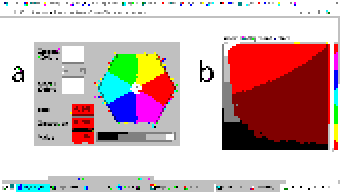 | 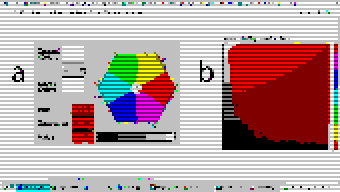 |
Extended color support basically comes down to the following:
uchar . ushort is used to represent attribute pairs. This is still the case when using Borland C++.TColorAttr has been added which replaces uchar . It specifies a foreground and background color and a style. Colors can be specified in different formats (BIOS color attributes, 24-bit RGB...). Styles are the typical ones (bold, italic, underline...). There's also TAttrPair , which replaces ushort .TDrawBuffer 's methods, which used to take uchar or ushort parameters to specify color attributes, now take TColorAttr or TAttrPair .TPalette , which used to contain an array of uchar , now contains an array of TColorAttr . The TView::mapColor method also returns TColorAttr instead of uchar .TView::mapColor has been made virtual so that the palette system can be bypassed without having to rewrite any draw methods.TColorAttr and TAttrPair can be initialized with and casted into uchar and ushort in a way such that legacy code still compiles out-of-the-box without any change in functionality.Below is a more detailed explanation aimed at developers.
In the first place we will explain the data types the programmer needs to know in order to take advantage of the extended color support. To get access to them, you may have to define the macro Uses_TColorAttr before including <tvision/tv.h> .
All the types described in this section are trivial . This means that they can be memset 'd and memcpy 'd. But variables of these types are uninitialized when declared without initializer, just like primitive types. So make sure you don't manipulate them before initializing them.
Several types are defined which represent different color formats. The reason why these types exist is to allow distinguishing color formats using the type system. Some of them also have public fields which make it easier to manipulate individual bits.
TColorBIOS represents a BIOS color. It allows accessing the r , g , b and bright bits individually, and can be casted implicitly into/from uint8_t .
The memory layout is:
b ).g ).r ).bright ). Examples of TColorBIOS usage:
TColorBIOS bios = 0x4 ;  // 0x4: red.
bios.bright = 1 ;        // 0xC: light red.
bios.b = bios.r;        // 0xD: light magenta.
bios = bios ^ 3 ;        // 0xE: yellow.
uint8_t c = bios;       // Implicit conversion to integer types.
In terminal emulators, BIOS colors are mapped to the basic 16 ANSI colors.
TColorRGB represents a color in 24-bit RGB. It allows accessing the r , g and b bit fields individually, and can be casted implicitly into/from uint32_t .
The memory layout is:
b ).g ).r ). Examples of TColorRGB usage:
TColorRGB rgb = 0x9370DB ;   // 0xRRGGBB.
rgb = { 0x93 , 0x70 , 0xDB };   // {R, G, B}.
rgb = rgb ^ 0xFFFFFF ;       // Negated.
rgb.g = rgb.r & 0x88 ;       // Access to individual components.
uint32_t c = rgb;           // Implicit conversion to integer types.
TColorXTerm represents an index into the xterm-256color color palette. It can be casted into and from uint8_t .
TColorDesired TColorDesired represents a color which the programmer intends to show on screen, encoded in any of the supported color types.
A TColorDesired can be initialized in the following ways:
As a BIOS color: with a char literal or a TColorBIOS object:
TColorDesired bios1 = ' xF ' ;
TColorDesired bios2 = TColorBIOS( 0xF );
As a RGB color: with an int literal or a TColorRGB object:
TColorDesired rgb1 = 0xFF7700 ; // 0xRRGGBB.
TColorDesired rgb2 = TColorRGB( 0xFF , 0x77 , 0x00 ); // {R, G, B}.
TColorDesired rgb3 = TColorRGB( 0xFF7700 ); // 0xRRGGBB.
As an XTerm palette index: with a TColorXTerm object.
As the terminal default color: through zero-initialization:
TColorDesired def1 {};
// Or with 'memset':
TColorDesired def2;
memset (&def2, 0 , sizeof (def2));
TColorDesired has methods to query the contained color, but you will usually not need to use them. See the struct definition in <tvision/colors.h> for more information.
Trivia: the name is inspired by Scintilla's ColourDesired .
TColorAttr TColorAttr describes the color attributes of a screen cell. This is the type you are most likely to interact with if you intend to change the colors in a view.
A TColorAttr is composed of:
A foreground color, of type TColorDesired .
A background color, of type TColorDesired .
A style bitmask containing a combination of the following flags:
slBold .slItalic .slUnderline .slBlink .slReverse .slStrike . These flags are based on the basic display attributes selectable through ANSI escape codes. The results may vary between terminal emulators. slReverse is probably the least reliable of them: prefer using the TColorAttr reverseAttribute(TColorAttr attr) free function over setting this flag.
The most straight-forward way to create a TColorAttr is by means of the TColorAttr(TColorDesired fg, TColorDesired bg, ushort style=0) and TColorAttr(int bios) constructors:
 // Foreground: RGB 0x892312
// Background: RGB 0x7F00BB
// Style: Normal.
TColorAttr a1 = { TColorRGB ( 0x89 , 0x23 , 0x12 ), TColorRGB ( 0x7F , 0x00 , 0xBB )};

// Foreground: BIOS 0x7.
// Background: RGB 0x7F00BB.
// Style: Bold, Italic.
TColorAttr a2 = { ' x7 ' , 0x7F00BB , slBold | slItalic};

// Foreground: Terminal default.
// Background: BIOS 0xF.
// Style: Normal.
TColorAttr a3 = {{}, TColorBIOS ( 0xF )};

// Foreground: Terminal default.
// Background: Terminal default.
// Style: Normal.
TColorAttr a4 = {};

// Foreground: BIOS 0x0
// Background: BIOS 0x7
// Style: Normal
TColorAttr a5 = 0x70 ;
The fields of a TColorAttr can be accessed with the following free functions:
TColorDesired getFore ( const TColorAttr &attr);
TColorDesired getBack ( const TColorAttr &attr);
ushort getStyle ( const TColorAttr &attr);
void setFore (TColorAttr &attr, TColorDesired fg);
void setBack (TColorAttr &attr, TColorDesired bg);
void setStyle (TColorAttr &attr, ushort style);
TAttrPair TAttrPair is a pair of TColorAttr , used by some API functions to pass two attributes at once.
You may initialize a TAttrPair with the TAttrPair(const TColorAttrs &lo, const TColorAttrs &hi) constructor:
TColorAttr cNormal = { 0x234983 , 0x267232 };
TColorAttr cHigh = { 0x309283 , 0x127844 };
TAttrPair attrs = {cNormal, cHigh};
TDrawBuffer b;
b.moveCStr( 0 , " Normal text, ~Highlighted text~ " , attrs);
The attributes can be accessed with the [0] and [1] subindices:
TColorAttr lo = { 0x892343 , 0x271274 };
TColorAttr hi = ' x93 ' ;
TAttrPair attrs = {lo, hi};
assert (lo == attrs[ 0 ]);
assert (hi == attrs[ 1 ]);TView Views are commonly drawn by means of a TDrawBuffer . Most TDrawBuffer member functions take color attributes by parameter.例如:
 ushort TDrawBuffer::moveStr ( ushort indent, TStringView str, TColorAttr attr);
ushort TDrawBuffer::moveCStr ( ushort indent, TStringView str, TAttrPair attrs);
void TDrawBuffer::putAttribute ( ushort indent, TColorAttr attr);
However, the views provided with Turbo Vision usually store their color information in palettes. A view's palette can be queried with the following member functions:
TColorAttr TView::mapColor (uchar index);
TAttrPair TView::getColor ( ushort indices);
mapColor looks up a single color attribute in the view's palette, given an index into the palette. Remember that the palette indices for each view class can be found in the Turbo Vision headers. For example, <tvision/views.h> says the following about TScrollBar :
 /* ---------------------------------------------------------------------- */
/*      class TScrollBar                                                  */
/*                                                                        */
/*      Palette layout                                                    */
/*        1 = Page areas                                                  */
/*        2 = Arrows                                                      */
/*        3 = Indicator                                                   */
/* ---------------------------------------------------------------------- */
getColor is a helper function that allows querying two cell attributes at once. Each byte in the indices parameter contains an index into the palette. The TAttrPair result contains the two cell attributes.
For example, the following can be found in the draw method of TMenuBar :
TAttrPair cNormal = getColor( 0x0301 );
TAttrPair cSelect = getColor( 0x0604 );
Which would be equivalent to this:
TAttrPair cNormal = { mapColor ( 1 ), mapColor ( 3 )};
TAttrPair cSelect = { mapColor ( 4 ), mapColor ( 6 )};
As an API extension, the mapColor method has been made virtual . This makes it possible to override Turbo Vision's hierarchical palette system with a custom solution without having to rewrite the draw() method.
So, in general, there are three ways to use extended colors in views:
mapColor method: // The 'TMyScrollBar' class inherits from 'TScrollBar' and overrides 'TView::mapColor'.
TColorAttr TMyScrollBar::mapColor (uchar index) noexcept
{
// In this example the values are hardcoded,
// but they could be stored elsewhere if desired.
switch ( index )
{
case 1 : return { 0x492983 , 0x826124 }; // Page areas.
case 2 : return { 0x438939 , 0x091297 }; // Arrows.
case 3 : return { 0x123783 , 0x329812 }; // Indicator.
default : return errorAttr;
}
} By providing extended color attributes directly to TDrawBuffer methods, if the palette system is not being used.例如:
 // The 'TMyView' class inherits from 'TView' and overrides 'TView::draw'.
void TMyView::draw ()
{
    TDrawBuffer b;
    TColorAttr color { 0x1F1C1B , 0xFAFAFA , slBold};
    b. moveStr ( 0 , " This is bold black text over a white background " , color);
    /* ... */
}
By modifying the palettes.有两种方法可以做到这一点:
TColorAttr .例如: void updateAppPalette ()
{
TPalette &pal = TProgram::application-> getPalete ();
pal[ 1 ] = { 0x762892 , 0x828712 }; // TBackground.
pal[ 2 ] = { 0x874832 , 0x249838 , slBold}; // TMenuView normal text.
pal[ 3 ] = {{}, {}, slItalic | slUnderline}; // TMenuView disabled text.
/* ... */
} static const TColorAttr cpMyApp[] =
{
{ 0x762892 , 0x828712 }, // TBackground.
{ 0x874832 , 0x249838 , slBold}, // TMenuView normal text.
{{}, {}, slItalic | slUnderline}, // TMenuView disabled text.
/* ... */
};
// The 'TMyApp' class inherits from 'TApplication' and overrides 'TView::getPalette'.
TPalette & TMyApp::getPalette () const
{
static TPalette palette (cpMyApp);
return palette;
} TScreen::screenMode exposes some information about the display's color support:
(TScreen::screenMode & 0xFF) == TDisplay::smMono , the display is monocolor (only relevant in DOS).(TScreen::screenMode & 0xFF) == TDisplay::smBW80 , the display is grayscale (only relevant in DOS).(TScreen::screenMode & 0xFF) == TDisplay::smCO80 , the display supports at least 16 colors.TScreen::screenMode & TDisplay::smColor256 , the display supports at least 256 colors.TScreen::screenMode & TDisplay::smColorHigh , the display supports even more colors (eg 24-bit color). TDisplay::smColor256 is also set in this case. The types defined previously represent concepts that are also important when developing for Borland C++:
| 概念 | Layout in Borland C++ | Layout in modern platforms |
|---|---|---|
| Color Attribute | uchar . A BIOS color attribute. | struct TColorAttr . |
| 颜色 | A 4-bit number. | struct TColorDesired . |
| Attribute Pair | ushort . An attribute in each byte. | struct TAttrPair . |
One of this project's key principles is that the API should be used in the same way both in Borland C++ and modern platforms, that is to say, without the need for #ifdef s. Another principle is that legacy code should compile out-of-the-box, and adapting it to the new features should increase complexity as little as possible.
Backward-compatibility is accomplished in the following way:
In Borland C++, TColorAttr and TAttrPair are typedef 'd to uchar and ushort , respectively.
In modern platforms, TColorAttr and TAttrPair can be used in place of uchar and ushort , respectively, since they are able to hold any value that fits into them and can be casted implicitly into/from them.
A TColorAttr initialized with uchar represents a BIOS color attribute. When converting back to uchar , the following happens:
fg and bg are BIOS colors, and style is cleared, the resulting uchar represents the same BIOS color attribute contained in the TColorAttr (as in the code above).uchar / ushort with TColorAttr / TAttrPair if they intend to support the extended color attributes. The same goes for TAttrPair and ushort , considering that it is composed of two TColorAttr .
A use case of backward-compatibility within Turbo Vision itself is the TPalette class, core of the palette system. In its original design, it used a single data type ( uchar ) to represent different things: array length, palette indices or color attributes.
The new design simply replaces uchar with TColorAttr . This means there are no changes in the way TPalette is used, yet TPalette is now able to store extended color attributes.
TColorDialog hasn't been remodeled, and thus it can't be used to pick extended color attributes at runtime.
The following pattern of code is common across draw methods of views:
 void TMyView::draw ()
{
    ushort cFrame, cTitle;
    if (state & sfDragging)
    {
        cFrame = 0x0505 ;
        cTitle = 0x0005 ;
    }
    else
    {
        cFrame = 0x0503 ;
        cTitle = 0x0004 ;
    }
    cFrame = getColor (cFrame);
    cTitle = getColor (cTitle);
    /* ... */
}
In this case, ushort is used both as a pair of palette indices and as a pair of color attributes. getColor now returns a TAttrPair , so even though this compiles out-of-the-box, extended attributes will be lost in the implicit conversion to ushort .
The code above still works just like it did originally. It's only non-BIOS color attributes that don't produce the expected result. Because of the compatibility between TAttrPair and ushort , the following is enough to enable support for extended color attributes:
 -    ushort cFrame, cTitle;
+    TAttrPair cFrame, cTitle;
Nothing prevents you from using different variables for palette indices and color attributes, which is what should actually be done. The point of backward-compatibility is the ability to support new features without changing the program's logic, that is to say, minimizing the risk of increasing code complexity or introducing bugs.







