tvision
1.0.0

ميناء حديث من Turbo Vision 2.0 ، الإطار الكلاسيكي لواجهات المستخدم المستندة إلى النص. الآن منصات العرض ودعم Unicode.
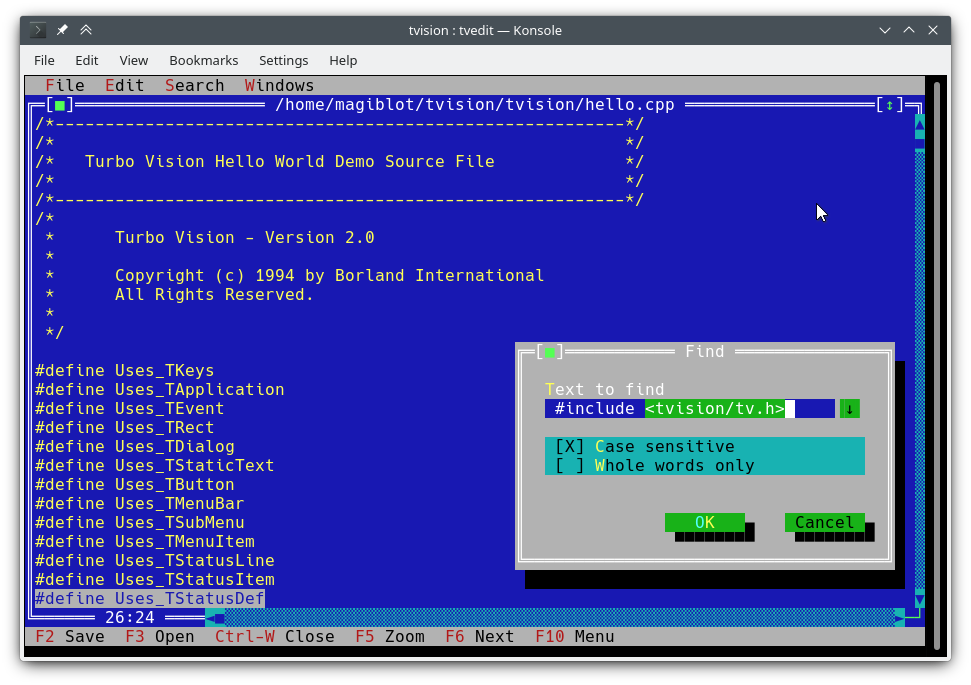
لقد بدأت هذا كمشروع شخصي في نهاية عام 2018. بحلول مايو 2020 ، اعتبرت أنه قريب جدًا من التكافؤ مع الأصل ، وقررت أن أفتحه.
وكانت الأهداف الأصلية لهذا المشروع:
عند نقطة ما ، فكرت في أنني قد فعلت ما يكفي ، وأن أي محاولات لتجديد المكتبة والتغلب على قيودها الأصلية تتطلب إما تمديد واجهة برمجة التطبيقات أو كسر التوافق الخلفي ، وأن إعادة الكتابة الرئيسية ستكون ضرورية على الأرجح.
ومع ذلك ، بين يوليو وأغسطس 2020 ، وجدت الطريق لدمج دعم Unicode الكامل في الهندسة المعمارية الحالية ، وكتب محرر Turbo Text وأيضًا الميزات الجديدة المتاحة على Windows. لذلك أنا واثق من أن Turbo Vision يمكنها الآن تلبية العديد من توقعات المستخدمين والمبرمجين المعاصرين.
الموقع الأصلي لهذا المشروع هو https://github.com/magiblot/tvision.
لقد تغير الكثير منذ أن ابتكر بورلاند رؤية توربو في أوائل التسعينيات. تفصل العديد من أدوات واجهة المستخدم الرسومية اليوم عن مواصفات المظهر عن مواصفات السلوك ، واستخدم اللغات الأكثر أمانًا أو الديناميكية التي لا تتخلى عن الخطأ ، ودعم برمجة متوازية أو غير متزامنة ، أو كليهما.
لا تتفوق Turbo Vision على أي من هؤلاء ، لكنها بالتأكيد تتغلب على العديد من المشكلات التي لا يزال المبرمجون يواجهونها اليوم عند كتابة تطبيقات الطرفية:
ننسى القدرات الطرفية و I/O الطرفية المباشرة. عند كتابة تطبيق Turbo Vision ، كل ما عليك الاهتمام به هو ما تريد أن يتصرف تطبيقك ويبدو عليه - ليست هناك حاجة لإضافة حلول في الكود الخاص بك. تحاول Turbo Vision قصارى جهدها لإنتاج نفس النتائج على جميع البيئات. على سبيل المثال: من أجل الحصول على لون خلفية مشرق على وحدة التحكم في Linux ، يجب تعيين سمة Blink . الرؤية التوربو تفعل هذا من أجلك.
أعد استخدام ما تم فعله بالفعل. يوفر Turbo Vision العديد من فئات القطعة (المعروفة أيضًا باسم المشاهدات ) ، بما في ذلك النوافذ المتداخلة المتداخلة ، والقوائم المنسدلة ، وصناديق الحوار ، والأزرار ، وأشرطة التمرير ، وصناديق الإدخال ، وخانات الاختيار وأزرار الراديو. يمكنك استخدامها وتوسيعها ؛ ولكن حتى لو كنت تفضل إنشاء Turbo Vision الخاص بك ، فإن Turbo Vision تعالج بالفعل إرسال الأحداث ، وعرض أحرف Unicode Fullwidth ، وما إلى ذلك: لا تحتاج إلى إضاعة الوقت في إعادة كتابة أي من ذلك.
هل يمكنك أن تتخيل كتابة واجهة مستندة إلى النص تعمل على كل من Linux و Windows (وبالتالي تكون منصات منصة) خارج الصندوق ، مع عدم وجود #ifdef S؟ رؤية توربو تجعل هذا ممكنا. أولاً: تستمر Turbo Vision في استخدام صفائف char بدلاً من الاعتماد على wchar_t أو TCHAR المعالم المعرفة من قبل التنفيذ. ثانياً: بفضل دعم UTF-8 في setlocale في الإصدارات الحديثة من Microsoft's RTL ، سيعمل رمز مثل ما يلي على النحو المقصود:
std::ifstream f ( "コンピュータ.txt " ); // On Windows, the RTL converts this to the system encoding on-the-fly. يمكنك البدء في دليل Turbo Vision for C ++ ، وإلقاء نظرة على تطبيقات عينة hello و tvdemo و tvedit . بمجرد إدراك الأساسيات ، أقترح عليك إلقاء نظرة على دليل برمجة Turbo Vision 2.0 ، وهو ، في رأيي ، أكثر سهولة وأسهل في الفهم ، على الرغم من استخدام Pascal. بحلول ذلك الوقت ، من المحتمل أن تكون مهتمًا بمثال palette ، والذي يحتوي على وصف مفصل لكيفية استخدام اللوحات.
لا تنس التحقق من الميزات وتغيير API أقسام أيضًا.
هذا المشروع لا يوجد لديه إصدارات مستقرة في الوقت الحالي. إذا كنت مطورًا ، فحاول التمسك بأحدث الالتزام والإبلاغ عن أي مشكلات تجدها أثناء الترقية.
إذا كنت ترغب فقط في اختبار التطبيقات التجريبية:
examples-dos32.zip : بنيت 32 بت التنفيذيين مع Borland C ++. لا يوجد دعم يونيكود.examples-x86.zip : بنيت 32 بت التنفيذيين مع MSVC. Windows Vista أو لاحقًا مطلوب.examples-x64.zip : 64 بتات تم تصميمها مع MSVC. X64 Windows Vista أو مطلوب لاحقًا. يمكن بناء Turbo Vision كمكتبة ثابتة مع CMake و GCC/Clang.
cmake . -B ./build -DCMAKE_BUILD_TYPE=Release && # Could also be 'Debug', 'MinSizeRel' or 'RelWithDebInfo'.
cmake --build ./build # or `cd ./build; make`
قد لا تدعم إصدارات CMake التي تزيد عن 3.13 خيار -B . يمكنك تجربة ما يلي بدلاً من ذلك:
mkdir -p build ; cd build
cmake .. -DCMAKE_BUILD_TYPE=Release &&
cmake --build .
ما سبق ينتج الملفات التالية:
libtvision.a ، وهي مكتبة رؤية توربو.hello ، tvdemo ، tvedit ، tvdir ، والتي تم تجميعها برؤية توربو الأصلية (على الرغم من أن بعضها لديه بعض التحسينات).mmenu و palette من الدعم الفني لبورلاند.tvhc ، The Turbo Vision Help Repiler. يمكن العثور على المكتبة والتنفيذية في ./build .
متطلبات البناء هي:
libncursesw (لاحظ 'w').libgpm لدعم الماوس على وحدة التحكم Linux (اختياري). إذا كان التوزيع الخاص بك يوفر حزم تطوير منفصلة (مثل libncurses-dev ، libgpm-dev في Distros المستندة إلى Debian) ، قم بتثبيتها أيضًا.
متطلبات وقت التشغيل هي:
xsel أو xclip لدعم الحافظة في بيئات X11.wl-clipboard لدعم الحافظة في بيئات وايلاند. الحد الأدنى من سطر الأوامر المطلوب لبناء تطبيق Turbo Vision (على سبيل المثال hello.cpp مع GCC) من جذر هذا المشروع هو:
g++ -std=c++14 -o hello hello.cpp ./build/libtvision.a -Iinclude -lncursesw -lgpmقد تحتاج أيضًا:
-Iinclude/tvision إذا كان تطبيقك يستخدم Turbo Vision 1.x يتضمن ( #include <tv.h> بدلاً من #include <tvision/tv.h> ).
-Iinclude/tvision/compat/borland إذا كان طلبك يتضمن رؤوس Borland ( dir.h ، iostream.h ، إلخ).
على gentoo (وربما الآخرين): -ltinfow إذا كان كل من libtinfo.so و libtinfow.so متاحين في نظامك. خلاف ذلك ، قد تحصل على خطأ تجزئة عند تشغيل تطبيقات Turbo Vision (#11). لاحظ أن tinfo مجمعة مع ncurses .
-lgpm ضروري فقط إذا تم تصميم Turbo Vision بدعم libgpm .
تشمل رؤوس التوافق المتخلف في include/tvision/compat/borland Borland C ++ RTL. لا يزال رمز المصدر الخاص بـ Turbo Vision يعتمد عليها ، وقد يكون مفيدًا في حالة تنفيذ التطبيقات القديمة. هذا يعني أيضًا أن بما في ذلك tvision/tv.h سيحضر عدة أسماء std إلى مساحة الاسم العالمية.
عملية الإنشاء مع MSVC أكثر تعقيدًا قليلاً ، حيث يوجد المزيد من الخيارات للاختيار من بينها. لاحظ أنك ستحتاج إلى أدلة بناء مختلفة للبنية المستهدفة المختلفة. على سبيل المثال ، لإنشاء ثنائيات محسنة:
cmake . -B ./build && # Add '-A x64' (64-bit) or '-A Win32' (32-bit) to override the default platform.
cmake --build ./build --config Release # Could also be 'Debug', 'MinSizeRel' or 'RelWithDebInfo'.
في المثال أعلاه ، سيتم وضع tvision.lib وتطبيقات المثال على ./build/Release .
إذا كنت ترغب في ربط Turbo Vision بشكل ثابت ضد مكتبة وقت تشغيل Microsoft ( /MT بدلاً من /MD ) ، قم بتمكين خيار TV_USE_STATIC_RTL ( -DTV_USE_STATIC_RTL=ON عند الاتصال بـ cmake ).
إذا كنت ترغب في ربط تطبيق مقابل Turbo Vision ، لاحظ أن MSVC لن تسمح لك بخلط /MT مع /MD أو تصحيح مع ثنائيات غير Debug. يجب ربط جميع المكونات مع RTL بنفس الطريقة.
إذا قمت بتطوير تطبيق Turbo Vision الخاص بك ، فتأكد من تمكين أعلام المترجم التالية ، وإلا فستحصل على أخطاء في التجميع عند تضمين <tvision/tv.h> :
 /permissive-
/Zc:__cplusplus
إذا كنت تستخدم Turbo Vision كوحدة فرعية Cmake ، فسيتم تمكين هذه الأعلام تلقائيًا.
ملاحظة: يستخدم Turbo Vision setlocale لتعيين وظائف RTL في وضع UTF-8. لن يعمل هذا إذا كنت تستخدم إصدارًا قديمًا من RTL.
مع وجود RTL المرتبط بشكل ثابت في ، وإذا تم دعم UTF-8 في setlocale ، فإن تطبيقات رؤية Turbo محمولة وتعمل افتراضيًا على Windows Vista وبعد ذلك .
بمجرد إعداد بيئة MingW بشكل صحيح ، يتم البناء بطريقة مماثلة لـ Linux:
cmake . -B ./build -G " MinGW Makefiles " -DCMAKE_BUILD_TYPE=Release &&
cmake --build ./build
في المثال أعلاه TV_BUILD_EXAMPLES libtvision.a وجميع الأمثلة ON في ./build
إذا كنت ترغب في ربط تطبيق مع Turbo Vision ، فما -I./include سوى إضافة -L./build/lib -ltvision
لا يزال من الممكن تصميم Turbo Vision إما كمكتبة DOS أو Windows مع Borland C ++. من الواضح ، لا يوجد دعم يونيكود هنا.
يمكنني تأكيد أن عملية البناء تعمل مع:
قد تواجه مشاكل مختلفة اعتمادًا على بيئة البناء الخاصة بك. على سبيل المثال ، يحتاج Turbo Assembler إلى تصحيح للعمل تحت Windows 95. على Windows XP يبدو أن كل شيء يعمل بشكل جيد. في نظام التشغيل Windows 10 ، قد ينبعث من الخطأ Fatal: Command arguments too long ، والتي يمكن إصلاحها عن طريق الترقية إلى تلك التي تم تجميعها مع Borland C ++ 5.x.
نعم ، يعمل هذا على Windows 64 بت. ما لن ينجح هو تثبيت Borland C ++ ، وهو تطبيق 16 بت. سيتعين عليك تشغيله على بيئة أخرى أو تجربة حظك مع WineVDM.
يمكن العثور على Borland Makefile في دليل project . يمكن أن يتم البناء عن طريق القيام:
 cd project
make.exe < options >
حيث يمكن أن يكون <options> :
-DDOS32 لتطبيقات DPMI 32 بت (والتي لا تزال تعمل على النوافذ 64 بت).-DWIN32 لتطبيقات WIN32 الأصلية 32 بت (غير ممكن لـ TVDEMO ، والتي تعتمد على farcoreleft() وغيرها من الآثار).-DDEBUG لبناء إصدارات تصحيح من التطبيق والمكتبة.-DTVDEBUG لربط التطبيقات بإصدار تصحيح المكتبة.-DOVERLAY ، -DALIGNMENT={2,4} ، -DEXCEPTION ، -DNO_STREAMABLE ، -DNOTASM للأشياء التي لم أستخدمها أبدًا ولكن ظهرت في Makefiles الأصلية. سيؤدي ذلك إلى تجميع المكتبة في دليل LIB بجوار project ، وسيقوم بتجميع التنفيذيين للتطبيقات التجريبية في examples/* الدلائل.
أنا آسف ، يفترض الجذر Makefile أنه يتم تنفيذه من دليل project . لا يزال بإمكانك تشغيل Makefiles الأصلي مباشرة (في source/tvision و examples/* ) إذا كنت ترغب في استخدام إعدادات مختلفة.
يمكن إنشاء Turbo Vision وتثبيته باستخدام مدير التبعية VCPKG:
git clone https://github.com/Microsoft/vcpkg.git
cd vcpkg
./bootstrap-vcpkg.sh
./vcpkg integrate install
./vcpkg install tvision
يتم الاحتفاظ بمنفذ tvision في VCPKG من قبل أعضاء فريق Microsoft والمساهمين في المجتمع. إذا وجدت أنه قديم ، فيرجى إنشاء مشكلة أو سحب طلب في مستودع VCPKG.
إذا اخترت نظام إنشاء CMake لتطبيقك ، فهناك طريقتان رئيسيتان للربط مع Turbo Vision:
تثبيت رؤية توربو واستيرادها باستخدام find_package . يعتمد التثبيت على نوع المولد:
أولاً ، قرر بادئة تثبيت. سيعمل الشخص الافتراضي خارج الصندوق ، ولكنه يتطلب عادة امتيازات المسؤول. على أنظمة UNIX ، يمكنك استخدام $HOME/.local بدلاً من ذلك. على Windows ، يمكنك استخدام أي مسار مخصص تريده ولكن عليك إضافته إلى متغير بيئة CMAKE_PREFIX_PATH عند إنشاء تطبيقك.
بالنسبة لمولدات أحادية الحدود ( Unix Makefiles ، Ninja ...) ، عليك فقط إنشاء وتثبيت مرة واحدة:
cmake . -B ./build # '-DCMAKE_INSTALL_PREFIX=...' to override the install prefix.
cmake --build ./build
cmake --install ./build
بالنسبة للمولدات متعددة الأجزاء ( Visual Studio ، Ninja Multi-Config ...) يجب عليك إنشاء وتثبيت جميع التكوينات:
cmake . -B ./build # '-DCMAKE_INSTALL_PREFIX=...' to override the install prefix.
cmake --build ./build --config Release
cmake --build ./build --config Debug --target tvision
cmake --build ./build --config RelWithDebInfo --target tvision
cmake --build ./build --config MinSizeRel --target tvision
cmake --install ./build --config Release
cmake --install ./build --config Debug --component library
cmake --install ./build --config RelWithDebInfo --component library
cmake --install ./build --config MinSizeRel --component library
بعد ذلك ، في CMakeLists.txt في التطبيق الخاص بك ، يمكنك استيراده مثل هذا:
 find_package (tvision CONFIG)
target_link_libraries (my_application tvision::tvision)
احصل على رؤية توربو في وحدة فرعية في مستودعك واستيرادها باستخدام add_subdirectory :
 add_subdirectory (tvision) # Assuming Turbo Vision is in the 'tvision' directory.
target_link_libraries (my_application tvision)
في كلتا الحالتين ، سيكون <tvision/tv.h> متاحًا في مسار التطبيق الخاص بك أثناء التجميع ، وسيتم ربط تطبيقك مع المكتبات اللازمة (NCURSES ، GPM ...) تلقائيًا.
tvedit .~/ إلى $HOME .stdin / stdout / stderr مع I / O الطرفي.هناك بعض متغيرات البيئة التي تؤثر على سلوك جميع تطبيقات رؤية توربو:
TVISION_MAX_FPS : الحد الأقصى معدل للتحديث ، الافتراضي 60 . هذا يمكن أن يساعد في الحفاظ على نعومة في المحاكيات الطرفية مع التعامل غير الفعال مع الأحرف التي ترسخ مربع. القيم الخاصة لهذا الخيار هي 0 ، لتعطيل الحد من معدل التحديث ، و -1 ، للاستخلاص فعليًا إلى المحطة في كل مكالمة إلى THardwareInfo::screenWrite (مفيد عند تصحيح الأخطاء).
TVISION_CODEPAGE : مجموعة الأحرف المستخدمة داخليًا بواسطة Turbo Vision لترجمة ASCII الممتدة إلى Unicode. القيم الصحيحة في الوقت الحالي هي 437 و 850 ، مع 437 كونها الافتراضي ، على الرغم من أن إضافة المزيد لا يتطلب سوى القليل من الجهد.
win32-input-mode (متوفر في WSL).TIOCLINUX ) والماوس (عبر GPM) في وحدة Linux.stderr عبارة عن tty ، يتم إعادة توجيه الرسائل المكتوبة إليها إلى مخزن مؤقت لمنعها من العبث في الشاشة ويتم طباعتها في النهاية إلى وحدة التحكم عند الخروج أو تعليق التطبيق.stderr بمجرد امتلاء المخزن المؤقت. إذا كنت ترغب في الحفاظ على كل stderr ، فما عليك سوى إعادة توجيهها إلى ملف من سطر الأوامر مع 2> .يتم أخذ متغيرات البيئة التالية أيضًا في الاعتبار:
TERM : يستخدمه Ncurses لتحديد قدرات الطرفية. يتم تعيينه تلقائيًا بواسطة المحاكي الطرفي.
COLORTERM : عندما يتم تعيينه على truecolor أو 24bit ، فإن Turbo Vision سوف تفترض أن المحاكي الطرفي يدعم اللون 24 بت. يتم تعيينه تلقائيًا بواسطة المحاكيات الطرفية التي تدعمها.
ESCDELAY : عدد المللي ثانية للانتظار بعد تلقي مطبخ ESC ، الافتراضي 10 . إذا تم الضغط على مفتاح آخر أثناء هذا التأخير ، فسيتم تفسيره على أنه مجموعة مفاتيح ALT+. يعد استخدام قيمة أكبر مفيدًا عندما لا يدعم المحطة مفتاح ALT.
TVISION_USE_STDIO : عندما لا تكون فارغة ، يتم تنفيذ I / O الطرفي من خلال stdin / stdout ، بحيث يمكن إعادة توجيهها من القشرة. بشكل افتراضي ، تقوم Turbo Vision بإجراء محطة I/O من خلال /dev/tty ، مما يسمح للمستخدم بإعادة توجيه stdin و stdout و stderr لاحتياجاتهم ، دون التأثير على استقرار التطبيق.
على سبيل المثال ، out.txt ما يلي.
tvdemo | tee out.txt في حين أن ما يلي سوف يتخلص من جميع تسلسل الهروب والنص المطبوع بواسطة التطبيق إلى out.txt :
TVISION_USE_STDIO=1 tvdemo | tee out.txtما يلي غير متوفر عند التجميع مع Borland C ++:
wchar_t . ملاحظة: يكتب Turbo Vision نص UTF-8 مباشرة إلى وحدة التحكم في Windows. إذا تم تعيين وحدة التحكم في الوضع القديم وتم استخدام خط النقطات ، فلن يتم عرض أحرف Unicode بشكل صحيح (الصورة). لتجنب ذلك ، يكتشف Turbo Vision هذا الموقف ويحاول تغيير خط وحدة التحكم إلى Consolas أو Lucida Console .
فيما يلي ميزات جديدة غير متوفرة في إصدار Borland من Turbo Vision أو في منافذ المصادر السابقة السابقة (Sigala ، Set):
TInputLine S يمر بعرض النص على Focus/Unficus ، مما يسمح للنص ذي الصلة بالبقاء مرئيًا.TFileViewer ( tvdemo ) و TEditor ( tvedit ). يحتفظ TEditor بالخط الذي ينتهي في الملف ، لكن جميع الملفات التي تم إنشاؤها حديثًا تستخدم CRLF افتراضيًا.TEditor : قائمة السياق على النقر بزر الماوس الأيمن.TEditor : اسحب التمرير مع زر الماوس الأوسط.TEditor ، TInputLine : حذف كلمات كاملة مع kbAltBack ، kbCtrlBack و kbCtrlDel .TEditor : يتبادل مفتاح المنزل بين بداية الخط وبداية النص البادء.TEditor : دعم الملفات أكبر من 64 KIB على بنيات 32 بت أو 64 بت.tvdemo : APPLET عارض الأحداث مفيد لتصحيح الأخطاء.tvdemo : خيار لتغيير نمط الخلفية. يتم تخزين كتابة الشاشة وعادة ما يتم إرسالها إلى المحطة مرة واحدة لكل تكرار لحلقة الحدث النشطة (انظر أيضًا TVISION_MAX_FPS ). إذا كنت بحاجة إلى تحديث الشاشة أثناء حلقة مزدحمة ، فيمكنك استخدام TScreen::flushScreen() .
لم يعد TDrawBuffer صفيفًا ثابتًا وطوله يمنع الوصول إلى الصفيف الماضي. لذلك ، لم يعد الكود القديم الذي يحتوي على مقارنات مقابل sizeof(TDrawBuffer)/sizeof(ushort) صالحًا ؛ يجب إزالة هذه الشيكات.
يوفر TApplication الآن dosShell() و cascade() tile() ، ويتولى cmDosShell ، cmCascade و cmTile افتراضيًا. يمكن تخصيص هذه الوظائف عن طريق تجاوز getTileRect() و writeShellMsg() . هذا هو نفس السلوك كما في إصدار Pascal.
دعم عجلة الماوس: حدث فأر جديد evMouseWheel . يتم تحديد اتجاه العجلة في event.mouse.wheel الميداني الجديد. mouse.wheel ، الذي تكون قيمه المحتملة mwUp أو mwDown أو mwLeft أو mwRight .
دعم زر الماوس الأوسط: زر الفأر الجديد mbMiddleButton .
لم يعد حقل buttons في أحداث evMouseUp فارغًا. إنه يشير الآن إلى الزر الذي تم إصداره.
دعم النقر الثلاثي: علم حدث جديد للماوس meTripleClick .
move طرق TRect ، grow ، intersect ، Union الآن العودة إلى TRect& وبدلاً من أن تكون void بحيث يمكن ربطها بالسلاسل.
يسمح TOutlineViewer الآن لعقدة الجذر أن يكون لها أشقاء.
وظيفة جديدة ushort popupMenu(TPoint where, TMenuItem &aMenu, TGroup *receiver=0) الذي يولد TMenuPopup على سطح المكتب. انظر source/tvision/popupmnu.cpp .
الطريقة الافتراضية الجديدة TMenuItem& TEditor::initContextMenu(TPoint p) التي تحدد إدخالات قائمة سياق النقر بزر الماوس الأيمن في TEditor .
يمكن fexpand الآن أخذ معلمة ثانية relativeTo .
فئة جديدة TStringView ، مستوحاة من std::string_view .
TStringView بدلاً من ذلك. TStringView متوافق مع std::string_view و std::string and const char * (حتى nullptr ). فئة جديدة TSpan<T> ، مستوحاة من std::span .
فئات جديدة TDrawSurface و TSurfaceView ، انظر <tvision/surface.h> .
تتم الآن تهيئة النظم الفرعية لتكامل النظام ( THardwareInfo ، TScreen ، TEventQueue ...) عند إنشاء TApplication لأول مرة ، وليس من قبل main لا يزال يتم تدميرهم عند الخروج من main .
طريقة جديدة TVMemMgr::reallocateDiscardable() والتي يمكن استخدامها على طول allocateDiscardable و freeDiscardable .
طريقة جديدة TView::textEvent() التي تسمح باستلام النص بطريقة فعالة ، انظر تفاعل الحافظة.
فئة جديدة TClipboard ، انظر تفاعل الحافظة.
دعم Unicode ، انظر Unicode.
دعم اللون الحقيقي ، انظر الألوان الممتدة.
طريقة جديدة static void TEventQueue::waitForEvents(int timeoutMs) التي قد تمنع حتى وقت ما حتى timeoutMs ميلي ثانية في انتظار أحداث الإدخال. يمكن استخدام timeoutMs السلبية للانتظار إلى أجل غير مسمى. إذا تم حظره ، فإنه له تأثير جانبي لتحديثات شاشة Flushing (عبر TScreen::flushScreen() ). يتم استدعاؤه بواسطة TProgram::getEvent() مع static int TProgram::eventTimeoutMs (الافتراضي 20 ) كوسيطة بحيث لا تتحول حلقة الحدث إلى حلقة مزدحمة تستهلك بنسبة 100 ٪.
طريقة جديدة static void TEventQueue::wakeUp() التي تسبب حلقة الحدث لاستئناف التنفيذ إذا تم حظرها في TEventQueue::waitForEvents() . هذه الطريقة آمنة مؤشرات الترابط ، لأن الغرض منها هو إلغاء حظر حلقة الحدث من المواضيع الثانوية.
طريقة جديدة void TView::getEvent(TEvent &, int timeoutMs) التي تسمح بانتظار حدث مع مهلة مقدمة من المستخدم (بدلاً من TProgram::eventTimeoutMs ).
أصبح من الممكن الآن تحديد عرض نص أقصى أو عدد الأحرف القصوى في TInputLine . يتم ذلك من خلال معلمة جديدة في مُنشئ TInputLine ، ushort limitMode ، والذي يتحكم في كيفية علاج المعلمة المُنشئ الثانية ، uint limit . تحدد ثوابت ilXXXX القيم المحتملة لـ limitMode :
ilMaxBytes (الافتراضي): يمكن أن يكون النص حتى limit البايتات الطويلة ، بما في ذلك Terminator NULL.ilMaxWidth : يمكن أن يكون النص حتى limit الأعمدة على نطاق واسع.ilMaxChars : يمكن أن يحتوي النص على ما يصل limit من الأحرف أو الرسوم البيانية غير المنسقة. وظائف جديدة تسمح بالحصول على أسماء ثوابت Turbo Vision في وقت التشغيل (مثل evCommand ، kbShiftIns ، إلخ):
 void printKeyCode (ostream &, ushort keyCode);
void printControlKeyState (ostream &, ushort controlKeyState);
void printEventCode (ostream &, ushort eventCode);
void printMouseButtonState (ostream &, ushort buttonState);
void printMouseWheelState (ostream &, ushort wheelState);
void printMouseEventFlags (ostream &, ushort eventFlags);
فئة جديدة TKey الفئة التي يمكن استخدامها لتحديد مجموعات مفاتيح جديدة (مثل Shift+Alt+Up ) عن طريق تحديد رمز رئيسي وقناع المعدلات الرئيسية:
 auto kbShiftAltUp = TKey(kbUp, kbShift | kbAltShift);
assert (kbCtrlA == TKey( ' A ' , kbCtrlShift));
assert (TKey(kbCtrlTab, kbShift) == TKey(kbTab, kbShift | kbCtrlShift));
// Create menu hotkeys.
new TMenuItem( " ~R~estart " , cmRestart, TKey(kbDel, kbCtrlShift | kbAltShift), hcNoContext, " Ctrl-Alt-Del " )
// Examine KeyDown events:
if (event.keyDown == TKey(kbEnter, kbShift))
    doStuff ();
طرق جديدة تسمح باستخدام الأحداث الموقوتة:
TTimerId TView::setTimer ( uint timeoutMs, int periodMs = - 1 );
void TView::killTimer (TTimerId id);
يبدأ setTimer جهاز توقيت سيخترق لأول مرة في timeoutMs Millisecond ، ثم كل periodMs ميلي ثانية.
إذا كانت periodMs سالبة ، فإن المؤقت يعود إلى وقت واحد فقط ويتم تنظيفه تلقائيًا. خلاف ذلك ، سوف يبقى التوقيت بشكل دوري حتى يتم استدعاء killTimer .
عندما يقوم أحد الموقتين بالخارج ، يتم انبعاث حدث evBroadcast مع Command cmTimerExpired ، ويتم ضبط message.infoPtr على TTimerId من الموقت منتهية الصلاحية.
يتم إنشاء أحداث المهلة في TProgram::idle() . لذلك ، تتم معالجتها فقط عندما لا تتوفر أحداث لوحة مفاتيح أو فأر.
ستجد بعض لقطات الشاشة هنا. لا تتردد في إضافة بنفسك!
إذا كنت تعرف أي تطبيقات رؤية توربو لم يتم فقدان رمز المصدر والتي يمكن أن تستفيد من هذا ، فأخبرني بذلك.
إذا كان تطبيقك يعتمد على هذا المشروع وترغب في الظهور في القائمة التالية ، فما عليك سوى إخبارنا بذلك.
تم توسيع واجهة برمجة تطبيقات Vision Turbo للسماح باستلام إدخال Unicode وعرض نص Unicode. الترميز المدعوم هو UTF-8 ، لعدد من الأسباب:
char * ) ، لذلك لا يتطلب تعديلات تدخلية على التعليمات البرمجية الحالية.لاحظ أنه عندما يتم بناؤه باستخدام Borland C ++ ، فإن Turbo Vision لا تدعم Unicode. ومع ذلك ، فإن هذا لا يؤثر على طريقة كتابة تطبيقات رؤية Turbo ، نظرًا لأن ملحقات API مصممة للسماح بترميز رمز العزلة.
الطريقة التقليدية للحصول على نص من حدث الصحافة الرئيسية هي كما يلي:
 // 'ev' is a TEvent, and 'ev.what' equals 'evKeyDown'.
switch (ev.keyDown.keyCode) {
    // Key shortcuts are usually checked first.
    // ...
    default : {
        // The character is encoded in the current codepage
        // (CP437 by default).
        char c = ev. keyDown . charScan . charCode ;
        // ...
    }
}
لا تزال بعض فئات رؤية توربو الحالية التي تتعامل مع مدخلات النص تعتمد على هذه المنهجية ، والتي لم تتغير. لا تزال الأحرف ذات البايت الفردية ، عند تمثيلها في codepage الحالية ، متوفرة في ev.keyDown.charScan.charCode .
يتكون دعم Unicode في حقلين جديدين في ev.keyDown (وهو عبارة عن struct KeyDownEvent ):
char text[4] ، والذي قد يحتوي على كل ما تمت قراءته من المحطة: عادةً ما يكون تسلسل UTF-8 ، ولكن ربما أي نوع من البيانات الأولية.uchar textLength ، وهو عدد بايت البيانات المتوفرة في text ، من 0 إلى 4. لاحظ أن سلسلة text ليست منتهية الفرق. يمكنك الحصول على TStringView من KeyDownEvent مع طريقة getText() .
لذلك يمكن استرداد حرف Unicode من TEvent بالطريقة التالية:
 switch (ev.keyDown.keyCode) {
    // ...
    default : {
        std::string_view sv = ev. keyDown . getText ();
        processText (sv);
    }
}
دعونا نراها من منظور آخر. إذا كانت أنواع المستخدمين ñ يتم إنشاء TEvent مع بنية keyDown التالية:
KeyDownEvent {
    union {
        . keyCode = 0xA4 ,
        . charScan = CharScanType {
            . charCode = 164 ( ' ñ ' ), // In CP437
            . scanCode = 0
        }
    },
    . controlKeyState = 0x200 (kbInsState),
    . text = { ' xC3 ' , ' xB1 ' }, // In UTF-8
    . textLength = 2
}
ومع ذلك ، إذا كتبوا € سيحدث ما يلي:
KeyDownEvent {
    union {
        . keyCode = 0x0 (kbNoKey), // '€' not part of CP437
        . charScan = CharScanType {
            . charCode = 0 ,
            . scanCode = 0
        }
    },
    . controlKeyState = 0x200 (kbInsState),
    . text = { ' xE2 ' , ' x82 ' , ' xAC ' }, // In UTF-8
    . textLength = 3
}
إذا تم الضغط على اختصار مفتاح بدلاً من ذلك ، فإن text فارغ:
KeyDownEvent {
    union {
        . keyCode = 0xB (kbCtrlK),
        . charScan = CharScanType {
            . charCode = 11 ( ' ♂ ' ),
            . scanCode = 0
        }
    },
    . controlKeyState = 0x20C (kbCtrlShift | kbInsState),
    . text = {},
    . textLength = 0
}
لذلك ، باختصار: ستستمر وجهات النظر التي تم تصميمها بدون إدخال Unicode في الاعتبار في العمل تمامًا كما فعلوا من قبل ، ولن تواجه وجهات النظر التي ترغب في أن تكون على دراية بالحيوية.
يستخدم التصميم الأصلي لـ Turbo Vision 16 بت لتمثيل خلية الشاشة - 8 بت لشخصية و 8 بت لسمات ألوان BIOS.
يتم تعريف نوع TScreenCell الجديد في <tvision/scrncell.h> قادر على الاحتفاظ عددًا محدودًا من نقاط CodePoints UTF-8 بالإضافة إلى سمات ممتدة (BOLD ، HANDLINE ، مائل ...). ومع ذلك ، يجب ألا تكتب نصًا في TScreenCell مباشرة ولكن الاستفادة من وظائف واجهة برمجة تطبيقات Unicode-Lawn-API بدلاً من ذلك.
يتم تفسير الشخصية التي يتم توفيرها كوسيطة لأي من وظائف API Turbo Vision التي تتعامل مع عرض النص على النحو التالي:
0x00 إلى 0xFF على أنها أحرف في codepage النشطة. على سبيل المثال ، يتم عرض 0x7F كـ ⌂ و 0xF0 AS ≡ إذا كنت تستخدم CP437. كاستثناء ، يتم عرض 0x00 دائمًا كمساحة منتظمة. هذه الأحرف كلها عمود واحد واسع. على سبيل المثال ، يمكن عرض السلسلة "╔[xFE]╗" على أنها ╔[■]╗ . هذا يعني أنه يمكن خلط أحرف السحب مربعًا مع UTF-8 بشكل عام ، وهو أمر مفيد للتوافق المتخلف. إذا كنت تعتمد على هذا السلوك ، فقد تحصل على نتائج غير متوقعة: على سبيل المثال ، "xC4xBF" هو تسلسل UTF-8 صالح ويتم عرضه على أنه Ŀ بدلاً من ─┐ .
واحدة من قضايا دعم Unicode هي وجود شخصيات عرض مزدوجة وجمع الشخصيات. هذا يتعارض مع افتراض Turbo Vision الأصلي بأن الشاشة عبارة عن شبكة من الخلايا التي تشغلها شخصية واحدة لكل منها. ومع ذلك ، يتم التعامل مع هذه الحالات بالطريقة التالية:
يمكن رسم شخصيات عرض مزدوجة في أي مكان على الشاشة ولا يحدث شيء سيء إذا كانت تتداخل جزئيًا مع الشخصيات الأخرى.
شخصيات عرض الصفر تتراكب الشخصية السابقة. على سبيل المثال ، يتكون التسلسل में من حرف العرض الواحد म و Combine Combine े و ं . في هذه الحالة ، تتناسب ثلاث نقاط CodePoints Unicode مع نفس الخلية.
يتم دائمًا حذف ZERO WIDTH JOINER ( U+200D ) ، لأنه يعقد الأمور أكثر من اللازم. على سبيل المثال ، يمكن أن تحول سلسلة مثل "??" (4 أعمدة واسعة) في "??" (2 أعمدة واسعة). لا تحترم جميع المحاكيات الطرفية ZWJ ، لذلك ، من أجل تحقيق نتائج يمكن التنبؤ بها ، ستقوم Turbo Vision بطباعة "??" و "??" مثل ?? .
لن تحدث مواطن الخلل الرسومية البارزة طالما تحترم المحاكي الطرفي عرض الأحرف كما تم قياسه بواسطة wcwidth .
فيما يلي مثال على مثل هذه الأحرف في محرر النصوص Turbo: 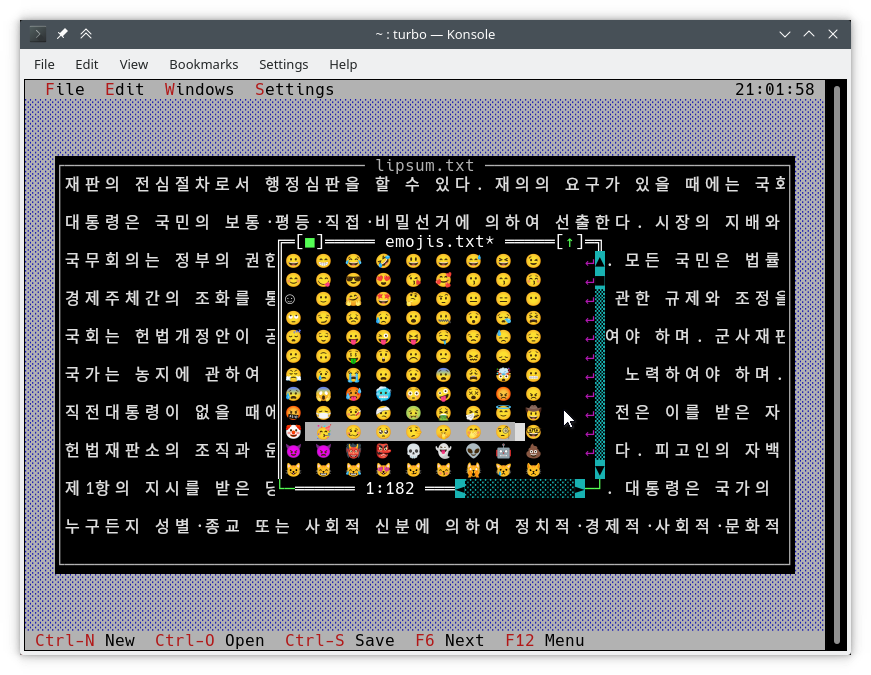
الطريقة المعتادة للكتابة على الشاشة هي باستخدام TDrawBuffer . تمت إضافة طرق قليلة والآخرين غيرت معناها:
 void TDrawBuffer::moveChar ( ushort indent, char c, TColorAttr attr, ushort count);
void TDrawBuffer::putChar ( ushort indent, char c);
يتم تفسير c دائمًا على أنه شخصية في codepage النشطة.
 ushort TDrawBuffer::moveStr ( ushort indent, TStringView str, TColorAttr attr);
ushort TDrawBuffer::moveCStr ( ushort indent, TStringView str, TAttrPair attrs);
يتم تفسير str وفقًا للقواعد المكشوفة سابقًا.
 ushort TDrawBuffer::moveStr ( ushort indent, TStringView str, TColorAttr attr, ushort maxWidth, ushort strOffset = 0 ); // New
ushort TDrawBuffer::moveCStr ( ushort indent, TStringView str, TColorAttr attr, ushort maxWidth, ushort strOffset = 0 ); // New
يتم تفسير str وفقًا للقواعد المكشوفة سابقًا ، ولكن:
maxWidth الحد الأقصى لمقدار النص الذي يجب نسخه من str ، يقاس في عرض النص (وليس بالبايت).strOffset الموضع الأولي في str حيث يتم نسخها من عرض النص (وليس بالبايت). هذا مفيد للتمرير الأفقي. إذا أشارت strOffset إلى منتصف حرف عرض مزدوج ، فسيتم نسخ مساحة بدلاً من النصف الأيمن من الطابع المزدوج عرضًا ، حيث لا يمكن القيام بمثل هذا الشيء.قيم الإرجاع هي عدد الخلايا في المخزن المؤقت الذي تم ملؤه بالفعل بالنص (وهو نفس عرض النص المنسوخ).
void TDrawBuffer::moveBuf ( ushort indent, const void *source, TColorAttr attr, ushort count); اسم هذه الوظيفة مضللة. حتى في تنفيذها الأصلي ، يتم التعامل مع source كسلسلة. لذلك يعادل moveStr(indent, TStringView((const char*) source, count), attr) .
هناك وظائف أخرى مفيدة يونيكود الوعرة:
int cstrlen (TStringView s); إرجاع الطول المعروض من s وفقًا للقواعد المذكورة أعلاه ، وتجاهل ~ .
int strwidth (TStringView s); // New إرجاع طول s .
في Borland C ++ ، تفترض هذه الطرق ترميزًا واحدًا بايت وجميع الأحرف بعرض عمود واحد. هذا يجعل من الممكن كتابة أساليب الترميز draw() و handleEvent() التي تعمل على كلا النظامين دون #ifdef واحد.
يتم تنفيذ الوظائف أعلاه باستخدام الوظائف من مساحة اسم TText ، وهي امتداد API آخر. سيتعين عليك استخدامها مباشرة إذا كنت ترغب في ملء كائنات TScreenCell مع نص يدويًا. لإعطاء مثال ، فيما يلي بعض وظائف TText . يمكنك العثور عليها جميعًا مع أوصاف كاملة في <tvision/ttext.h> .
 size_t TText::next (TStringView text);
size_t TText::prev (TStringView text, size_t index);
void TText::drawChar (TSpan<TScreenCell> cells, char c);
size_t TText::drawStr (TSpan<TScreenCell> cells, size_t indent, TStringView text, int textIndent);
bool TText::drawOne (TSpan<TScreenCell> cells, size_t &i, TStringView text, size_t &j);
لرسم المخازن المؤقتة TScreenCell في عرض ، تتوفر الطرق التالية:
 void TView::writeBuf ( short x, short y, short w, short h, const TScreenCell *b); // New
void TView::writeLine ( short x, short y, short w, short h, const TScreenCell *b); // New الأمر بسيط قدر الإمكان. دعنا نعدل hello.cpp على النحو التالي:
TMenuBar * THelloApp::initMenuBar ( TRect r )
{
    r. b . y = r. a . y + 1 ;
    return new TMenuBar ( r,
      * new TSubMenu ( " ~Ñ~ello " , kbAltH ) +
        * new TMenuItem ( "階~毎~料入報最... " , GreetThemCmd, kbAltG ) +
        * new TMenuItem ( "五劫~の~擦り切れ" , cmYes, kbNoKey, hcNoContext ) +
        * new TMenuItem ( " העברית ~א~ינטרנט " , cmNo, kbNoKey, hcNoContext ) +
         newLine () +
        * new TMenuItem ( " E~x~it " , cmQuit, cmQuit, hcNoContext, " Alt-X " )
        );
}

TStatusLine * THelloApp::initStatusLine ( TRect r )
{
    r. a . y = r. b . y - 1 ;
    return new TStatusLine ( r,
        * new TStatusDef ( 0 , 0xFFFF ) +
            * new TStatusItem ( " ~Alt-Ç~ Exit " , kbAltX, cmQuit ) +
            * new TStatusItem ( 0 , kbF10, cmMenu )
            );
}
هذا ما يبدو عليه:
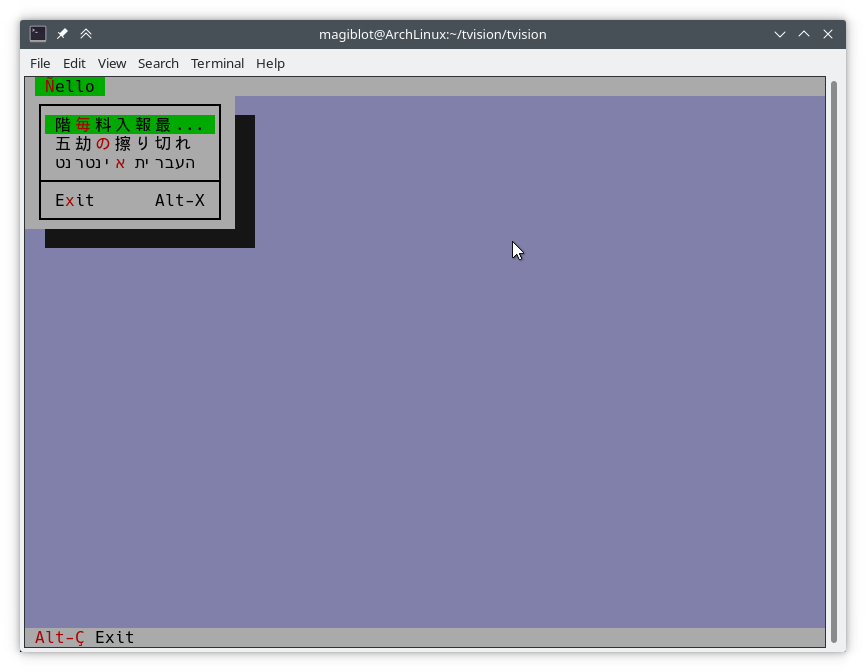
draw() فيما يلي مقتطف من التنفيذ القديم لـ TFileViewer::draw() (جزء من تطبيق tvdemo ) ، والذي لا يرسم نص Unicode بشكل صحيح:
 if (delta.y + i < fileLines-> getCount ()) {
    char s[maxLineLength+ 1 ];
    p = ( char *)(fileLines-> at (delta. y +i));
    if (p == 0 || strlen (p) < delta. x )
        s[ 0 ] = EOS;
    else
        strnzcpy (s, p+delta. x , maxLineLength+ 1 );
    b. moveStr ( 0 , s, c);
}
writeBuf ( 0 , i, size.x, 1 , b );
كل ما يفعله هو نقل جزء من سلسلة في fileLines إلى b ، وهو TDrawBuffer . delta هي TPoint تمثل إزاحة التمرير في عرض النص ، i فهرس الخط المرئي الذي يتم معالجته. c هو لون النص. بعض القضايا موجودة:
TDrawBuffer::moveStr(ushort, const char *, TColorAttr) يأخذ سلسلة من إنهاء خالية. من أجل تمرير سلسلة من الخط الحالي ، يتم تحويل نسخة إلى s ، على خطر التجاوز المخزن المؤقت. لا يتم التعامل مع الحالة التي لا يتناسب فيها الخط في s ، لذلك سيتم نسخ شخصيات maxLineLenght على معظم maxlinelenght. ما هو أكثر من ذلك ، يمكن نسخ حرف متعدد الطول بالقرب من الموضع maxLineLength بشكل غير مكتمل ويتم عرضه على أنه قمامة.delta.x هو أول عمود واضح. مع نص مشفر متعدد الفرق ، لم يعد صحيحًا أن هذا العمود يبدأ في الموضع delta.x في السلسلة.فيما يلي نسخة مصححة من الرمز أعلاه والتي تتعامل مع Unicode بشكل صحيح:
 if (delta.y + i < fileLines-> getCount ()) {
    p = ( char *)(fileLines-> at (delta. y +i));
    if (p)
        b. moveStr ( 0 , p, c, size. x , delta. x );
}
writeBuf ( 0 , i, size.x, 1 , b );
الحمل الزائد من moveStr المستخدم هنا هو TDrawBuffer::moveStr(ushort indent, TStringView str, TColorAttr attr, ushort width, ushort begin) . لا توفر هذه الوظيفة دعم Unicode فحسب ، بل تساعدنا أيضًا في كتابة رمز نظافة والتغلب على بعض القيود الموجودة سابقًا:
maxLineLength .moveStr بطباعة السلسلة بدءًا من العمود delta.x . لا نحتاج حتى إلى القلق بشأن عدد البايتات التي تتوافق مع أعمدة delta.x .moveStr is instructed to copy at most size.x columns of text without us having to care about how many bytes that is nor dealing with edge cases. The code is written in an encoding-agnostic way and will work whether multibyte characters are being considered or not.TView::writeBuf already takes care of not writing beyond it. Yet it is interesting to see how an unnecessary step not only was limiting functionality but also was prone to bugs. Support for creating Unicode-aware views is in place, and most views in the original Turbo Vision library have been adapted to handle Unicode.
The following views can display Unicode text properly. Some of them also do horizontal scrolling or word wrapping; all of that should work fine.
TStaticText ( 7b15d45d ). TFrame ( 81066ee5 ). TStatusLine ( 477b3ae9 ). THistoryViewer ( 81066ee5 ). THelpViewer ( 81066ee5 , 8c7dac2a , 20f331e3 ). TListViewer ( 81066ee5 ). TMenuBox ( 81066ee5 ). TTerminal ( ee821b69 ). TOutlineViewer ( 6cc8cd38 ). TFileViewer (from the tvdemo application) ( 068bbf7a ). TFilePane (from the tvdir application) ( 9bcd897c ).The following views can, in addition, process Unicode text or user input:
TInputLine ( 81066ee5 , cb489d42 ). TEditor ( 702114dc ). Instances are in UTF-8 mode by default. You may switch back to single-byte mode by pressing Ctrl+P . This only changes how the document is displayed and the encoding of user input; it does not alter the document. This class is used in the tvedit application; you may test it there.Views not in this list may not have needed any corrections or I simply forgot to fix them. Please submit an issue if you notice anything not working as expected.
Use cases where Unicode is not supported (not an exhaustive list):
TMenuBox , TStatusLine , TButton ...). Originally, Turbo Vision offered no integration with the system clipboard, since there was no such thing on MS-DOS.
It did offer the possibility of using an instance of TEditor as an internal clipboard, via the TEditor::clipboard static member. However, TEditor was the only class able to interact with this clipboard. It was not possible to use it with TInputLine , for example.
Turbo Vision applications are now most likely to be ran in a graphical environment through a terminal emulator. In this context, it would be desirable to interact with the system clipboard in the same way as a regular GUI application would do.
To deal with this, a new class TClipboard has been added which allows accessing the system clipboard. If the system clipboard is not accessible, it will instead use an internal clipboard.
On Windows (including WSL) and macOS, clipboard integration is supported out-of-the-box.
On Unix systems other than macOS, it is necessary to install some external dependencies. See runtime requirements.
For applications running remotely (eg through SSH), clipboard integration is supported in the following situations:
ssh -X ).allowWindowOps option is enabled. Additionally, it is always possible to paste text using your terminal emulator's own Paste command (usually Ctrl+Shift+V or Cmd+V ).
To use the TClipboard class, define the macro Uses_TClipboard before including <tvision/tv.h> .
static void TClipboard::setText (TStringView text); Sets the contents of the system clipboard to text . If the system clipboard is not accessible, an internal clipboard is used instead.
static void TClipboard::requestText (); Requests the contents of the system clipboard asynchronously, which will be later received in the form of regular evKeyDown events. If the system clipboard is not accessible, an internal clipboard is used instead.
A Turbo Vision application may receive a Paste event for two different reasons:
TClipboard::requestText() was invoked. In both cases the application will receive the clipboard contents in the form of regular evKeyDown events. These events will have a kbPaste flag in keyDown.controlKeyState so that they can be distinguished from regular key presses.
Therefore, if your view can handle user input it will also handle Paste events by default. However, if the user pastes 5000 characters, the application will behave as if the user pressed the keyboard 5000 times. This involves drawing views, completing the event loop, updating the screen..., which is far from optimal if your view is a text editing component, for example.
For the purpose of dealing with this situation, another function has been added:
bool TView::textEvent (TEvent &event, TSpan< char > dest, size_t &length); textEvent() attempts to read text from consecutive evKeyDown events and stores it in a user-provided buffer dest . It returns false when no more events are available or if a non-text event is found, in which case this event is saved with putEvent() so that it can be processed in the next iteration of the event loop. Finally, it calls clearEvent(event) .
The exact number of bytes read is stored in the output parameter length , which will never be larger than dest.size() .
Here is an example on how to use it:
 // 'ev' is a TEvent, and 'ev.what' equals 'evKeyDown'.
// If we received text from the clipboard...
if (ev.keyDown.controlKeyState & kbPaste) {
    char buf[ 512 ];
    size_t length;
    // Fill 'buf' with the text in 'ev' and in
    // upcoming events from the input queue.
    while ( textEvent (ev, buf, length)) {
        // Process 'length' bytes of text in 'buf'...
    }
} The standard views TEditor and TInputLine react to the cmCut , cmCopy and cmPaste commands. However, your application first has to be set up to use these commands. على سبيل المثال:
TStatusLine * TMyApplication::initStatusLine ( TRect r )
{
    r. a . y = r. b . y - 1 ;
    return new TStatusLine ( r,
        * new TStatusDef ( 0 , 0xFFFF ) +
            // ...
            * new TStatusItem ( 0 , kbCtrlX, cmCut ) +
            * new TStatusItem ( 0 , kbCtrlC, cmCopy ) +
            * new TStatusItem ( 0 , kbCtrlV, cmPaste ) +
            // ...
    );
}
TEditor and TInputLine automatically enable and disable these commands. For example, if a TEditor or TInputLine is focused, the cmPaste command will be enabled. If there is selected text, the cmCut and cmCopy commands will also be enabled. If no TEditor or TInputLine s are focused, then these commands will be disabled.
The Turbo Vision API has been extended to allow more than the original 16 colors.
Colors can be specified using any of the following formats:
xterm-256color palette indices (8-bit).Although Turbo Vision applications are likely to be ran in a terminal emulator, the API makes no assumptions about the display device. That is to say, the complexity of dealing with terminal emulators is hidden from the programmer and managed by Turbo Vision itself.
For example: color support varies among terminals. If the programmer uses a color format not supported by the terminal emulator, Turbo Vision will quantize it to what the terminal can display. The following images represent the quantization of a 24-bit RGB picture to 256, 16 and 8 color palettes:
| 24-bit color (original) | 256 colors |
|---|---|
 | 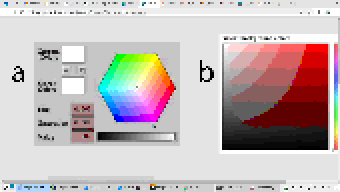 |
| 16 colors | 8 colors (bold as bright) |
|---|---|
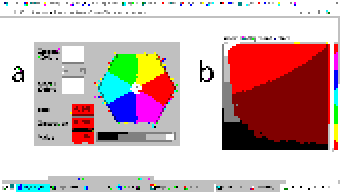 | 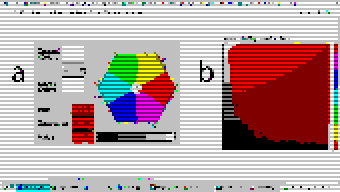 |
Extended color support basically comes down to the following:
uchar . ushort is used to represent attribute pairs. This is still the case when using Borland C++.TColorAttr has been added which replaces uchar . It specifies a foreground and background color and a style. Colors can be specified in different formats (BIOS color attributes, 24-bit RGB...). Styles are the typical ones (bold, italic, underline...). There's also TAttrPair , which replaces ushort .TDrawBuffer 's methods, which used to take uchar or ushort parameters to specify color attributes, now take TColorAttr or TAttrPair .TPalette , which used to contain an array of uchar , now contains an array of TColorAttr . The TView::mapColor method also returns TColorAttr instead of uchar .TView::mapColor has been made virtual so that the palette system can be bypassed without having to rewrite any draw methods.TColorAttr and TAttrPair can be initialized with and casted into uchar and ushort in a way such that legacy code still compiles out-of-the-box without any change in functionality.Below is a more detailed explanation aimed at developers.
In the first place we will explain the data types the programmer needs to know in order to take advantage of the extended color support. To get access to them, you may have to define the macro Uses_TColorAttr before including <tvision/tv.h> .
All the types described in this section are trivial . This means that they can be memset 'd and memcpy 'd. But variables of these types are uninitialized when declared without initializer, just like primitive types. So make sure you don't manipulate them before initializing them.
Several types are defined which represent different color formats. The reason why these types exist is to allow distinguishing color formats using the type system. Some of them also have public fields which make it easier to manipulate individual bits.
TColorBIOS represents a BIOS color. It allows accessing the r , g , b and bright bits individually, and can be casted implicitly into/from uint8_t .
The memory layout is:
b ).g ).r ).bright ). Examples of TColorBIOS usage:
TColorBIOS bios = 0x4 ;  // 0x4: red.
bios.bright = 1 ;        // 0xC: light red.
bios.b = bios.r;        // 0xD: light magenta.
bios = bios ^ 3 ;        // 0xE: yellow.
uint8_t c = bios;       // Implicit conversion to integer types.
In terminal emulators, BIOS colors are mapped to the basic 16 ANSI colors.
TColorRGB represents a color in 24-bit RGB. It allows accessing the r , g and b bit fields individually, and can be casted implicitly into/from uint32_t .
The memory layout is:
b ).g ).r ). Examples of TColorRGB usage:
TColorRGB rgb = 0x9370DB ;   // 0xRRGGBB.
rgb = { 0x93 , 0x70 , 0xDB };   // {R, G, B}.
rgb = rgb ^ 0xFFFFFF ;       // Negated.
rgb.g = rgb.r & 0x88 ;       // Access to individual components.
uint32_t c = rgb;           // Implicit conversion to integer types.
TColorXTerm represents an index into the xterm-256color color palette. It can be casted into and from uint8_t .
TColorDesired TColorDesired represents a color which the programmer intends to show on screen, encoded in any of the supported color types.
A TColorDesired can be initialized in the following ways:
As a BIOS color: with a char literal or a TColorBIOS object:
TColorDesired bios1 = ' xF ' ;
TColorDesired bios2 = TColorBIOS( 0xF );
As a RGB color: with an int literal or a TColorRGB object:
TColorDesired rgb1 = 0xFF7700 ; // 0xRRGGBB.
TColorDesired rgb2 = TColorRGB( 0xFF , 0x77 , 0x00 ); // {R, G, B}.
TColorDesired rgb3 = TColorRGB( 0xFF7700 ); // 0xRRGGBB.
As an XTerm palette index: with a TColorXTerm object.
As the terminal default color: through zero-initialization:
TColorDesired def1 {};
// Or with 'memset':
TColorDesired def2;
memset (&def2, 0 , sizeof (def2));
TColorDesired has methods to query the contained color, but you will usually not need to use them. See the struct definition in <tvision/colors.h> for more information.
Trivia: the name is inspired by Scintilla's ColourDesired .
TColorAttr TColorAttr describes the color attributes of a screen cell. This is the type you are most likely to interact with if you intend to change the colors in a view.
A TColorAttr is composed of:
A foreground color, of type TColorDesired .
A background color, of type TColorDesired .
A style bitmask containing a combination of the following flags:
slBold .slItalic .slUnderline .slBlink .slReverse .slStrike . These flags are based on the basic display attributes selectable through ANSI escape codes. The results may vary between terminal emulators. slReverse is probably the least reliable of them: prefer using the TColorAttr reverseAttribute(TColorAttr attr) free function over setting this flag.
The most straight-forward way to create a TColorAttr is by means of the TColorAttr(TColorDesired fg, TColorDesired bg, ushort style=0) and TColorAttr(int bios) constructors:
 // Foreground: RGB 0x892312
// Background: RGB 0x7F00BB
// Style: Normal.
TColorAttr a1 = { TColorRGB ( 0x89 , 0x23 , 0x12 ), TColorRGB ( 0x7F , 0x00 , 0xBB )};

// Foreground: BIOS 0x7.
// Background: RGB 0x7F00BB.
// Style: Bold, Italic.
TColorAttr a2 = { ' x7 ' , 0x7F00BB , slBold | slItalic};

// Foreground: Terminal default.
// Background: BIOS 0xF.
// Style: Normal.
TColorAttr a3 = {{}, TColorBIOS ( 0xF )};

// Foreground: Terminal default.
// Background: Terminal default.
// Style: Normal.
TColorAttr a4 = {};

// Foreground: BIOS 0x0
// Background: BIOS 0x7
// Style: Normal
TColorAttr a5 = 0x70 ;
The fields of a TColorAttr can be accessed with the following free functions:
TColorDesired getFore ( const TColorAttr &attr);
TColorDesired getBack ( const TColorAttr &attr);
ushort getStyle ( const TColorAttr &attr);
void setFore (TColorAttr &attr, TColorDesired fg);
void setBack (TColorAttr &attr, TColorDesired bg);
void setStyle (TColorAttr &attr, ushort style);
TAttrPair TAttrPair is a pair of TColorAttr , used by some API functions to pass two attributes at once.
You may initialize a TAttrPair with the TAttrPair(const TColorAttrs &lo, const TColorAttrs &hi) constructor:
TColorAttr cNormal = { 0x234983 , 0x267232 };
TColorAttr cHigh = { 0x309283 , 0x127844 };
TAttrPair attrs = {cNormal, cHigh};
TDrawBuffer b;
b.moveCStr( 0 , " Normal text, ~Highlighted text~ " , attrs);
The attributes can be accessed with the [0] and [1] subindices:
TColorAttr lo = { 0x892343 , 0x271274 };
TColorAttr hi = ' x93 ' ;
TAttrPair attrs = {lo, hi};
assert (lo == attrs[ 0 ]);
assert (hi == attrs[ 1 ]);TView Views are commonly drawn by means of a TDrawBuffer . Most TDrawBuffer member functions take color attributes by parameter. على سبيل المثال:
 ushort TDrawBuffer::moveStr ( ushort indent, TStringView str, TColorAttr attr);
ushort TDrawBuffer::moveCStr ( ushort indent, TStringView str, TAttrPair attrs);
void TDrawBuffer::putAttribute ( ushort indent, TColorAttr attr);
However, the views provided with Turbo Vision usually store their color information in palettes. A view's palette can be queried with the following member functions:
TColorAttr TView::mapColor (uchar index);
TAttrPair TView::getColor ( ushort indices);
mapColor looks up a single color attribute in the view's palette, given an index into the palette. Remember that the palette indices for each view class can be found in the Turbo Vision headers. For example, <tvision/views.h> says the following about TScrollBar :
 /* ---------------------------------------------------------------------- */
/*      class TScrollBar                                                  */
/*                                                                        */
/*      Palette layout                                                    */
/*        1 = Page areas                                                  */
/*        2 = Arrows                                                      */
/*        3 = Indicator                                                   */
/* ---------------------------------------------------------------------- */
getColor is a helper function that allows querying two cell attributes at once. Each byte in the indices parameter contains an index into the palette. The TAttrPair result contains the two cell attributes.
For example, the following can be found in the draw method of TMenuBar :
TAttrPair cNormal = getColor( 0x0301 );
TAttrPair cSelect = getColor( 0x0604 );
Which would be equivalent to this:
TAttrPair cNormal = { mapColor ( 1 ), mapColor ( 3 )};
TAttrPair cSelect = { mapColor ( 4 ), mapColor ( 6 )};
As an API extension, the mapColor method has been made virtual . This makes it possible to override Turbo Vision's hierarchical palette system with a custom solution without having to rewrite the draw() method.
So, in general, there are three ways to use extended colors in views:
mapColor method: // The 'TMyScrollBar' class inherits from 'TScrollBar' and overrides 'TView::mapColor'.
TColorAttr TMyScrollBar::mapColor (uchar index) noexcept
{
// In this example the values are hardcoded,
// but they could be stored elsewhere if desired.
switch ( index )
{
case 1 : return { 0x492983 , 0x826124 }; // Page areas.
case 2 : return { 0x438939 , 0x091297 }; // Arrows.
case 3 : return { 0x123783 , 0x329812 }; // Indicator.
default : return errorAttr;
}
} By providing extended color attributes directly to TDrawBuffer methods, if the palette system is not being used. على سبيل المثال:
 // The 'TMyView' class inherits from 'TView' and overrides 'TView::draw'.
void TMyView::draw ()
{
    TDrawBuffer b;
    TColorAttr color { 0x1F1C1B , 0xFAFAFA , slBold};
    b. moveStr ( 0 , " This is bold black text over a white background " , color);
    /* ... */
}
By modifying the palettes. There are two ways to do this:
TColorAttr . على سبيل المثال: void updateAppPalette ()
{
TPalette &pal = TProgram::application-> getPalete ();
pal[ 1 ] = { 0x762892 , 0x828712 }; // TBackground.
pal[ 2 ] = { 0x874832 , 0x249838 , slBold}; // TMenuView normal text.
pal[ 3 ] = {{}, {}, slItalic | slUnderline}; // TMenuView disabled text.
/* ... */
} static const TColorAttr cpMyApp[] =
{
{ 0x762892 , 0x828712 }, // TBackground.
{ 0x874832 , 0x249838 , slBold}, // TMenuView normal text.
{{}, {}, slItalic | slUnderline}, // TMenuView disabled text.
/* ... */
};
// The 'TMyApp' class inherits from 'TApplication' and overrides 'TView::getPalette'.
TPalette & TMyApp::getPalette () const
{
static TPalette palette (cpMyApp);
return palette;
} TScreen::screenMode exposes some information about the display's color support:
(TScreen::screenMode & 0xFF) == TDisplay::smMono , the display is monocolor (only relevant in DOS).(TScreen::screenMode & 0xFF) == TDisplay::smBW80 , the display is grayscale (only relevant in DOS).(TScreen::screenMode & 0xFF) == TDisplay::smCO80 , the display supports at least 16 colors.TScreen::screenMode & TDisplay::smColor256 , the display supports at least 256 colors.TScreen::screenMode & TDisplay::smColorHigh , the display supports even more colors (eg 24-bit color). TDisplay::smColor256 is also set in this case. The types defined previously represent concepts that are also important when developing for Borland C++:
| مفهوم | Layout in Borland C++ | Layout in modern platforms |
|---|---|---|
| Color Attribute | uchar . A BIOS color attribute. | struct TColorAttr . |
| لون | A 4-bit number. | struct TColorDesired . |
| Attribute Pair | ushort . An attribute in each byte. | struct TAttrPair . |
One of this project's key principles is that the API should be used in the same way both in Borland C++ and modern platforms, that is to say, without the need for #ifdef s. Another principle is that legacy code should compile out-of-the-box, and adapting it to the new features should increase complexity as little as possible.
Backward-compatibility is accomplished in the following way:
In Borland C++, TColorAttr and TAttrPair are typedef 'd to uchar and ushort , respectively.
In modern platforms, TColorAttr and TAttrPair can be used in place of uchar and ushort , respectively, since they are able to hold any value that fits into them and can be casted implicitly into/from them.
A TColorAttr initialized with uchar represents a BIOS color attribute. When converting back to uchar , the following happens:
fg and bg are BIOS colors, and style is cleared, the resulting uchar represents the same BIOS color attribute contained in the TColorAttr (as in the code above).uchar / ushort with TColorAttr / TAttrPair if they intend to support the extended color attributes. The same goes for TAttrPair and ushort , considering that it is composed of two TColorAttr .
A use case of backward-compatibility within Turbo Vision itself is the TPalette class, core of the palette system. In its original design, it used a single data type ( uchar ) to represent different things: array length, palette indices or color attributes.
The new design simply replaces uchar with TColorAttr . This means there are no changes in the way TPalette is used, yet TPalette is now able to store extended color attributes.
TColorDialog hasn't been remodeled, and thus it can't be used to pick extended color attributes at runtime.
The following pattern of code is common across draw methods of views:
 void TMyView::draw ()
{
    ushort cFrame, cTitle;
    if (state & sfDragging)
    {
        cFrame = 0x0505 ;
        cTitle = 0x0005 ;
    }
    else
    {
        cFrame = 0x0503 ;
        cTitle = 0x0004 ;
    }
    cFrame = getColor (cFrame);
    cTitle = getColor (cTitle);
    /* ... */
}
In this case, ushort is used both as a pair of palette indices and as a pair of color attributes. getColor now returns a TAttrPair , so even though this compiles out-of-the-box, extended attributes will be lost in the implicit conversion to ushort .
The code above still works just like it did originally. It's only non-BIOS color attributes that don't produce the expected result. Because of the compatibility between TAttrPair and ushort , the following is enough to enable support for extended color attributes:
 -    ushort cFrame, cTitle;
+    TAttrPair cFrame, cTitle;
Nothing prevents you from using different variables for palette indices and color attributes, which is what should actually be done. The point of backward-compatibility is the ability to support new features without changing the program's logic, that is to say, minimizing the risk of increasing code complexity or introducing bugs.







