tvision
1.0.0

テキストベースのユーザーインターフェイスの古典的なフレームワークであるターボビジョン2.0の最新のポート。現在、クロスプラットフォームとUnicodeサポートがあります。
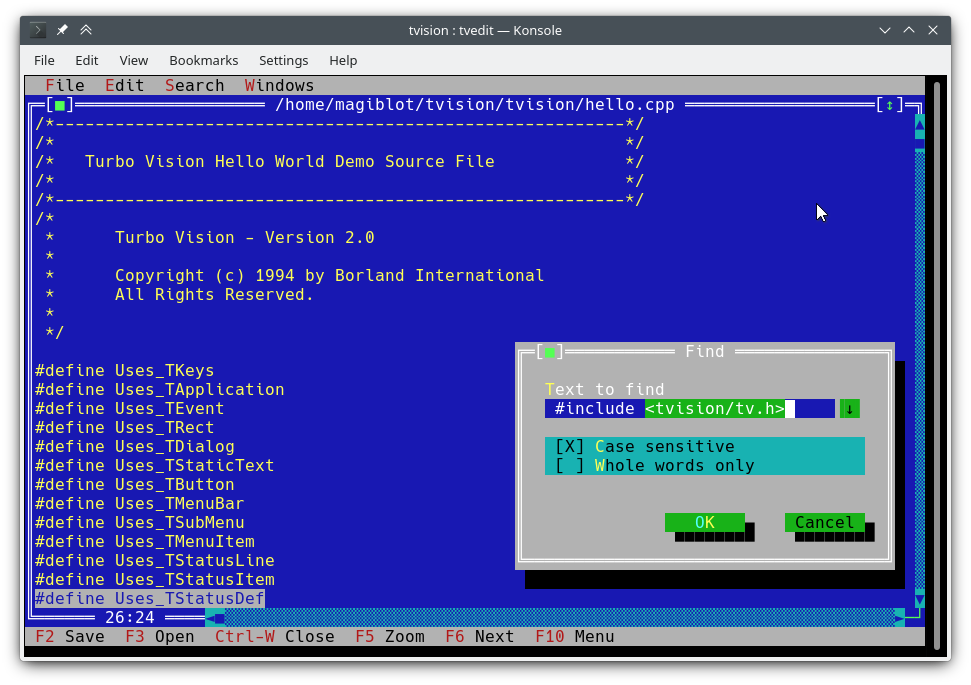
私はこれを2018年の終わりに個人的なプロジェクトとして始めました。2020年5月までに、私はそれがオリジナルとのパリティに非常に近いと考え、それをオープンにすることにしました。
このプロジェクトの元の目標は次のとおりです。
ある時点で、私は十分にやったと考えました。また、ライブラリを刷新して元の制限を克服しようとすると、APIを拡張するか、後方の互換性を破る必要があり、主要な書き換えが必要になる可能性が高いと考えています。
しかし、2020年7月から8月の間に、本格的なユニコードサポートを既存のアーキテクチャに統合し、ターボテキストエディターを書き、Windowsで新機能を利用できるようにしました。ですから、ターボビジョンは、現代のユーザーとプログラマーの多くの期待に応えることができると確信しています。
このプロジェクトの元の場所はhttps://github.com/magiblot/tvisionです。
90年代前半にボーランドがターボビジョンを作成して以来、多くのことが変わりました。今日の多くのGUIツールは、動作仕様から外観の仕様を分離し、エラーを断続しないより安全または動的言語を使用し、並列または非同期プログラミング、またはその両方をサポートします。
Turbo Visionはそれらのいずれにも優れていませんが、ターミナルアプリケーションを書くときにプログラマーが今日もまだ直面している多くの問題を確実に克服します。
ターミナル機能と直接端子I/Oを忘れてください。 Turbo Visionアプリケーションを作成するとき、気にする必要があるのは、アプリケーションを動作させて見せたいものだけです。コードに回避策を追加する必要はありません。 Turbo Visionは、すべての環境で同じ結果を生み出すために最善を尽くします。たとえば、Linuxコンソールで明るい背景色を取得するには、 Blink属性を設定する必要があります。 Turbo Visionはこれを行います。
すでに行われていることを再利用してください。 Turbo Visionは、再配置可能、重複するウィンドウ、プルダウンメニュー、ダイアログボックス、ボタン、スクロールバー、入力ボックス、チェックボックス、ラジオボタンなど、多くのウィジェットクラス(ビューとも呼ばれます)を提供します。これらを使用して拡張できます。しかし、独自の作成を好む場合でも、ターボビジョンはすでにイベントのディスパッチ、フル幅のユニコード文字の表示などを処理しています。
LinuxとWindows(したがってクロスプラットフォーム)の両方で機能するテキストベースのインターフェイスを、 #ifdef sなしですぐに使用することを想像できますか?ターボビジョンはこれを可能にします。最初:ターボビジョンは、実装とプラットフォーム依存のwchar_tまたはTCHARに依存する代わりに、 charアレイの使用を続けています。 2番目:MicrosoftのRTLの最近のバージョンのsetlocaleでのUTF-8サポートのおかげで、次のようなコードは意図したとおりに機能します。
std::ifstream f ( "コンピュータ.txt " ); // On Windows, the RTL converts this to the system encoding on-the-fly. C ++ユーザーガイドのTurbo Visionを開始し、サンプルアプリケーションのhello 、 tvdemo 、 tveditをご覧ください。基本を把握したら、Pascalを使用しているにもかかわらず、Turbo Vision 2.0プログラミングガイドをご覧ください。これは、より直感的で理解しやすいことです。その時までに、パレットの使用方法の詳細な説明が含まれているpalette例におそらく興味があります。
機能とAPIの変更セクションもチェックアウトすることを忘れないでください。
このプロジェクトには、当面は安定したリリースがありません。開発者の場合は、最新のコミットに固執し、アップグレード中に見つけた問題を報告してください。
デモアプリケーションをテストするだけの場合:
examples-dos32.zip C ++で構築された32ビット実行可能ファイル。ユニコードサポートはありません。examples-x86.zipで構築された32ビット実行可能ファイル。 Windows Vista以降が必要です。examples-x64.zipで構築された64ビット実行可能ファイル。 X64 Windows Vista以降が必要です。 ターボビジョンは、CmakeとGCC/Clangを備えた静的ライブラリとして構築できます。
cmake . -B ./build -DCMAKE_BUILD_TYPE=Release && # Could also be 'Debug', 'MinSizeRel' or 'RelWithDebInfo'.
cmake --build ./build # or `cd ./build; make`
3.13以上のCmakeバージョンは、 -Bオプションをサポートしていない場合があります。代わりに次のことを試すことができます。
mkdir -p build ; cd build
cmake .. -DCMAKE_BUILD_TYPE=Release &&
cmake --build .
上記は次のファイルを生成します。
libtvision.a 、これはターボビジョンライブラリです。hello 、 tvdemo 、 tvedit 、 tvdir 。元のターボビジョンにバンドルされました(ただし、いくつかの改善があります)。mmenuとpalette 。tvhc 、Turbo Visionはコンパイラに役立ちます。ライブラリと実行可能ファイルは./buildにあります。
ビルド要件は次のとおりです。
libncursesw (「w」に注意)。libgpm (オプション)。配布が個別の開発パッケージ( libncurses-dev 、debianベースのディストリビューションのlibgpm-dev )を提供する場合は、これらもインストールします。
ランタイムの要件は次のとおりです。
xselまたはxclip 。wl-clipboard 。このプロジェクトのルートからターボビジョンアプリケーション(GCCを含むhello.cppなど)を構築するために必要な最小限のコマンドラインは次のとおりです。
g++ -std=c++14 -o hello hello.cpp ./build/libtvision.a -Iinclude -lncursesw -lgpmあなたも必要かもしれません:
-Iinclude/tvisionアプリケーションがTurbo Vision 1.xを使用している場合は、 #include <tv.h> #include <tvision/tv.h> )が含まれています。
-Iinclude/tvision/compat/borlandアプリケーションにBorland Headers( dir.h 、 iostream.hなど)が含まれている場合。
gentoo(およびおそらく他の人): -ltinfow libtinfo.soとlibtinfow.soがシステムで利用できる場合。それ以外の場合は、ターボビジョンアプリケーションを実行するときにセグメンテーション障害が発生する可能性があります(#11)。 tinfoはncursesにバンドルされていることに注意してください。
-lgpm 、 libgpmサポートでターボビジョンが構築された場合にのみ必要です。
include/tvision/compat/borlandの後方互換性ヘッダーは、Borland C ++ RTLをエミュレートします。 Turbo Visionのソースコードは依然としてそれらに依存しており、古いアプリケーションを移植する場合に役立つ可能性があります。これはまた、 tvision/tv.hを含めることで、いくつかのstd名がグローバルネームスペースにもたらされることを意味します。
MSVCを使用したビルドプロセスは、より多くの選択肢があるため、やや複雑です。さまざまなターゲットアーキテクチャに異なるビルドディレクトリが必要になることに注意してください。たとえば、最適化されたバイナリを生成するには:
cmake . -B ./build && # Add '-A x64' (64-bit) or '-A Win32' (32-bit) to override the default platform.
cmake --build ./build --config Release # Could also be 'Debug', 'MinSizeRel' or 'RelWithDebInfo'.
上記の例では、 tvision.libと例アプリケーションの例は./build/Releaseに配置されます。
Turbo VisionをMicrosoftの実行時間ライブラリ( / /MD /MT )に対して静的にリンクしたい場合は、 TV_USE_STATIC_RTLオプション( -DTV_USE_STATIC_RTL=ON on on on cmake )を有効にします。
アプリケーションをTurbo Visionにリンクしたい場合は、MSVCで/MTと/MDまたは非推奨バイナリとのデバッグを混合できないことに注意してください。同じ方法で、すべてのコンポーネントをRTLに対してリンクする必要があります。
独自のTurbo Visionアプリケーションを開発した場合は、次のコンパイラフラグを有効にしてください。そうしないと、 <tvision/tv.h>を含むときにコンパイルエラーが表示されます。
 /permissive-
/Zc:__cplusplus
ターボビジョンをcmakeサブモジュールとして使用する場合、これらのフラグは自動的に有効になります。
注: Turbo Visionは、 setlocaleを使用して、RTL関数をUTF-8モードに設定します。これは、RTLの古いバージョンを使用しても機能しません。
RTLが静的にリンクされ、UTF-8がsetlocaleでサポートされている場合、ターボビジョンアプリケーションはポータブルであり、 Windows Vista以降でデフォルトで動作します。
MINGW環境が適切にセットアップされると、Linuxと同様の方法でビルドが行われます。
cmake . -B ./build -G " MinGW Makefiles " -DCMAKE_BUILD_TYPE=Release &&
cmake --build ./build
上記の例では、 libtvision.aおよびすべての例は、 TV_BUILD_EXAMPLESオプションがON (デフォルト)にある場合、 ./buildにあります。
アプリケーションをTurbo Visionにリンクする場合は、 -L./build/lib -ltvisionリンカーに、 -I./include includeをコンパイラに追加するだけです
ターボビジョンは、Borland C ++を備えたDOSまたはWindowsライブラリとしてまだ構築できます。明らかに、ここにはユニコードのサポートはありません。
ビルドプロセスが動作することを確認できます。
ビルド環境に応じて、さまざまな問題に直面する可能性があります。たとえば、ターボアセンブラーはWindows 95で動作するパッチが必要です。WindowsXPでは、すべてが正常に機能するようです。 Windows 10では、Make May Maus Emirt emit emit emit Fatal: Command arguments too long 。これは、Borland C ++ 5.xにバンドルされたものにアップグレードすることで修正できます。
はい、これは64ビットのWindows 10で動作します。機能しないのは、16ビットアプリケーションであるBorland C ++インストーラーです。別の環境で実行するか、WineVDMで運を試す必要があります。
Borland Makefileは、 projectディレクトリにあります。ビルドは、実行することで実行できます。
 cd project
make.exe < options > <options>どこにありますか:
-DDOS32 32ビットDPMIアプリケーションの場合(64ビットウィンドウで機能します)。-DWIN32 32ビットネイティブWin32アプリケーションの場合( farcoreleft()およびその他の骨qu品に依存しているtvdemoでは不可能です)。-DDEBUGアプリケーションとライブラリのデバッグバージョンを構築します。-DTVDEBUGアプリケーションをライブラリのデバッグバージョンにリンクします。-DOVERLAY 、 -DALIGNMENT={2,4} 、 -DEXCEPTION 、 -DNO_STREAMABLE 、 -DNOTASM私が自分が使用したことのないものについては、元のMakefilesに登場しました。これにより、 projectの横にあるLIBディレクトリにライブラリをコンパイルし、それぞれのexamples/*ディレクトリにデモアプリケーションの実行可能ファイルをコンパイルします。
申し訳ありませんが、Root MakeFileはprojectディレクトリから実行されていると仮定しています。さまざまな設定を使用する場合は、元のMakeFilesを直接( source/tvisionおよびexamples/* )実行できます。
ターボビジョンは、VCPKG依存関係マネージャーを使用して構築およびインストールできます。
git clone https://github.com/Microsoft/vcpkg.git
cd vcpkg
./bootstrap-vcpkg.sh
./vcpkg integrate install
./vcpkg install tvision VCPKGのtvisionポートは、Microsoftチームメンバーとコミュニティの貢献者によって最新の状態に保たれています。時代遅れであることがわかった場合は、VCPKGリポジトリに問題を作成するか、リクエストをプルしてください。
アプリケーション用にCMakeビルドシステムを選択した場合、ターボビジョンに対してリンクする2つの主な方法があります。
ターボビジョンをインストールし、 find_packageでインポートします。インストールはジェネレーターのタイプによって異なります:
最初に、インストールプレフィックスを決定します。デフォルトのものはすぐに機能しますが、通常は管理者の特権が必要です。 UNIXシステムでは、代わりに$HOME/.localを使用できます。 Windowsでは、任意のカスタムパスを使用できますが、アプリケーションを構築するときはCMAKE_PREFIX_PATH環境変数に追加する必要があります。
MonoConfigジェネレーター( Unix Makefiles 、 Ninja ...)の場合、1回だけビルドしてインストールする必要があります。
cmake . -B ./build # '-DCMAKE_INSTALL_PREFIX=...' to override the install prefix.
cmake --build ./build
cmake --install ./build
マルチコンフィグジェネレーター( Visual Studio 、 Ninja Multi-Config ...)については、すべての構成を構築してインストールする必要があります。
cmake . -B ./build # '-DCMAKE_INSTALL_PREFIX=...' to override the install prefix.
cmake --build ./build --config Release
cmake --build ./build --config Debug --target tvision
cmake --build ./build --config RelWithDebInfo --target tvision
cmake --build ./build --config MinSizeRel --target tvision
cmake --install ./build --config Release
cmake --install ./build --config Debug --component library
cmake --install ./build --config RelWithDebInfo --component library
cmake --install ./build --config MinSizeRel --component library次に、アプリケーションのCMakeLists.txtで、次のようにインポートできます。
 find_package (tvision CONFIG)
target_link_libraries (my_application tvision::tvision)
リポジトリのサブモジュールにターボビジョンを持ち、 add_subdirectoryでインポートします。
 add_subdirectory (tvision) # Assuming Turbo Vision is in the 'tvision' directory.
target_link_libraries (my_application tvision)
どちらの場合でも、 <tvision/tv.h>コンピレーション中のアプリケーションに含まれるPATHで利用可能になり、アプリケーションは必要なライブラリ(NCURSES、GPM ...)に自動的にリンクされます。
tveditアプリケーションで試してみることができます。~/ $HOMEに拡張できます。stdin / stdout / stderrのリダイレクトは、端子I / oを妨害しません。すべてのターボビジョンアプリケーションの動作に影響するいくつかの環境変数があります。
TVISION_MAX_FPS :最大リフレッシュレート、デフォルト60 。これは、ボックス描画文字の効率的な取り扱いでターミナルエミュレーターの滑らかさを維持するのに役立ちます。このオプションの特別な値は0で、リフレッシュレートの制限を無効にし、 -1は、 THardwareInfo::screenWrite (デバッグ時に役立つ)のすべての呼び出しで実際に端末に描画します。
TVISION_CODEPAGE :ターボビジョンが内部的に使用する文字セットは、拡張ASCIIをUnicodeに変換します。現時点での有効な値は437と850で、 437デフォルトですが、追加するにはほとんど労力がかかりません。
win32-input-mode (WSLで利用可能)のサポート。TIOCLINUX経由)およびマウス(GPM経由)のサポート。stderrがTTYである場合、それに書かれたメッセージはバッファーにリダイレクトされ、ディスプレイが台無しにならないようにし、アプリケーションを終了または一時停止するときに最終的にコンソールに印刷されます。stderrに書き込みが失敗します。すべてのstderrを保存する場合は、 2>を使用してコマンドラインからファイルにリダイレクトしてください。次の環境変数も考慮されています。
TERM :NCURSESはそれを使用して端子機能を決定します。ターミナルエミュレータによって自動的に設定されます。
COLORTERM : truecolorまたは24bitに設定すると、ターボビジョンはターミナルエミュレータが24ビットの色をサポートすると想定します。それをサポートする端子エミュレーターによって自動的に設定されます。
ESCDELAY :ESCキープレスを受け取った後、待機するミリ秒数、デフォルト10 。この遅延中に別のキーが押された場合、それはALT+キーの組み合わせとして解釈されます。端末がALTキーをサポートしていない場合、より大きな値を使用することが役立ちます。
TVISION_USE_STDIO :空でない場合、ターミナルI / Oはstdin / stdoutを介して実行されるため、シェルからリダイレクトできます。デフォルトでは、Turbo Visionは端末I/O Sex /dev/ttyを実行し、アプリケーションの安定性に影響を与えることなく、ユーザーがニーズに応じてstdin 、 stdout 、 stderrリダイレクトできるようにします。
たとえば、以下はout.txt空になります:
tvdemo | tee out.txt一方、以下は、アプリケーションによって印刷されたすべてのエスケープシーケンスとテキストをout.txtに捨てます。
TVISION_USE_STDIO=1 tvdemo | tee out.txtBorland C ++とコンパイルするときは、以下は利用できません。
wchar_tバリアントを使用する必要はありません。注:ターボビジョンは、UTF-8テキストをWindowsコンソールに直接書き込みます。コンソールがレガシーモードで設定され、ビットマップフォントが使用されている場合、Unicode文字は適切に表示されません(写真)。これを回避するために、Turbo Visionはこの状況を検出し、コンソールフォントをConsolasまたはLucida Consoleに変更しようとします。
以下は、Borlandのターボビジョンのリリースまたは以前のオープンソースポート(Sigala、Set)で利用できない新機能です。
TInputLine sは、フォーカス/ウン焦点のテキスト表示をスクロールしなくなり、関連するテキストが表示されたままになります。TFileViewer ( tvdemo )およびTEditor ( tvedit )のLFラインエンディングのサポート。 TEditorファイル保存で終了するラインを保存しますが、新しく作成されたすべてのファイルはデフォルトでCRLFを使用します。TEditor :右クリックのコンテキストメニュー。TEditor :ミドルマウスボタンでスクロールをドラッグします。TEditor 、 TInputLine : kbAltBack 、 kbCtrlBack 、 kbCtrlDelで単語全体を削除します。TEditor :ホームキーは、行の始まりとインデントされたテキストの始まりの間を切り替えます。TEditor :32ビットまたは64ビットビルドで64キブよりも大きなファイルのサポート。tvdemo :イベントのデバッグに役立つイベントビューアアプレット。tvdemo :背景パターンを変更するオプション。 画面の書き込みはバッファリングされ、通常、アクティブなイベントループのすべての反復に対して端末に1回送信されます( TVISION_MAX_FPSも参照)。ビジーループ中に画面を更新する必要がある場合は、 TScreen::flushScreen()を使用できます。
TDrawBuffer固定長のアレイではなく、その方法は過去のアレイアクセスを防ぎます。したがって、 sizeof(TDrawBuffer)/sizeof(ushort)との比較を含む古いコードはもはや有効ではありません。そのようなチェックは削除する必要があります。
TApplication 、デフォルトでdosShell() 、 cascade() 、およびtile() 、およびcmDosShell 、 cmCascade 、 cmTile処理するようになりました。これらの関数はgetTileRect()およびwriteShellMsg()オーバーライドすることでカスタマイズできます。これは、Pascalバージョンと同じ動作です。
マウスホイールサポート:新しいマウスイベントevMouseWheel 。ホイールmwRight方向は、新しいフィールドevent.mouse.wheel mwLeft指定されていmwUp mwDown
ミドルマウスボタンサポート:新しいマウスボタンフラグmbMiddleButton 。
evMouseUpイベントのbuttonsフィールドは空になりません。現在、どのボタンがリリースされたかを示します。
トリプルクリックサポート:新しいマウスイベントフラグmeTripleClick 。
TRect Method Method move 、 grow 、 intersect 、およびUnion 、鎖で鎖でつながれるように、 voidなるのではなくTRect&を返します。
TOutlineViewer使用すると、ルートノードが兄弟を持つようになりました。
デスクトップにTMenuPopupを生成する新しい関数ushort popupMenu(TPoint where, TMenuItem &aMenu, TGroup *receiver=0) 。 source/tvision/popupmnu.cppを参照してください。
新しい仮想メソッドTMenuItem& TEditor::initContextMenu(TPoint p) TEditorの右クリックコンテキストメニューのエントリを決定します。
fexpand 、2番目のパラメーターrelativeToを取得できるようになりました。
std::string_viewに触発された新しいクラスTStringView 。
TStringViewを受信するようになりました。 TStringView 、 std::string_view 、 std::string and const char * (偶数nullptr )と互換性があります。新しいクラスのTSpan<T> 、 std::spanに触発されました。
新しいクラスTDrawSurfaceおよびTSurfaceView 、 <tvision/surface.h>を参照してください。
システム統合サブシステム( THardwareInfo 、 TScreen 、 TEventQueue ...)は、 mainの前ではなく、初めてTApplicationを構築するときに初期化されます。それらはまだmainからの出口で破壊されています。
新しい方法TVMemMgr::reallocateDiscardable()は、割り当て可能でfreeDiscardable allocateDiscardableに沿って使用できます。
新しいメソッドTView::textEvent()は、テキストを効率的に受信できるようにします。クリップボードインタラクションを参照してください。
新しいクラスのTClipboard 、クリップボードの相互作用を参照してください。
Unicodeサポート、Unicodeを参照してください。
真の色のサポート、拡張色を参照してください。
新しいメソッドstatic void TEventQueue::waitForEvents(int timeoutMs) timeoutMs負のtimeoutMs使用して、未定で待つことができます。ブロックする場合、スクリーンの更新のフラッシングの副作用があります( TScreen::flushScreen() )。 TProgram::getEvent()によって呼び出されますstatic int TProgram::eventTimeoutMs (デフォルト20 )を引数として、イベントループが100%CPUを消費するビジーループに変わらないようにします。
新しいメソッドstatic void TEventQueue::wakeUp()はTEventQueue::waitForEvents()でブロックされている場合、イベントループが実行を再開します。この方法は、セカンダリスレッドからのイベントループのブロックを解除することであるため、スレッドセーフです。
新しいメソッドvoid TView::getEvent(TEvent &, int timeoutMs)は、ユーザーが提供するタイムアウト( TProgram::eventTimeoutMs )でイベントを待つことができます。
TInputLineで最大テキスト幅または最大文字カウントを指定することが可能になりました。これは、 TInputLineのコンストラクターであるushort limitMode新しいパラメーターを使用して行われます。これは、2番目のコンストラクターパラメーターであるuint limitがどのように処理されるかを制御します。 ilXXXX定数は、 limitModeの可能な値を定義します。
ilMaxBytes (デフォルト):テキストは、nullターミネーターを含む長さの長さをlimitために可能になります。ilMaxWidth :テキストは、列を幅にlimitために存在する場合があります。ilMaxChars :テキストには、非継続文字またはグラフェメムlimitために含めることができます。実行時にターボビジョンの定数の名前を取得できる新しい機能( evCommand 、 kbShiftInsなど):
 void printKeyCode (ostream &, ushort keyCode);
void printControlKeyState (ostream &, ushort controlKeyState);
void printEventCode (ostream &, ushort eventCode);
void printMouseButtonState (ostream &, ushort buttonState);
void printMouseWheelState (ostream &, ushort wheelState);
void printMouseEventFlags (ostream &, ushort eventFlags);
キーコードとキー修飾子のマスクを指定することにより、新しいキーの組み合わせ( Shift+Alt+Up )を定義するために使用できる新しいクラスTKey :
 auto kbShiftAltUp = TKey(kbUp, kbShift | kbAltShift);
assert (kbCtrlA == TKey( ' A ' , kbCtrlShift));
assert (TKey(kbCtrlTab, kbShift) == TKey(kbTab, kbShift | kbCtrlShift));
// Create menu hotkeys.
new TMenuItem( " ~R~estart " , cmRestart, TKey(kbDel, kbCtrlShift | kbAltShift), hcNoContext, " Ctrl-Alt-Del " )
// Examine KeyDown events:
if (event.keyDown == TKey(kbEnter, kbShift))
    doStuff ();
時限イベントの使用を許可する新しい方法:
TTimerId TView::setTimer ( uint timeoutMs, int periodMs = - 1 );
void TView::killTimer (TTimerId id);
setTimer 、 timeoutMsミリ秒、そしてすべてのperiodMsミリ秒で初めて出場するタイマーを開始します。
periodMsがネガティブな場合、タイマーは1回しか除外されず、自動的にクリーンアップされます。それ以外の場合は、 killTimerが呼び出されるまで定期的にタイミングを出し続けます。
タイマーが廃止されると、コマンドcmTimerExpiredを備えたevBroadcastイベントが放出され、 message.infoPtr期限切れのタイマーのTTimerIdに設定されます。
タイムアウトイベントはTProgram::idle()で生成されます。したがって、キーボードやマウスのイベントが利用できない場合にのみ処理されます。
ここにいくつかのスクリーンショットがあります。お気軽にあなた自身を追加してください!
ソースコードが失われておらず、それがこれから恩恵を受ける可能性のあるターボビジョンアプリケーションを知っている場合は、私に知らせてください。
アプリケーションがこのプロジェクトに基づいており、次のリストに表示したい場合は、お知らせください。
ターボビジョンAPIは、Unicode入力を受信してUnicodeテキストを表示できるように拡張されています。サポートされているエンコードは、いくつかの理由でUTF-8です。
char * )と互換性があるため、既存のコードを邪魔にする必要はありません。Borland C ++で構築された場合、Turbo VisionはUnicodeをサポートしていないことに注意してください。ただし、これは、API拡張機能がエンコードに依存しないコードを可能にするように設計されているため、ターボビジョンアプリケーションの作成方法には影響しません。
キープレスイベントからテキストを取得する従来の方法は次のとおりです。
 // 'ev' is a TEvent, and 'ev.what' equals 'evKeyDown'.
switch (ev.keyDown.keyCode) {
    // Key shortcuts are usually checked first.
    // ...
    default : {
        // The character is encoded in the current codepage
        // (CP437 by default).
        char c = ev. keyDown . charScan . charCode ;
        // ...
    }
}
テキスト入力を扱う既存のターボビジョンクラスの一部は、この方法論に依存していますが、変更されていません。シングルバイト文字は、現在のコードページで表現できる場合、 ev.keyDown.charScan.charCodeで引き続き利用できます。
Unicodeサポートは、 ev.keyDown (これはstruct KeyDownEventです)の2つの新しいフィールドで構成されています。
char text[4] 、端末から読み取られたものを含む場合があります。通常はUTF-8シーケンスですが、おそらくあらゆる種類の生データです。uchar textLength 。これは、 textで利用可能なデータのバイト数、0〜4です。 text列はヌル終端ではないことに注意してください。 getText()メソッドを使用して、 KeyDownEventからTStringViewを取得できます。
したがって、Unicode文字は、次の方法でTEventから取得できます。
 switch (ev.keyDown.keyCode) {
    // ...
    default : {
        std::string_view sv = ev. keyDown . getText ();
        processText (sv);
    }
}別の観点から見てみましょう。ユーザーがñの場合、次のkeyDown構造体でTEventが生成されます。
KeyDownEvent {
    union {
        . keyCode = 0xA4 ,
        . charScan = CharScanType {
            . charCode = 164 ( ' ñ ' ), // In CP437
            . scanCode = 0
        }
    },
    . controlKeyState = 0x200 (kbInsState),
    . text = { ' xC3 ' , ' xB1 ' }, // In UTF-8
    . textLength = 2
}ただし、それらが€タイプの場合、次のことが起こります。
KeyDownEvent {
    union {
        . keyCode = 0x0 (kbNoKey), // '€' not part of CP437
        . charScan = CharScanType {
            . charCode = 0 ,
            . scanCode = 0
        }
    },
    . controlKeyState = 0x200 (kbInsState),
    . text = { ' xE2 ' , ' x82 ' , ' xAC ' }, // In UTF-8
    . textLength = 3
}
代わりにキーショートカットが押されている場合、 textは空です。
KeyDownEvent {
    union {
        . keyCode = 0xB (kbCtrlK),
        . charScan = CharScanType {
            . charCode = 11 ( ' ♂ ' ),
            . scanCode = 0
        }
    },
    . controlKeyState = 0x20C (kbCtrlShift | kbInsState),
    . text = {},
    . textLength = 0
}
したがって、要するに、Unicode入力を念頭に置いて設計されたビューは、以前と同じように機能し続け、Unicode-Awareになりたいビューは、そうであることに問題はありません。
ターボビジョンの元の設計では、16ビットを使用してスクリーンセルを表します。キャラクターでは8ビット、BIOSカラー属性で8ビット。
新しいTScreenCellタイプは、拡張属性(太字、下線、斜体...)に加えて、限られた数のUTF-8コードポイントを保持できる<tvision/scrncell.h>で定義されています。ただし、 TScreenCellに直接テキストを書き込むのではなく、代わりにUnicodeに認識されたAPI関数を使用する必要があります。
テキストの表示を扱うTurbo Vision API関数のいずれかの議論として提供されるキャラクターは、次のように解釈されます。
0x00 0xFF範囲の印刷できない文字は、アクティブなコードページの文字として解釈されます。たとえば、CP437を使用している場合、 0x7Fは⌂として、 0xF0としてする≡ 。例外として、 0x00は常に通常のスペースとして表示されます。これらの文字はすべて1つの列幅です。たとえば、文字列"╔[xFE]╗" ╔[■]╗として表示される場合があります。これは、ボックスドローリングキャラクターを一般にUTF-8と混合できることを意味します。これは、後方互換性に役立ちます。ただし、この動作に依存している場合は、予期しない結果が得られる場合があります。たとえば、 "xC4xBF"は有効なUTF-8シーケンスであり、 ─┐ではなくĿとして表示されます。
Unicodeサポートの問題の1つは、2倍の文字と文字を組み合わせた文字の存在です。これは、画面がそれぞれ単一の文字で占有されているセルのグリッドであるというターボビジョンの元の仮定と競合します。それにもかかわらず、これらのケースは次の方法で処理されます。
二重幅のキャラクターは画面上のどこにでも描画でき、他の文字と部分的に重複する場合、何も悪いことはありません。
ゼロ幅の文字は、前の文字をオーバーレイします。たとえば、シーケンスमें 、単一幅の文字मと結合された文字ेとंで構成されています。この場合、3つのUnicode CodePointが同じセルに適合します。
ZERO WIDTH JOINER ( U+200D )は常に省略されています。たとえば、 "??"のような文字列を回すことができます。 (幅4列) "??"に(幅2列)。すべての端子エミュレーターがZWJを尊重するわけではないため、予測可能な結果を生成するために、ターボビジョンは両方を"??"と印刷します。そして"??"として?? 。
ターミナルエミュレーターがwcwidthで測定された文字幅を尊重する限り、顕著なグラフィカルグリッチは発生しません。
ターボテキストエディターのこのような文字の例は次のとおりです。 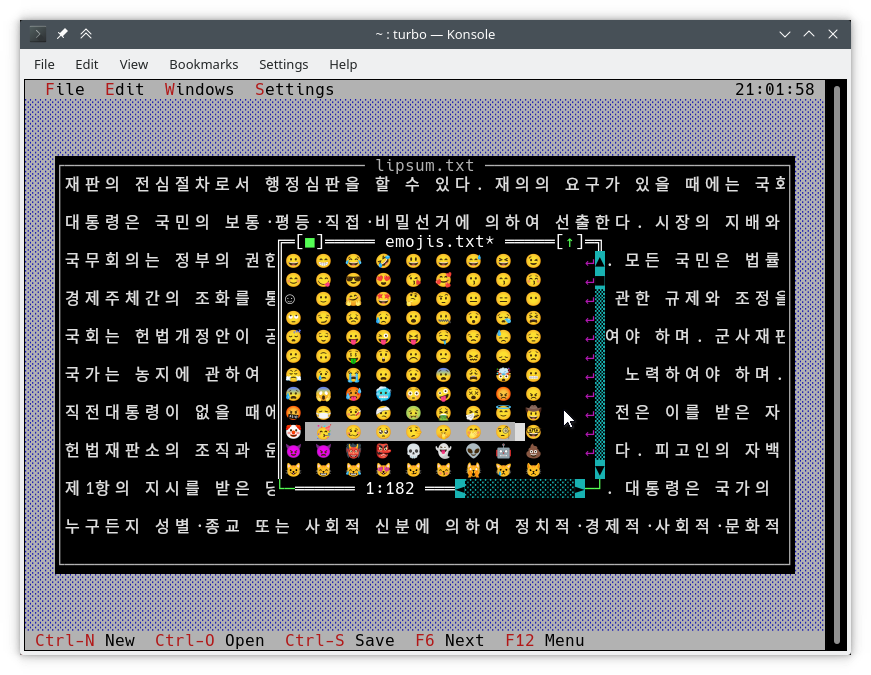
画面への通常の書き方は、 TDrawBufferを使用することです。いくつかの方法が追加され、他の方法はその意味を変えました:
 void TDrawBuffer::moveChar ( ushort indent, char c, TColorAttr attr, ushort count);
void TDrawBuffer::putChar ( ushort indent, char c); cは常にアクティブなコードページのキャラクターとして解釈されます。
 ushort TDrawBuffer::moveStr ( ushort indent, TStringView str, TColorAttr attr);
ushort TDrawBuffer::moveCStr ( ushort indent, TStringView str, TAttrPair attrs);
str 、以前に公開された規則に従って解釈されます。
 ushort TDrawBuffer::moveStr ( ushort indent, TStringView str, TColorAttr attr, ushort maxWidth, ushort strOffset = 0 ); // New
ushort TDrawBuffer::moveCStr ( ushort indent, TStringView str, TColorAttr attr, ushort maxWidth, ushort strOffset = 0 ); // New str以前に公開された規則に従って解釈されますが、:
maxWidthテキスト幅(バイトではなく)で測定されたstrからコピーする必要があるテキストの最大量を指定します。strOffset 、テキスト幅で測定された(バイトではない)からコピーする場所のstrの初期位置を指定します。これは、水平スクロールに役立ちます。 strOffset 2倍の文字の中央を指している場合、そのようなことをすることができないため、2倍のキャラクターの右半分ではなくスペースがコピーされます。戻り値は、実際にテキストで満たされたバッファー内のセルの数です(これはコピーされたテキストの幅と同じです)。
void TDrawBuffer::moveBuf ( ushort indent, const void *source, TColorAttr attr, ushort count);この関数の名前は誤解を招くものです。元の実装でさえ、 source文字列として扱われます。したがって、 moveStr(indent, TStringView((const char*) source, count), attr)に相当します。
他にも有用なユニコードアウェア機能があります。
int cstrlen (TStringView s);前述のルールに従って表示されたsの長さを返し、 ~文字を破棄します。
int strwidth (TStringView s); // New sの表示された長さを返します。
Borland C ++では、これらのメソッドはシングルバイトエンコードを想定しており、すべての文字が1つの列幅であると仮定しています。これにより、単一の#ifdefなしで両方のプラットフォームで動作するエンコード属性draw()およびhandleEvent()メソッドを記述することができます。
上記の関数は、別のAPI拡張機能であるTText Namespaceの関数を使用して実装されます。 TScreenCellオブジェクトを手動でテキストで入力する場合は、それらを直接使用する必要があります。例を示すために、以下にTText関数の一部を示します。それらすべてを<tvision/ttext.h>で完全な説明で見つけることができます。
 size_t TText::next (TStringView text);
size_t TText::prev (TStringView text, size_t index);
void TText::drawChar (TSpan<TScreenCell> cells, char c);
size_t TText::drawStr (TSpan<TScreenCell> cells, size_t indent, TStringView text, int textIndent);
bool TText::drawOne (TSpan<TScreenCell> cells, size_t &i, TStringView text, size_t &j); TScreenCellバッファーをビューに描くために、次の方法が利用可能です。
 void TView::writeBuf ( short x, short y, short w, short h, const TScreenCell *b); // New
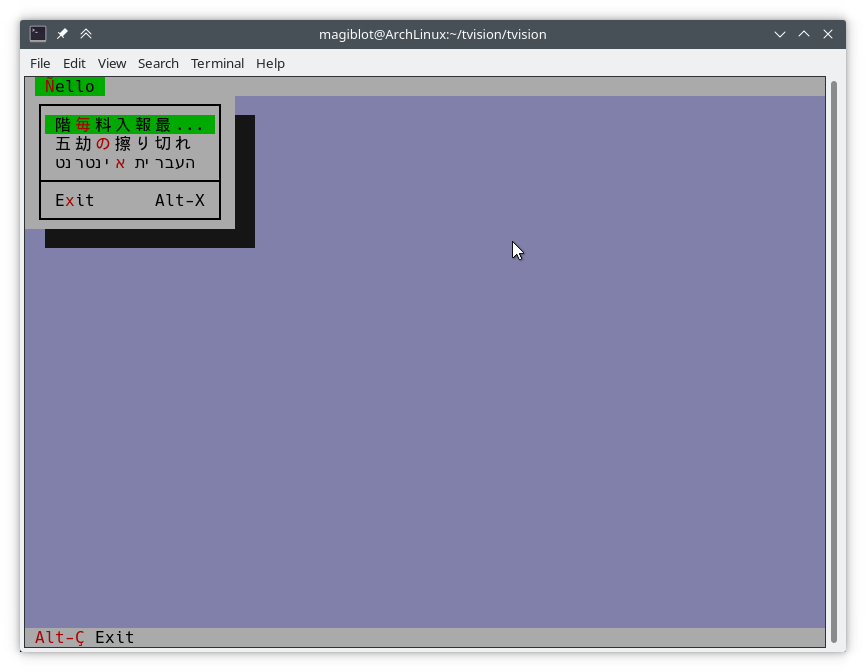
void TView::writeLine ( short x, short y, short w, short h, const TScreenCell *b); // Newそれはできる限り簡単です。次のようにhello.cppを変更しましょう。
TMenuBar * THelloApp::initMenuBar ( TRect r )
{
    r. b . y = r. a . y + 1 ;
    return new TMenuBar ( r,
      * new TSubMenu ( " ~Ñ~ello " , kbAltH ) +
        * new TMenuItem ( "階~毎~料入報最... " , GreetThemCmd, kbAltG ) +
        * new TMenuItem ( "五劫~の~擦り切れ" , cmYes, kbNoKey, hcNoContext ) +
        * new TMenuItem ( " העברית ~א~ינטרנט " , cmNo, kbNoKey, hcNoContext ) +
         newLine () +
        * new TMenuItem ( " E~x~it " , cmQuit, cmQuit, hcNoContext, " Alt-X " )
        );
}

TStatusLine * THelloApp::initStatusLine ( TRect r )
{
    r. a . y = r. b . y - 1 ;
    return new TStatusLine ( r,
        * new TStatusDef ( 0 , 0xFFFF ) +
            * new TStatusItem ( " ~Alt-Ç~ Exit " , kbAltX, cmQuit ) +
            * new TStatusItem ( 0 , kbF10, cmMenu )
            );
}
これがそれがどのように見えるかです:
draw()メソッドの書き込み以下は、 TFileViewer::draw() ( tvdemoアプリケーションの一部)の古い実装からの抜粋です。ユニコードテキストを適切に描画しません。
 if (delta.y + i < fileLines-> getCount ()) {
    char s[maxLineLength+ 1 ];
    p = ( char *)(fileLines-> at (delta. y +i));
    if (p == 0 || strlen (p) < delta. x )
        s[ 0 ] = EOS;
    else
        strnzcpy (s, p+delta. x , maxLineLength+ 1 );
    b. moveStr ( 0 , s, c);
}
writeBuf ( 0 , i, size.x, 1 , b );
それがするのは、 fileLinesの文字列の一部をbに移動することだけです。これはTDrawBufferです。 delta 、テキストビューのスクロールオフセットを表すTPointであり、 i処理されている可視線のインデックスです。 cはテキスト色です。いくつかの問題が存在します:
TDrawBuffer::moveStr(ushort, const char *, TColorAttr)ヌル終端の文字列を取ります。現在のラインのサブストリングを渡すために、バッファオーバーランのリスクがあるため、コピーが配列sに作成されます。ラインがsに収まらない場合は処理されないため、ほとんどの場合、 maxLineLenght文字がコピーされます。さらに、 maxLineLength位置近くのマルチバイト文字を不完全にコピーし、ゴミとして表示することができます。delta.xは最初の可視列です。マルチバイトエンコードテキストでは、そのような列が文字列内の位置delta.xで始まることはもはや真実ではありません。以下は、Unicodeを適切に処理するコードの修正バージョンです。
 if (delta.y + i < fileLines-> getCount ()) {
    p = ( char *)(fileLines-> at (delta. y +i));
    if (p)
        b. moveStr ( 0 , p, c, size. x , delta. x );
}
writeBuf ( 0 , i, size.x, 1 , b );ここで使用されているmoveStrの過負荷はTDrawBuffer::moveStr(ushort indent, TStringView str, TColorAttr attr, ushort width, ushort begin)です。この関数は、Unicodeサポートを提供するだけでなく、クリーナーコードを作成し、以前に存在する制限の一部を克服するのにも役立ちます。
maxLineLength Bytesに限定されません。moveStr 、列delta.xから始まる文字列の印刷の世話をします。 delta.x列に対応するバイトの数について心配する必要さえありません。moveStr is instructed to copy at most size.x columns of text without us having to care about how many bytes that is nor dealing with edge cases. The code is written in an encoding-agnostic way and will work whether multibyte characters are being considered or not.TView::writeBuf already takes care of not writing beyond it. Yet it is interesting to see how an unnecessary step not only was limiting functionality but also was prone to bugs. Support for creating Unicode-aware views is in place, and most views in the original Turbo Vision library have been adapted to handle Unicode.
The following views can display Unicode text properly. Some of them also do horizontal scrolling or word wrapping; all of that should work fine.
TStaticText ( 7b15d45d ). TFrame ( 81066ee5 ). TStatusLine ( 477b3ae9 ). THistoryViewer ( 81066ee5 ). THelpViewer ( 81066ee5 , 8c7dac2a , 20f331e3 ). TListViewer ( 81066ee5 ). TMenuBox ( 81066ee5 ). TTerminal ( ee821b69 ). TOutlineViewer ( 6cc8cd38 ). TFileViewer (from the tvdemo application) ( 068bbf7a ). TFilePane (from the tvdir application) ( 9bcd897c ).The following views can, in addition, process Unicode text or user input:
TInputLine ( 81066ee5 , cb489d42 ). TEditor ( 702114dc ). Instances are in UTF-8 mode by default. You may switch back to single-byte mode by pressing Ctrl+P . This only changes how the document is displayed and the encoding of user input; it does not alter the document. This class is used in the tvedit application; you may test it there.Views not in this list may not have needed any corrections or I simply forgot to fix them. Please submit an issue if you notice anything not working as expected.
Use cases where Unicode is not supported (not an exhaustive list):
TMenuBox , TStatusLine , TButton ...). Originally, Turbo Vision offered no integration with the system clipboard, since there was no such thing on MS-DOS.
It did offer the possibility of using an instance of TEditor as an internal clipboard, via the TEditor::clipboard static member. However, TEditor was the only class able to interact with this clipboard. It was not possible to use it with TInputLine , for example.
Turbo Vision applications are now most likely to be ran in a graphical environment through a terminal emulator. In this context, it would be desirable to interact with the system clipboard in the same way as a regular GUI application would do.
To deal with this, a new class TClipboard has been added which allows accessing the system clipboard. If the system clipboard is not accessible, it will instead use an internal clipboard.
On Windows (including WSL) and macOS, clipboard integration is supported out-of-the-box.
On Unix systems other than macOS, it is necessary to install some external dependencies. See runtime requirements.
For applications running remotely (eg through SSH), clipboard integration is supported in the following situations:
ssh -X ).allowWindowOps option is enabled. Additionally, it is always possible to paste text using your terminal emulator's own Paste command (usually Ctrl+Shift+V or Cmd+V ).
To use the TClipboard class, define the macro Uses_TClipboard before including <tvision/tv.h> .
static void TClipboard::setText (TStringView text); Sets the contents of the system clipboard to text . If the system clipboard is not accessible, an internal clipboard is used instead.
static void TClipboard::requestText (); Requests the contents of the system clipboard asynchronously, which will be later received in the form of regular evKeyDown events. If the system clipboard is not accessible, an internal clipboard is used instead.
A Turbo Vision application may receive a Paste event for two different reasons:
TClipboard::requestText() was invoked. In both cases the application will receive the clipboard contents in the form of regular evKeyDown events. These events will have a kbPaste flag in keyDown.controlKeyState so that they can be distinguished from regular key presses.
Therefore, if your view can handle user input it will also handle Paste events by default. However, if the user pastes 5000 characters, the application will behave as if the user pressed the keyboard 5000 times. This involves drawing views, completing the event loop, updating the screen..., which is far from optimal if your view is a text editing component, for example.
For the purpose of dealing with this situation, another function has been added:
bool TView::textEvent (TEvent &event, TSpan< char > dest, size_t &length); textEvent() attempts to read text from consecutive evKeyDown events and stores it in a user-provided buffer dest . It returns false when no more events are available or if a non-text event is found, in which case this event is saved with putEvent() so that it can be processed in the next iteration of the event loop. Finally, it calls clearEvent(event) .
The exact number of bytes read is stored in the output parameter length , which will never be larger than dest.size() .
Here is an example on how to use it:
 // 'ev' is a TEvent, and 'ev.what' equals 'evKeyDown'.
// If we received text from the clipboard...
if (ev.keyDown.controlKeyState & kbPaste) {
    char buf[ 512 ];
    size_t length;
    // Fill 'buf' with the text in 'ev' and in
    // upcoming events from the input queue.
    while ( textEvent (ev, buf, length)) {
        // Process 'length' bytes of text in 'buf'...
    }
} The standard views TEditor and TInputLine react to the cmCut , cmCopy and cmPaste commands. However, your application first has to be set up to use these commands.例えば:
TStatusLine * TMyApplication::initStatusLine ( TRect r )
{
    r. a . y = r. b . y - 1 ;
    return new TStatusLine ( r,
        * new TStatusDef ( 0 , 0xFFFF ) +
            // ...
            * new TStatusItem ( 0 , kbCtrlX, cmCut ) +
            * new TStatusItem ( 0 , kbCtrlC, cmCopy ) +
            * new TStatusItem ( 0 , kbCtrlV, cmPaste ) +
            // ...
    );
}
TEditor and TInputLine automatically enable and disable these commands. For example, if a TEditor or TInputLine is focused, the cmPaste command will be enabled. If there is selected text, the cmCut and cmCopy commands will also be enabled. If no TEditor or TInputLine s are focused, then these commands will be disabled.
The Turbo Vision API has been extended to allow more than the original 16 colors.
Colors can be specified using any of the following formats:
xterm-256color palette indices (8-bit).Although Turbo Vision applications are likely to be ran in a terminal emulator, the API makes no assumptions about the display device. That is to say, the complexity of dealing with terminal emulators is hidden from the programmer and managed by Turbo Vision itself.
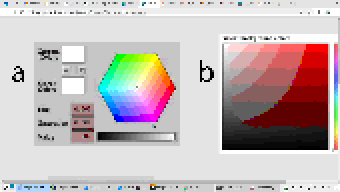
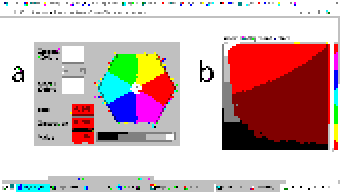
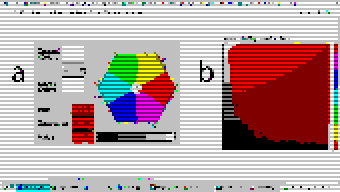
For example: color support varies among terminals. If the programmer uses a color format not supported by the terminal emulator, Turbo Vision will quantize it to what the terminal can display. The following images represent the quantization of a 24-bit RGB picture to 256, 16 and 8 color palettes:
| 24-bit color (original) | 256 colors |
|---|---|
 |  |
| 16 colors | 8 colors (bold as bright) |
|---|---|
 |  |
Extended color support basically comes down to the following:
uchar . ushort is used to represent attribute pairs. This is still the case when using Borland C++.TColorAttr has been added which replaces uchar . It specifies a foreground and background color and a style. Colors can be specified in different formats (BIOS color attributes, 24-bit RGB...). Styles are the typical ones (bold, italic, underline...). There's also TAttrPair , which replaces ushort .TDrawBuffer 's methods, which used to take uchar or ushort parameters to specify color attributes, now take TColorAttr or TAttrPair .TPalette , which used to contain an array of uchar , now contains an array of TColorAttr . The TView::mapColor method also returns TColorAttr instead of uchar .TView::mapColor has been made virtual so that the palette system can be bypassed without having to rewrite any draw methods.TColorAttr and TAttrPair can be initialized with and casted into uchar and ushort in a way such that legacy code still compiles out-of-the-box without any change in functionality.Below is a more detailed explanation aimed at developers.
In the first place we will explain the data types the programmer needs to know in order to take advantage of the extended color support. To get access to them, you may have to define the macro Uses_TColorAttr before including <tvision/tv.h> .
All the types described in this section are trivial . This means that they can be memset 'd and memcpy 'd. But variables of these types are uninitialized when declared without initializer, just like primitive types. So make sure you don't manipulate them before initializing them.
Several types are defined which represent different color formats. The reason why these types exist is to allow distinguishing color formats using the type system. Some of them also have public fields which make it easier to manipulate individual bits.
TColorBIOS represents a BIOS color. It allows accessing the r , g , b and bright bits individually, and can be casted implicitly into/from uint8_t .
The memory layout is:
b ).g ).r ).bright ). Examples of TColorBIOS usage:
TColorBIOS bios = 0x4 ;  // 0x4: red.
bios.bright = 1 ;        // 0xC: light red.
bios.b = bios.r;        // 0xD: light magenta.
bios = bios ^ 3 ;        // 0xE: yellow.
uint8_t c = bios;       // Implicit conversion to integer types.
In terminal emulators, BIOS colors are mapped to the basic 16 ANSI colors.
TColorRGB represents a color in 24-bit RGB. It allows accessing the r , g and b bit fields individually, and can be casted implicitly into/from uint32_t .
The memory layout is:
b ).g ).r ). Examples of TColorRGB usage:
TColorRGB rgb = 0x9370DB ;   // 0xRRGGBB.
rgb = { 0x93 , 0x70 , 0xDB };   // {R, G, B}.
rgb = rgb ^ 0xFFFFFF ;       // Negated.
rgb.g = rgb.r & 0x88 ;       // Access to individual components.
uint32_t c = rgb;           // Implicit conversion to integer types.
TColorXTerm represents an index into the xterm-256color color palette. It can be casted into and from uint8_t .
TColorDesired TColorDesired represents a color which the programmer intends to show on screen, encoded in any of the supported color types.
A TColorDesired can be initialized in the following ways:
As a BIOS color: with a char literal or a TColorBIOS object:
TColorDesired bios1 = ' xF ' ;
TColorDesired bios2 = TColorBIOS( 0xF );
As a RGB color: with an int literal or a TColorRGB object:
TColorDesired rgb1 = 0xFF7700 ; // 0xRRGGBB.
TColorDesired rgb2 = TColorRGB( 0xFF , 0x77 , 0x00 ); // {R, G, B}.
TColorDesired rgb3 = TColorRGB( 0xFF7700 ); // 0xRRGGBB.
As an XTerm palette index: with a TColorXTerm object.
As the terminal default color: through zero-initialization:
TColorDesired def1 {};
// Or with 'memset':
TColorDesired def2;
memset (&def2, 0 , sizeof (def2));
TColorDesired has methods to query the contained color, but you will usually not need to use them. See the struct definition in <tvision/colors.h> for more information.
Trivia: the name is inspired by Scintilla's ColourDesired .
TColorAttr TColorAttr describes the color attributes of a screen cell. This is the type you are most likely to interact with if you intend to change the colors in a view.
A TColorAttr is composed of:
A foreground color, of type TColorDesired .
A background color, of type TColorDesired .
A style bitmask containing a combination of the following flags:
slBold .slItalic .slUnderline .slBlink .slReverse .slStrike . These flags are based on the basic display attributes selectable through ANSI escape codes. The results may vary between terminal emulators. slReverse is probably the least reliable of them: prefer using the TColorAttr reverseAttribute(TColorAttr attr) free function over setting this flag.
The most straight-forward way to create a TColorAttr is by means of the TColorAttr(TColorDesired fg, TColorDesired bg, ushort style=0) and TColorAttr(int bios) constructors:
 // Foreground: RGB 0x892312
// Background: RGB 0x7F00BB
// Style: Normal.
TColorAttr a1 = { TColorRGB ( 0x89 , 0x23 , 0x12 ), TColorRGB ( 0x7F , 0x00 , 0xBB )};

// Foreground: BIOS 0x7.
// Background: RGB 0x7F00BB.
// Style: Bold, Italic.
TColorAttr a2 = { ' x7 ' , 0x7F00BB , slBold | slItalic};

// Foreground: Terminal default.
// Background: BIOS 0xF.
// Style: Normal.
TColorAttr a3 = {{}, TColorBIOS ( 0xF )};

// Foreground: Terminal default.
// Background: Terminal default.
// Style: Normal.
TColorAttr a4 = {};

// Foreground: BIOS 0x0
// Background: BIOS 0x7
// Style: Normal
TColorAttr a5 = 0x70 ;
The fields of a TColorAttr can be accessed with the following free functions:
TColorDesired getFore ( const TColorAttr &attr);
TColorDesired getBack ( const TColorAttr &attr);
ushort getStyle ( const TColorAttr &attr);
void setFore (TColorAttr &attr, TColorDesired fg);
void setBack (TColorAttr &attr, TColorDesired bg);
void setStyle (TColorAttr &attr, ushort style);
TAttrPair TAttrPair is a pair of TColorAttr , used by some API functions to pass two attributes at once.
You may initialize a TAttrPair with the TAttrPair(const TColorAttrs &lo, const TColorAttrs &hi) constructor:
TColorAttr cNormal = { 0x234983 , 0x267232 };
TColorAttr cHigh = { 0x309283 , 0x127844 };
TAttrPair attrs = {cNormal, cHigh};
TDrawBuffer b;
b.moveCStr( 0 , " Normal text, ~Highlighted text~ " , attrs);
The attributes can be accessed with the [0] and [1] subindices:
TColorAttr lo = { 0x892343 , 0x271274 };
TColorAttr hi = ' x93 ' ;
TAttrPair attrs = {lo, hi};
assert (lo == attrs[ 0 ]);
assert (hi == attrs[ 1 ]);TView Views are commonly drawn by means of a TDrawBuffer . Most TDrawBuffer member functions take color attributes by parameter.例えば:
 ushort TDrawBuffer::moveStr ( ushort indent, TStringView str, TColorAttr attr);
ushort TDrawBuffer::moveCStr ( ushort indent, TStringView str, TAttrPair attrs);
void TDrawBuffer::putAttribute ( ushort indent, TColorAttr attr);
However, the views provided with Turbo Vision usually store their color information in palettes. A view's palette can be queried with the following member functions:
TColorAttr TView::mapColor (uchar index);
TAttrPair TView::getColor ( ushort indices);
mapColor looks up a single color attribute in the view's palette, given an index into the palette. Remember that the palette indices for each view class can be found in the Turbo Vision headers. For example, <tvision/views.h> says the following about TScrollBar :
 /* ---------------------------------------------------------------------- */
/*      class TScrollBar                                                  */
/*                                                                        */
/*      Palette layout                                                    */
/*        1 = Page areas                                                  */
/*        2 = Arrows                                                      */
/*        3 = Indicator                                                   */
/* ---------------------------------------------------------------------- */
getColor is a helper function that allows querying two cell attributes at once. Each byte in the indices parameter contains an index into the palette. The TAttrPair result contains the two cell attributes.
For example, the following can be found in the draw method of TMenuBar :
TAttrPair cNormal = getColor( 0x0301 );
TAttrPair cSelect = getColor( 0x0604 );
Which would be equivalent to this:
TAttrPair cNormal = { mapColor ( 1 ), mapColor ( 3 )};
TAttrPair cSelect = { mapColor ( 4 ), mapColor ( 6 )};
As an API extension, the mapColor method has been made virtual . This makes it possible to override Turbo Vision's hierarchical palette system with a custom solution without having to rewrite the draw() method.
So, in general, there are three ways to use extended colors in views:
mapColor method: // The 'TMyScrollBar' class inherits from 'TScrollBar' and overrides 'TView::mapColor'.
TColorAttr TMyScrollBar::mapColor (uchar index) noexcept
{
// In this example the values are hardcoded,
// but they could be stored elsewhere if desired.
switch ( index )
{
case 1 : return { 0x492983 , 0x826124 }; // Page areas.
case 2 : return { 0x438939 , 0x091297 }; // Arrows.
case 3 : return { 0x123783 , 0x329812 }; // Indicator.
default : return errorAttr;
}
} By providing extended color attributes directly to TDrawBuffer methods, if the palette system is not being used.例えば:
 // The 'TMyView' class inherits from 'TView' and overrides 'TView::draw'.
void TMyView::draw ()
{
    TDrawBuffer b;
    TColorAttr color { 0x1F1C1B , 0xFAFAFA , slBold};
    b. moveStr ( 0 , " This is bold black text over a white background " , color);
    /* ... */
}
By modifying the palettes. There are two ways to do this:
TColorAttr .例えば: void updateAppPalette ()
{
TPalette &pal = TProgram::application-> getPalete ();
pal[ 1 ] = { 0x762892 , 0x828712 }; // TBackground.
pal[ 2 ] = { 0x874832 , 0x249838 , slBold}; // TMenuView normal text.
pal[ 3 ] = {{}, {}, slItalic | slUnderline}; // TMenuView disabled text.
/* ... */
} static const TColorAttr cpMyApp[] =
{
{ 0x762892 , 0x828712 }, // TBackground.
{ 0x874832 , 0x249838 , slBold}, // TMenuView normal text.
{{}, {}, slItalic | slUnderline}, // TMenuView disabled text.
/* ... */
};
// The 'TMyApp' class inherits from 'TApplication' and overrides 'TView::getPalette'.
TPalette & TMyApp::getPalette () const
{
static TPalette palette (cpMyApp);
return palette;
} TScreen::screenMode exposes some information about the display's color support:
(TScreen::screenMode & 0xFF) == TDisplay::smMono , the display is monocolor (only relevant in DOS).(TScreen::screenMode & 0xFF) == TDisplay::smBW80 , the display is grayscale (only relevant in DOS).(TScreen::screenMode & 0xFF) == TDisplay::smCO80 , the display supports at least 16 colors.TScreen::screenMode & TDisplay::smColor256 , the display supports at least 256 colors.TScreen::screenMode & TDisplay::smColorHigh , the display supports even more colors (eg 24-bit color). TDisplay::smColor256 is also set in this case. The types defined previously represent concepts that are also important when developing for Borland C++:
| コンセプト | Layout in Borland C++ | Layout in modern platforms |
|---|---|---|
| Color Attribute | uchar . A BIOS color attribute. | struct TColorAttr . |
| 色 | A 4-bit number. | struct TColorDesired . |
| Attribute Pair | ushort . An attribute in each byte. | struct TAttrPair . |
One of this project's key principles is that the API should be used in the same way both in Borland C++ and modern platforms, that is to say, without the need for #ifdef s. Another principle is that legacy code should compile out-of-the-box, and adapting it to the new features should increase complexity as little as possible.
Backward-compatibility is accomplished in the following way:
In Borland C++, TColorAttr and TAttrPair are typedef 'd to uchar and ushort , respectively.
In modern platforms, TColorAttr and TAttrPair can be used in place of uchar and ushort , respectively, since they are able to hold any value that fits into them and can be casted implicitly into/from them.
A TColorAttr initialized with uchar represents a BIOS color attribute. When converting back to uchar , the following happens:
fg and bg are BIOS colors, and style is cleared, the resulting uchar represents the same BIOS color attribute contained in the TColorAttr (as in the code above).uchar / ushort with TColorAttr / TAttrPair if they intend to support the extended color attributes. The same goes for TAttrPair and ushort , considering that it is composed of two TColorAttr .
A use case of backward-compatibility within Turbo Vision itself is the TPalette class, core of the palette system. In its original design, it used a single data type ( uchar ) to represent different things: array length, palette indices or color attributes.
The new design simply replaces uchar with TColorAttr . This means there are no changes in the way TPalette is used, yet TPalette is now able to store extended color attributes.
TColorDialog hasn't been remodeled, and thus it can't be used to pick extended color attributes at runtime.
The following pattern of code is common across draw methods of views:
 void TMyView::draw ()
{
    ushort cFrame, cTitle;
    if (state & sfDragging)
    {
        cFrame = 0x0505 ;
        cTitle = 0x0005 ;
    }
    else
    {
        cFrame = 0x0503 ;
        cTitle = 0x0004 ;
    }
    cFrame = getColor (cFrame);
    cTitle = getColor (cTitle);
    /* ... */
}
In this case, ushort is used both as a pair of palette indices and as a pair of color attributes. getColor now returns a TAttrPair , so even though this compiles out-of-the-box, extended attributes will be lost in the implicit conversion to ushort .
The code above still works just like it did originally. It's only non-BIOS color attributes that don't produce the expected result. Because of the compatibility between TAttrPair and ushort , the following is enough to enable support for extended color attributes:
 -    ushort cFrame, cTitle;
+    TAttrPair cFrame, cTitle;
Nothing prevents you from using different variables for palette indices and color attributes, which is what should actually be done. The point of backward-compatibility is the ability to support new features without changing the program's logic, that is to say, minimizing the risk of increasing code complexity or introducing bugs.







