tvision
1.0.0

พอร์ตที่ทันสมัยของ Turbo Vision 2.0 ซึ่งเป็นเฟรมเวิร์กคลาสสิกสำหรับอินเทอร์เฟซผู้ใช้ที่ใช้ข้อความ ตอนนี้ข้ามแพลตฟอร์มและด้วยการสนับสนุน Unicode
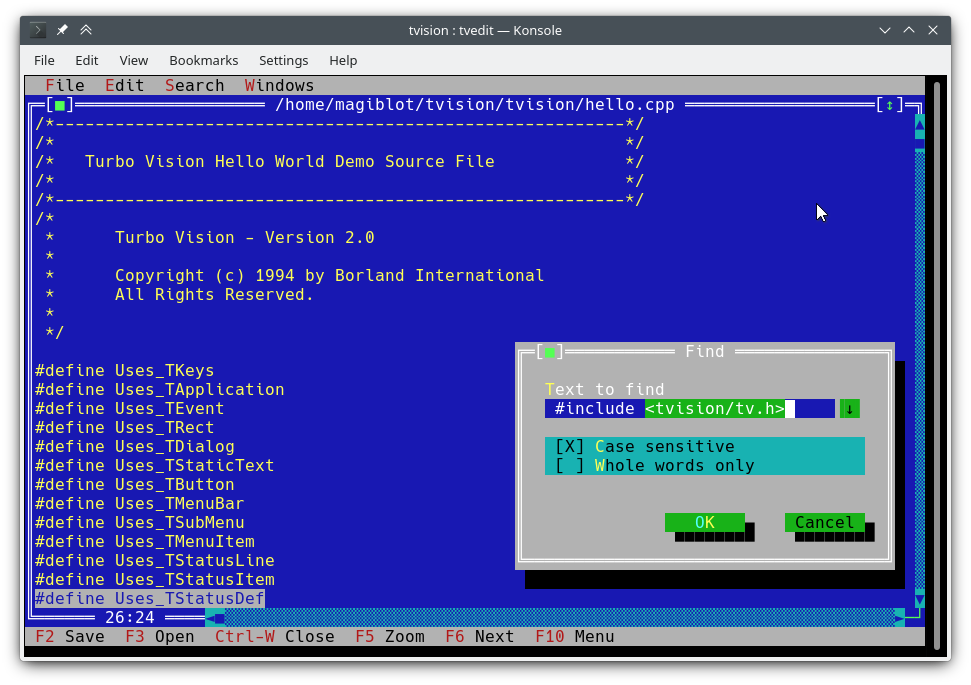
ฉันเริ่มต้นสิ่งนี้เป็นโครงการส่วนตัวเมื่อสิ้นปี 2561 ภายในเดือนพฤษภาคม 2563 ฉันคิดว่ามันใกล้เคียงกับคุณสมบัติที่เท่าเทียมกับต้นฉบับและตัดสินใจที่จะเปิด
เป้าหมายดั้งเดิมของโครงการนี้คือ:
เมื่อถึงจุดหนึ่งฉันคิดว่าฉันทำเพียงพอแล้วและความพยายามใด ๆ ในการปรับปรุงห้องสมุดและการเอาชนะข้อ จำกัด ดั้งเดิมของมันจะต้องขยาย API หรือทำลายความเข้ากันได้ย้อนหลังและการเขียนครั้งใหญ่จะมีความจำเป็นมากที่สุด
อย่างไรก็ตามระหว่างเดือนกรกฎาคมถึงสิงหาคม 2563 ฉันพบวิธีที่จะรวมการสนับสนุน Unicode เต็มรูปแบบเข้ากับสถาปัตยกรรมที่มีอยู่เขียนตัวแก้ไขข้อความเทอร์โบและยังทำให้คุณสมบัติใหม่ที่มีอยู่ใน Windows ดังนั้นฉันจึงมั่นใจว่า Turbo Vision สามารถตอบสนองความคาดหวังมากมายของผู้ใช้และโปรแกรมเมอร์สมัยใหม่
ตำแหน่งดั้งเดิมของโครงการนี้คือ https://github.com/magiblot/tvision
มีการเปลี่ยนแปลงมากมายตั้งแต่บอร์แลนด์สร้างวิสัยทัศน์เทอร์โบในช่วงต้นยุค 90 เครื่องมือ GUI จำนวนมากในปัจจุบันแยกข้อมูลจำเพาะลักษณะที่ปรากฏออกจากข้อกำหนดพฤติกรรมใช้ภาษาที่ปลอดภัยหรือไดนามิกซึ่งไม่ได้เป็นข้อผิดพลาดและสนับสนุนการเขียนโปรแกรมแบบขนานหรือแบบอะซิงโครนัสหรือทั้งสองอย่าง
Turbo Vision ไม่ได้เก่งในเรื่องใด ๆ
ลืมความสามารถของเทอร์มินัลและเทอร์มินัลโดยตรง I/O เมื่อเขียนแอปพลิเคชั่น Turbo Vision สิ่งที่คุณต้องใส่ใจคือสิ่งที่คุณต้องการให้แอปพลิเคชันของคุณประพฤติตนและมีลักษณะเป็นเช่นนั้น - ไม่จำเป็นต้องเพิ่มวิธีแก้ปัญหาในรหัสของคุณ Turbo Vision พยายามอย่างดีที่สุดในการสร้างผลลัพธ์เดียวกันในทุกสภาพแวดล้อม ตัวอย่างเช่น: เพื่อให้ได้สีพื้นหลังสว่างบนคอนโซล Linux แอตทริบิวต์ Blink จะต้องตั้งค่า Turbo Vision ทำสิ่งนี้เพื่อคุณ
นำสิ่งที่ทำไปแล้วซ้ำแล้วซ้ำอีก Turbo Vision มีคลาสวิดเจ็ตมากมาย (หรือที่รู้จักกันในชื่อ Views ) รวมถึงหน้าต่างที่ทับซ้อนกันเมนูแบบดึงลงกล่องโต้ตอบปุ่มแถบเลื่อนกล่องอินพุตกล่องกาเครื่องหมายและปุ่มตัวเลือก คุณสามารถใช้และขยายสิ่งเหล่านี้ แต่ถึงแม้ว่าคุณจะต้องการสร้างตัวเอง Turbo Vision จัดการกับการส่งเหตุการณ์แล้วแสดงตัวละคร Unicode Fullwidth ฯลฯ : คุณไม่จำเป็นต้องเสียเวลาเขียนเรื่องใหม่ ๆ
คุณนึกภาพการเขียนอินเทอร์เฟซที่ใช้ข้อความที่ใช้งานได้ทั้งบน Linux และ Windows (และทำให้ข้ามแพลตฟอร์ม) นอกกรอบโดยไม่มี #ifdef s? Turbo Vision ทำให้สิ่งนี้เป็นไปได้ ครั้งแรก: Turbo Vision ยังคงใช้อาร์เรย์ char แทนที่จะพึ่งพาการใช้งานที่กำหนดและขึ้นอยู่กับแพลตฟอร์ม wchar_t หรือ TCHAR ประการที่สอง: ขอบคุณการสนับสนุน UTF-8 ใน setlocale ใน RTL ของ Microsoft รุ่นล่าสุดรหัสเช่นต่อไปนี้จะทำงานตามที่ตั้งใจไว้:
std::ifstream f ( "コンピュータ.txt " ); // On Windows, the RTL converts this to the system encoding on-the-fly. คุณสามารถเริ่มต้นด้วย Turbo Vision สำหรับคู่มือผู้ใช้ C ++ และดูแอปพลิเคชันตัวอย่าง hello tvdemo และ tvedit เมื่อคุณเข้าใจพื้นฐานฉันขอแนะนำให้คุณดูที่คู่มือการเขียนโปรแกรม Turbo Vision 2.0 ซึ่งในความคิดของฉันใช้งานง่ายและเข้าใจง่ายขึ้นแม้จะใช้ Pascal จากนั้นคุณอาจจะสนใจตัวอย่าง palette ซึ่งมีคำอธิบายโดยละเอียดเกี่ยวกับวิธีการใช้จานสี
อย่าลืมตรวจสอบคุณสมบัติและการเปลี่ยนแปลง API เช่นกัน
โครงการนี้ไม่มีการเผยแพร่ที่มั่นคงในขณะนี้ หากคุณเป็นนักพัฒนาพยายามที่จะยึดติดกับการกระทำล่าสุดและรายงานปัญหาใด ๆ ที่คุณพบขณะอัพเกรด
หากคุณต้องการทดสอบแอปพลิเคชันตัวอย่าง:
examples-dos32.zip : Executables 32 บิตที่สร้างขึ้นด้วย Borland C ++ ไม่มีการสนับสนุน Unicodeexamples-x86.zip : Executables 32 บิตที่สร้างด้วย MSVC ต้องใช้ Windows Vista หรือในภายหลังexamples-x64.zip : Executables 64 บิตที่สร้างด้วย MSVC X64 Windows Vista หรือในภายหลัง Turbo Vision สามารถสร้างเป็นห้องสมุดคงที่ด้วย CMake และ GCC/Clang
cmake . -B ./build -DCMAKE_BUILD_TYPE=Release && # Could also be 'Debug', 'MinSizeRel' or 'RelWithDebInfo'.
cmake --build ./build # or `cd ./build; make`
CMAKE รุ่นเก่ากว่า 3.13 อาจไม่รองรับตัวเลือก -B คุณสามารถลองสิ่งต่อไปนี้แทน:
mkdir -p build ; cd build
cmake .. -DCMAKE_BUILD_TYPE=Release &&
cmake --build .
ด้านบนสร้างไฟล์ต่อไปนี้:
libtvision.a ซึ่งเป็นห้องสมุด Turbo Visionhello tvdemo , tvedit , tvdir ซึ่งรวมกับวิสัยทัศน์เทอร์โบดั้งเดิม (แม้ว่าบางคนจะมีการปรับปรุงเล็กน้อย)mmenu และ palette จากการสนับสนุนทางเทคนิคของ Borlandtvhc , Turbo Vision ช่วยคอมไพเลอร์ ห้องสมุดและหน้าที่สามารถพบได้ใน ./build build
ข้อกำหนดการสร้างคือ:
libncursesw (หมายเหตุ 'w')libgpm สำหรับการรองรับเมาส์บนคอนโซล Linux (ไม่บังคับ) หากการกระจายของคุณมีแพ็คเกจ พัฒนา แยกต่างหาก (เช่น libncurses-dev , libgpm-dev ใน distros ที่ใช้ debian) ให้ติดตั้งเหล่านี้ด้วย
ข้อกำหนดรันไทม์คือ:
xsel หรือ xclip สำหรับการรองรับคลิปบอร์ดในสภาพแวดล้อม X11wl-clipboard สำหรับการรองรับคลิปบอร์ดในสภาพแวดล้อม Wayland บรรทัดคำสั่งขั้นต่ำที่จำเป็นในการสร้างแอปพลิเคชัน Turbo Vision (เช่น hello.cpp กับ GCC) จากรูทของโครงการนี้คือ:
g++ -std=c++14 -o hello hello.cpp ./build/libtvision.a -Iinclude -lncursesw -lgpmคุณอาจต้องการ:
-Iinclude/tvision หากแอปพลิเคชันของคุณใช้ Turbo Vision 1.x รวมถึง ( #include <tv.h> แทนที่จะเป็น #include <tvision/tv.h> )
-Iinclude/tvision/compat/borland หากแอปพลิเคชันของคุณมีส่วนหัวของ Borland ( dir.h , iostream.h ฯลฯ )
บน Gentoo (และอาจเป็นคนอื่น ๆ ): -ltinfow ถ้าทั้ง libtinfo.so และ libtinfow.so มีอยู่ในระบบของคุณ มิฉะนั้นคุณอาจได้รับความผิดพลาดในการแบ่งกลุ่มเมื่อใช้แอปพลิเคชัน Turbo Vision (#11) โปรดทราบว่า tinfo นั้นมาพร้อมกับ ncurses
-lgpm จำเป็นก็ต่อเมื่อการมองเห็นเทอร์โบถูกสร้างขึ้นด้วยการสนับสนุน libgpm
ส่วนหัวที่เข้ากันได้ย้อนหลังใน include/tvision/compat/borland เลียนแบบ Borland C ++ RTL ซอร์สโค้ดของ Turbo Vision ยังคงขึ้นอยู่กับพวกเขาและพวกเขาอาจเป็นประโยชน์หากพอร์ตแอปพลิเคชันเก่า นอกจากนี้ยังหมายความว่าการรวม tvision/tv.h จะนำชื่อ std หลายชื่อมาสู่เนมสเปซทั่วโลก
กระบวนการสร้างด้วย MSVC นั้นซับซ้อนกว่าเล็กน้อยเนื่องจากมีตัวเลือกเพิ่มเติมให้เลือก โปรดทราบว่าคุณจะต้องมีไดเรกทอรีบิลด์ที่แตกต่างกันสำหรับสถาปัตยกรรมเป้าหมายที่แตกต่างกัน ตัวอย่างเช่นในการสร้างไบนารีที่ดีที่สุด:
cmake . -B ./build && # Add '-A x64' (64-bit) or '-A Win32' (32-bit) to override the default platform.
cmake --build ./build --config Release # Could also be 'Debug', 'MinSizeRel' or 'RelWithDebInfo'.
ในตัวอย่างด้านบน tvision.lib และแอปพลิเคชันตัวอย่างจะถูกวางไว้ที่ ./build/Release release
หากคุณต้องการเชื่อมโยง Turbo Vision แบบคงที่กับไลบรารีรันไทม์ของ Microsoft ( /MT แทน /MD ) ให้เปิดใช้งานตัวเลือก TV_USE_STATIC_RTL ( -DTV_USE_STATIC_RTL=ON เมื่อโทร cmake )
หากคุณต้องการเชื่อมโยงแอปพลิเคชันกับ Turbo Vision โปรดทราบว่า MSVC จะไม่อนุญาตให้คุณผสม /MT กับ /MD หรือ Debug กับไบนารีที่ไม่ใช่การลด ส่วนประกอบทั้งหมดจะต้องเชื่อมโยงกับ RTL ในลักษณะเดียวกัน
หากคุณพัฒนาแอปพลิเคชั่น Turbo Vision ของคุณเองตรวจสอบให้แน่ใจว่าได้เปิดใช้งานการตั้งค่าสถานะคอมไพเลอร์ต่อไปนี้มิฉะนั้นคุณจะได้รับข้อผิดพลาดในการรวบรวมเมื่อรวม <tvision/tv.h> :
 /permissive-
/Zc:__cplusplus
หากคุณใช้ Turbo Vision เป็น submodule cmake ธงเหล่านี้จะเปิดใช้งานโดยอัตโนมัติ
หมายเหตุ: Turbo Vision ใช้ setlocale เพื่อตั้งค่าฟังก์ชั่น RTL ในโหมด UTF-8 สิ่งนี้จะไม่ทำงานหากคุณใช้ RTL เวอร์ชันเก่า
ด้วยการเชื่อมโยง RTL แบบคงที่และหากรองรับ UTF-8 ใน setlocale แอปพลิเคชัน Turbo Vision จะพกพาและทำงานตามค่าเริ่มต้นบน Windows Vista และในภายหลัง
เมื่อสภาพแวดล้อม MingW ของคุณถูกตั้งค่าอย่างถูกต้องแล้วการสร้างจะทำในลักษณะเดียวกันกับ Linux:
cmake . -B ./build -G " MinGW Makefiles " -DCMAKE_BUILD_TYPE=Release &&
cmake --build ./build
ในตัวอย่างด้านบน libtvision.a และตัวอย่างทั้งหมดอยู่ใน ./build ถ้าตัวเลือก TV_BUILD_EXAMPLES ON (ค่าเริ่มต้น)
หากคุณต้องการเชื่อมโยงแอปพลิเคชันกับ Turbo Vision เพียงเพิ่ม -L./build/lib -ltvision กับ linker ของคุณและ -I./include ไปยังคอมไพเลอร์ของคุณ
Turbo Vision ยังสามารถสร้างได้ทั้งเป็นห้องสมุด DOS หรือ Windows ที่มี Borland C ++ เห็นได้ชัดว่าไม่มีการสนับสนุน Unicode ที่นี่
ฉันสามารถยืนยันกระบวนการสร้างได้ทำงานด้วย:
คุณอาจประสบปัญหาที่แตกต่างกันขึ้นอยู่กับสภาพแวดล้อมการสร้างของคุณ ตัวอย่างเช่น Turbo Assembler ต้องการแพตช์ในการทำงานภายใต้ Windows 95 บน Windows XP ทุกอย่างดูเหมือนจะทำงานได้ดี บน Windows 10, Make อาจปล่อยข้อผิดพลาด Fatal: Command arguments too long ซึ่งสามารถแก้ไขได้โดยการอัพเกรดทำให้หนึ่งที่รวมกับ Borland C ++ 5.x
ใช่สิ่งนี้ใช้ได้กับ Windows 64 บิต 10 สิ่งที่ไม่ได้ผลคือตัวติดตั้ง Borland C ++ ซึ่งเป็นแอปพลิเคชัน 16 บิต คุณจะต้องเรียกใช้ในสภาพแวดล้อมอื่นหรือลองเสี่ยงโชคกับ Winevdm
Borland MakeFile สามารถพบได้ในไดเรกทอรี project การสร้างสามารถทำได้โดยการทำ:
 cd project
make.exe < options >
โดยที่ <options> สามารถ:
-DDOS32 สำหรับแอปพลิเคชัน DPMI 32 บิต (ซึ่งยังคงใช้งานได้กับหน้าต่าง 64 บิต)-DWIN32 สำหรับแอปพลิเคชัน Win32 ดั้งเดิม 32 บิต (ไม่สามารถใช้กับ TVDemo ซึ่งอาศัย farcoreleft() และโบราณวัตถุอื่น ๆ )-DDEBUG เพื่อสร้างแอปพลิเคชันเวอร์ชันดีบั๊กและห้องสมุด-DTVDEBUG เพื่อเชื่อมโยงแอปพลิเคชันด้วยเวอร์ชันดีบั๊กของไลบรารี-DOVERLAY , -DALIGNMENT={2,4} , -DEXCEPTION , -DNO_STREAMABLE , -DNOTASM สำหรับสิ่งที่ฉันมีโบสถ์ไม่เคยใช้ แต่ปรากฏใน makefiles ดั้งเดิม สิ่งนี้จะรวบรวมไลบรารีลงในไดเรกทอรี LIB ถัดจาก project และจะรวบรวมการดำเนินการสำหรับแอปพลิเคชันสาธิตใน examples/* ไดเรกทอรี
ฉันขอโทษรูท MakeFile ถือว่าถูกดำเนินการจากไดเรกทอรี project คุณยังสามารถเรียกใช้ MakeFiles ดั้งเดิมได้โดยตรง (ใน source/tvision และ examples/* ) หากคุณต้องการใช้การตั้งค่าที่แตกต่างกัน
Turbo Vision สามารถสร้างและติดตั้งได้โดยใช้ตัวจัดการการพึ่งพา VCPKG:
git clone https://github.com/Microsoft/vcpkg.git
cd vcpkg
./bootstrap-vcpkg.sh
./vcpkg integrate install
./vcpkg install tvision
พอร์ต tvision ใน VCPKG ได้รับการปรับปรุงโดยสมาชิกในทีม Microsoft และผู้มีส่วนร่วมในชุมชน หากคุณพบว่ามันล้าสมัยโปรดสร้างปัญหาหรือดึงคำขอในที่เก็บ VCPKG
หากคุณเลือกระบบ CMAKE Build สำหรับแอปพลิเคชันของคุณมีสองวิธีหลักในการเชื่อมโยงกับ Turbo Vision:
การติดตั้ง Turbo Vision และนำเข้าด้วย find_package การติดตั้งขึ้นอยู่กับประเภทเครื่องกำเนิดไฟฟ้า:
ก่อนอื่นให้ตัดสินใจเลือกคำนำหน้าการติดตั้ง ค่าเริ่มต้นจะทำงานนอกกรอบ แต่มักจะต้องใช้สิทธิ์ผู้ดูแลระบบ ในระบบ UNIX คุณสามารถใช้ $HOME/.local แทน บน Windows คุณสามารถใช้เส้นทางที่กำหนดเองใด ๆ ที่คุณต้องการ แต่คุณจะต้องเพิ่มลงในตัวแปรสภาพแวดล้อม CMAKE_PREFIX_PATH เมื่อสร้างแอปพลิเคชันของคุณ
สำหรับเครื่องกำเนิดไฟฟ้าแบบโมโนคอนฟิก ( Unix Makefiles , Ninja ... ) คุณต้องสร้างและติดตั้งเพียงครั้งเดียว:
cmake . -B ./build # '-DCMAKE_INSTALL_PREFIX=...' to override the install prefix.
cmake --build ./build
cmake --install ./build
สำหรับเครื่องกำเนิดไฟฟ้าหลายตัว ( Visual Studio , Ninja Multi-Config ... ) คุณควรสร้างและติดตั้งการกำหนดค่าทั้งหมด:
cmake . -B ./build # '-DCMAKE_INSTALL_PREFIX=...' to override the install prefix.
cmake --build ./build --config Release
cmake --build ./build --config Debug --target tvision
cmake --build ./build --config RelWithDebInfo --target tvision
cmake --build ./build --config MinSizeRel --target tvision
cmake --install ./build --config Release
cmake --install ./build --config Debug --component library
cmake --install ./build --config RelWithDebInfo --component library
cmake --install ./build --config MinSizeRel --component library
จากนั้นใน CMakeLists.txt ของแอปพลิเคชันคุณอาจนำเข้าเช่นนี้:
 find_package (tvision CONFIG)
target_link_libraries (my_application tvision::tvision)
มีวิสัยทัศน์เทอร์โบใน submodule ในที่เก็บของคุณและนำเข้าด้วย add_subdirectory :
 add_subdirectory (tvision) # Assuming Turbo Vision is in the 'tvision' directory.
target_link_libraries (my_application tvision)
ไม่ว่าในกรณีใด <tvision/tv.h> จะพร้อมใช้งานในเส้นทางของแอปพลิเคชันของคุณในระหว่างการรวบรวมและแอปพลิเคชันของคุณจะเชื่อมโยงกับไลบรารีที่จำเป็น (NCURSES, GPM ... ) โดยอัตโนมัติ
tvedit~/ เป็น $HOMEstdin / stdout / stderr ไม่รบกวนกับเทอร์มินัล I / Oมีตัวแปรสภาพแวดล้อมบางอย่างที่ส่งผลกระทบต่อพฤติกรรมของแอพพลิเคชั่นการมองเห็นของเทอร์โบทั้งหมด:
TVISION_MAX_FPS : อัตราการรีเฟรชสูงสุดค่าเริ่มต้น 60 สิ่งนี้สามารถช่วยให้ความราบรื่นในอีมูเลเตอร์เทอร์มินัลด้วยการจัดการอักขระการวาดกล่องอย่างไม่ประหยัด ค่าพิเศษสำหรับตัวเลือกนี้คือ 0 เพื่อปิดใช้งานการ จำกัด อัตราการรีเฟรชและ -1 เพื่อดึงไปยังเทอร์มินัลในการโทรไปยัง THardwareInfo::screenWrite (มีประโยชน์เมื่อทำการดีบัก)
TVISION_CODEPAGE : ชุดอักขระที่ใช้ภายในโดย Turbo Vision เพื่อแปล ASCII เพิ่มเติม เป็น Unicode ค่าที่ถูกต้องในขณะนี้คือ 437 และ 850 โดย 437 เป็นค่าเริ่มต้นแม้ว่าการเพิ่มมากขึ้นจะใช้ความพยายามน้อยมาก
win32-input-mode ของ Conpty (มีอยู่ใน WSL)TIOCLINUX ) และเมาส์ (ผ่าน GPM) ในคอนโซล Linuxstderr เป็น TTY ข้อความที่เขียนไปยังมันจะถูกเปลี่ยนเส้นทางไปยังบัฟเฟอร์เพื่อป้องกันไม่ให้พวกเขาทำจอแสดงผลและในที่สุดก็ถูกพิมพ์ไปยังคอนโซลเมื่อออกหรือระงับแอปพลิเคชันstderr จะล้มเหลวเมื่อบัฟเฟอร์เต็ม หากคุณต้องการรักษา stderr ทั้งหมดให้เปลี่ยนเส้นทางไปยังไฟล์จากบรรทัดคำสั่งด้วย 2>ตัวแปรสภาพแวดล้อมต่อไปนี้จะนำมาพิจารณาด้วย:
TERM : NCurses ใช้เพื่อกำหนดความสามารถของเทอร์มินัล มันถูกตั้งค่าโดยอัตโนมัติโดยเทอร์มินัลอีมูเลเตอร์
COLORTERM : เมื่อตั้งค่าเป็น truecolor หรือ 24bit Turbo Vision จะถือว่าเครื่องจำลองเทอร์มินัลรองรับสี 24 บิต มันถูกตั้งค่าโดยอัตโนมัติโดยอีมูเลเตอร์เทอร์มินัลที่รองรับ
ESCDELAY : จำนวนมิลลิวินาทีที่จะรอหลังจากได้รับการกดปุ่ม ESC, ค่าเริ่มต้น 10 หากกดคีย์อื่นในระหว่างการหน่วงเวลานี้มันจะถูกตีความว่าเป็นชุดค่าผสม ALT+คีย์ การใช้ค่าที่ใหญ่กว่านั้นมีประโยชน์เมื่อเทอร์มินัลไม่รองรับปุ่ม Alt
TVISION_USE_STDIO : เมื่อไม่ว่างเปล่าเทอร์มินัล I / O จะดำเนินการผ่าน stdin / stdout เพื่อให้สามารถเปลี่ยนเส้นทางจากเปลือกได้ โดยค่าเริ่มต้น Turbo Vision ดำเนินการ Terminal I/O ถึง /dev/tty ทำให้ผู้ใช้สามารถเปลี่ยนเส้นทาง stdin , stdout และ stderr สำหรับความต้องการของพวกเขาโดยไม่ส่งผลกระทบต่อความมั่นคงของแอปพลิเคชัน
ตัวอย่างเช่นสิ่งต่อไปนี้จะปล่อยออก out.txt ว่างเปล่า:
tvdemo | tee out.txt ในขณะที่สิ่งต่อไปนี้จะทิ้งลำดับ Escape และข้อความทั้งหมดที่พิมพ์โดยแอปพลิเคชันลงใน out.txt :
TVISION_USE_STDIO=1 tvdemo | tee out.txtต่อไปนี้ไม่สามารถใช้ได้เมื่อรวบรวมกับ Borland C ++:
wchar_t หมายเหตุ: Turbo Vision เขียนข้อความ UTF-8 โดยตรงไปยังคอนโซล Windows หากมีการตั้งค่าคอนโซลในโหมดดั้งเดิมและใช้ตัวอักษรบิตแมปอักขระ Unicode จะไม่แสดงอย่างถูกต้อง (ภาพถ่าย) เพื่อหลีกเลี่ยงสิ่งนี้ Turbo Vision ตรวจจับสถานการณ์นี้และพยายามเปลี่ยนแบบอักษรคอนโซลเป็น Consolas หรือ Lucida Console
ต่อไปนี้เป็นคุณสมบัติใหม่ที่ไม่มีในการเปิดตัว Turbo Vision ของ Borland หรือในพอร์ตโอเพนซอร์สก่อนหน้า (Sigala, Set):
TInputLine s ไม่เลื่อนการแสดงข้อความบนโฟกัส/unfocus อีกต่อไปทำให้ข้อความที่เกี่ยวข้องสามารถมองเห็นได้TFileViewer ( tvdemo ) และ TEditor ( tvedit ) TEditor รักษาบรรทัดที่ลงท้ายด้วยไฟล์บันทึก แต่ไฟล์ที่สร้างขึ้นใหม่ทั้งหมดใช้ CRLF โดยค่าเริ่มต้นTEditor : เมนูบริบททางขวาคลิกTEditor : ลากเลื่อนด้วยปุ่มเมาส์กลางTEditor , TInputLine : ลบคำทั้งหมดด้วย kbAltBack , kbCtrlBack และ kbCtrlDelTEditor : กุญแจบ้านสลับระหว่างจุดเริ่มต้นของบรรทัดและจุดเริ่มต้นของข้อความเยื้องTEditor : รองรับไฟล์ที่ใหญ่กว่า 64 KIB ในการสร้าง 32 บิตหรือ 64 บิตtvdemo : Applet Viewer Event มีประโยชน์สำหรับการดีบักกิจกรรมtvdemo : ตัวเลือกในการเปลี่ยนรูปแบบพื้นหลัง การเขียนหน้าจอจะถูกบัฟเฟอร์และมักจะถูกส่งไปยังเทอร์มินัลหนึ่งครั้งสำหรับการวนซ้ำทุกครั้งของลูปเหตุการณ์ที่ใช้งานอยู่ (ดูเพิ่มเติมที่ TVISION_MAX_FPS ) หากคุณต้องการอัปเดตหน้าจอในระหว่างการวนรอบที่วุ่นวายคุณอาจใช้ TScreen::flushScreen()
TDrawBuffer ไม่ได้เป็นอาร์เรย์ที่มีความยาวคงที่อีกต่อไปและวิธีการป้องกันการเข้าถึงอาร์เรย์ในอดีต ดังนั้นรหัสเก่าที่มีการเปรียบเทียบกับ sizeof(TDrawBuffer)/sizeof(ushort) จึงไม่ถูกต้องอีกต่อไป การตรวจสอบดังกล่าวควรถูกลบออก
ตอนนี้ TApplication ให้ dosShell() , cascade() และ tile() และจัดการ cmDosShell , cmCascade และ cmTile โดยค่าเริ่มต้น ฟังก์ชั่นเหล่านี้สามารถปรับแต่งได้โดยการเอาชนะ getTileRect() และ writeShellMsg() นี่เป็นพฤติกรรมเดียวกับในเวอร์ชัน Pascal
การสนับสนุนล้อเมาส์: เหตุการณ์เมาส์ใหม่ evMouseWheel ทิศทางล้อถูกระบุใน event.mouse.wheel ฟิลด์ใหม่ Mouse.wheel ซึ่งมีค่าที่เป็นไปได้คือ mwUp , mwDown , mwLeft หรือ mwRight
รองรับปุ่มเมาส์กลาง: ปุ่มเมาส์ใหม่ธง mbMiddleButton
ฟิลด์ buttons ในเหตุการณ์ evMouseUp จะไม่ว่างเปล่าอีกต่อไป ตอนนี้ระบุว่าปุ่มใดถูกปล่อยออกมา
การสนับสนุนสามคลิก: เมาส์เหตุการณ์ใหม่ meTripleClick
วิธีการ TRect move , grow , intersect และ Union กลับมากลับมา TRect& แทนที่จะเป็น void เพื่อให้สามารถถูกล่ามโซ่ได้
ตอนนี้ TOutlineViewer อนุญาตให้โหนดรูทมีพี่น้อง
ฟังก์ชั่นใหม่ ushort popupMenu(TPoint where, TMenuItem &aMenu, TGroup *receiver=0) ซึ่งวางไข่ TMenuPopup บนเดสก์ท็อป ดู source/tvision/popupmnu.cpp
วิธีการเสมือนใหม่ TMenuItem& TEditor::initContextMenu(TPoint p) ที่กำหนดรายการของเมนูบริบทคลิกขวาใน TEditor
fexpand สามารถใช้พารามิเตอร์ที่สอง relativeTo
คลาสใหม่ TStringView ได้รับแรงบันดาลใจจาก std::string_view
TStringView แทน TStringView เข้ากันได้กับ std::string_view , std::string และ const char * (แม้แต่ nullptr ) TSpan<T> ได้รับแรงบันดาลใจจาก std::span
คลาสใหม่ TDrawSurface และ TSurfaceView ดู <tvision/surface.h>
ระบบย่อยการรวมระบบ ( THardwareInfo , TScreen , TEventQueue ... ) ตอนนี้ได้รับการเริ่มต้นเมื่อสร้าง TApplication เป็นครั้งแรกแทนที่จะเป็นก่อน main พวกเขายังคงถูกทำลายจากการออกจาก main
วิธีการใหม่ TVMemMgr::reallocateDiscardable() ซึ่งสามารถใช้ตาม allocateDiscardable และ freeDiscardable
วิธีใหม่ TView::textEvent() ซึ่งอนุญาตให้รับข้อความอย่างมีประสิทธิภาพดูการโต้ตอบคลิปบอร์ด
TClipboard คลาสใหม่ดูการโต้ตอบคลิปบอร์ด
การสนับสนุน Unicode ดู Unicode
การรองรับสีที่แท้จริงดูสีที่ขยาย
วิธีการใหม่ static void TEventQueue::waitForEvents(int timeoutMs) ซึ่งอาจบล็อกได้ถึง timeoutMs Milliseconds ที่รอเหตุการณ์อินพุต timeoutMs ติดลบสามารถใช้เพื่อรออย่างไม่หยุดหย่อน หากบล็อกมันมีผลข้างเคียงของการอัพเดตหน้าจอฟลัชชิง (ผ่าน TScreen::flushScreen() ) มันถูกเรียกใช้โดย TProgram::getEvent() ด้วย static int TProgram::eventTimeoutMs (ค่าเริ่มต้น 20 ) เป็นอาร์กิวเมนต์เพื่อให้ลูปเหตุการณ์ไม่กลายเป็นวงยุ่งที่ใช้งานได้ 100% CPU
วิธีการใหม่ static void TEventQueue::wakeUp() ซึ่งทำให้เกิดลูปเหตุการณ์กลับมาดำเนินการต่อหากถูกบล็อกที่ TEventQueue::waitForEvents() วิธีนี้คือเธรดที่ปลอดภัยเนื่องจากวัตถุประสงค์คือการปลดบล็อกเหตุการณ์ลูปจากเธรดรอง
วิธีใหม่ void TView::getEvent(TEvent &, int timeoutMs) ซึ่งอนุญาตให้รอกิจกรรมที่มีการหมดเวลาที่ผู้ใช้ให้บริการ (แทนที่จะเป็น TProgram::eventTimeoutMs )
ตอนนี้เป็นไปได้ที่จะระบุความกว้างของข้อความสูงสุดหรือจำนวนอักขระสูงสุดใน TInputLine สิ่งนี้ทำผ่านพารามิเตอร์ใหม่ในตัวสร้างของ TInputLine , ushort limitMode ซึ่งควบคุมวิธีการที่พารามิเตอร์ตัวสร้างที่สองคือ uint limit จะได้รับการปฏิบัติ ค่าคงที่ ilXXXX กำหนดค่าที่เป็นไปได้ของ limitMode :
ilMaxBytes (ค่าเริ่มต้น): ข้อความสามารถ limit ได้นานไบต์ยาวรวมถึงเทอร์มินัลโมฆะilMaxWidth : ข้อความสามารถ limit คอลัมน์ได้กว้างilMaxChars : ข้อความสามารถ limit อักขระหรือกราฟที่ไม่รวมกันได้ ฟังก์ชั่นใหม่ที่อนุญาตให้รับชื่อของค่าคงที่ของ Turbo Vision ที่รันไทม์ (เช่น evCommand , kbShiftIns ฯลฯ ):
 void printKeyCode (ostream &, ushort keyCode);
void printControlKeyState (ostream &, ushort controlKeyState);
void printEventCode (ostream &, ushort eventCode);
void printMouseButtonState (ostream &, ushort buttonState);
void printMouseWheelState (ostream &, ushort wheelState);
void printMouseEventFlags (ostream &, ushort eventFlags);
TKey คลาสใหม่ซึ่งสามารถใช้เพื่อกำหนดชุดค่าผสมคีย์ใหม่ (เช่น Shift+Alt+Up ) โดยการระบุรหัสคีย์และหน้ากากของตัวดัดแปลงคีย์:
 auto kbShiftAltUp = TKey(kbUp, kbShift | kbAltShift);
assert (kbCtrlA == TKey( ' A ' , kbCtrlShift));
assert (TKey(kbCtrlTab, kbShift) == TKey(kbTab, kbShift | kbCtrlShift));
// Create menu hotkeys.
new TMenuItem( " ~R~estart " , cmRestart, TKey(kbDel, kbCtrlShift | kbAltShift), hcNoContext, " Ctrl-Alt-Del " )
// Examine KeyDown events:
if (event.keyDown == TKey(kbEnter, kbShift))
    doStuff ();
วิธีการใหม่ที่อนุญาตให้ใช้เหตุการณ์ที่กำหนดเวลา:
TTimerId TView::setTimer ( uint timeoutMs, int periodMs = - 1 );
void TView::killTimer (TTimerId id);
setTimer เริ่มจับเวลาที่จะหมดเวลาเป็นครั้งแรกใน timeoutMs มิลลิวินาทีและจากนั้นทุก periodMs มิลลิวินาที
หาก periodMs เป็นลบตัวจับเวลาจะหมดเวลาเพียงครั้งเดียวและทำความสะอาดโดยอัตโนมัติ มิฉะนั้นมันจะทำให้เวลาออกไปเป็นระยะ ๆ จนกว่า killTimer จะถูกเรียกใช้
เมื่อตัวจับเวลาหมดเหตุการณ์ evBroadcast ที่มีคำสั่ง cmTimerExpired ถูกปล่อยออกมาและ message.infoPtr ถูกตั้งค่าเป็น TTimerId ของตัวจับเวลาที่หมดอายุ
เหตุการณ์การหมดเวลาถูกสร้างขึ้นใน TProgram::idle() ดังนั้นพวกเขาจะถูกประมวลผลเฉพาะเมื่อไม่มีเหตุการณ์แป้นพิมพ์หรือเมาส์
คุณจะพบภาพหน้าจอที่นี่ อย่าลังเลที่จะเพิ่มของคุณเอง!
หากคุณรู้ว่าแอปพลิเคชัน Turbo Vision ใด ๆ ที่ซอร์สโค้ดไม่ได้หายไปและอาจได้รับประโยชน์จากสิ่งนี้โปรดแจ้งให้เราทราบ
หากแอปพลิเคชันของคุณขึ้นอยู่กับโครงการนี้และคุณต้องการให้ปรากฏในรายการต่อไปนี้เพียงแจ้งให้เราทราบ
Turbo Vision API ได้รับการขยายเพื่อให้ได้รับอินพุต Unicode และแสดงข้อความ Unicode การเข้ารหัสที่รองรับคือ UTF-8 ด้วยเหตุผลหลายประการ:
char * ) ดังนั้นจึงไม่จำเป็นต้องมีการแก้ไขรหัสที่มีอยู่โปรดทราบว่าเมื่อสร้างด้วย Borland C ++ วิสัยทัศน์เทอร์โบไม่รองรับ Unicode อย่างไรก็ตามสิ่งนี้ไม่ส่งผลกระทบต่อวิธีการเขียนแอพพลิเคชั่น Turbo Vision เนื่องจากส่วนขยาย API ได้รับการออกแบบมาเพื่อให้สามารถเข้ารหัสรหัส
วิธีดั้งเดิมในการรับข้อความจากเหตุการณ์คีย์กดมีดังนี้:
 // 'ev' is a TEvent, and 'ev.what' equals 'evKeyDown'.
switch (ev.keyDown.keyCode) {
    // Key shortcuts are usually checked first.
    // ...
    default : {
        // The character is encoded in the current codepage
        // (CP437 by default).
        char c = ev. keyDown . charScan . charCode ;
        // ...
    }
}
คลาส Turbo Vision ที่มีอยู่บางแห่งที่เกี่ยวข้องกับการป้อนข้อความยังคงขึ้นอยู่กับวิธีการนี้ซึ่งไม่เปลี่ยนแปลง อักขระไบต์เดียวเมื่อแสดงใน CodePage ปัจจุบันจะดำเนินการต่อใน ev.keyDown.charScan.charCode
การสนับสนุน Unicode ประกอบด้วยสองฟิลด์ใหม่ใน ev.keyDown (ซึ่งเป็น struct KeyDownEvent ):
char text[4] ซึ่งอาจมีสิ่งที่อ่านจากเทอร์มินัล: โดยปกติแล้วลำดับ UTF-8 แต่อาจเป็นข้อมูลดิบทุกชนิดuchar textLength ซึ่งเป็นจำนวนไบต์ของข้อมูลที่มีอยู่ใน text ตั้งแต่ 0 ถึง 4 โปรดทราบว่าสตริง text ไม่ได้สิ้นสุด คุณสามารถรับ TStringView ได้จาก KeyDownEvent ด้วยวิธี getText()
ดังนั้นอักขระ Unicode สามารถเรียกคืนได้จาก TEvent ในวิธีต่อไปนี้:
 switch (ev.keyDown.keyCode) {
    // ...
    default : {
        std::string_view sv = ev. keyDown . getText ();
        processText (sv);
    }
}
มาดูกันจากมุมมองอื่น TEvent ผู้ keyDown ประเภท ñ
KeyDownEvent {
    union {
        . keyCode = 0xA4 ,
        . charScan = CharScanType {
            . charCode = 164 ( ' ñ ' ), // In CP437
            . scanCode = 0
        }
    },
    . controlKeyState = 0x200 (kbInsState),
    . text = { ' xC3 ' , ' xB1 ' }, // In UTF-8
    . textLength = 2
}
อย่างไรก็ตามหากพวกเขาพิมพ์ € ต่อไปนี้จะเกิดขึ้น:
KeyDownEvent {
    union {
        . keyCode = 0x0 (kbNoKey), // '€' not part of CP437
        . charScan = CharScanType {
            . charCode = 0 ,
            . scanCode = 0
        }
    },
    . controlKeyState = 0x200 (kbInsState),
    . text = { ' xE2 ' , ' x82 ' , ' xAC ' }, // In UTF-8
    . textLength = 3
}
หากกดปุ่มลัดแทน text จะว่างเปล่า:
KeyDownEvent {
    union {
        . keyCode = 0xB (kbCtrlK),
        . charScan = CharScanType {
            . charCode = 11 ( ' ♂ ' ),
            . scanCode = 0
        }
    },
    . controlKeyState = 0x20C (kbCtrlShift | kbInsState),
    . text = {},
    . textLength = 0
}
ดังนั้นในระยะสั้น: มุมมองที่ออกแบบมาโดยไม่มีอินพุต Unicode ในใจจะยังคงทำงานอย่างต่อเนื่องเหมือนที่เคยทำมาก่อนและมุมมองที่ต้องการให้เป็นแบบ Unicode จะไม่มีปัญหาในการเป็นเช่นนั้น
การออกแบบดั้งเดิมของ Turbo Vision ใช้ 16 บิตเพื่อเป็นตัวแทนของ เซลล์หน้าจอ —8 บิตสำหรับตัวละครและ 8 บิตสำหรับแอตทริบิวต์สี BIOS
ประเภท TScreenCell ใหม่ถูกกำหนดไว้ใน <tvision/scrncell.h> ซึ่งมีความสามารถในการถือ CodePoints UTF-8 จำนวน จำกัด นอกเหนือจากแอตทริบิวต์ขยาย (ตัวหนาขีดเส้นใต้ตัวเอียง ... ) อย่างไรก็ตามคุณไม่ควรเขียนข้อความลงใน TScreenCell โดยตรง แต่ใช้ประโยชน์จากฟังก์ชั่น API ที่ตระหนักถึง Unicode แทน
ตัวละครที่ให้เป็นข้อโต้แย้งกับฟังก์ชั่น Turbo Vision API ใด ๆ ที่เกี่ยวข้องกับการแสดงข้อความถูกตีความดังนี้:
0x00 ถึง 0xFF ถูกตีความว่าเป็นอักขระใน CodePage ที่ใช้งานอยู่ ตัวอย่างเช่น 0x7F จะแสดงเป็น ⌂ และ 0xF0 เป็น ≡ หากใช้ CP437 เป็นข้อยกเว้น 0x00 จะแสดงเป็นพื้นที่ปกติเสมอ อักขระเหล่านี้มีความกว้างหนึ่งคอลัมน์ ตัวอย่างเช่นสตริง "╔[xFE]╗" อาจแสดงเป็น ╔[■]╗ ซึ่งหมายความว่าอักขระการวาดกล่องสามารถผสมกับ UTF-8 โดยทั่วไปซึ่งมีประโยชน์สำหรับความเข้ากันได้ย้อนหลัง หากคุณพึ่งพาพฤติกรรมนี้คุณอาจได้รับผลลัพธ์ที่ไม่คาดคิด: ตัวอย่างเช่น "xC4xBF" เป็นลำดับ UTF-8 ที่ถูกต้องและจะแสดงเป็น Ŀ แทน ─┐
หนึ่งในปัญหาของการสนับสนุน Unicode คือการมีอยู่ของอักขระสองความกว้างและการรวมตัวละคร สิ่งนี้ขัดแย้งกับสมมติฐานดั้งเดิมของ Turbo Vision ว่าหน้าจอเป็นตารางของเซลล์ที่ถูกครอบครองโดยตัวละครตัวเดียวแต่ละตัว อย่างไรก็ตามกรณีเหล่านี้ได้รับการจัดการในวิธีต่อไปนี้:
อักขระสองความกว้างสามารถวาดได้ทุกที่บนหน้าจอและไม่มีอะไรเลวร้ายเกิดขึ้นหากพวกเขาซ้อนทับบางส่วนกับอักขระอื่น ๆ
อักขระความกว้างศูนย์ซ้อนทับอักขระก่อนหน้า ตัวอย่างเช่นลำดับ में ประกอบด้วยอักขระความกว้างเดี่ยว म และอักขระที่รวมกัน े และ ं ในกรณีนี้สาม codepoint unicode จะพอดีกับเซลล์เดียวกัน
ZERO WIDTH JOINER ( U+200D ) จะถูกละเว้นเสมอเพราะมันซับซ้อนมากเกินไป ตัวอย่างเช่นมันสามารถเปลี่ยนสตริงเช่น "??" (กว้าง 4 คอลัมน์) เข้าไปใน "??" (กว้าง 2 คอลัมน์) ไม่ใช่อีมูเลเตอร์เทอร์มินัลทั้งหมดที่เคารพ ZWJ ดังนั้นเพื่อให้ได้ผลลัพธ์ที่คาดการณ์ได้การมองเห็นเทอร์โบจะพิมพ์ทั้งสอง "??" และ "??" เช่น ?? -
ไม่มีข้อบกพร่องกราฟิกที่โดดเด่นจะเกิดขึ้นตราบใดที่เครื่องจำลองเทอร์มินัลของคุณเคารพความกว้างของอักขระที่วัดโดย wcwidth
นี่คือตัวอย่างของอักขระดังกล่าวในตัวแก้ไขข้อความเทอร์โบ: 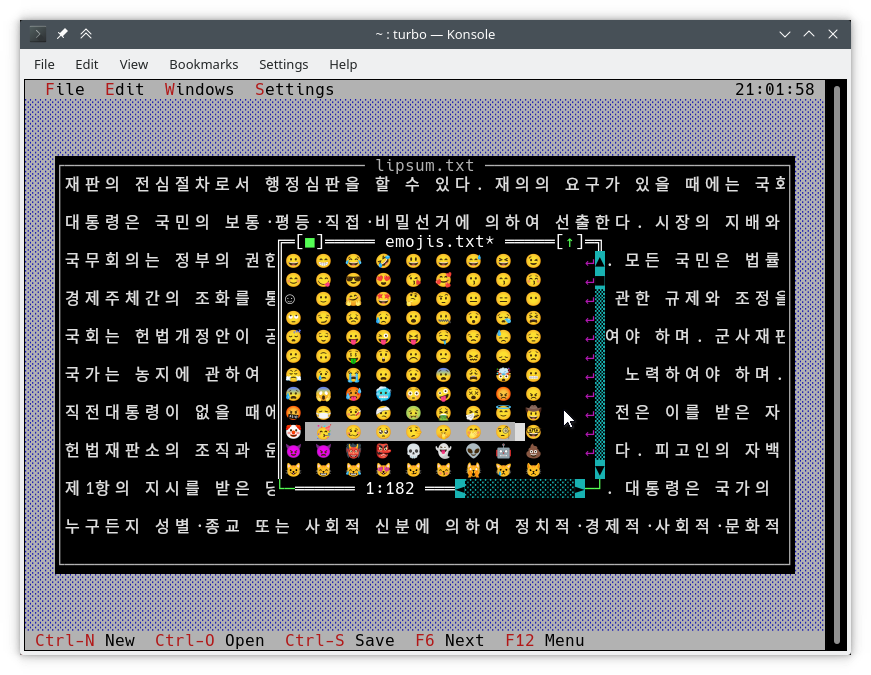
วิธีปกติในการเขียนลงบนหน้าจอคือการใช้ TDrawBuffer มีการเพิ่มวิธีการเล็กน้อยและวิธีอื่น ๆ ได้เปลี่ยนความหมายของพวกเขา:
 void TDrawBuffer::moveChar ( ushort indent, char c, TColorAttr attr, ushort count);
void TDrawBuffer::putChar ( ushort indent, char c);
c ถูกตีความเสมอว่าเป็นตัวละครใน CodePage ที่ใช้งานอยู่
 ushort TDrawBuffer::moveStr ( ushort indent, TStringView str, TColorAttr attr);
ushort TDrawBuffer::moveCStr ( ushort indent, TStringView str, TAttrPair attrs);
str ถูกตีความตามกฎที่เปิดเผยก่อนหน้านี้
 ushort TDrawBuffer::moveStr ( ushort indent, TStringView str, TColorAttr attr, ushort maxWidth, ushort strOffset = 0 ); // New
ushort TDrawBuffer::moveCStr ( ushort indent, TStringView str, TColorAttr attr, ushort maxWidth, ushort strOffset = 0 ); // New
str ถูกตีความตามกฎที่เปิดเผยก่อนหน้านี้ แต่::
maxWidth ระบุจำนวนข้อความสูงสุดที่ควรคัดลอกจาก str ซึ่งวัดในความกว้างของข้อความ (ไม่ใช่ในไบต์)strOffset ระบุตำแหน่งเริ่มต้นใน str ที่จะคัดลอกจากวัดในความกว้างของข้อความ (ไม่ใช่ในไบต์) สิ่งนี้มีประโยชน์สำหรับการเลื่อนแนวนอน หาก strOffset ชี้ไปที่กลางตัวละครสองความกว้างพื้นที่จะถูกคัดลอกแทนที่จะเป็นครึ่งขวาของอักขระสองความกว้างเนื่องจากเป็นไปไม่ได้ที่จะทำสิ่งนั้นค่าการส่งคืนคือจำนวนเซลล์ในบัฟเฟอร์ที่เต็มไปด้วยข้อความ (ซึ่งเหมือนกับความกว้างของข้อความที่คัดลอก)
void TDrawBuffer::moveBuf ( ushort indent, const void *source, TColorAttr attr, ushort count); ชื่อของฟังก์ชั่นนี้ทำให้เข้าใจผิด แม้ในการใช้งานดั้งเดิม source ก็ถือว่าเป็นสตริง ดังนั้นจึงเทียบเท่ากับ moveStr(indent, TStringView((const char*) source, count), attr)
มีฟังก์ชั่นการรับรู้แบบ Unicode ที่มีประโยชน์อื่น ๆ :
int cstrlen (TStringView s); ส่งคืนความยาวที่แสดงของ s ตามกฎดังกล่าวทิ้งอักขระ ~
int strwidth (TStringView s); // New ส่งคืนความยาวที่แสดงของ s
บน Borland C ++ วิธีการเหล่านี้ถือว่าการเข้ารหัสแบบไบต์เดียวและอักขระทั้งหมดมีความกว้างหนึ่งคอลัมน์ สิ่งนี้ทำให้เป็นไปได้ที่จะเขียนวิธีการเข้ารหัสการ draw() และ handleEvent() ที่ทำงานบนทั้งสองแพลตฟอร์มโดยไม่มี #ifdef เดียว
ฟังก์ชั่นด้านบนถูกนำมาใช้โดยใช้ฟังก์ชั่นจากเนมสเปซ TText ซึ่งเป็นส่วนขยาย API อื่น คุณจะต้องใช้โดยตรงหากคุณต้องการเติม TScreenCell วัตถุด้วยข้อความด้วยตนเอง เพื่อให้ตัวอย่างด้านล่างเป็นฟังก์ชั่น TText บางส่วน คุณสามารถค้นหาพวกเขาทั้งหมดด้วยคำอธิบายที่สมบูรณ์ใน <tvision/ttext.h>
 size_t TText::next (TStringView text);
size_t TText::prev (TStringView text, size_t index);
void TText::drawChar (TSpan<TScreenCell> cells, char c);
size_t TText::drawStr (TSpan<TScreenCell> cells, size_t indent, TStringView text, int textIndent);
bool TText::drawOne (TSpan<TScreenCell> cells, size_t &i, TStringView text, size_t &j);
สำหรับการวาดบัฟเฟอร์ TScreenCell ลงในมุมมองวิธีการต่อไปนี้มีอยู่:
 void TView::writeBuf ( short x, short y, short w, short h, const TScreenCell *b); // New
void TView::writeLine ( short x, short y, short w, short h, const TScreenCell *b); // New มันง่ายอย่างที่ควรจะเป็น ลองแก้ไข hello.cpp ดังต่อไปนี้:
TMenuBar * THelloApp::initMenuBar ( TRect r )
{
    r. b . y = r. a . y + 1 ;
    return new TMenuBar ( r,
      * new TSubMenu ( " ~Ñ~ello " , kbAltH ) +
        * new TMenuItem ( "階~毎~料入報最... " , GreetThemCmd, kbAltG ) +
        * new TMenuItem ( "五劫~の~擦り切れ" , cmYes, kbNoKey, hcNoContext ) +
        * new TMenuItem ( " העברית ~א~ינטרנט " , cmNo, kbNoKey, hcNoContext ) +
         newLine () +
        * new TMenuItem ( " E~x~it " , cmQuit, cmQuit, hcNoContext, " Alt-X " )
        );
}

TStatusLine * THelloApp::initStatusLine ( TRect r )
{
    r. a . y = r. b . y - 1 ;
    return new TStatusLine ( r,
        * new TStatusDef ( 0 , 0xFFFF ) +
            * new TStatusItem ( " ~Alt-Ç~ Exit " , kbAltX, cmQuit ) +
            * new TStatusItem ( 0 , kbF10, cmMenu )
            );
}
นี่คือสิ่งที่ดูเหมือน:
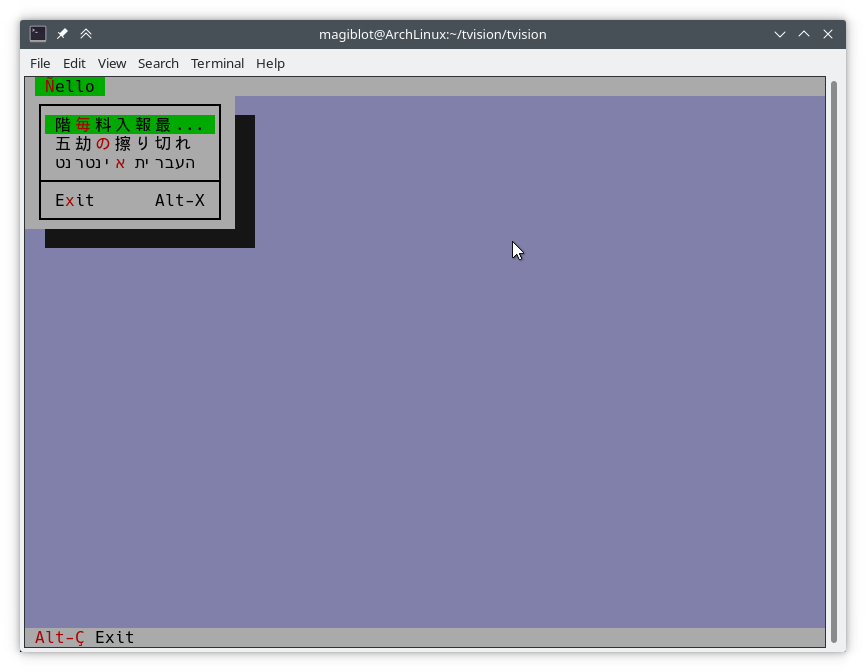
draw() ต่อไปนี้เป็นข้อความที่ตัดตอนมาจากการใช้งานเก่าของ TFileViewer::draw() (ส่วนหนึ่งของแอปพลิเคชัน tvdemo ) ซึ่งไม่ได้วาดข้อความ Unicode อย่างถูกต้อง:
 if (delta.y + i < fileLines-> getCount ()) {
    char s[maxLineLength+ 1 ];
    p = ( char *)(fileLines-> at (delta. y +i));
    if (p == 0 || strlen (p) < delta. x )
        s[ 0 ] = EOS;
    else
        strnzcpy (s, p+delta. x , maxLineLength+ 1 );
    b. moveStr ( 0 , s, c);
}
writeBuf ( 0 , i, size.x, 1 , b );
สิ่งที่มันทำคือย้ายส่วนของสตริงใน fileLines ไปยัง b ซึ่งเป็น TDrawBuffer delta เป็น TPoint ที่แสดงถึงการชดเชยการเลื่อนในมุมมองข้อความและ i เป็นดัชนีของบรรทัดที่มองเห็นได้ที่กำลังประมวลผล c คือสีข้อความ มีปัญหาเล็กน้อย:
TDrawBuffer::moveStr(ushort, const char *, TColorAttr) ใช้สตริงที่สิ้นสุด เพื่อที่จะผ่านสายย่อยของบรรทัดปัจจุบันสำเนาจะถูกทำเข้าไปในอาร์เรย์ s ซึ่งเสี่ยงต่อการถูกยั่วเยือนบัฟเฟอร์ กรณีที่เส้นไม่พอดีกับ s ไม่ได้รับการจัดการดังนั้นตัวละคร maxLineLenght ส่วนใหญ่จะถูกคัดลอก ยิ่งไปกว่านั้นตัวละคร multibyte ใกล้ตำแหน่ง maxLineLength สามารถคัดลอกได้อย่างไม่สมบูรณ์และแสดงเป็นขยะdelta.x เป็นคอลัมน์ที่มองเห็นได้แรก ด้วยข้อความที่เข้ารหัสแบบ multibyte จะไม่เป็นความจริงอีกต่อไปว่าคอลัมน์ดังกล่าวเริ่มต้นที่ตำแหน่ง delta.x ในสตริงด้านล่างเป็นเวอร์ชันที่แก้ไขของรหัสด้านบนที่จัดการ Unicode อย่างถูกต้อง:
 if (delta.y + i < fileLines-> getCount ()) {
    p = ( char *)(fileLines-> at (delta. y +i));
    if (p)
        b. moveStr ( 0 , p, c, size. x , delta. x );
}
writeBuf ( 0 , i, size.x, 1 , b );
overload ของ moveStr ที่ใช้ที่นี่คือ TDrawBuffer::moveStr(ushort indent, TStringView str, TColorAttr attr, ushort width, ushort begin) ฟังก์ชั่นนี้ไม่เพียง แต่ให้การสนับสนุน Unicode เท่านั้น แต่ยังช่วยให้เราเขียนโค้ดทำความสะอาดและเอาชนะข้อ จำกัด บางประการที่มีอยู่ก่อนหน้านี้:
maxLineLengthmoveStr ดูแลการพิมพ์สตริงที่เริ่มต้นที่คอลัมน์ delta.x เราไม่จำเป็นต้องกังวลเกี่ยวกับจำนวนไบต์ที่สอดคล้องกับคอลัมน์ delta.xmoveStr is instructed to copy at most size.x columns of text without us having to care about how many bytes that is nor dealing with edge cases. The code is written in an encoding-agnostic way and will work whether multibyte characters are being considered or not.TView::writeBuf already takes care of not writing beyond it. Yet it is interesting to see how an unnecessary step not only was limiting functionality but also was prone to bugs. Support for creating Unicode-aware views is in place, and most views in the original Turbo Vision library have been adapted to handle Unicode.
The following views can display Unicode text properly. Some of them also do horizontal scrolling or word wrapping; all of that should work fine.
TStaticText ( 7b15d45d ). TFrame ( 81066ee5 ). TStatusLine ( 477b3ae9 ). THistoryViewer ( 81066ee5 ). THelpViewer ( 81066ee5 , 8c7dac2a , 20f331e3 ). TListViewer ( 81066ee5 ). TMenuBox ( 81066ee5 ). TTerminal ( ee821b69 ). TOutlineViewer ( 6cc8cd38 ). TFileViewer (from the tvdemo application) ( 068bbf7a ). TFilePane (from the tvdir application) ( 9bcd897c ).The following views can, in addition, process Unicode text or user input:
TInputLine ( 81066ee5 , cb489d42 ). TEditor ( 702114dc ). Instances are in UTF-8 mode by default. You may switch back to single-byte mode by pressing Ctrl+P . This only changes how the document is displayed and the encoding of user input; it does not alter the document. This class is used in the tvedit application; you may test it there.Views not in this list may not have needed any corrections or I simply forgot to fix them. Please submit an issue if you notice anything not working as expected.
Use cases where Unicode is not supported (not an exhaustive list):
TMenuBox , TStatusLine , TButton ...). Originally, Turbo Vision offered no integration with the system clipboard, since there was no such thing on MS-DOS.
It did offer the possibility of using an instance of TEditor as an internal clipboard, via the TEditor::clipboard static member. However, TEditor was the only class able to interact with this clipboard. It was not possible to use it with TInputLine , for example.
Turbo Vision applications are now most likely to be ran in a graphical environment through a terminal emulator. In this context, it would be desirable to interact with the system clipboard in the same way as a regular GUI application would do.
To deal with this, a new class TClipboard has been added which allows accessing the system clipboard. If the system clipboard is not accessible, it will instead use an internal clipboard.
On Windows (including WSL) and macOS, clipboard integration is supported out-of-the-box.
On Unix systems other than macOS, it is necessary to install some external dependencies. See runtime requirements.
For applications running remotely (eg through SSH), clipboard integration is supported in the following situations:
ssh -X ).allowWindowOps option is enabled. Additionally, it is always possible to paste text using your terminal emulator's own Paste command (usually Ctrl+Shift+V or Cmd+V ).
To use the TClipboard class, define the macro Uses_TClipboard before including <tvision/tv.h> .
static void TClipboard::setText (TStringView text); Sets the contents of the system clipboard to text . If the system clipboard is not accessible, an internal clipboard is used instead.
static void TClipboard::requestText (); Requests the contents of the system clipboard asynchronously, which will be later received in the form of regular evKeyDown events. If the system clipboard is not accessible, an internal clipboard is used instead.
A Turbo Vision application may receive a Paste event for two different reasons:
TClipboard::requestText() was invoked. In both cases the application will receive the clipboard contents in the form of regular evKeyDown events. These events will have a kbPaste flag in keyDown.controlKeyState so that they can be distinguished from regular key presses.
Therefore, if your view can handle user input it will also handle Paste events by default. However, if the user pastes 5000 characters, the application will behave as if the user pressed the keyboard 5000 times. This involves drawing views, completing the event loop, updating the screen..., which is far from optimal if your view is a text editing component, for example.
For the purpose of dealing with this situation, another function has been added:
bool TView::textEvent (TEvent &event, TSpan< char > dest, size_t &length); textEvent() attempts to read text from consecutive evKeyDown events and stores it in a user-provided buffer dest . It returns false when no more events are available or if a non-text event is found, in which case this event is saved with putEvent() so that it can be processed in the next iteration of the event loop. Finally, it calls clearEvent(event) .
The exact number of bytes read is stored in the output parameter length , which will never be larger than dest.size() .
Here is an example on how to use it:
 // 'ev' is a TEvent, and 'ev.what' equals 'evKeyDown'.
// If we received text from the clipboard...
if (ev.keyDown.controlKeyState & kbPaste) {
    char buf[ 512 ];
    size_t length;
    // Fill 'buf' with the text in 'ev' and in
    // upcoming events from the input queue.
    while ( textEvent (ev, buf, length)) {
        // Process 'length' bytes of text in 'buf'...
    }
} The standard views TEditor and TInputLine react to the cmCut , cmCopy and cmPaste commands. However, your application first has to be set up to use these commands. ตัวอย่างเช่น:
TStatusLine * TMyApplication::initStatusLine ( TRect r )
{
    r. a . y = r. b . y - 1 ;
    return new TStatusLine ( r,
        * new TStatusDef ( 0 , 0xFFFF ) +
            // ...
            * new TStatusItem ( 0 , kbCtrlX, cmCut ) +
            * new TStatusItem ( 0 , kbCtrlC, cmCopy ) +
            * new TStatusItem ( 0 , kbCtrlV, cmPaste ) +
            // ...
    );
}
TEditor and TInputLine automatically enable and disable these commands. For example, if a TEditor or TInputLine is focused, the cmPaste command will be enabled. If there is selected text, the cmCut and cmCopy commands will also be enabled. If no TEditor or TInputLine s are focused, then these commands will be disabled.
The Turbo Vision API has been extended to allow more than the original 16 colors.
Colors can be specified using any of the following formats:
xterm-256color palette indices (8-bit).Although Turbo Vision applications are likely to be ran in a terminal emulator, the API makes no assumptions about the display device. That is to say, the complexity of dealing with terminal emulators is hidden from the programmer and managed by Turbo Vision itself.
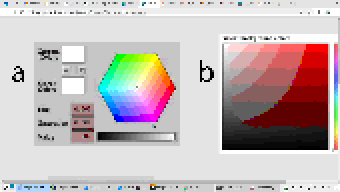
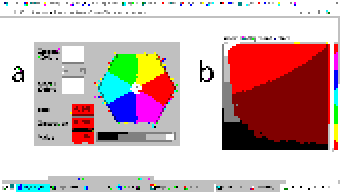
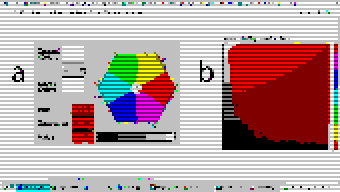
For example: color support varies among terminals. If the programmer uses a color format not supported by the terminal emulator, Turbo Vision will quantize it to what the terminal can display. The following images represent the quantization of a 24-bit RGB picture to 256, 16 and 8 color palettes:
| 24-bit color (original) | 256 colors |
|---|---|
 |  |
| 16 colors | 8 colors (bold as bright) |
|---|---|
 |  |
Extended color support basically comes down to the following:
uchar . ushort is used to represent attribute pairs. This is still the case when using Borland C++.TColorAttr has been added which replaces uchar . It specifies a foreground and background color and a style. Colors can be specified in different formats (BIOS color attributes, 24-bit RGB...). Styles are the typical ones (bold, italic, underline...). There's also TAttrPair , which replaces ushort .TDrawBuffer 's methods, which used to take uchar or ushort parameters to specify color attributes, now take TColorAttr or TAttrPair .TPalette , which used to contain an array of uchar , now contains an array of TColorAttr . The TView::mapColor method also returns TColorAttr instead of uchar .TView::mapColor has been made virtual so that the palette system can be bypassed without having to rewrite any draw methods.TColorAttr and TAttrPair can be initialized with and casted into uchar and ushort in a way such that legacy code still compiles out-of-the-box without any change in functionality.Below is a more detailed explanation aimed at developers.
In the first place we will explain the data types the programmer needs to know in order to take advantage of the extended color support. To get access to them, you may have to define the macro Uses_TColorAttr before including <tvision/tv.h> .
All the types described in this section are trivial . This means that they can be memset 'd and memcpy 'd. But variables of these types are uninitialized when declared without initializer, just like primitive types. So make sure you don't manipulate them before initializing them.
Several types are defined which represent different color formats. The reason why these types exist is to allow distinguishing color formats using the type system. Some of them also have public fields which make it easier to manipulate individual bits.
TColorBIOS represents a BIOS color. It allows accessing the r , g , b and bright bits individually, and can be casted implicitly into/from uint8_t .
The memory layout is:
b ).g ).r ).bright ). Examples of TColorBIOS usage:
TColorBIOS bios = 0x4 ;  // 0x4: red.
bios.bright = 1 ;        // 0xC: light red.
bios.b = bios.r;        // 0xD: light magenta.
bios = bios ^ 3 ;        // 0xE: yellow.
uint8_t c = bios;       // Implicit conversion to integer types.
In terminal emulators, BIOS colors are mapped to the basic 16 ANSI colors.
TColorRGB represents a color in 24-bit RGB. It allows accessing the r , g and b bit fields individually, and can be casted implicitly into/from uint32_t .
The memory layout is:
b ).g ).r ). Examples of TColorRGB usage:
TColorRGB rgb = 0x9370DB ;   // 0xRRGGBB.
rgb = { 0x93 , 0x70 , 0xDB };   // {R, G, B}.
rgb = rgb ^ 0xFFFFFF ;       // Negated.
rgb.g = rgb.r & 0x88 ;       // Access to individual components.
uint32_t c = rgb;           // Implicit conversion to integer types.
TColorXTerm represents an index into the xterm-256color color palette. It can be casted into and from uint8_t .
TColorDesired TColorDesired represents a color which the programmer intends to show on screen, encoded in any of the supported color types.
A TColorDesired can be initialized in the following ways:
As a BIOS color: with a char literal or a TColorBIOS object:
TColorDesired bios1 = ' xF ' ;
TColorDesired bios2 = TColorBIOS( 0xF );
As a RGB color: with an int literal or a TColorRGB object:
TColorDesired rgb1 = 0xFF7700 ; // 0xRRGGBB.
TColorDesired rgb2 = TColorRGB( 0xFF , 0x77 , 0x00 ); // {R, G, B}.
TColorDesired rgb3 = TColorRGB( 0xFF7700 ); // 0xRRGGBB.
As an XTerm palette index: with a TColorXTerm object.
As the terminal default color: through zero-initialization:
TColorDesired def1 {};
// Or with 'memset':
TColorDesired def2;
memset (&def2, 0 , sizeof (def2));
TColorDesired has methods to query the contained color, but you will usually not need to use them. See the struct definition in <tvision/colors.h> for more information.
Trivia: the name is inspired by Scintilla's ColourDesired .
TColorAttr TColorAttr describes the color attributes of a screen cell. This is the type you are most likely to interact with if you intend to change the colors in a view.
A TColorAttr is composed of:
A foreground color, of type TColorDesired .
A background color, of type TColorDesired .
A style bitmask containing a combination of the following flags:
slBold .slItalic .slUnderline .slBlink .slReverse .slStrike . These flags are based on the basic display attributes selectable through ANSI escape codes. The results may vary between terminal emulators. slReverse is probably the least reliable of them: prefer using the TColorAttr reverseAttribute(TColorAttr attr) free function over setting this flag.
The most straight-forward way to create a TColorAttr is by means of the TColorAttr(TColorDesired fg, TColorDesired bg, ushort style=0) and TColorAttr(int bios) constructors:
 // Foreground: RGB 0x892312
// Background: RGB 0x7F00BB
// Style: Normal.
TColorAttr a1 = { TColorRGB ( 0x89 , 0x23 , 0x12 ), TColorRGB ( 0x7F , 0x00 , 0xBB )};

// Foreground: BIOS 0x7.
// Background: RGB 0x7F00BB.
// Style: Bold, Italic.
TColorAttr a2 = { ' x7 ' , 0x7F00BB , slBold | slItalic};

// Foreground: Terminal default.
// Background: BIOS 0xF.
// Style: Normal.
TColorAttr a3 = {{}, TColorBIOS ( 0xF )};

// Foreground: Terminal default.
// Background: Terminal default.
// Style: Normal.
TColorAttr a4 = {};

// Foreground: BIOS 0x0
// Background: BIOS 0x7
// Style: Normal
TColorAttr a5 = 0x70 ;
The fields of a TColorAttr can be accessed with the following free functions:
TColorDesired getFore ( const TColorAttr &attr);
TColorDesired getBack ( const TColorAttr &attr);
ushort getStyle ( const TColorAttr &attr);
void setFore (TColorAttr &attr, TColorDesired fg);
void setBack (TColorAttr &attr, TColorDesired bg);
void setStyle (TColorAttr &attr, ushort style);
TAttrPair TAttrPair is a pair of TColorAttr , used by some API functions to pass two attributes at once.
You may initialize a TAttrPair with the TAttrPair(const TColorAttrs &lo, const TColorAttrs &hi) constructor:
TColorAttr cNormal = { 0x234983 , 0x267232 };
TColorAttr cHigh = { 0x309283 , 0x127844 };
TAttrPair attrs = {cNormal, cHigh};
TDrawBuffer b;
b.moveCStr( 0 , " Normal text, ~Highlighted text~ " , attrs);
The attributes can be accessed with the [0] and [1] subindices:
TColorAttr lo = { 0x892343 , 0x271274 };
TColorAttr hi = ' x93 ' ;
TAttrPair attrs = {lo, hi};
assert (lo == attrs[ 0 ]);
assert (hi == attrs[ 1 ]);TView Views are commonly drawn by means of a TDrawBuffer . Most TDrawBuffer member functions take color attributes by parameter. ตัวอย่างเช่น:
 ushort TDrawBuffer::moveStr ( ushort indent, TStringView str, TColorAttr attr);
ushort TDrawBuffer::moveCStr ( ushort indent, TStringView str, TAttrPair attrs);
void TDrawBuffer::putAttribute ( ushort indent, TColorAttr attr);
However, the views provided with Turbo Vision usually store their color information in palettes. A view's palette can be queried with the following member functions:
TColorAttr TView::mapColor (uchar index);
TAttrPair TView::getColor ( ushort indices);
mapColor looks up a single color attribute in the view's palette, given an index into the palette. Remember that the palette indices for each view class can be found in the Turbo Vision headers. For example, <tvision/views.h> says the following about TScrollBar :
 /* ---------------------------------------------------------------------- */
/*      class TScrollBar                                                  */
/*                                                                        */
/*      Palette layout                                                    */
/*        1 = Page areas                                                  */
/*        2 = Arrows                                                      */
/*        3 = Indicator                                                   */
/* ---------------------------------------------------------------------- */
getColor is a helper function that allows querying two cell attributes at once. Each byte in the indices parameter contains an index into the palette. The TAttrPair result contains the two cell attributes.
For example, the following can be found in the draw method of TMenuBar :
TAttrPair cNormal = getColor( 0x0301 );
TAttrPair cSelect = getColor( 0x0604 );
Which would be equivalent to this:
TAttrPair cNormal = { mapColor ( 1 ), mapColor ( 3 )};
TAttrPair cSelect = { mapColor ( 4 ), mapColor ( 6 )};
As an API extension, the mapColor method has been made virtual . This makes it possible to override Turbo Vision's hierarchical palette system with a custom solution without having to rewrite the draw() method.
So, in general, there are three ways to use extended colors in views:
mapColor method: // The 'TMyScrollBar' class inherits from 'TScrollBar' and overrides 'TView::mapColor'.
TColorAttr TMyScrollBar::mapColor (uchar index) noexcept
{
// In this example the values are hardcoded,
// but they could be stored elsewhere if desired.
switch ( index )
{
case 1 : return { 0x492983 , 0x826124 }; // Page areas.
case 2 : return { 0x438939 , 0x091297 }; // Arrows.
case 3 : return { 0x123783 , 0x329812 }; // Indicator.
default : return errorAttr;
}
} By providing extended color attributes directly to TDrawBuffer methods, if the palette system is not being used. ตัวอย่างเช่น:
 // The 'TMyView' class inherits from 'TView' and overrides 'TView::draw'.
void TMyView::draw ()
{
    TDrawBuffer b;
    TColorAttr color { 0x1F1C1B , 0xFAFAFA , slBold};
    b. moveStr ( 0 , " This is bold black text over a white background " , color);
    /* ... */
}
By modifying the palettes. There are two ways to do this:
TColorAttr . ตัวอย่างเช่น: void updateAppPalette ()
{
TPalette &pal = TProgram::application-> getPalete ();
pal[ 1 ] = { 0x762892 , 0x828712 }; // TBackground.
pal[ 2 ] = { 0x874832 , 0x249838 , slBold}; // TMenuView normal text.
pal[ 3 ] = {{}, {}, slItalic | slUnderline}; // TMenuView disabled text.
/* ... */
} static const TColorAttr cpMyApp[] =
{
{ 0x762892 , 0x828712 }, // TBackground.
{ 0x874832 , 0x249838 , slBold}, // TMenuView normal text.
{{}, {}, slItalic | slUnderline}, // TMenuView disabled text.
/* ... */
};
// The 'TMyApp' class inherits from 'TApplication' and overrides 'TView::getPalette'.
TPalette & TMyApp::getPalette () const
{
static TPalette palette (cpMyApp);
return palette;
} TScreen::screenMode exposes some information about the display's color support:
(TScreen::screenMode & 0xFF) == TDisplay::smMono , the display is monocolor (only relevant in DOS).(TScreen::screenMode & 0xFF) == TDisplay::smBW80 , the display is grayscale (only relevant in DOS).(TScreen::screenMode & 0xFF) == TDisplay::smCO80 , the display supports at least 16 colors.TScreen::screenMode & TDisplay::smColor256 , the display supports at least 256 colors.TScreen::screenMode & TDisplay::smColorHigh , the display supports even more colors (eg 24-bit color). TDisplay::smColor256 is also set in this case. The types defined previously represent concepts that are also important when developing for Borland C++:
| แนวคิด | Layout in Borland C++ | Layout in modern platforms |
|---|---|---|
| Color Attribute | uchar . A BIOS color attribute. | struct TColorAttr . |
| สี | A 4-bit number. | struct TColorDesired . |
| Attribute Pair | ushort . An attribute in each byte. | struct TAttrPair . |
One of this project's key principles is that the API should be used in the same way both in Borland C++ and modern platforms, that is to say, without the need for #ifdef s. Another principle is that legacy code should compile out-of-the-box, and adapting it to the new features should increase complexity as little as possible.
Backward-compatibility is accomplished in the following way:
In Borland C++, TColorAttr and TAttrPair are typedef 'd to uchar and ushort , respectively.
In modern platforms, TColorAttr and TAttrPair can be used in place of uchar and ushort , respectively, since they are able to hold any value that fits into them and can be casted implicitly into/from them.
A TColorAttr initialized with uchar represents a BIOS color attribute. When converting back to uchar , the following happens:
fg and bg are BIOS colors, and style is cleared, the resulting uchar represents the same BIOS color attribute contained in the TColorAttr (as in the code above).uchar / ushort with TColorAttr / TAttrPair if they intend to support the extended color attributes. The same goes for TAttrPair and ushort , considering that it is composed of two TColorAttr .
A use case of backward-compatibility within Turbo Vision itself is the TPalette class, core of the palette system. In its original design, it used a single data type ( uchar ) to represent different things: array length, palette indices or color attributes.
The new design simply replaces uchar with TColorAttr . This means there are no changes in the way TPalette is used, yet TPalette is now able to store extended color attributes.
TColorDialog hasn't been remodeled, and thus it can't be used to pick extended color attributes at runtime.
The following pattern of code is common across draw methods of views:
 void TMyView::draw ()
{
    ushort cFrame, cTitle;
    if (state & sfDragging)
    {
        cFrame = 0x0505 ;
        cTitle = 0x0005 ;
    }
    else
    {
        cFrame = 0x0503 ;
        cTitle = 0x0004 ;
    }
    cFrame = getColor (cFrame);
    cTitle = getColor (cTitle);
    /* ... */
}
In this case, ushort is used both as a pair of palette indices and as a pair of color attributes. getColor now returns a TAttrPair , so even though this compiles out-of-the-box, extended attributes will be lost in the implicit conversion to ushort .
The code above still works just like it did originally. It's only non-BIOS color attributes that don't produce the expected result. Because of the compatibility between TAttrPair and ushort , the following is enough to enable support for extended color attributes:
 -    ushort cFrame, cTitle;
+    TAttrPair cFrame, cTitle;
Nothing prevents you from using different variables for palette indices and color attributes, which is what should actually be done. The point of backward-compatibility is the ability to support new features without changing the program's logic, that is to say, minimizing the risk of increasing code complexity or introducing bugs.







