stable diffusion.cpp
master-b5f4932

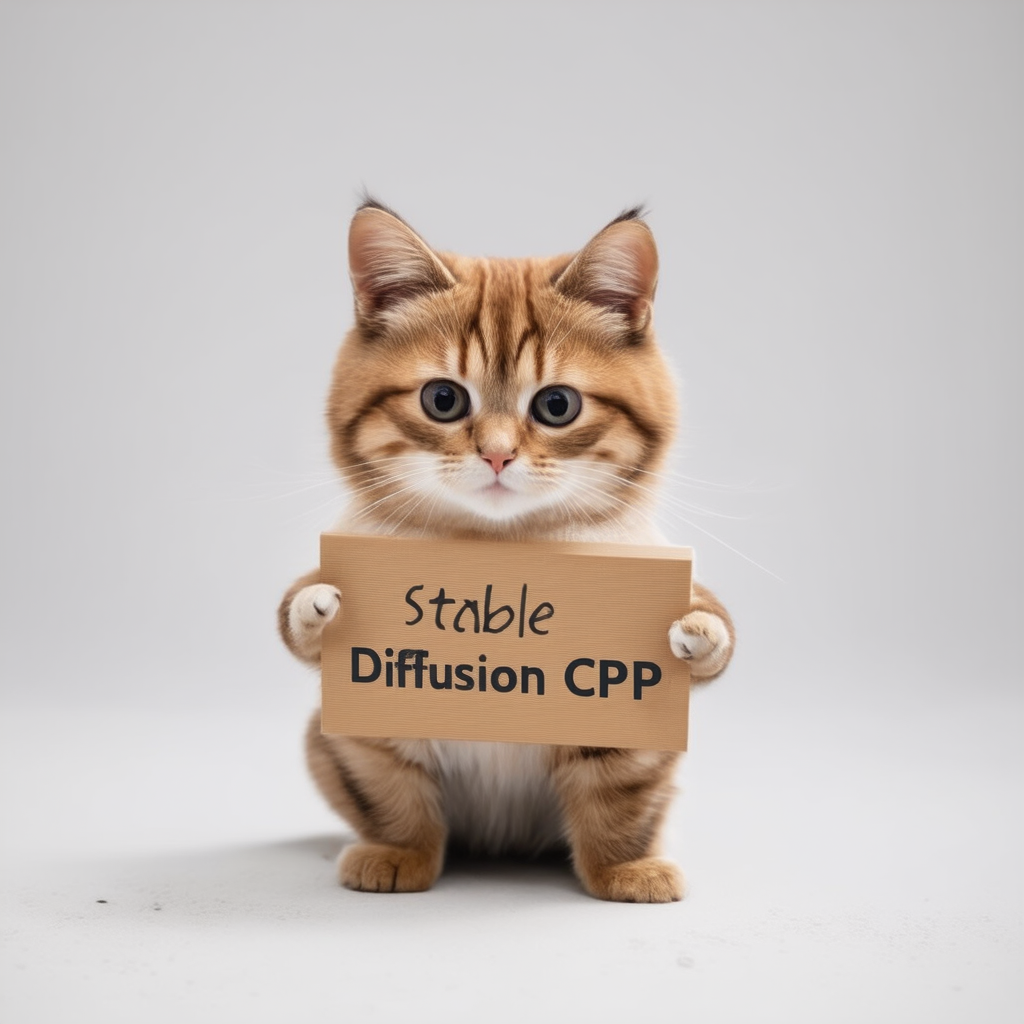
纯C/C ++的稳定扩散和通量的推断
基于GGML的普通C/C ++实现,以与Llama.cpp相同的方式工作
超轻量级,没有外部依赖性
SD1.X,SD2.X,SDXL和SD3/SD3.5支持
通量-DEV/FLUX-SCHNELL支持
SD-Turbo和SDXL-Turbo支持
摄影制造商支持。
16位,32位浮动支撑
2位,3位,4位,5位和8位整数量化支持
加速记忆有效的CPU推理
AVX,AVX2和AVX512支持X86架构
完整的CUDA,金属,Vulkan和SYCL后端,用于GPU加速。
可以加载CKPT,SafetEnsor和扩散器模型/检查点。独立的VAE模型
.ggml或.gguf !注意记忆使用优化的注意力
原始txt2img和img2img模式
负提示
稳定的扩散 - webui样式令牌(不是所有功能,目前只有令牌加权)
洛拉支持,与稳定的扩散 - webui相同
潜在的一致性模型支持(LCM/LCM-LORA)
taesd的更快和内存有效的潜在解码
Esrgan生成的高档图像
VAE瓷砖处理以减少内存使用
SD 1.5的控制网支持
采样方法
Euler AEulerHeunDPM2DPM++ 2MDPM++ 2M v2DPM++ 2S aLCM跨平台可重复性( --rng cuda ,与stable-diffusion-webui GPU RNG一致)
将生成参数嵌入到png输出中,为webui兼容文本字符串
支持的平台
对于大多数用户,您可以从最新版本中下载构建的可执行程序。如果内置产品不符合您的要求,则可以选择手动构建它。
 git clone --recursive https://github.com/leejet/stable-diffusion.cpp
cd stable-diffusion.cpp
 cd stable-diffusion.cpp
git pull origin master
git submodule init
git submodule update
下载原始权重(.ckpt或.safetensors)。例如
curl -L -O https://huggingface.co/CompVis/stable-diffusion-v-1-4-original/resolve/main/sd-v1-4.ckpt
# curl -L -O https://huggingface.co/runwayml/stable-diffusion-v1-5/resolve/main/v1-5-pruned-emaonly.safetensors
# curl -L -O https://huggingface.co/stabilityai/stable-diffusion-2-1/resolve/main/v2-1_768-nonema-pruned.safetensors
# curl -L -O https://huggingface.co/stabilityai/stable-diffusion-3-medium/resolve/main/sd3_medium_incl_clips_t5xxlfp16.safetensorsmkdir build
cd build
cmake ..
cmake --build . --config Release cmake .. -DGGML_OPENBLAS=ON
cmake --build . --config Release
这提供了使用NVIDIA GPU的CUDA核心的BLA加速度。确保安装了CUDA工具包。您可以从Linux发行版的软件包管理器(例如apt install nvidia-cuda-toolkit )下载它,也可以从此处下载:CUDA Toolkit。建议至少具有4 GB的VRAM。
 cmake .. -DSD_CUBLAS=ON
cmake --build . --config Release
这提供了使用AMD GPU的ROCM内核的BLAS加速度。确保安装了ROCM工具包。
Windows用户参考文档/hipblas_on_windows.md以获取综合指南。
 cmake .. -G "Ninja" -DCMAKE_C_COMPILER=clang -DCMAKE_CXX_COMPILER=clang++ -DSD_HIPBLAS=ON -DCMAKE_BUILD_TYPE=Release -DAMDGPU_TARGETS=gfx1100
cmake --build . --config Release
使用金属使计算在GPU上运行。当前,在以非常大的矩阵进行操作时,金属有一些问题,目前使其效率很低。预计在不久的将来会提高绩效。
 cmake .. -DSD_METAL=ON
cmake --build . --config Release
从https://www.lunarg.com/vulkan-sdk/安装Vulkan SDK。
 cmake .. -DSD_VULKAN=ON
cmake --build . --config Release
使用SYCL使计算在英特尔GPU上运行。请确保您已经在开始之前安装了相关驱动程序和Intel®OneapiBase工具包。更多详细信息和步骤可以涉及Llama.cpp SYCL后端。
 # Export relevant ENV variables
source /opt/intel/oneapi/setvars.sh

# Option 1: Use FP32 (recommended for better performance in most cases)
cmake .. -DSD_SYCL=ON -DCMAKE_C_COMPILER=icx -DCMAKE_CXX_COMPILER=icpx

# Option 2: Use FP16
cmake .. -DSD_SYCL=ON -DCMAKE_C_COMPILER=icx -DCMAKE_CXX_COMPILER=icpx -DGGML_SYCL_F16=ON

cmake --build . --config Release
text2img的示例通过使用SYCL后端:
下载stable-diffusion型号的重量,请参阅下载重量。
run ./bin/sd -m ../models/sd3_medium_incl_clips_t5xxlfp16.safetensors --cfg-scale 5 --steps 30 --sampling-method euler -H 1024 -W 1024 --seed 42 -p "fantasy medieval village world inside a glass sphere , high detail, fantasy, realistic, light effect, hyper detail, volumetric lighting, cinematic, macro, depth of field, blur, red light and clouds from the back, highly detailed epic cinematic concept art cg render made in maya, blender and photoshop, octane render, excellent composition, dynamic dramatic cinematic lighting, aesthetic, very inspirational, world inside a glass sphere by james gurney by artgerm with james jean, joe fenton and tristan eaton by ross tran, fine details, 4k resolution"

使扩散模型的闪烁注意力通过不同量的MB减少记忆使用量。例如。:
对于大多数后端而言,它会减慢速度,但是对于Cuda来说,它通常也会加快它的速度。目前,仅针对某些型号和一些后端(例如CPU,CUDA/ROCM,金属)支持它。
通过添加--diffusion-fa在参数中运行,并注意:
[INFO ] stable-diffusion.cpp:312 - Using flash attention in the diffusion model
调试日志中的计算缓冲区收缩:
[DEBUG] ggml_extend.hpp:1004 - flux compute buffer size: 650.00 MB(VRAM)
 usage: ./bin/sd [arguments]

arguments:
  -h, --help                         show this help message and exit
  -M, --mode [MODEL]                 run mode (txt2img or img2img or convert, default: txt2img)
  -t, --threads N                    number of threads to use during computation (default: -1)
                                     If threads <= 0, then threads will be set to the number of CPU physical cores
  -m, --model [MODEL]                path to full model
  --diffusion-model                  path to the standalone diffusion model
  --clip_l                           path to the clip-l text encoder
  --clip_g                           path to the clip-l text encoder
  --t5xxl                            path to the the t5xxl text encoder
  --vae [VAE]                        path to vae
  --taesd [TAESD_PATH]               path to taesd. Using Tiny AutoEncoder for fast decoding (low quality)
  --control-net [CONTROL_PATH]       path to control net model
  --embd-dir [EMBEDDING_PATH]        path to embeddings
  --stacked-id-embd-dir [DIR]        path to PHOTOMAKER stacked id embeddings
  --input-id-images-dir [DIR]        path to PHOTOMAKER input id images dir
  --normalize-input                  normalize PHOTOMAKER input id images
  --upscale-model [ESRGAN_PATH]      path to esrgan model. Upscale images after generate, just RealESRGAN_x4plus_anime_6B supported by now
  --upscale-repeats                  Run the ESRGAN upscaler this many times (default 1)
  --type [TYPE]                      weight type (f32, f16, q4_0, q4_1, q5_0, q5_1, q8_0, q2_k, q3_k, q4_k)
                                     If not specified, the default is the type of the weight file
  --lora-model-dir [DIR]             lora model directory
  -i, --init-img [IMAGE]             path to the input image, required by img2img
  --control-image [IMAGE]            path to image condition, control net
  -o, --output OUTPUT                path to write result image to (default: ./output.png)
  -p, --prompt [PROMPT]              the prompt to render
  -n, --negative-prompt PROMPT       the negative prompt (default: "")
  --cfg-scale SCALE                  unconditional guidance scale: (default: 7.0)
  --strength STRENGTH                strength for noising/unnoising (default: 0.75)
  --style-ratio STYLE-RATIO          strength for keeping input identity (default: 20%)
  --control-strength STRENGTH        strength to apply Control Net (default: 0.9)
                                     1.0 corresponds to full destruction of information in init image
  -H, --height H                     image height, in pixel space (default: 512)
  -W, --width W                      image width, in pixel space (default: 512)
  --sampling-method {euler, euler_a, heun, dpm2, dpm++2s_a, dpm++2m, dpm++2mv2, ipndm, ipndm_v, lcm}
                                     sampling method (default: "euler_a")
  --steps  STEPS                     number of sample steps (default: 20)
  --rng {std_default, cuda}          RNG (default: cuda)
  -s SEED, --seed SEED               RNG seed (default: 42, use random seed for < 0)
  -b, --batch-count COUNT            number of images to generate
  --schedule {discrete, karras, exponential, ays, gits} Denoiser sigma schedule (default: discrete)
  --clip-skip N                      ignore last layers of CLIP network; 1 ignores none, 2 ignores one layer (default: -1)
                                     <= 0 represents unspecified, will be 1 for SD1.x, 2 for SD2.x
  --vae-tiling                       process vae in tiles to reduce memory usage
  --vae-on-cpu                       keep vae in cpu (for low vram)
  --clip-on-cpu                      keep clip in cpu (for low vram)
  --diffusion-fa                     use flash attention in the diffusion model (for low vram)
                                     Might lower quality, since it implies converting k and v to f16.
                                     This might crash if it is not supported by the backend.
  --control-net-cpu                  keep controlnet in cpu (for low vram)
  --canny                            apply canny preprocessor (edge detection)
  --color                            Colors the logging tags according to level
  -v, --verbose                      print extra info
./bin/sd -m ../models/sd-v1-4.ckpt -p " a lovely cat "
# ./bin/sd -m ../models/v1-5-pruned-emaonly.safetensors -p "a lovely cat"
# ./bin/sd -m ../models/sd_xl_base_1.0.safetensors --vae ../models/sdxl_vae-fp16-fix.safetensors -H 1024 -W 1024 -p "a lovely cat" -v
# ./bin/sd -m ../models/sd3_medium_incl_clips_t5xxlfp16.safetensors -H 1024 -W 1024 -p 'a lovely cat holding a sign says "Stable Diffusion CPP"' --cfg-scale 4.5 --sampling-method euler -v
# ./bin/sd --diffusion-model  ../models/flux1-dev-q3_k.gguf --vae ../models/ae.sft --clip_l ../models/clip_l.safetensors --t5xxl ../models/t5xxl_fp16.safetensors  -p "a lovely cat holding a sign says 'flux.cpp'" --cfg-scale 1.0 --sampling-method euler -v
# ./bin/sd -m  ..modelssd3.5_large.safetensors --clip_l ..modelsclip_l.safetensors --clip_g ..modelsclip_g.safetensors --t5xxl ..modelst5xxl_fp16.safetensors  -H 1024 -W 1024 -p 'a lovely cat holding a sign says "Stable diffusion 3.5 Large"' --cfg-scale 4.5 --sampling-method euler -v
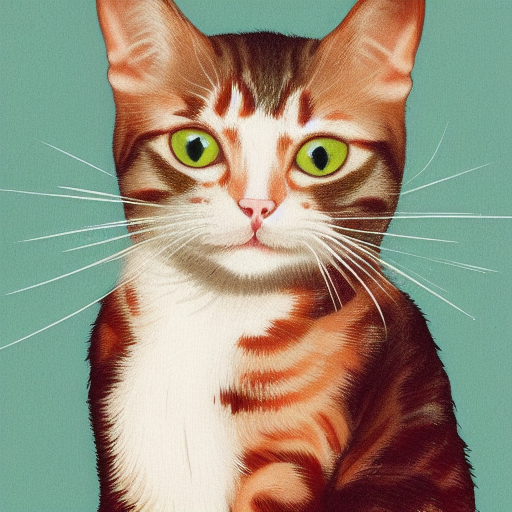
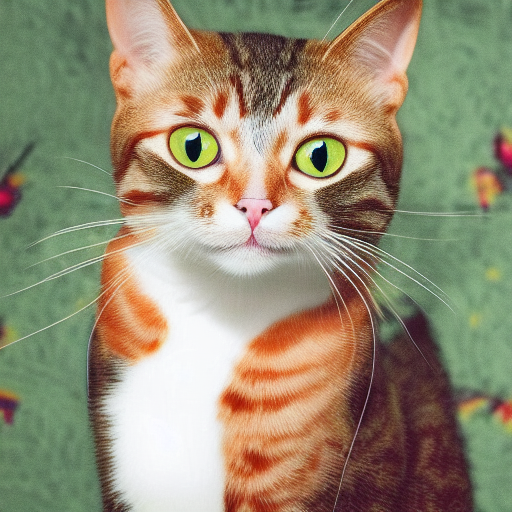
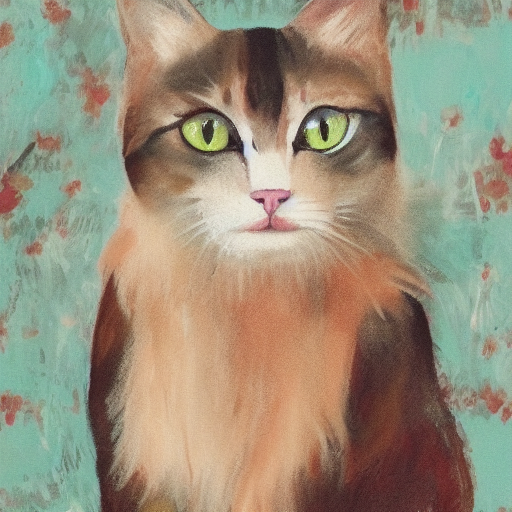
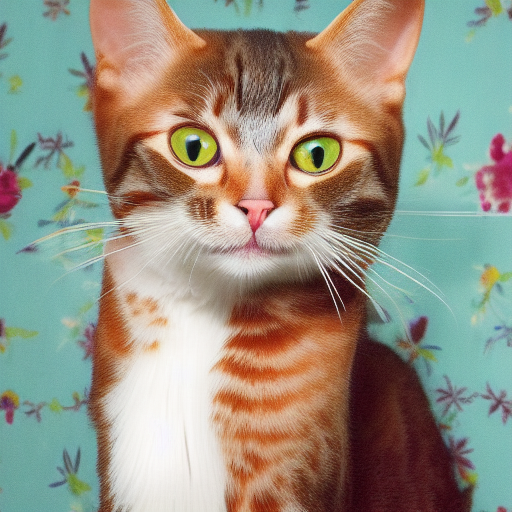
使用不同精确的格式将产生不同质量的结果。
| F32 | F16 | Q8_0 | Q5_0 | Q5_1 | Q4_0 | Q4_1 |
|---|---|---|---|---|---|---|
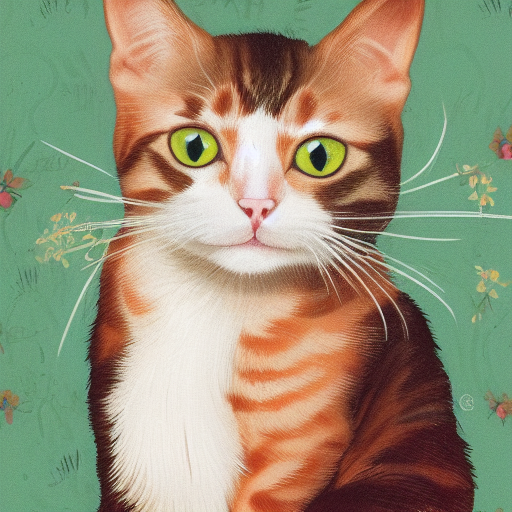 | 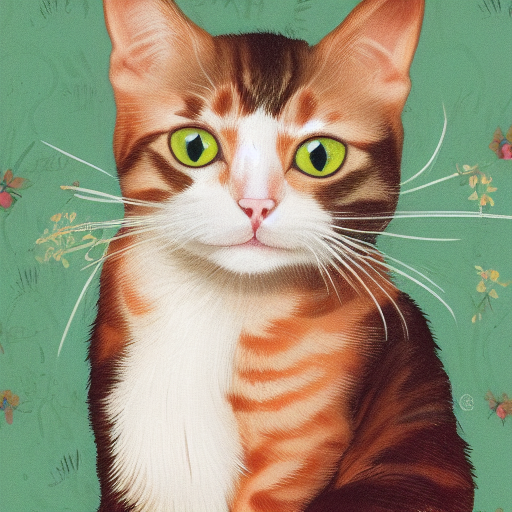 | 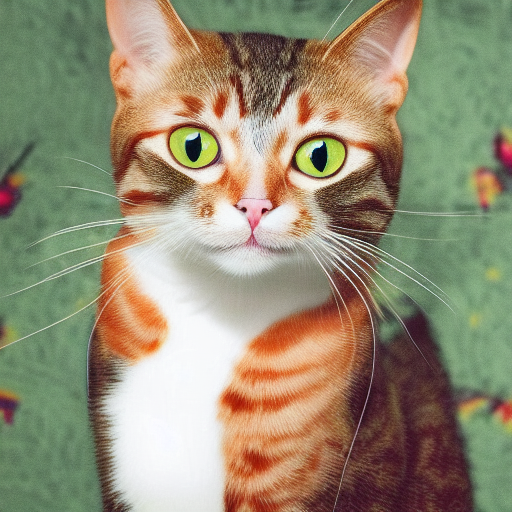 |  |  |  |  |
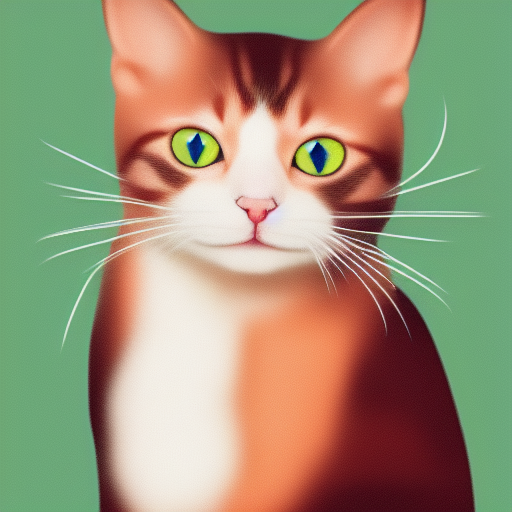
./output.png是从上述TXT2IMG管道生成的图像 ./bin/sd --mode img2img -m ../models/sd-v1-4.ckpt -p "cat with blue eyes" -i ./output.png -o ./img2img_output.png --strength 0.4
这些项目包裹stable-diffusion.cpp以便于其他语言/框架更容易使用。
这些项目使用stable-diffusion.cpp作为其图像生成的后端。
感谢所有已经为稳定扩散做出贡献的人!





