stable diffusion.cpp
master-b5f4932

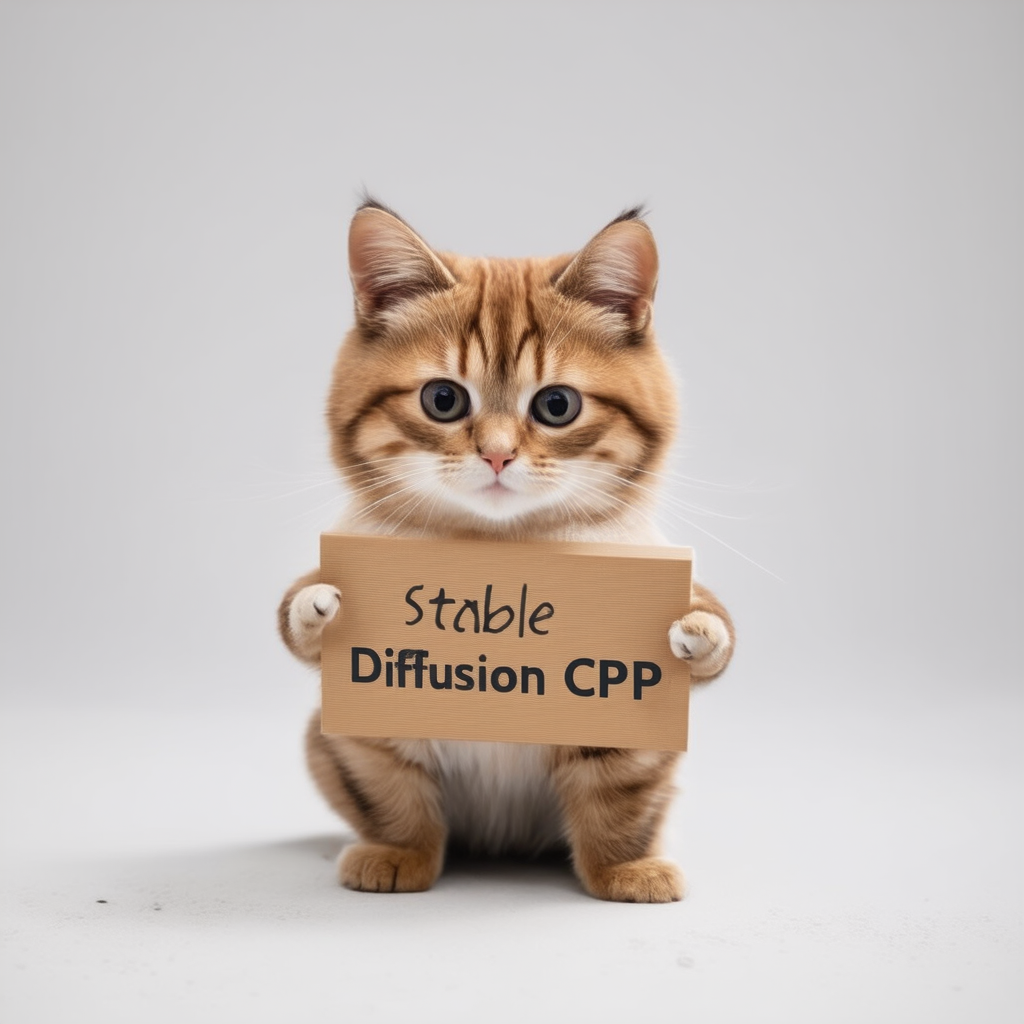
純粋なC/C ++における安定した拡散とフラックスの推論
GGMLに基づくプレーンC/C ++実装、llama.cppと同じ方法で作業
超軽量で、外部依存関係なし
SD1.X、SD2.X、SDXL、SD3/SD3.5サポート
Flux-Dev/Flux-Schnellサポート
SD-TurboおよびSDXL-Turboサポート
フォトメーカーのサポート。
16ビット、32ビットフロートサポート
2ビット、3ビット、4ビット、5ビット、8ビットの整数量子化サポート
加速メモリ効率の高いCPU推論
AVX、AVX2、およびAVX512 X86アーキテクチャのサポート
GPU加速のためのフルCUDA、金属、Vulkan、SYCLバックエンド。
CKPT、セーフテンサー、ディフューザーモデル/チェックポイントをロードできます。スタンドアロンVAESモデル
.ggmlまたは.ggufに変換する必要はもうありません!メモリ使用量の最適化のためのフラッシュ注意
元のtxt2imgおよびimg2imgモード
負のプロンプト
Stable-Diffusion-Webuiスタイルトークンザー(すべての機能ではなく、今のところトークンの重み付けのみ)
LORAサポート、安定した拡散と同様
潜在的な一貫性モデルサポート(LCM/LCM-LORA)
TAESDでより速く、メモリ効率の高い潜在的なデコード
Esrganで生成された高級画像
メモリ使用量を削減するためのVAEタイル処理
SD 1.5での正味サポートを制御します
サンプリング方法
Euler AEulerHeunDPM2DPM++ 2MDPM++ 2M v2DPM++ 2S aLCMクロスプラットフォームの再現性( --rng cuda 、 stable-diffusion-webui GPU RNGと一致)
WebUI互換テキスト文字列としてのPNG出力への埋め込みパラメーター
サポートされているプラットフォーム
ほとんどのユーザーの場合、最新リリースからビルド実行可能なプログラムをダウンロードできます。構築された製品が要件を満たしていない場合は、手動で構築することを選択できます。
 git clone --recursive https://github.com/leejet/stable-diffusion.cpp
cd stable-diffusion.cpp
 cd stable-diffusion.cpp
git pull origin master
git submodule init
git submodule update
オリジナルの重み(.ckptまたは.safeTensors)をダウンロードします。例えば
curl -L -O https://huggingface.co/CompVis/stable-diffusion-v-1-4-original/resolve/main/sd-v1-4.ckpt
# curl -L -O https://huggingface.co/runwayml/stable-diffusion-v1-5/resolve/main/v1-5-pruned-emaonly.safetensors
# curl -L -O https://huggingface.co/stabilityai/stable-diffusion-2-1/resolve/main/v2-1_768-nonema-pruned.safetensors
# curl -L -O https://huggingface.co/stabilityai/stable-diffusion-3-medium/resolve/main/sd3_medium_incl_clips_t5xxlfp16.safetensorsmkdir build
cd build
cmake ..
cmake --build . --config Release cmake .. -DGGML_OPENBLAS=ON
cmake --build . --config Release
これにより、NVIDIA GPUのCUDAコアを使用してBLASアクセラレーションが提供されます。必ずCUDAツールキットをインストールしてください。 Linux Distroのパッケージマネージャー( apt install nvidia-cuda-toolkitなど)またはここからダウンロードできます:Cuda Toolkit。少なくとも4 GBのVRAMを持つことをお勧めします。
 cmake .. -DSD_CUBLAS=ON
cmake --build . --config Release
これにより、AMD GPUのROCMコアを使用してBLASアクセラレーションが提供されます。 ROCMツールキットをインストールしているようにしてください。
Windowsユーザー包括的なガイドについては、docs/hipblas_on_windows.mdを参照してください。
 cmake .. -G "Ninja" -DCMAKE_C_COMPILER=clang -DCMAKE_CXX_COMPILER=clang++ -DSD_HIPBLAS=ON -DCMAKE_BUILD_TYPE=Release -DAMDGPU_TARGETS=gfx1100
cmake --build . --config Release
金属を使用すると、GPUで計算が実行されます。現在、非常に大きなマトリックスで操作を実行する際に金属にいくつかの問題があり、現時点では非常に非効率的です。近い将来、パフォーマンスの改善が予想されます。
 cmake .. -DSD_METAL=ON
cmake --build . --config Release
https://www.lunarg.com/vulkan-sdk/からVulkan SDKをインストールします。
 cmake .. -DSD_VULKAN=ON
cmake --build . --config Release
SYCLを使用すると、Intel GPUで計算が実行されます。開始前に、関連するドライバーとIntel®OneapiBase Toolkitをインストールしたことを確認してください。詳細と手順では、llama.cpp syclバックエンドを参照してください。
 # Export relevant ENV variables
source /opt/intel/oneapi/setvars.sh

# Option 1: Use FP32 (recommended for better performance in most cases)
cmake .. -DSD_SYCL=ON -DCMAKE_C_COMPILER=icx -DCMAKE_CXX_COMPILER=icpx

# Option 2: Use FP16
cmake .. -DSD_SYCL=ON -DCMAKE_C_COMPILER=icx -DCMAKE_CXX_COMPILER=icpx -DGGML_SYCL_F16=ON

cmake --build . --config Release
syclバックエンドを使用してtext2imgの例:
stable-diffusionモデルの重量をダウンロードして、ダウンロード-Weightを参照してください。
run ./bin/sd -m ../models/sd3_medium_incl_clips_t5xxlfp16.safetensors --cfg-scale 5 --steps 30 --sampling-method euler -H 1024 -W 1024 --seed 42 -p "fantasy medieval village world inside a glass sphere , high detail, fantasy, realistic, light effect, hyper detail, volumetric lighting, cinematic, macro, depth of field, blur, red light and clouds from the back, highly detailed epic cinematic concept art cg render made in maya, blender and photoshop, octane render, excellent composition, dynamic dramatic cinematic lighting, aesthetic, very inspirational, world inside a glass sphere by james gurney by artgerm with james jean, joe fenton and tristan eaton by ross tran, fine details, 4k resolution"

拡散モデルにフラッシュの注意を向けることで、さまざまな量のMBによってメモリの使用量が減少します。例えば。:
ほとんどのバックエンドでは、物事を遅くしますが、CUDAでは一般的にもスピードアップします。現時点では、一部のモデルと一部のバックエンド(CPU、CUDA/ROCM、金属など)でのみサポートされています。
--diffusion-fa引数に追加して、次のように監視して実行します。
[INFO ] stable-diffusion.cpp:312 - Using flash attention in the diffusion model
そして、デバッグログの計算バッファーが収縮します。
[DEBUG] ggml_extend.hpp:1004 - flux compute buffer size: 650.00 MB(VRAM)
 usage: ./bin/sd [arguments]

arguments:
  -h, --help                         show this help message and exit
  -M, --mode [MODEL]                 run mode (txt2img or img2img or convert, default: txt2img)
  -t, --threads N                    number of threads to use during computation (default: -1)
                                     If threads <= 0, then threads will be set to the number of CPU physical cores
  -m, --model [MODEL]                path to full model
  --diffusion-model                  path to the standalone diffusion model
  --clip_l                           path to the clip-l text encoder
  --clip_g                           path to the clip-l text encoder
  --t5xxl                            path to the the t5xxl text encoder
  --vae [VAE]                        path to vae
  --taesd [TAESD_PATH]               path to taesd. Using Tiny AutoEncoder for fast decoding (low quality)
  --control-net [CONTROL_PATH]       path to control net model
  --embd-dir [EMBEDDING_PATH]        path to embeddings
  --stacked-id-embd-dir [DIR]        path to PHOTOMAKER stacked id embeddings
  --input-id-images-dir [DIR]        path to PHOTOMAKER input id images dir
  --normalize-input                  normalize PHOTOMAKER input id images
  --upscale-model [ESRGAN_PATH]      path to esrgan model. Upscale images after generate, just RealESRGAN_x4plus_anime_6B supported by now
  --upscale-repeats                  Run the ESRGAN upscaler this many times (default 1)
  --type [TYPE]                      weight type (f32, f16, q4_0, q4_1, q5_0, q5_1, q8_0, q2_k, q3_k, q4_k)
                                     If not specified, the default is the type of the weight file
  --lora-model-dir [DIR]             lora model directory
  -i, --init-img [IMAGE]             path to the input image, required by img2img
  --control-image [IMAGE]            path to image condition, control net
  -o, --output OUTPUT                path to write result image to (default: ./output.png)
  -p, --prompt [PROMPT]              the prompt to render
  -n, --negative-prompt PROMPT       the negative prompt (default: "")
  --cfg-scale SCALE                  unconditional guidance scale: (default: 7.0)
  --strength STRENGTH                strength for noising/unnoising (default: 0.75)
  --style-ratio STYLE-RATIO          strength for keeping input identity (default: 20%)
  --control-strength STRENGTH        strength to apply Control Net (default: 0.9)
                                     1.0 corresponds to full destruction of information in init image
  -H, --height H                     image height, in pixel space (default: 512)
  -W, --width W                      image width, in pixel space (default: 512)
  --sampling-method {euler, euler_a, heun, dpm2, dpm++2s_a, dpm++2m, dpm++2mv2, ipndm, ipndm_v, lcm}
                                     sampling method (default: "euler_a")
  --steps  STEPS                     number of sample steps (default: 20)
  --rng {std_default, cuda}          RNG (default: cuda)
  -s SEED, --seed SEED               RNG seed (default: 42, use random seed for < 0)
  -b, --batch-count COUNT            number of images to generate
  --schedule {discrete, karras, exponential, ays, gits} Denoiser sigma schedule (default: discrete)
  --clip-skip N                      ignore last layers of CLIP network; 1 ignores none, 2 ignores one layer (default: -1)
                                     <= 0 represents unspecified, will be 1 for SD1.x, 2 for SD2.x
  --vae-tiling                       process vae in tiles to reduce memory usage
  --vae-on-cpu                       keep vae in cpu (for low vram)
  --clip-on-cpu                      keep clip in cpu (for low vram)
  --diffusion-fa                     use flash attention in the diffusion model (for low vram)
                                     Might lower quality, since it implies converting k and v to f16.
                                     This might crash if it is not supported by the backend.
  --control-net-cpu                  keep controlnet in cpu (for low vram)
  --canny                            apply canny preprocessor (edge detection)
  --color                            Colors the logging tags according to level
  -v, --verbose                      print extra info
./bin/sd -m ../models/sd-v1-4.ckpt -p " a lovely cat "
# ./bin/sd -m ../models/v1-5-pruned-emaonly.safetensors -p "a lovely cat"
# ./bin/sd -m ../models/sd_xl_base_1.0.safetensors --vae ../models/sdxl_vae-fp16-fix.safetensors -H 1024 -W 1024 -p "a lovely cat" -v
# ./bin/sd -m ../models/sd3_medium_incl_clips_t5xxlfp16.safetensors -H 1024 -W 1024 -p 'a lovely cat holding a sign says "Stable Diffusion CPP"' --cfg-scale 4.5 --sampling-method euler -v
# ./bin/sd --diffusion-model  ../models/flux1-dev-q3_k.gguf --vae ../models/ae.sft --clip_l ../models/clip_l.safetensors --t5xxl ../models/t5xxl_fp16.safetensors  -p "a lovely cat holding a sign says 'flux.cpp'" --cfg-scale 1.0 --sampling-method euler -v
# ./bin/sd -m  ..modelssd3.5_large.safetensors --clip_l ..modelsclip_l.safetensors --clip_g ..modelsclip_g.safetensors --t5xxl ..modelst5xxl_fp16.safetensors  -H 1024 -W 1024 -p 'a lovely cat holding a sign says "Stable diffusion 3.5 Large"' --cfg-scale 4.5 --sampling-method euler -v
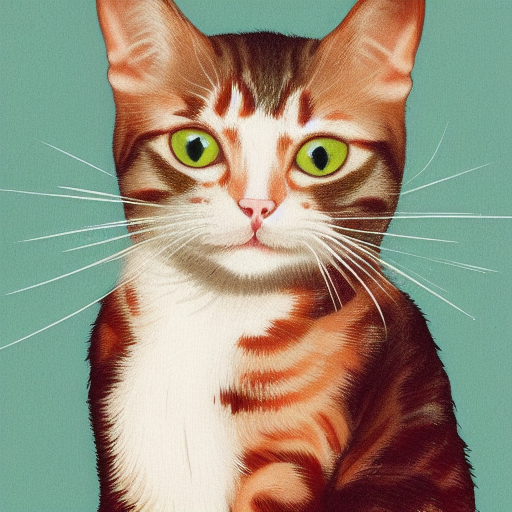
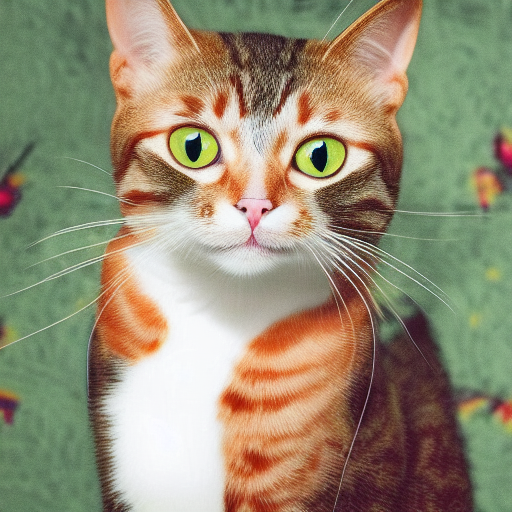
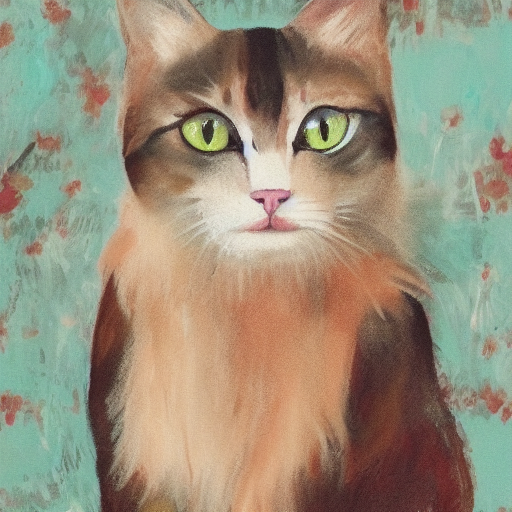
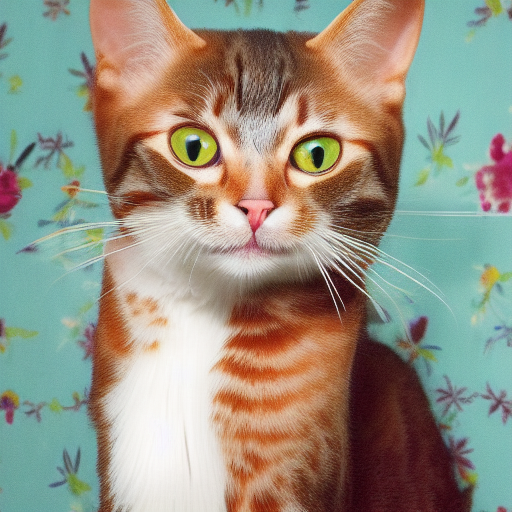
異なる精度の形式を使用すると、さまざまな品質の結果が得られます。
| F32 | F16 | Q8_0 | Q5_0 | Q5_1 | Q4_0 | Q4_1 |
|---|---|---|---|---|---|---|
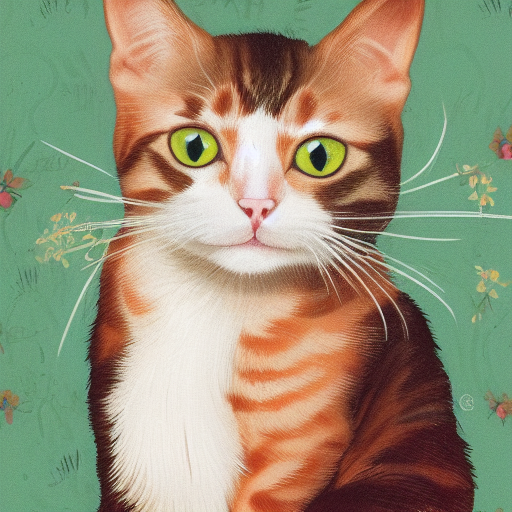 | 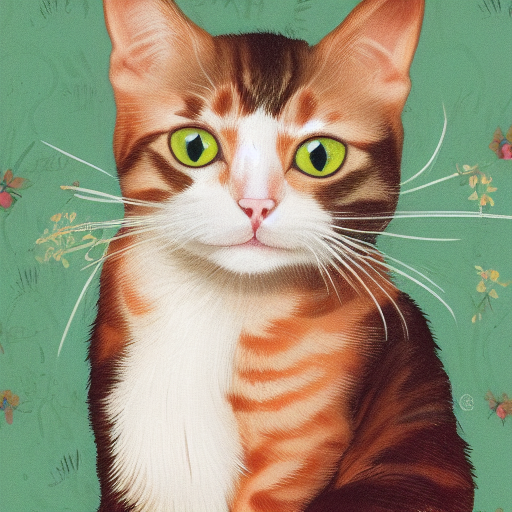 | 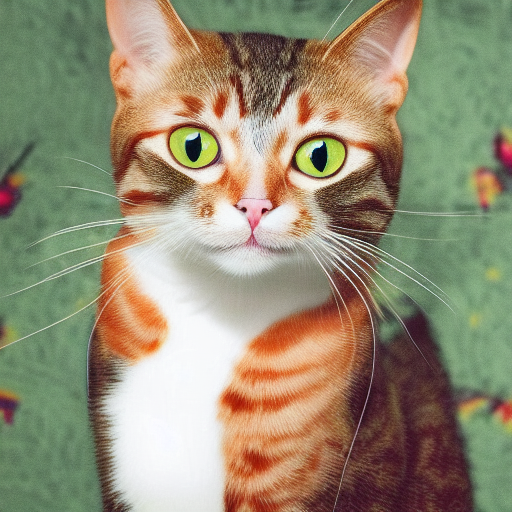 |  |  |  |  |
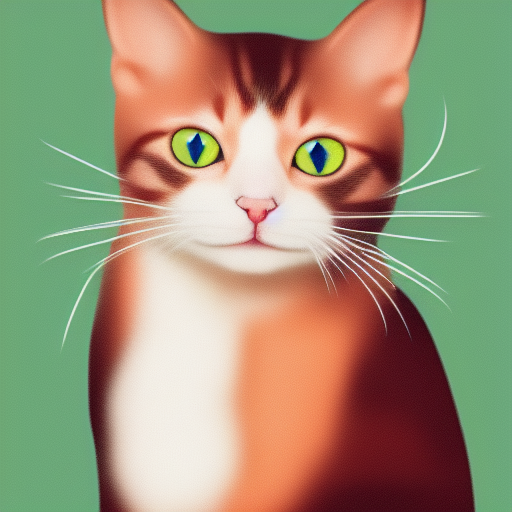
./output.pngは、上記のtxt2imgパイプラインから生成された画像です ./bin/sd --mode img2img -m ../models/sd-v1-4.ckpt -p "cat with blue eyes" -i ./output.png -o ./img2img_output.png --strength 0.4
これらのプロジェクトは、他の言語/フレームワークで簡単に使用できるようにstable-diffusion.cppをラップします。
これらのプロジェクトは、画像生成のバックエンドとしてstable-diffusion.cppを使用しています。
すでにstable diffusion.cppに貢献してくれたすべての人々に感謝します!





