stable diffusion.cpp
master-b5f4932

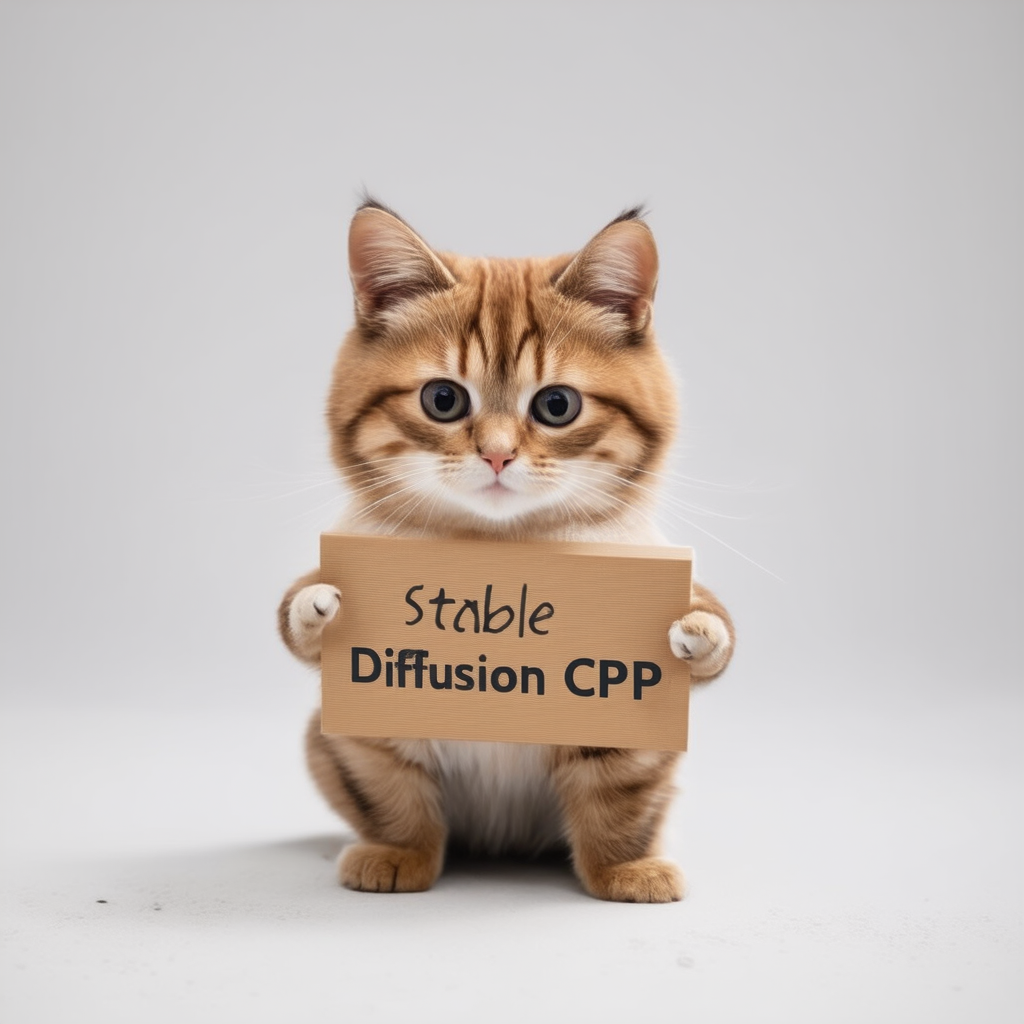
순수한 C/C ++에서 안정적인 확산 및 플럭스의 추론
llama.cpp와 같은 방식으로 작업하는 GGML을 기반으로 한 일반 C/C ++ 구현
슈퍼 경량 및 외부 의존성이없는
sd1.x, sd2.x, sdxl 및 sd3/sd3.5 지원
Flux-Dev/Flux-Schnell 지원
SD-Turbo 및 SDXL-Turbo 지원
포토 메이커 지원.
16 비트, 32 비트 플로트 지원
2 비트, 3 비트, 4 비트, 5 비트 및 8 비트 정수 양자화 지원
가속화 된 메모리 효율적인 CPU 추론
AVX, AVX2 및 AVX512 X86 아키텍처 지원
GPU 가속을위한 전체 CUDA, 금속, VULKAN 및 SYCL 백엔드.
CKPT, SAFETENSORS 및 DIFFUSERS 모델/체크 포인트를로드 할 수 있습니다. 독립형 VAES 모델
.ggml 또는 .gguf 로 변환 할 필요가 없습니다!메모리 사용 최적화를위한 플래시주의
원래 txt2img 및 img2img 모드
부정적인 프롬프트
안정적인 확산-부이 스타일 토큰 화기 (모든 기능은 아니며 지금은 토큰 가중치 만)
안정적인 분해와 같은 Lora 지원
잠재 된 일관성 모델 지원 (LCM/LCM-LORA)
TAESD로 더 빠르고 메모리 효율적인 잠복 디코딩
Esrgan으로 생성 된 고급 이미지
메모리 사용을 줄이기위한 VAE 타일링 처리
SD 1.5를 통제하는 NET 지원 제어
샘플링 방법
Euler AEulerHeunDPM2DPM++ 2MDPM++ 2M v2DPM++ 2S aLCM 크로스 플랫폼 재현성 ( --rng cuda , stable-diffusion-webui GPU RNG 와 일치)
webui 호환 텍스트 문자열로 PNG 출력에 내장 된 매개 변수를 포함
지원되는 플랫폼
대부분의 사용자의 경우 최신 릴리스에서 빌드 실행 프로그램을 다운로드 할 수 있습니다. 내장 된 제품이 귀하의 요구 사항을 충족하지 않으면 수동으로 구축하도록 선택할 수 있습니다.
 git clone --recursive https://github.com/leejet/stable-diffusion.cpp
cd stable-diffusion.cpp
 cd stable-diffusion.cpp
git pull origin master
git submodule init
git submodule update
원래 가중치 (.ckpt 또는 .safetensors)를 다운로드하십시오. 예를 들어
curl -L -O https://huggingface.co/CompVis/stable-diffusion-v-1-4-original/resolve/main/sd-v1-4.ckpt
# curl -L -O https://huggingface.co/runwayml/stable-diffusion-v1-5/resolve/main/v1-5-pruned-emaonly.safetensors
# curl -L -O https://huggingface.co/stabilityai/stable-diffusion-2-1/resolve/main/v2-1_768-nonema-pruned.safetensors
# curl -L -O https://huggingface.co/stabilityai/stable-diffusion-3-medium/resolve/main/sd3_medium_incl_clips_t5xxlfp16.safetensorsmkdir build
cd build
cmake ..
cmake --build . --config Release cmake .. -DGGML_OPENBLAS=ON
cmake --build . --config Release
이것은 NVIDIA GPU의 CUDA 코어를 사용하여 BLA 가속도를 제공합니다. CUDA 툴킷을 설치해야합니다. Linux 배포판 패키지 관리자 (예 : apt install nvidia-cuda-toolkit ) 또는 CUDA Toolkit에서 다운로드 할 수 있습니다. 4GB 이상의 VRAM을 보유하는 것이 좋습니다.
 cmake .. -DSD_CUBLAS=ON
cmake --build . --config Release
이것은 AMD GPU의 ROCM 코어를 사용하여 BLA 가속도를 제공합니다. ROCM 툴킷을 설치해야합니다.
Windows 사용자는 포괄적 인 안내서를 위해 Docs/Hipblas_on_windows.md를 참조하십시오.
 cmake .. -G "Ninja" -DCMAKE_C_COMPILER=clang -DCMAKE_CXX_COMPILER=clang++ -DSD_HIPBLAS=ON -DCMAKE_BUILD_TYPE=Release -DAMDGPU_TARGETS=gfx1100
cmake --build . --config Release
금속을 사용하면 계산이 GPU에서 실행됩니다. 현재 매우 큰 행렬에서 작업을 수행 할 때 금속에 문제가있는 몇 가지 문제가있어 현재 매우 비효율적입니다. 가까운 시일 내에 성능 향상이 예상됩니다.
 cmake .. -DSD_METAL=ON
cmake --build . --config Release
https://www.lunarg.com/vulkan-sdk/에서 vulkan sdk를 설치하십시오.
 cmake .. -DSD_VULKAN=ON
cmake --build . --config Release
Sycl을 사용하면 Intel GPU에서 계산이 실행됩니다. 시작하기 전에 관련 드라이버 및 Intel® Oneapi Base Toolkit을 설치했는지 확인하십시오. 자세한 내용과 단계는 llama.cpp sycl 백엔드를 참조하십시오.
 # Export relevant ENV variables
source /opt/intel/oneapi/setvars.sh

# Option 1: Use FP32 (recommended for better performance in most cases)
cmake .. -DSD_SYCL=ON -DCMAKE_C_COMPILER=icx -DCMAKE_CXX_COMPILER=icpx

# Option 2: Use FP16
cmake .. -DSD_SYCL=ON -DCMAKE_C_COMPILER=icx -DCMAKE_CXX_COMPILER=icpx -DGGML_SYCL_F16=ON

cmake --build . --config Release
Sycl 백엔드를 사용하여 Text2img의 예 :
stable-diffusion 모델 가중치 다운로드, 다운로드 체중을 참조하십시오.
run ./bin/sd -m ../models/sd3_medium_incl_clips_t5xxlfp16.safetensors --cfg-scale 5 --steps 30 --sampling-method euler -H 1024 -W 1024 --seed 42 -p "fantasy medieval village world inside a glass sphere , high detail, fantasy, realistic, light effect, hyper detail, volumetric lighting, cinematic, macro, depth of field, blur, red light and clouds from the back, highly detailed epic cinematic concept art cg render made in maya, blender and photoshop, octane render, excellent composition, dynamic dramatic cinematic lighting, aesthetic, very inspirational, world inside a glass sphere by james gurney by artgerm with james jean, joe fenton and tristan eaton by ross tran, fine details, 4k resolution"

확산 모델에 대한 플래시주의를 활성화하면 다양한 양의 MB로 메모리 사용량이 줄어 듭니다. 예를 들어 :
대부분의 뒷면의 경우, 그것은 물건을 늦추지 만 Cuda의 경우 일반적으로 속도를 높입니다. 현재 일부 모델과 일부 백엔드 (CPU, CUDA/ROCM, 금속)에 대해서만 지원됩니다.
인수에 --diffusion-fa 추가하여 실행하고 다음을 지켜보십시오.
[INFO ] stable-diffusion.cpp:312 - Using flash attention in the diffusion model
디버그 로그에서 컴퓨팅 버퍼가 수축합니다.
[DEBUG] ggml_extend.hpp:1004 - flux compute buffer size: 650.00 MB(VRAM)
 usage: ./bin/sd [arguments]

arguments:
  -h, --help                         show this help message and exit
  -M, --mode [MODEL]                 run mode (txt2img or img2img or convert, default: txt2img)
  -t, --threads N                    number of threads to use during computation (default: -1)
                                     If threads <= 0, then threads will be set to the number of CPU physical cores
  -m, --model [MODEL]                path to full model
  --diffusion-model                  path to the standalone diffusion model
  --clip_l                           path to the clip-l text encoder
  --clip_g                           path to the clip-l text encoder
  --t5xxl                            path to the the t5xxl text encoder
  --vae [VAE]                        path to vae
  --taesd [TAESD_PATH]               path to taesd. Using Tiny AutoEncoder for fast decoding (low quality)
  --control-net [CONTROL_PATH]       path to control net model
  --embd-dir [EMBEDDING_PATH]        path to embeddings
  --stacked-id-embd-dir [DIR]        path to PHOTOMAKER stacked id embeddings
  --input-id-images-dir [DIR]        path to PHOTOMAKER input id images dir
  --normalize-input                  normalize PHOTOMAKER input id images
  --upscale-model [ESRGAN_PATH]      path to esrgan model. Upscale images after generate, just RealESRGAN_x4plus_anime_6B supported by now
  --upscale-repeats                  Run the ESRGAN upscaler this many times (default 1)
  --type [TYPE]                      weight type (f32, f16, q4_0, q4_1, q5_0, q5_1, q8_0, q2_k, q3_k, q4_k)
                                     If not specified, the default is the type of the weight file
  --lora-model-dir [DIR]             lora model directory
  -i, --init-img [IMAGE]             path to the input image, required by img2img
  --control-image [IMAGE]            path to image condition, control net
  -o, --output OUTPUT                path to write result image to (default: ./output.png)
  -p, --prompt [PROMPT]              the prompt to render
  -n, --negative-prompt PROMPT       the negative prompt (default: "")
  --cfg-scale SCALE                  unconditional guidance scale: (default: 7.0)
  --strength STRENGTH                strength for noising/unnoising (default: 0.75)
  --style-ratio STYLE-RATIO          strength for keeping input identity (default: 20%)
  --control-strength STRENGTH        strength to apply Control Net (default: 0.9)
                                     1.0 corresponds to full destruction of information in init image
  -H, --height H                     image height, in pixel space (default: 512)
  -W, --width W                      image width, in pixel space (default: 512)
  --sampling-method {euler, euler_a, heun, dpm2, dpm++2s_a, dpm++2m, dpm++2mv2, ipndm, ipndm_v, lcm}
                                     sampling method (default: "euler_a")
  --steps  STEPS                     number of sample steps (default: 20)
  --rng {std_default, cuda}          RNG (default: cuda)
  -s SEED, --seed SEED               RNG seed (default: 42, use random seed for < 0)
  -b, --batch-count COUNT            number of images to generate
  --schedule {discrete, karras, exponential, ays, gits} Denoiser sigma schedule (default: discrete)
  --clip-skip N                      ignore last layers of CLIP network; 1 ignores none, 2 ignores one layer (default: -1)
                                     <= 0 represents unspecified, will be 1 for SD1.x, 2 for SD2.x
  --vae-tiling                       process vae in tiles to reduce memory usage
  --vae-on-cpu                       keep vae in cpu (for low vram)
  --clip-on-cpu                      keep clip in cpu (for low vram)
  --diffusion-fa                     use flash attention in the diffusion model (for low vram)
                                     Might lower quality, since it implies converting k and v to f16.
                                     This might crash if it is not supported by the backend.
  --control-net-cpu                  keep controlnet in cpu (for low vram)
  --canny                            apply canny preprocessor (edge detection)
  --color                            Colors the logging tags according to level
  -v, --verbose                      print extra info
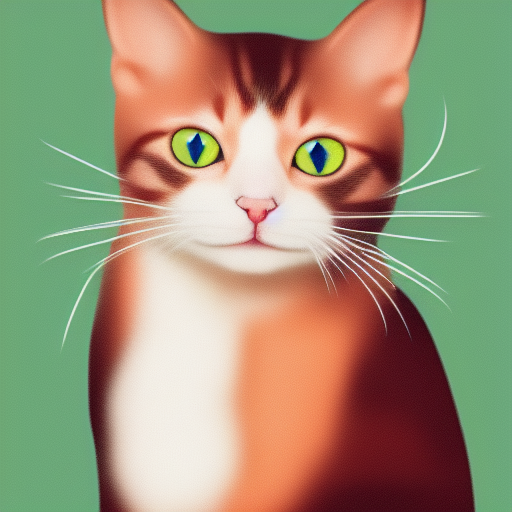
./bin/sd -m ../models/sd-v1-4.ckpt -p " a lovely cat "
# ./bin/sd -m ../models/v1-5-pruned-emaonly.safetensors -p "a lovely cat"
# ./bin/sd -m ../models/sd_xl_base_1.0.safetensors --vae ../models/sdxl_vae-fp16-fix.safetensors -H 1024 -W 1024 -p "a lovely cat" -v
# ./bin/sd -m ../models/sd3_medium_incl_clips_t5xxlfp16.safetensors -H 1024 -W 1024 -p 'a lovely cat holding a sign says "Stable Diffusion CPP"' --cfg-scale 4.5 --sampling-method euler -v
# ./bin/sd --diffusion-model  ../models/flux1-dev-q3_k.gguf --vae ../models/ae.sft --clip_l ../models/clip_l.safetensors --t5xxl ../models/t5xxl_fp16.safetensors  -p "a lovely cat holding a sign says 'flux.cpp'" --cfg-scale 1.0 --sampling-method euler -v
# ./bin/sd -m  ..modelssd3.5_large.safetensors --clip_l ..modelsclip_l.safetensors --clip_g ..modelsclip_g.safetensors --t5xxl ..modelst5xxl_fp16.safetensors  -H 1024 -W 1024 -p 'a lovely cat holding a sign says "Stable diffusion 3.5 Large"' --cfg-scale 4.5 --sampling-method euler -v
서로 다른 정밀도의 형식을 사용하면 품질이 다양한 결과를 얻을 수 있습니다.
| F32 | F16 | Q8_0 | Q5_0 | Q5_1 | Q4_0 | Q4_1 |
|---|---|---|---|---|---|---|
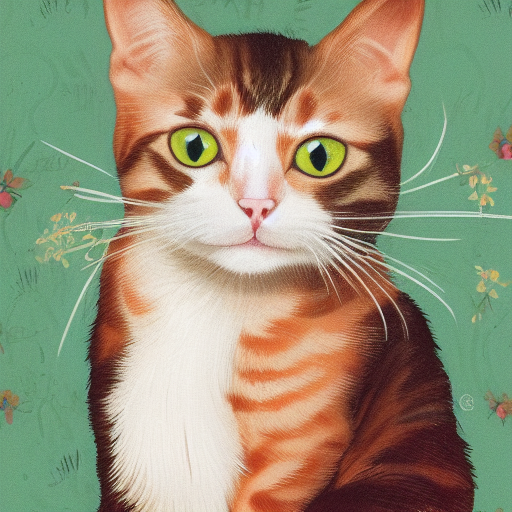 | 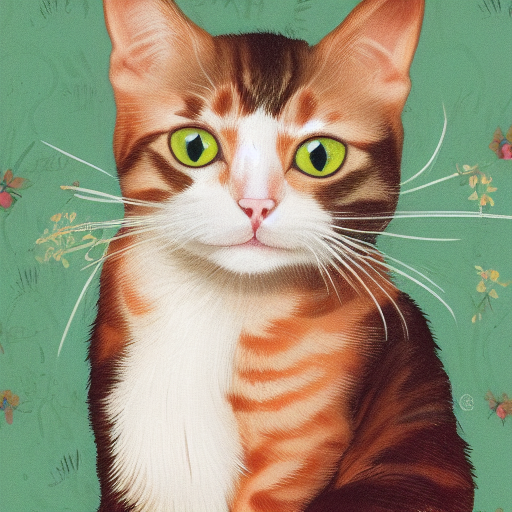 | 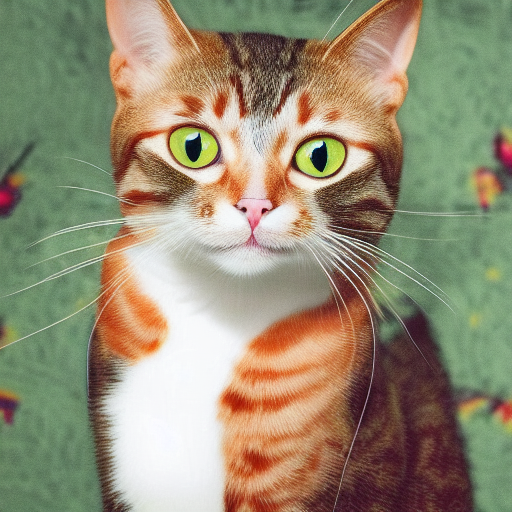 | 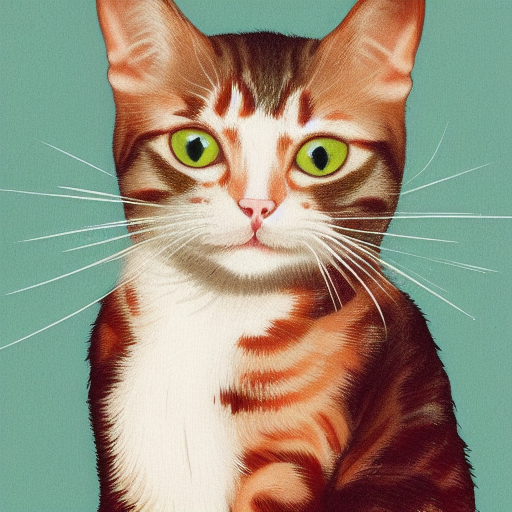 | 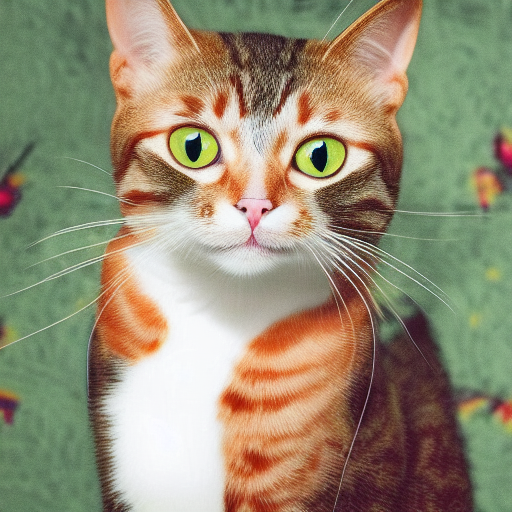 | 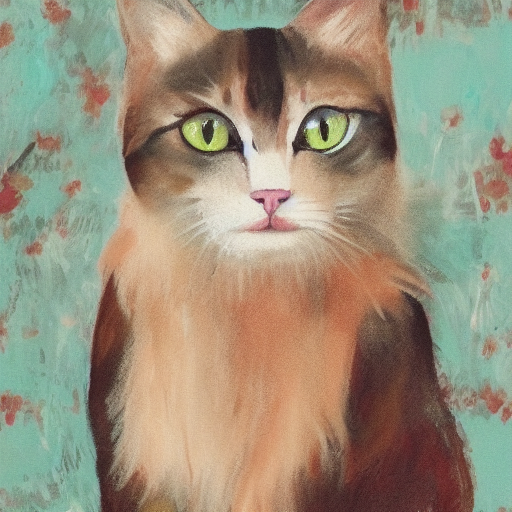 | 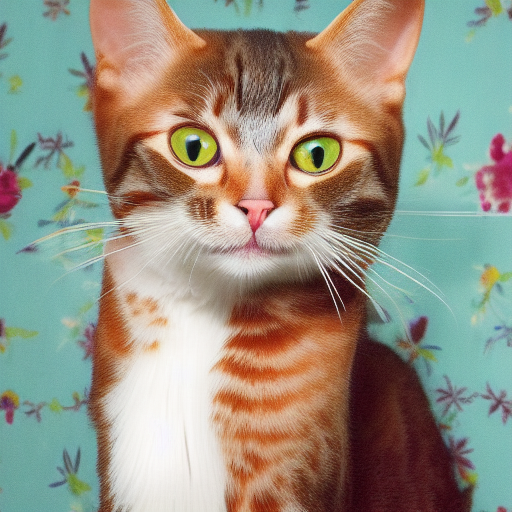 |
./output.png 는 위의 txt2img 파이프 라인에서 생성 된 이미지입니다. ./bin/sd --mode img2img -m ../models/sd-v1-4.ckpt -p "cat with blue eyes" -i ./output.png -o ./img2img_output.png --strength 0.4
이 프로젝트는 다른 언어/프레임 워크에서 더 쉽게 사용하기 위해 stable-diffusion.cpp 마무리합니다.
이 프로젝트는 이미지 생성의 백엔드로서 stable-diffusion.cpp 사용합니다.
이미 안정적인 확산에 기여한 모든 사람들에게 감사합니다 .cpp!





