stable diffusion.cpp
master-b5f4932

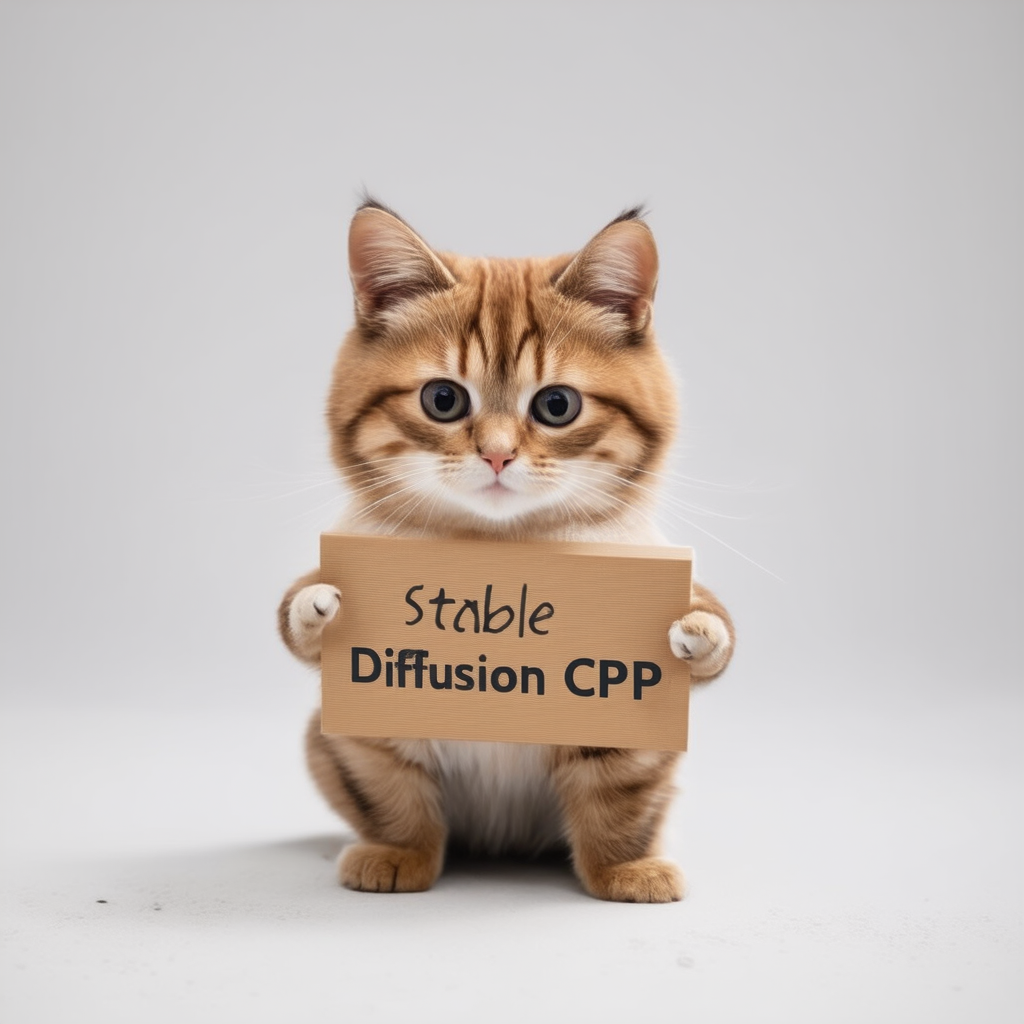
การอนุมานของการแพร่กระจายที่เสถียรและฟลักซ์ใน C/C ++ บริสุทธิ์
การใช้งาน C/C ++ ธรรมดาตาม GGML ทำงานในลักษณะเดียวกับ llama.cpp
น้ำหนักเบาสุดและไม่มีการพึ่งพาภายนอก
SD1.X, SD2.X, SDXL และ SD3/SD3.5 รองรับ
การสนับสนุน Flux-dev/flux-schnell
รองรับ SD-Turbo และ SDXL-Turbo
สนับสนุน Photomaker
การสนับสนุนลอย 16 บิต, 32 บิต
2 บิต, 3 บิต, 4 บิต, 5 บิตและ 8 บิต
การอนุมาน CPU ที่ประหยัดหน่วยความจำ
การสนับสนุน AVX, AVX2 และ AVX512 สำหรับสถาปัตยกรรม x86
แบ็กเอนด์ Cuda, Metal, Vulkan และ Sycl สำหรับการเร่งความเร็วของ GPU
สามารถโหลด CKPT, Safetensors และ Diffusers รุ่น/จุดตรวจสอบได้ โมเดล Vaes แบบสแตนด์อโลน
.ggml หรือ .gguf อีกต่อไป!ความสนใจในการเพิ่มประสิทธิภาพการใช้หน่วยความจำ
โหมด txt2img และ img2img ดั้งเดิม
พรอมต์เชิงลบ
tokenizer สไตล์การกระจายความเสถียร (ไม่ใช่คุณสมบัติทั้งหมดเฉพาะแค่การถ่วงน้ำหนักโทเค็นตอนนี้)
การสนับสนุน LORA เช่นเดียวกับความเสถียร--เวบยะ
แบบจำลองความสอดคล้องแฝง (LCM/LCM-LORA)
การถอดรหัสแฝงอย่างรวดเร็วและมีประสิทธิภาพด้วย TAESD
ภาพหรูที่สร้างขึ้นด้วย esrgan
การประมวลผลปูกระเบื้อง VAE เพื่อลดการใช้หน่วยความจำ
การสนับสนุนการควบคุมสุทธิด้วย SD 1.5
วิธีการสุ่มตัวอย่าง
Euler AEulerHeunDPM2DPM++ 2MDPM++ 2M v2DPM++ 2S aLCM การทำซ้ำแบบข้ามแพลตฟอร์ม ( --rng cuda สอดคล้องกับ stable-diffusion-webui GPU RNG )
EMBEDDS การสร้างพารามิเตอร์ลงในเอาต์พุต PNG เป็นสตริงข้อความที่เข้ากันได้กับ WebUI
แพลตฟอร์มที่รองรับ
สำหรับผู้ใช้ส่วนใหญ่คุณสามารถดาวน์โหลดโปรแกรมปฏิบัติการที่สร้างขึ้นได้จากรุ่นล่าสุด หากผลิตภัณฑ์ที่สร้างขึ้นไม่เป็นไปตามความต้องการของคุณคุณสามารถเลือกที่จะสร้างมันด้วยตนเอง
 git clone --recursive https://github.com/leejet/stable-diffusion.cpp
cd stable-diffusion.cpp
 cd stable-diffusion.cpp
git pull origin master
git submodule init
git submodule update
ดาวน์โหลดน้ำหนักดั้งเดิม (.ckpt หรือ. safetensors) ตัวอย่างเช่น
curl -L -O https://huggingface.co/CompVis/stable-diffusion-v-1-4-original/resolve/main/sd-v1-4.ckpt
# curl -L -O https://huggingface.co/runwayml/stable-diffusion-v1-5/resolve/main/v1-5-pruned-emaonly.safetensors
# curl -L -O https://huggingface.co/stabilityai/stable-diffusion-2-1/resolve/main/v2-1_768-nonema-pruned.safetensors
# curl -L -O https://huggingface.co/stabilityai/stable-diffusion-3-medium/resolve/main/sd3_medium_incl_clips_t5xxlfp16.safetensorsmkdir build
cd build
cmake ..
cmake --build . --config Release cmake .. -DGGML_OPENBLAS=ON
cmake --build . --config Release
สิ่งนี้ให้การเร่งความเร็ว BLAS โดยใช้แกน CUDA ของ NVIDIA GPU ของคุณ ตรวจสอบให้แน่ใจว่าได้ติดตั้งชุดเครื่องมือ CUDA คุณสามารถดาวน์โหลดได้จาก Package Manager ของ Linux Distro (เช่น apt install nvidia-cuda-toolkit ) หรือจากที่นี่: CUDA Toolkit แนะนำให้มี VRAM อย่างน้อย 4 GB
 cmake .. -DSD_CUBLAS=ON
cmake --build . --config Release
สิ่งนี้ให้การเร่งความเร็ว BLAS โดยใช้แกน ROCM ของ AMD GPU ของคุณ ตรวจสอบให้แน่ใจว่าติดตั้ง ROCM Toolkit
ผู้ใช้ Windows อ้างถึงเอกสาร/hipblas_on_windows.md สำหรับคู่มือที่ครอบคลุม
 cmake .. -G "Ninja" -DCMAKE_C_COMPILER=clang -DCMAKE_CXX_COMPILER=clang++ -DSD_HIPBLAS=ON -DCMAKE_BUILD_TYPE=Release -DAMDGPU_TARGETS=gfx1100
cmake --build . --config Release
การใช้โลหะทำให้การคำนวณทำงานบน GPU ปัจจุบันมีปัญหาบางอย่างเกี่ยวกับโลหะเมื่อดำเนินการกับเมทริกซ์ขนาดใหญ่มากทำให้ไม่มีประสิทธิภาพสูงในขณะนี้ คาดว่าจะมีการปรับปรุงประสิทธิภาพในอนาคตอันใกล้
 cmake .. -DSD_METAL=ON
cmake --build . --config Release
ติดตั้ง Vulkan SDK จาก https://www.lunarg.com/vulkan-sdk/
 cmake .. -DSD_VULKAN=ON
cmake --build . --config Release
การใช้ SYCL ทำให้การคำนวณทำงานบน Intel GPU โปรดตรวจสอบให้แน่ใจว่าคุณได้ติดตั้งชุดเครื่องมือพื้นฐานของIntel® Oneapi ก่อนเริ่ม รายละเอียดเพิ่มเติมและขั้นตอนสามารถอ้างถึงแบ็กเอนด์ llama.cpp Sycl
 # Export relevant ENV variables
source /opt/intel/oneapi/setvars.sh

# Option 1: Use FP32 (recommended for better performance in most cases)
cmake .. -DSD_SYCL=ON -DCMAKE_C_COMPILER=icx -DCMAKE_CXX_COMPILER=icpx

# Option 2: Use FP16
cmake .. -DSD_SYCL=ON -DCMAKE_C_COMPILER=icx -DCMAKE_CXX_COMPILER=icpx -DGGML_SYCL_F16=ON

cmake --build . --config Release
ตัวอย่างของ Text2IMG โดยใช้ SYCL Backend:
ดาวน์โหลดน้ำหนักรุ่น stable-diffusion อ้างอิงถึงการดาวน์โหลด-น้ำหนัก
run ./bin/sd -m ../models/sd3_medium_incl_clips_t5xxlfp16.safetensors --cfg-scale 5 --steps 30 --sampling-method euler -H 1024 -W 1024 --seed 42 -p "fantasy medieval village world inside a glass sphere , high detail, fantasy, realistic, light effect, hyper detail, volumetric lighting, cinematic, macro, depth of field, blur, red light and clouds from the back, highly detailed epic cinematic concept art cg render made in maya, blender and photoshop, octane render, excellent composition, dynamic dramatic cinematic lighting, aesthetic, very inspirational, world inside a glass sphere by james gurney by artgerm with james jean, joe fenton and tristan eaton by ross tran, fine details, 4k resolution"

การเปิดใช้งานแฟลชความสนใจสำหรับโมเดลการแพร่ลดลงการใช้หน่วยความจำโดยการเปลี่ยนแปลงจำนวน MB ที่แตกต่างกัน เช่น:
สำหรับแบ็กเอนด์ส่วนใหญ่มันจะช้าลง แต่สำหรับ CUDA โดยทั่วไปแล้วมันจะเร่งความเร็วเช่นกัน ในขณะนี้มันได้รับการสนับสนุนเฉพาะสำหรับบางรุ่นและแบ็กเอนด์บางส่วน (เช่น CPU, CUDA/ROCM, Metal)
ดำเนินการโดยการเพิ่ม --diffusion-fa ไปยังอาร์กิวเมนต์และดูสำหรับ:
[INFO ] stable-diffusion.cpp:312 - Using flash attention in the diffusion model
และบัฟเฟอร์การคำนวณหดตัวในบันทึกการดีบัก:
[DEBUG] ggml_extend.hpp:1004 - flux compute buffer size: 650.00 MB(VRAM)
 usage: ./bin/sd [arguments]

arguments:
  -h, --help                         show this help message and exit
  -M, --mode [MODEL]                 run mode (txt2img or img2img or convert, default: txt2img)
  -t, --threads N                    number of threads to use during computation (default: -1)
                                     If threads <= 0, then threads will be set to the number of CPU physical cores
  -m, --model [MODEL]                path to full model
  --diffusion-model                  path to the standalone diffusion model
  --clip_l                           path to the clip-l text encoder
  --clip_g                           path to the clip-l text encoder
  --t5xxl                            path to the the t5xxl text encoder
  --vae [VAE]                        path to vae
  --taesd [TAESD_PATH]               path to taesd. Using Tiny AutoEncoder for fast decoding (low quality)
  --control-net [CONTROL_PATH]       path to control net model
  --embd-dir [EMBEDDING_PATH]        path to embeddings
  --stacked-id-embd-dir [DIR]        path to PHOTOMAKER stacked id embeddings
  --input-id-images-dir [DIR]        path to PHOTOMAKER input id images dir
  --normalize-input                  normalize PHOTOMAKER input id images
  --upscale-model [ESRGAN_PATH]      path to esrgan model. Upscale images after generate, just RealESRGAN_x4plus_anime_6B supported by now
  --upscale-repeats                  Run the ESRGAN upscaler this many times (default 1)
  --type [TYPE]                      weight type (f32, f16, q4_0, q4_1, q5_0, q5_1, q8_0, q2_k, q3_k, q4_k)
                                     If not specified, the default is the type of the weight file
  --lora-model-dir [DIR]             lora model directory
  -i, --init-img [IMAGE]             path to the input image, required by img2img
  --control-image [IMAGE]            path to image condition, control net
  -o, --output OUTPUT                path to write result image to (default: ./output.png)
  -p, --prompt [PROMPT]              the prompt to render
  -n, --negative-prompt PROMPT       the negative prompt (default: "")
  --cfg-scale SCALE                  unconditional guidance scale: (default: 7.0)
  --strength STRENGTH                strength for noising/unnoising (default: 0.75)
  --style-ratio STYLE-RATIO          strength for keeping input identity (default: 20%)
  --control-strength STRENGTH        strength to apply Control Net (default: 0.9)
                                     1.0 corresponds to full destruction of information in init image
  -H, --height H                     image height, in pixel space (default: 512)
  -W, --width W                      image width, in pixel space (default: 512)
  --sampling-method {euler, euler_a, heun, dpm2, dpm++2s_a, dpm++2m, dpm++2mv2, ipndm, ipndm_v, lcm}
                                     sampling method (default: "euler_a")
  --steps  STEPS                     number of sample steps (default: 20)
  --rng {std_default, cuda}          RNG (default: cuda)
  -s SEED, --seed SEED               RNG seed (default: 42, use random seed for < 0)
  -b, --batch-count COUNT            number of images to generate
  --schedule {discrete, karras, exponential, ays, gits} Denoiser sigma schedule (default: discrete)
  --clip-skip N                      ignore last layers of CLIP network; 1 ignores none, 2 ignores one layer (default: -1)
                                     <= 0 represents unspecified, will be 1 for SD1.x, 2 for SD2.x
  --vae-tiling                       process vae in tiles to reduce memory usage
  --vae-on-cpu                       keep vae in cpu (for low vram)
  --clip-on-cpu                      keep clip in cpu (for low vram)
  --diffusion-fa                     use flash attention in the diffusion model (for low vram)
                                     Might lower quality, since it implies converting k and v to f16.
                                     This might crash if it is not supported by the backend.
  --control-net-cpu                  keep controlnet in cpu (for low vram)
  --canny                            apply canny preprocessor (edge detection)
  --color                            Colors the logging tags according to level
  -v, --verbose                      print extra info
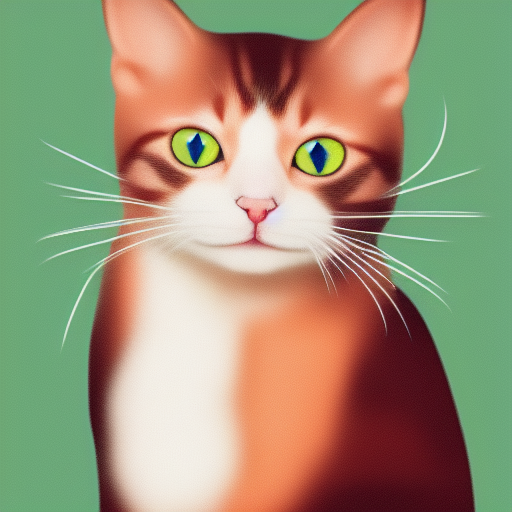
./bin/sd -m ../models/sd-v1-4.ckpt -p " a lovely cat "
# ./bin/sd -m ../models/v1-5-pruned-emaonly.safetensors -p "a lovely cat"
# ./bin/sd -m ../models/sd_xl_base_1.0.safetensors --vae ../models/sdxl_vae-fp16-fix.safetensors -H 1024 -W 1024 -p "a lovely cat" -v
# ./bin/sd -m ../models/sd3_medium_incl_clips_t5xxlfp16.safetensors -H 1024 -W 1024 -p 'a lovely cat holding a sign says "Stable Diffusion CPP"' --cfg-scale 4.5 --sampling-method euler -v
# ./bin/sd --diffusion-model  ../models/flux1-dev-q3_k.gguf --vae ../models/ae.sft --clip_l ../models/clip_l.safetensors --t5xxl ../models/t5xxl_fp16.safetensors  -p "a lovely cat holding a sign says 'flux.cpp'" --cfg-scale 1.0 --sampling-method euler -v
# ./bin/sd -m  ..modelssd3.5_large.safetensors --clip_l ..modelsclip_l.safetensors --clip_g ..modelsclip_g.safetensors --t5xxl ..modelst5xxl_fp16.safetensors  -H 1024 -W 1024 -p 'a lovely cat holding a sign says "Stable diffusion 3.5 Large"' --cfg-scale 4.5 --sampling-method euler -v
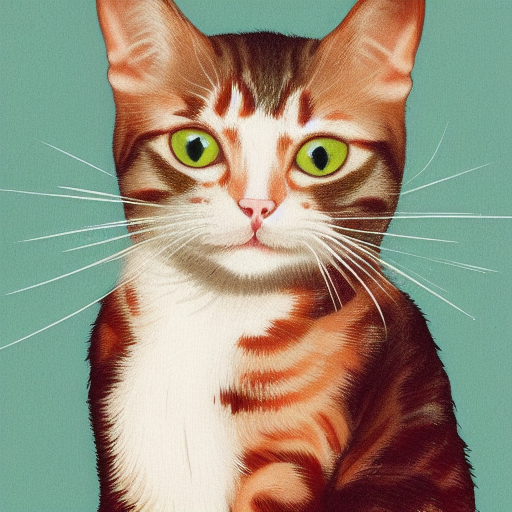
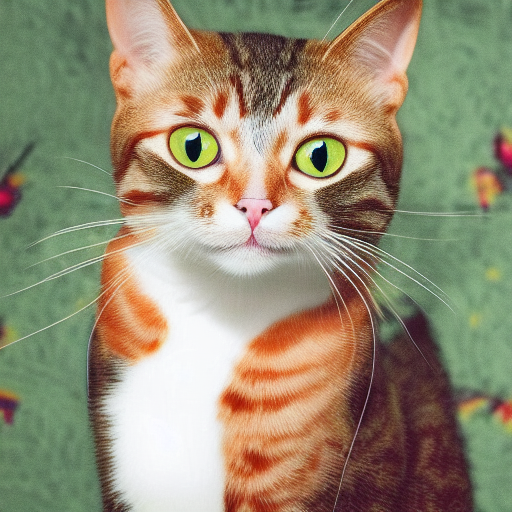
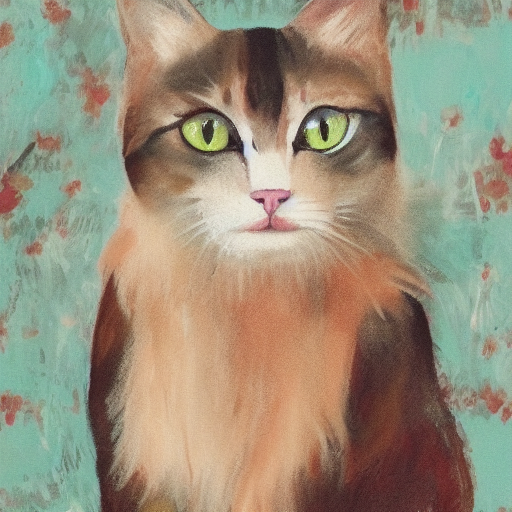
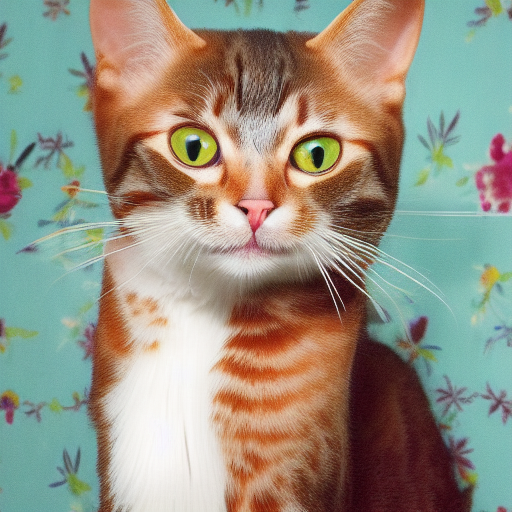
การใช้รูปแบบของการกำหนดค่าที่แตกต่างกันจะให้ผลลัพธ์ที่มีคุณภาพแตกต่างกัน
| f32 | F16 | Q8_0 | Q5_0 | Q5_1 | Q4_0 | Q4_1 |
|---|---|---|---|---|---|---|
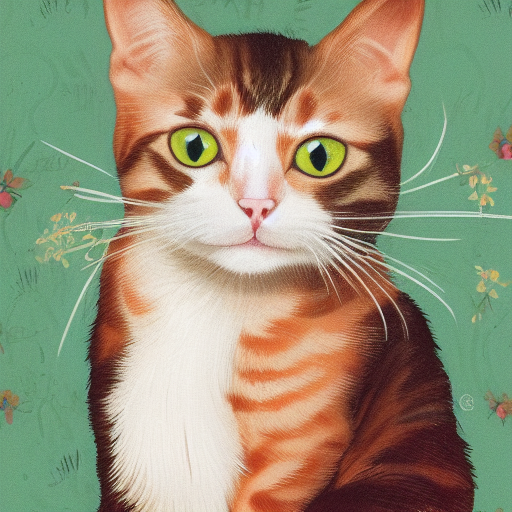 | 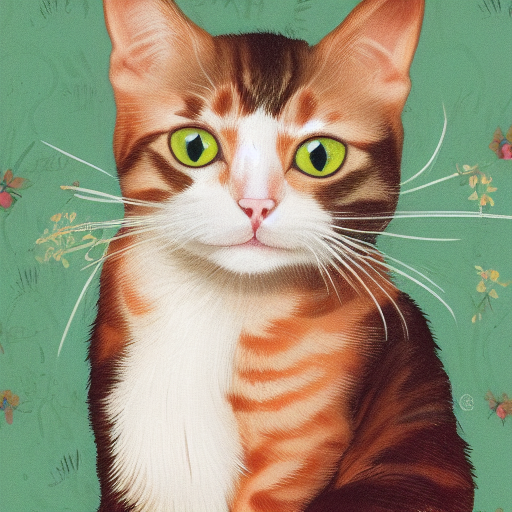 | 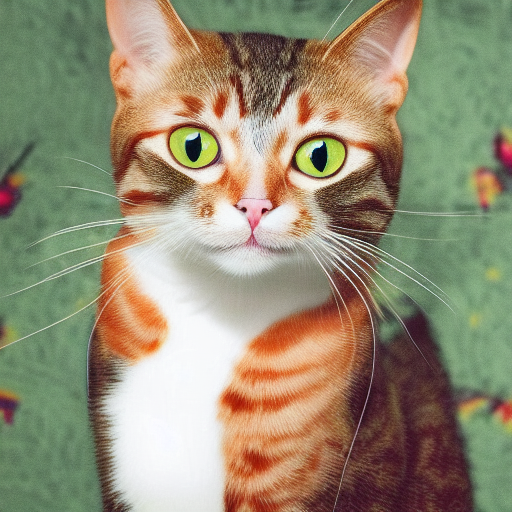 |  |  |  |  |
./output.png เป็นภาพที่สร้างขึ้นจากไปป์ไลน์ txt2img ด้านบน ./bin/sd --mode img2img -m ../models/sd-v1-4.ckpt -p "cat with blue eyes" -i ./output.png -o ./img2img_output.png --strength 0.4
โครงการเหล่านี้ห่อหุ้ม stable-diffusion.cpp เพื่อใช้งานได้ง่ายขึ้นในภาษา/เฟรมเวิร์กอื่น ๆ
โครงการเหล่านี้ใช้ stable-diffusion.cpp เป็นแบ็กเอนด์สำหรับการสร้างภาพของพวกเขา
ขอบคุณทุกคนที่มีส่วนร่วมในการ diffusion.cpp ที่มั่นคงแล้ว!





